Introduction
Smart Home Platforms are software ecosystems or hubs that connect, control, and automate smart devices within a home. These platforms act as a central control layer, enabling devices like lights, thermostats, cameras, locks, and appliances to communicate and operate together seamlessly.
As homes become more connected, users expect unified control rather than managing multiple apps. Smart home platforms simplify automation by allowing users to create routines, control devices remotely, and integrate multiple brands into a single ecosystem.
Real-world use cases
- Home automation – Automatically control lighting, temperature, and appliances
- Security management – Monitor cameras, locks, and alarms
- Energy optimization – Reduce power consumption with automation
- Voice-controlled homes – Control devices via voice assistants
- Remote home monitoring – Manage devices from anywhere
What buyers should evaluate
- Device compatibility (Zigbee, Z-Wave, Wi-Fi, Matter)
- Ease of setup and user interface
- Voice assistant integration (Alexa, Google, Siri)
- Automation capabilities and workflows
- Mobile app experience
- Security and privacy controls
- Integration ecosystem
- Scalability and future-proofing
- Cost of hardware and ecosystem
Best for: Homeowners, smart home enthusiasts, tech-savvy users, and families looking for automation, security, and convenience.
Not ideal for: Users with no smart devices or those seeking very simple, non-automated setups.
Key Trends in Smart Home Platforms
- Matter protocol adoption improving cross-brand compatibility
- AI-powered automation and routines
- Voice-first smart home control
- Edge computing for faster and private automation
- Integration with energy management systems
- Mobile-first control dashboards
- Multi-platform interoperability
- Privacy-focused local processing systems
- Subscription-based smart home services
- Expansion into smart appliances and TVs
How We Selected These Tools (Methodology)
- Market adoption and ecosystem size
- Compatibility across devices and protocols
- Automation and AI capabilities
- Reliability and performance
- Security and privacy features
- Integration ecosystem strength
- Ease of use and onboarding
- Suitability across beginner to advanced users
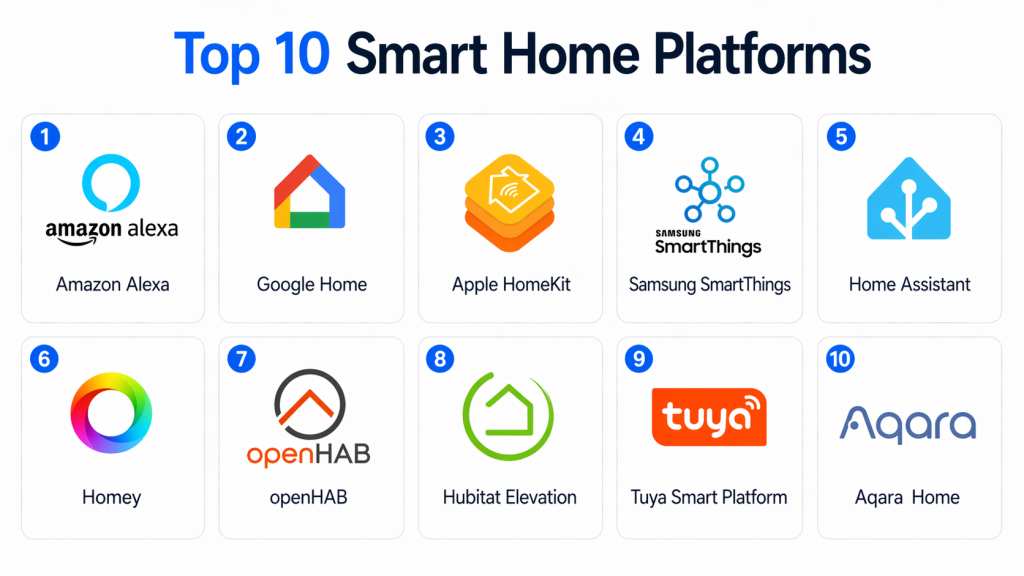
Top 10 Smart Home Platforms
#1 — Amazon Alexa
Short description: Amazon Alexa is one of the most widely used smart home platforms, enabling voice control and automation across thousands of devices.
Key Features
- Voice control via Alexa
- Device automation routines
- Smart speaker integration
- Wide device compatibility
- Cloud-based control
- Mobile app support
Pros
- Massive ecosystem
- Easy to use
Cons
- Cloud dependency
- Privacy concerns
Platforms / Deployment
Web / Mobile / Cloud
Security & Compliance
Not publicly stated
Integrations & Ecosystem
- Smart devices
- IoT platforms
- APIs
Support & Community
Strong community and extensive documentation.
#2 — Google Home
Short description: Google Home offers smart home control powered by Google Assistant with strong AI and voice capabilities.
Key Features
- Voice assistant integration
- Automation routines
- Device control
- Smart display support
- AI-driven insights
Pros
- Strong AI capabilities
- Easy setup
Cons
- Limited offline functionality
- Ecosystem dependency
Platforms / Deployment
Web / Mobile / Cloud
Security & Compliance
Not publicly stated
Integrations & Ecosystem
- Google ecosystem
- Smart devices
- APIs
Support & Community
Large user base and documentation.
#3 — Apple HomeKit
Short description: Apple HomeKit provides a secure and privacy-focused smart home ecosystem for Apple users.
Key Features
- Secure device control
- Automation workflows
- Siri integration
- Local processing
- Home app dashboard
Pros
- Strong privacy
- Seamless Apple integration
Cons
- Limited device compatibility
- Apple ecosystem dependency
Platforms / Deployment
iOS / macOS / Cloud
Security & Compliance
Encryption, secure authentication
Integrations & Ecosystem
- Apple devices
- Smart accessories
Support & Community
Strong Apple ecosystem support.
#4 — Samsung SmartThings
Short description: SmartThings is a flexible smart home platform supporting multiple protocols and device integrations.
Key Features
- Multi-protocol support
- Automation routines
- Real-time monitoring
- Mobile app control
- Smart hub support
Pros
- Broad compatibility
- Scalable ecosystem
Cons
- Requires hub for full functionality
- Learning curve
Platforms / Deployment
Web / Mobile / Cloud
Security & Compliance
Not publicly stated
Integrations & Ecosystem
- IoT devices
- Smart appliances
- APIs
Support & Community
Strong ecosystem and community.
#5 — Home Assistant
Short description: Home Assistant is an open-source smart home platform offering full control, customization, and privacy.
Key Features
- Open-source platform
- Local automation
- Custom dashboards
- Device integrations
- Advanced automation
Pros
- Highly customizable
- Privacy-focused
Cons
- Technical setup required
- Learning curve
Platforms / Deployment
Self-hosted / Cloud
Security & Compliance
Local control, encryption
Integrations & Ecosystem
- APIs
- IoT devices
- Open integrations
Support & Community
Very active community and strong documentation.
#6 — Homey Pro
Short description: Homey Pro is an advanced smart home hub offering automation, energy monitoring, and multi-device control.
Key Features
- Advanced automation flows
- Energy monitoring
- Dashboard insights
- Multi-protocol support
- App store
Pros
- All-in-one hub
- Strong automation
Cons
- Expensive
- Requires hardware
Platforms / Deployment
Cloud / Local
Security & Compliance
Not publicly stated
Integrations & Ecosystem
- Voice assistants
- IoT devices
- APIs
Support & Community
Strong support and growing ecosystem.
#7 — openHAB
Short description: openHAB is an open-source home automation platform designed for flexibility and integration.
Key Features
- Open-source
- Automation rules
- Multi-device integration
- Custom dashboards
- Local control
Pros
- Flexible
- No vendor lock-in
Cons
- Technical complexity
- Requires setup
Platforms / Deployment
Self-hosted
Security & Compliance
Not publicly stated
Integrations & Ecosystem
- IoT devices
- APIs
Support & Community
Active open-source community.
#8 — Hubitat Elevation
Short description: Hubitat Elevation focuses on local processing and fast automation for smart homes.
Key Features
- Local automation
- Fast processing
- Device compatibility
- Rule engine
- Mobile app
Pros
- No cloud dependency
- Fast performance
Cons
- Limited UI
- Smaller ecosystem
Platforms / Deployment
Local / Hub-based
Security & Compliance
Local processing
Integrations & Ecosystem
- IoT devices
- APIs
Support & Community
Active user community.
#9 — Tuya Smart Platform
Short description: Tuya provides a cloud-based smart home platform widely used by device manufacturers and OEMs.
Key Features
- Cloud-based control
- Device SDKs
- Automation routines
- Mobile apps
- Global ecosystem
Pros
- Huge device ecosystem
- Easy integration
Cons
- Cloud dependency
- Privacy concerns
Platforms / Deployment
Cloud
Security & Compliance
Not publicly stated
Integrations & Ecosystem
- IoT devices
- APIs
Support & Community
Large ecosystem and developer support.
#10 — Aqara Home
Short description: Aqara Home is a smart home platform focused on Zigbee-based automation and seamless device integration.
Key Features
- Zigbee connectivity
- Automation routines
- Mobile app
- Sensor ecosystem
- Smart hub integration
Pros
- Affordable ecosystem
- Easy setup
Cons
- Limited third-party compatibility
- Requires Aqara hub
Platforms / Deployment
Mobile / Cloud
Security & Compliance
Not publicly stated
Integrations & Ecosystem
- IoT devices
- APIs
Support & Community
Growing community and support.
Comparison Table (Top 10)
| Tool Name | Best For | Platform(s) Supported | Deployment | Standout Feature | Public Rating |
|---|---|---|---|---|---|
| Alexa | Beginners | Web/Mobile | Cloud | Voice control | N/A |
| Google Home | AI automation | Web/Mobile | Cloud | AI assistant | N/A |
| HomeKit | Apple users | iOS/macOS | Cloud | Privacy | N/A |
| SmartThings | Flexibility | Web/Mobile | Cloud | Multi-protocol | N/A |
| Home Assistant | Power users | Self-hosted | Local | Customization | N/A |
| Homey Pro | Advanced users | Cloud | Hybrid | Automation flows | N/A |
| openHAB | Developers | Self-hosted | Local | Open-source | N/A |
| Hubitat | Fast automation | Local hub | Local | Local processing | N/A |
| Tuya | OEM ecosystem | Web/Mobile | Cloud | Global scale | N/A |
| Aqara | Budget smart homes | Mobile | Cloud | Zigbee ecosystem | N/A |
Evaluation & Scoring of Smart Home Platforms
| Tool Name | Core (25%) | Ease (15%) | Integrations (15%) | Security (10%) | Performance (10%) | Support (10%) | Value (15%) | Weighted Total |
|---|---|---|---|---|---|---|---|---|
| Alexa | 8 | 9 | 9 | 6 | 8 | 9 | 9 | 8.4 |
| Google Home | 8 | 9 | 8 | 6 | 8 | 9 | 9 | 8.3 |
| HomeKit | 7 | 8 | 7 | 9 | 8 | 8 | 7 | 7.8 |
| SmartThings | 9 | 7 | 9 | 7 | 8 | 8 | 8 | 8.2 |
| Home Assistant | 9 | 6 | 9 | 9 | 9 | 9 | 8 | 8.6 |
| Homey Pro | 9 | 7 | 8 | 7 | 8 | 8 | 7 | 7.9 |
| openHAB | 8 | 6 | 8 | 8 | 8 | 7 | 8 | 7.7 |
| Hubitat | 8 | 7 | 7 | 8 | 9 | 7 | 8 | 7.8 |
| Tuya | 7 | 9 | 9 | 6 | 7 | 8 | 9 | 8.0 |
| Aqara | 7 | 9 | 7 | 6 | 7 | 7 | 9 | 7.8 |
How to interpret scores:
These scores are comparative and reflect differences in usability, features, and ecosystem strength. Higher scores indicate stronger overall capability, but the best platform depends on your needs—ease of use, customization, or ecosystem compatibility.
Which Smart Home Platform Is Right for You?
Solo / Beginner
Amazon Alexa or Google Home for easy setup.
SMB / Home Enthusiasts
SmartThings and Aqara for flexibility and affordability.
Advanced Users
Home Assistant or openHAB for full customization.
Enterprise / Smart Buildings
Homey Pro or SmartThings for scalability.
Budget vs Premium
- Budget: Tuya, Aqara
- Premium: Homey Pro
Feature Depth vs Ease of Use
- Advanced: Home Assistant
- Easy: Alexa
Integrations & Scalability
Choose SmartThings or Home Assistant.
Security & Compliance Needs
Choose HomeKit or Home Assistant for better privacy.
Frequently Asked Questions (FAQs)
1. What is a smart home platform?
A smart home platform is a system that connects and controls multiple smart devices from a single interface.
2. Do I need a hub for smart home automation?
Not always, but hubs improve compatibility and automation capabilities.
3. Which platform is best for beginners?
Amazon Alexa and Google Home are the easiest to start with.
4. What is Matter in smart homes?
Matter is a standard that allows devices from different brands to work together.
5. Is smart home automation secure?
Security depends on the platform; local and encrypted systems are more secure.
6. Can I mix devices from different brands?
Yes, especially with platforms supporting multiple protocols.
7. Do smart home platforms require internet?
Most cloud-based systems do, but some support local control.
8. What are the costs involved?
Costs include devices, hubs, and sometimes subscriptions.
9. Can smart homes save energy?
Yes, automation helps reduce energy usage and costs.
10. Is it difficult to set up?
Basic systems are easy, but advanced setups may require technical knowledge.
Conclusion
Smart Home Platforms have transformed how we interact with our living spaces, offering convenience, automation, and enhanced control over everyday devices. From voice-controlled assistants to fully customizable automation systems, these platforms enable smarter, more efficient homes. However, the best platform depends on your specific needs—whether it’s simplicity, ecosystem compatibility, or advanced customization. Beginners may prefer easy-to-use solutions, while advanced users might opt for flexible, open-source platforms. Before choosing, evaluate compatibility with your devices, ease of use, and long-term scalability. Testing a platform with a few devices can help you understand its capabilities and limitations.