Introduction
Video Surveillance Management Software (VMS) is a centralized platform used to record, monitor, store, and analyze video feeds from security cameras and surveillance systems in real time. These tools act as the backbone of modern security infrastructure, enabling organizations to manage multiple cameras, locations, and security events from a single dashboard.
In today’s security-driven world, VMS platforms are widely used in smart cities, enterprises, retail chains, manufacturing plants, transportation hubs, and residential security systems. Modern VMS solutions also integrate AI for facial recognition, motion detection, anomaly alerts, and predictive security insights.
Common use cases include:
- Real-time security monitoring
- Multi-location surveillance management
- Incident detection and alerts
- Video evidence storage and retrieval
- AI-based threat detection and analytics
Key evaluation criteria:
- Camera compatibility and scalability
- Real-time monitoring performance
- Video storage and retrieval capabilities
- AI analytics and automation features
- Cloud vs on-prem deployment flexibility
- Integration with security systems (access control, alarms)
- Cybersecurity and encryption standards
- Ease of use and dashboard experience
Best for: Enterprises, security agencies, retail chains, manufacturing plants, smart cities, and large infrastructure projects.
Not ideal for: Basic home users with single-camera setups or non-security video use cases.
Key Trends in Video Surveillance Management Software
- Rapid shift toward cloud-based VMS platforms
- Increased adoption of AI-powered video analytics
- Growth of edge computing in surveillance systems
- Integration with IoT and smart security ecosystems
- Expansion of facial recognition and object detection
- Strong focus on cybersecurity and encrypted video storage
- Rise of subscription-based surveillance models
- Multi-site centralized monitoring becoming standard
- Integration with access control and alarm systems
- Use of real-time predictive threat detection
How We Selected These Tools (Methodology)
- Evaluated global enterprise adoption and market usage
- Reviewed AI capabilities and video analytics features
- Assessed scalability for multi-camera systems
- Considered cloud and on-prem deployment flexibility
- Included both enterprise-grade and mid-market platforms
- Analyzed integration with security ecosystems
- Focused on real-world surveillance deployments
- Balanced legacy leaders and modern cloud VMS solutions
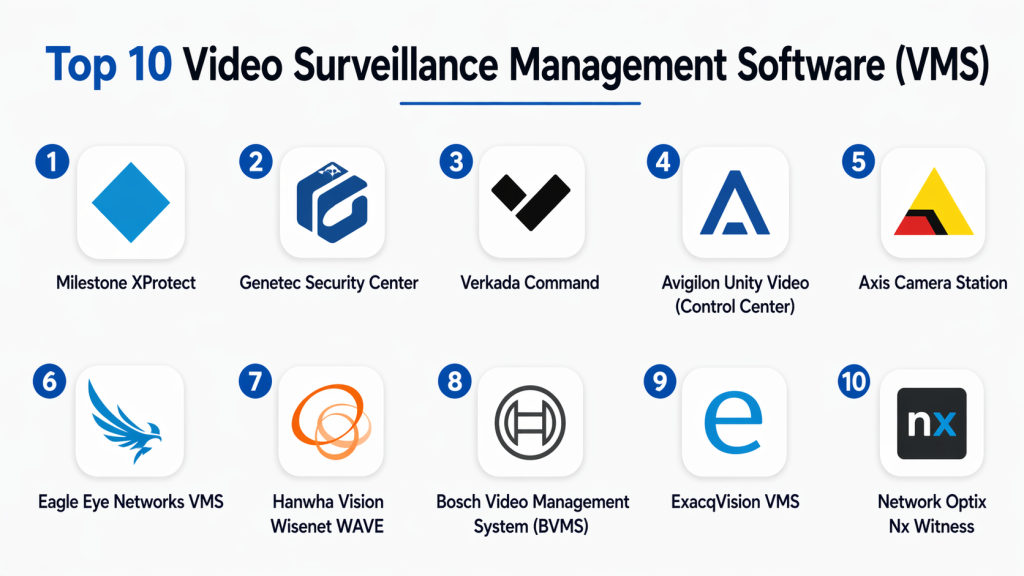
Top 10 Video Surveillance Management Software (VMS)
#1 — Milestone XProtect
Short description: A leading enterprise-grade VMS platform used for large-scale video surveillance deployments. It supports thousands of cameras and provides advanced monitoring, analytics, and centralized management across multiple locations. ([turn0search12])
Key Features
- Multi-site video management
- Unlimited camera scalability
- Advanced analytics support
- Smart mapping dashboards
- Incident investigation tools
Pros
- Highly scalable
- Strong ecosystem support
Cons
- Complex setup
- High cost
Platforms / Deployment
Windows / Cloud / On-prem
Security & Compliance
Enterprise-grade encryption and access control
Integrations & Ecosystem
Supports 14,000+ devices and third-party apps
Support & Community
Strong global enterprise support
#2 — Genetec Security Center
Short description: A unified security platform combining video surveillance, access control, and analytics into one system for enterprise security operations.
Key Features
- Unified security dashboard
- Video + access control integration
- Advanced incident management
- Cloud and hybrid deployment
- AI-based analytics
Pros
- All-in-one security platform
- Highly reliable
Cons
- Expensive enterprise solution
- Requires expertise
Platforms / Deployment
Cloud / Hybrid / On-prem
Security & Compliance
Strong enterprise compliance standards
Integrations & Ecosystem
Integrates with enterprise security systems
Support & Community
Enterprise-grade support
#3 — Verkada Command
Short description: A cloud-native VMS platform offering real-time video monitoring, AI analytics, and centralized security management for modern organizations. ([turn0search3])
Key Features
- Cloud-based video management
- AI motion search
- Remote access control
- Device health monitoring
- Incident alerts
Pros
- Easy deployment
- Strong cloud architecture
Cons
- Subscription-based
- Limited offline control
Platforms / Deployment
Cloud
Security & Compliance
Encrypted cloud storage
Integrations & Ecosystem
Works with Verkada hardware ecosystem
Support & Community
Strong enterprise support
#4 — Avigilon Unity Video
Short description: A powerful AI-driven VMS platform designed for enterprise security with advanced analytics and smart surveillance capabilities. ([turn0search3])
Key Features
- AI video analytics
- Real-time monitoring
- Cloud and hybrid support
- Advanced search tools
- Security dashboards
Pros
- Strong AI capabilities
- High-quality video processing
Cons
- High cost
- Complex deployment
Platforms / Deployment
Cloud / Hybrid
Security & Compliance
Enterprise-grade security
Integrations & Ecosystem
Works with Avigilon cameras and systems
Support & Community
Strong enterprise support
#5 — Axis Camera Station
Short description: A reliable VMS solution designed for small to medium surveillance systems with strong integration for Axis cameras. ([turn0search1])
Key Features
- Live video monitoring
- Playback and recording
- Event management
- Remote access
- Camera configuration
Pros
- Easy to use
- Strong reliability
Cons
- Limited scalability
- Best for Axis ecosystem
Platforms / Deployment
Windows
Security & Compliance
Not publicly stated
Integrations & Ecosystem
Optimized for Axis devices
Support & Community
Strong vendor support
#6 — Eagle Eye Networks VMS
Short description: A cloud-based video surveillance platform offering scalable, AI-powered monitoring and multi-site management.
Key Features
- Cloud video storage
- AI analytics
- Remote monitoring
- Multi-site control
- Open API support
Pros
- Highly scalable
- Cloud-first design
Cons
- Subscription cost
- Internet dependency
Platforms / Deployment
Cloud
Security & Compliance
Enterprise-grade encryption
Integrations & Ecosystem
Works with many camera brands
Support & Community
Strong enterprise support
#7 — Hanwha Vision Wisenet WAVE
Short description: A flexible VMS platform designed for IP camera systems with strong usability and cross-platform support. ([turn0search11])
Key Features
- Multi-camera support
- Intuitive UI
- Real-time monitoring
- Motion detection alerts
- Cross-platform access
Pros
- Easy deployment
- Flexible system
Cons
- Limited enterprise features
- Smaller ecosystem
Platforms / Deployment
Windows / Linux / macOS
Security & Compliance
Not publicly stated
Integrations & Ecosystem
Works with ONVIF-compatible cameras
Support & Community
Moderate support
#8 — Bosch BVMS
Short description: A high-security VMS platform designed for enterprise and government surveillance systems.
Key Features
- Centralized monitoring
- High-security architecture
- Video analytics
- Incident management
- Multi-site support
Pros
- Strong security focus
- Reliable performance
Cons
- Complex setup
- Enterprise pricing
Platforms / Deployment
Windows / Hybrid
Security & Compliance
Enterprise-grade compliance
Integrations & Ecosystem
Works with Bosch security systems
Support & Community
Strong enterprise support
#9 — ExacqVision
Short description: A flexible VMS platform that supports hybrid deployments and a wide range of IP cameras for scalable surveillance systems. ([turn0search19])
Key Features
- Multi-camera recording
- Remote access
- Hybrid deployment
- Event-based recording
- Searchable archives
Pros
- Flexible architecture
- Easy integration
Cons
- UI limitations
- Licensing complexity
Platforms / Deployment
Windows / Linux / macOS
Security & Compliance
Not publicly stated
Integrations & Ecosystem
Supports many IP camera brands
Support & Community
Strong enterprise support
#10 — Nx Witness (Network Optix)
Short description: A modern, lightweight VMS platform known for fast performance, intuitive UI, and flexible integrations.
Key Features
- Real-time video streaming
- Smart search tools
- Multi-site management
- API integration
- AI analytics support
Pros
- Very fast performance
- Developer-friendly
Cons
- Limited enterprise features
- Subscription licensing
Platforms / Deployment
Windows / Linux / macOS
Security & Compliance
Not publicly stated
Integrations & Ecosystem
Supports third-party integrations via APIs
Support & Community
Strong developer community
Comparison Table (Top 10)
| Tool Name | Best For | Platform(s) Supported | Deployment | Standout Feature | Public Rating |
|---|---|---|---|---|---|
| Milestone XProtect | Enterprise surveillance | Multi-platform | Hybrid | Massive scalability | N/A |
| Genetec Security Center | Unified security | Multi-platform | Hybrid | Integrated security suite | N/A |
| Verkada Command | Cloud security | Web | Cloud | Cloud-native VMS | N/A |
| Avigilon Unity | AI surveillance | Multi-platform | Hybrid | AI analytics | N/A |
| Axis Camera Station | SMB surveillance | Windows | On-prem | Axis integration | N/A |
| Eagle Eye Networks | Cloud VMS | Web | Cloud | Scalable cloud system | N/A |
| Wisenet WAVE | IP surveillance | Multi-platform | Hybrid | Easy UI | N/A |
| Bosch BVMS | High-security systems | Windows | Hybrid | Security focus | N/A |
| ExacqVision | Flexible deployment | Multi-platform | Hybrid | Hybrid recording | N/A |
| Nx Witness | Fast monitoring | Multi-platform | Hybrid | High performance | N/A |
Evaluation & Scoring of VMS Tools
| Tool Name | Core | Ease | Integrations | Security | Performance | Support | Value | Weighted Total |
|---|---|---|---|---|---|---|---|---|
| Milestone XProtect | 10 | 7 | 10 | 9 | 9 | 9 | 7 | 8.7 |
| Genetec | 10 | 7 | 10 | 10 | 9 | 9 | 7 | 8.8 |
| Verkada | 9 | 9 | 9 | 9 | 9 | 9 | 8 | 8.9 |
| Avigilon | 9 | 8 | 9 | 9 | 9 | 9 | 7 | 8.5 |
| Axis Station | 8 | 9 | 8 | 8 | 8 | 8 | 8 | 8.1 |
| Eagle Eye | 9 | 8 | 9 | 8 | 9 | 9 | 8 | 8.6 |
| Wisenet WAVE | 8 | 9 | 8 | 7 | 8 | 8 | 8 | 8.0 |
| Bosch BVMS | 9 | 7 | 8 | 10 | 9 | 9 | 7 | 8.4 |
| ExacqVision | 8 | 8 | 8 | 8 | 8 | 8 | 8 | 8.0 |
| Nx Witness | 8 | 9 | 8 | 8 | 9 | 8 | 9 | 8.3 |
Which VMS Tool Is Right for You?
Small Businesses
Axis Camera Station or Nx Witness for simplicity and cost efficiency.
Mid-Market
Eagle Eye Networks or Wisenet WAVE for scalability and cloud features.
Enterprise
Milestone, Genetec, Bosch BVMS for large-scale security operations.
Cloud-First Organizations
Verkada or Eagle Eye Networks for modern cloud surveillance.
High-Security Environments
Genetec and Bosch BVMS for strong compliance and control.
Frequently Asked Questions (FAQs)
1. What is Video Surveillance Management Software?
It is a system used to record, manage, and monitor video feeds from security cameras in real time. It helps organizations centralize surveillance operations and improve security response.
2. Why is VMS important?
VMS is important because it allows centralized monitoring of multiple cameras, improves incident response time, and enhances security management efficiency.
3. What industries use VMS software?
Industries like retail, manufacturing, transportation, banking, and government use VMS systems for security and monitoring.
4. Is VMS cloud-based?
Modern VMS platforms are often cloud-based, but many also support on-premise and hybrid deployments depending on security needs.
5. Can VMS integrate with AI?
Yes, many modern VMS platforms use AI for facial recognition, motion detection, and anomaly detection.
6. What is the difference between VMS and CCTV?
CCTV is the hardware system, while VMS is the software that manages, records, and analyzes video feeds from those cameras.
7. Can VMS support multiple locations?
Yes, most enterprise VMS systems support multi-site surveillance from a single centralized dashboard.
8. Are VMS systems secure?
Yes, enterprise-grade VMS platforms use encryption, access control, and authentication to protect video data.
9. Do VMS tools support mobile apps?
Yes, most modern VMS platforms offer mobile apps for remote monitoring and alerts.
10. What is the best VMS software?
The best VMS depends on use case—Milestone and Genetec for enterprises, Verkada for cloud-first systems, and Nx Witness for performance-focused setups.
Conclusion
Video Surveillance Management Software is a critical component of modern security infrastructure. It enables organizations to monitor, analyze, and respond to security events in real time across multiple locations and devices. There is no single best VMS solution for all scenarios. Enterprise organizations often choose Milestone or Genetec, while cloud-focused companies prefer Verkada or Eagle Eye Networks. Smaller deployments benefit from Axis or Nx Witness. The right choice depends on scalability, budget, integration needs, and security requirements. Focus on platforms that align with your infrastructure and long-term surveillance strategy. Start by evaluating a few systems, testing real-world performance, and ensuring compatibility with your existing camera infrastructure.