Introduction
Session Replay Tools are software platforms that record and reconstruct real user sessions on websites and applications. Instead of relying only on analytics dashboards or numerical data, these tools let teams visually watch how users interact with digital products—clicks, scrolls, mouse movements, taps, rage clicks, errors, and navigation paths.
In modern digital product ecosystems, understanding user behavior is critical. Session replay tools bridge the gap between quantitative analytics and real human behavior, helping teams identify friction points, bugs, and UX issues that traditional analytics cannot explain.
Real-world use cases include:
- Identifying where users drop off in a checkout flow
- Debugging frontend errors and performance issues
- Improving onboarding experiences for SaaS products
- Analyzing user frustration signals like rage clicks
- Understanding feature adoption and usage patterns
When evaluating session replay tools, buyers should consider:
- Recording accuracy and performance impact
- Privacy controls and data masking capabilities
- Integration with analytics and product tools
- Heatmaps and behavioral insights
- Error tracking and debugging features
- Session search and filtering capabilities
- Scalability for high-traffic applications
- Data retention and storage options
- Collaboration and sharing features
- Security and compliance readiness
Best for: Product managers, UX designers, developers, CRO specialists, and digital analytics teams.
Not ideal for: Very small websites with minimal traffic or teams that only need basic page analytics without behavioral insights.
Key Trends in Session Replay Tools
- AI-powered session summarization and anomaly detection
- Automatic identification of user frustration signals
- Integration with product analytics and CDP platforms
- Real-time session monitoring for live debugging
- Privacy-first recording with advanced masking techniques
- Cross-device and cross-session user journey stitching
- Combined heatmaps + replay analytics in one platform
- Event-based replay filtering for faster insights
- Cloud-native scalable recording infrastructure
- Stronger focus on GDPR and compliance controls
How We Selected These Tools (Methodology)
- Evaluated market adoption across product and analytics teams
- Assessed replay quality, accuracy, and performance impact
- Reviewed integration with analytics, CRM, and product tools
- Considered debugging and error-tracking capabilities
- Analyzed privacy controls and data masking features
- Evaluated scalability for high-traffic applications
- Factored in usability for product and engineering teams
- Reviewed filtering, search, and session segmentation features
- Assessed reporting and collaboration capabilities
- Balanced enterprise strength with SMB usability
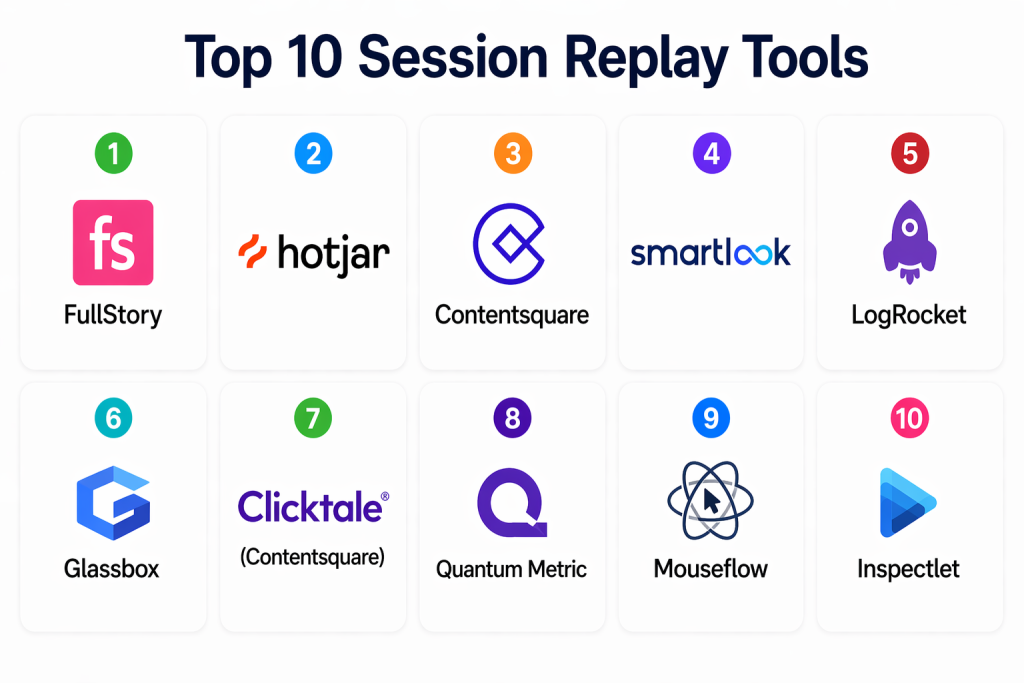
Top 10 Session Replay Tools
#1 — FullStory
Short description: FullStory is a leading digital experience analytics platform that provides high-quality session replay, heatmaps, and behavioral insights. It is widely used by product and UX teams to understand user behavior at scale.
Key Features
- High-fidelity session replay
- Advanced user segmentation
- Frustration signals detection
- Heatmaps and click tracking
- Conversion funnel analysis
- Searchable user sessions
Pros
- Extremely detailed session recordings
- Strong UX and product analytics capabilities
Cons
- Premium pricing
- Can generate large data volumes
Platforms / Deployment
- Web
- Cloud
Security & Compliance
- Encryption, RBAC, audit logs
- GDPR and enterprise-grade compliance support
Integrations & Ecosystem
- Product analytics tools
- CRM platforms
- Data warehouses
- APIs for custom integration
Support & Community
Strong enterprise support and documentation
#2 — Hotjar
Short description: Hotjar is a popular behavior analytics tool that combines session replay, heatmaps, and user feedback tools in a simple and accessible platform.
Key Features
- Session recordings
- Heatmaps (click, scroll, move)
- Feedback polls and surveys
- Funnel analysis
- User behavior tracking
- Conversion insights
Pros
- Very easy to use
- Affordable for SMBs
Cons
- Limited enterprise analytics depth
- Not ideal for complex applications
Platforms / Deployment
- Web
- Cloud
Security & Compliance
- Data masking tools
- GDPR compliance support
Integrations & Ecosystem
- Google Analytics
- Slack
- Product analytics tools
- APIs
Support & Community
Strong documentation and community resources
#3 — Contentsquare
Short description: Contentsquare is an enterprise digital experience analytics platform that provides session replay, journey analysis, and AI-driven UX insights.
Key Features
- Advanced session replay
- Journey analysis
- AI-powered insights
- Heatmaps and zoning analysis
- Conversion optimization tools
- UX benchmarking
Pros
- Enterprise-grade analytics depth
- Strong AI insights
Cons
- Complex implementation
- High cost
Platforms / Deployment
- Web
- Cloud
Security & Compliance
- Enterprise encryption standards
- GDPR compliance
Integrations & Ecosystem
- CRM platforms
- Data warehouses
- Analytics tools
- APIs
Support & Community
Enterprise onboarding and support
#4 — Smartlook
Short description: Smartlook provides session replay and event tracking for websites and mobile apps, helping teams analyze user behavior across platforms.
Key Features
- Session replay for web and mobile
- Event tracking
- Funnel analysis
- Heatmaps
- User journey tracking
- Crash and error insights
Pros
- Supports web and mobile apps
- Easy setup
Cons
- Limited advanced enterprise features
- UI can feel basic
Platforms / Deployment
- Web / Mobile
- Cloud
Security & Compliance
- Data masking and encryption
- GDPR compliance
Integrations & Ecosystem
- Google Analytics
- CRM tools
- API integrations
- Product analytics tools
Support & Community
Good documentation and standard support
#5 — LogRocket
Short description: LogRocket combines session replay with frontend performance monitoring and error tracking, making it ideal for developers and engineering teams.
Key Features
- Session replay with console logs
- Frontend error tracking
- Performance monitoring
- Network request tracking
- User journey analysis
- Debugging tools
Pros
- Strong developer-focused features
- Excellent debugging capabilities
Cons
- Less focus on UX insights
- Requires technical setup
Platforms / Deployment
- Web
- Cloud
Security & Compliance
- Encryption and RBAC
- Not publicly stated
Integrations & Ecosystem
- Jira
- Slack
- Sentry
- APIs
Support & Community
Strong developer documentation
#6 — Glassbox
Short description: Glassbox is an enterprise digital experience analytics platform focused on customer journey optimization and compliance-ready session replay.
Key Features
- Session replay with AI insights
- Journey analysis
- Conversion optimization
- Compliance-ready recording
- Funnel analysis
- Customer behavior tracking
Pros
- Strong enterprise analytics
- Compliance-focused architecture
Cons
- High cost
- Complex onboarding
Platforms / Deployment
- Web
- Cloud
Security & Compliance
- Enterprise-grade encryption
- GDPR and compliance support
Integrations & Ecosystem
- CRM systems
- BI tools
- APIs
- Data platforms
Support & Community
Enterprise-level support
#7 — Clicktale (Contentsquare)
Short description: Clicktale, now part of Contentsquare, offers behavioral analytics and session replay for enterprise customer experience optimization.
Key Features
- Session replay
- Heatmaps
- Customer journey analysis
- UX insights
- Conversion tracking
- Behavioral segmentation
Pros
- Strong enterprise CX focus
- Deep UX insights
Cons
- Complex setup
- Requires training
Platforms / Deployment
- Web
- Cloud
Security & Compliance
- Enterprise security standards
- GDPR compliance
Integrations & Ecosystem
- Contentsquare ecosystem
- CRM platforms
- APIs
Support & Community
Enterprise support structure
#8 — Quantum Metric
Short description: Quantum Metric is a digital analytics platform that provides real-time session replay and customer experience insights.
Key Features
- Real-time session replay
- AI-driven insights
- Funnel analysis
- Journey tracking
- Frustration detection
- UX optimization tools
Pros
- Real-time analytics strength
- Strong enterprise capabilities
Cons
- Complex for beginners
- Premium pricing
Platforms / Deployment
- Web
- Cloud
Security & Compliance
- Encryption and RBAC
- Not publicly stated
Integrations & Ecosystem
- CRM systems
- Data warehouses
- APIs
- Analytics tools
Support & Community
Enterprise support and onboarding
#9 — Mouseflow
Short description: Mouseflow provides session replay, heatmaps, and form analytics to help teams understand user behavior and optimize conversions.
Key Features
- Session replay
- Heatmaps
- Form analytics
- Funnel tracking
- User behavior analysis
- Conversion insights
Pros
- Easy to use
- Strong SMB focus
Cons
- Limited enterprise features
- Basic advanced analytics
Platforms / Deployment
- Web
- Cloud
Security & Compliance
- Data masking tools
- GDPR compliance
Integrations & Ecosystem
- Google Analytics
- CRM tools
- APIs
- Marketing tools
Support & Community
Good documentation and support
#10 — Inspectlet
Short description: Inspectlet is a session replay and heatmap tool that allows teams to observe user behavior and identify usability issues.
Key Features
- Session recordings
- Heatmaps
- Form analytics
- User behavior tracking
- Funnel analysis
- Conversion tracking
Pros
- Simple and affordable
- Easy setup
Cons
- Limited advanced analytics
- Basic UI compared to enterprise tools
Platforms / Deployment
- Web
- Cloud
Security & Compliance
- Data masking options
- Not publicly stated
Integrations & Ecosystem
- Google Analytics
- APIs
- Marketing tools
Support & Community
Standard support and documentation
Comparison Table (Top 10)
| Tool Name | Best For | Platform(s) Supported | Deployment | Standout Feature | Public Rating |
|---|---|---|---|---|---|
| FullStory | Enterprise UX teams | Web | Cloud | High-fidelity replay | N/A |
| Hotjar | SMB UX teams | Web | Cloud | Heatmaps + feedback | N/A |
| Contentsquare | Enterprise CX | Web | Cloud | AI journey insights | N/A |
| Smartlook | Web & mobile analytics | Web / Mobile | Cloud | Cross-platform replay | N/A |
| LogRocket | Developers | Web | Cloud | Debugging tools | N/A |
| Glassbox | Enterprise CX | Web | Cloud | Compliance analytics | N/A |
| Clicktale | Enterprise UX | Web | Cloud | Journey analysis | N/A |
| Quantum Metric | Real-time CX | Web | Cloud | Live insights | N/A |
| Mouseflow | SMB conversion teams | Web | Cloud | Form analytics | N/A |
| Inspectlet | Small teams | Web | Cloud | Simple replay tools | N/A |
Evaluation & Scoring of Session Replay Tools
| Tool Name | Core (25%) | Ease (15%) | Integrations (15%) | Security (10%) | Performance (10%) | Support (10%) | Value (15%) | Weighted Total |
|---|---|---|---|---|---|---|---|---|
| FullStory | 10 | 8 | 9 | 9 | 9 | 9 | 7 | 8.75 |
| Hotjar | 8 | 10 | 8 | 8 | 8 | 8 | 9 | 8.40 |
| Contentsquare | 10 | 7 | 9 | 9 | 9 | 9 | 6 | 8.30 |
| Smartlook | 8 | 9 | 8 | 8 | 8 | 8 | 9 | 8.30 |
| LogRocket | 9 | 8 | 9 | 9 | 9 | 9 | 8 | 8.65 |
| Glassbox | 10 | 6 | 9 | 9 | 9 | 9 | 6 | 8.05 |
| Clicktale | 9 | 7 | 8 | 9 | 9 | 8 | 6 | 7.90 |
| Quantum Metric | 10 | 7 | 9 | 9 | 9 | 9 | 6 | 8.35 |
| Mouseflow | 8 | 9 | 8 | 8 | 8 | 8 | 9 | 8.30 |
| Inspectlet | 7 | 10 | 7 | 8 | 7 | 7 | 9 | 7.85 |
Which Session Replay Tool Is Right for You?
Solo / Freelancer
Inspectlet or Hotjar for simple and affordable user behavior tracking.
SMB
Hotjar, Mouseflow, and Smartlook for balanced analytics and usability.
Mid-Market
LogRocket and Smartlook for debugging + behavioral insights.
Enterprise
FullStory, Contentsquare, Quantum Metric, and Glassbox for deep analytics and scalability.
Budget vs Premium
SMBs should prioritize usability and cost efficiency; enterprises need advanced analytics and compliance.
Feature Depth vs Ease of Use
Advanced platforms offer deep insights but require onboarding; simpler tools are easier to adopt.
Integrations & Scalability
Choose tools that integrate with analytics, CRM, and product systems.
Security & Compliance Needs
Enterprise tools must support encryption, RBAC, and GDPR compliance.
Frequently Asked Questions (FAQs)
1. What are session replay tools used for?
They help visualize real user interactions on websites and apps.
2. Do session replay tools slow down websites?
Most modern tools are optimized to minimize performance impact.
3. Are session recordings secure?
Yes, they include masking and encryption features for sensitive data protection.
4. Can these tools record mobile apps?
Some platforms support both web and mobile session tracking.
5. Are they useful for developers?
Yes, especially tools like LogRocket for debugging issues.
6. Do they show user personal data?
No, sensitive data is masked for privacy compliance.
7. Can they integrate with analytics tools?
Yes, integration with analytics platforms is standard.
8. Are these tools expensive?
Pricing varies from free SMB tools to enterprise-grade platforms.
9. Do they support heatmaps?
Many tools combine session replay with heatmaps.
10. What is the biggest benefit of session replay tools?
They help teams understand real user behavior and improve UX decisions.
Conclusion
Session Replay Tools are essential for understanding how users actually interact with digital products beyond traditional analytics. SMBs benefit from tools like Hotjar, Mouseflow, and Inspectlet for affordability and simplicity, while enterprise teams rely on FullStory, Contentsquare, and Quantum Metric for advanced behavioral intelligence and scalability. The right tool depends on business size, technical needs, and depth of analytics required. Teams should test usability, integration support, and privacy controls before selecting a platform.