Introduction
Accounting software helps businesses manage financial transactions, track income and expenses, generate reports, and stay compliant with tax and regulatory requirements. In simple terms, it replaces manual bookkeeping with automated, accurate, and scalable financial management.
With businesses increasingly moving to digital operations, accounting software has become essential for real-time financial visibility, automation, and compliance. From startups to enterprises, organizations rely on these tools to streamline invoicing, payroll, reporting, and auditing processes.
Common use cases include:
- Managing daily bookkeeping and financial records
- Generating invoices and tracking payments
- Handling payroll and tax compliance
- Financial reporting and forecasting
- Expense tracking and budgeting
Key evaluation criteria:
- Ease of use and user interface
- Automation capabilities
- Reporting and analytics
- Integration with banking and business tools
- Security and compliance features
- Scalability for growing businesses
- Pricing and value for money
- Multi-currency and tax support
Best for: Small businesses, startups, accountants, finance teams, freelancers, and enterprises managing financial operations.
Not ideal for: Individuals with minimal financial activity or businesses that only require basic spreadsheets.
Key Trends in Accounting Software
- AI-powered bookkeeping reducing manual data entry
- Cloud-based platforms enabling remote access and collaboration
- Real-time financial dashboards for instant insights
- Integration with banking and payment systems
- Automation in invoicing and reconciliation
- Multi-currency and global compliance support
- Mobile-first accounting apps
- Subscription-based pricing models
- Enhanced security with encryption and access controls
- Integration with ERP and CRM systems
How We Selected These Tools
- Market popularity and widespread adoption
- Feature completeness across accounting workflows
- Ease of use for different business sizes
- Scalability and flexibility
- Integration ecosystem
- Security and compliance readiness
- Automation and AI capabilities
- Customer support and reliability
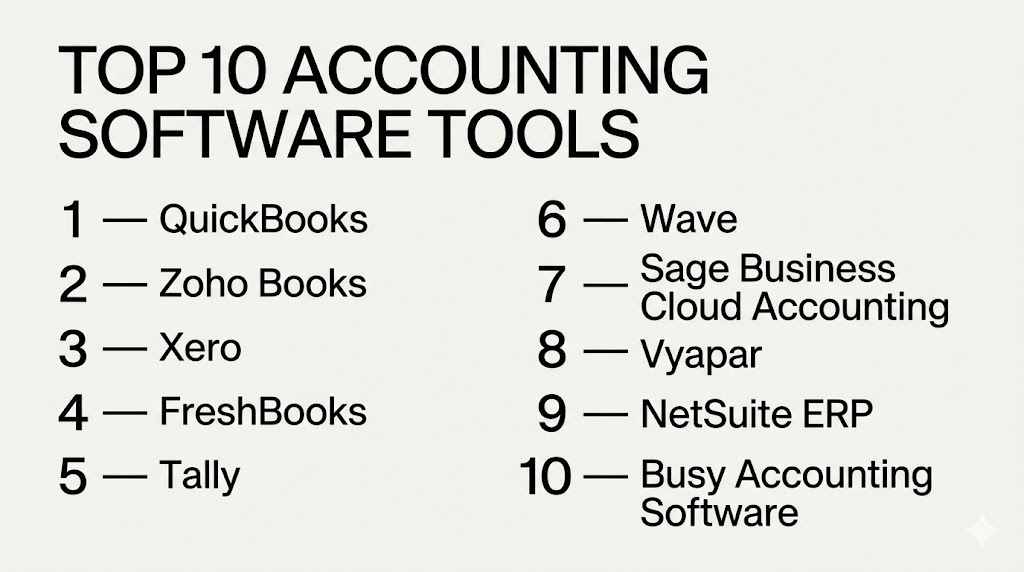
Top 10 Accounting Software Tools
1 — QuickBooks
Short description:
QuickBooks is one of the most widely used accounting platforms globally, designed for small to mid-sized businesses. It offers a comprehensive suite covering invoicing, payroll, expenses, and reporting. The platform is known for its ease of use and strong ecosystem. It is ideal for businesses looking for an all-in-one accounting solution.
Key Features
- Invoicing and billing automation
- Expense tracking
- Payroll management
- Financial reporting
- Tax preparation tools
- Bank reconciliation
Pros
- Easy to use
- Strong ecosystem
Cons
- Pricing can increase with features
- Limited advanced customization
Platforms / Deployment
Web, Windows, macOS, iOS, Android
Cloud
Security & Compliance
Encryption, MFA, role-based access
Integrations & Ecosystem
QuickBooks integrates with a wide range of business tools and financial systems.
- Payment gateways
- CRM tools
- Payroll systems
- API support
Support & Community
Large user community with extensive support resources.
2 — Zoho Books
Short description:
Zoho Books is a cloud-based accounting solution designed for small and growing businesses. It offers automation, compliance features, and seamless integration within the Zoho ecosystem. The platform is known for affordability and flexibility. It is especially popular among startups and SMBs.
Key Features
- Automated workflows
- Invoice management
- Expense tracking
- Tax compliance tools
- Multi-currency support
- Financial reporting
Pros
- Affordable pricing
- Strong automation
Cons
- Limited offline access
- Advanced features may require upgrades
Platforms / Deployment
Web, iOS, Android
Cloud
Security & Compliance
Encryption, access control
Integrations & Ecosystem
Deep integration within the Zoho ecosystem and third-party tools.
- Zoho CRM
- Payment gateways
- Banking integrations
Support & Community
Good documentation and support for SMB users.
3 — Xero
Short description:
Xero is a cloud-native accounting platform known for its clean interface and strong integrations. It supports small to mid-sized businesses with features like invoicing, payroll, and reporting. The platform emphasizes automation and collaboration. It is widely used globally.
Key Features
- Cloud accounting
- Bank reconciliation
- Invoicing
- Expense tracking
- Financial reports
- Multi-currency support
Pros
- User-friendly interface
- Strong integrations
Cons
- Pricing tiers can be limiting
- Payroll features vary
Platforms / Deployment
Web, iOS, Android
Cloud
Security & Compliance
Encryption, MFA
Integrations & Ecosystem
Xero has a strong integration ecosystem.
- Payment systems
- CRM tools
- Inventory tools
Support & Community
Active community and reliable support.
4 — FreshBooks
Short description:
FreshBooks is designed for freelancers and small businesses focusing on invoicing and expense tracking. It offers a simple interface and automation features. The platform is ideal for service-based businesses. It prioritizes ease of use over complexity.
Key Features
- Invoicing
- Expense tracking
- Time tracking
- Reporting
- Payment integrations
Pros
- Very easy to use
- Great for freelancers
Cons
- Limited scalability
- Fewer advanced features
Platforms / Deployment
Web, iOS, Android
Cloud
Security & Compliance
Encryption, access controls
Integrations & Ecosystem
Supports integrations with payment and business tools.
- Payment gateways
- CRM tools
Support & Community
Good customer support and onboarding.
5 — Tally
Short description:
Tally is a widely used accounting software, especially in India. It supports GST compliance, inventory management, and financial reporting. It is known for its reliability and offline capabilities. It is ideal for businesses needing strong local compliance.
Key Features
- GST compliance
- Inventory management
- Financial reporting
- Payroll management
- Data security
Pros
- Strong local compliance
- Reliable offline usage
Cons
- Interface feels outdated
- Limited cloud features
Platforms / Deployment
Windows
Self-hosted
Security & Compliance
Data encryption, access control
Integrations & Ecosystem
Supports integration with local business tools.
- Banking systems
- ERP tools
Support & Community
Strong regional support and adoption.
6 — Wave
Short description:
Wave is a free accounting software designed for small businesses and freelancers. It offers essential features like invoicing, expense tracking, and reporting. It is popular for its cost-effectiveness. It is best for businesses with simple accounting needs.
Key Features
- Free accounting tools
- Invoicing
- Expense tracking
- Reporting
- Payment processing
Pros
- Free to use
- Simple interface
Cons
- Limited advanced features
- Not ideal for large businesses
Platforms / Deployment
Web
Cloud
Security & Compliance
Encryption, basic access control
Integrations & Ecosystem
Limited integrations compared to premium tools.
- Payment processing
Support & Community
Basic support with community resources.
7 — Sage Business Cloud Accounting
Short description:
Sage offers a robust accounting solution for small and mid-sized businesses. It provides features for invoicing, payroll, and financial reporting. The platform is scalable and suitable for growing businesses. It is known for reliability.
Key Features
- Invoicing
- Expense tracking
- Reporting
- Payroll
- Cash flow management
Pros
- Scalable solution
- Reliable performance
Cons
- Learning curve
- Pricing varies
Platforms / Deployment
Web
Cloud
Security & Compliance
Encryption, compliance tools
Integrations & Ecosystem
Supports integrations with business tools.
- Banking systems
- CRM tools
Support & Community
Strong support and enterprise backing.
8 — Vyapar
Short description:
Vyapar is an accounting and billing software designed for small businesses in India. It focuses on GST billing, inventory, and invoicing. It is easy to use and affordable. It is ideal for traders and retailers.
Key Features
- GST billing
- Inventory tracking
- Invoicing
- Expense tracking
- Reports
Pros
- Affordable
- Easy for beginners
Cons
- Limited scalability
- Basic features
Platforms / Deployment
Android, Windows
Cloud / Offline
Security & Compliance
Basic encryption, access controls
Integrations & Ecosystem
Limited integrations focused on small businesses.
- Local tools
Support & Community
Good regional support.
9 — NetSuite ERP
Short description:
NetSuite is a comprehensive ERP system with advanced accounting capabilities. It is designed for mid-market and enterprise businesses. It offers financial management, reporting, and automation. It is ideal for complex operations.
Key Features
- Financial management
- Advanced reporting
- Automation
- Multi-entity support
- Compliance tools
Pros
- Enterprise-grade solution
- Highly scalable
Cons
- Expensive
- Complex implementation
Platforms / Deployment
Web
Cloud
Security & Compliance
Encryption, compliance features
Integrations & Ecosystem
Extensive enterprise integrations.
- CRM
- ERP systems
- APIs
Support & Community
Enterprise-level support.
10 — Busy Accounting Software
Short description:
Busy is a popular accounting software in India for SMEs. It supports GST, billing, and inventory management. It is known for affordability and ease of use. It is suitable for small and medium businesses.
Key Features
- GST compliance
- Billing
- Inventory management
- Reporting
- Multi-user support
Pros
- Cost-effective
- Strong local features
Cons
- Limited global features
- UI could improve
Platforms / Deployment
Windows
Self-hosted
Security & Compliance
Access control, encryption
Integrations & Ecosystem
Supports integrations with local tools.
- Banking systems
Support & Community
Strong regional support.
Comparison Table
| Tool Name | Best For | Platforms Supported | Deployment | Standout Feature | Public Rating |
|---|---|---|---|---|---|
| QuickBooks | SMB | Web, Mobile | Cloud | All-in-one accounting | N/A |
| Zoho Books | SMB | Web, Mobile | Cloud | Automation | N/A |
| Xero | SMB | Web, Mobile | Cloud | Integrations | N/A |
| FreshBooks | Freelancers | Web, Mobile | Cloud | Invoicing | N/A |
| Tally | India SMEs | Windows | Self-hosted | GST compliance | N/A |
| Wave | Freelancers | Web | Cloud | Free plan | N/A |
| Sage | SMB | Web | Cloud | Scalability | N/A |
| Vyapar | India SMB | Mobile, Windows | Hybrid | Simplicity | N/A |
| NetSuite | Enterprise | Web | Cloud | ERP integration | N/A |
| Busy | SMEs | Windows | Self-hosted | Cost-effective | N/A |
Evaluation and Scoring of Accounting Software
| Tool Name | Core 25% | Ease 15% | Integrations 15% | Security 10% | Performance 10% | Support 10% | Value 15% | Weighted Total |
|---|---|---|---|---|---|---|---|---|
| QuickBooks | 9 | 9 | 9 | 8 | 9 | 9 | 7 | 8.6 |
| Zoho Books | 8 | 9 | 8 | 8 | 8 | 8 | 9 | 8.4 |
| Xero | 8 | 9 | 9 | 8 | 8 | 8 | 7 | 8.3 |
| FreshBooks | 7 | 9 | 7 | 7 | 7 | 8 | 8 | 7.8 |
| Tally | 8 | 7 | 6 | 8 | 8 | 8 | 9 | 7.9 |
| Wave | 6 | 9 | 6 | 7 | 7 | 7 | 10 | 7.8 |
| Sage | 8 | 7 | 8 | 8 | 8 | 8 | 7 | 7.9 |
| Vyapar | 7 | 8 | 6 | 7 | 7 | 7 | 9 | 7.6 |
| NetSuite | 9 | 6 | 9 | 9 | 9 | 8 | 6 | 8.2 |
| Busy | 7 | 7 | 6 | 7 | 7 | 7 | 8 | 7.2 |
These scores are comparative and help you evaluate tools based on multiple criteria. Higher scores indicate better overall balance, but the best choice depends on your specific business needs.
Which Accounting Software Tool Is Right for You
Solo / Freelancer
FreshBooks and Wave are ideal due to simplicity and affordability.
SMB
QuickBooks, Zoho Books, and Xero offer strong balance.
Mid-Market
Sage and Tally provide scalability and compliance.
Enterprise
NetSuite is the best option for complex needs.
Budget vs Premium
Wave and Vyapar are budget-friendly, while NetSuite is premium.
Feature Depth vs Ease of Use
QuickBooks balances both, while NetSuite offers depth.
Integrations and Scalability
Xero and NetSuite excel in integrations.
Security and Compliance Needs
Tally and NetSuite provide strong compliance features.
Frequently Asked Questions
1. What is accounting software used for?
Accounting software is used to manage financial transactions, track income and expenses, and generate financial reports. It helps businesses maintain accurate records and ensures compliance with tax regulations. It also reduces manual work through automation.
2. How much does accounting software cost?
Pricing varies widely depending on features and business size. Some tools offer free plans, while others use subscription-based pricing. Enterprise solutions are usually more expensive.
3. Is cloud accounting safe?
Cloud accounting platforms use encryption and access controls to protect data. Security depends on the provider and configuration. Businesses should review compliance and security features before choosing.
4. Can small businesses use accounting software?
Yes, many tools are designed specifically for small businesses. They offer simple interfaces and essential features. This makes financial management easier without requiring expertise.
5. Do accounting tools support automation?
Yes, most modern tools automate tasks like invoicing, reconciliation, and reporting. This reduces manual work and improves accuracy. Automation is a key benefit of accounting software.
6. Can accounting software integrate with other tools?
Most tools integrate with banking systems, CRM, and payment gateways. This helps streamline workflows. Integration capability is an important factor when selecting software.
7. Is training required to use accounting software?
Basic tools require minimal training, while advanced systems may need onboarding. Training improves efficiency and accuracy. Many vendors provide tutorials and support.
8. Can I switch accounting software later?
Yes, switching is possible but requires data migration planning. Businesses should ensure compatibility and backup data. Transition should be done carefully.
9. What are common mistakes in accounting software usage?
Common mistakes include incorrect data entry and poor setup. Not using automation features is another issue. Regular audits help avoid problems.
10. Which accounting software is best?
There is no single best tool for everyone. The right choice depends on your business size, budget, and requirements. Testing tools before final selection is recommended.
Conclusion
Accounting software has become a critical part of modern business operations, enabling organizations to manage finances efficiently and accurately.
From small startups to large enterprises, these tools help streamline workflows, reduce manual errors, and improve financial visibility.
QuickBooks, Zoho Books, and Xero are strong choices for most small to mid-sized businesses due to their balance of features and usability.
For India-focused businesses, Tally, Vyapar, and Busy provide excellent local compliance and affordability.
FreshBooks and Wave are ideal for freelancers and small teams that prioritize simplicity and low cost.
On the enterprise side, NetSuite stands out with its powerful ERP and financial management capabilities.
The right tool depends on your business size, operational complexity, and budget constraints.
It is always recommended to shortlist a few tools and test them in real scenarios before making a decision.
Evaluating integrations, automation features, and compliance requirements will help ensure long-term success.