Introduction
Customer Journey Mapping Tools help businesses visualize and analyze how customers interact with a brand across multiple touchpoints such as websites, apps, support channels, marketing campaigns, and sales processes. These platforms turn complex customer behavior into clear visual journeys that teams can understand and improve.
Instead of guessing how customers move through the funnel, organizations use these tools to identify friction points, improve engagement, and design smoother experiences. They are widely used across product, marketing, UX, and customer experience teams.
Common use cases include:
- Mapping onboarding journeys for digital products
- Understanding drop-off points in conversion funnels
- Improving customer support experiences
- Aligning marketing and product teams
- Visualizing omnichannel customer interactions
When selecting a journey mapping tool, businesses typically evaluate:
- Visualization flexibility and mapping depth
- Real-time data integration capability
- Collaboration features for teams
- Customer segmentation and persona support
- Analytics and insight generation
- Integration with CRM and analytics systems
- Ease of use for non-technical users
- Export and reporting options
- Scalability for enterprise use
- Security and access control
Best for: CX teams, UX designers, product managers, marketing teams, and enterprise experience leaders.
Not ideal for: Very small teams that only need basic diagrams without data-driven insights or collaboration needs.
Key Trends in Customer Journey Mapping Tools
- AI-assisted journey analysis and recommendations
- Real-time customer behavior tracking across channels
- Deeper integration with CRM and analytics systems
- Shift from static maps to dynamic journey ecosystems
- Increased focus on omnichannel experience mapping
- Collaboration-first design for cross-functional teams
- Voice of Customer integration into journey maps
- Automated insight generation from customer data
- Cloud-based shared journey repositories
- Stronger governance and version control of journeys
How We Selected These Tools (Methodology)
- Market adoption across CX and UX teams
- Depth of journey mapping capabilities
- Integration with CRM and analytics platforms
- Real-time data handling and visualization strength
- Collaboration and workflow features
- AI and automation capabilities
- Usability for non-technical users
- Scalability for enterprise environments
- Reporting and export functionality
- Balance between simplicity and advanced analytics
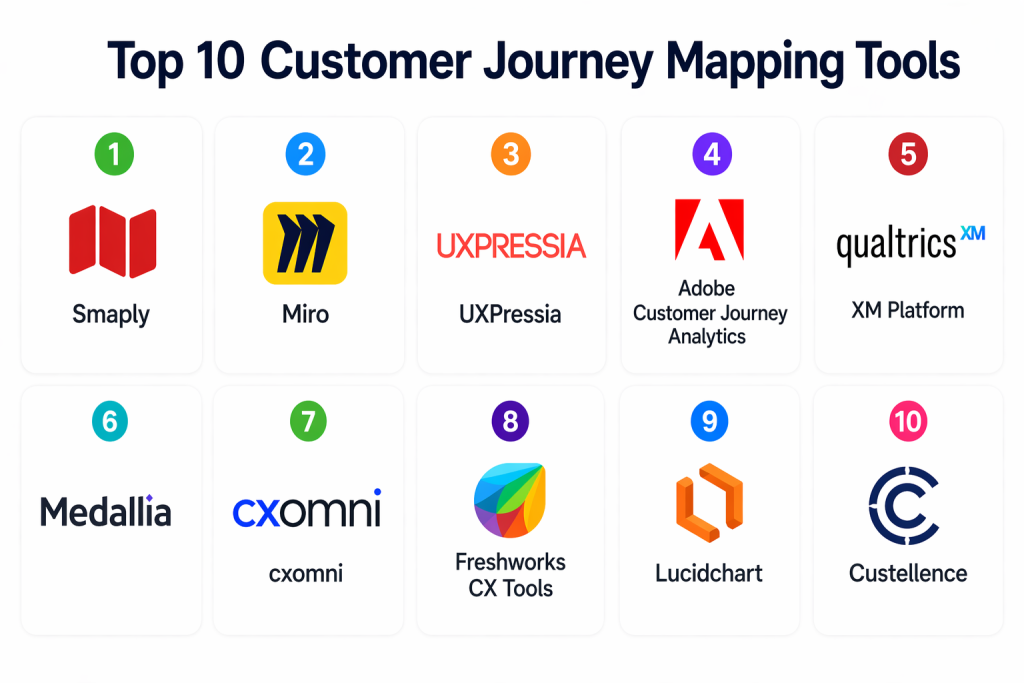
Top 10 Customer Journey Mapping Tools
#1 — Smaply
Short description: Smaply is a dedicated customer journey mapping platform designed to help teams create structured journey maps, personas, and stakeholder maps in a visual workspace. It is widely used in CX design projects where structured mapping is required.
Key Features
- Customer journey map builder
- Persona creation tools
- Stakeholder mapping features
- Structured CX templates
- Collaboration workspace
- Export and reporting options
Pros
- Purpose-built for CX design
- Easy structured mapping approach
Cons
- Limited advanced analytics
- Not focused on real-time data
Platforms / Deployment
- Web
- Cloud
Security & Compliance
- Role-based access control
- Encryption support
- Not publicly stated compliance certifications
Integrations & Ecosystem
- Export-based integrations
- API support available
- Works with design workflows and CX tools
Support & Community
- Documentation available
- Standard onboarding support
#2 — Miro
Short description: Miro is a collaborative visual workspace used for building customer journey maps, workshops, and CX strategy planning. It is highly flexible and widely used across teams.
Key Features
- Infinite canvas journey mapping
- CX templates
- Real-time collaboration
- Diagramming and sticky notes
- Presentation mode
- Workflow integration tools
Pros
- Highly flexible and visual
- Excellent collaboration features
Cons
- Not CX-specific analytics tool
- Can become unstructured at scale
Platforms / Deployment
- Web
- Cloud
Security & Compliance
- Access controls and encryption
- Not publicly stated certifications
Integrations & Ecosystem
- Project management tools
- Communication platforms
- API integrations
- Productivity suites
Support & Community
- Large template library
- Strong community support
#3 — UXPressia
Short description: UXPressia is a CX-focused platform for building journey maps, personas, and impact maps in a structured and visual way.
Key Features
- Journey mapping builder
- Persona management
- Impact mapping tools
- Collaboration features
- Analytics overlays
- Export options
Pros
- Strong CX structure
- Easy persona integration
Cons
- Limited enterprise scalability
- Smaller integration ecosystem
Platforms / Deployment
- Web
- Cloud
Security & Compliance
- Encryption and access control
- Not publicly stated
Integrations & Ecosystem
- Export-based workflow integration
- API support
- Basic CRM compatibility
Support & Community
- Documentation available
- Standard support channels
#4 — Adobe Customer Journey Analytics
Short description: Adobe Customer Journey Analytics provides deep behavioral analytics and cross-channel journey tracking for enterprise-level CX optimization.
Key Features
- Cross-channel journey tracking
- Real-time analytics dashboards
- Customer identity stitching
- Behavioral segmentation
- Advanced reporting tools
- AI-powered insights
Pros
- Extremely powerful analytics
- Enterprise-grade scalability
Cons
- Complex setup process
- High operational cost
Platforms / Deployment
- Web
- Cloud
Security & Compliance
- Enterprise-grade encryption
- Role-based access controls
- Not publicly stated certifications
Integrations & Ecosystem
- Adobe ecosystem tools
- CRM platforms
- Data warehouses
- API integrations
Support & Community
- Enterprise support structure
- Training resources available
#5 — Qualtrics XM Platform
Short description: Qualtrics XM Platform focuses on experience management, combining customer feedback, journey mapping, and predictive analytics.
Key Features
- Voice of Customer tools
- Journey mapping capabilities
- Survey and feedback collection
- Predictive analytics
- Experience dashboards
- Reporting automation
Pros
- Strong customer insight engine
- Deep analytics capabilities
Cons
- Requires onboarding effort
- Higher pricing tier
Platforms / Deployment
- Web
- Cloud
Security & Compliance
- Encryption and RBAC
- Not publicly stated
Integrations & Ecosystem
- CRM systems
- BI tools
- API integrations
Support & Community
- Enterprise-level support
- Training programs available
#6 — Medallia
Short description: Medallia is an enterprise experience management platform that captures real-time customer feedback and converts it into actionable journey insights.
Key Features
- Real-time feedback capture
- AI sentiment analysis
- Journey analytics
- Experience dashboards
- Survey tools
- Predictive insights
Pros
- Strong real-time intelligence
- Deep CX analytics
Cons
- Complex interface
- High cost structure
Platforms / Deployment
- Web
- Cloud
Security & Compliance
- Encryption and RBAC
- Not publicly stated
Integrations & Ecosystem
- CRM platforms
- Contact center tools
- API integrations
Support & Community
- Enterprise support available
#7 — cxomni
Short description: cxomni is an enterprise-grade journey management platform that connects journey mapping with governance and operational execution.
Key Features
- Journey mapping and governance
- Cross-team alignment tools
- Journey analytics dashboards
- Workflow tracking
- Multi-view journey visualization
- Action tracking system
Pros
- Strong enterprise governance
- Connects mapping with execution
Cons
- Enterprise-focused only
- Requires onboarding
Platforms / Deployment
- Web
- Cloud
Security & Compliance
- Access control and encryption
- Not publicly stated
Integrations & Ecosystem
- CRM systems
- Data platforms
- API integrations
Support & Community
- Enterprise onboarding support
#8 — Freshworks CX Tools
Short description: Freshworks provides CX and CRM tools that help businesses map and optimize customer journeys across support and engagement channels.
Key Features
- Customer journey tracking
- Omnichannel communication
- CRM integration
- Workflow automation
- Analytics dashboards
- Customer segmentation
Pros
- Easy to implement
- Strong CRM ecosystem
Cons
- Limited advanced journey analytics
- Enterprise features require upgrades
Platforms / Deployment
- Web
- Cloud
Security & Compliance
- Encryption and RBAC
- GDPR support
Integrations & Ecosystem
- CRM platforms
- Support tools
- API integrations
Support & Community
- Strong documentation
- Customer support available
#9 — Lucidchart
Short description: Lucidchart is a diagramming platform widely used for creating structured customer journey maps and workflow visualizations.
Key Features
- Journey mapping templates
- Flowchart tools
- Real-time collaboration
- Data linking features
- Export options
- Presentation mode
Pros
- Simple and intuitive
- Strong collaboration features
Cons
- Not a CX analytics tool
- Limited automation
Platforms / Deployment
- Web
- Cloud
Security & Compliance
- Encryption and access control
- Not publicly stated
Integrations & Ecosystem
- Google Workspace
- Microsoft tools
- API integrations
Support & Community
- Strong template ecosystem
#10 — Custellence
Short description: Custellence is a specialized journey mapping tool focused on structured CX visualization and experience design workflows.
Key Features
- Structured journey mapping
- Persona integration
- CX visualization tools
- Collaboration features
- Journey version control
- Export functionality
Pros
- CX-focused design
- Clean structured mapping
Cons
- Limited analytics depth
- Smaller ecosystem
Platforms / Deployment
- Web
- Cloud
Security & Compliance
- Access controls
- Not publicly stated
Integrations & Ecosystem
- Export-based workflows
- Basic API support
Support & Community
- Standard documentation support
Comparison Table (Top 10)
| Tool Name | Best For | Platform(s) Supported | Deployment | Standout Feature | Public Rating |
|---|---|---|---|---|---|
| Smaply | CX teams | Web | Cloud | Structured mapping | N/A |
| Miro | Collaboration | Web | Cloud | Visual workspace | N/A |
| UXPressia | CX design | Web | Cloud | Persona tools | N/A |
| Adobe Journey Analytics | Enterprises | Web | Cloud | Cross-channel analytics | N/A |
| Qualtrics XM | Experience insights | Web | Cloud | VoC analytics | N/A |
| Medallia | Real-time CX | Web | Cloud | Feedback analytics | N/A |
| cxomni | Enterprise journey mgmt | Web | Cloud | Governance layer | N/A |
| Freshworks | SMB CX | Web | Cloud | CRM integration | N/A |
| Lucidchart | Diagramming | Web | Cloud | Visual mapping | N/A |
| Custellence | CX mapping | Web | Cloud | Structured journey design | N/A |
Evaluation & Scoring of Customer Journey Mapping Tools
| Tool Name | Core (25%) | Ease (15%) | Integrations (15%) | Security (10%) | Performance (10%) | Support (10%) | Value (15%) | Weighted Total |
|---|---|---|---|---|---|---|---|---|
| Smaply | 9 | 8 | 7 | 8 | 8 | 8 | 8 | 8.20 |
| Miro | 8 | 9 | 9 | 8 | 8 | 8 | 9 | 8.40 |
| UXPressia | 9 | 8 | 7 | 8 | 8 | 8 | 8 | 8.20 |
| Adobe CX Analytics | 10 | 7 | 10 | 9 | 10 | 9 | 6 | 8.70 |
| Qualtrics XM | 10 | 7 | 9 | 9 | 9 | 9 | 7 | 8.55 |
| Medallia | 10 | 6 | 9 | 9 | 9 | 9 | 6 | 8.20 |
| cxomni | 9 | 7 | 8 | 9 | 9 | 8 | 7 | 8.25 |
| Freshworks | 8 | 9 | 8 | 8 | 8 | 8 | 9 | 8.35 |
| Lucidchart | 7 | 9 | 8 | 8 | 7 | 8 | 9 | 8.00 |
| Custellence | 8 | 8 | 7 | 8 | 8 | 8 | 8 | 8.05 |
Which Customer Journey Mapping Tool Is Right for You?
Solo / Freelancer
Lucidchart or Miro for simple visual journey mapping and collaboration.
SMB
Freshworks, UXPressia, and Smaply for structured and easy CX mapping.
Mid-Market
Qualtrics XM and Medallia for analytics-driven journey optimization.
Enterprise
Adobe Journey Analytics and cxomni for full-scale journey intelligence.
Budget vs Premium
SMBs should prioritize simplicity and affordability; enterprises need analytics depth.
Feature Depth vs Ease of Use
Advanced platforms offer deep insights but require onboarding.
Integrations & Scalability
Choose tools that integrate with CRM, analytics, and support systems.
Security & Compliance Needs
Enterprise tools require RBAC, encryption, and governance controls.
Frequently Asked Questions (FAQs)
1. What is a customer journey mapping tool?
It is software that visualizes customer interactions across multiple touchpoints.
2. Why is journey mapping important?
It helps identify friction points and improve customer experience.
3. Are these tools only for UX teams?
No, they are used across marketing, product, and CX teams.
4. Do they support real-time data?
Some advanced platforms support real-time customer journey tracking.
5. Can SMBs use these tools?
Yes, tools like Miro and Freshworks are SMB-friendly.
6. Do they integrate with CRM systems?
Yes, most platforms integrate with CRM and analytics systems.
7. Are journey maps static or dynamic?
Modern tools support dynamic, real-time journey updates.
8. Do they support collaboration?
Yes, collaboration is a core feature in most tools.
9. Are these tools expensive?
Pricing ranges from free tools to enterprise-level platforms.
10. What is the main benefit of journey mapping tools?
They improve customer experience by identifying and fixing journey gaps.
Conclusion
Customer Journey Mapping Tools help organizations understand how customers interact with their brand and improve every stage of the experience. SMBs benefit from tools like Miro, Lucidchart, and Freshworks for simplicity and collaboration, while enterprises rely on Adobe, Qualtrics, and cxomni for deep analytics and governance. The right tool depends on business size, CX maturity, and data complexity. Companies should start with clear mapping goals, test usability, and ensure integration with existing systems before selecting a platform.