Introduction
Accounts Payable (AP) Automation Tools are software solutions that streamline and automate the process of handling invoices, approvals, payments, and vendor management. Instead of relying on manual data entry, paper invoices, and email-based approvals, these tools use automation, OCR (optical character recognition), and workflow engines to reduce errors and accelerate financial operations.
In modern finance teams, AP is no longer just a back-office function. Businesses require real-time visibility into cash flow, faster invoice processing, and stronger compliance controls. AP automation tools help organizations reduce processing time, eliminate duplicate payments, and improve vendor relationships through timely and accurate payments.
Real-world use cases include:
- Invoice capture and data extraction
- Automated approval workflows
- Vendor payment processing
- Duplicate invoice detection
- Financial reporting and reconciliation
What buyers should evaluate:
- Invoice capture accuracy (OCR and AI capabilities)
- Approval workflow customization
- Integration with ERP and accounting systems
- Payment automation and global support
- Real-time reporting and analytics
- Scalability across business units
- Ease of use and onboarding
- Compliance and audit capabilities
Best for: Finance teams, accounting departments, mid-market companies, and enterprises handling high invoice volumes.
Not ideal for: Very small businesses with low invoice volume or those using simple accounting tools.
Key Trends in Accounts Payable Automation Tools
- AI-powered invoice processing improving accuracy and speed
- Touchless invoice workflows reducing manual intervention
- Real-time financial visibility dashboards
- Integration with ERP and accounting systems
- Global payment automation and compliance support
- Cloud-based AP platforms replacing on-prem systems
- Fraud detection and duplicate payment prevention
- Mobile approval workflows for faster processing
- End-to-end procure-to-pay integration
How We Selected These Tools (Methodology)
- Strong market adoption and credibility
- Comprehensive AP automation features
- Proven performance and scalability
- Availability of AI and automation capabilities
- Integration ecosystem with ERP and accounting tools
- Ease of use and onboarding
- Fit for SMB to enterprise use cases
- Vendor maturity and reliability
- Support quality and ecosystem strength
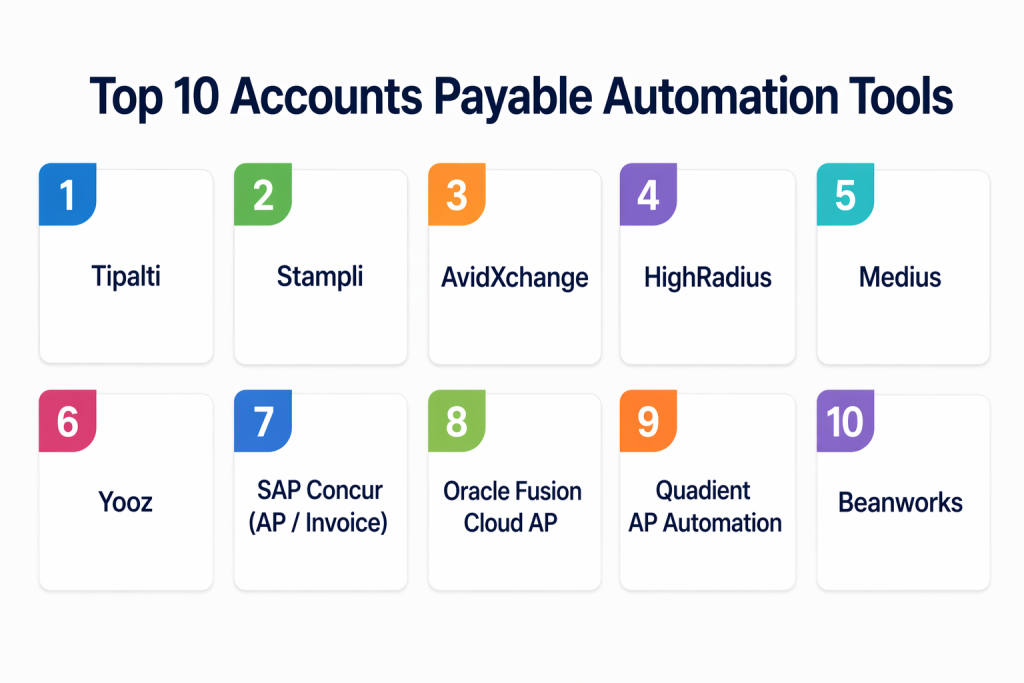
Top 10 Accounts Payable Automation Tools
#1 — Tipalti
Short description: Tipalti is a global AP automation platform that simplifies invoice processing, approvals, and mass payments. It is widely used by businesses managing international vendors.
Key Features
- Invoice automation
- Global payment processing
- Tax compliance support
- Supplier onboarding
- Approval workflows
Pros
- Strong global payment capabilities
- Comprehensive AP automation
Cons
- Premium pricing
- Complex setup
Platforms / Deployment
Web
Cloud
Security & Compliance
Role-based access, audit controls
Integrations & Ecosystem
Integrates with ERP and accounting platforms
Support & Community
Enterprise-level support
#2 — Stampli
Short description: Stampli focuses on collaborative invoice processing, allowing finance teams and approvers to work together efficiently within one platform.
Key Features
- Invoice capture
- Approval workflows
- Vendor communication
- Real-time tracking
- AI assistance
Pros
- Easy collaboration
- User-friendly interface
Cons
- Limited global payment features
- Focused mainly on invoice workflows
Platforms / Deployment
Web
Cloud
Security & Compliance
Not publicly stated
Integrations & Ecosystem
ERP integrations available
Support & Community
Strong support and onboarding
#3 — AvidXchange
Short description: AvidXchange provides AP automation for mid-market businesses with strong invoice processing and payment automation capabilities.
Key Features
- Invoice processing
- Payment automation
- Approval workflows
- Vendor management
- Reporting
Pros
- Good mid-market fit
- Strong payment capabilities
Cons
- UI can feel dated
- Limited customization
Platforms / Deployment
Web
Cloud
Security & Compliance
Not publicly stated
Integrations & Ecosystem
Integrates with accounting systems
Support & Community
Reliable support
#4 — HighRadius
Short description: HighRadius offers AI-powered AP automation and financial operations tools designed for enterprises with complex invoice processing needs.
Key Features
- AI invoice processing
- Payment automation
- Cash flow forecasting
- Analytics
- Workflow automation
Pros
- Advanced AI features
- Enterprise scalability
Cons
- Complex implementation
- High cost
Platforms / Deployment
Web
Cloud
Security & Compliance
Not publicly stated
Integrations & Ecosystem
ERP integrations supported
Support & Community
Enterprise support
#5 — Medius
Short description: Medius provides end-to-end AP automation with strong invoice processing, approval workflows, and fraud prevention features.
Key Features
- Invoice automation
- Approval workflows
- Fraud detection
- Reporting
- Vendor management
Pros
- Strong automation
- Good fraud detection
Cons
- Learning curve
- Pricing not transparent
Platforms / Deployment
Web
Cloud
Security & Compliance
Not publicly stated
Integrations & Ecosystem
ERP integrations
Support & Community
Good support
#6 — Yooz
Short description: Yooz is a cloud-based AP automation platform designed for SMBs and mid-market companies, offering easy implementation and strong invoice processing.
Key Features
- OCR invoice capture
- Approval workflows
- Automation
- Reporting
- Vendor management
Pros
- Easy to deploy
- Cost-effective
Cons
- Limited enterprise features
- Basic analytics
Platforms / Deployment
Web
Cloud
Security & Compliance
Not publicly stated
Integrations & Ecosystem
Accounting system integrations
Support & Community
Good SMB support
#7 — SAP Concur (Invoice)
Short description: SAP Concur provides AP automation alongside expense management, offering invoice processing and approval workflows.
Key Features
- Invoice automation
- Approval workflows
- Expense integration
- Reporting
- Vendor management
Pros
- Strong ecosystem
- Good integration with SAP
Cons
- Complex UI
- Expensive
Platforms / Deployment
Web / Mobile
Cloud
Security & Compliance
Enterprise controls
Integrations & Ecosystem
SAP ecosystem integration
Support & Community
Enterprise support
#8 — Oracle Fusion Cloud AP
Short description: Oracle Fusion Cloud AP is part of Oracle’s ERP suite, offering comprehensive invoice processing and payment automation.
Key Features
- Invoice processing
- Payment automation
- Reporting
- Approval workflows
- Supplier management
Pros
- Strong ERP integration
- Enterprise-ready
Cons
- Complex setup
- Best for Oracle users
Platforms / Deployment
Web
Cloud
Security & Compliance
Not publicly stated
Integrations & Ecosystem
Oracle ERP integration
Support & Community
Enterprise support
#9 — Quadient AP Automation
Short description: Quadient provides AP automation with invoice capture, workflow management, and payment processing capabilities.
Key Features
- Invoice capture
- Workflow automation
- Payment processing
- Reporting
- Vendor management
Pros
- Easy to use
- Reliable performance
Cons
- Limited advanced features
- Smaller ecosystem
Platforms / Deployment
Web
Cloud
Security & Compliance
Not publicly stated
Integrations & Ecosystem
Basic integrations
Support & Community
Moderate support
#10 — Beanworks
Short description: Beanworks is an AP automation tool designed for SMBs, focusing on invoice approvals and integration with accounting systems.
Key Features
- Invoice management
- Approval workflows
- Reporting
- Vendor management
- Automation
Pros
- Easy to use
- Affordable
Cons
- Limited scalability
- Basic features
Platforms / Deployment
Web
Cloud
Security & Compliance
Not publicly stated
Integrations & Ecosystem
Accounting integrations
Support & Community
Good SMB support
Comparison Table
| Tool Name | Best For | Platforms | Deployment | Standout Feature | Public Rating |
|---|---|---|---|---|---|
| Tipalti | Global AP | Web | Cloud | Global payments | N/A |
| Stampli | Collaboration | Web | Cloud | Invoice collaboration | N/A |
| AvidXchange | Mid-market | Web | Cloud | Payment automation | N/A |
| HighRadius | Enterprise | Web | Cloud | AI automation | N/A |
| Medius | Fraud detection | Web | Cloud | Risk control | N/A |
| Yooz | SMB | Web | Cloud | Easy deployment | N/A |
| SAP Concur | Enterprise | Web, Mobile | Cloud | Expense integration | N/A |
| Oracle AP | ERP users | Web | Cloud | ERP integration | N/A |
| Quadient | SMB | Web | Cloud | Simplicity | N/A |
| Beanworks | SMB | Web | Cloud | Affordability | N/A |
Evaluation & Scoring of Accounts Payable Automation Tools
| Tool Name | Core | Ease | Integrations | Security | Performance | Support | Value | Weighted Total |
|---|---|---|---|---|---|---|---|---|
| Tipalti | 9 | 7 | 9 | 8 | 9 | 9 | 7 | 8.4 |
| Stampli | 8 | 9 | 8 | 7 | 8 | 8 | 8 | 8.2 |
| AvidXchange | 8 | 8 | 8 | 7 | 8 | 8 | 8 | 8.0 |
| HighRadius | 9 | 7 | 9 | 8 | 9 | 9 | 6 | 8.3 |
| Medius | 8 | 7 | 8 | 8 | 8 | 8 | 7 | 7.9 |
| Yooz | 7 | 9 | 7 | 6 | 7 | 7 | 9 | 7.8 |
| SAP Concur | 8 | 6 | 9 | 8 | 8 | 9 | 6 | 7.9 |
| Oracle AP | 9 | 7 | 9 | 8 | 9 | 9 | 6 | 8.3 |
| Quadient | 7 | 8 | 7 | 6 | 7 | 7 | 8 | 7.4 |
| Beanworks | 7 | 9 | 7 | 6 | 7 | 7 | 9 | 7.6 |
How to interpret scores: These scores are comparative. Enterprise tools rank higher in features and scalability, while SMB tools score higher in ease of use and affordability.
Which Accounts Payable Automation Tool Is Right for You?
Solo / Freelancer
Basic accounting tools are sufficient.
SMB
Choose Yooz, Beanworks, or Quadient for affordability and simplicity.
Mid-Market
Stampli and AvidXchange provide a balance of usability and features.
Enterprise
Tipalti, HighRadius, SAP Concur, Oracle AP are best for complex operations.
Budget vs Premium
- Budget: Yooz, Beanworks
- Premium: Tipalti, HighRadius
Feature Depth vs Ease of Use
- Advanced: Tipalti, Oracle
- Easy: Stampli, Yooz
Integrations & Scalability
- Strong: SAP, Oracle
- Moderate: SMB tools
Security & Compliance Needs
Enterprise tools provide stronger governance.
Frequently Asked Questions (FAQs)
1. What is AP automation?
AP automation is the use of software to streamline invoice processing, approvals, and payments.
2. How does AP automation reduce costs?
It reduces manual work, errors, and late payment penalties.
3. Is AP automation suitable for small businesses?
Yes, many tools are designed for SMBs.
4. How long does implementation take?
From a few days to several weeks depending on complexity.
5. Do these tools support OCR?
Yes, most tools use OCR for invoice capture.
6. Can AP tools integrate with ERP systems?
Yes, integration is a key feature.
7. Are these tools secure?
Most offer encryption and access controls.
8. Can they prevent duplicate payments?
Yes, many tools include fraud detection.
9. What industries use AP automation?
All industries including finance, retail, healthcare, and manufacturing.
10. Is it easy to switch tools?
Switching requires planning but is manageable.
Conclusion
Accounts Payable automation tools have become essential for modern finance teams aiming to improve efficiency, accuracy, and financial control. By automating invoice capture, approvals, and payments, these tools significantly reduce manual workload and eliminate common errors that occur in traditional AP processes. They also provide real-time visibility into financial operations, enabling organizations to make faster and more informed decisions.
The right tool depends on your organization’s size, invoice volume, and complexity of financial workflows. Enterprise platforms like Tipalti, HighRadius, and Oracle offer advanced capabilities and scalability, while tools like Yooz, Stampli, and Beanworks focus on simplicity and faster implementation. A smart approach is to shortlist a few tools, test them in real scenarios, and evaluate how well they integrate with your existing systems before making a final decision.