Introduction
Bookkeeping tools are software solutions designed to record, organize, and manage daily financial transactions such as income, expenses, invoices, and payments. In simple terms, they help businesses maintain accurate financial records without relying on manual spreadsheets or complex accounting systems.
With the rapid growth of digital businesses and cloud-based operations, bookkeeping tools have become essential for real-time financial tracking, automation, and decision-making. Businesses today need tools that reduce manual work, improve accuracy, and integrate with banking, payments, and other business systems.
Common use cases include:
- Tracking income and expenses
- Managing invoices and payments
- Bank reconciliation
- Financial reporting and insights
- Tax preparation and compliance
Key evaluation criteria:
- Ease of use and learning curve
- Automation capabilities
- Integration with banking and tools
- Reporting and analytics
- Scalability
- Security and data protection
- Pricing flexibility
- Multi-currency support
Best for: Freelancers, small businesses, startups, accountants, and finance teams needing simplified financial tracking.
Not ideal for: Large enterprises requiring full ERP systems or organizations with highly complex financial structures.
Key Trends in Bookkeeping Tools
- AI-powered automation reducing manual data entry and reconciliation
- Cloud-based bookkeeping platforms enabling remote access
- Real-time financial dashboards for better decision-making
- Integration with banking and payment systems improving accuracy
- Mobile-first bookkeeping apps for on-the-go management
- Automated tax calculations and compliance support
- Subscription-based pricing models replacing one-time licenses
- Enhanced data security and encryption standards
- Integration with CRM, payroll, and ERP tools
- Focus on user-friendly interfaces for non-accountants
How We Selected These Tools
- Popularity and adoption among businesses
- Coverage of core bookkeeping features
- Ease of use for beginners and professionals
- Integration capabilities with financial tools
- Automation and AI features
- Scalability for growing businesses
- Security and compliance readiness
- Customer support and ecosystem strength
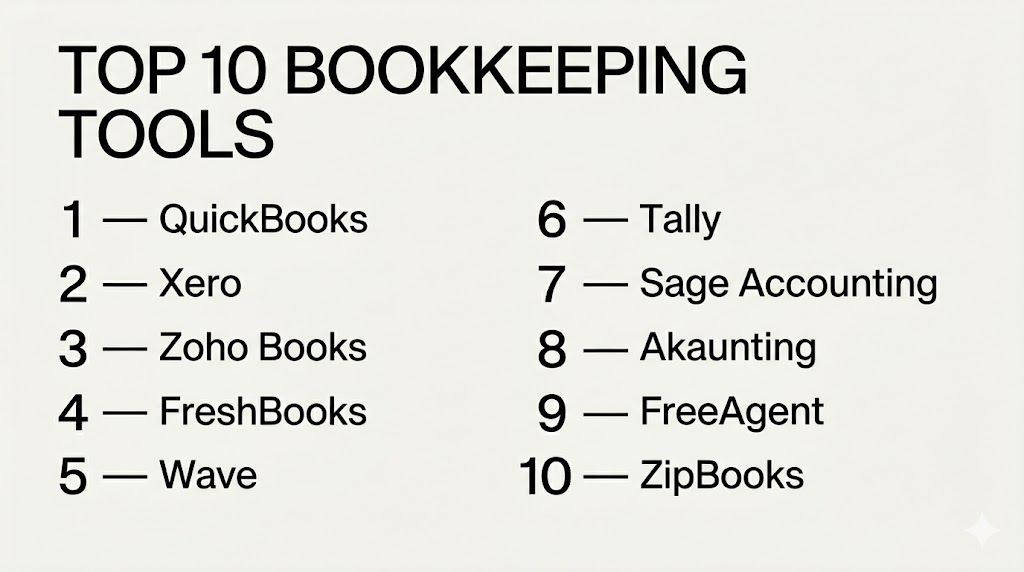
Top 10 Bookkeeping Tools
1 — QuickBooks
Short description:
QuickBooks is one of the most widely used bookkeeping tools globally. It offers complete financial tracking, invoicing, and reporting features. The platform is designed for small to mid-sized businesses. It provides automation and strong integrations for efficient bookkeeping.
Key Features
- Expense tracking and categorization
- Automated invoicing
- Bank reconciliation
- Financial reporting
- Tax calculation tools
- Payroll integration
Pros
- Comprehensive solution
- Strong integrations
Cons
- Pricing can increase
- Advanced features cost extra
Platforms / Deployment
Web, Windows, macOS, iOS, Android
Cloud
Security & Compliance
Encryption, MFA, access control
Integrations & Ecosystem
QuickBooks integrates with many financial and business tools.
- Payment gateways
- CRM systems
- Payroll tools
Support & Community
Large global user base with strong support.
2 — Xero
Short description:
Xero is a cloud-based bookkeeping tool known for its intuitive interface and strong integrations. It helps businesses manage invoices, expenses, and financial reporting. It is widely used by small to mid-sized businesses. It emphasizes automation and collaboration.
Key Features
- Cloud bookkeeping
- Bank reconciliation
- Invoice management
- Expense tracking
- Multi-currency support
Pros
- User-friendly
- Excellent integrations
Cons
- Pricing tiers can limit usage
- Payroll varies by region
Platforms / Deployment
Web, iOS, Android
Cloud
Security & Compliance
Encryption, MFA
Integrations & Ecosystem
Strong integration ecosystem for business tools.
- Payment systems
- CRM
- Inventory tools
Support & Community
Reliable support and strong ecosystem.
3 — Zoho Books
Short description:
Zoho Books is a powerful bookkeeping solution designed for small businesses. It provides automation, tax compliance, and reporting tools. It integrates seamlessly with other Zoho applications. It is affordable and scalable.
Key Features
- Automated workflows
- Invoice management
- Expense tracking
- Tax compliance
- Financial reporting
Pros
- Affordable
- Strong automation
Cons
- Limited offline access
- Advanced features require upgrades
Platforms / Deployment
Web, iOS, Android
Cloud
Security & Compliance
Encryption, access control
Integrations & Ecosystem
Part of Zoho ecosystem with wide integrations.
- Zoho CRM
- Payment gateways
- Banking integrations
Support & Community
Good documentation and support.
4 — FreshBooks
Short description:
FreshBooks is designed for freelancers and service-based businesses. It focuses on invoicing, expense tracking, and time tracking. It is simple and easy to use. It helps automate bookkeeping tasks efficiently.
Key Features
- Invoicing
- Expense tracking
- Time tracking
- Reporting
- Payment integrations
Pros
- Very easy to use
- Ideal for freelancers
Cons
- Limited scalability
- Fewer advanced features
Platforms / Deployment
Web, iOS, Android
Cloud
Security & Compliance
Encryption, access control
Integrations & Ecosystem
Supports integrations with business tools.
- Payment gateways
- CRM tools
Support & Community
Strong support and onboarding.
5 — Wave
Short description:
Wave is a free bookkeeping tool designed for small businesses and freelancers. It offers essential features like invoicing and expense tracking. It is ideal for businesses with simple needs. It provides great value at no cost.
Key Features
- Free accounting tools
- Invoicing
- Expense tracking
- Financial reporting
- Payment processing
Pros
- Free to use
- Simple interface
Cons
- Limited features
- Not scalable
Platforms / Deployment
Web
Cloud
Security & Compliance
Encryption, basic controls
Integrations & Ecosystem
Limited integrations.
- Payment tools
Support & Community
Basic support.
6 — Tally
Short description:
Tally is a widely used bookkeeping tool, especially in India. It supports GST compliance and financial reporting. It is reliable and works offline. It is suitable for small and medium businesses.
Key Features
- GST compliance
- Inventory management
- Financial reporting
- Payroll
- Data security
Pros
- Strong compliance features
- Reliable offline
Cons
- Outdated interface
- Limited cloud features
Platforms / Deployment
Windows
Self-hosted
Security & Compliance
Encryption, access control
Integrations & Ecosystem
Supports local integrations.
- Banking systems
Support & Community
Strong regional support.
7 — Sage Accounting
Short description:
Sage Accounting is a scalable bookkeeping solution for small and mid-sized businesses. It offers invoicing, expense tracking, and reporting. It is reliable and widely used. It supports business growth.
Key Features
- Invoicing
- Expense tracking
- Reporting
- Cash flow management
- Payroll
Pros
- Scalable
- Reliable
Cons
- Learning curve
- Pricing varies
Platforms / Deployment
Web
Cloud
Security & Compliance
Encryption, compliance tools
Integrations & Ecosystem
Supports integrations with business tools.
- CRM
- Banking
Support & Community
Strong support ecosystem.
8 — Akaunting
Short description:
Akaunting is a free and open-source bookkeeping tool. It offers invoicing, expense tracking, and reporting. It is customizable for developers. It is ideal for small businesses with technical support.
Key Features
- Open-source platform
- Expense tracking
- Invoicing
- Reporting
- Customization
Pros
- Free and flexible
- Customizable
Cons
- Requires technical knowledge
- Setup can be complex
Platforms / Deployment
Web
Cloud / Self-hosted
Security & Compliance
Varies / N/A
Integrations & Ecosystem
Supports plugins and integrations.
- API support
- Extensions
Support & Community
Community-driven support.
9 — FreeAgent
Short description:
FreeAgent is a bookkeeping tool designed for freelancers and small businesses. It offers invoicing, expense tracking, and tax tools. It is simple and efficient. It is ideal for independent professionals.
Key Features
- Invoicing
- Expense tracking
- Tax tools
- Reporting
- Time tracking
Pros
- Simple interface
- Good for freelancers
Cons
- Limited enterprise features
- Pricing varies
Platforms / Deployment
Web, Mobile
Cloud
Security & Compliance
Encryption, access control
Integrations & Ecosystem
Supports integrations with financial tools.
- Banking
- Payment tools
Support & Community
Good support for small users.
10 — ZipBook
Short description:
ZipBooks is a simple bookkeeping tool for small businesses. It offers invoicing, expense tracking, and reporting. It is easy to use and affordable. It is ideal for startups.
Key Features
- Invoicing
- Expense tracking
- Reporting
- Financial insights
- Automation
Pros
- Affordable
- Easy to use
Cons
- Limited advanced features
- Smaller ecosystem
Platforms / Deployment
Web
Cloud
Security & Compliance
Basic security features
Integrations & Ecosystem
Limited integrations.
- Payment tools
Support & Community
Basic support.
Comparison Table
| Tool Name | Best For | Platforms Supported | Deployment | Standout Feature | Public Rating |
|---|---|---|---|---|---|
| QuickBooks | SMB | Web, Mobile | Cloud | All-in-one solution | N/A |
| Xero | SMB | Web, Mobile | Cloud | Integrations | N/A |
| Zoho Books | SMB | Web, Mobile | Cloud | Automation | N/A |
| FreshBooks | Freelancers | Web, Mobile | Cloud | Invoicing | N/A |
| Wave | Freelancers | Web | Cloud | Free plan | N/A |
| Tally | India SMB | Windows | Self-hosted | GST compliance | N/A |
| Sage | SMB | Web | Cloud | Scalability | N/A |
| Akaunting | Developers | Web | Hybrid | Open-source | N/A |
| FreeAgent | Freelancers | Web | Cloud | Simplicity | N/A |
| ZipBooks | Startups | Web | Cloud | Affordability | N/A |
Evaluation and Scoring of Bookkeeping Tools
| Tool Name | Core 25% | Ease 15% | Integrations 15% | Security 10% | Performance 10% | Support 10% | Value 15% | Weighted Total |
|---|---|---|---|---|---|---|---|---|
| QuickBooks | 9 | 9 | 9 | 8 | 9 | 9 | 7 | 8.6 |
| Xero | 8 | 9 | 9 | 8 | 8 | 8 | 7 | 8.3 |
| Zoho Books | 8 | 9 | 8 | 8 | 8 | 8 | 9 | 8.4 |
| FreshBooks | 7 | 9 | 7 | 7 | 7 | 8 | 8 | 7.8 |
| Wave | 6 | 9 | 6 | 7 | 7 | 7 | 10 | 7.8 |
| Tally | 8 | 7 | 6 | 8 | 8 | 8 | 9 | 7.9 |
| Sage | 8 | 7 | 8 | 8 | 8 | 8 | 7 | 7.9 |
| Akaunting | 7 | 6 | 7 | 7 | 7 | 6 | 9 | 7.2 |
| FreeAgent | 7 | 8 | 7 | 7 | 7 | 7 | 8 | 7.5 |
| ZipBooks | 7 | 8 | 6 | 7 | 7 | 6 | 8 | 7.2 |
These scores are comparative and help evaluate tools across multiple dimensions. The best tool depends on your specific needs rather than just the highest score.
Which Bookkeeping Tool Is Right for You
Solo / Freelancer
FreshBooks, Wave, and FreeAgent are ideal due to simplicity and affordability.
SMB
QuickBooks, Xero, and Zoho Books provide the best balance.
Mid-Market
Sage and Tally offer scalability and compliance.
Enterprise
NetSuite or ERP-level tools may be more suitable.
Budget vs Premium
Wave and Akaunting are budget-friendly, while QuickBooks is premium.
Feature Depth vs Ease of Use
QuickBooks offers balance, while Zoho Books is easier.
Integrations and Scalability
Xero and QuickBooks excel in integrations.
Security and Compliance Needs
Tally and Sage offer strong compliance features.
Frequently Asked Questions
1. What is a bookkeeping tool?
Bookkeeping tools help businesses record and manage financial transactions like income, expenses, and invoices. They automate calculations and organize financial data. This makes it easier to maintain accurate records and prepare reports.
2. How is bookkeeping different from accounting?
Bookkeeping focuses on recording daily financial transactions, while accounting involves analyzing and interpreting financial data. Bookkeeping is the foundation of accounting. Both are essential for business financial management.
3. Are bookkeeping tools suitable for small businesses?
Yes, most bookkeeping tools are designed specifically for small businesses and freelancers. They offer simple interfaces and automation features. This helps reduce manual work and improve efficiency.
4. Can bookkeeping tools integrate with bank accounts?
Most modern bookkeeping tools integrate directly with bank accounts and payment systems. This allows automatic transaction import and reconciliation. It improves accuracy and saves time.
5. Do bookkeeping tools support automation?
Yes, many tools automate invoicing, expense tracking, and reconciliation. Automation reduces human error and improves productivity. It is a key benefit of modern bookkeeping software.
6. Is cloud bookkeeping secure?
Cloud bookkeeping tools use encryption and access controls to protect data. Security depends on the provider. Businesses should review security features before choosing.
7. Can I switch bookkeeping tools easily?
Switching tools is possible but requires data migration planning. Businesses should ensure data backup and compatibility. Proper planning avoids disruption.
8. Do I need accounting knowledge to use these tools?
Most tools are designed for non-accountants and offer simple interfaces. Basic understanding helps but is not required. Many tools provide tutorials and support.
9. What are common mistakes in bookkeeping?
Common mistakes include incorrect data entry and not reconciling accounts regularly. Ignoring automation features is another issue. Regular checks help maintain accuracy.
10. Which bookkeeping tool is best?
There is no single best tool for everyone. The right choice depends on business size, budget, and needs. Testing tools before selecting is recommended.
Conclusion
Bookkeeping tools have become essential for managing financial operations in modern businesses.
They simplify financial tracking, reduce manual work, and provide real-time insights into business performance.
QuickBooks, Xero, and Zoho Books are among the most popular choices due to their balance of features and usability.
For freelancers and small teams, FreshBooks, Wave, and FreeAgent offer simplicity and affordability.
Businesses in India may prefer Tally and Vyapar-style tools for local compliance and ease of use.
Open-source solutions like Akaunting provide flexibility for tech-savvy users.
The best tool depends on your business size, complexity, and budget.
It is important to evaluate integrations, automation, and scalability before choosing.
Running a trial or pilot can help you understand real-world usability.
Choosing the right bookkeeping tool will improve financial accuracy, efficiency, and growth.