Introduction
Heatmap Tools are behavior analytics platforms that visually represent how users interact with a website or application. Instead of reading raw numbers or spreadsheets, heatmaps convert user actions into visual patterns—showing where users click, scroll, hover, and ignore content.
These tools help product teams, marketers, UX designers, and developers understand what actually happens on a digital page, not what they assume happens. By turning user behavior into color-coded visual maps, heatmap tools reveal friction points, engagement zones, and conversion barriers.
In today’s digital ecosystem, optimizing user experience is directly tied to business performance. Even small UX improvements can significantly impact conversions, retention, and revenue. Heatmap tools make this optimization data-driven rather than guesswork-based.
Real-world use cases include:
- Identifying which CTA buttons get the most clicks
- Understanding how far users scroll on landing pages
- Detecting ignored sections on web pages
- Optimizing product pages for conversions
- Improving onboarding flows in SaaS applications
- Analyzing mobile vs desktop user behavior differences
When evaluating heatmap tools, buyers should consider:
- Click, scroll, and movement tracking accuracy
- Real-time vs delayed data processing
- Session recording integration
- Segmentation and filtering capabilities
- Performance impact on websites
- Integration with analytics and CRO tools
- Data privacy and masking features
- Export and reporting capabilities
- Ease of use for non-technical teams
- Scalability for high-traffic websites
Best for: UX designers, product managers, CRO specialists, digital marketers, and growth teams.
Not ideal for: Very small websites with minimal traffic or teams that only need basic traffic analytics without behavioral insights.
Key Trends in Heatmap Tools
- AI-powered UX insights and automatic pattern detection
- Integration with session replay and product analytics platforms
- Real-time heatmap generation instead of delayed reporting
- Mobile-first heatmap tracking for app and mobile web
- Advanced segmentation by user behavior and demographics
- Combined heatmaps with conversion funnel analysis
- Privacy-first tracking with masking and anonymization
- Predictive UX optimization recommendations
- Cloud-based scalable data processing systems
- Event-based heatmaps tied to user actions
How We Selected These Tools (Methodology)
- Market adoption across UX and CRO teams
- Accuracy and depth of heatmap visualization
- Availability of click, scroll, and move tracking
- Integration with analytics and session replay tools
- Performance impact on websites and apps
- Ease of implementation and onboarding
- Segmentation and filtering capabilities
- Reporting and export flexibility
- Data privacy and compliance support
- Balance between SMB usability and enterprise power
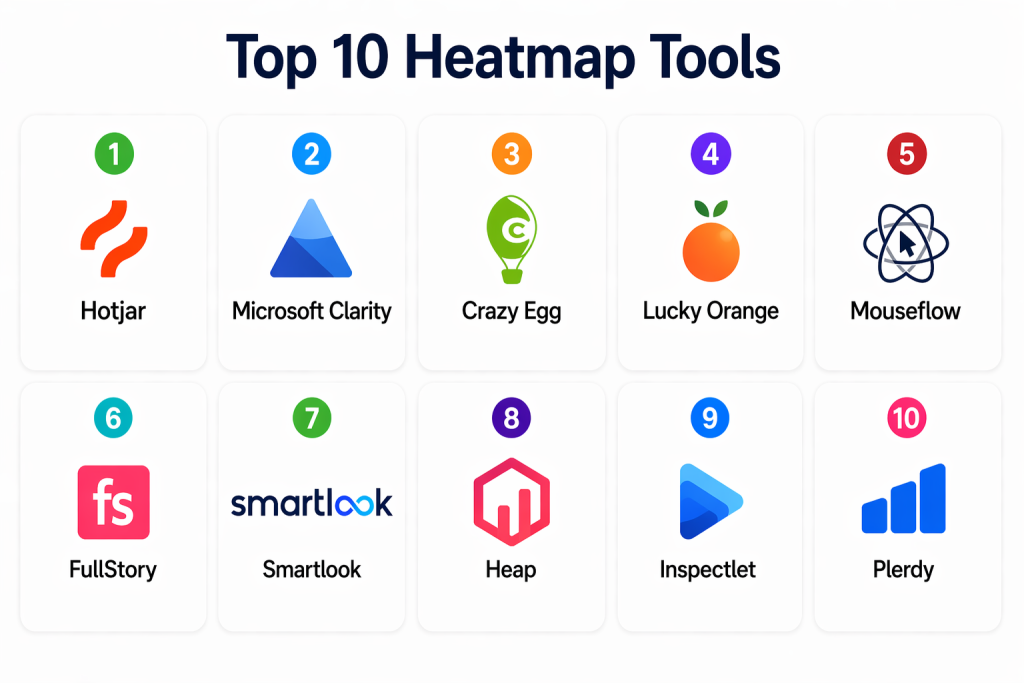
Top 10 Heatmap Tools
#1 — Hotjar
Short description: Hotjar is one of the most widely used behavior analytics tools that combines heatmaps, session recordings, and user feedback tools in a simple and accessible platform. It is especially popular among SMBs and product teams.
Key Features
- Click, scroll, and move heatmaps
- Session recordings for user behavior tracking
- Feedback polls and surveys
- Conversion funnel analysis
- User behavior segmentation
- Real-time insights dashboard
Pros
- Very easy to use
- Affordable for small teams
- Strong UX feedback tools
Cons
- Limited advanced analytics depth
- Not ideal for large enterprise-scale data
Platforms / Deployment
- Web
- Cloud
Security & Compliance
- Data masking features
- GDPR compliance support
- Not publicly stated certifications
Integrations & Ecosystem
- Google Analytics
- CRM platforms
- Product analytics tools
- API integrations
Support & Community
- Strong documentation
- Large user community
#2 — Microsoft Clarity
Short description: Microsoft Clarity is a free heatmap and session recording tool designed to help teams understand user behavior without performance impact or cost barriers.
Key Features
- Click and scroll heatmaps
- Session recordings
- Rage click detection
- Dead click identification
- User journey tracking
- Performance impact monitoring
Pros
- Completely free
- Easy setup and integration
Cons
- Limited advanced CRO features
- Basic reporting compared to paid tools
Platforms / Deployment
- Web
- Cloud
Security & Compliance
- Privacy masking features
- GDPR compliant
Integrations & Ecosystem
- Google Analytics
- Tag managers
- APIs
Support & Community
- Documentation available
- Microsoft ecosystem support
#3 — Crazy Egg
Short description: Crazy Egg is a dedicated heatmap and conversion optimization tool that helps businesses visualize user behavior and improve website performance.
Key Features
- Click and scroll heatmaps
- A/B testing tools
- Conversion tracking
- User session recordings
- Traffic segmentation
- Visual reporting dashboards
Pros
- Strong CRO focus
- Easy to interpret visuals
Cons
- Limited enterprise scalability
- UI feels slightly outdated
Platforms / Deployment
- Web
- Cloud
Security & Compliance
- Encryption support
- Not publicly stated certifications
Integrations & Ecosystem
- Google Analytics
- CMS platforms
- Marketing tools
- API support
Support & Community
- Good documentation
- Email support available
#4 — Lucky Orange
Short description: Lucky Orange provides heatmaps, session recordings, and conversion optimization tools to help teams understand user behavior in real time.
Key Features
- Click, scroll, and movement heatmaps
- Live visitor tracking
- Session recordings
- Conversion funnels
- Chat and feedback tools
- Form analytics
Pros
- Real-time visitor insights
- Strong CRO toolkit
Cons
- Can be overwhelming for beginners
- Limited enterprise customization
Platforms / Deployment
- Web
- Cloud
Security & Compliance
- Data encryption
- GDPR support
Integrations & Ecosystem
- CRM tools
- Marketing platforms
- APIs
Support & Community
- Standard documentation and chat support
#5 — Mouseflow
Short description: Mouseflow is a behavior analytics platform offering heatmaps, session recordings, and funnel tracking for understanding user interactions.
Key Features
- Click and scroll heatmaps
- Session replay
- Form analytics
- Funnel tracking
- User behavior segmentation
- Conversion insights
Pros
- Strong form analytics
- Easy setup
Cons
- Limited advanced AI features
- UI is basic compared to enterprise tools
Platforms / Deployment
- Web
- Cloud
Security & Compliance
- Data masking tools
- GDPR compliance
Integrations & Ecosystem
- Google Analytics
- CRM tools
- APIs
- Marketing platforms
Support & Community
- Good documentation
- Email support
#6 — FullStory
Short description: FullStory is a digital experience analytics platform that combines heatmaps, session replay, and advanced behavioral insights for product teams.
Key Features
- Advanced heatmap visualization
- Session replay integration
- User frustration detection
- Funnel analytics
- Searchable user sessions
- Behavioral segmentation
Pros
- Extremely powerful analytics
- Strong enterprise capabilities
Cons
- Expensive
- Requires onboarding
Platforms / Deployment
- Web
- Cloud
Security & Compliance
- RBAC, encryption, audit logs
- Enterprise-grade compliance
Integrations & Ecosystem
- Product analytics tools
- CRM systems
- Data warehouses
- APIs
Support & Community
- Enterprise-level support
#7 — Smartlook
Short description: Smartlook provides heatmaps and session recordings for both web and mobile apps, helping teams analyze cross-platform user behavior.
Key Features
- Web and mobile heatmaps
- Session recordings
- Event tracking
- Funnel analysis
- User journey tracking
- Conversion insights
Pros
- Supports mobile apps
- Easy setup
Cons
- Limited enterprise depth
- Basic UI design
Platforms / Deployment
- Web / Mobile
- Cloud
Security & Compliance
- GDPR compliance
- Data masking features
Integrations & Ecosystem
- Google Analytics
- CRM tools
- APIs
Support & Community
- Standard documentation support
#8 — Heap Analytics
Short description: Heap is a digital analytics platform that automatically captures user interactions and generates heatmaps and behavioral insights.
Key Features
- Automatic event tracking
- Heatmap generation
- Funnel analysis
- Behavioral segmentation
- Retroactive analytics
- User journey tracking
Pros
- No manual event setup needed
- Strong analytics automation
Cons
- Complex for beginners
- Requires structured setup for scaling
Platforms / Deployment
- Web
- Cloud
Security & Compliance
- Encryption and RBAC
- Not publicly stated certifications
Integrations & Ecosystem
- CRM systems
- Data warehouses
- APIs
Support & Community
- Strong enterprise documentation
#9 — Inspectlet
Short description: Inspectlet provides heatmaps, session recordings, and form analytics to help businesses optimize website usability and conversions.
Key Features
- Click and scroll heatmaps
- Session recordings
- Form analytics
- Funnel tracking
- User behavior analysis
- Conversion insights
Pros
- Simple and affordable
- Easy implementation
Cons
- Limited advanced features
- Basic UI compared to modern tools
Platforms / Deployment
- Web
- Cloud
Security & Compliance
- Data masking support
- Not publicly stated
Integrations & Ecosystem
- Google Analytics
- Marketing tools
- API support
Support & Community
- Basic documentation and email support
#10 — Plerdy
Short description: Plerdy is a conversion optimization platform offering heatmaps, SEO tools, and session recordings for website analysis.
Key Features
- Click and scroll heatmaps
- Session recordings
- SEO analytics tools
- Funnel analysis
- Conversion tracking
- Popup analytics
Pros
- Multi-purpose CRO tool
- Affordable pricing
Cons
- UI can feel cluttered
- Limited enterprise adoption
Platforms / Deployment
- Web
- Cloud
Security & Compliance
- Encryption support
- Not publicly stated
Integrations & Ecosystem
- Google Analytics
- CMS platforms
- APIs
Support & Community
- Standard documentation support
Comparison Table (Top 10)
| Tool Name | Best For | Platform(s) Supported | Deployment | Standout Feature | Public Rating |
|---|---|---|---|---|---|
| Hotjar | SMB UX teams | Web | Cloud | Heatmaps + feedback | N/A |
| Microsoft Clarity | Free analytics | Web | Cloud | Free session insights | N/A |
| Crazy Egg | CRO teams | Web | Cloud | A/B testing + heatmaps | N/A |
| Lucky Orange | Real-time tracking | Web | Cloud | Live visitor tracking | N/A |
| Mouseflow | SMB analytics | Web | Cloud | Form analytics | N/A |
| FullStory | Enterprise UX | Web | Cloud | Advanced behavior insights | N/A |
| Smartlook | Web & mobile | Web / Mobile | Cloud | Cross-platform tracking | N/A |
| Heap | Product analytics | Web | Cloud | Auto event tracking | N/A |
| Inspectlet | Small teams | Web | Cloud | Simple heatmaps | N/A |
| Plerdy | CRO optimization | Web | Cloud | SEO + heatmaps combo | N/A |
Evaluation & Scoring of Heatmap Tools
| Tool Name | Core (25%) | Ease (15%) | Integrations (15%) | Security (10%) | Performance (10%) | Support (10%) | Value (15%) | Weighted Total |
|---|---|---|---|---|---|---|---|---|
| Hotjar | 9 | 10 | 9 | 8 | 8 | 8 | 9 | 8.80 |
| Microsoft Clarity | 8 | 10 | 8 | 8 | 8 | 8 | 10 | 8.75 |
| Crazy Egg | 8 | 9 | 8 | 8 | 8 | 8 | 8 | 8.20 |
| Lucky Orange | 8 | 8 | 8 | 8 | 8 | 8 | 8 | 8.00 |
| Mouseflow | 8 | 8 | 8 | 8 | 8 | 8 | 8 | 8.00 |
| FullStory | 10 | 8 | 9 | 9 | 9 | 9 | 7 | 8.75 |
| Smartlook | 8 | 9 | 8 | 8 | 8 | 8 | 8 | 8.20 |
| Heap | 9 | 8 | 9 | 9 | 9 | 8 | 8 | 8.55 |
| Inspectlet | 7 | 9 | 7 | 8 | 7 | 7 | 9 | 7.80 |
| Plerdy | 8 | 8 | 7 | 8 | 8 | 7 | 9 | 7.95 |
Which Heatmap Tool Is Right for You?
Solo / Freelancer
Microsoft Clarity or Inspectlet for simple and free heatmap analysis.
SMB
Hotjar, Crazy Egg, and Mouseflow for balanced UX and CRO insights.
Mid-Market
Smartlook, Heap, and Lucky Orange for deeper behavioral analytics.
Enterprise
FullStory for advanced digital experience analytics and scalability.
Budget vs Premium
Free and SMB tools focus on simplicity, while enterprise tools focus on deep analytics.
Feature Depth vs Ease of Use
Advanced tools provide more insights but require setup and onboarding.
Integrations & Scalability
Choose tools that integrate with analytics, CRM, and product ecosystems.
Security & Compliance Needs
Enterprise tools must support data masking, encryption, and GDPR compliance.
Frequently Asked Questions (FAQs)
1. What are heatmap tools used for?
They visually show how users interact with a website or app.
2. Do heatmap tools slow down websites?
Most modern tools are optimized to minimize performance impact.
3. Are heatmaps better than analytics dashboards?
They complement analytics by showing visual user behavior patterns.
4. Can heatmaps track mobile users?
Yes, many tools support mobile and app tracking.
5. Do heatmaps collect personal data?
No, sensitive data is typically masked for privacy.
6. Are these tools useful for CRO?
Yes, they are widely used for conversion rate optimization.
7. Can they integrate with Google Analytics?
Yes, most tools integrate with GA and other analytics platforms.
8. Are heatmap tools expensive?
Pricing ranges from free tools to enterprise platforms.
9. Do they support session recordings?
Many tools combine heatmaps with session replay features.
10. What is the biggest benefit of heatmap tools?
They help teams visually understand user behavior and improve UX decisions.
Conclusion
Heatmap Tools are essential for understanding real user behavior and optimizing website performance. SMBs benefit from Hotjar, Microsoft Clarity, and Crazy Egg for simplicity and affordability, while enterprise teams rely on FullStory and Heap for advanced analytics and behavioral intelligence. The right tool depends on traffic scale, analytics needs, and budget. Teams should test usability, integration capabilities, and data insights before making a final decision.