Introduction
Issue Tracking Tools are software platforms that help teams record, manage, prioritize, assign, and resolve issues throughout the software development lifecycle. An “issue” can be a bug, task, feature request, support ticket, or improvement suggestion. These tools create a structured workflow so nothing gets lost during development.
In modern software engineering, issue tracking is essential because development teams work in fast cycles, distributed environments, and complex CI/CD pipelines. Without a centralized system, bugs and tasks become unorganized, leading to delays, poor product quality, and miscommunication.
Issue tracking tools provide visibility into the entire workflow—from issue creation to resolution—making collaboration between developers, QA teams, and product managers more efficient.
Real-world use cases include:
- Logging and managing software bugs during development
- Tracking feature requests from users and stakeholders
- Managing sprint tasks in Agile workflows
- Coordinating QA testing and bug verification
- Monitoring production incidents and incidents resolution
- Aligning product, engineering, and support teams
When evaluating issue tracking tools, buyers should consider:
- Workflow customization and flexibility
- Integration with Git and CI/CD tools
- Automation capabilities for issue lifecycle
- Collaboration and communication features
- Reporting and analytics dashboards
- Scalability for enterprise projects
- Ease of use and onboarding speed
- Permission controls and role-based access
- Notification and alert systems
- Performance and system reliability
Best for: Software developers, QA engineers, DevOps teams, product managers, and IT support teams.
Not ideal for: Non-technical workflows that do not involve structured task or software issue management.
Key Trends in Issue Tracking Tools
- AI-powered issue classification and auto-assignment
- Deep integration with DevOps and CI/CD pipelines
- Shift toward unified DevOps platforms (code + issues + deployment)
- Real-time collaboration inside issue threads
- Git-based issue tracking systems becoming standard
- Automation of bug lifecycle management workflows
- Integration with observability and monitoring tools
- Cloud-native scalable issue tracking systems
- Enhanced security and access control features
- Cross-tool issue linking and dependency tracking
How We Selected These Tools (Methodology)
- Market adoption across engineering and QA teams
- Depth of issue tracking and workflow customization
- Integration with version control and CI/CD systems
- Reliability in large-scale development environments
- Collaboration and team productivity features
- Reporting and analytics capabilities
- Automation and workflow intelligence
- Ease of use for developers and non-technical users
- Scalability for enterprise software teams
- Security, permissions, and compliance readiness
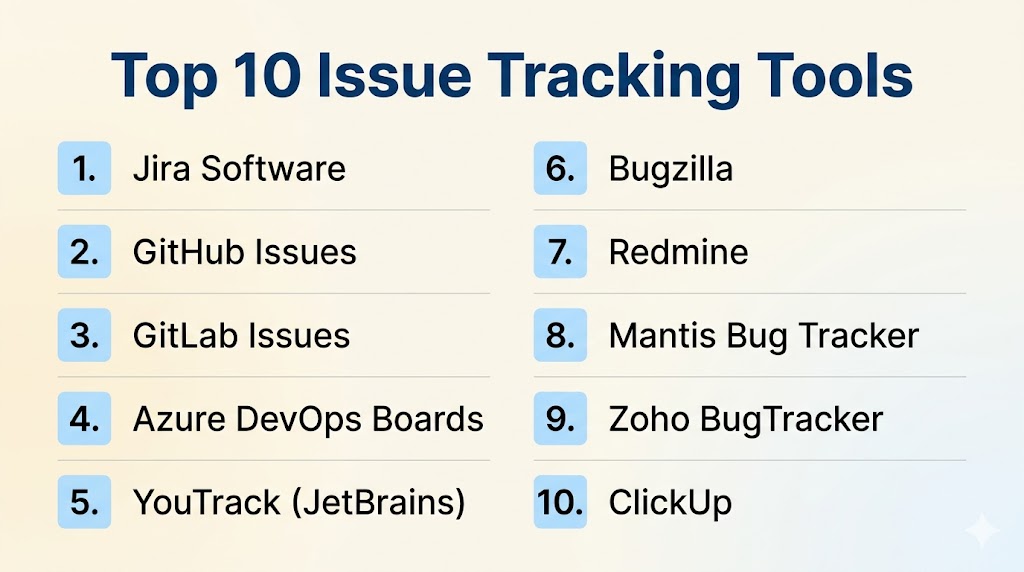
Top 10 Issue Tracking Tools
#1 — Jira Software
Short description: Jira is one of the most widely used issue tracking tools in software development, designed for Agile teams to manage bugs, tasks, and workflows in a highly customizable environment.
Key Features
- Agile boards (Scrum and Kanban)
- Advanced issue lifecycle management
- Custom workflows and automation
- Sprint planning and backlog management
- Detailed reporting dashboards
- Integration with DevOps tools
Pros
- Extremely powerful and flexible
- Industry standard for Agile teams
Cons
- Complex for beginners
- Can become expensive at scale
Platforms / Deployment
- Web
- Cloud / Self-hosted
Security & Compliance
- Role-based access control
- Encryption and audit logs
- Enterprise compliance support
Integrations & Ecosystem
- GitHub, GitLab, Bitbucket
- CI/CD pipelines
- Slack, Confluence
- APIs and marketplace apps
Support & Community
- Large global community
- Strong enterprise support
#2 — GitHub Issues
Short description: GitHub Issues is a lightweight issue tracking system integrated directly into GitHub repositories, enabling developers to manage bugs and tasks alongside code.
Key Features
- Issue creation and tracking
- Labels, milestones, and assignments
- Project boards for Agile workflows
- Integration with pull requests
- Automation via GitHub Actions
- Cross-repository linking
Pros
- Seamless developer experience
- Tight integration with codebase
Cons
- Limited advanced workflow customization
- Not ideal for enterprise-scale reporting
Platforms / Deployment
- Web
- Cloud
Security & Compliance
- RBAC and encryption
- GitHub enterprise security support
Integrations & Ecosystem
- GitHub Actions
- CI/CD tools
- APIs
- Developer tools ecosystem
Support & Community
- Strong developer community
- Extensive documentation
#3 — GitLab Issues
Short description: GitLab Issues is part of the GitLab DevOps platform, offering integrated issue tracking with full lifecycle management from code to deployment.
Key Features
- Issue tracking tied to repositories
- Agile boards and epics
- Milestones and roadmaps
- CI/CD integration
- Automation rules
- Reporting dashboards
Pros
- Fully integrated DevOps experience
- Strong automation support
Cons
- Best within GitLab ecosystem
- Steeper learning curve
Platforms / Deployment
- Web
- Cloud / Self-hosted
Security & Compliance
- RBAC and encryption
- Enterprise-grade compliance support
Integrations & Ecosystem
- GitLab CI/CD
- Kubernetes
- APIs
- DevOps tools
Support & Community
- Strong open-source community
- Enterprise support available
#4 — Azure DevOps Boards
Short description: Azure DevOps Boards provides issue tracking integrated with Microsoft’s DevOps ecosystem, supporting Agile planning and development workflows.
Key Features
- Work item tracking system
- Sprint and backlog management
- Agile boards
- CI/CD integration
- Reporting dashboards
- Custom workflows
Pros
- Strong enterprise DevOps support
- Deep Microsoft integration
Cons
- Complex setup
- Best suited for Microsoft ecosystems
Platforms / Deployment
- Web
- Cloud
Security & Compliance
- Enterprise-grade security
- RBAC and encryption
Integrations & Ecosystem
- GitHub
- Azure Pipelines
- Microsoft tools
- APIs
Support & Community
- Strong enterprise documentation
- Microsoft support ecosystem
#5 — YouTrack
Short description: YouTrack is a flexible issue tracking tool built by JetBrains, designed for Agile teams with powerful search and customization features.
Key Features
- Smart search-based issue tracking
- Agile boards
- Time tracking
- Automation rules
- Custom workflows
- Reporting tools
Pros
- Highly flexible system
- Developer-friendly design
Cons
- Learning curve for beginners
- Less intuitive UI for non-technical users
Platforms / Deployment
- Web
- Cloud / Self-hosted
Security & Compliance
- RBAC and encryption
- Not publicly stated
Integrations & Ecosystem
- JetBrains IDEs
- GitHub and GitLab
- CI/CD tools
- APIs
Support & Community
- Strong developer documentation
- Active community
#6 — Bugzilla
Short description: Bugzilla is a long-standing open-source issue tracking system focused on detailed bug reporting and lifecycle management.
Key Features
- Advanced bug lifecycle tracking
- Custom fields and workflows
- Email notifications
- Powerful search system
- Role-based permissions
- Reporting tools
Pros
- Free and open-source
- Highly stable and reliable
Cons
- Outdated user interface
- Requires technical setup
Platforms / Deployment
- Web
- Self-hosted
Security & Compliance
- Access control system
- Not publicly stated compliance
Integrations & Ecosystem
- Email systems
- Version control tools
- APIs
Support & Community
- Strong open-source community
- Long-term stability
#7 — Redmine
Short description: Redmine is an open-source issue tracking and project management tool offering flexibility and plugin-based customization.
Key Features
- Multi-project issue tracking
- Gantt charts and timelines
- Time tracking
- Role-based permissions
- Plugin system
- Reporting tools
Pros
- Highly customizable
- Free and open-source
Cons
- Outdated UI
- Requires manual configuration
Platforms / Deployment
- Web
- Self-hosted
Security & Compliance
- RBAC support
- Not publicly stated
Integrations & Ecosystem
- Git integration
- Plugin ecosystem
- APIs
Support & Community
- Active open-source community
#8 — MantisBT
Short description: MantisBT is a lightweight issue tracking system designed for simplicity and ease of use in bug tracking workflows.
Key Features
- Simple issue tracking system
- Email notifications
- Custom fields
- Role-based access control
- Reporting tools
- Multi-project support
Pros
- Easy to deploy
- Lightweight and fast
Cons
- Limited advanced features
- Basic interface
Platforms / Deployment
- Web
- Cloud / Self-hosted
Security & Compliance
- Access control system
- Not publicly stated
Integrations & Ecosystem
- Git integration
- Email systems
- APIs
Support & Community
- Active community support
- Documentation available
#9 — Zoho BugTracker
Short description: Zoho BugTracker is a simple cloud-based issue tracking tool designed for small and mid-sized teams.
Key Features
- Bug tracking system
- Workflow automation
- SLA tracking
- Reporting dashboards
- Email integration
- Time tracking
Pros
- Easy to use
- Affordable for SMBs
Cons
- Limited enterprise capabilities
- Basic customization
Platforms / Deployment
- Web
- Cloud
Security & Compliance
- Encryption and RBAC
- Not publicly stated
Integrations & Ecosystem
- Zoho ecosystem
- APIs
- Email systems
Support & Community
- Standard Zoho support
#10 — ClickUp
Short description: ClickUp is an all-in-one productivity platform that includes issue tracking, task management, and workflow automation features.
Key Features
- Task-based issue tracking
- Custom workflows
- Agile boards
- Automation rules
- Time tracking
- Reporting dashboards
Pros
- Highly flexible platform
- Combines tasks and issues
Cons
- Can feel overwhelming
- Not purely issue-focused
Platforms / Deployment
- Web
- Cloud
Security & Compliance
- RBAC and encryption
- Not publicly stated
Integrations & Ecosystem
- GitHub and GitLab
- Slack
- APIs
- Productivity tools
Support & Community
- Strong documentation
- Active user community
Comparison Table (Top 10)
| Tool Name | Best For | Platform(s) Supported | Deployment | Standout Feature | Public Rating |
|---|---|---|---|---|---|
| Jira | Enterprise Agile teams | Web | Cloud/Self-hosted | Workflow customization | N/A |
| GitHub Issues | Developers | Web | Cloud | Code integration | N/A |
| GitLab Issues | DevOps teams | Web | Cloud/Self-hosted | CI/CD integration | N/A |
| Azure DevOps | Microsoft teams | Web | Cloud | DevOps ecosystem | N/A |
| YouTrack | Developers | Web | Cloud/Self-hosted | Smart search | N/A |
| Bugzilla | Open-source teams | Web | Self-hosted | Stability | N/A |
| Redmine | Custom workflows | Web | Self-hosted | Plugin flexibility | N/A |
| MantisBT | Small teams | Web | Cloud/Self-hosted | Lightweight tracking | N/A |
| Zoho BugTracker | SMBs | Web | Cloud | Simplicity | N/A |
| ClickUp | General teams | Web | Cloud | All-in-one system | N/A |
Evaluation & Scoring of Issue Tracking Tools
| Tool Name | Core (25%) | Ease (15%) | Integrations (15%) | Security (10%) | Performance (10%) | Support (10%) | Value (15%) | Weighted Total |
|---|---|---|---|---|---|---|---|---|
| Jira | 10 | 8 | 10 | 9 | 9 | 9 | 8 | 9.00 |
| GitHub Issues | 8 | 9 | 10 | 9 | 9 | 9 | 10 | 8.90 |
| GitLab Issues | 9 | 8 | 9 | 9 | 9 | 9 | 9 | 8.80 |
| Azure DevOps | 10 | 7 | 10 | 9 | 9 | 9 | 8 | 8.85 |
| YouTrack | 9 | 8 | 9 | 8 | 9 | 8 | 8 | 8.50 |
| Bugzilla | 8 | 7 | 7 | 8 | 8 | 8 | 10 | 8.10 |
| Redmine | 8 | 7 | 7 | 8 | 8 | 8 | 10 | 8.05 |
| MantisBT | 8 | 9 | 7 | 8 | 8 | 8 | 9 | 8.15 |
| Zoho BugTracker | 8 | 9 | 8 | 8 | 8 | 8 | 9 | 8.20 |
| ClickUp | 9 | 9 | 9 | 8 | 8 | 8 | 9 | 8.55 |
Which Issue Tracking Tool Is Right for You?
Solo / Freelancer
GitHub Issues or ClickUp for simple and flexible tracking.
SMB
Zoho BugTracker, MantisBT, and Redmine for affordable issue management.
Mid-Market
YouTrack, GitLab Issues, and Azure DevOps for structured workflows.
Enterprise
Jira and Azure DevOps for scalable enterprise issue tracking.
Budget vs Premium
Open-source tools reduce cost, while enterprise tools provide automation and scalability.
Feature Depth vs Ease of Use
Advanced tools offer powerful workflows but require onboarding.
Integrations & Scalability
Choose tools that integrate deeply with DevOps and version control systems.
Security & Compliance Needs
Enterprise tools provide RBAC, encryption, and compliance-ready controls.
Frequently Asked Questions (FAQs)
1. What is an issue tracking tool?
It is software used to log, manage, and resolve issues in software projects.
2. Is issue tracking the same as bug tracking?
Bug tracking is a subset of issue tracking focused only on defects.
3. Do issue tracking tools integrate with Git?
Yes, most modern tools integrate with Git platforms.
4. Are these tools free?
Some tools are free, while others are paid enterprise solutions.
5. Which is the most popular tool?
Jira is one of the most widely used issue tracking tools.
6. Can small teams use them?
Yes, lightweight tools are ideal for startups and SMBs.
7. Do they support automation?
Yes, many support workflow automation and CI/CD integration.
8. Are they cloud-based?
Most modern tools are cloud-based, with self-hosted options available.
9. Do they improve productivity?
Yes, they improve visibility and team coordination significantly.
10. What is the main benefit?
They help teams track, manage, and resolve issues efficiently.
Conclusion
Issue Tracking Tools are essential for modern software development teams to manage bugs, tasks, and workflows efficiently. Open-source tools like Bugzilla and Redmine offer flexibility, while platforms like Jira, GitHub Issues, and Azure DevOps provide powerful enterprise-grade capabilities. The right tool depends on team size, workflow complexity, and integration needs. Organizations should focus on scalability, automation, and DevOps integration when selecting a tool.