Introduction
Queue Management Software is used to organize, control, and optimize customer flow in service environments where people wait for services or appointments. It replaces physical queues with digital systems like virtual waitlists, token systems, and appointment scheduling platforms.
These tools are widely used in banks, hospitals, government offices, retail stores, telecom centers, airports, and service centers to reduce wait times and improve customer experience.
Modern queue systems are no longer just “number tokens”—they now include AI-based scheduling, SMS/WhatsApp notifications, analytics dashboards, and omnichannel customer flow management.
Common use cases:
- Virtual queuing and ticket management
- Appointment scheduling and walk-in handling
- Customer flow optimization
- Service desk and counter management
- Real-time wait time notifications
Key evaluation criteria:
- Virtual queue and token management
- Appointment scheduling capability
- Real-time monitoring dashboard
- SMS/email/WhatsApp notifications
- Multi-location support
- Analytics and reporting tools
- Integration with CRM and POS systems
- Ease of setup and scalability
Best for: Hospitals, banks, retail stores, government services, and customer-facing enterprises.
Not ideal for: Small setups with very low customer footfall or no service queue dependency.
Key Trends in Queue Management Software
- Rise of virtual and mobile-based queuing systems
- Growth of AI-powered queue prediction and routing
- Increased use of WhatsApp/SMS notifications for updates
- Integration with appointment scheduling systems
- Adoption of cloud-based queue platforms
- Expansion of self-service kiosks and QR check-ins
- Real-time analytics for customer flow optimization
- Integration with CRM and customer experience platforms
- Contactless queue management (post-digital transformation era)
- Multi-channel queue management (web + mobile + kiosk)
How We Selected These Tools (Methodology)
- Evaluated global adoption across industries
- Reviewed real-world queue handling capabilities
- Analyzed virtual queue and appointment features
- Considered scalability for enterprise environments
- Included both cloud-native and traditional systems
- Assessed integration with business systems (CRM, POS)
- Focused on user experience and customer flow efficiency
- Balanced SMB-friendly and enterprise-grade platforms
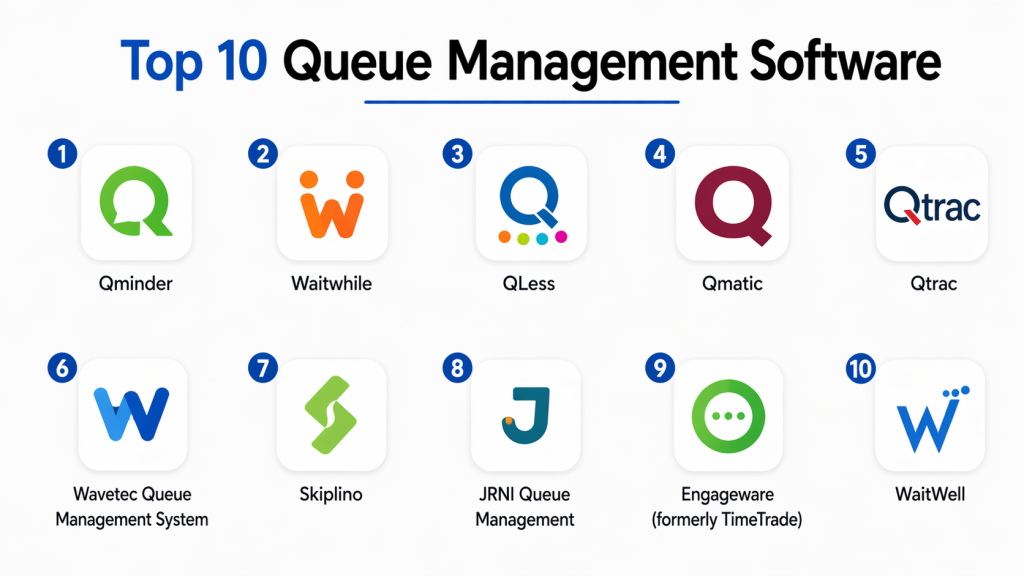
Top 10 Queue Management Software
#1 — Qminder
Short description: A cloud-based queue management platform designed for service organizations to manage customer flow, reduce waiting time, and improve service efficiency with real-time analytics.
Key Features
- Real-time queue tracking
- Self check-in kiosks
- Appointment scheduling
- SMS notifications
- Multi-location management
Pros
- Easy to deploy
- Strong analytics
Cons
- Subscription cost
- Requires internet connection
Platforms / Deployment
Cloud / Mobile
Security & Compliance
Not publicly stated
Integrations & Ecosystem
Works with CRM and kiosk systems
Support & Community
Strong enterprise support
#2 — Waitwhile
Short description: A digital waitlist and appointment platform that helps businesses manage queues, reduce congestion, and improve customer experience.
Key Features
- Virtual waitlist system
- SMS notifications
- Appointment booking
- Multi-location control
- Customer communication tools
Pros
- Very easy to use
- Strong UX design
Cons
- Limited offline support
- Advanced features require paid plans
Platforms / Deployment
Cloud / Mobile
Security & Compliance
Not publicly stated
Integrations & Ecosystem
Works with POS and CRM systems
Support & Community
Strong SMB adoption
#3 — QLess
Short description: A mobile-first virtual queue system that allows customers to join queues remotely and receive real-time updates.
Key Features
- Virtual queue system
- SMS-based updates
- Remote customer check-in
- Analytics dashboard
- CRM integration
Pros
- Strong mobile experience
- Reduces physical waiting
Cons
- Setup complexity
- Enterprise pricing
Platforms / Deployment
Cloud / Mobile
Security & Compliance
Not publicly stated
Integrations & Ecosystem
Supports CRM and communication tools
Support & Community
Enterprise support
#4 — Qmatic
Short description: An enterprise-grade queue management system widely used in healthcare and government environments for managing complex customer flow.
Key Features
- Kiosk-based check-in
- Virtual queue system
- Appointment scheduling
- Multi-department routing
- Real-time notifications
Pros
- Highly scalable
- Strong enterprise control
Cons
- Complex setup
- High cost
Platforms / Deployment
On-prem / Cloud
Security & Compliance
Enterprise-grade compliance
Integrations & Ecosystem
Works with hospital and government systems
Support & Community
Strong enterprise support
#5 — Qudini (Verint)
Short description: A customer journey and queue management platform designed for retail and service businesses to manage appointments and walk-ins.
Key Features
- Appointment booking
- Virtual queue management
- Customer journey tracking
- Staff scheduling tools
- Analytics dashboards
Pros
- Strong retail focus
- Customer experience optimization
Cons
- Expensive
- Enterprise-oriented
Platforms / Deployment
Cloud
Security & Compliance
Not publicly stated
Integrations & Ecosystem
Works with retail CRM systems
Support & Community
Enterprise support
#6 — Wavetec QMS
Short description: A global queue management solution used in banks, hospitals, and retail environments for structured customer flow management.
Key Features
- Token-based queue system
- Digital signage integration
- SMS notifications
- Analytics dashboard
- Multi-branch support
Pros
- Strong global adoption
- Reliable performance
Cons
- Hardware dependency
- Setup complexity
Platforms / Deployment
Hybrid
Security & Compliance
Not publicly stated
Integrations & Ecosystem
Works with enterprise service systems
Support & Community
Strong enterprise support
#7 — Qtrac
Short description: A queue management system designed for enterprises to handle complex customer flows with virtual and physical queue integration.
Key Features
- Virtual queuing system
- SMS notifications
- Multi-location management
- Real-time dashboards
- Appointment scheduling
Pros
- Flexible deployment
- Strong enterprise focus
Cons
- Complex UI
- Higher pricing
Platforms / Deployment
Cloud / Hybrid
Security & Compliance
Not publicly stated
Integrations & Ecosystem
Supports enterprise systems
Support & Community
Enterprise-level support
#8 — Engageware Queue Management
Short description: A customer engagement and queue management platform designed for banking and service industries.
Key Features
- Customer flow management
- Appointment scheduling
- Real-time alerts
- Staff coordination tools
- CRM integration
Pros
- Strong banking focus
- Reliable system
Cons
- Enterprise pricing
- Complex onboarding
Platforms / Deployment
Cloud
Security & Compliance
Enterprise-grade compliance
Integrations & Ecosystem
Works with financial systems
Support & Community
Strong enterprise support
#9 — TablesReady
Short description: A simple queue and waitlist management software designed for restaurants, clinics, and small businesses.
Key Features
- Digital waitlist system
- SMS notifications
- Appointment booking
- Queue management dashboard
- Customer tracking
Pros
- Easy setup
- Affordable
Cons
- Limited enterprise features
- Basic analytics
Platforms / Deployment
Cloud
Security & Compliance
Not publicly stated
Integrations & Ecosystem
Basic integrations available
Support & Community
SMB-focused support
#10 — Qwaiting
Short description: A cloud-based queue management system widely used in healthcare and service industries for managing walk-in and appointment-based queues.
Key Features
- Token-based queue system
- Appointment scheduling
- SMS/WhatsApp alerts
- Multi-branch support
- Real-time monitoring
Pros
- User-friendly
- Strong reporting tools
Cons
- Limited customization
- Regional availability
Platforms / Deployment
Cloud
Security & Compliance
Not publicly stated
Integrations & Ecosystem
Supports enterprise integrations
Support & Community
Moderate global support
Comparison Table (Top 10)
| Tool Name | Best For | Platform(s) Supported | Deployment | Standout Feature | Public Rating |
|---|---|---|---|---|---|
| Qminder | Enterprises | Multi-platform | Cloud | Real-time analytics | N/A |
| Waitwhile | SMBs | Multi-platform | Cloud | Virtual waitlist | N/A |
| QLess | Mobile queueing | Multi-platform | Cloud | Remote queueing | N/A |
| Qmatic | Healthcare & govt | Multi-platform | Hybrid | Kiosk system | N/A |
| Qudini | Retail CX | Multi-platform | Cloud | Customer journey | N/A |
| Wavetec | Banks & retail | Multi-platform | Hybrid | Token system | N/A |
| Qtrac | Enterprises | Multi-platform | Cloud | Virtual queues | N/A |
| Engageware | Banking | Multi-platform | Cloud | Customer flow mgmt | N/A |
| TablesReady | SMBs | Multi-platform | Cloud | Simple waitlist | N/A |
| Qwaiting | Healthcare | Multi-platform | Cloud | WhatsApp alerts | N/A |
Evaluation & Scoring of Queue Management Software
| Tool Name | Core | Ease | Integrations | Security | Performance | Support | Value | Weighted Total |
|---|---|---|---|---|---|---|---|---|
| Qminder | 9 | 9 | 9 | 8 | 9 | 9 | 8 | 8.7 |
| Waitwhile | 9 | 9 | 9 | 8 | 9 | 9 | 9 | 8.9 |
| QLess | 9 | 8 | 8 | 8 | 9 | 8 | 8 | 8.3 |
| Qmatic | 10 | 7 | 9 | 10 | 9 | 9 | 7 | 8.6 |
| Qudini | 9 | 8 | 9 | 8 | 9 | 9 | 7 | 8.5 |
| Wavetec | 9 | 7 | 8 | 8 | 9 | 8 | 8 | 8.2 |
| Qtrac | 9 | 7 | 8 | 8 | 8 | 8 | 7 | 8.0 |
| Engageware | 8 | 8 | 8 | 9 | 8 | 8 | 7 | 8.1 |
| TablesReady | 7 | 9 | 7 | 7 | 8 | 8 | 9 | 8.0 |
| Qwaiting | 8 | 8 | 8 | 8 | 8 | 8 | 8 | 8.0 |
Frequently Asked Questions (FAQs)
1. What is queue management software?
Queue management software is a system that organizes and manages customer queues digitally. It helps reduce waiting times and improves service efficiency using virtual queues, tokens, or appointments.
2. Where is queue management software used?
It is used in hospitals, banks, retail stores, government offices, airports, and service centers where customer flow management is required.
3. Does it support virtual queues?
Yes, most modern systems support virtual queues where customers can join queues remotely using mobile apps or web links.
4. Can customers receive notifications?
Yes, systems often send SMS, WhatsApp, or email notifications about queue status and estimated waiting times.
5. Is queue management software cloud-based?
Most modern solutions are cloud-based, but some enterprise systems also support hybrid or on-prem deployment.
6. Can it integrate with CRM systems?
Yes, many queue systems integrate with CRM, POS, and customer service platforms for better workflow management.
7. Does it reduce waiting time?
Yes, it improves customer flow, reduces overcrowding, and optimizes service efficiency, significantly reducing perceived wait time.
8. Is it suitable for small businesses?
Yes, SMB-focused tools like TablesReady and Waitwhile are designed for small businesses.
9. Can it handle multiple locations?
Yes, enterprise queue systems support multi-branch and multi-location management.
10. What is the best queue management software?
Qminder, Waitwhile, QLess, and Qmatic are among the most widely used depending on business size and industry needs.
Conclusion
Queue Management Software plays a vital role in improving customer experience and operational efficiency by managing queues digitally across industries. It eliminates long waiting lines and enables businesses to serve customers more efficiently. There is no single best solution for all organizations. Qminder and Qmatic are ideal for enterprises, Waitwhile and TablesReady suit SMBs, while QLess and Wavetec are strong in specialized industries like retail and banking. The right choice depends on your customer volume, industry, and integration needs. Focus on ease of use, scalability, and communication features when selecting a platform. Start by testing a few systems, evaluating real-world queue handling, and ensuring smooth integration with your existing service operations.