Introduction
Workspace Analytics Tools are platforms that help organizations understand how their physical office spaces are used. They collect data from sensors, Wi-Fi networks, booking systems, and workplace applications to deliver insights on occupancy, utilization, and employee behavior. In simple terms, they transform workplace activity into actionable data.
In the modern hybrid work environment, offices are no longer static. Organizations are continuously optimizing real estate costs, employee experience, and productivity. Workspace analytics tools help answer important questions such as: Which spaces are underutilized? How can collaboration areas be improved? Is office capacity aligned with actual usage?
Real-world use cases
- Hybrid workplace optimization – Align office capacity with employee attendance patterns
- Space utilization tracking – Identify unused desks and meeting rooms
- Cost reduction – Optimize real estate investments
- Employee experience improvement – Enhance comfort and collaboration
- Facilities planning – Support data-driven office redesign decisions
What buyers should evaluate
- Accuracy of data collection
- Real-time vs historical insights
- Integration with workplace tools
- Privacy and compliance capabilities
- Scalability across locations
- Ease of deployment and onboarding
- Reporting and visualization quality
- Hardware vs software dependency
- Total cost of ownership
Best for: Enterprises, facility managers, HR leaders, IT teams, and real estate planners managing hybrid workplaces.
Not ideal for: Fully remote companies, small teams without physical offices, or organizations that do not require workspace optimization.
Key Trends in Workspace Analytics Tools
- AI-driven occupancy prediction for smarter space planning
- Privacy-first analytics models using anonymized data
- Integration with employee experience platforms
- Real-time dashboards powered by IoT sensors
- Sustainability and energy tracking insights
- Mobile-first workplace analytics solutions
- Automated desk and room allocation
- Usage-based pricing models
- Advanced heatmaps and behavioral analytics
- Cross-location analytics for global visibility
How We Selected These Tools (Methodology)
- Strong market adoption and recognition
- Feature completeness and innovation
- Performance and reliability indicators
- Security and privacy capabilities
- Integration ecosystem strength
- Suitability across business sizes
- Ease of use and onboarding
- Value for cost and scalability
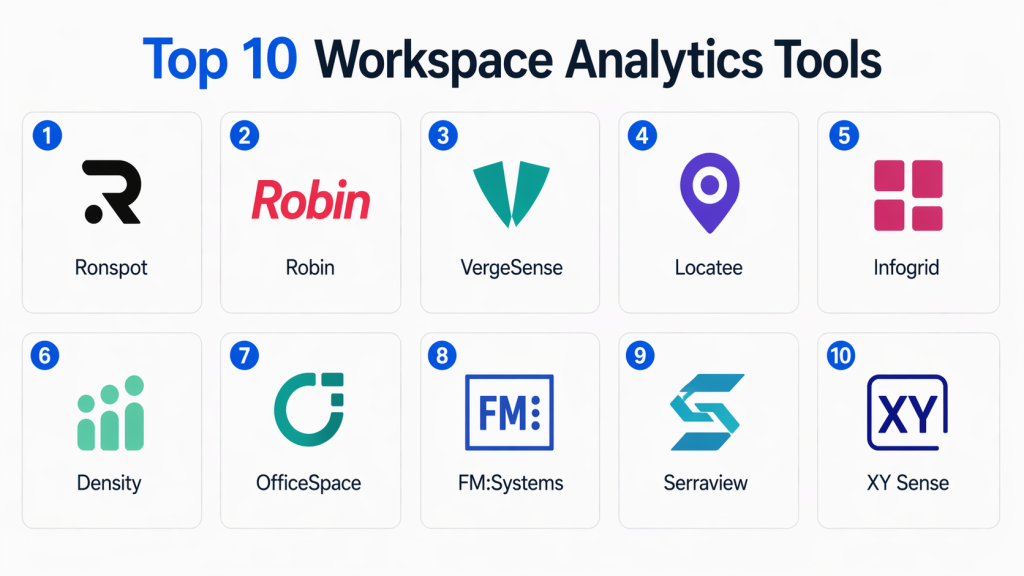
Top 10 Workspace Analytics Tools Tools
#1 — VergeSense
Short description: VergeSense uses AI-powered sensors to provide highly accurate occupancy and workspace utilization insights. It is widely used by enterprises to optimize office layouts and hybrid work strategies.
Key Features
- AI-powered occupancy sensors
- Real-time utilization tracking
- Heatmaps and trend analytics
- Desk and room usage monitoring
- Privacy-focused data collection
- Advanced reporting dashboards
Pros
- Highly accurate analytics
- Strong enterprise capabilities
Cons
- Requires hardware deployment
- Higher cost for smaller teams
Platforms / Deployment
Cloud / Hybrid
Security & Compliance
Encryption, anonymized data (Not publicly stated fully)
Integrations & Ecosystem
Integrates with workplace tools and enterprise systems.
- Microsoft Teams
- Slack
- Workplace booking systems
- APIs available
Support & Community
Enterprise-grade support with structured onboarding and detailed documentation.
#2 — Locatee
Short description: Locatee uses existing Wi-Fi infrastructure to analyze workspace usage, making it a cost-effective solution for organizations that want insights without installing additional hardware.
Key Features
- Wi-Fi-based occupancy tracking
- Space utilization analytics
- Real-time dashboards
- Historical trend analysis
- Privacy-compliant insights
Pros
- No hardware required
- Fast deployment
Cons
- Accuracy depends on Wi-Fi quality
- Less granular insights
Platforms / Deployment
Cloud
Security & Compliance
GDPR-aligned anonymization (Not publicly stated fully)
Integrations & Ecosystem
- Wi-Fi systems
- Facility tools
- APIs
Support & Community
Reliable enterprise support with solid documentation.
#3 — Density
Short description: Density offers sensor-based people-counting solutions that deliver detailed insights into space usage, helping organizations optimize layouts and capacity planning.
Key Features
- People counting sensors
- Real-time occupancy tracking
- Historical analytics
- API-first architecture
- Privacy-safe tracking
Pros
- High accuracy
- Strong analytics capabilities
Cons
- Requires hardware installation
- Setup complexity
Platforms / Deployment
Cloud / Hybrid
Security & Compliance
Anonymized tracking, encryption (Not publicly stated fully)
Integrations & Ecosystem
- APIs
- Business intelligence tools
- Workplace systems
Support & Community
Strong enterprise support and onboarding.
#4 — OfficeSpace
Short description: OfficeSpace combines space planning, workplace management, and analytics into a unified platform designed to improve efficiency and utilization.
Key Features
- Space planning tools
- Workplace analytics dashboards
- Scenario modeling
- Reporting engine
- Employee experience tools
Pros
- Comprehensive platform
- Strong visualization capabilities
Cons
- Learning curve for new users
- Premium pricing
Platforms / Deployment
Cloud
Security & Compliance
SSO, RBAC (Not publicly stated fully)
Integrations & Ecosystem
- HR systems
- Calendar tools
- Workplace applications
Support & Community
Comprehensive onboarding and support programs.
#5 — Robin
Short description: Robin enables organizations to manage hybrid workplaces with desk booking, scheduling, and analytics features focused on improving employee experience.
Key Features
- Desk booking
- Room scheduling
- Workspace analytics
- Mobile applications
- Usage insights
Pros
- Easy to use
- Strong scheduling capabilities
Cons
- Limited advanced analytics
- Better suited for smaller teams
Platforms / Deployment
Web / iOS / Android / Cloud
Security & Compliance
SSO, encryption (Not publicly stated fully)
Integrations & Ecosystem
- Google Workspace
- Microsoft Teams
- Slack
Support & Community
Active support and well-documented resources.
#6 — Envoy Desks
Short description: Envoy Desks provides workspace analytics alongside desk booking and visitor management, making it suitable for hybrid office environments.
Key Features
- Desk booking
- Space utilization tracking
- Visitor management
- Reporting dashboards
- Hybrid workplace tools
Pros
- Simple setup
- Strong integration ecosystem
Cons
- Limited advanced analytics
- Pricing may increase with scale
Platforms / Deployment
Cloud
Security & Compliance
MFA, encryption (Not publicly stated fully)
Integrations & Ecosystem
- Slack
- Microsoft Teams
- HR systems
Support & Community
Strong onboarding and support services.
#7 — YAROOMS
Short description: YAROOMS is a workplace management platform offering scheduling and analytics capabilities for organizations seeking a simple and affordable solution.
Key Features
- Room booking
- Workspace analytics
- Reporting tools
- Mobile access
- Hybrid workplace management
Pros
- Cost-effective
- Easy to use
Cons
- Limited advanced features
- Basic user interface
Platforms / Deployment
Web / Cloud
Security & Compliance
Not publicly stated
Integrations & Ecosystem
- Calendar systems
- APIs
Support & Community
Moderate support and documentation.
#8 — Skedda
Short description: Skedda provides scheduling and analytics tools for managing shared workspaces, offering flexibility and ease of implementation.
Key Features
- Booking system
- Utilization analytics
- Custom rules
- Reporting dashboards
- Access controls
Pros
- Flexible scheduling
- Quick implementation
Cons
- Limited enterprise capabilities
- Basic analytics depth
Platforms / Deployment
Cloud
Security & Compliance
Not publicly stated
Integrations & Ecosystem
- Calendar tools
- APIs
- Automation platforms
Support & Community
Good documentation and support.
#9 — Condeco (Eptura)
Short description: Condeco provides enterprise-grade workspace analytics and scheduling tools for organizations with complex workplace requirements.
Key Features
- Advanced analytics
- Space planning
- Real-time insights
- Enterprise dashboards
- Booking systems
Pros
- Scalable for large organizations
- Strong analytics capabilities
Cons
- Complex implementation
- Higher cost
Platforms / Deployment
Cloud / Hybrid
Security & Compliance
SSO, enterprise-grade compliance (Not publicly stated fully)
Integrations & Ecosystem
- Microsoft ecosystem
- Workplace tools
- APIs
Support & Community
Strong enterprise support and onboarding.
#10 — Serraview
Short description: Serraview focuses on real estate and workspace optimization, delivering advanced analytics for large enterprises managing multiple office locations.
Key Features
- Portfolio analytics
- Space optimization
- Scenario planning
- Data visualization
- Workplace insights
Pros
- Deep analytics capabilities
- Enterprise-focused
Cons
- Not suitable for small teams
- Complex setup
Platforms / Deployment
Cloud
Security & Compliance
Not publicly stated
Integrations & Ecosystem
- Enterprise systems
- Business intelligence tools
Support & Community
Enterprise-level support and onboarding.
Comparison Table (Top 10)
| Tool Name | Best For | Platform(s) Supported | Deployment | Standout Feature | Public Rating |
|---|---|---|---|---|---|
| VergeSense | Enterprise analytics | Cloud | Hybrid | AI occupancy sensors | N/A |
| Locatee | Cost-efficient analytics | Web | Cloud | Wi-Fi-based tracking | N/A |
| Density | High accuracy tracking | Cloud | Hybrid | People counting sensors | N/A |
| OfficeSpace | All-in-one platform | Web | Cloud | Space planning | N/A |
| Robin | SMB hybrid offices | Web, Mobile | Cloud | Desk booking | N/A |
| Envoy Desks | Easy deployment | Web | Cloud | Visitor + desk tools | N/A |
| YAROOMS | Budget teams | Web | Cloud | Scheduling | N/A |
| Skedda | Small teams | Web | Cloud | Booking flexibility | N/A |
| Condeco | Enterprise use | Web | Hybrid | Advanced analytics | N/A |
| Serraview | Large organizations | Web | Cloud | Portfolio insights | N/A |
Evaluation & Scoring of Workspace Analytics Tools
| Tool Name | Core (25%) | Ease (15%) | Integrations (15%) | Security (10%) | Performance (10%) | Support (10%) | Value (15%) | Weighted Total |
|---|---|---|---|---|---|---|---|---|
| VergeSense | 9 | 7 | 8 | 8 | 9 | 8 | 7 | 8.2 |
| Locatee | 8 | 9 | 7 | 7 | 8 | 7 | 9 | 8.1 |
| Density | 9 | 7 | 8 | 8 | 9 | 8 | 7 | 8.2 |
| OfficeSpace | 8 | 7 | 8 | 7 | 8 | 8 | 7 | 7.8 |
| Robin | 7 | 9 | 8 | 7 | 7 | 7 | 8 | 7.9 |
| Envoy Desks | 7 | 9 | 8 | 7 | 7 | 7 | 8 | 7.9 |
| YAROOMS | 6 | 8 | 6 | 6 | 7 | 6 | 8 | 7.0 |
| Skedda | 6 | 9 | 6 | 6 | 7 | 6 | 8 | 7.1 |
| Condeco | 9 | 6 | 8 | 8 | 9 | 8 | 6 | 8.0 |
| Serraview | 9 | 6 | 7 | 8 | 9 | 8 | 6 | 7.9 |
How to interpret scores:
These scores provide a comparative view across tools based on features, usability, integrations, and value. Higher scores indicate stronger overall performance, but the best tool depends on your specific requirements. Enterprise tools may score higher in features, while simpler tools often excel in ease of use and affordability.
Which Workspace Analytics Tools Tool Is Right for You?
Solo / Freelancer
Workspace analytics tools are generally unnecessary. Simple scheduling solutions are sufficient.
SMB
Robin, Skedda, and Envoy Desks are ideal due to ease of use and quick setup.
Mid-Market
OfficeSpace and Locatee provide a balanced mix of analytics and usability.
Enterprise
VergeSense, Density, Condeco, and Serraview are best suited for large-scale deployments.
Budget vs Premium
- Budget: YAROOMS, Skedda
- Premium: VergeSense, Condeco
Feature Depth vs Ease of Use
- Advanced analytics: Density, Serraview
- Ease of use: Robin, Envoy
Integrations & Scalability
Choose API-first tools like Density or OfficeSpace for scalability.
Security & Compliance Needs
Enterprises should prioritize tools with strong compliance and access control capabilities.
Frequently Asked Questions (FAQs)
1. What are Workspace Analytics Tools?
Workspace Analytics Tools help organizations track and analyze how office spaces are used. They convert occupancy data into insights that improve efficiency, reduce costs, and enhance workplace planning.
2. How do these tools collect data?
They collect data through sensors, Wi-Fi networks, booking systems, and employee interactions. Some tools rely on existing infrastructure, while others use dedicated hardware for higher accuracy.
3. Are Workspace Analytics Tools safe for privacy?
Most tools use anonymized and aggregated data to protect employee privacy. However, organizations should carefully review privacy policies and compliance features before implementation.
4. Do all tools require hardware?
No, some tools rely on software-based tracking such as Wi-Fi analytics. Hardware-based tools provide more accurate and detailed insights but require installation.
5. What is the typical pricing model?
Pricing varies depending on features, deployment size, and hardware requirements. Most tools follow subscription-based pricing, while some include additional costs for sensors.
6. How long does implementation take?
Implementation can take from a few days to several weeks depending on complexity. Sensor-based deployments typically take longer than software-only solutions.
7. Can small businesses benefit from these tools?
Yes, but smaller businesses should focus on simple and affordable solutions. Advanced enterprise tools may be too complex for their needs.
8. Do these tools integrate with existing systems?
Most Workspace Analytics Tools integrate with workplace platforms, HR systems, and collaboration tools to enable seamless workflows and data sharing.
9. What are common mistakes when adopting these tools?
Common mistakes include selecting overly complex tools, ignoring privacy concerns, and failing to align analytics with business goals. Proper planning is essential.
10. Is it easy to switch between tools?
Switching is possible but may require data migration and user retraining. It is best to evaluate long-term needs before selecting a tool.
Conclusion
Workspace Analytics Tools have become essential for organizations aiming to optimize their physical work environments and adapt to evolving workplace models. By providing real-time and historical insights into space utilization, these tools enable smarter decisions around office design, cost management, and employee experience. However, the best solution depends on your organization’s specific needs, including size, budget, infrastructure, and goals. Enterprise organizations may require advanced analytics and scalability, while smaller teams benefit more from simplicity and ease of use. Before making a final decision, shortlist a few tools and test them in your environment. Evaluate their accuracy, integrations, ease of adoption, and privacy controls carefully.