Introduction
Catering Management Software helps businesses plan events, manage orders, track inventory, handle billing, and coordinate staff and logistics in one unified system. In simple terms, it replaces spreadsheets and manual processes with digital workflows that streamline catering operations from inquiry to execution.
This software is essential because catering businesses deal with complex logistics—menus, events, staff scheduling, deliveries, and customer communication. Without automation, errors and inefficiencies can quickly impact service quality and profitability. Modern catering platforms help businesses save time, reduce costs, and improve customer experience by centralizing operations.
Common use cases include event planning, proposal generation, order tracking, menu management, invoicing, and client communication. Buyers should evaluate workflow automation, event management features, integrations, scalability, reporting, and ease of use.
Best for: catering companies, restaurants with catering services, event planners, hospitality groups, and cloud kitchens.
Not ideal for: small food vendors with minimal event or catering complexity.
Key Trends in Catering Management Software
- Cloud-based platforms replacing manual workflows
- Integration with POS, CRM, and accounting systems
- Automated proposal generation and invoicing
- Real-time event and order tracking
- AI-driven forecasting and demand planning
- Mobile-first tools for field and on-site teams
- Centralized inventory and procurement management
- Multi-location and franchise management capabilities
- Customer portals for self-service ordering
- Data analytics for profitability and performance
How We Selected These Tools (Methodology)
- Evaluated industry adoption across catering and hospitality
- Assessed event management and workflow automation capabilities
- Reviewed integration with POS, CRM, and accounting systems
- Analyzed scalability for multi-location operations
- Considered ease of use for catering teams
- Evaluated reporting and analytics features
- Reviewed customer experience tools (portals, communication)
- Assessed vendor ecosystem and integrations
- Considered pricing flexibility and ROI
- Ensured a mix of SMB and enterprise solutions
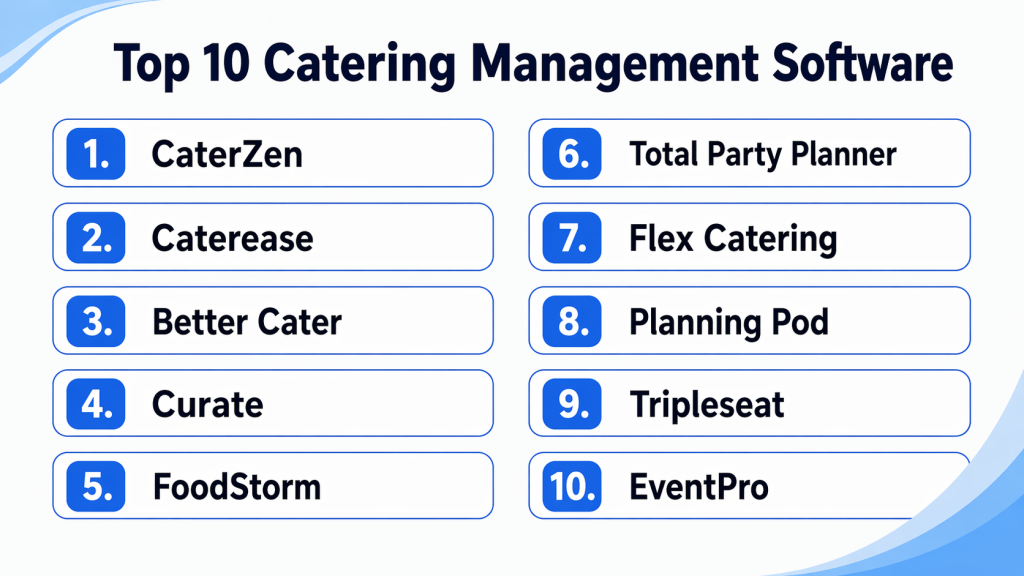
Top 10 Catering Management Software Tools
#1 — CaterZen
Short description : CaterZen is a comprehensive catering CRM and operations platform designed to manage sales, marketing, and event workflows in one place.
Key Features
- Catering CRM
- Online ordering system
- Proposal generation
- Event management
- Marketing automation
Pros
- All-in-one solution
- Strong CRM capabilities
Cons
- Learning curve
- Premium pricing
Platforms / Deployment
- Web / Cloud
Security & Compliance
- Not publicly stated
Integrations & Ecosystem
CaterZen connects sales, operations, and marketing workflows seamlessly.
- CRM tools
- APIs
- Marketing systems
Support & Community
- Vendor support and onboarding
#2 — Caterease
Short description : Caterease is a widely used catering and event management platform known for its powerful proposal and event planning features.
Key Features
- Event management
- Proposal creation
- Client tracking
- Billing and invoicing
- Reporting
Pros
- Industry-leading adoption
- Strong event planning tools
Cons
- Complex UI
- Requires training
Platforms / Deployment
- Web / Cloud
Security & Compliance
- Not publicly stated
Integrations & Ecosystem
- Accounting tools
- POS systems
- APIs
Support & Community
- Strong vendor support
#3 — Better Cater
Short description : Better Cater focuses on simplifying catering workflows with easy-to-use tools for scheduling, billing, and event management.
Key Features
- Event scheduling
- Billing and invoicing
- Calendar management
- Reporting
- Customer database
Pros
- Easy to use
- Affordable
Cons
- Limited advanced features
- SMB-focused
Platforms / Deployment
- Web / Cloud
Security & Compliance
- Not publicly stated
Integrations & Ecosystem
- APIs
- Payment systems
Support & Community
- Vendor support
#4 — Curate
Short description : Curate is a catering software focused on proposal creation, costing, and profitability analysis for catering businesses.
Key Features
- Proposal builder
- Costing tools
- Event management
- Analytics
- Reporting
Pros
- Strong pricing tools
- Modern interface
Cons
- Limited integrations
- Requires onboarding
Platforms / Deployment
- Web / Cloud
Security & Compliance
- Not publicly stated
Integrations & Ecosystem
- APIs
- POS tools
Support & Community
- Vendor support
#5 — FoodStorm
Short description : FoodStorm is an enterprise-grade catering platform designed for large-scale catering operations and multi-location businesses.
Key Features
- Order management
- Event scheduling
- Inventory tracking
- Reporting dashboards
- Multi-location support
Pros
- Scalable
- Enterprise-ready
Cons
- Expensive
- Complex implementation
Platforms / Deployment
- Web / Cloud
Security & Compliance
- Not publicly stated
Integrations & Ecosystem
- POS systems
- APIs
Support & Community
- Enterprise support
#6 — Total Party Planner
Short description : Total Party Planner is a catering and event management platform known for strong customer support and proposal tools.
Key Features
- Proposal generation
- Event planning
- Client portal
- Payment processing
- Scheduling
Pros
- Excellent support
- Strong proposal tools
Cons
- Learning curve
- Complex setup
Platforms / Deployment
- Web / Mobile / Cloud
Security & Compliance
- Not publicly stated
Integrations & Ecosystem
- Payment systems
- APIs
Support & Community
- Highly rated support
#7 — Flex Catering
Short description : Flex Catering provides customizable catering workflows with strong order and event management features.
Key Features
- Order management
- Event planning
- Inventory tracking
- Reporting
- Workflow automation
Pros
- Flexible workflows
- Scalable
Cons
- Requires customization
- UI complexity
Platforms / Deployment
- Web / Cloud
Security & Compliance
- Not publicly stated
Integrations & Ecosystem
- APIs
- POS tools
Support & Community
- Vendor support
#8 — Planning Pod
Short description : Planning Pod combines event management and catering tools for managing large events and bookings.
Key Features
- Event scheduling
- Client management
- Billing tools
- Reporting
- CRM
Pros
- Event-focused
- Easy to use
Cons
- Limited catering-specific features
- Basic integrations
Platforms / Deployment
- Web / Cloud
Security & Compliance
- Not publicly stated
Integrations & Ecosystem
- CRM tools
- APIs
Support & Community
- Vendor support
#9 — HoneyBook
Short description : HoneyBook is a client management platform that can be adapted for catering businesses to manage bookings and payments.
Key Features
- Client management
- Invoicing
- Scheduling
- Workflow automation
- Payment tracking
Pros
- Easy onboarding
- Modern interface
Cons
- Not catering-specific
- Limited operational tools
Platforms / Deployment
- Web / Mobile / Cloud
Security & Compliance
- Not publicly stated
Integrations & Ecosystem
- Payment tools
- APIs
Support & Community
- Strong community
#10 — EventPro
Short description : EventPro provides catering and event management features including scheduling, inventory, and menu management.
Key Features
- Event scheduling
- Inventory tracking
- Menu management
- Reporting
- Workflow automation
Pros
- Comprehensive features
- Flexible workflows
Cons
- Complex UI
- Learning curve
Platforms / Deployment
- Web / Cloud
Security & Compliance
- Not publicly stated
Integrations & Ecosystem
- APIs
- POS systems
Support & Community
- Vendor support
Comparison Table (Top 10)
| Tool Name | Best For | Platform(s) Supported | Deployment | Standout Feature | Public Rating |
|---|---|---|---|---|---|
| CaterZen | All-in-one CRM | Web | Cloud | Catering CRM | N/A |
| Caterease | Event planning | Web | Cloud | Proposal tools | N/A |
| Better Cater | SMB | Web | Cloud | Ease of use | N/A |
| Curate | Pricing & proposals | Web | Cloud | Costing tools | N/A |
| FoodStorm | Enterprise | Web | Cloud | Scalability | N/A |
| Total Party Planner | Support | Web/Mobile | Cloud | Client portal | N/A |
| Flex Catering | Custom workflows | Web | Cloud | Flexibility | N/A |
| Planning Pod | Event mgmt | Web | Cloud | Event tools | N/A |
| HoneyBook | Client mgmt | Web/Mobile | Cloud | CRM features | N/A |
| EventPro | Enterprise | Web | Cloud | Event + inventory | N/A |
Evaluation & Scoring of Catering Management Software
| Tool Name | Core (25%) | Ease (15%) | Integrations (15%) | Security (10%) | Performance (10%) | Support (10%) | Value (15%) | Weighted Total |
|---|---|---|---|---|---|---|---|---|
| CaterZen | 9 | 7 | 8 | 7 | 8 | 8 | 7 | 8.0 |
| Caterease | 9 | 6 | 8 | 7 | 8 | 8 | 7 | 7.9 |
| Better Cater | 8 | 9 | 7 | 7 | 7 | 7 | 8 | 8.0 |
| Curate | 8 | 8 | 7 | 7 | 8 | 7 | 7 | 7.8 |
| FoodStorm | 9 | 6 | 9 | 8 | 9 | 8 | 6 | 8.2 |
| Total Party Planner | 8 | 7 | 7 | 7 | 8 | 9 | 7 | 7.9 |
| Flex Catering | 8 | 7 | 8 | 7 | 8 | 7 | 7 | 7.7 |
| Planning Pod | 7 | 8 | 7 | 7 | 7 | 7 | 8 | 7.5 |
| HoneyBook | 7 | 9 | 7 | 7 | 7 | 7 | 8 | 7.6 |
| EventPro | 8 | 6 | 8 | 7 | 8 | 7 | 7 | 7.6 |
Scores are comparative and should be used to shortlist tools based on priorities like automation, scalability, and integrations.
Which Catering Management Software Is Right for You?
Solo / Freelancer
- HoneyBook or Better Cater for simple workflows
SMB
- Better Cater, Curate, Planning Pod for affordability and usability
Mid-Market
- CaterZen, Total Party Planner for better automation
Enterprise
- FoodStorm, EventPro for full-scale operations
Budget vs Premium
- Budget → Better Cater, HoneyBook
- Premium → CaterZen, FoodStorm
Feature Depth vs Ease of Use
- Easy → HoneyBook
- Advanced → CaterZen
Integrations & Scalability
- Choose tools integrated with POS, CRM, and accounting systems
Security & Compliance Needs
- Enterprise tools offer better controls
Frequently Asked Questions (FAQs)
1. What is catering management software?
It helps manage events, orders, inventory, and billing in catering businesses.
2. Why is it important?
It reduces manual work and improves efficiency.
3. Can it manage events?
Yes, event planning is a core feature.
4. Does it handle billing?
Yes, most tools include invoicing and payments.
5. Can small businesses use it?
Yes, many tools are designed for SMBs.
6. Does it integrate with POS systems?
Yes, most modern tools support integrations.
7. Is it cloud-based?
Yes, most solutions are cloud-based.
8. How long does implementation take?
Cloud tools deploy quickly; enterprise tools take longer.
9. Can it improve profitability?
Yes, through automation and analytics.
10. What is the biggest benefit?
Streamlined operations and better customer experience.
Conclusion
Catering management software is a game-changer for modern catering businesses, enabling them to streamline operations, reduce manual errors, and deliver exceptional service at scale. From simple tools like Better Cater and HoneyBook to enterprise platforms like CaterZen and FoodStorm, the right solution depends on your business size, complexity, and growth goals. These platforms not only improve efficiency but also enhance customer experience through better communication, faster workflows, and accurate execution. The best approach is to shortlist a few tools, test them in real-world scenarios, and choose the one that aligns with your operational needs, integrations, and long-term scalability strategy.