Introduction
RSS Aggregators are platforms that collect updates from blogs, news websites, podcasts, YouTube channels, newsletters, forums, and other online sources into one centralized dashboard. Instead of visiting multiple websites individually, users can subscribe to feeds and receive real-time content updates automatically in a structured reading environment.
As digital content continues expanding rapidly, RSS Aggregators have become essential productivity tools for developers, researchers, marketers, journalists, cybersecurity analysts, founders, and enterprise intelligence teams. Modern RSS platforms now go far beyond traditional feed reading by adding AI-powered summaries, automation workflows, collaboration tools, offline reading, newsletter consolidation, and knowledge management integrations.
Real-world use cases include:
- Monitoring competitor news and market trends
- Following software engineering blogs and release notes
- Tracking cybersecurity vulnerabilities and alerts
- Managing newsletters and research content centrally
- Building distraction-free content consumption workflows
Evaluation Criteria for Buyers:
- Feed management and organization quality
- AI summarization and filtering capabilities
- Cross-platform synchronization
- Mobile and offline reading support
- Search and tagging functionality
- Integrations with productivity tools
- Automation and workflow support
- Privacy and self-hosting options
- Scalability for teams and enterprises
- Pricing flexibility and long-term value
Best for: developers, analysts, journalists, researchers, marketers, founders, cybersecurity teams, media professionals, and knowledge workers managing large information streams.
Not ideal for: casual readers who consume only a few websites occasionally or users who primarily depend on algorithm-based social media feeds and native news applications.
Key Trends in RSS Aggregators
- AI-powered article summarization is becoming a standard feature for high-volume reading workflows.
- RSS platforms increasingly combine newsletters, podcasts, YouTube subscriptions, and social feeds into unified dashboards.
- Privacy-focused self-hosted aggregators are gaining popularity among developers and technical teams.
- Integration with knowledge management platforms like Notion, Obsidian, and Readwise continues expanding.
- Automation using APIs, Zapier, and workflow triggers is becoming a major differentiator.
- Offline-first mobile reading experiences are improving significantly for remote workers and travelers.
- Enterprise intelligence monitoring is becoming a growing use case for RSS Aggregators.
- Open-source RSS ecosystems are expanding due to growing interest in data ownership and customization.
- AI-based feed prioritization and signal detection are reducing information overload.
- Subscription bundling models are emerging with premium research and productivity workflows.
How We Selected These Tools Methodology
The tools in this list were selected using a combination of market relevance, feature depth, usability, and long-term platform reliability.
- Strong industry adoption and user mindshare
- Consistent platform development and updates
- Cross-platform availability and synchronization quality
- AI and automation capabilities where applicable
- Reliability of feed fetching and performance
- Integration ecosystem and extensibility
- Security and privacy posture indicators
- Suitability across solo, SMB, and enterprise use cases
- Strength of onboarding, support, and documentation
- Balance between usability, customization, and pricing value
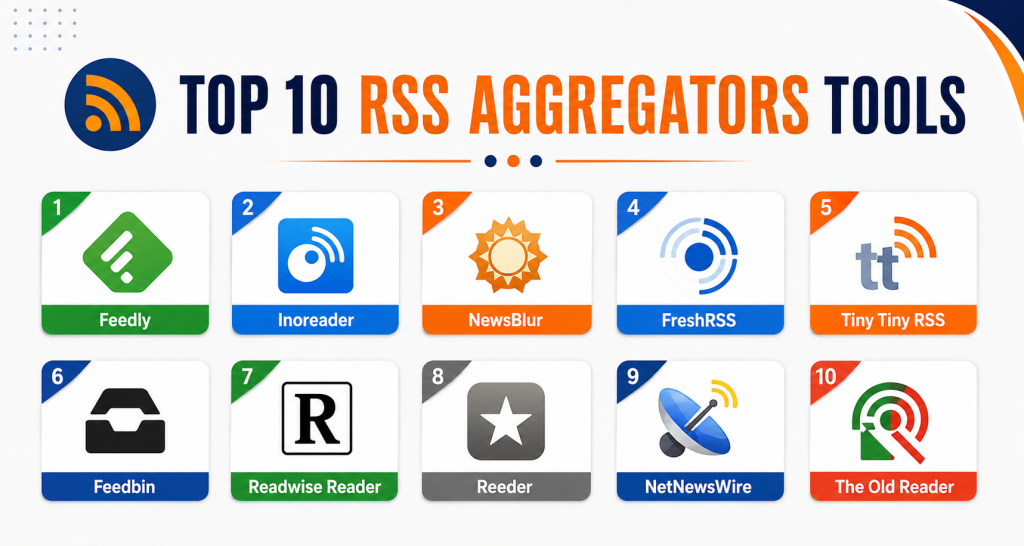
Top 10 RSS Aggregators Tools
#1 — Feedly
Short description: Feedly is one of the most widely recognized RSS Aggregators for professional research and content intelligence workflows. It combines traditional feed reading with AI-assisted filtering, monitoring, and organization capabilities. The platform is heavily used by marketers, analysts, cybersecurity teams, and enterprise research groups managing large volumes of information.
Key Features
- AI-powered article prioritization
- Keyword and trend monitoring
- Team collaboration boards
- Newsletter aggregation
- Browser extensions
- Cross-device synchronization
- Research and intelligence workflows
Pros
- Excellent AI-assisted filtering
- Modern and intuitive interface
- Strong collaboration capabilities
Cons
- Premium plans can become expensive
- Advanced AI tools locked behind higher tiers
- Limited self-hosting flexibility
Platforms / Deployment
- Web / iOS / Android
- Cloud
Security & Compliance
MFA supported. GDPR-related controls available. Additional certifications not publicly stated.
Integrations & Ecosystem
Feedly integrates well with productivity, automation, and research workflows. Its ecosystem is especially strong for intelligence monitoring and enterprise collaboration.
- Slack
- Notion
- Zapier
- Microsoft Teams
- Evernote
- Browser extensions
Support & Community
Strong documentation, active onboarding resources, large community adoption, and frequent platform updates.
#2 — Inoreader
Short description: Inoreader is a powerful RSS Aggregator built for users who need advanced automation, filtering, and content organization capabilities. It is popular among journalists, researchers, analysts, and productivity-focused professionals who manage complex feed environments.
Key Features
- Advanced feed rules and filters
- Offline reading support
- Feed translation tools
- Monitoring dashboards
- Custom tagging systems
- Newsletter subscriptions
- Long-term article archiving
Pros
- Highly customizable workflows
- Strong automation engine
- Good balance between power and pricing
Cons
- Learning curve for beginners
- Interface can feel feature-heavy
- Some advanced capabilities require premium plans
Platforms / Deployment
- Web / iOS / Android
- Cloud
Security & Compliance
MFA supported. GDPR support expected. Additional certifications not publicly stated.
Integrations & Ecosystem
Inoreader supports extensive workflow integrations for automation-heavy users and research teams.
- Dropbox
- OneDrive
- Zapier
- RSS exports
- Browser integrations
Support & Community
Large productivity-focused community with extensive documentation and tutorials.
#3 — NewsBlur
Short description: NewsBlur combines RSS reading with intelligent personalization and feed training capabilities. It is widely respected among privacy-conscious users and developers looking for flexible deployment and intelligent content prioritization.
Key Features
- Feed intelligence training
- Story filtering
- Audio article playback
- Shared story feeds
- Self-hosting support
- Offline reading
- Folder-based organization
Pros
- Strong personalization engine
- Open-source friendly
- Flexible deployment options
Cons
- Interface feels less modern
- Smaller enterprise ecosystem
- Limited advanced collaboration features
Platforms / Deployment
- Web / iOS / Android
- Cloud / Self-hosted
Security & Compliance
Encryption supported. Additional certifications not publicly stated.
Integrations & Ecosystem
NewsBlur emphasizes intelligent reading experiences and customization flexibility rather than broad enterprise integrations.
- APIs
- Browser support
- Sharing tools
- Feed imports
- Self-hosted customization
Support & Community
Active open-source-oriented community with long-term developer support.
#4 — FreshRSS
Short description: FreshRSS is a lightweight self-hosted RSS Aggregator designed for developers and privacy-focused users. It offers strong customization, flexible deployment, and complete ownership of user data without depending on commercial cloud vendors.
Key Features
- Open-source architecture
- Lightweight performance
- Multi-user support
- Feed filtering
- API access
- Docker deployment support
- Mobile compatibility
Pros
- Excellent privacy control
- No vendor lock-in
- Highly customizable environment
Cons
- Requires self-hosting knowledge
- Less polished onboarding
- Enterprise collaboration features are limited
Platforms / Deployment
- Web
- Self-hosted
Security & Compliance
Depends on deployment configuration. Compliance certifications not publicly stated.
Integrations & Ecosystem
FreshRSS supports developer-focused customization and flexible deployment workflows.
- APIs
- Docker
- Browser extensions
- Mobile reader compatibility
- Community plugins
Support & Community
Strong open-source community with active contributor support and plugin development.
#5 — Tiny Tiny RSS
Short description: Tiny Tiny RSS is a mature open-source RSS Aggregator built for technical users who want complete infrastructure and customization control. It remains highly popular among Linux users, developers, and self-hosting enthusiasts.
Key Features
- Plugin architecture
- Self-hosted deployment
- Feed filtering
- Mobile support
- Keyboard shortcuts
- API integrations
- Community extensions
Pros
- Extensive customization flexibility
- Large plugin ecosystem
- Strong privacy and control
Cons
- Technical setup required
- Interface feels outdated to some users
- Higher maintenance responsibility
Platforms / Deployment
- Web
- Self-hosted
Security & Compliance
Depends on deployment configuration. Additional certifications not publicly stated.
Integrations & Ecosystem
Tiny Tiny RSS supports extensive community-driven customization and integrations.
- Docker support
- APIs
- Mobile app support
- Browser integrations
- Community plugins
Support & Community
Longstanding open-source ecosystem with active technical communities.
#6 — Feedbin
Short description: Feedbin is a minimalist RSS Aggregator focused on speed, reliability, and distraction-free reading workflows. It is especially popular among developers and advanced productivity users seeking a clean reading experience.
Key Features
- Full-text article search
- Newsletter support
- Podcast integration
- API access
- Offline reading
- Feed synchronization
- Privacy-oriented architecture
Pros
- Clean user experience
- Reliable synchronization
- Strong developer-focused APIs
Cons
- Limited AI capabilities
- Smaller ecosystem compared to competitors
- Fewer enterprise-oriented features
Platforms / Deployment
- Web / iOS / Android
- Cloud
Security & Compliance
Encryption supported. Additional certifications not publicly stated.
Integrations & Ecosystem
Feedbin integrates well with productivity and reading-focused workflows.
- Browser extensions
- APIs
- Podcast support
- Newsletter imports
- Read-later tools
Support & Community
Well-regarded among technical and productivity communities with stable platform reliability.
#7 — Readwise Reader
Short description: Readwise Reader combines RSS aggregation with knowledge management and AI-assisted reading workflows. It is particularly valuable for researchers, students, founders, and professionals managing large reading queues and note-taking systems.
Key Features
- AI-assisted summaries
- Highlight synchronization
- Newsletter consolidation
- PDF and EPUB support
- Read-later workflows
- Knowledge management integrations
- Cross-device reading
Pros
- Excellent for research workflows
- Strong PKM ecosystem integrations
- Modern reading experience
Cons
- Premium-focused pricing
- Less traditional RSS-first design
- Advanced features may overwhelm casual users
Platforms / Deployment
- Web / iOS / Android
- Cloud
Security & Compliance
Encryption supported. Additional certifications not publicly stated.
Integrations & Ecosystem
Readwise Reader connects deeply with modern productivity and personal knowledge management ecosystems.
- Obsidian
- Notion
- Roam Research
- Kindle highlights
- Browser extensions
- Readwise sync
Support & Community
Fast-growing productivity community with extensive onboarding resources and educational content.
#8 — Reeder
Short description: Reeder delivers a premium RSS reading experience for Apple ecosystem users. The platform focuses heavily on elegant design, offline usability, and distraction-free content consumption workflows.
Key Features
- Elegant reading interface
- Offline synchronization
- Gesture navigation
- Multimedia support
- Feed service compatibility
- Read-later integrations
- Cross-device synchronization
Pros
- Excellent design quality
- Smooth offline reading experience
- Strong Apple ecosystem integration
Cons
- Primarily Apple-focused
- Limited enterprise collaboration features
- Smaller automation ecosystem
Platforms / Deployment
- macOS / iOS
- Cloud sync
Security & Compliance
Not publicly stated.
Integrations & Ecosystem
Reeder supports integrations commonly used within Apple productivity ecosystems.
- Instapaper
- Feedly
- Feedbin
- iCloud synchronization
Support & Community
Well-known among Apple productivity communities with strong long-term user loyalty.
#9 — NetNewsWire
Short description: NetNewsWire is a lightweight open-source RSS reader optimized for Apple users who value simplicity, speed, and native performance. It focuses on clean reading experiences without unnecessary complexity.
Key Features
- Native Apple ecosystem support
- Offline reading
- Reader mode
- Open-source architecture
- Feed synchronization
- Fast performance
- Minimalist interface
Pros
- Lightweight and fast
- Strong privacy orientation
- Excellent native Apple performance
Cons
- Limited non-Apple platform support
- Fewer advanced automation tools
- Smaller enterprise ecosystem
Platforms / Deployment
- macOS / iOS
Security & Compliance
Not publicly stated.
Integrations & Ecosystem
NetNewsWire focuses primarily on streamlined reading experiences rather than enterprise integrations.
- Feed syncing
- Apple ecosystem tools
- Open-source extensibility
- Import/export support
Support & Community
Strong open-source maintenance with active Apple-focused communities.
#10 — The Old Reader
Short description: The Old Reader is a simple RSS Aggregator designed for users who prefer straightforward reading workflows and lightweight interfaces. It appeals to users who value familiarity and ease of use over advanced automation features.
Key Features
- Simple feed organization
- Lightweight interface
- Social sharing
- Bookmarking tools
- Web-based reading
- Import/export support
- Team sharing options
Pros
- Easy onboarding experience
- Clean interface design
- Affordable pricing approach
Cons
- Limited advanced features
- Smaller innovation pace
- Minimal AI functionality
Platforms / Deployment
- Web
- Cloud
Security & Compliance
Not publicly stated.
Integrations & Ecosystem
The Old Reader focuses on simplicity rather than extensive automation ecosystems.
- Browser support
- Feed imports
- Sharing tools
- Basic APIs
Support & Community
Smaller but stable user community with reliable long-term usability.
Comparison Table
| Tool Name | Best For | Platform(s) Supported | Deployment | Standout Feature | Public Rating |
|---|---|---|---|---|---|
| Feedly | Enterprise research workflows | Web, iOS, Android | Cloud | AI-powered filtering | N/A |
| Inoreader | Automation-heavy users | Web, iOS, Android | Cloud | Advanced feed rules | N/A |
| NewsBlur | Personalized reading | Web, iOS, Android | Cloud / Self-hosted | Feed intelligence training | N/A |
| FreshRSS | Privacy-focused developers | Web | Self-hosted | Open-source flexibility | N/A |
| Tiny Tiny RSS | Self-hosting enthusiasts | Web | Self-hosted | Plugin ecosystem | N/A |
| Feedbin | Productivity workflows | Web, iOS, Android | Cloud | Minimalist reading | N/A |
| Readwise Reader | Knowledge management | Web, iOS, Android | Cloud | AI-assisted reading | N/A |
| Reeder | Apple productivity users | macOS, iOS | Cloud sync | Premium reading UX | N/A |
| NetNewsWire | Lightweight Apple workflows | macOS, iOS | Local / Sync | Native Apple experience | N/A |
| The Old Reader | Simplicity-focused users | Web | Cloud | Easy onboarding | N/A |
Evaluation & Scoring of RSS Aggregators
| Tool Name | Core 25% | Ease 15% | Integrations 15% | Security 10% | Performance 10% | Support 10% | Value 15% | Weighted Total |
|---|---|---|---|---|---|---|---|---|
| Feedly | 9.5 | 9 | 9 | 8 | 9 | 9 | 7.5 | 8.8 |
| Inoreader | 9 | 8 | 9 | 8 | 8.5 | 8.5 | 8.5 | 8.6 |
| NewsBlur | 8 | 7.5 | 7 | 7 | 8 | 7.5 | 8 | 7.7 |
| FreshRSS | 8 | 6.5 | 7 | 8 | 8 | 7 | 9 | 7.7 |
| Tiny Tiny RSS | 8 | 6 | 8 | 7.5 | 8 | 7 | 9 | 7.7 |
| Feedbin | 8 | 8 | 7.5 | 7 | 8.5 | 7.5 | 8 | 7.9 |
| Readwise Reader | 9 | 8.5 | 8.5 | 7.5 | 8.5 | 8.5 | 7 | 8.4 |
| Reeder | 7.5 | 9 | 6 | 7 | 8.5 | 7 | 7.5 | 7.6 |
| NetNewsWire | 7.5 | 9 | 6 | 7 | 9 | 7 | 8.5 | 7.8 |
| The Old Reader | 6.5 | 8.5 | 5.5 | 6 | 7 | 7 | 8 | 6.9 |
These scores are comparative rather than absolute measurements. Enterprise buyers may prioritize integrations, scalability, and security, while solo users often focus more on simplicity and affordability. Open-source tools may score lower on usability but significantly higher on flexibility and privacy control. Buyers should interpret scores based on their operational priorities and workflow requirements rather than searching for a single universal winner.
Which RSS Aggregators Tool Is Right for You?
Solo / Freelancer
Solo users typically benefit most from simplicity, affordability, and strong mobile reading experiences. Reeder, NetNewsWire, Feedbin, and The Old Reader work especially well for personal reading workflows and distraction-free content consumption.
SMB
Small and medium-sized businesses usually need collaboration features, integrations, and automation. Feedly and Inoreader are strong choices for marketing teams, research workflows, and content intelligence monitoring.
Mid-Market
Mid-market organizations managing larger content operations often require scalable automation and centralized research management. Feedly and Inoreader provide stronger workflow controls and feed organization capabilities.
Enterprise
Enterprise buyers should prioritize governance, scalability, collaboration, and integration ecosystems. Feedly is especially strong for enterprise intelligence use cases, while self-hosted tools like FreshRSS may suit organizations with strict data ownership policies.
Budget vs Premium
Budget-focused users may prefer FreshRSS, Tiny Tiny RSS, NetNewsWire, or The Old Reader. Premium platforms like Feedly and Readwise Reader justify higher pricing through AI functionality and advanced workflow automation.
Feature Depth vs Ease of Use
Feedly and Inoreader deliver extensive functionality but may require onboarding time. Reeder and NetNewsWire prioritize clean user experiences with lower complexity. Buyers should balance workflow depth against simplicity needs.
Integrations & Scalability
Organizations with advanced productivity workflows should evaluate APIs, automation support, and integration ecosystems carefully. Feedly, Inoreader, and Readwise Reader offer stronger extensibility for large-scale operations.
Security & Compliance Needs
Privacy-conscious teams may prefer self-hosted platforms such as FreshRSS and Tiny Tiny RSS. Enterprise buyers should validate MFA, encryption controls, account governance, and compliance requirements before deployment.
Frequently Asked Questions FAQs
1. What is an RSS Aggregator?
An RSS Aggregator is a platform that collects updates from multiple websites and content feeds into a centralized reading dashboard. Users can subscribe to blogs, news sites, podcasts, and newsletters without manually visiting every source individually.
2. Are RSS Aggregators still relevant today?
Yes. RSS Aggregators remain highly relevant because they provide algorithm-free information consumption and centralized content management. Modern platforms also include AI summaries, automation, and productivity integrations that improve research workflows.
3. Which RSS Aggregator is best for beginners?
Feedly and The Old Reader are commonly recommended for beginners because of their intuitive interfaces and easy onboarding experiences. NetNewsWire is also an excellent option for Apple ecosystem users seeking simplicity.
4. What is the best self-hosted RSS Aggregator?
FreshRSS and Tiny Tiny RSS are among the most respected self-hosted RSS platforms. Both provide strong customization capabilities, privacy control, and open-source flexibility for technical users.
5. Can RSS Aggregators replace newsletters?
Many modern RSS Aggregators now support newsletter ingestion directly into reading dashboards. Platforms like Readwise Reader and Feedly increasingly combine newsletters, RSS feeds, and read-later workflows in one environment.
6. Are RSS Aggregators secure?
Security varies by platform. Cloud providers may offer MFA, encryption, and account protections, while self-hosted environments depend heavily on administrator configuration and infrastructure security practices.
7. Do RSS Aggregators support collaboration?
Some platforms provide shared collections, team dashboards, annotations, and collaborative monitoring workflows. Feedly and Inoreader are among the strongest options for collaborative research and intelligence operations.
8. What mistakes should buyers avoid?
Common mistakes include ignoring mobile usability, selecting overly complex platforms for simple workflows, underestimating feed growth, and failing to evaluate integration requirements before deployment.
9. Can RSS Aggregators integrate with productivity tools?
Yes. Many RSS platforms integrate with Slack, Notion, Obsidian, Zapier, Pocket, browser extensions, and note-taking systems. Integration depth varies significantly between products.
10. Is switching RSS Aggregators difficult?
Most RSS Aggregators support OPML import and export functionality, making migrations relatively manageable. However, saved workflows, filters, tags, and automation rules may require manual rebuilding.
Conclusion
RSS Aggregators have evolved far beyond traditional feed readers and now serve as powerful information management platforms for modern digital workflows. Some tools focus heavily on AI-assisted research and automation, while others prioritize privacy, simplicity, or self-hosting flexibility. Feedly and Inoreader stand out for enterprise monitoring and large-scale research operations, while FreshRSS and Tiny Tiny RSS appeal strongly to developers and privacy-conscious users seeking infrastructure control. Apple users may prefer Reeder or NetNewsWire for their polished reading experiences, while Readwise Reader excels in knowledge management and AI-assisted workflows. The best RSS Aggregator ultimately depends on your workflow complexity, integration needs, privacy expectations, and budget priorities. Before making a final decision, shortlist two or three tools, test synchronization reliability and mobile usability, validate integrations with your productivity stack, and evaluate whether AI or self-hosting capabilities truly align with your long-term workflow needs.