Introduction
Outbound Email Sequencing Tools help sales, marketing, recruiting, and growth teams send structured follow-up emails to prospects automatically. Instead of writing every message manually, teams can create a planned sequence that includes an opening email, follow-ups, conditional actions, reminders, and engagement tracking. These tools help teams stay consistent while reducing repetitive manual work.
Outbound email sequencing is useful when teams need to reach targeted prospects at scale without losing personalization. A strong platform helps manage email templates, follow-up timing, personalization fields, reply tracking, bounce handling, unsubscribe management, CRM sync, and performance analytics.
Real-world use cases include:
- Running cold email campaigns for sales prospecting
- Automating follow-ups after no response
- Sending personalized outreach to target accounts
- Managing agency outreach across multiple clients
- Recruiting candidates through email sequences
- Tracking opens, clicks, replies, meetings, and conversions
Buyer evaluation criteria should include:
- Email sequence builder flexibility
- Personalization options
- Deliverability controls
- CRM integration depth
- Reply and engagement tracking
- Bounce and unsubscribe management
- A/B testing support
- Team collaboration and permissions
- Analytics and reporting quality
- Pricing, scalability, and support
Best for: SDR teams, BDR teams, account executives, recruiters, founders, agencies, consultants, demand generation teams, and B2B companies that need repeatable outbound email workflows.
Not ideal for: Teams that want to send generic mass emails, businesses without a clear target audience, companies that cannot manage opt-outs responsibly, or users who need only basic newsletter marketing instead of one-to-one style outbound sequences.
Key Trends in Outbound Email Sequencing Tools
- Deliverability is now a top priority: Teams care more about inbox placement, bounce rates, domain health, sending limits, and unsubscribe management.
- AI-assisted personalization is growing: Many platforms now help users draft first lines, personalize messages, summarize prospects, and improve email copy.
- Multi-channel sequencing is expanding: Email is often combined with LinkedIn tasks, calls, SMS steps, and manual reminders.
- CRM sync is essential: Sales teams expect sequence activity, replies, tasks, and lead status updates to sync with CRM systems.
- Smaller teams want all-in-one tools: Startups and agencies prefer platforms that combine lead data, enrichment, sequencing, and analytics.
- Enterprise teams want governance: Larger teams need permissions, template control, sequence approval, compliance controls, and reporting visibility.
- A/B testing is becoming standard: Teams want to test subject lines, CTAs, messaging angles, and follow-up timing.
- Reply intent detection is more useful: Tools increasingly classify replies as positive, negative, out-of-office, unsubscribe, or referral responses.
- Cold email quality matters more than volume: Better targeting and personalization are more effective than sending large batches of generic emails.
- Compliance-aware outreach is critical: Buyers must manage consent rules, opt-outs, data handling, and regional communication requirements carefully.
How We Selected These Tools
The tools in this list were selected using practical buyer-focused evaluation logic:
- Strong recognition in outbound email sequencing, sales engagement, cold email automation, or sales prospecting workflows
- Ability to build multi-step email sequences with automated follow-ups and personalization
- Fit across solo users, agencies, SMBs, mid-market teams, and enterprise sales organizations
- Practical support for deliverability, bounce handling, unsubscribe management, and campaign monitoring
- CRM and sales workflow integration depth
- Ease of use for sales reps, founders, recruiters, and agencies
- Analytics quality for reply rates, meetings, clicks, opens, bounces, and campaign performance
- Personalization support through variables, templates, dynamic fields, and AI-assisted writing
- Security, permissions, and governance options for teams
- Overall value based on automation depth, scalability, reliability, support, and usability
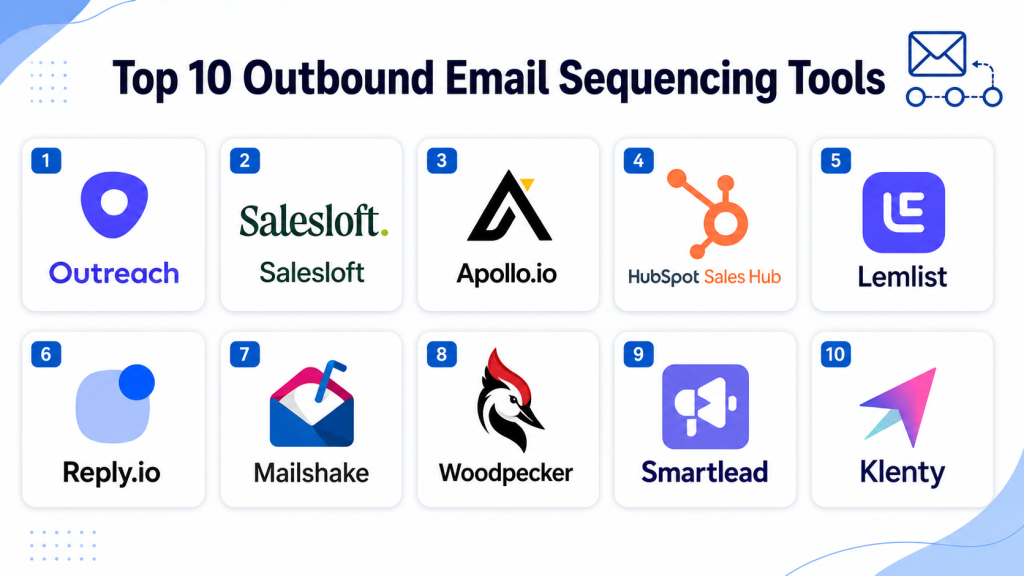
Top 10 Outbound Email Sequencing Tools
#1 — Outreach
Short description: Outreach is an enterprise sales engagement platform that helps teams manage outbound email sequences, calls, tasks, CRM activity, and sales workflows. It is designed for structured sales organizations that need governance, analytics, repeatable execution, and team-wide visibility. Outreach is especially useful for larger SDR, BDR, and account executive teams.
Key Features
- Multi-step email sequencing
- Sales task and call workflow support
- CRM synchronization
- Email tracking and engagement analytics
- Team templates and workflow governance
- AI-assisted sales execution features
- Manager dashboards and performance reporting
Pros
- Strong for enterprise sales engagement
- Supports structured outbound workflows at scale
- Good fit for teams needing governance and reporting
Cons
- May be complex for very small teams
- Requires admin ownership and process discipline
- Best value depends on strong CRM usage
Platforms / Deployment
Cloud
Web-based platform
CRM and communication integrations
Security & Compliance
Enterprise administration and security controls may be available. Buyers should validate SSO, role-based access, audit logs, encryption, data retention, and compliance requirements directly.
Integrations & Ecosystem
Outreach connects email sequencing with CRM, calendar, dialer, meeting, analytics, and revenue workflows. It is strongest when outbound execution needs to be standardized across a large sales organization.
- Salesforce
- Microsoft Dynamics
- Email and calendar systems
- Dialer workflows
- Meeting tools
- Sales productivity systems
Support & Community
Outreach provides documentation, onboarding, training resources, customer success support, and implementation services. Support level may vary by package and team size.
#2 — Salesloft
Short description: Salesloft is a sales engagement platform that helps teams create outbound cadences, send email sequences, manage calls, track activities, and improve seller productivity. It is a strong option for sales teams that want repeatable prospecting workflows and manager visibility. Salesloft is especially useful for SDR and revenue teams with mature sales processes.
Key Features
- Email cadence automation
- Call and task workflow support
- CRM activity sync
- Email tracking and engagement reporting
- Sales analytics dashboards
- Conversation intelligence support
- Team workflow governance
Pros
- Strong cadence management for sales teams
- Good balance of automation and usability
- Useful for scaling outbound processes
Cons
- May require configuration and enablement
- Not primarily a prospect database
- Costs may increase for advanced capabilities
Platforms / Deployment
Cloud
Web-based platform
CRM and sales workflow integrations
Security & Compliance
Salesloft provides business and enterprise administration capabilities. Buyers should verify SSO, role-based access, audit logs, encryption, retention settings, and compliance coverage directly.
Integrations & Ecosystem
Salesloft integrates with CRM, email, calendar, dialer, meeting, and revenue tools. It fits teams that want prospecting activity, sequence performance, and CRM updates connected in one workflow.
- Salesforce
- Microsoft Dynamics
- Email and calendar tools
- Dialer systems
- Meeting platforms
- Revenue workflow tools
Support & Community
Salesloft offers documentation, onboarding, training resources, customer success support, and enablement materials. Support depth may vary by package and agreement.
#3 — Apollo.io
Short description: Apollo.io combines B2B contact data, prospecting, enrichment, and outbound email sequencing in one platform. It is popular with startups, SMBs, and growth teams that want to build prospect lists and run sequences without purchasing many separate tools. Apollo.io is practical for teams that need both data and outreach automation.
Key Features
- Contact and company database
- Email sequence automation
- Lead filters and prospect list building
- CRM integration and activity sync
- Data enrichment and email verification support
- Engagement analytics
- Sales workflow automation
Pros
- Strong all-in-one value for outbound teams
- Useful for both prospecting and email sequencing
- Easy for smaller teams to adopt quickly
Cons
- Data accuracy can vary by market and persona
- Deliverability must be managed carefully
- Enterprise governance should be validated before rollout
Platforms / Deployment
Cloud
Web-based platform
Email, CRM, and sales workflow integrations
Security & Compliance
Security and compliance details should be verified directly. Buyers should validate permissions, data handling, opt-out workflows, email compliance, retention, and administrative controls.
Integrations & Ecosystem
Apollo.io connects prospect data with email sequences, CRM updates, enrichment, and analytics. It is useful for teams that want a single platform for list building and outreach execution.
- CRM systems
- Email providers
- Sales engagement workflows
- Workflow automation tools
- Data enrichment processes
- Reporting tools
Support & Community
Apollo.io provides documentation, onboarding resources, support options, and product education materials. Support depth may vary by plan and team size.
#4 — HubSpot Sales Hub
Short description: HubSpot Sales Hub includes email sequencing, templates, tracking, meetings, CRM workflows, and sales productivity tools inside the HubSpot ecosystem. It is especially useful for teams already using HubSpot CRM and wanting sequences tied directly to contacts, companies, deals, and tasks. It works well for SMB and mid-market sales teams that value simplicity and CRM alignment.
Key Features
- Email sequences and automated follow-ups
- Email templates and tracking
- CRM-native contact and deal workflows
- Meeting scheduling support
- Task automation
- Sales reporting dashboards
- Team productivity tools
Pros
- Strong CRM-native experience
- Easy to use for sales teams
- Good fit for HubSpot customers
Cons
- Advanced sequencing depth may be limited compared with enterprise sales engagement platforms
- Best value depends on HubSpot ecosystem usage
- Some features may require higher plans
Platforms / Deployment
Cloud
Web-based platform
Mobile access available through HubSpot apps
Security & Compliance
HubSpot provides business security and administration features. Buyers should validate SSO, permissions, audit logs, encryption, retention, and compliance needs based on the selected plan.
Integrations & Ecosystem
HubSpot Sales Hub fits naturally into the HubSpot CRM, marketing, sales, and service ecosystem. It is useful when sequencing must connect with deals, tasks, contacts, and marketing activity.
- HubSpot CRM
- HubSpot Marketing Hub
- Email and calendar tools
- Calling and meeting tools
- App marketplace integrations
- Reporting dashboards
Support & Community
HubSpot provides documentation, learning resources, onboarding options, partner services, support, and a large user community. Support level may vary by plan.
#5 — Lemlist
Short description: Lemlist is an outbound email sequencing platform focused on personalized cold email campaigns, creative outreach, and deliverability support. It helps teams create sequences with personalized text, dynamic images, landing pages, and follow-up steps. Lemlist is especially useful for startups, agencies, founders, and sales teams that want personalized outbound campaigns.
Key Features
- Cold email sequence automation
- Personalized text and dynamic outreach elements
- Deliverability and warm-up support
- LinkedIn and multi-channel steps
- Campaign analytics
- A/B testing support
- CRM and workflow integrations
Pros
- Strong for personalized cold outreach
- Useful deliverability-focused features
- Good fit for agencies and growth teams
Cons
- Not as broad as enterprise sales engagement suites
- Prospect data depth may require additional tools
- Campaign quality still depends on targeting and messaging
Platforms / Deployment
Cloud
Web-based platform
Email and workflow integrations
Security & Compliance
Security and compliance details should be verified directly. Buyers should validate permissions, opt-out handling, data storage, email compliance, retention, and access controls.
Integrations & Ecosystem
Lemlist fits into outbound workflows where personalization and email deliverability are important. It is often used with CRM, prospecting databases, enrichment tools, and workflow automation systems.
- CRM systems
- Email providers
- Prospecting tools
- LinkedIn workflows
- Workflow automation platforms
- Reporting tools
Support & Community
Lemlist provides documentation, templates, support resources, onboarding guidance, and community-style learning materials. Support level may vary by package.
#6 — Reply.io
Short description: Reply.io is a sales engagement and outbound sequencing platform that supports email automation, calls, LinkedIn tasks, SMS steps, and multi-channel outreach. It is useful for SDR teams, agencies, startups, and mid-market sales organizations that need flexible campaign workflows. Reply.io is especially practical for teams that want email sequencing plus broader prospecting task management.
Key Features
- Email sequence automation
- Multi-channel outreach workflows
- LinkedIn task support
- Calling and task management
- CRM integration support
- Email validation and deliverability tools
- Campaign analytics and reporting
Pros
- Flexible sequencing workflows
- Good fit for SMBs, agencies, and outbound teams
- Useful multi-channel outreach capabilities
Cons
- Data quality may depend on connected sources
- Deliverability and personalization require active management
- Enterprise governance should be validated
Platforms / Deployment
Cloud
Web-based platform
Email, CRM, and sales workflow integrations
Security & Compliance
Security details should be verified directly. Buyers should validate access permissions, data handling, opt-out management, email compliance, retention, and audit requirements.
Integrations & Ecosystem
Reply.io connects email sequencing with CRM, email providers, calling tools, LinkedIn workflows, and reporting systems. It works well for teams that want practical outbound automation without heavy enterprise complexity.
- CRM systems
- Email providers
- Calling tools
- LinkedIn workflows
- Workflow automation tools
- Reporting systems
Support & Community
Reply.io provides documentation, onboarding materials, support options, and sales workflow resources. Support depth may vary by plan.
#7 — Mailshake
Short description: Mailshake is an outbound email and sales engagement tool built for cold email campaigns, follow-ups, phone outreach, and simple campaign management. It is useful for sales teams, founders, marketers, and agencies that want a practical sequencing tool without excessive complexity. Mailshake is especially strong for teams that want easy campaign setup and straightforward outreach tracking.
Key Features
- Cold email sequence automation
- Automated follow-ups
- Email templates and personalization
- A/B testing support
- Engagement tracking and analytics
- Phone outreach support may be available
- CRM and workflow integrations
Pros
- Simple and practical for outbound campaigns
- Good fit for small teams and agencies
- Easier learning curve than many enterprise platforms
Cons
- Less advanced than full enterprise sales engagement tools
- Prospect data may require external tools
- Advanced governance and analytics should be validated
Platforms / Deployment
Cloud
Web-based platform
Email and CRM workflow integrations
Security & Compliance
Security and compliance details should be verified directly. Buyers should validate data handling, opt-out management, permissions, retention, and email compliance settings.
Integrations & Ecosystem
Mailshake fits well into sales outreach stacks that need email sequencing and basic engagement tracking. It can be paired with prospecting, enrichment, CRM, and workflow tools.
- CRM systems
- Email providers
- Sales prospecting tools
- Workflow automation platforms
- Calling workflows
- Reporting systems
Support & Community
Mailshake provides documentation, campaign resources, onboarding help, and customer support options. Support level may vary by plan.
#8 — Woodpecker
Short description: Woodpecker is a cold email sequencing and outreach platform designed for sales teams, agencies, recruiters, and businesses that need personalized automated follow-ups. It focuses on deliverability, natural sending behavior, campaign management, and response tracking. Woodpecker is especially useful for teams that want email-focused outbound automation with careful sending controls.
Key Features
- Cold email sequence automation
- Automated follow-ups
- Deliverability-focused sending controls
- Email verification support
- Campaign analytics
- Agency-friendly workflow options
- CRM and integration support
Pros
- Strong for email-focused outbound campaigns
- Useful deliverability and sending control features
- Good fit for agencies and small sales teams
Cons
- Less broad than enterprise sales engagement suites
- Prospect sourcing may require additional tools
- Advanced multi-channel workflows may be limited
Platforms / Deployment
Cloud
Web-based platform
Email and integration workflows
Security & Compliance
Security and compliance details should be validated directly. Buyers should review permissions, email compliance, unsubscribe handling, retention policies, and data handling practices.
Integrations & Ecosystem
Woodpecker fits into outbound email stacks where deliverability, follow-ups, and campaign control are important. It is often paired with CRM, prospecting, and enrichment tools.
- CRM systems
- Email providers
- Prospecting tools
- Agency workflows
- Workflow automation tools
- Reporting tools
Support & Community
Woodpecker provides documentation, deliverability resources, onboarding guidance, and support options. Support level may vary by plan.
#9 — Smartlead
Short description: Smartlead is an outbound email sequencing platform focused on cold email scale, inbox management, deliverability, and campaign automation. It is commonly used by agencies, growth teams, and outbound sales teams running multiple inboxes and campaigns. Smartlead is especially useful when email volume, inbox rotation, and deliverability control are important priorities.
Key Features
- Cold email sequence automation
- Inbox rotation and sending management
- Deliverability and warm-up support
- Campaign analytics
- Lead list management
- Reply management workflows
- Multi-client or agency-friendly features
Pros
- Strong for high-volume outbound email workflows
- Useful for agencies and growth teams
- Practical deliverability-focused capabilities
Cons
- Less broad than full sales engagement platforms
- Requires careful campaign governance
- CRM and enterprise controls should be validated
Platforms / Deployment
Cloud
Web-based platform
Email workflow integrations
Security & Compliance
Security and compliance details should be verified directly. Buyers should validate opt-out handling, data storage, sending practices, access controls, retention, and email compliance needs.
Integrations & Ecosystem
Smartlead fits into outbound email stacks where teams manage multiple inboxes, sending domains, and campaigns. It is often used alongside lead databases, enrichment tools, and CRM systems.
- Email providers
- CRM workflows
- Lead databases
- Automation tools
- Agency workflows
- Campaign analytics systems
Support & Community
Smartlead provides documentation, support resources, product guidance, and community learning materials. Support depth may vary by plan.
#10 — Klenty
Short description: Klenty is a sales engagement and email sequencing platform designed for outbound sales teams that need email automation, calls, tasks, CRM sync, and prospect engagement tracking. It helps sales reps build repeatable cadences and automate follow-ups while keeping activity connected to CRM. Klenty is useful for SMB and mid-market sales teams that want structured outreach workflows.
Key Features
- Email cadence automation
- Automated follow-ups
- Call and task workflow support
- CRM integration and sync
- Personalization fields and templates
- Campaign analytics
- Sales workflow automation
Pros
- Good fit for sales teams needing structured outreach
- Supports email, calls, and task workflows
- Practical for SMB and mid-market teams
Cons
- May not match enterprise platforms in depth
- Data sourcing may require additional tools
- Advanced governance should be validated before scaling
Platforms / Deployment
Cloud
Web-based platform
CRM and sales workflow integrations
Security & Compliance
Security and compliance details should be verified directly. Buyers should validate permissions, data handling, opt-out management, retention, encryption, and compliance requirements.
Integrations & Ecosystem
Klenty connects outbound sequences with CRM, email, call tasks, and sales workflows. It is most useful when sales teams need structured cadences and consistent follow-up activity.
- CRM systems
- Email providers
- Calling workflows
- Sales productivity tools
- Workflow automation systems
- Reporting dashboards
Support & Community
Klenty provides documentation, onboarding resources, support options, and sales workflow guidance. Support level may vary by package and customer size.
Comparison Table
| Tool Name | Best For | Platform(s) Supported | Deployment | Standout Feature | Public Rating |
|---|---|---|---|---|---|
| Outreach | Enterprise sales engagement teams | Web-based | Cloud | Advanced sequencing governance and analytics | N/A |
| Salesloft | SDR and revenue teams | Web-based | Cloud | Repeatable sales cadences and activity tracking | N/A |
| Apollo.io | Startups and SMB outbound teams | Web-based | Cloud | Prospect database plus email sequencing | N/A |
| HubSpot Sales Hub | CRM-centric sales teams | Web-based, mobile app | Cloud | Native CRM-connected sequences | N/A |
| Lemlist | Personalized cold email campaigns | Web-based | Cloud | Creative personalization and deliverability tools | N/A |
| Reply.io | Multi-channel outbound teams | Web-based | Cloud | Flexible email, call, and LinkedIn workflows | N/A |
| Mailshake | Simple outbound email campaigns | Web-based | Cloud | Easy cold email campaign setup | N/A |
| Woodpecker | Agencies and email-focused outbound teams | Web-based | Cloud | Deliverability-focused follow-up automation | N/A |
| Smartlead | High-volume cold email teams | Web-based | Cloud | Inbox rotation and campaign scaling | N/A |
| Klenty | SMB and mid-market sales teams | Web-based | Cloud | Structured email cadences with CRM sync | N/A |
Evaluation & Scoring of Outbound Email Sequencing Tools
| Tool Name | Core (25%) | Ease (15%) | Integrations (15%) | Security (10%) | Performance (10%) | Support (10%) | Value (15%) | Weighted Total (0–10) |
|---|---|---|---|---|---|---|---|---|
| Outreach | 10 | 7 | 9 | 9 | 9 | 8 | 7 | 8.55 |
| Salesloft | 9 | 8 | 9 | 8 | 8 | 8 | 8 | 8.35 |
| Apollo.io | 9 | 9 | 8 | 7 | 8 | 8 | 9 | 8.40 |
| HubSpot Sales Hub | 8 | 9 | 9 | 8 | 8 | 9 | 8 | 8.40 |
| Lemlist | 8 | 9 | 7 | 7 | 8 | 8 | 9 | 8.05 |
| Reply.io | 8 | 9 | 8 | 7 | 8 | 8 | 8 | 8.05 |
| Mailshake | 7 | 9 | 7 | 7 | 8 | 8 | 8 | 7.75 |
| Woodpecker | 7 | 8 | 7 | 7 | 8 | 8 | 8 | 7.60 |
| Smartlead | 8 | 8 | 7 | 7 | 8 | 7 | 9 | 7.85 |
| Klenty | 8 | 8 | 8 | 7 | 8 | 8 | 8 | 7.95 |
These scores are comparative and should be used as a shortlist guide. Enterprise sales engagement tools often score higher in governance, workflow depth, and integrations. SMB and agency-focused platforms may score higher in ease of use and value. Email-focused tools can be excellent for cold outreach but may need separate data enrichment or CRM systems. The best tool depends on your outreach volume, CRM stack, deliverability needs, team size, and compliance requirements.
Which Outbound Email Sequencing Tool Is Right for You?
Solo / Freelancer
Solo users should focus on easy setup, simple personalization, good deliverability controls, and affordable pricing. Lemlist, Mailshake, Woodpecker, Smartlead, or Apollo.io can be practical options depending on whether you need data included. If you already have leads, an email-focused sequencing tool may be enough. If you also need to find prospects, Apollo.io may be more useful.
SMB
SMBs should prioritize usability, CRM sync, deliverability, and value. Apollo.io, HubSpot Sales Hub, Reply.io, Lemlist, Klenty, Mailshake, and Woodpecker are strong candidates. If the team wants a simple all-in-one prospecting and sequencing setup, Apollo.io is practical. If the team already uses HubSpot, HubSpot Sales Hub is a natural choice. Agencies may prefer Smartlead, Lemlist, or Woodpecker depending on campaign volume.
Mid-Market
Mid-market teams usually need better sequence governance, CRM sync, analytics, personalization, and manager visibility. Salesloft, Outreach, HubSpot Sales Hub, Reply.io, Klenty, and Apollo.io are strong options. The right choice depends on whether the team needs enterprise-grade sales engagement or a lighter, faster-moving outbound setup. Mid-market teams should validate reporting, activity sync, and unsubscribe handling carefully.
Enterprise
Enterprises should prioritize security, permissions, governance, reporting, CRM synchronization, admin controls, and scalable workflow management. Outreach and Salesloft are strong enterprise candidates. HubSpot Sales Hub can also fit companies deeply invested in HubSpot. Larger teams should evaluate approval workflows, template control, audit logs, role permissions, domain management, and compliance processes before final selection.
Budget vs Premium
Budget-focused teams should consider Lemlist, Mailshake, Woodpecker, Smartlead, Klenty, Reply.io, or Apollo.io depending on feature needs. These platforms can provide strong sequencing value without requiring heavy implementation. Premium buyers should evaluate Outreach, Salesloft, and HubSpot Sales Hub when governance, CRM depth, reporting, and team management matter more than low cost.
Feature Depth vs Ease of Use
If ease of use matters most, HubSpot Sales Hub, Apollo.io, Lemlist, Mailshake, Woodpecker, and Smartlead are practical choices. If feature depth matters more, Outreach, Salesloft, Reply.io, and Klenty offer stronger workflow control and multi-step sales execution. Teams should choose based on whether they need simple cold email automation or a complete sales engagement system.
Integrations & Scalability
Outbound Email Sequencing Tools should integrate with CRM systems, email providers, calendars, dialers, enrichment tools, analytics platforms, and workflow automation systems. Poor integration can cause duplicate contacts, missing activities, broken follow-ups, and unreliable reporting. As teams scale, they should evaluate field mapping, task creation, sequence ownership, permission controls, unsubscribe sync, and reporting accuracy.
Security & Compliance Needs
Outbound email sequencing involves prospect data, message tracking, opt-outs, engagement history, and customer communication records. Buyers should validate permissions, encryption, data retention, unsubscribe management, bounce handling, audit logs, and email compliance requirements. Teams should also create internal rules for sending limits, personalization standards, list quality, and responsible outreach.
Frequently Asked Questions
1. What are Outbound Email Sequencing Tools?
Outbound Email Sequencing Tools automate planned email outreach and follow-up messages.
They help sales, recruiting, marketing, and agency teams contact prospects consistently.
These tools usually include templates, personalization, tracking, replies, opt-outs, and analytics.
2. How are email sequencing tools different from email marketing tools?
Email sequencing tools are usually designed for one-to-one style outreach and sales follow-ups.
Email marketing tools are often used for newsletters, subscriber campaigns, and broader audience communication.
Sequencing tools focus more on prospecting, replies, CRM activity, and sales workflows.
3. What features should buyers prioritize?
Buyers should prioritize sequence builder flexibility, personalization, deliverability controls, CRM sync, tracking, A/B testing, and opt-out handling.
Teams should also review analytics, permissions, bounce handling, and reply classification.
The best feature set depends on team size, outreach volume, and sales process maturity.
4. Are Outbound Email Sequencing Tools useful for small businesses?
Yes, small businesses can use these tools to automate follow-ups and improve prospecting consistency.
Simple platforms can save time and make outreach more organized.
Small teams should start with targeted lists and personalized messages instead of high-volume generic campaigns.
5. How much do Outbound Email Sequencing Tools cost?
Pricing usually depends on users, email volume, inboxes, CRM integrations, deliverability features, and advanced automation.
Some tools are affordable for solo users and SMBs, while enterprise platforms cost more due to governance and reporting depth.
Buyers should compare total cost based on users, inboxes, domains, support, and required integrations.
6. Do these tools improve email deliverability?
They can help with deliverability by managing sending limits, bounces, warm-up workflows, unsubscribe handling, and tracking.
However, deliverability also depends on domain setup, list quality, message relevance, and sending behavior.
Teams should monitor bounce rates, spam complaints, reply rates, and inbox placement regularly.
7. Can email sequencing tools integrate with CRM systems?
Yes, many tools integrate with CRM systems to sync contacts, activities, replies, tasks, and deal updates.
CRM integration helps sales teams track follow-ups and maintain clean prospect records.
Buyers should validate field mapping, duplicate handling, activity logging, and unsubscribe sync before rollout.
8. What mistakes should buyers avoid?
A common mistake is sending too many generic messages to poorly targeted lists.
Another mistake is ignoring deliverability, opt-outs, bounce rates, and compliance rules.
Teams should also avoid choosing a tool without checking CRM sync, reporting, and workflow fit.
9. Are Outbound Email Sequencing Tools secure?
Many reputable platforms offer permissions, access controls, encryption, user management, and data handling settings.
However, security depth varies by vendor and plan.
Buyers should validate SSO, audit logs, retention, opt-out management, and compliance needs before purchase.
10. What are alternatives to dedicated email sequencing tools?
Alternatives include manual email follow-ups, CRM task reminders, simple mail merge tools, email marketing platforms, and spreadsheets.
These options may work for very small teams or low-volume outreach.
Dedicated sequencing tools are better when teams need automation, personalization, tracking, analytics, and repeatable follow-up workflows.
Conclusion
Outbound Email Sequencing Tools help teams create consistent, organized, and measurable outreach workflows. They automate follow-ups, support personalization, track engagement, and reduce the manual effort required to manage prospect communication. Outreach and Salesloft are strong options for larger sales teams that need governance, analytics, CRM depth, and structured sales engagement. Apollo.io is a practical choice for teams that want prospect data and email sequencing together in one platform. HubSpot Sales Hub is best for teams already using HubSpot CRM and wanting native sequence workflows. Lemlist, Reply.io, Mailshake, Woodpecker, Smartlead, and Klenty are useful for startups, agencies, SMBs, and teams focused on cold email execution. The best tool depends on your team size, prospecting motion, CRM stack, outreach volume, deliverability needs, and budget. Before choosing, shortlist two or three platforms, test real sequences, verify CRM sync, review reporting, and check opt-out handling.
This blog gives useful insights into selecting email sequencing tools based on automation and CRM integration features.
One thing I’ve seen in real use is that sending too many automated emails too fast can hurt your domain reputation. The article doesn’t really touch on how important gradual scaling is.