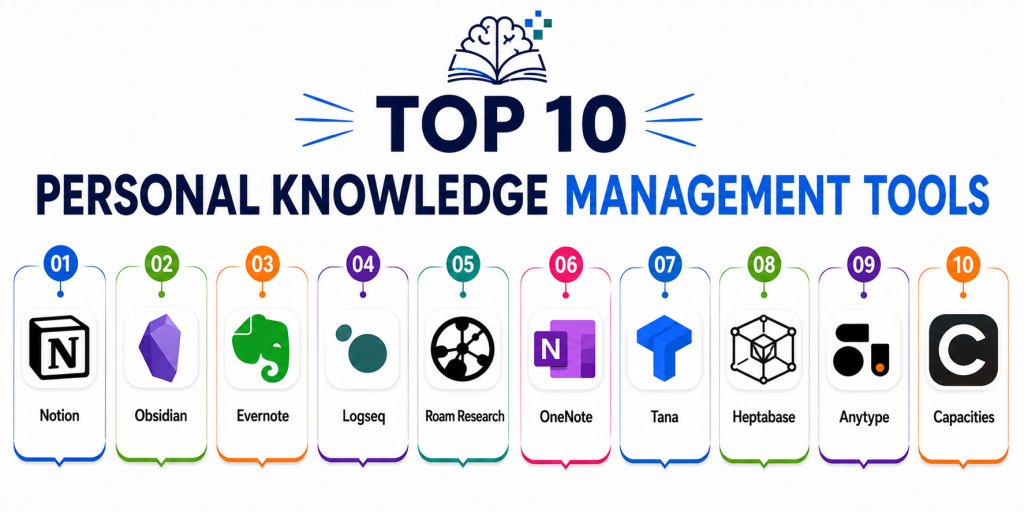
Introduction
Personal Knowledge Management Tools help users capture, organize, connect, retrieve, and utilize information across notes, research, tasks, ideas, bookmarks, documents, and workflows. These platforms act as digital second brains that allow individuals to build structured knowledge systems for productivity, creativity, learning, and long-term information management. Modern PKM tools now include AI-powered search, linked note systems, graph visualization, knowledge automation, collaboration, and multimedia support.
As information overload continues increasing, knowledge workers, creators, researchers, developers, and students are relying on PKM platforms to organize fragmented information into searchable and actionable systems. Current trends also show rapid adoption of AI-assisted note organization, local-first privacy models, and connected knowledge graphs.
Real-world use cases include:
- Building a digital second brain
- Research and knowledge synthesis
- Project and idea management
- Academic note organization
- Long-term learning and memory retention
Key evaluation criteria for buyers include:
- Note organization flexibility
- Linked knowledge capabilities
- AI-powered search and retrieval
- Offline and local-first support
- Cross-device synchronization
- Collaboration and sharing features
- Graph visualization support
- Multimedia handling
- Integration ecosystem
- Security and privacy protections
Best for: students, researchers, creators, developers, writers, consultants, entrepreneurs, and productivity-focused professionals managing large amounts of information.
Not ideal for: users wanting only lightweight note-taking apps, simple checklist tools, or highly structured enterprise document management systems.
Key Trends in Personal Knowledge Management Tools
- AI-powered knowledge retrieval and summarization are becoming core platform features.
- Linked note systems and graph-based knowledge management continue growing rapidly.
- Local-first and privacy-focused architectures are increasingly popular.
- Visual thinking and infinite canvas workflows are gaining adoption.
- Multimedia knowledge capture including audio, video, and PDFs is expanding.
- Collaboration features are becoming stronger in traditionally personal-first platforms.
- AI notebook ecosystems are integrating across productivity suites.
- Cross-platform synchronization is now expected across devices.
- Academic and research-focused PKM workflows are becoming more specialized.
- Knowledge graph visualization is becoming more advanced and interactive.
How We Selected These Tools
We evaluated personal knowledge management tools based on usability, knowledge organization flexibility, retrieval quality, ecosystem maturity, privacy support, and long-term information management value.
Selection criteria included:
- Market popularity and adoption
- Knowledge linking capabilities
- AI and search functionality
- Cross-platform usability
- Local-first and offline support
- Integration ecosystem maturity
- Collaboration features
- Security and privacy practices
- Reliability and performance
- Overall value for money
Top 10 Personal Knowledge Management Tools
#1 — Notion
Short description:
Notion combines note-taking, databases, wikis, task management, and collaborative workspaces into one highly flexible personal knowledge management platform. It is widely used for building digital second brains and structured productivity systems.
Key Features
- Linked databases
- AI-powered writing support
- Wiki creation
- Task management
- Multimedia support
- Templates and automation
- Collaboration workflows
Pros
- Extremely flexible workspace design
- Strong collaboration capabilities
- Excellent template ecosystem
Cons
- Steeper learning curve
- Offline functionality limitations
- Large workspaces may feel slower
Platforms / Deployment
- Windows
- macOS
- iOS
- Android
- Web
- Cloud
Security & Compliance
- MFA support
- Encryption protections publicly referenced
- Additional certifications not publicly stated
Integrations & Ecosystem
Notion integrates deeply with productivity and collaboration ecosystems.
- Slack
- Google Drive
- GitHub
- Zapier
- Calendar integrations
- API support
Support & Community
Massive global productivity community with extensive tutorials, templates, and educational resources.
#2 — Obsidian
Short description:
Obsidian is a local-first knowledge management platform built around linked markdown notes and graph-based knowledge visualization. It is especially popular among researchers, developers, and advanced PKM enthusiasts.
Key Features
- Local-first markdown storage
- Knowledge graph visualization
- Bidirectional linking
- Plugin ecosystem
- Offline functionality
- Advanced search
- Custom workflows
Pros
- Excellent privacy and ownership
- Extremely customizable
- Strong long-term data portability
Cons
- Learning curve for beginners
- Collaboration less polished
- Requires setup for advanced workflows
Platforms / Deployment
- Windows
- macOS
- Linux
- iOS
- Android
- Local / Cloud
Security & Compliance
- Local-first architecture
- End-user file ownership
- Additional certifications not publicly stated
Integrations & Ecosystem
Obsidian has one of the largest PKM plugin ecosystems available.
- Community plugins
- Markdown integrations
- Git synchronization
- Knowledge graph workflows
- API extensions
Support & Community
Very active PKM and developer-focused community with extensive plugin support and educational resources.
#3 — Evernote
Short description:
Evernote is one of the most recognized note-taking and knowledge organization platforms for managing research, documents, tasks, and long-term information archives.
Key Features
- Rich note editing
- Document scanning
- AI-powered search
- Web clipping
- Task management
- Multimedia notes
- Cross-device synchronization
Pros
- Excellent search functionality
- Strong document organization
- Mature ecosystem
Cons
- Premium pricing structure
- Interface complexity
- Heavy workflows may feel slower
Platforms / Deployment
- Windows
- macOS
- iOS
- Android
- Web
- Cloud
Security & Compliance
- Encryption protections publicly referenced
- MFA support
- Additional certifications not publicly stated
Integrations & Ecosystem
Evernote integrates deeply with productivity and organizational workflows.
- Google integrations
- Calendar synchronization
- Web clipping
- Productivity APIs
- Document workflows
Support & Community
Large long-term productivity community with mature onboarding and documentation.
#4 — Logseq
Short description:
Logseq is an open-source knowledge management platform focused on linked thinking, local-first note ownership, and knowledge graph workflows.
Key Features
- Local-first storage
- Linked notes
- Knowledge graphs
- Journaling workflows
- Markdown support
- Plugin ecosystem
- Offline functionality
Pros
- Strong privacy protections
- Excellent journaling workflows
- Open-source flexibility
Cons
- Smaller ecosystem than Notion
- Collaboration features limited
- Learning curve for new users
Platforms / Deployment
- Windows
- macOS
- Linux
- iOS
- Android
- Local / Cloud
Security & Compliance
- Local-first architecture
- User-controlled data ownership
- Additional certifications not publicly stated
Integrations & Ecosystem
Logseq focuses heavily on linked knowledge and journaling ecosystems.
- Markdown workflows
- Plugin ecosystem
- Graph visualization
- Offline note management
Support & Community
Strong open-source community with active PKM-focused development.
#5 — Roam Research
Short description:
Roam Research pioneered bidirectional linking and networked thought workflows for digital knowledge management and connected thinking.
Key Features
- Bidirectional linking
- Daily note workflows
- Knowledge graph visualization
- Block references
- Research organization
- Linked thinking support
- Markdown support
Pros
- Excellent connected thinking workflows
- Strong research support
- Powerful linking architecture
Cons
- Premium pricing
- Interface feels technical
- Smaller collaboration ecosystem
Platforms / Deployment
- Web
- Cloud
Security & Compliance
- Cloud account protections
- Additional certifications not publicly stated
Integrations & Ecosystem
Roam Research focuses on connected knowledge and research workflows.
- Knowledge graph support
- Research linking
- Markdown compatibility
- Productivity workflows
Support & Community
Strong researcher and advanced PKM enthusiast community.
#6 — OneNote
Short description:
Microsoft OneNote combines flexible note-taking, multimedia support, and organizational structure within Microsoft productivity ecosystems.
Key Features
- Freeform note organization
- Handwriting support
- Multimedia embedding
- Cloud synchronization
- Cross-device access
- Notebook structure
- Collaboration tools
Pros
- Excellent freeform flexibility
- Strong Microsoft integration
- Good handwriting support
Cons
- Linked knowledge workflows limited
- Interface can feel cluttered
- Advanced PKM workflows less sophisticated
Platforms / Deployment
- Windows
- macOS
- iOS
- Android
- Web
- Cloud
Security & Compliance
- Microsoft security ecosystem
- MFA support
- Enterprise-grade protections
Integrations & Ecosystem
OneNote integrates deeply with Microsoft productivity ecosystems.
- Microsoft 365
- Outlook
- Teams
- OneDrive
- Office integrations
Support & Community
Massive enterprise and education-focused ecosystem with mature support resources.
#7 — Tana
Short description:
Tana combines AI-assisted workflows, structured note-taking, and graph-based knowledge management into an advanced modern PKM platform.
Key Features
- AI-powered workflows
- Structured notes
- Knowledge graphs
- Linked references
- Advanced organization
- Productivity automation
- Dynamic content views
Pros
- Powerful structured workflows
- Strong AI integration
- Advanced knowledge organization
Cons
- Learning curve for beginners
- Smaller ecosystem maturity
- Premium pricing structure
Platforms / Deployment
- Web
- Cloud
Security & Compliance
- Cloud synchronization protections
- Additional certifications not publicly stated
Integrations & Ecosystem
Tana focuses heavily on AI-assisted productivity and connected knowledge systems.
- AI productivity tools
- Knowledge graphs
- Dynamic workflows
- Structured content management
Support & Community
Growing advanced PKM community with strong productivity experimentation culture.
#8 — Heptabase
Short description:
Heptabase focuses on visual thinking, research synthesis, and knowledge mapping through whiteboard-style workflows and connected note organization.
Key Features
- Visual knowledge mapping
- Whiteboard workflows
- Research organization
- Linked notes
- PDF annotation
- Visual thinking support
- Knowledge clustering
Pros
- Excellent visual workflows
- Strong research synthesis support
- Unique visual organization
Cons
- Smaller ecosystem support
- Limited enterprise collaboration
- Premium pricing
Platforms / Deployment
- Windows
- macOS
- iOS
- Cloud
Security & Compliance
- Cloud synchronization protections
- Additional certifications not publicly stated
Integrations & Ecosystem
Heptabase focuses on visual-first research and knowledge workflows.
- Visual boards
- PDF support
- Knowledge linking
- Research organization
Support & Community
Strong visual-thinking and research-focused user community.
#9 — Anytype
Short description:
Anytype is a privacy-focused local-first knowledge management platform designed around decentralized ownership and flexible object-based workflows.
Key Features
- Local-first architecture
- Offline support
- Linked objects
- Knowledge organization
- Cross-device synchronization
- Multimedia support
- Privacy-focused workflows
Pros
- Strong privacy protections
- Modern interface design
- Flexible knowledge structures
Cons
- Smaller ecosystem maturity
- Limited integrations
- Collaboration workflows still evolving
Platforms / Deployment
- Windows
- macOS
- Linux
- iOS
- Android
- Local / Cloud
Security & Compliance
- Local-first storage
- Encryption protections publicly referenced
- Additional certifications not publicly stated
Integrations & Ecosystem
Anytype focuses on decentralized and private knowledge management workflows.
- Offline functionality
- Object-based organization
- Multimedia support
- Local synchronization
Support & Community
Growing privacy-focused PKM community with active platform development.
#10 — Capacities
Short description:
Capacities combines object-based knowledge management, AI-assisted workflows, and modern multimedia note-taking into a flexible personal knowledge platform.
Key Features
- Object-based organization
- AI-powered workflows
- Multimedia note support
- Linked knowledge systems
- Daily note workflows
- Visual organization
- Productivity tracking
Pros
- Modern and polished interface
- Strong multimedia workflows
- Flexible organization systems
Cons
- Smaller ecosystem maturity
- Learning curve for structured workflows
- Advanced features still evolving
Platforms / Deployment
- Windows
- macOS
- Web
- iOS
- Cloud
Security & Compliance
- Cloud synchronization protections
- Additional certifications not publicly stated
Integrations & Ecosystem
Capacities integrates AI-assisted organization with modern PKM workflows.
- AI productivity support
- Multimedia organization
- Knowledge linking
- Daily workflow systems
Support & Community
Rapidly growing PKM-focused community with modern productivity resources.
Comparison Table
| Tool Name | Best For | Platforms Supported | Deployment | Standout Feature | Public Rating |
|---|---|---|---|---|---|
| Notion | Flexible second brain systems | Windows, macOS, iOS, Android, Web | Cloud | Database-driven workspaces | N/A |
| Obsidian | Local-first knowledge graphs | Windows, macOS, Linux, iOS, Android | Local / Cloud | Bidirectional linking | N/A |
| Evernote | Document-heavy organization | Windows, macOS, iOS, Android, Web | Cloud | Powerful search | N/A |
| Logseq | Open-source PKM workflows | Windows, macOS, Linux, iOS, Android | Local / Cloud | Journaling and graph notes | N/A |
| Roam Research | Connected thinking | Web | Cloud | Networked thought workflows | N/A |
| OneNote | Flexible note organization | Windows, macOS, iOS, Android, Web | Cloud | Freeform notebooks | N/A |
| Tana | AI-assisted PKM | Web | Cloud | Structured AI workflows | N/A |
| Heptabase | Visual knowledge mapping | Windows, macOS, iOS | Cloud | Visual thinking boards | N/A |
| Anytype | Privacy-focused PKM | Windows, macOS, Linux, iOS, Android | Local / Cloud | Decentralized ownership | N/A |
| Capacities | Modern multimedia PKM | Windows, macOS, Web, iOS | Cloud | Object-based organization | N/A |
Evaluation & Scoring of Personal Knowledge Management Tools
| Tool Name | Core 25% | Ease 15% | Integrations 15% | Security 10% | Performance 10% | Support 10% | Value 15% | Weighted Total |
|---|---|---|---|---|---|---|---|---|
| Notion | 9.5 | 8 | 9.5 | 8 | 8.5 | 9 | 8.5 | 8.9 |
| Obsidian | 9.5 | 7.5 | 8 | 9 | 9 | 8.5 | 9 | 8.8 |
| Evernote | 8.5 | 8 | 8.5 | 8 | 8.5 | 8.5 | 7.5 | 8.2 |
| Logseq | 8.5 | 7 | 7 | 9 | 8.5 | 8 | 9 | 8.0 |
| Roam Research | 8.5 | 7 | 6.5 | 7 | 8 | 7.5 | 7 | 7.5 |
| OneNote | 8 | 8.5 | 9 | 8.5 | 8.5 | 8.5 | 9 | 8.5 |
| Tana | 9 | 7 | 7 | 7.5 | 8 | 7.5 | 7 | 7.8 |
| Heptabase | 8.5 | 8 | 6.5 | 7.5 | 8 | 7.5 | 7 | 7.7 |
| Anytype | 8 | 7.5 | 6 | 9 | 8 | 7 | 8.5 | 7.7 |
| Capacities | 8.5 | 8 | 6.5 | 7.5 | 8 | 7.5 | 7.5 | 7.8 |
These scores are comparative and intended to help buyers evaluate strengths across flexibility, privacy, integrations, usability, and long-term knowledge organization value. Some tools prioritize local-first ownership and graph-based thinking, while others focus more on collaboration, AI automation, or visual workflows. Buyers should evaluate both productivity style and knowledge organization preferences before selecting a platform.
Which Personal Knowledge Management Tool Is Right for You?
Solo / Freelancer
Solo users often benefit from lightweight but flexible platforms such as Obsidian, Capacities, or Notion because they support long-term idea management and productivity workflows.
SMB
Small collaborative teams may prefer Notion or OneNote because of their strong collaboration, sharing, and productivity ecosystem integrations.
Mid-Market
Advanced researchers and knowledge workers often benefit from Obsidian, Logseq, or Tana due to stronger linked-thinking and knowledge graph workflows.
Enterprise
Enterprise productivity environments may prioritize Notion or OneNote because of their broader collaboration ecosystems, integrations, and scalability.
Budget vs Premium
Budget-conscious users may prefer Logseq or Obsidian because of their strong local-first workflows and lower long-term costs. Premium users may prefer Tana or Heptabase for advanced workflows and AI support.
Feature Depth vs Ease of Use
Notion and Tana provide deeper structured workflows, while OneNote and Capacities focus more on usability and flexible organization.
Integrations & Scalability
Users invested in broader productivity ecosystems may benefit more from Notion, OneNote, or Evernote because of stronger integrations and workflow scalability.
Security & Compliance Needs
Privacy-conscious users should prioritize local-first and offline-capable platforms such as Obsidian, Logseq, or Anytype because they provide stronger data ownership and reduced cloud dependency.
Frequently Asked Questions
1. What are Personal Knowledge Management Tools used for?
These platforms help users capture, organize, connect, retrieve, and manage information across notes, research, projects, and long-term knowledge systems.
2. What is a second brain system?
A second brain is a digital external knowledge system designed to help users store and retrieve ideas, notes, and information efficiently.
3. Which PKM tool is best for beginners?
Notion, OneNote, and Capacities are commonly recommended for beginners because they provide easier onboarding and flexible workflows.
4. Why are linked notes important in PKM systems?
Linked notes help users connect ideas and information contextually, improving knowledge retrieval, research workflows, and long-term learning.
5. Are local-first PKM tools safer?
Local-first tools provide stronger ownership and privacy because data remains primarily on user-controlled devices rather than centralized cloud systems.
6. Which PKM tools are best for researchers?
Obsidian, Heptabase, Roam Research, and Logseq are popular among researchers because of their knowledge graph and linked-thinking workflows.
7. Are AI features becoming important in PKM tools?
Yes. AI-powered search, summarization, organization, and contextual retrieval are rapidly becoming core differentiators in modern PKM platforms.
8. Can PKM tools replace traditional note-taking apps?
For many users, yes. Modern PKM platforms combine note-taking, research management, task organization, and knowledge retrieval into unified ecosystems.
9. What mistakes do users commonly make with PKM systems?
Common mistakes include overcomplicated workflows, excessive tagging, poor consistency, and focusing too heavily on organization instead of knowledge usage.
10. How should I choose the right PKM tool?
Start by identifying your primary need such as research, visual thinking, collaboration, privacy, or structured productivity. Then evaluate usability, integrations, and long-term knowledge management flexibility before selecting a platform.
Conclusion
Personal Knowledge Management Tools have evolved into sophisticated digital second brain ecosystems that combine note-taking, knowledge linking, AI retrieval, research management, and productivity workflows. Casual users may prefer flexible platforms such as Notion or OneNote, while advanced knowledge workers often benefit more from graph-based and local-first systems like Obsidian, Logseq, or Roam Research. Visual thinkers may prefer Heptabase, while privacy-focused users may value Anytype and local-first architectures. AI-assisted knowledge organization is also rapidly reshaping how users capture and retrieve information across workflows. The ideal solution depends on learning style, workflow complexity, collaboration needs, privacy expectations, and ecosystem compatibility. Buyers should evaluate long-term usability, data portability, integration support, and retrieval quality before selecting a platform. Rather than searching for a single universal winner, shortlist two or three tools that align with your thinking style, test them consistently over several weeks, and validate whether they genuinely improve knowledge retention, productivity, and information retrieval efficiency.