Introduction
Media Server Software helps users store, organize, stream, transcode, and share audio, video, images, and live media across devices. It can be used at home for personal movie libraries, in businesses for internal media access, in education for training video delivery, or by streaming teams for live and on-demand video distribution.
A media server is different from basic file storage because it focuses on playback, device compatibility, streaming protocols, metadata, transcoding, access control, client apps, library organization, and sometimes live streaming infrastructure. Personal media tools like Plex, Jellyfin, and Emby focus on organizing and streaming personal libraries, while professional tools like Wowza and Ant Media Server focus more on live streaming, low latency, and scalable video delivery.
Real-world use cases include:
- Streaming personal movies, TV, music, and photos at home
- Building a private media library for family or teams
- Serving videos to smart TVs, mobile devices, browsers, and consoles
- Running live video streams or video-on-demand workflows
- Managing DLNA and UPnP streaming across local devices
- Hosting secure enterprise or developer-led streaming workflows
Buyer evaluation criteria should include:
- Media library organization
- Device and client app compatibility
- Transcoding quality and performance
- Live streaming support
- Remote access and user management
- Metadata, subtitles, and search
- DLNA, UPnP, HTTP, WebRTC, HLS, or RTMP support
- Security and access controls
- Deployment flexibility
- Cost, support, and community strength
Best for: Home media users, creators, developers, IT teams, broadcasters, educators, enterprises, AV teams, and organizations that need controlled media streaming.
Not ideal for: Users who only need simple cloud file storage, teams that do not want to manage servers, or businesses that require a fully managed video platform instead of self-managed media server software.
Key Trends in Media Server Software
- Self-hosted media is growing again: Many users want control over their own libraries, storage, metadata, and playback experience.
- Open-source media servers are popular: Jellyfin and Universal Media Server appeal to users who want free, community-driven, self-controlled media systems.
- Remote streaming is expected: Users want access to their media libraries outside the home or office, not only on the local network.
- DLNA and UPnP still matter: Many home setups rely on smart TVs, consoles, and networked devices that can discover local media servers.
- Live streaming needs low latency: Professional streaming software increasingly supports WebRTC, low-latency workflows, adaptive bitrate, and scalable delivery.
- Transcoding remains a key requirement: Media servers must convert video and audio formats so playback works across different devices.
- Security is more important: Remote access, exposed servers, and user accounts require strong passwords, updates, permissions, and secure configuration.
- Docker and NAS deployments are common: Many users run media servers on home servers, NAS devices, mini PCs, or containers.
- Metadata quality improves user experience: Posters, episode information, album art, subtitles, and indexing make large libraries easier to browse.
- Professional and personal use cases are separating: Home media servers and enterprise streaming engines solve different problems, so buyers must choose carefully.
How We Selected These Tools
The tools in this list were selected using practical buyer-focused evaluation logic:
- Strong recognition in personal media serving, DLNA media sharing, or professional streaming server workflows
- Ability to organize, stream, transcode, or deliver media to multiple devices
- Fit across home users, developers, IT teams, broadcasters, educators, and businesses
- Support for common media formats, streaming protocols, or device playback workflows
- Deployment flexibility across Windows, macOS, Linux, Docker, NAS, cloud, or enterprise environments
- Library management features such as metadata, collections, users, remote access, or media indexing
- Live streaming capabilities where relevant
- Security and access control options
- Support documentation, user community, or vendor support quality
- Overall value based on usability, performance, flexibility, scalability, and maintenance effort
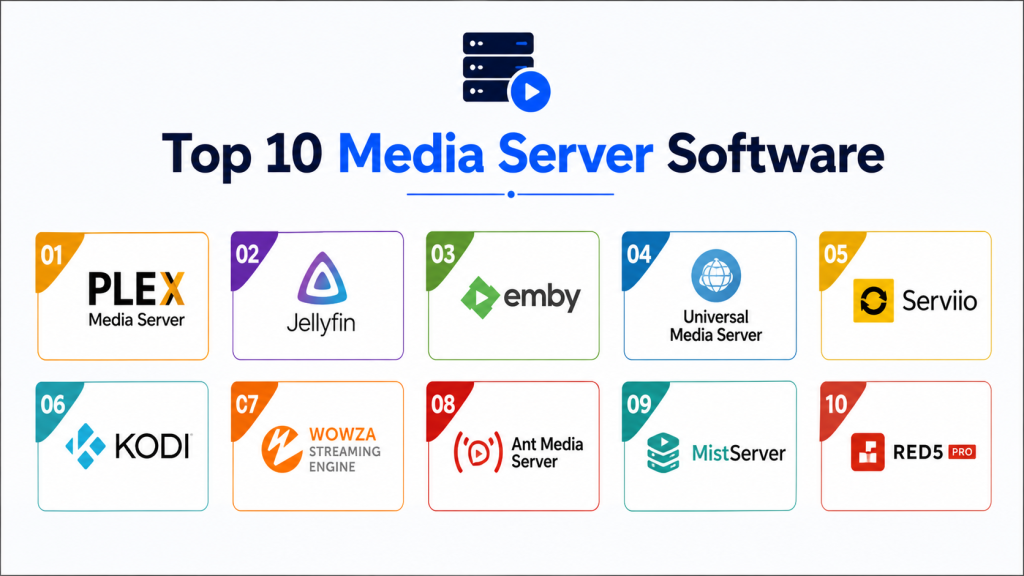
Top 10 Media Server Software
#1 — Plex Media Server
Short description: Plex Media Server helps users organize and stream personal collections of movies, TV shows, music, and photos from one central server. It is popular for home entertainment because it offers a polished interface, metadata organization, remote access, and broad client app support. Plex is best for users who want a premium-feeling media library experience with relatively simple setup.
Key Features
- Personal media library organization
- Movies, TV, music, photos, and video support
- Metadata, posters, and media information
- Remote access support
- Client apps across many devices
- Live TV and DVR features may be available
- User sharing and playback controls
Pros
- Very polished user experience
- Strong device ecosystem
- Good for home users who want simple media streaming
Cons
- Some advanced features require paid access
- Remote access should be configured securely
- Less ideal for users wanting fully open-source software
Platforms / Deployment
Windows / macOS / Linux / NAS / Docker options may vary
Cloud account features plus self-hosted server deployment
Security & Compliance
Plex supports user account and remote access workflows, but buyers should validate passwords, two-factor authentication, server updates, remote access settings, and sharing rules. It is not usually positioned as an enterprise compliance platform.
Integrations & Ecosystem
Plex fits home theater, personal media, music, photos, and private entertainment workflows. It works well when users want a central media hub that plays across TVs, phones, tablets, browsers, and streaming devices.
- Smart TV apps
- Mobile apps
- Web browser playback
- Streaming devices
- NAS and home server deployments
- Remote media access workflows
Support & Community
Plex has documentation, forums, support resources, and a large user community. Paid users may receive additional product capabilities depending on plan.
#2 — Jellyfin
Short description: Jellyfin is a free and open-source media server system that lets users manage and stream their own media from a self-hosted server. It is often considered an alternative to proprietary personal media servers. Jellyfin is best for users who want control, no mandatory paid features, and community-driven software.
Key Features
- Free and open-source media server
- Movies, TV, music, and photo library support
- Browser and device app access
- User account management
- Metadata and library organization
- Live TV support may be available depending on setup
- Self-hosted control
Pros
- No mandatory subscription model
- Strong for privacy-conscious self-hosters
- Active community-driven ecosystem
Cons
- Setup may require more technical comfort than Plex
- Client app polish can vary by platform
- Support is community-based rather than enterprise-led
Platforms / Deployment
Windows / macOS / Linux / Docker / NAS options may vary
Self-hosted deployment
Security & Compliance
Security depends heavily on server configuration. Users should manage updates, reverse proxy settings, HTTPS, user permissions, passwords, and remote access carefully.
Integrations & Ecosystem
Jellyfin fits self-hosted media libraries, local home servers, private streaming, and open-source media workflows.
- Web playback
- Mobile clients
- Smart TV and streaming clients may vary
- Docker deployments
- Home server environments
- Community plugins and integrations
Support & Community
Jellyfin has documentation, community forums, open-source contributors, and community support. Commercial support is not the main model.
#3 — Emby
Short description: Emby is a media server platform for organizing, streaming, and accessing personal media across devices. It includes remote access through Emby Connect, live TV and DVR support, parental controls, and web-based server management. Emby is useful for users who want a balance between polished personal media software and more configuration control.
Key Features
- Personal media streaming
- Remote access through Emby Connect
- Live TV and DVR features
- Web-based server dashboard
- User and parental controls
- Mobile and TV apps
- Media organization and metadata support
Pros
- Good balance of usability and control
- Useful user and parental control features
- Supports many playback environments
Cons
- Some features require paid access
- Less open than fully open-source alternatives
- Setup and app experience may vary by device
Platforms / Deployment
Windows / macOS / Linux / NAS / mobile and TV clients may vary
Self-hosted server with connected client apps
Security & Compliance
Buyers should validate user permissions, remote access settings, authentication, update practices, and network exposure. It is better suited for personal and small-group media management than formal enterprise compliance needs.
Integrations & Ecosystem
Emby fits personal streaming, family media libraries, home theater setups, DVR workflows, and controlled user access.
- Smart TV apps
- Mobile apps
- Browser playback
- NAS deployments
- Live TV tuners may vary
- Remote access workflows
Support & Community
Emby provides documentation, forums, support resources, and community discussion. Paid feature access and support options may vary.
#4 — Universal Media Server
Short description: Universal Media Server is a free DLNA, UPnP, and HTTP/S media server for streaming and transcoding video, audio, and images. It supports major desktop operating systems and is designed to work with many devices with little configuration. It is especially useful for users who want simple local-network streaming to smart TVs, consoles, and DLNA devices.
Key Features
- DLNA, UPnP, and HTTP/S media serving
- Video, audio, and image streaming
- Transcoding support
- Windows, Linux, and macOS support
- Docker and package manager options may be available
- Local network media sharing
- Broad device compatibility focus
Pros
- Free and practical for local streaming
- Strong DLNA and UPnP support
- Good for smart TVs and local network devices
Cons
- Less polished than Plex-style media libraries
- Remote access and user experience are not the main focus
- Best for local network streaming rather than premium media portals
Platforms / Deployment
Windows / macOS / Linux / Docker options may vary
Self-hosted local server
Security & Compliance
Universal Media Server is generally used in local network environments. Users should be careful with network exposure, firewall settings, folder permissions, and remote access configuration.
Integrations & Ecosystem
Universal Media Server fits home network media streaming and DLNA device playback.
- Smart TVs
- Game consoles
- Blu-ray players
- DLNA renderers
- Local web playback
- Home server devices
Support & Community
Universal Media Server has documentation, community resources, GitHub activity, and user support channels.
#5 — Serviio
Short description: Serviio is a free media server for Windows, macOS, and Linux that streams video, audio, and images to DLNA-certified devices. It is designed for local home network streaming to TVs, Blu-ray players, game consoles, and mobile devices. Serviio is a practical option for users who want lightweight DLNA streaming without a full media-center interface.
Key Features
- DLNA media streaming
- Video, audio, and image support
- Windows, macOS, and Linux support
- Local network device playback
- Media library sharing
- Renderer device compatibility
- Pro features may be available
Pros
- Simple local media streaming
- Good DLNA device compatibility
- Lightweight compared with full media platforms
Cons
- Interface is less modern than some alternatives
- Advanced remote access may require paid features
- Not ideal for users wanting rich metadata-first experiences
Platforms / Deployment
Windows / macOS / Linux
Self-hosted local server
Security & Compliance
Serviio is mainly suited for local network media sharing. Users should validate network access, folder permissions, remote features, and update practices.
Integrations & Ecosystem
Serviio fits local home network media streaming across DLNA-compatible devices.
- Smart TVs
- Blu-ray players
- Game consoles
- Mobile devices
- Local network media players
- DLNA renderers
Support & Community
Serviio provides documentation, downloads, support resources, forums, and product information.
#6 — Kodi
Short description: Kodi is primarily a media center application, but it can also share libraries through UPnP and DLNA-related settings. It is useful for users who want a powerful local media center with playback, add-ons, library management, and local sharing options. Kodi is best for media-center setups rather than classic server-client media management.
Key Features
- Local media center playback
- Library organization
- UPnP and DLNA sharing options
- Add-on ecosystem
- TV-friendly interface
- Remote control support
- Media playback customization
Pros
- Excellent local media center experience
- Strong customization and add-on ecosystem
- Useful for home theater setups
Cons
- Not a traditional always-on media server like Plex or Jellyfin
- Remote streaming workflows require more planning
- Add-on quality and security vary
Platforms / Deployment
Windows / macOS / Linux / Android / Raspberry Pi and TV device options may vary
Local media center with sharing capabilities
Security & Compliance
Users should manage add-ons carefully, avoid untrusted sources, configure UPnP responsibly, and secure local network access.
Integrations & Ecosystem
Kodi fits home theater, local playback, media center setups, and UPnP sharing workflows.
- TV devices
- Remote controls
- Local media libraries
- UPnP and DLNA clients
- Add-ons
- Home theater systems
Support & Community
Kodi has official documentation, community forums, add-on ecosystem resources, and a large user community.
#7 — Wowza Streaming Engine
Short description: Wowza Streaming Engine is a professional streaming server built for organizations that need control, flexibility, and reliable video delivery. It supports live streaming, video on demand, low-latency workflows, and customizable infrastructure. It is best for businesses, broadcasters, and developers building controlled streaming pipelines.
Key Features
- Live video streaming
- Video-on-demand support
- Low-latency workflows
- Customizable streaming engine
- Scalable video delivery
- Streaming protocol support
- Enterprise deployment flexibility
Pros
- Strong for professional streaming workflows
- Flexible and configurable
- Useful for organizations needing infrastructure control
Cons
- More complex than personal media servers
- Requires technical streaming knowledge
- Pricing and infrastructure planning should be reviewed carefully
Platforms / Deployment
Linux / Windows / macOS and server infrastructure options may vary
Self-managed or enterprise streaming deployment
Security & Compliance
Security depends on deployment and configuration. Buyers should validate access controls, SSL, tokenization, stream protection, logs, authentication, and enterprise compliance needs.
Integrations & Ecosystem
Wowza fits broadcasting, live events, custom streaming apps, enterprise video infrastructure, and video-on-demand pipelines.
- Live event workflows
- Web players
- Mobile streaming
- CDN workflows
- Developer APIs
- Custom video infrastructure
Support & Community
Wowza provides documentation, enterprise support, technical resources, and professional streaming guidance. Support depth may vary by package.
#8 — Ant Media Server
Short description: Ant Media Server is a real-time streaming engine focused on ultra-low-latency live streaming, WebRTC, adaptive streaming, and scalable deployments. It can run on-premise or in cloud environments and is useful for interactive streaming workflows. It is best for developers and businesses needing low-latency video infrastructure.
Key Features
- WebRTC-based low-latency streaming
- Adaptive bitrate streaming
- Live video streaming
- Cloud or on-premise deployment
- Stream security controls such as token workflows
- Scalable architecture
- Developer and API workflows
Pros
- Strong for real-time and interactive streaming
- Good fit for developer-led streaming products
- Flexible deployment options
Cons
- More technical than personal media servers
- Requires streaming infrastructure knowledge
- Not designed as a simple personal library manager
Platforms / Deployment
Cloud / On-premise
Linux server environments and container workflows may vary
Security & Compliance
Ant Media Server supports stream security features such as one-time token workflows. Buyers should validate authentication, encryption, access policies, recording controls, and compliance needs directly.
Integrations & Ecosystem
Ant Media Server fits real-time video, live commerce, auctions, webinars, virtual events, telehealth-style video, and interactive streaming apps.
- WebRTC applications
- Live streaming portals
- Custom apps
- Cloud infrastructure
- Developer APIs
- Low-latency workflows
Support & Community
Ant Media provides documentation, product resources, support options, and developer guidance. Enterprise support may vary by edition and contract.
#9 — MistServer
Short description: MistServer is media server software focused on professional streaming, low-latency workflows, live streaming, video-on-demand, and protocol flexibility. It is commonly considered by developers, broadcasters, and technical teams that want flexible streaming infrastructure. It is best for teams that need configurable streaming software rather than a consumer media library.
Key Features
- Live streaming support
- Video-on-demand workflows
- Low-latency streaming options
- Multiple protocol support
- Developer-oriented configuration
- Monitoring and stream management
- Self-hosted deployment
Pros
- Good for technical streaming teams
- Flexible protocol support
- Useful for custom streaming workflows
Cons
- Not beginner-friendly compared with consumer tools
- Requires streaming and server administration knowledge
- Not ideal for simple home media libraries
Platforms / Deployment
Linux / server environments may vary
Self-hosted deployment
Security & Compliance
Security depends on deployment. Buyers should validate authentication, transport security, stream access rules, firewall setup, monitoring, and retention policies.
Integrations & Ecosystem
MistServer fits broadcast workflows, live streaming, custom players, developer video pipelines, and self-managed streaming infrastructure.
- Web players
- CDN workflows
- Live streaming workflows
- Video-on-demand workflows
- Custom applications
- Developer integrations
Support & Community
Support options may vary by edition. Buyers should validate documentation, commercial support, community resources, and implementation assistance.
#10 — Red5 Pro
Short description: Red5 Pro is a real-time streaming platform focused on low-latency live video delivery for interactive applications. It is used for video conferencing-style workflows, live events, auctions, sports, education, and other real-time media experiences. Red5 Pro is best for teams building scalable, interactive video products rather than simple personal media libraries.
Key Features
- Low-latency live streaming
- WebRTC workflow support
- Scalable streaming architecture
- Real-time video delivery
- Developer APIs and SDKs
- Cloud and infrastructure deployment options may vary
- Interactive streaming use cases
Pros
- Strong for real-time interactive video
- Useful for developers building custom streaming apps
- Scalable architecture for advanced streaming needs
Cons
- Not suitable for basic home media serving
- Requires technical implementation
- Pricing and deployment planning should be reviewed carefully
Platforms / Deployment
Cloud / On-premise options may vary
Developer and infrastructure-focused deployment
Security & Compliance
Security depends on architecture and configuration. Buyers should validate authentication, encrypted transport, access controls, logs, cloud security, and compliance needs.
Integrations & Ecosystem
Red5 Pro fits interactive live streaming, real-time video applications, custom video products, auctions, sports streaming, and event platforms.
- WebRTC apps
- Custom player workflows
- Cloud infrastructure
- Mobile apps
- Live events
- Developer SDKs
Support & Community
Red5 Pro offers technical documentation, developer resources, support options, and implementation guidance depending on package.
Comparison Table
| Tool Name | Best For | Platform Supported | Deployment | Standout Feature | Public Rating |
|---|---|---|---|---|---|
| Plex Media Server | Polished personal media libraries | Windows, macOS, Linux, NAS, Docker varies | Self-hosted | Personal media organization and remote streaming | N/A |
| Jellyfin | Free open-source self-hosted media | Windows, macOS, Linux, Docker varies | Self-hosted | Free open-source media control | N/A |
| Emby | Personal media with user controls | Windows, macOS, Linux, NAS varies | Self-hosted | Remote access, live TV, and parental controls | N/A |
| Universal Media Server | DLNA and UPnP local streaming | Windows, macOS, Linux, Docker varies | Self-hosted | Free DLNA, UPnP, and HTTP/S streaming | N/A |
| Serviio | Lightweight DLNA home streaming | Windows, macOS, Linux | Self-hosted | Simple DLNA streaming to home devices | N/A |
| Kodi | Home theater media center sharing | Windows, macOS, Linux, Android varies | Local / Self-managed | Media center with UPnP library sharing | N/A |
| Wowza Streaming Engine | Professional live and VOD streaming | Server platforms vary | Self-managed / Enterprise | Configurable streaming engine | N/A |
| Ant Media Server | Low-latency WebRTC streaming | Server / Cloud environments | Cloud / On-premise | Ultra-low-latency WebRTC workflows | N/A |
| MistServer | Technical streaming infrastructure | Server environments vary | Self-hosted | Flexible protocol-based streaming | N/A |
| Red5 Pro | Real-time interactive video apps | Cloud / server environments vary | Cloud / On-premise | Scalable real-time streaming | N/A |
Evaluation & Scoring of Media Server Software
| Tool Name | Core 25% | Ease 15% | Integrations 15% | Security 10% | Performance 10% | Support 10% | Value 15% | Weighted Total |
|---|---|---|---|---|---|---|---|---|
| Plex Media Server | 9 | 9 | 9 | 8 | 8 | 8 | 8 | 8.55 |
| Jellyfin | 8 | 7 | 8 | 7 | 8 | 7 | 10 | 8.00 |
| Emby | 8 | 8 | 8 | 8 | 8 | 8 | 8 | 8.00 |
| Universal Media Server | 7 | 7 | 7 | 7 | 8 | 7 | 10 | 7.60 |
| Serviio | 7 | 8 | 6 | 7 | 8 | 7 | 8 | 7.30 |
| Kodi | 7 | 8 | 8 | 7 | 8 | 8 | 9 | 7.85 |
| Wowza Streaming Engine | 10 | 6 | 9 | 9 | 10 | 9 | 7 | 8.65 |
| Ant Media Server | 9 | 6 | 9 | 8 | 9 | 8 | 8 | 8.20 |
| MistServer | 8 | 6 | 8 | 8 | 9 | 7 | 8 | 7.75 |
| Red5 Pro | 9 | 6 | 9 | 8 | 9 | 8 | 7 | 8.05 |
These scores are comparative and should be used as a shortlist guide. Personal media servers score higher for library organization and ease of use. Open-source tools score higher for value and control. Professional streaming servers score higher for scalability, protocol flexibility, and live streaming performance. The right choice depends on whether you need home media playback, DLNA streaming, enterprise streaming, low-latency video, or developer infrastructure.
Which Media Server Software Is Right for You?
Solo / Freelancer
Solo users should start with Plex, Jellyfin, Emby, Universal Media Server, or Kodi depending on comfort level. Plex is best for a polished personal library. Jellyfin is best for open-source control. Universal Media Server and Serviio are practical for simple DLNA streaming. Kodi is best when the main need is a local home theater interface.
SMB
SMBs should decide whether they need internal media access or professional streaming. For internal media libraries, Plex, Emby, or Jellyfin may be enough. For training or customer-facing video infrastructure, Wowza, Ant Media Server, or Dacast-style managed tools may be more appropriate. If the team lacks server administration skills, a managed video platform may be better than self-hosted media server software.
Mid-Market
Mid-market teams often need better access control, reliability, monitoring, and integration options. Wowza Streaming Engine, Ant Media Server, Red5 Pro, or MistServer can fit technical streaming workflows. For internal media libraries, Jellyfin, Plex, or Emby can still work, but IT teams should review security, backups, updates, remote access, and storage architecture.
Enterprise
Enterprises should prioritize scalability, security, uptime, authentication, monitoring, logs, deployment control, and vendor support. Wowza Streaming Engine, Ant Media Server, Red5 Pro, and other professional streaming platforms are stronger choices for business-critical media delivery. Enterprises should involve IT, security, legal, network, DevOps, and media operations teams before rollout.
Budget vs Premium
Budget-focused users should consider Jellyfin, Universal Media Server, Serviio, Kodi, or community-supported tools. Premium buyers should evaluate Plex Pass, Emby Premiere, Wowza, Ant Media Server, Red5 Pro, or enterprise streaming stacks when support, scale, remote access, live streaming, or business reliability matters more than cost.
Feature Depth vs Ease of Use
If ease of use matters most, Plex, Emby, Serviio, and Universal Media Server are practical choices. If open-source control matters most, Jellyfin is a strong option. If professional streaming depth matters more, Wowza, Ant Media Server, MistServer, and Red5 Pro offer stronger streaming infrastructure. The best tool depends on whether your main need is local playback, remote personal streaming, DLNA sharing, or live video infrastructure.
Integrations & Scalability
Media Server Software should fit with storage systems, NAS devices, smart TVs, browsers, mobile clients, CDN workflows, authentication systems, monitoring tools, and developer APIs. As usage grows, teams should evaluate transcoding hardware, bandwidth, storage redundancy, backups, user permissions, logs, and remote access architecture. Poor planning can lead to buffering, security risks, and unreliable playback.
Security & Compliance Needs
Media servers can expose personal libraries, business videos, live streams, user accounts, and internal content. Buyers should validate authentication, HTTPS, firewall rules, password policies, update cadence, access permissions, logs, remote access settings, and data retention. Public-facing streaming servers need stronger hardening than local-only home media servers.
Frequently Asked Questions
1. What is Media Server Software?
Media Server Software stores, organizes, streams, and sometimes transcodes media files for playback on other devices.
It can support videos, music, photos, live streams, or on-demand content.
It is used for home media libraries, DLNA streaming, business video workflows, and professional streaming infrastructure.
2. How is a media server different from cloud storage?
Cloud storage mainly stores files, while a media server is designed for playback, streaming, transcoding, metadata, and device compatibility.
A media server can deliver content to TVs, browsers, mobile apps, consoles, and streaming clients.
It also provides better media library organization than a normal file folder.
3. Which Media Server Software is best for home users?
Plex, Jellyfin, Emby, Universal Media Server, Serviio, and Kodi are common choices for home media use.
Plex is polished and easy to use, while Jellyfin is free and open-source.
Universal Media Server and Serviio are practical for DLNA streaming on local networks.
4. Which tool is best for open-source media serving?
Jellyfin is a strong open-source choice for self-hosted personal media libraries.
Universal Media Server is also useful for free DLNA and UPnP media sharing.
Open-source tools give more control but may require more technical setup and maintenance.
5. Can Media Server Software support live streaming?
Yes, but live streaming support depends on the software.
Wowza Streaming Engine, Ant Media Server, MistServer, and Red5 Pro are more suitable for professional live streaming.
Personal media servers like Plex or Jellyfin are better for stored media libraries than advanced live streaming infrastructure.
6. What features should buyers prioritize?
Buyers should prioritize device support, transcoding, library organization, remote access, security, metadata, subtitles, streaming protocols, and support quality.
Professional teams should also evaluate scalability, APIs, live streaming, monitoring, and low-latency workflows.
Home users should focus on ease of setup and playback compatibility.
7. Is transcoding important in a media server?
Yes, transcoding helps convert media into a format that the playback device can handle.
It is useful when a TV, browser, phone, or console cannot directly play the original file format.
Transcoding can require strong CPU or GPU resources, especially for high-resolution video.
8. Are media servers secure?
Media servers can be secure if configured correctly, but exposed remote access increases risk.
Users should keep software updated, use strong passwords, enable secure access, and limit unnecessary exposure.
Business deployments should validate authentication, logging, encryption, firewall rules, and compliance needs.
9. What mistakes should buyers avoid?
A common mistake is choosing a media server without checking device compatibility and transcoding needs.
Another mistake is exposing a server to the internet without proper security.
Teams should also avoid underestimating storage, bandwidth, backups, and maintenance effort.
10. What are alternatives to Media Server Software?
Alternatives include cloud video platforms, basic file storage, NAS media apps, streaming services, LMS video tools, and managed video hosting platforms.
These may be better when users do not want to manage infrastructure.
Media Server Software is better when control, self-hosting, custom streaming, or local media access is important.
Conclusion
Media Server Software helps users and organizations control how audio, video, images, and live streams are stored, organized, delivered, and played across devices.
Plex, Jellyfin, and Emby are strong choices for personal media libraries and home streaming workflows.
Universal Media Server and Serviio are practical options for DLNA and UPnP local network streaming.
Kodi is best for users who want a powerful media center experience with local sharing features.
Wowza Streaming Engine, Ant Media Server, MistServer, and Red5 Pro are better suited for professional live streaming, low-latency delivery, and developer-led streaming infrastructure.
The best tool depends on whether your priority is home entertainment, open-source control, smart TV playback, remote access, enterprise streaming, or real-time video.