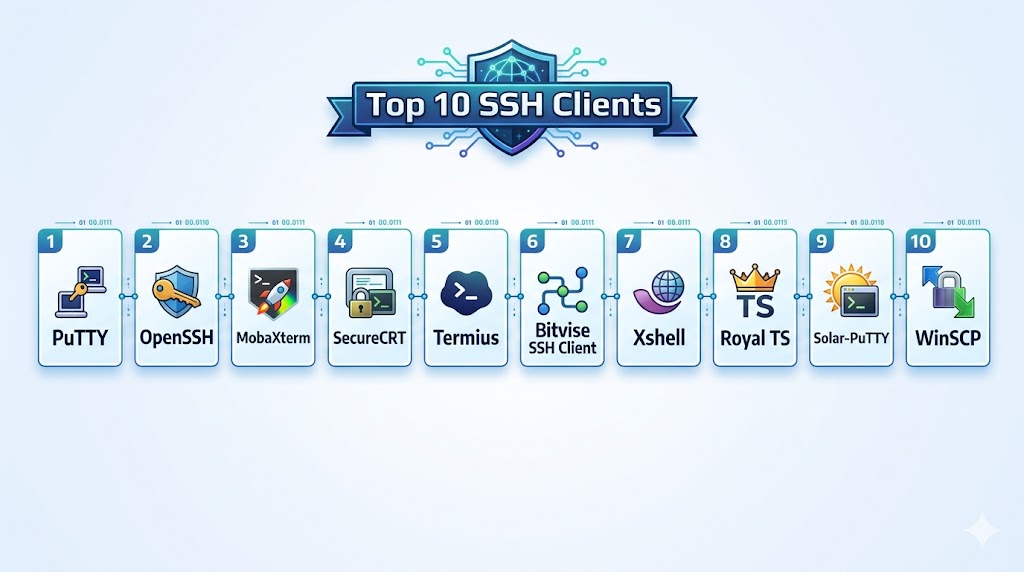
Introduction
SSH clients are tools that enable secure remote access to servers, network devices, and cloud environments using the Secure Shell protocol. They allow users to execute commands, transfer files, and manage systems over encrypted connections, making them essential for modern IT operations.
With the rise of cloud infrastructure, DevOps workflows, and remote system management, SSH clients have evolved into powerful platforms offering session management, automation, file transfer, and multi-protocol support. They are widely used for managing Linux servers, accessing cloud instances, and securing administrative tasks.
Common use cases include remote server access, file transfers, automation scripts, infrastructure management, and secure communication between systems.
What buyers should evaluate:
- Security features and encryption standards
- Multi-session and tab management
- Cross-platform compatibility
- File transfer capabilities
- Automation and scripting support
- Integration with cloud and DevOps tools
- Ease of use and UI design
- Performance and connection stability
- Credential and key management
- Scalability for enterprise environments
Best for: System administrators, DevOps engineers, developers, cloud engineers, and IT teams managing remote infrastructure.
Not ideal for: Users who do not manage remote systems or require only basic local system access.
Key Trends in SSH Clients
- Integration with cloud platforms and DevOps workflows
- Built-in file transfer using SFTP and SCP
- Improved UI with session management and tabs
- Centralized credential and key management
- Cross-platform synchronization
- Support for multiple protocols beyond SSH
- Automation and scripting capabilities
- Enhanced security with modern encryption
- Remote desktop and tunneling features
- Lightweight and portable clients
How We Selected These Tools
- Popularity and adoption across IT and DevOps teams
- Security and encryption capabilities
- Ease of use and user interface
- Feature richness including file transfer and automation
- Cross-platform availability
- Performance and reliability
- Integration with cloud and enterprise systems
- Community and enterprise support
- Scalability for different team sizes
- Real-world usability across industries
Top 10 SSH Clients
1. PuTTY
Short description:
PuTTY is one of the most widely used SSH clients, especially on Windows. It is lightweight and easy to use. It supports multiple protocols. It is ideal for beginners and system administrators.
Key Features
- SSH and Telnet support
- Lightweight client
- Session management
- Key-based authentication
- Command-line interface
- Portability
- Basic configuration options
Pros
- Free and lightweight
- Easy to use
- Highly reliable
Cons
- Outdated interface
- Limited advanced features
- Windows-focused
Platforms / Deployment
Windows / Linux
Deployment: Desktop
Security & Compliance
Supports secure SSH encryption
Integrations & Ecosystem
Integrates with basic system tools and workflows.
- SSH
- APIs
- Dev tools
- Scripts
- System utilities
- Network tools
Support & Community
Very large community
2. OpenSSH
Short description:
OpenSSH is the default SSH client for most Unix-based systems. It is secure, reliable, and widely used. It is built into many operating systems. It is ideal for advanced users and developers.
Key Features
- Secure encryption
- Command-line interface
- Key management
- Port forwarding
- Scripting support
- Cross-platform support
- Automation capabilities
Pros
- Highly secure
- Widely available
- Powerful
Cons
- Command-line only
- Steep learning curve
- Limited UI
Platforms / Deployment
Linux / macOS / Windows
Deployment: CLI tool
Security & Compliance
Strong encryption and authentication support
Integrations & Ecosystem
Integrates with development and cloud systems.
- Linux
- macOS
- Cloud platforms
- APIs
- DevOps tools
- Automation systems
Support & Community
Very strong global community
3. MobaXterm
Short description:
MobaXterm is an advanced SSH client with an integrated Unix environment for Windows. It offers a rich set of features. It is ideal for developers and administrators. It supports multiple protocols.
Key Features
- SSH and SFTP support
- Built-in Unix tools
- Tabbed interface
- File transfer
- Remote desktop support
- Session management
- Plugin system
Pros
- Feature-rich
- Easy to use
- All-in-one solution
Cons
- Windows-focused
- Paid version limitations
- Heavy application
Platforms / Deployment
Windows
Deployment: Desktop
Security & Compliance
Supports secure connections
Integrations & Ecosystem
Integrates with DevOps and system tools.
- SSH
- SFTP
- RDP
- APIs
- Dev tools
- Cloud systems
Support & Community
Strong community
4. SecureCRT
Short description:
SecureCRT is a professional SSH client designed for enterprise use. It provides advanced session management and security features. It is widely used in large organizations. It is ideal for enterprise environments.
Key Features
- Secure SSH connections
- Session management
- Automation scripting
- Multi-protocol support
- File transfer
- Advanced UI
- Key management
Pros
- Enterprise-grade
- Highly secure
- Advanced features
Cons
- Paid software
- Complex setup
- Learning curve
Platforms / Deployment
Windows / macOS / Linux
Deployment: Desktop
Security & Compliance
Supports advanced encryption and authentication
Integrations & Ecosystem
Integrates with enterprise systems.
- SSH
- DevOps tools
- APIs
- Cloud platforms
- Automation systems
- Security tools
Support & Community
Enterprise-level support
5. Termius
Short description:
Termius is a modern SSH client with a user-friendly interface and cross-platform support. It provides cloud synchronization and team collaboration features. It is ideal for remote teams.
Key Features
- Cross-platform support
- Cloud sync
- Key management
- Session sharing
- Modern UI
- SFTP support
- Mobile support
Pros
- Easy to use
- Cross-platform
- Modern design
Cons
- Paid features
- Requires account
- Limited offline features
Platforms / Deployment
Windows / macOS / Linux / iOS / Android
Deployment: Cloud / Desktop
Security & Compliance
Supports secure authentication
Integrations & Ecosystem
Integrates with modern workflows.
- Cloud systems
- APIs
- Dev tools
- SSH
- Mobile apps
- Collaboration tools
Support & Community
Growing user base
6. Bitvise SSH Client
Short description:
Bitvise is a powerful SSH client for Windows with advanced configuration options. It provides strong security and customization. It is ideal for advanced users.
Key Features
- SSH and SFTP support
- Advanced configuration
- Graphical interface
- Tunneling support
- Key management
- Automation
- Security controls
Pros
- Highly configurable
- Secure
- Free for personal use
Cons
- Windows-only
- Complex interface
- Learning curve
Platforms / Deployment
Windows
Deployment: Desktop
Security & Compliance
Supports strong encryption
Integrations & Ecosystem
Integrates with system and DevOps tools.
- SSH
- SFTP
- APIs
- Dev tools
- Scripts
- Network tools
Support & Community
Active community
7. Xshell
Short description:
Xshell is a powerful SSH client designed for professional use. It offers advanced features and a modern interface. It is widely used in enterprise environments. It is ideal for network administrators.
Key Features
- Multi-session management
- SSH support
- Tabbed interface
- Scripting support
- File transfer
- Customization
- Automation
Pros
- Professional features
- Easy session management
- Stable
Cons
- Paid version
- Windows-focused
- Learning curve
Platforms / Deployment
Windows
Deployment: Desktop
Security & Compliance
Supports secure SSH connections
Integrations & Ecosystem
Integrates with enterprise tools.
- SSH
- DevOps tools
- APIs
- Automation systems
- Network tools
- Cloud systems
Support & Community
Strong enterprise community
8. Royal TS
Short description:
Royal TS is a connection management tool supporting SSH and multiple protocols. It provides centralized access to remote systems. It is ideal for IT teams.
Key Features
- Multi-protocol support
- Centralized management
- Credential storage
- Team collaboration
- Session management
- Security controls
- Automation
Pros
- Centralized access
- Team-friendly
- Secure
Cons
- Paid tool
- Complex setup
- Learning curve
Platforms / Deployment
Windows / macOS
Deployment: Desktop
Security & Compliance
Supports secure credential management
Integrations & Ecosystem
Integrates with enterprise systems.
- SSH
- RDP
- APIs
- DevOps tools
- Cloud platforms
- Security systems
Support & Community
Enterprise support
9. Solar PuTTY
Short description:
Solar PuTTY is an enhanced version of PuTTY with modern features. It provides session management and a better UI. It is ideal for Windows users.
Key Features
- Tabbed interface
- Session management
- Credential storage
- SSH support
- Automation
- CLI tools
- Integration features
Pros
- Easy to use
- Modern UI
- Free
Cons
- Windows-only
- Limited advanced features
- Smaller ecosystem
Platforms / Deployment
Windows
Deployment: Desktop
Security & Compliance
Supports secure SSH connections
Integrations & Ecosystem
Integrates with system tools.
- SSH
- APIs
- Dev tools
- Scripts
- Network tools
- Cloud systems
Support & Community
Growing community
10. WinSCP
Short description:
WinSCP is a popular SSH client focused on file transfer. It supports SFTP and SCP protocols. It is widely used for managing files on remote servers. It is ideal for file operations.
Key Features
- SFTP and SCP support
- File transfer
- Graphical interface
- Automation scripts
- Session management
- Security features
- Integration with Windows
Pros
- Easy file transfer
- User-friendly
- Reliable
Cons
- Limited terminal features
- Windows-only
- Focused use case
Platforms / Deployment
Windows
Deployment: Desktop
Security & Compliance
Supports secure file transfer protocols
Integrations & Ecosystem
Integrates with file management workflows.
- SFTP
- SCP
- APIs
- Dev tools
- Scripts
- Cloud systems
Support & Community
Strong community
Comparison Table
| Tool Name | Best For | Platform(s) Supported | Deployment | Standout Feature | Public Rating |
|---|---|---|---|---|---|
| PuTTY | Beginners | Windows | Desktop | Lightweight | N/A |
| OpenSSH | Advanced users | Multi-platform | CLI | Built-in security | N/A |
| MobaXterm | All-in-one | Windows | Desktop | Integrated tools | N/A |
| SecureCRT | Enterprise | Multi-platform | Desktop | Advanced security | N/A |
| Termius | Teams | Cross-platform | Cloud | Sync and UI | N/A |
| Bitvise | Advanced config | Windows | Desktop | Customization | N/A |
| Xshell | Professionals | Windows | Desktop | Multi-session | N/A |
| Royal TS | Teams | Multi-platform | Desktop | Centralized access | N/A |
| Solar PuTTY | Windows users | Windows | Desktop | Modern PuTTY | N/A |
| WinSCP | File transfer | Windows | Desktop | SFTP support | N/A |
Evaluation & Scoring of SSH Clients
| Tool Name | Core | Ease | Integrations | Security | Performance | Support | Value | Weighted Total |
|---|---|---|---|---|---|---|---|---|
| PuTTY | 8 | 9 | 7 | 9 | 8 | 9 | 10 | 8.6 |
| OpenSSH | 9 | 6 | 9 | 10 | 9 | 10 | 10 | 9.1 |
| MobaXterm | 9 | 9 | 8 | 9 | 8 | 9 | 8 | 8.8 |
| SecureCRT | 9 | 7 | 9 | 10 | 9 | 9 | 7 | 8.9 |
| Termius | 8 | 9 | 9 | 9 | 8 | 8 | 8 | 8.5 |
| Bitvise | 8 | 7 | 8 | 9 | 8 | 8 | 9 | 8.1 |
| Xshell | 9 | 8 | 8 | 9 | 8 | 8 | 7 | 8.3 |
| Royal TS | 9 | 7 | 9 | 9 | 8 | 9 | 7 | 8.4 |
| Solar PuTTY | 8 | 9 | 7 | 9 | 8 | 8 | 9 | 8.3 |
| WinSCP | 8 | 9 | 7 | 9 | 8 | 9 | 9 | 8.5 |
Scores are comparative and highlight strengths across usability, security, and integrations. The best SSH client depends on your workflow and environment.
Which SSH Client Is Right for You
Solo / Freelancer
Use PuTTY, OpenSSH, or WinSCP for simplicity and reliability.
SMB
MobaXterm and Termius provide better usability and features.
Mid-Market
Use Xshell or Bitvise for performance and customization.
Enterprise
SecureCRT and Royal TS provide advanced features and scalability.
Budget vs Premium
Free tools like PuTTY and OpenSSH are sufficient for most users.
Feature Depth vs Ease of Use
Termius is easy, while SecureCRT offers advanced features.
Integrations & Scalability
Royal TS and SecureCRT scale well for teams.
Security & Compliance Needs
OpenSSH and SecureCRT provide strong security.
Frequently Asked Questions
1. What is an SSH client
An SSH client is a tool used to connect to remote systems securely. It uses encryption to protect data. It is widely used in IT and development.
2. Why use SSH clients
They provide secure remote access. They allow command execution and file transfer. They are essential for managing servers.
3. Are SSH clients secure
Yes, they use encryption protocols. Security depends on configuration. Always use strong keys.
4. Can I transfer files
Yes, many clients support SFTP and SCP. This allows secure file transfer. It is a common feature.
5. Which SSH client is best
It depends on your needs. OpenSSH is powerful, while Termius is user-friendly. Evaluate based on workflow.
6. Are they free
Many SSH clients are free. Some enterprise tools are paid. Open-source options are common.
7. Do they support multiple sessions
Yes, most modern clients support tabs and multiple sessions. This improves productivity.
8. Can I automate tasks
Yes, many clients support scripting. Automation improves efficiency. It is widely used.
9. Do they work on mobile
Some clients like Termius support mobile platforms. This enables remote access on the go.
10. How do I choose the right client
Consider your platform, features, and ease of use. Test a few options. Choose what fits your workflow.
Conclusion
SSH clients are essential tools for securely managing remote systems, enabling developers, DevOps engineers, and IT teams to connect, control, and transfer data across distributed environments. As infrastructure becomes more cloud-driven and remote-first, these tools play a critical role in maintaining secure and efficient operations. From lightweight solutions like PuTTY and OpenSSH to feature-rich platforms like SecureCRT and MobaXterm, the ecosystem offers a wide range of options for different needs. Modern clients also provide advanced features such as session management, automation, and cloud synchronization, making them more powerful than ever. There is no one-size-fits-all SSH client. The best choice depends on your technical requirements, operating system, and workflow complexity. Start by identifying your needs, shortlist a few tools, and test them in real-world scenarios. This approach will help you select the most suitable SSH client for your environment.