Introduction
Content Curation Tools help individuals and organizations discover, organize, filter, manage, and distribute relevant digital content from multiple online sources. Instead of manually searching through blogs, social media platforms, newsletters, industry portals, and news websites, these tools centralize content discovery and streamline publishing workflows.
Modern Content Curation platforms are now widely used by marketers, media teams, researchers, educators, agencies, and enterprise communication departments to maintain audience engagement and improve content efficiency. Many platforms now include AI-powered recommendations, automation workflows, social scheduling, analytics dashboards, collaboration tools, and personalization features that simplify large-scale content operations.
Real-world use cases include:
- Building social media content pipelines
- Monitoring industry trends and competitor updates
- Managing newsletters and thought leadership content
- Supporting SEO and audience engagement strategies
- Creating centralized research and knowledge-sharing workflows
Evaluation Criteria for Buyers:
- Content discovery quality
- AI recommendations and automation
- Publishing and scheduling capabilities
- Collaboration and approval workflows
- Integration ecosystem
- Analytics and reporting tools
- Cross-platform support
- Ease of content organization
- Scalability for teams
- Pricing flexibility and long-term value
Best for: marketers, agencies, publishers, media companies, educators, researchers, content creators, startup teams, and enterprise communication departments.
Not ideal for: users who only need basic bookmarking tools or organizations that primarily create original content without relying on external content discovery workflows.
Key Trends in Content Curation Tools
- AI-powered content recommendations are becoming standard across major platforms.
- Social media publishing and content curation workflows are increasingly merging into unified dashboards.
- Content personalization engines are improving audience targeting and engagement.
- Newsletter and RSS integrations are becoming core platform capabilities.
- Collaborative editorial workflows are expanding for distributed marketing teams.
- Analytics-driven content scoring is helping teams prioritize high-performing content.
- Automation workflows using APIs and no-code integrations are growing rapidly.
- Video and multimedia curation support is becoming more important alongside traditional articles.
- Enterprise buyers are prioritizing governance, permissions, and compliance controls.
- Creator-focused platforms are emphasizing simplicity and mobile-first publishing experiences.
How We Selected These Tools Methodology
The tools in this list were selected based on a combination of market adoption, usability, scalability, and workflow capabilities.
- Strong market presence and active user communities
- Consistent platform innovation and updates
- Quality of content discovery and recommendation features
- Publishing and scheduling workflow depth
- Integration ecosystem and extensibility
- Collaboration and approval capabilities
- Cross-platform accessibility and synchronization
- Performance and reliability indicators
- Security and administrative controls
- Value across solo, SMB, and enterprise environments
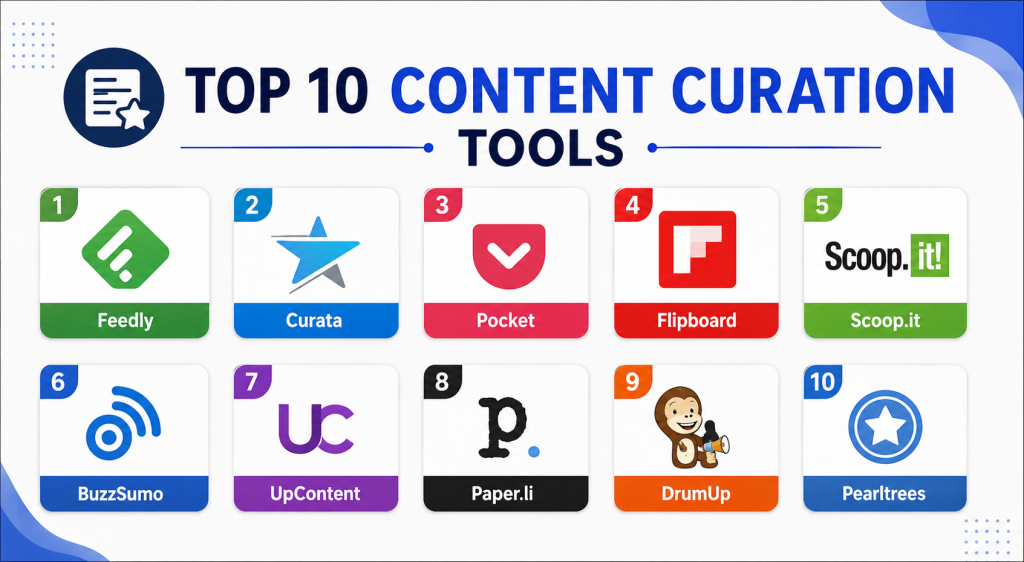
Top 10 Content Curation Tools
#1 — Feedly
Short description: Feedly is a leading content curation and intelligence platform designed for professionals managing large volumes of industry news and research content. It combines RSS aggregation with AI-powered monitoring and collaboration tools for marketing, cybersecurity, and research teams.
Key Features
- AI-powered article prioritization
- Keyword monitoring
- Team collaboration boards
- Newsletter aggregation
- Feed categorization
- Cross-device synchronization
- Trend tracking workflows
Pros
- Strong AI filtering capabilities
- Excellent research workflows
- Scalable for enterprise teams
Cons
- Premium pricing for advanced features
- Learning curve for complex workflows
- Limited self-hosting flexibility
Platforms / Deployment
- Web / iOS / Android
- Cloud
Security & Compliance
MFA supported. Additional compliance certifications not publicly stated.
Integrations & Ecosystem
Feedly integrates with multiple productivity and communication platforms to streamline content research and collaboration workflows.
- Slack
- Notion
- Zapier
- Microsoft Teams
- Browser extensions
- Evernote
Support & Community
Strong documentation, onboarding materials, and large enterprise-focused user community.
#2 — Curata
Short description: Curata is an enterprise-focused content curation platform built for marketing teams and publishers managing large-scale content strategies. It focuses heavily on content discovery, workflow automation, and analytics-driven engagement optimization.
Key Features
- AI content recommendations
- Marketing workflow automation
- Editorial planning
- Content analytics
- Audience engagement tracking
- Team collaboration
- Multi-channel publishing
Pros
- Enterprise-ready workflows
- Strong analytics capabilities
- Excellent marketing automation support
Cons
- Higher pricing structure
- Less suited for solo creators
- Advanced setup requirements
Platforms / Deployment
- Web
- Cloud
Security & Compliance
SSO capabilities available. Additional certifications not publicly stated.
Integrations & Ecosystem
Curata integrates with marketing automation and enterprise publishing systems.
- HubSpot
- Marketo
- Salesforce
- WordPress
- Social publishing platforms
- Analytics tools
Support & Community
Enterprise onboarding and dedicated customer support resources available.
#3 — Pocket
Short description: Pocket is a widely used read-later and content curation platform designed for users who want to save, organize, and consume digital content efficiently. It is popular among students, researchers, marketers, and productivity-focused professionals.
Key Features
- Save-for-later workflows
- Offline reading
- Tagging and organization
- Text-to-speech support
- Cross-device synchronization
- Personalized recommendations
- Browser extensions
Pros
- Extremely easy to use
- Excellent mobile experience
- Strong offline reading support
Cons
- Limited enterprise workflows
- Basic collaboration features
- Less advanced automation
Platforms / Deployment
- Web / Windows / macOS / iOS / Android
- Cloud
Security & Compliance
Not publicly stated.
Integrations & Ecosystem
Pocket integrates well with productivity and reading-focused ecosystems.
- Firefox
- Browser extensions
- Read-later integrations
- Mobile sharing tools
- Productivity apps
Support & Community
Large global user base with strong cross-platform support.
#4 — Flipboard
Short description: Flipboard is a visually driven content curation platform that aggregates articles, news, social content, and multimedia into magazine-style reading experiences. It is especially popular among consumers, publishers, and media-focused creators.
Key Features
- Magazine-style layouts
- Personalized content feeds
- Social content integration
- Multimedia support
- Topic-based discovery
- Mobile-first design
- Sharing capabilities
Pros
- Highly visual interface
- Strong mobile usability
- Good personalized discovery
Cons
- Less enterprise-focused
- Limited workflow automation
- Minimal advanced analytics
Platforms / Deployment
- Web / iOS / Android
- Cloud
Security & Compliance
Not publicly stated.
Integrations & Ecosystem
Flipboard focuses more on content discovery and social engagement rather than enterprise integrations.
- Social platforms
- Sharing tools
- Mobile ecosystem integrations
- Browser support
Support & Community
Large mainstream user base with strong mobile application support.
#5 — Scoop.it
Short description: Scoop.it is a content curation and publishing platform designed for marketers, educators, and businesses managing content distribution strategies. It combines content discovery with publishing and audience engagement tools.
Key Features
- Content discovery engine
- Publishing workflows
- Social media distribution
- Topic management
- Team collaboration
- Analytics dashboards
- Content recommendations
Pros
- Strong publishing workflows
- Easy social distribution
- Useful for thought leadership campaigns
Cons
- Some advanced features require premium plans
- Interface can feel dated
- Limited customization in lower tiers
Platforms / Deployment
- Web
- Cloud
Security & Compliance
Not publicly stated.
Integrations & Ecosystem
Scoop.it supports integrations focused on marketing and publishing workflows.
- WordPress
- Social platforms
- Content sharing tools
- Browser extensions
- Marketing workflows
Support & Community
Established marketing-focused platform with onboarding resources and tutorials.
#6 — BuzzSumo
Short description: BuzzSumo is a content research and curation platform focused heavily on trend discovery, influencer analysis, and social engagement tracking. It is widely used by SEO professionals, marketers, and media teams.
Key Features
- Trending content discovery
- Influencer analysis
- Engagement analytics
- Content alerts
- Competitor monitoring
- Social performance tracking
- Keyword-based discovery
Pros
- Excellent trend analysis
- Strong SEO insights
- Powerful competitor research tools
Cons
- Premium pricing structure
- More research-focused than publishing-focused
- Advanced features require onboarding
Platforms / Deployment
- Web
- Cloud
Security & Compliance
Not publicly stated.
Integrations & Ecosystem
BuzzSumo integrates with analytics and social workflow ecosystems for marketing intelligence.
- Social platforms
- Analytics tools
- SEO workflows
- Content research systems
- Export tools
Support & Community
Large SEO and digital marketing community with extensive educational resources.
#7 — Paper.li
Short description: Paper.li automates content collection and transforms curated content into digital newsletters and publications. It is commonly used by marketers, bloggers, and small businesses seeking automated content distribution workflows.
Key Features
- Automated newsletter creation
- Content aggregation
- Social content integration
- Topic-based curation
- Email publishing
- Audience engagement tools
- Simple automation workflows
Pros
- Easy automated publishing
- Good newsletter workflows
- Beginner-friendly interface
Cons
- Limited enterprise scalability
- Basic analytics compared to competitors
- Fewer advanced customization options
Platforms / Deployment
- Web
- Cloud
Security & Compliance
Not publicly stated.
Integrations & Ecosystem
Paper.li focuses primarily on publishing and social distribution workflows.
- Social media platforms
- Newsletter workflows
- Email distribution tools
- Content aggregation feeds
Support & Community
Simple onboarding and accessible workflows for smaller teams and creators.
#8 — UpContent
Short description: UpContent is a content discovery and curation platform designed for marketing agencies, brands, and enterprise communication teams. It emphasizes workflow automation and audience engagement optimization.
Key Features
- AI-powered recommendations
- Content filtering
- Approval workflows
- Team collaboration
- Audience targeting
- Analytics dashboards
- Multi-channel publishing
Pros
- Strong collaboration features
- Enterprise-friendly workflows
- Good audience targeting capabilities
Cons
- Premium pricing
- Smaller community compared to larger competitors
- Learning curve for new teams
Platforms / Deployment
- Web
- Cloud
Security & Compliance
SSO support available. Additional certifications not publicly stated.
Integrations & Ecosystem
UpContent integrates with marketing and social publishing environments.
- HubSpot
- Hootsuite
- Buffer
- Social publishing platforms
- Marketing automation tools
Support & Community
Professional onboarding resources and business-focused support options.
#9 — DrumUp
Short description: DrumUp is a social media content curation and scheduling platform designed for SMBs, agencies, and personal brands. It combines content discovery with social publishing and engagement tracking.
Key Features
- Social content discovery
- Post scheduling
- Hashtag recommendations
- Queue automation
- Engagement analytics
- Multi-account management
- Content libraries
Pros
- Easy social workflow management
- Affordable SMB-focused pricing
- Good automation for scheduling
Cons
- Limited enterprise scalability
- Smaller analytics ecosystem
- Less suited for deep research workflows
Platforms / Deployment
- Web / iOS / Android
- Cloud
Security & Compliance
Not publicly stated.
Integrations & Ecosystem
DrumUp focuses heavily on social media publishing workflows and scheduling automation.
- Social scheduling integrations
Support & Community
SMB-focused onboarding and relatively simple workflow management.
#10 — Pearltrees
Short description: Pearltrees is a visual content curation and bookmarking platform designed for organizing digital resources, research collections, and collaborative content libraries. It is especially popular among educators and researchers.
Key Features
- Visual bookmarking
- Collaborative collections
- Web clipping tools
- Content organization
- Sharing workflows
- Multimedia support
- Cross-device synchronization
Pros
- Unique visual organization model
- Good collaborative collections
- Useful for educational workflows
Cons
- Less suited for enterprise publishing
- Limited advanced analytics
- Smaller automation ecosystem
Platforms / Deployment
- Web / iOS / Android
- Cloud
Security & Compliance
Not publicly stated.
Integrations & Ecosystem
Pearltrees focuses primarily on content organization and collaborative knowledge management.
- Browser extensions
- Sharing tools
- Mobile integrations
- Multimedia content support
Support & Community
Strong education-oriented community and easy onboarding experience.
Comparison Table
| Tool Name | Best For | Platform(s) Supported | Deployment | Standout Feature | Public Rating |
|---|---|---|---|---|---|
| Feedly | Enterprise research workflows | Web, iOS, Android | Cloud | AI-powered monitoring | N/A |
| Curata | Enterprise marketing teams | Web | Cloud | Content marketing automation | N/A |
| Read-later workflows | Web, Windows, macOS, iOS, Android | Cloud | Offline reading | N/A | |
| Visual content discovery | Web, iOS, Android | Cloud | Magazine-style interface | N/A | |
| Scoop.it | Publishing workflows | Web | Cloud | Social publishing | N/A |
| BuzzSumo | Trend research | Web | Cloud | Content analytics | N/A |
| Paper.li | Automated newsletters | Web | Cloud | Automated publishing | N/A |
| UpContent | Enterprise curation workflows | Web | Cloud | Approval workflows | N/A |
| DrumUp | Social media scheduling | Web, iOS, Android | Cloud | Social automation | N/A |
| Pearltrees | Visual bookmarking | Web, iOS, Android | Cloud | Collaborative collections | N/A |
Evaluation & Scoring of Content Curation Tools
| Tool Name | Core 25% | Ease 15% | Integrations 15% | Security 10% | Performance 10% | Support 10% | Value 15% | Weighted Total |
|---|---|---|---|---|---|---|---|---|
| Feedly | 9.5 | 9 | 9 | 8 | 9 | 9 | 7.5 | 8.8 |
| Curata | 9 | 7.5 | 8.5 | 8 | 8.5 | 8.5 | 6.5 | 8.0 |
| 7.5 | 9.5 | 7 | 6 | 8.5 | 8 | 9 | 8.0 | |
| 7.5 | 9 | 6 | 6 | 8 | 7.5 | 8 | 7.5 | |
| Scoop.it | 8 | 8 | 7.5 | 6.5 | 8 | 7.5 | 8 | 7.7 |
| BuzzSumo | 9 | 7.5 | 8 | 7 | 8.5 | 8.5 | 6.5 | 8.0 |
| Paper.li | 7 | 8.5 | 6.5 | 6 | 7.5 | 7 | 8 | 7.2 |
| UpContent | 8.5 | 7.5 | 8 | 7.5 | 8 | 8 | 7 | 7.9 |
| DrumUp | 7.5 | 8.5 | 7 | 6 | 7.5 | 7 | 8.5 | 7.5 |
| Pearltrees | 7.5 | 8 | 6.5 | 6 | 7.5 | 7 | 8 | 7.3 |
These scores are comparative evaluations rather than universal rankings. Enterprise buyers may prioritize integrations, collaboration, governance, and scalability, while solo creators often focus more on simplicity and affordability. Some tools excel in research and analytics workflows, while others are stronger for publishing and social scheduling. Buyers should evaluate tools according to their specific content operations, team size, and long-term workflow requirements.
Which Content Curation Tool Is Right for You?
Solo / Freelancer
Solo users often benefit most from tools that combine simplicity, affordability, and strong discovery experiences. Pocket, Flipboard, DrumUp, and Pearltrees work well for lightweight curation and personal productivity workflows.
SMB
Small and medium-sized businesses usually require publishing workflows, scheduling automation, and collaboration features. Scoop.it, Feedly, and DrumUp provide strong balance between usability and workflow depth.
Mid-Market
Mid-market organizations managing larger editorial or marketing operations often need stronger automation, analytics, and governance. Feedly, BuzzSumo, and UpContent are well-suited for scalable research and engagement workflows.
Enterprise
Enterprise buyers should prioritize integrations, workflow approvals, collaboration, and governance controls. Curata and Feedly are particularly strong for enterprise-scale marketing intelligence and content operations.
Budget vs Premium
Budget-conscious users may prefer Pocket, DrumUp, Pearltrees, or Flipboard. Premium tools like Curata, BuzzSumo, and Feedly justify higher pricing through analytics, AI-powered discovery, and advanced workflow automation.
Feature Depth vs Ease of Use
Feedly and BuzzSumo provide extensive functionality but may require onboarding time. Pocket and Flipboard prioritize simpler reading and discovery experiences with lower complexity.
Integrations & Scalability
Organizations with large marketing stacks should evaluate API availability, automation workflows, and third-party integrations carefully. Curata, Feedly, and UpContent provide stronger ecosystem extensibility.
Security & Compliance Needs
Enterprise buyers should validate SSO, MFA, permissions management, and governance capabilities before deployment. Organizations with strict compliance requirements may prioritize platforms offering stronger administrative controls.
Frequently Asked Questions FAQs
1. What are Content Curation Tools?
Content Curation Tools help users discover, organize, manage, and distribute relevant content from various online sources. They simplify research, publishing, and audience engagement workflows by centralizing content discovery.
2. Why are Content Curation Tools important?
These tools reduce the time required to find relevant information while improving consistency in publishing and audience engagement. They are especially valuable for marketing, media, and research teams managing high-volume content streams.
3. Which Content Curation Tool is best for marketers?
Feedly, BuzzSumo, Curata, and Scoop.it are widely used by marketing professionals because they combine content discovery, analytics, and publishing workflows in centralized platforms.
4. Are Content Curation Tools useful for SEO?
Yes. Many platforms help marketers identify trending topics, monitor competitors, and discover high-performing content opportunities that support SEO and content marketing strategies.
5. Can Content Curation Tools automate publishing?
Several platforms support automated scheduling, social posting, newsletters, and workflow automation. Tools like Scoop.it, DrumUp, and Paper.li are especially focused on publishing automation.
6. Are these tools secure for enterprise use?
Security varies by vendor. Enterprise-oriented tools may provide SSO, MFA, and workflow controls, while smaller platforms may offer more limited governance capabilities. Buyers should validate administrative controls carefully.
7. Do Content Curation Tools support team collaboration?
Yes. Many platforms include shared dashboards, approval workflows, collaborative collections, and publishing coordination features for distributed marketing and editorial teams.
8. What common mistakes should buyers avoid?
Common mistakes include ignoring integration requirements, choosing overly complex platforms for simple workflows, underestimating scalability needs, and overlooking analytics capabilities.
9. Can these tools integrate with social media platforms?
Yes. Many Content Curation Tools integrate with LinkedIn, Twitter, Facebook, Instagram, and social scheduling systems to streamline distribution and engagement workflows.
10. Is it difficult to switch Content Curation platforms?
Most tools support export and migration workflows, but rebuilding automation rules, integrations, and content libraries may require additional manual effort depending on platform complexity.
Conclusion
Content Curation Tools have evolved into sophisticated platforms that support research, publishing, social engagement, and enterprise content intelligence workflows. Some tools prioritize AI-powered discovery and analytics, while others focus more on simplicity, social publishing, or collaborative organization. Feedly and Curata stand out for enterprise research and marketing operations, while Pocket and Flipboard excel in streamlined personal discovery experiences. BuzzSumo remains highly valuable for SEO and trend analysis, while Scoop.it and DrumUp provide efficient publishing and scheduling workflows for SMBs and agencies. The best Content Curation Tool ultimately depends on your workflow complexity, publishing strategy, collaboration requirements, and integration priorities. Before selecting a platform, shortlist two or three tools, evaluate automation and analytics capabilities, validate integrations with your existing marketing stack, and test usability across both desktop and mobile workflows to ensure long-term operational fit.