Introduction
Grocery List Apps help users organize shopping lists, manage household purchases, plan meals, and streamline grocery shopping workflows across mobile and web devices. These applications simplify shopping experiences through shared lists, smart reminders, barcode support, meal planning integrations, and real-time synchronization. Modern grocery list platforms now include AI-powered recommendations, smart shopping automation, budget tracking, and voice assistant compatibility.
As digital productivity and smart home adoption continue increasing, grocery list apps have become essential tools for families, busy professionals, students, and wellness-focused users. Many platforms now integrate with meal planning apps, smart speakers, grocery delivery services, and wellness ecosystems to create connected shopping experiences.
Real-world use cases include:
- Weekly household grocery planning
- Shared family shopping management
- Budget-conscious grocery tracking
- Meal preparation coordination
- Smart shopping automation
Key evaluation criteria for buyers include:
- Ease of list creation
- Shared collaboration features
- Cross-device synchronization
- Grocery categorization
- Voice assistant support
- Meal planning integrations
- Offline functionality
- Smart reminders
- User interface quality
- Subscription pricing structure
Best for: families, busy professionals, students, shared households, meal planners, and users wanting organized shopping experiences.
Not ideal for: users seeking enterprise retail inventory systems, advanced supply chain software, or individuals preferring fully manual shopping methods.
Key Trends in Grocery List Apps
- AI-powered shopping recommendations are becoming increasingly personalized.
- Smart grocery categorization is improving shopping efficiency.
- Shared household collaboration features are expanding rapidly.
- Voice assistant integrations are becoming standard across leading platforms.
- Meal planning and grocery synchronization ecosystems are growing.
- Grocery delivery integrations are simplifying shopping workflows.
- Cross-device synchronization is now expected by most users.
- Budget tracking and spending analytics features are becoming more common.
- Smart reminders based on location and routines are improving convenience.
- Wellness and nutrition ecosystems are increasingly connected with grocery planning.
How We Selected These Tools
We evaluated grocery list apps based on usability, collaboration quality, synchronization reliability, ecosystem maturity, and long-term household productivity value. The goal was to identify platforms suitable for individuals, families, shared households, and wellness-focused users.
Selection criteria included:
- Market adoption and popularity
- Grocery organization capabilities
- Collaboration and sharing features
- Device synchronization quality
- Voice assistant compatibility
- Integration ecosystem maturity
- Mobile usability and reliability
- Security and privacy practices
- Value for money
- Long-term productivity benefits
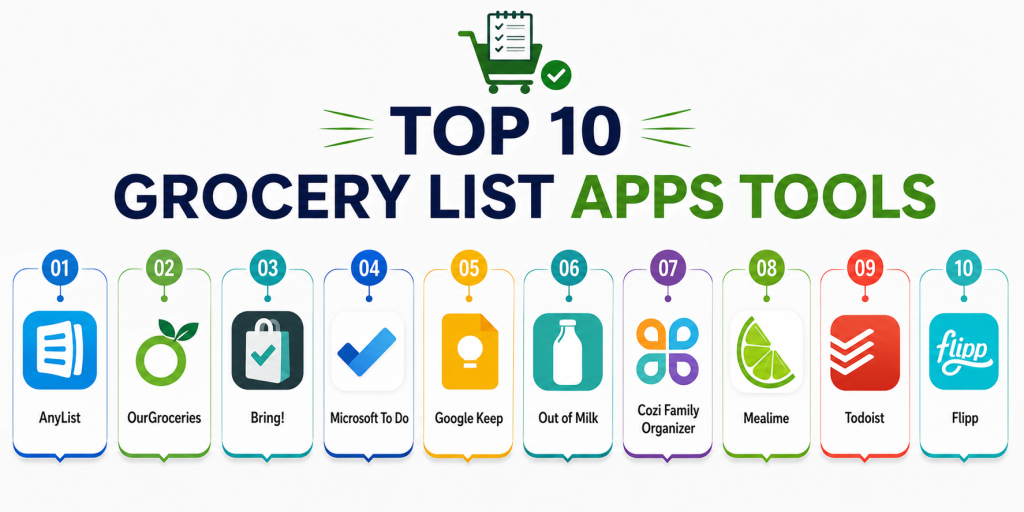
Top 10 Grocery List Apps Tools
#1 — AnyList
Short description:
AnyList is one of the most popular grocery list and meal planning applications for families and shared households. It combines shopping lists, recipe management, and collaboration features within a clean and user-friendly interface.
Key Features
- Shared grocery lists
- Meal planning support
- Recipe organization
- Pantry management
- Shopping reminders
- Voice assistant compatibility
- Real-time synchronization
Pros
- Excellent family collaboration
- Easy-to-use interface
- Strong meal planning support
Cons
- Premium features require subscription
- Limited advanced budgeting analytics
- Smaller automation ecosystem
Platforms / Deployment
- iOS
- Android
- Web
- Cloud
Security & Compliance
- Encryption support publicly referenced
- Additional certifications not publicly stated
Integrations & Ecosystem
AnyList integrates with smart home and grocery planning ecosystems.
- Siri support
- Smart speaker integrations
- Recipe management tools
- Cloud synchronization
Support & Community
Large family-oriented community with strong onboarding and practical productivity resources.
#2 — OurGroceries
Short description:
OurGroceries focuses on shared grocery shopping and household collaboration. It is designed for families and couples wanting simple synchronized shopping workflows.
Key Features
- Shared grocery lists
- Real-time synchronization
- Barcode scanning
- Shopping categorization
- Recipe support
- Smart reminders
- Cross-device access
Pros
- Very easy collaboration
- Fast synchronization
- Simple and lightweight interface
Cons
- Limited advanced analytics
- Interface design feels basic
- Fewer integrations than larger competitors
Platforms / Deployment
- iOS
- Android
- Web
- Cloud
Security & Compliance
- Cloud synchronization protections
- Additional certifications not publicly stated
Integrations & Ecosystem
OurGroceries focuses primarily on synchronized household shopping workflows.
- Shared household accounts
- Barcode support
- Cloud synchronization
- Recipe organization
Support & Community
Reliable onboarding experience with a loyal household-focused user base.
#3 — Bring!
Short description:
Bring! combines grocery list management with smart shopping workflows and visual product organization. It is particularly popular for collaborative family shopping experiences.
Key Features
- Shared shopping lists
- Product image support
- Smart categorization
- Recipe inspiration
- Shopping reminders
- Voice assistant compatibility
- Real-time updates
Pros
- Visually appealing interface
- Strong collaboration tools
- Excellent mobile usability
Cons
- Limited advanced budgeting features
- Smaller productivity ecosystem
- Some premium limitations
Platforms / Deployment
- iOS
- Android
- Web
- Cloud
Security & Compliance
- Privacy protections publicly referenced
- Additional certifications not publicly stated
Integrations & Ecosystem
Bring! integrates with smart shopping and household planning ecosystems.
- Smart speaker integrations
- Recipe inspiration tools
- Grocery workflows
- Cloud synchronization
Support & Community
Strong mobile user community with frequent feature updates and practical onboarding.
#4 — Microsoft To Do
Short description:
Microsoft To Do is a productivity-focused task management platform that can also function effectively as a grocery list application for users already invested in Microsoft ecosystems.
Key Features
- Shared task lists
- Cross-device synchronization
- Smart reminders
- Cloud storage
- Productivity planning
- Checklist organization
- Collaboration support
Pros
- Strong Microsoft ecosystem integration
- Excellent synchronization
- Free core functionality
Cons
- Not grocery-specific
- Limited recipe integrations
- Fewer shopping-focused features
Platforms / Deployment
- iOS
- Android
- Windows
- Web
- Cloud
Security & Compliance
- Microsoft account protections
- MFA support
- Enterprise-grade security ecosystem
Integrations & Ecosystem
Microsoft To Do integrates deeply with Microsoft productivity ecosystems.
- Microsoft 365
- Outlook
- Teams
- Cross-device synchronization
Support & Community
Large productivity ecosystem with mature support resources and enterprise-level documentation.
#5 — Google Keep
Short description:
Google Keep is a lightweight note-taking and checklist application that works well for simple grocery list management and collaborative household shopping.
Key Features
- Shared checklists
- Voice notes
- Smart reminders
- Cloud synchronization
- Label organization
- Cross-device access
- Simple collaboration
Pros
- Extremely easy to use
- Free cloud synchronization
- Strong Google ecosystem support
Cons
- Limited grocery-specific functionality
- Minimal advanced planning tools
- No deep meal planning support
Platforms / Deployment
- iOS
- Android
- Web
- Cloud
Security & Compliance
- Google account protections
- Encryption practices publicly referenced
- Additional certifications not publicly stated
Integrations & Ecosystem
Google Keep integrates closely with Google productivity ecosystems.
- Google Workspace
- Google Assistant
- Cross-device synchronization
- Shared collaboration tools
Support & Community
Large global user base with reliable onboarding and productivity-focused documentation.
#6 — Out of Milk
Short description:
Out of Milk combines grocery list management, pantry tracking, and shopping organization into a practical household productivity platform.
Key Features
- Grocery lists
- Pantry tracking
- Shopping history
- Barcode scanning
- Budget tracking
- Shared lists
- Shopping categorization
Pros
- Strong pantry management
- Useful budgeting features
- Easy shopping organization
Cons
- Interface feels slightly outdated
- Smaller ecosystem integrations
- Limited premium automation
Platforms / Deployment
- Android
- iOS
- Cloud
Security & Compliance
- Cloud synchronization support
- Additional certifications not publicly stated
Integrations & Ecosystem
Out of Milk focuses on shopping and pantry management workflows.
- Shared household lists
- Shopping synchronization
- Barcode support
- Pantry organization
Support & Community
Reliable household-focused support resources with consistent platform updates.
#7 — Cozi Family Organizer
Short description:
Cozi Family Organizer combines grocery planning, shared calendars, meal scheduling, and household coordination in a family productivity ecosystem.
Key Features
- Shared grocery lists
- Family calendars
- Meal planning
- Household reminders
- Recipe storage
- Collaborative scheduling
- Shopping organization
Pros
- Excellent household collaboration
- Strong family coordination features
- Easy scheduling workflows
Cons
- Limited advanced grocery analytics
- Basic recipe management
- Less suited for advanced meal planning
Platforms / Deployment
- iOS
- Android
- Web
- Cloud
Security & Compliance
- Cloud account protections
- Additional certifications not publicly stated
Integrations & Ecosystem
Cozi focuses heavily on collaborative household organization workflows.
- Shared family accounts
- Calendar synchronization
- Grocery organization
- Meal planning support
Support & Community
Large family-focused user community with reliable productivity onboarding resources.
#8 — Mealime
Short description:
Mealime combines meal planning and grocery list automation within a wellness-focused cooking ecosystem designed for healthy eating and simplified shopping.
Key Features
- Automated grocery lists
- Personalized meal planning
- Nutrition support
- Healthy recipes
- Shopping workflows
- Wellness-focused planning
- Guided cooking support
Pros
- Excellent healthy meal planning
- Strong grocery automation
- Beginner-friendly experience
Cons
- Premium features require subscription
- Smaller grocery-only functionality
- Limited offline support
Platforms / Deployment
- iOS
- Android
- Cloud
Security & Compliance
- Privacy protections publicly referenced
- Additional certifications not publicly stated
Integrations & Ecosystem
Mealime integrates grocery workflows with meal planning and wellness ecosystems.
- Grocery planning tools
- Wellness tracking
- Recipe ecosystems
- Mobile synchronization
Support & Community
Strong healthy eating community with practical onboarding guidance and wellness support.
#9 — Todoist
Short description:
Todoist is a productivity and task management platform that can effectively support grocery list management for users preferring structured productivity workflows.
Key Features
- Shared task lists
- Smart reminders
- Collaboration tools
- Productivity workflows
- Cross-device synchronization
- Label organization
- Recurring tasks
Pros
- Excellent task management
- Strong collaboration features
- Reliable synchronization
Cons
- Not grocery-focused
- Limited recipe integrations
- Advanced features require premium plan
Platforms / Deployment
- iOS
- Android
- Windows
- macOS
- Web
- Cloud
Security & Compliance
- Encryption practices publicly referenced
- Additional certifications not publicly stated
Integrations & Ecosystem
Todoist integrates with productivity and collaboration ecosystems.
- Google Workspace
- Microsoft integrations
- Productivity APIs
- Cross-device synchronization
Support & Community
Large productivity-focused community with mature onboarding and documentation resources.
#10 — Flipp
Short description:
Flipp combines grocery list management with shopping deals, weekly flyers, and price comparison tools to help users save money while shopping.
Key Features
- Grocery lists
- Weekly flyers
- Price comparison
- Shopping deals
- Budget tracking
- Store discovery
- Shopping reminders
Pros
- Excellent budget-conscious features
- Strong shopping deal support
- Useful price comparison tools
Cons
- Limited advanced meal planning
- Smaller collaboration ecosystem
- Less recipe-focused functionality
Platforms / Deployment
- iOS
- Android
- Web
- Cloud
Security & Compliance
- Privacy protections publicly referenced
- Additional certifications not publicly stated
Integrations & Ecosystem
Flipp focuses on shopping optimization and grocery savings workflows.
- Store promotions
- Shopping workflows
- Grocery planning
- Budget-focused tools
Support & Community
Strong budget-focused user community with regular platform updates and shopping support resources.
Comparison Table
| Tool Name | Best For | Platforms Supported | Deployment | Standout Feature | Public Rating |
|---|---|---|---|---|---|
| AnyList | Family grocery planning | iOS, Android, Web | Cloud | Shared shopping lists | N/A |
| OurGroceries | Household collaboration | iOS, Android, Web | Cloud | Real-time synchronization | N/A |
| Bring! | Visual shopping workflows | iOS, Android, Web | Cloud | Product image organization | N/A |
| Microsoft To Do | Productivity-focused users | iOS, Android, Windows, Web | Cloud | Microsoft ecosystem integration | N/A |
| Google Keep | Lightweight grocery lists | iOS, Android, Web | Cloud | Simplicity and speed | N/A |
| Out of Milk | Pantry tracking | Android, iOS | Cloud | Pantry organization | N/A |
| Cozi Family Organizer | Family coordination | iOS, Android, Web | Cloud | Household scheduling | N/A |
| Mealime | Meal planning and shopping | iOS, Android | Cloud | Automated grocery lists | N/A |
| Todoist | Structured productivity workflows | iOS, Android, Windows, macOS, Web | Cloud | Advanced task organization | N/A |
| Flipp | Budget-conscious shopping | iOS, Android, Web | Cloud | Shopping deals and flyers | N/A |
Evaluation & Scoring of Grocery List Apps
| Tool Name | Core 25% | Ease 15% | Integrations 15% | Security 10% | Performance 10% | Support 10% | Value 15% | Weighted Total |
|---|---|---|---|---|---|---|---|---|
| AnyList | 9 | 9 | 8 | 7 | 8.5 | 8 | 8.5 | 8.5 |
| OurGroceries | 8.5 | 9 | 7 | 7 | 8 | 7.5 | 8.5 | 8.1 |
| Bring! | 8.5 | 9 | 7.5 | 7 | 8 | 7.5 | 8 | 8.0 |
| Microsoft To Do | 8 | 8.5 | 9 | 8.5 | 8.5 | 8.5 | 9 | 8.5 |
| Google Keep | 7.5 | 9 | 8.5 | 8 | 8.5 | 8 | 9 | 8.3 |
| Out of Milk | 8 | 8 | 7 | 7 | 8 | 7.5 | 8 | 7.7 |
| Cozi Family Organizer | 8 | 8.5 | 7 | 7 | 8 | 8 | 8 | 7.9 |
| Mealime | 8.5 | 8.5 | 7.5 | 7 | 8 | 8 | 8 | 8.0 |
| Todoist | 8 | 8.5 | 9 | 8 | 8.5 | 8.5 | 8 | 8.4 |
| Flipp | 8 | 8 | 7 | 7 | 8 | 7.5 | 8.5 | 7.8 |
These scores are comparative and intended to help buyers evaluate strengths across collaboration, grocery organization, synchronization, integrations, and overall productivity value. Some tools prioritize household collaboration and simplicity, while others focus more on productivity ecosystems or budget optimization. Buyers should evaluate long-term usability and ecosystem compatibility before selecting a platform.
Which Grocery List Apps Tool Is Right for You?
Solo / Freelancer
Solo users often benefit from lightweight and simple applications such as Google Keep, Bring!, or Flipp because they provide quick shopping workflows without unnecessary complexity.
SMB
Families and shared households may prefer AnyList, Cozi Family Organizer, or OurGroceries because of their strong collaboration and synchronization capabilities.
Mid-Market
Advanced productivity-focused users may benefit from Todoist or Microsoft To Do because they combine grocery management with broader organizational workflows.
Enterprise
Large organizations rarely require dedicated grocery list applications, but collaborative productivity ecosystems such as Microsoft To Do may support broader operational workflows effectively.
Budget vs Premium
Budget-conscious users may prefer Google Keep or Flipp because they offer useful grocery planning functionality with minimal costs. Premium users may prefer AnyList for stronger household management features.
Feature Depth vs Ease of Use
AnyList and Mealime provide deeper planning and shopping automation, while Google Keep and Bring! focus more on simplicity and fast grocery organization.
Integrations & Scalability
Users heavily invested in productivity ecosystems may benefit more from Microsoft To Do or Todoist because of their broader integration support.
Security & Compliance Needs
Privacy-conscious users should evaluate how shopping habits, household data, and synchronization information are stored and shared across cloud ecosystems.
Frequently Asked Questions
1. What are Grocery List Apps used for?
Grocery List Apps help users organize shopping lists, share household shopping tasks, automate grocery planning, and simplify meal preparation workflows.
2. Are Grocery List Apps useful for families?
Yes. Many platforms provide shared shopping lists, family collaboration tools, and synchronized updates that improve household shopping coordination.
3. Which Grocery List App is best for beginners?
Google Keep, Bring!, and AnyList are commonly recommended for beginners because they combine simple onboarding with easy shopping list management.
4. Can Grocery List Apps automate shopping workflows?
Many leading apps automatically categorize grocery items, synchronize shopping lists, and integrate with meal planning workflows to improve efficiency.
5. Do Grocery List Apps work offline?
Some applications provide partial offline support, but most modern platforms rely heavily on cloud synchronization for collaboration and real-time updates.
6. Are Grocery List Apps useful for budgeting?
Yes. Applications such as Flipp and Out of Milk include budgeting and shopping optimization features that help users manage grocery spending more effectively.
7. Why are integrations important in Grocery List Apps?
Integrations connect grocery workflows with meal planning, productivity tools, smart speakers, and wellness ecosystems for a more seamless user experience.
8. Are Grocery List Apps secure?
Most leading vendors provide account protections and cloud synchronization security. However, enterprise-grade compliance transparency varies between providers.
9. What mistakes do users commonly make with grocery apps?
Common mistakes include poor list organization, inconsistent synchronization across devices, overcomplicated shopping workflows, and ignoring collaboration features.
10. How should I choose the right Grocery List App?
Start by identifying your primary goal such as family collaboration, budget tracking, meal planning, or productivity management. Then evaluate integrations, usability, and synchronization quality before selecting a platform.
Conclusion
Grocery List Apps have evolved into smart household productivity platforms that combine shopping organization, meal planning, grocery automation, collaboration, and wellness integrations. Casual users may prefer lightweight tools such as Google Keep or Bring!, while families and shared households often benefit more from platforms like AnyList, OurGroceries, or Cozi Family Organizer. Productivity-focused users may also prefer Todoist or Microsoft To Do because of their broader organizational capabilities. The ideal solution depends on shopping habits, collaboration needs, preferred ecosystem integrations, and long-term usability expectations. Buyers should evaluate synchronization reliability, pricing structure, smart assistant compatibility, and workflow simplicity before selecting a platform. Instead of searching for a single universal winner, shortlist two or three tools that align with your shopping style, test them consistently over several weeks, and validate whether they genuinely improve grocery organization, collaboration, and household productivity.