Introduction
Grammar & Spell Checking Tools help writers, teams, students, marketers, editors, and businesses improve written content by detecting spelling mistakes, grammar issues, punctuation errors, unclear wording, tone problems, and readability gaps. These tools are used across emails, blogs, reports, documents, academic writing, customer support replies, social posts, proposals, product content, and internal communication.
A good grammar and spell checker does more than correct typos. It helps users write clearly, maintain professional tone, reduce embarrassing mistakes, improve sentence structure, and create content that is easier to understand. For businesses, these tools also support brand consistency, faster editing, better customer communication, and stronger content quality.
Common use cases include:
- Blog and article editing
- Email proofreading
- Academic writing support
- Business document correction
- Marketing copy review
- Customer support response improvement
- Team style and tone consistency
Buyers should evaluate:
- Grammar and spelling accuracy
- Punctuation and clarity suggestions
- Tone and style guidance
- Plagiarism or originality checking
- Browser and document integrations
- Team style guide support
- AI writing assistance
- Multilingual support
- Security and privacy controls
- Pricing and value for individuals or teams
Best for: Grammar & Spell Checking Tools are best for content writers, bloggers, students, editors, marketers, customer support teams, sales teams, HR teams, business professionals, and organizations that publish or send written communication regularly. Not ideal for: users who only write occasional short messages, teams that require full human editorial review for legal or highly technical content, or businesses that need advanced content governance beyond grammar and spelling correction.
Key Trends in Grammar & Spell Checking Tools
- AI-assisted writing is becoming standard: Many grammar tools now offer rewriting, tone adjustment, idea expansion, summarization, and sentence improvement along with basic correction.
- Tone and brand voice matter more: Businesses want tools that help teams write in a consistent, clear, professional, and brand-aligned style.
- Real-time writing support is growing: Browser extensions, desktop apps, email integrations, and document editors now check writing as users type.
- Team style guides are becoming important: Companies need shared rules for terminology, tone, banned words, preferred spellings, and formatting consistency.
- Multilingual checking is expanding: More users need grammar and spelling support across multiple languages, especially for global communication.
- Privacy and data control are key buying factors: Teams handling customer, legal, financial, healthcare, or internal content must review how writing data is processed and stored.
- Plagiarism and originality checks are becoming bundled: Some writing tools include originality detection, citation support, or content similarity checks for academic and professional use.
- Readability guidance is becoming more practical: Writers want suggestions that improve clarity, sentence length, passive voice, and overall content flow.
- AI suggestions need human judgment: Automated writing suggestions can help, but users still need to review context, accuracy, meaning, and tone before publishing.
- Cross-platform access is expected: Buyers increasingly expect support across browsers, Microsoft Word, Google Docs, email apps, desktop writing apps, and content platforms.
How We Selected These Tools Methodology
The tools below were selected to represent a balanced mix of grammar checkers, spell checkers, writing assistants, editorial tools, team writing platforms, and AI-assisted writing solutions. The goal is to help individuals and businesses choose tools based on writing needs, workflow, budget, and content quality requirements.
Selection criteria included:
- Grammar and spelling accuracy across common writing scenarios.
- Clarity and readability support for improving sentence structure and flow.
- Tone and style suggestions for professional, academic, creative, and business writing.
- Integration ecosystem, including browsers, documents, email, desktop apps, and content platforms.
- Team support, including style guides, snippets, admin controls, and shared rules.
- AI writing features, including rewrite suggestions, tone changes, and content improvement.
- Ease of use for beginners, professionals, students, and teams.
- Security and privacy posture, especially for business and enterprise users.
- Support and documentation, including onboarding resources and help materials.
- Value for money, based on individual plans, team plans, feature depth, and daily usefulness.
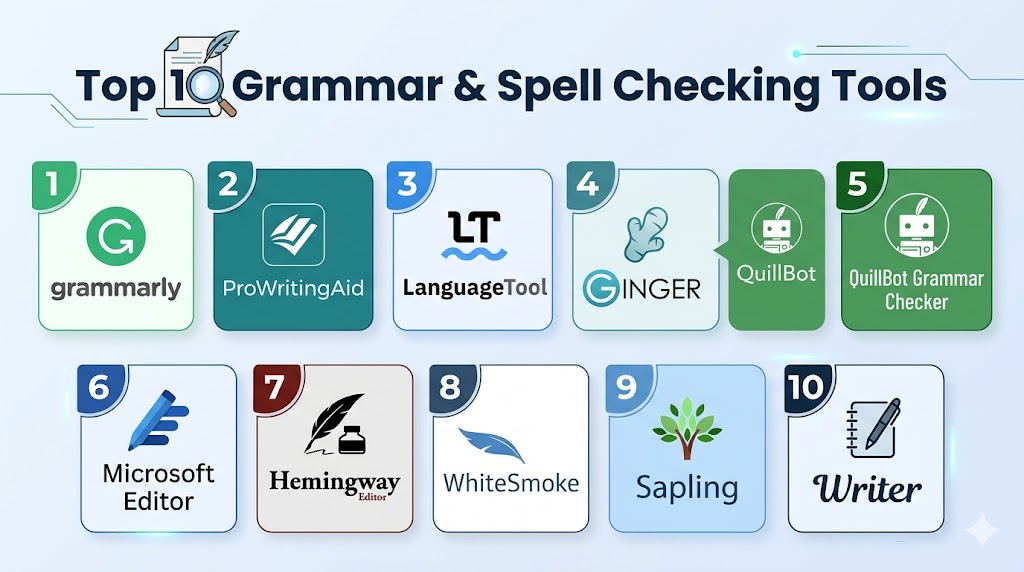
Top 10 Grammar & Spell Checking Tools
#1 — Grammarly
Short description: Grammarly is one of the most widely used grammar, spelling, punctuation, clarity, and writing assistant tools. It helps users improve emails, documents, blogs, social posts, business content, and academic writing. It is especially useful for individuals and teams that want real-time writing support across many platforms.
Key Features
- Grammar, spelling, and punctuation correction.
- Clarity, tone, and conciseness suggestions.
- Browser extension and document editor support.
- AI-assisted rewriting and writing suggestions.
- Plagiarism detection in selected plans.
- Team style guide and brand tone features.
- Admin and collaboration features for business users.
Pros
- Strong all-around writing assistant for daily use.
- Works across many common writing environments.
- Useful for individuals, students, professionals, and teams.
Cons
- Some advanced features require paid plans.
- Suggestions may not always fit creative or technical context.
- Users still need to review accuracy and meaning manually.
Platforms / Deployment
Web / Windows / macOS / iOS / Android
Browser extensions / Cloud
Security & Compliance
Enterprise controls, SSO, user management, and security features may be available depending on plan. Buyers should verify certifications, data handling, retention, and admin controls directly.
SOC 2, ISO 27001, HIPAA: Not publicly stated.
Integrations & Ecosystem
Grammarly has a broad writing ecosystem and is designed to work across everyday writing environments. It is useful for users who want correction and writing support wherever they write.
- Browser extensions
- Web editor
- Desktop apps
- Microsoft Word-style workflows
- Email and business communication tools
- Mobile keyboards and apps
Support & Community
Grammarly provides help resources, onboarding materials, and support options. It has strong user recognition among students, professionals, content writers, and business teams.
#2 — ProWritingAid
Short description: ProWritingAid is a grammar checker and writing improvement tool popular with authors, bloggers, editors, students, and long-form content writers. It focuses on grammar, style, readability, structure, repetition, sentence variety, and detailed writing reports. It is especially useful for people who want deeper editing feedback beyond basic spelling correction.
Key Features
- Grammar, spelling, and punctuation checks.
- Style and readability suggestions.
- Detailed writing reports.
- Repetition, sentence length, and pacing analysis.
- Integration with writing and document tools.
- Plagiarism checking options may be available.
- Useful feedback for long-form writing.
Pros
- Strong for long-form writing and editing.
- Detailed reports help improve writing habits.
- Useful for authors, bloggers, and content creators.
Cons
- Interface may feel detailed for users wanting quick corrections.
- Some advanced features require paid plans.
- Suggestions may require careful judgment for creative writing.
Platforms / Deployment
Web / Windows / macOS
Browser extensions / Cloud / Desktop options may vary
Security & Compliance
Security and privacy features may vary by plan. Buyers should verify data processing, retention, team controls, and compliance documentation directly.
SOC 2, ISO 27001, HIPAA: Not publicly stated.
Integrations & Ecosystem
ProWritingAid fits writers who use grammar checking as part of a deeper editing workflow. It supports common writing and publishing environments.
- Browser extensions
- Web editor
- Desktop writing workflows
- Document editing tools
- Long-form writing platforms
- Manuscript and article editing workflows
Support & Community
ProWritingAid provides documentation, learning resources, and support materials. It has strong recognition among authors, bloggers, editors, and long-form writers.
#3 — LanguageTool
Short description: LanguageTool is a grammar, spelling, punctuation, and style checker known for multilingual support and flexible deployment options. It helps users correct writing across many languages and writing environments. It is especially useful for individuals and organizations that need grammar checking beyond English.
Key Features
- Grammar, spelling, and punctuation checking.
- Multilingual writing support.
- Style and clarity suggestions.
- Browser extensions and document integrations.
- Personal dictionary and custom suggestions.
- Team and enterprise options may be available.
- Open-source roots with flexible usage models.
Pros
- Strong multilingual support.
- Useful for global writers and multilingual teams.
- Flexible option for privacy-conscious users.
Cons
- English writing suggestions may feel less polished than some premium competitors.
- Advanced features may require paid plans.
- Interface and feature depth can vary by platform.
Platforms / Deployment
Web / Windows / macOS / iOS / Android
Browser extensions / Cloud / Self-hosted options may vary
Security & Compliance
Self-hosted or enterprise deployment may support stronger control depending on configuration. Buyers should verify SSO, encryption, data handling, and compliance documentation directly.
SOC 2, ISO 27001, HIPAA: Not publicly stated.
Integrations & Ecosystem
LanguageTool works across common writing environments and is especially valuable when multilingual correction is required. It can support personal, academic, and business workflows.
- Browser extensions
- Web editor
- Desktop apps
- Office document workflows
- Email and browser writing
- Self-hosted or enterprise options where available
Support & Community
LanguageTool has broad user recognition and community visibility due to its multilingual focus. Documentation, support resources, and community knowledge are available.
#4 — Ginger
Short description: Ginger is a grammar and spell checking tool designed to help users correct mistakes, rephrase sentences, and improve writing clarity. It supports grammar correction, spelling checks, sentence rephrasing, translation features, and writing assistance. It is especially useful for students, non-native English writers, and everyday business communication.
Key Features
- Grammar and spelling correction.
- Sentence rephrasing support.
- Punctuation and writing improvement suggestions.
- Translation features may be available.
- Browser and desktop writing support.
- Personal dictionary options.
- Tools for improving English writing fluency.
Pros
- Helpful for everyday writing correction.
- Useful for non-native English writers.
- Sentence rephrasing can improve clarity.
Cons
- May not offer the same advanced team style guide features as enterprise writing tools.
- Some features may depend on paid plans.
- Business governance features should be validated.
Platforms / Deployment
Web / Windows / macOS / iOS / Android
Browser extensions / Cloud
Security & Compliance
Not publicly stated.
Integrations & Ecosystem
Ginger fits users who need everyday grammar help, sentence correction, and rephrasing support. It works across common writing environments.
- Browser writing workflows
- Desktop writing support
- Mobile writing workflows
- Web editor
- Translation-assisted writing
- Everyday business communication
Support & Community
Ginger provides support resources and user help materials. It is known among students, general writers, and users improving English communication.
#5 — QuillBot Grammar Checker
Short description: QuillBot Grammar Checker is part of the broader QuillBot writing platform, which includes grammar correction, paraphrasing, summarizing, citation support, and writing assistance. It helps users quickly correct grammar and spelling while improving sentence flow. It is especially useful for students, bloggers, and users who also need paraphrasing features.
Key Features
- Grammar and spelling correction.
- Punctuation and sentence improvement.
- Paraphrasing support through the broader platform.
- Summarization and writing assistance features.
- Citation-related tools may be available.
- Web-based writing environment.
- Useful for academic and content writing workflows.
Pros
- Strong combination of grammar and paraphrasing tools.
- Easy to use for students and content creators.
- Useful for quick writing improvements.
Cons
- Advanced writing features may require paid access.
- Paraphrasing suggestions still need human review.
- Enterprise governance features may be limited.
Platforms / Deployment
Web / Browser extensions may be available
Cloud
Security & Compliance
Not publicly stated.
Integrations & Ecosystem
QuillBot works best as a web-based writing improvement platform. It is useful for users who need grammar correction along with paraphrasing and summarization.
- Web editor
- Browser writing workflows
- Paraphrasing workflows
- Academic writing support
- Content editing workflows
- Citation and summarization tools where available
Support & Community
QuillBot has strong recognition among students, writers, and content creators. Support resources and help materials are available, though enterprise support should be verified directly.
#6 — Microsoft Editor
Short description: Microsoft Editor is a grammar, spelling, and writing assistant integrated with Microsoft writing environments. It helps users improve clarity, correctness, conciseness, and style in documents, emails, and browser-based writing. It is especially useful for businesses already using Microsoft productivity tools.
Key Features
- Spelling and grammar checks.
- Clarity and conciseness suggestions.
- Style and writing refinement guidance.
- Integration with Microsoft productivity apps.
- Browser extension support.
- Enterprise-friendly user environment for Microsoft customers.
- Multilingual support may be available.
Pros
- Strong fit for Microsoft users and business teams.
- Convenient inside document and email workflows.
- Useful for everyday professional writing.
Cons
- Best value comes inside Microsoft ecosystem.
- May not offer the same depth as dedicated writing tools.
- Advanced features may depend on subscription and environment.
Platforms / Deployment
Web / Windows / macOS
Microsoft productivity apps / Browser extension / Cloud
Security & Compliance
Security and compliance depend on Microsoft account, organization settings, and plan. Buyers should verify admin controls, data handling, and compliance documentation directly through their Microsoft environment.
SOC 2, ISO 27001, HIPAA: Not publicly stated here.
Integrations & Ecosystem
Microsoft Editor is strongest for users already writing inside Microsoft tools. It fits business teams that want writing support without adding a separate writing platform.
- Microsoft Word-style workflows
- Email writing workflows
- Browser extension support
- Cloud document editing
- Business productivity tools
- Team writing environments
Support & Community
Microsoft Editor benefits from Microsoft’s broader support ecosystem, documentation, and admin resources. It is especially practical for teams already standardized on Microsoft productivity tools.
#7 — Hemingway Editor
Short description: Hemingway Editor is a writing clarity and readability tool focused on making text simpler, stronger, and easier to read. It highlights long sentences, passive voice, complex phrasing, and readability concerns. It is especially useful for bloggers, marketers, editors, and writers who want concise writing rather than deep grammar correction.
Key Features
- Readability analysis.
- Long sentence highlighting.
- Passive voice detection.
- Complex phrase suggestions.
- Adverb and clarity indicators.
- Clean writing editor interface.
- Useful for concise content editing.
Pros
- Excellent for improving readability and simplicity.
- Easy to use with a focused interface.
- Helpful for blogs, articles, and marketing content.
Cons
- Not a full grammar and spell checking platform.
- Limited team governance features.
- Suggestions can oversimplify technical or creative writing.
Platforms / Deployment
Web / Desktop options may vary
Cloud / Desktop depending on version
Security & Compliance
Not publicly stated.
Integrations & Ecosystem
Hemingway Editor is best used as a focused editing step after drafting. It is useful for writers who want to improve clarity before publishing.
- Web editing workflow
- Draft cleanup workflow
- Blog and article editing
- Marketing copy review
- Readability improvement
- Desktop writing workflow where available
Support & Community
Hemingway Editor is widely recognized among writers, bloggers, and editors. Support resources may be simpler than larger enterprise writing platforms.
#8 — WhiteSmoke
Short description: WhiteSmoke is a grammar, spelling, punctuation, and writing correction tool aimed at improving professional and everyday writing. It supports grammar checking, style correction, translation features, and templates in some versions. It is especially useful for users who want a traditional writing correction tool for business and general communication.
Key Features
- Grammar and spelling correction.
- Punctuation and style suggestions.
- Writing templates may be available.
- Translation support may be available.
- Browser and desktop writing support.
- Business writing assistance.
- Sentence correction and proofreading support.
Pros
- Useful for everyday business writing.
- Provides spelling, grammar, and style support.
- May appeal to users wanting a traditional proofreading tool.
Cons
- Interface and product experience may feel less modern than newer tools.
- Enterprise collaboration features may be limited.
- Security and compliance details should be verified directly.
Platforms / Deployment
Web / Windows / macOS
Cloud / Desktop options may vary
Security & Compliance
Not publicly stated.
Integrations & Ecosystem
WhiteSmoke supports general writing correction across common writing environments. It is best suited for users needing proofreading support without complex team workflows.
- Desktop writing workflows
- Web writing workflows
- Business document editing
- Email correction
- Translation-assisted writing
- Template-based writing workflows
Support & Community
WhiteSmoke provides product support resources. Community visibility exists among users looking for traditional grammar and proofreading tools, though business support details should be checked before purchase.
#9 — Sapling
Short description: Sapling is a writing assistant focused on business communication, customer support, sales, and team messaging. It helps teams improve grammar, spelling, tone, response quality, and message consistency across customer-facing channels. It is especially useful for support and sales teams that need fast, accurate, and professional replies.
Key Features
- Grammar and spelling correction.
- Business communication writing assistance.
- Autocomplete and response suggestions.
- Team snippets and messaging support.
- Customer support and sales workflow focus.
- Integration with business communication tools.
- Admin and team features may be available.
Pros
- Strong fit for support, sales, and customer communication teams.
- Useful for fast response quality improvement.
- Helps standardize business messaging.
Cons
- Less focused on long-form writing than author-focused tools.
- Enterprise feature depth should be validated by use case.
- May be more specialized than general grammar tools.
Platforms / Deployment
Web / Browser extension / Cloud
Business app integrations may vary
Security & Compliance
Enterprise security features may be available depending on plan. Buyers should verify SSO, encryption, audit controls, and compliance documentation directly.
SOC 2, ISO 27001, HIPAA: Not publicly stated.
Integrations & Ecosystem
Sapling is designed to support writing inside business communication workflows, especially where teams handle repetitive customer-facing messages.
- Customer support platforms
- Sales communication workflows
- Browser writing environments
- Team snippets and response workflows
- Business messaging tools
- Admin-managed writing support
Support & Community
Sapling provides documentation and support resources for business teams. Its strongest fit is among customer support, sales, and operations teams that need writing assistance inside daily communication tools.
#10 — Writer
Short description: Writer is an enterprise-focused writing assistant designed for brand consistency, grammar checking, style guidance, terminology control, and team content governance. It helps organizations align writing with approved voice, style rules, terminology, and compliance requirements. It is especially useful for businesses that need consistent writing across departments.
Key Features
- Grammar and spelling correction.
- Brand voice and style guide enforcement.
- Terminology and approved language management.
- Team writing rules and governance.
- AI-assisted writing support.
- Admin controls and team collaboration.
- Enterprise workflow and content consistency features.
Pros
- Strong fit for enterprise teams and brand governance.
- Helps enforce style, tone, and terminology across departments.
- Useful for marketing, support, sales, HR, and content teams.
Cons
- May be more advanced than individuals need.
- Requires setup of style guides and terminology rules.
- Pricing and value depend on team size and governance needs.
Platforms / Deployment
Web / Browser extension / Cloud
Business integrations may vary
Security & Compliance
Enterprise security controls, admin features, and access management may be available depending on plan. Buyers should verify SSO, encryption, audit logs, and compliance documentation directly.
SOC 2, ISO 27001, HIPAA: Not publicly stated.
Integrations & Ecosystem
Writer is designed for enterprise writing workflows where consistency, governance, and team-wide standards matter. It connects writing assistance with brand rules and organizational language controls.
- Browser writing workflows
- Business content platforms
- Marketing and sales workflows
- Support and internal communication workflows
- Style guide and terminology systems
- Enterprise admin workflows
Support & Community
Writer provides business-focused onboarding, documentation, and support options. It is strongest for companies that want team-wide writing quality, brand consistency, and controlled AI writing assistance.
Comparison Table
| Tool Name | Best For | Platform Supported | Deployment | Standout Feature | Public Rating |
|---|---|---|---|---|---|
| Grammarly | Everyday writing and team communication | Web, Windows, macOS, iOS, Android | Cloud | Real-time grammar, clarity, and tone suggestions | N/A |
| ProWritingAid | Authors and long-form writers | Web, Windows, macOS | Cloud / Desktop varies | Detailed writing reports and style analysis | N/A |
| LanguageTool | Multilingual writing support | Web, Windows, macOS, iOS, Android | Cloud / Self-hosted varies | Multilingual grammar and spell checking | N/A |
| Ginger | Everyday grammar and rephrasing | Web, Windows, macOS, iOS, Android | Cloud | Sentence rephrasing and writing improvement | N/A |
| QuillBot Grammar Checker | Students and content creators | Web | Cloud | Grammar checking with paraphrasing support | N/A |
| Microsoft Editor | Microsoft productivity users | Web, Windows, macOS | Cloud | Built into Microsoft writing workflows | N/A |
| Hemingway Editor | Readability and concise writing | Web / Desktop varies | Cloud / Desktop varies | Readability and clarity improvement | N/A |
| WhiteSmoke | Traditional proofreading | Web, Windows, macOS | Cloud / Desktop varies | Grammar, spelling, and style correction | N/A |
| Sapling | Customer support and sales teams | Web, browser workflows | Cloud | Business messaging and response assistance | N/A |
| Writer | Enterprise brand consistency | Web, browser workflows | Cloud | Style guide and terminology governance | N/A |
Evaluation & Scoring of Grammar & Spell Checking Tools
The scoring below is comparative and practical. It is not an official rating and should not be treated as a universal ranking. Scores are based on correction accuracy, ease of use, integrations, security posture, performance, support maturity, and buyer value.
| Tool Name | Core | Ease | Integrations | Security | Performance | Support | Value | Weighted Total |
|---|---|---|---|---|---|---|---|---|
| Grammarly | 9 | 9 | 9 | 8 | 9 | 8 | 8 | 8.65 |
| ProWritingAid | 8 | 8 | 8 | 7 | 8 | 8 | 8 | 7.95 |
| LanguageTool | 8 | 8 | 8 | 8 | 8 | 7 | 9 | 8.05 |
| Ginger | 7 | 8 | 7 | 6 | 7 | 7 | 8 | 7.25 |
| QuillBot Grammar Checker | 7 | 9 | 7 | 6 | 8 | 7 | 9 | 7.70 |
| Microsoft Editor | 8 | 9 | 8 | 8 | 8 | 8 | 8 | 8.20 |
| Hemingway Editor | 7 | 9 | 6 | 6 | 8 | 6 | 9 | 7.35 |
| WhiteSmoke | 7 | 7 | 6 | 6 | 7 | 6 | 7 | 6.65 |
| Sapling | 8 | 8 | 8 | 7 | 8 | 7 | 8 | 7.75 |
| Writer | 9 | 8 | 8 | 8 | 8 | 8 | 7 | 8.10 |
These scores are meant to help buyers shortlist tools based on practical needs. Grammarly is a strong general-purpose option, while ProWritingAid is better for long-form editing. LanguageTool is useful for multilingual writing, and Microsoft Editor is practical for Microsoft users. Writer and Sapling are stronger for business teams that need brand consistency, customer communication quality, and workflow control.
Which Grammar & Spell Checking Tool Is Right for You?
Solo / Freelancer
Solo writers, freelancers, bloggers, and independent professionals should prioritize ease of use, reliable correction, readability support, and affordable pricing. They usually do not need complex team governance, but they do need writing support that works across emails, documents, blogs, and client communication.
Good options include Grammarly, ProWritingAid, LanguageTool, QuillBot Grammar Checker, and Hemingway Editor. Grammarly is strong for everyday writing, ProWritingAid is better for deeper editing, and Hemingway Editor is useful for making content clear and concise.
Freelancers should choose based on writing style. Long-form writers may prefer detailed reports, while business freelancers may prefer real-time grammar and tone suggestions.
SMB
Small and growing businesses need tools that improve communication quality without creating heavy administration. They should focus on browser support, email correction, team usability, style guidance, and value.
Good options include Grammarly, Microsoft Editor, LanguageTool, Sapling, and Writer depending on team needs. Microsoft Editor is practical for teams already using Microsoft tools, while Sapling is useful for customer support and sales communication.
SMBs should also consider whether they need individual correction or shared team writing rules. If brand consistency matters, Writer or Grammarly Business-style features may be worth evaluating.
Mid-Market
Mid-market teams often need consistent writing across marketing, sales, support, HR, product, and operations. They need more than basic spell checking because multiple departments may publish customer-facing content.
Good options include Grammarly, Writer, Sapling, Microsoft Editor, and LanguageTool. These tools can help improve team communication while supporting tone, style, and workflow consistency.
Mid-market buyers should validate admin controls, team style guides, integrations, security settings, and adoption across departments.
Enterprise
Enterprise teams need brand governance, compliance controls, admin visibility, style rules, terminology management, and secure writing support. They may also need writing assistance across thousands of users and many business tools.
Good options include Writer, Grammarly, Microsoft Editor, Sapling, and LanguageTool depending on security needs and writing environment. Enterprises should evaluate SSO, data controls, user management, auditability, and content governance before adopting a tool widely.
Enterprise buyers should run a pilot across multiple departments to test accuracy, tone fit, security, and employee adoption.
Budget vs Premium
Budget-focused users can start with LanguageTool, Hemingway Editor, QuillBot Grammar Checker, or built-in tools like Microsoft Editor depending on their workflow. These can help improve writing without a heavy investment.
Premium buyers should consider Grammarly, ProWritingAid, Writer, or Sapling when they need deeper editing, team controls, style guides, customer communication workflows, or enterprise governance.
The best value depends on use case. A student may need grammar and paraphrasing, while a business team may need admin controls and brand tone consistency.
Feature Depth vs Ease of Use
If ease of use is the priority, Grammarly, Microsoft Editor, QuillBot Grammar Checker, and Hemingway Editor are practical choices. They are simple to start with and work well for everyday writing.
If feature depth is more important, ProWritingAid, Writer, Sapling, and LanguageTool may be stronger. These tools offer deeper reports, team governance, multilingual support, or business communication workflows.
Writers should avoid choosing only by feature count. A tool should improve writing without slowing down the writing process.
Integrations & Scalability
Integration is important because grammar tools are most useful when they work where people already write. Buyers should check support for browsers, email tools, document editors, desktop apps, mobile writing, business communication platforms, and content workflows.
Strong integration-focused tools include Grammarly, Microsoft Editor, LanguageTool, Writer, and Sapling. These tools can support writing across multiple environments and departments.
For scaling teams, admin controls, user management, shared style guides, and security settings become more important than individual correction features.
Security & Compliance Needs
Security-sensitive teams should review data handling, encryption, access controls, user permissions, retention policies, and admin controls. Writing tools may process emails, customer messages, legal drafts, HR content, or internal business information, so privacy review is important.
Enterprise buyers should evaluate Writer, Grammarly, Microsoft Editor, Sapling, and LanguageTool depending on their environment. Do not assume compliance certifications unless the vendor confirms them directly.
For legal, healthcare, finance, government, or confidential business content, run a security review before enabling grammar checking across the organization.
Frequently Asked Questions FAQs
1. What is a Grammar & Spell Checking Tool?
A Grammar & Spell Checking Tool helps detect spelling mistakes, grammar errors, punctuation issues, and unclear writing.
Many tools also provide tone, clarity, style, and readability suggestions.
They are useful for emails, blogs, documents, reports, academic writing, and business communication.
The goal is to make writing more accurate, clear, and professional.
2. Are grammar checkers better than built-in spell checkers?
Grammar checkers usually offer more advanced support than basic built-in spell checkers.
They can detect sentence structure problems, punctuation errors, tone issues, clarity gaps, and wordiness.
Built-in spell checkers are useful for simple typo correction, but they may miss deeper writing issues.
For professional writing, a dedicated grammar tool can provide stronger editing support.
3. Which grammar checker is best for students?
Students often benefit from Grammarly, QuillBot Grammar Checker, LanguageTool, ProWritingAid, and Microsoft Editor.
The best choice depends on whether the student needs grammar correction, paraphrasing, citation support, or long-form editing.
Students should still review suggestions carefully to avoid changing the meaning of their work.
A grammar tool should support learning, not replace writing judgment.
4. Which grammar checker is best for business teams?
Business teams should evaluate Grammarly, Writer, Microsoft Editor, Sapling, and LanguageTool.
The best tool depends on whether the team needs general writing correction, brand voice control, customer support messaging, or Microsoft ecosystem support.
Team features like style guides, admin controls, and user management are important for business use.
Security and privacy settings should also be reviewed before rollout.
5. Can grammar tools replace human editors?
Grammar tools can reduce errors and improve clarity, but they cannot fully replace human editors.
Human editors understand audience, strategy, nuance, brand context, legal meaning, and creative intent.
Automated tools may also suggest changes that are grammatically correct but contextually wrong.
The best workflow combines grammar tools with human review for important content.
6. Are grammar tools safe for confidential writing?
Safety depends on the vendor, plan, data handling policy, and organization settings.
Teams should review encryption, retention, access controls, privacy terms, and enterprise security options.
Sensitive content such as legal drafts, financial documents, healthcare data, or internal strategy should be handled carefully.
Businesses should complete a security review before using these tools widely.
7. Do grammar tools work in multiple languages?
Some grammar tools support multiple languages, while others focus mainly on English.
LanguageTool is especially known for multilingual grammar and spell checking.
Other tools may support limited multilingual correction or translation-related features.
Buyers should test the exact languages they need before choosing a tool.
8. What is the difference between grammar checking and readability checking?
Grammar checking focuses on correctness, such as spelling, punctuation, agreement, and sentence errors.
Readability checking focuses on how easy the content is to understand.
Readability tools may highlight long sentences, passive voice, complex phrases, and dense writing.
Both are useful, but they solve different writing problems.
9. Are AI writing suggestions always accurate?
No, AI writing suggestions are not always accurate.
They can improve clarity and tone, but they may misunderstand context, audience, technical meaning, or brand voice.
Users should always review suggestions before accepting them.
For legal, academic, technical, or sensitive content, human judgment is especially important.
10. How should I choose the right grammar checker?
Start by identifying your writing needs, such as emails, blogs, academic work, business documents, or customer support replies.
Then compare correction accuracy, integrations, team features, multilingual support, security, and pricing.
Test the tool with real writing samples before committing.
The best grammar checker is the one that improves your writing without slowing down your workflow.
Conclusion
Grammar & Spell Checking Tools help individuals and teams write with more accuracy, clarity, and confidence. They reduce spelling mistakes, grammar errors, punctuation issues, unclear wording, and tone problems across everyday writing. Grammarly is a strong all-purpose option, while ProWritingAid is useful for long-form writers and deeper editing. LanguageTool is valuable for multilingual writing, and Microsoft Editor is practical for teams already using Microsoft tools. Hemingway Editor helps improve readability, while QuillBot supports grammar checking with paraphrasing workflows. Sapling and Writer are stronger choices for business teams that need customer communication quality, brand consistency, and team controls. There is no single best tool for every user because writing needs vary by role, content type, budget, privacy requirements, and workflow. Before choosing a tool, shortlist two or three options and test them with real emails, documents, articles, and team writing samples.
Helpful blog explaining how spell checking tools improve accuracy, reduce errors, and support better written communication.