Introduction
Internet Filtering Software is designed to monitor, control, and restrict access to online content across devices and networks. These tools help individuals, families, schools, and organizations block harmful, inappropriate, or non-productive websites while improving cybersecurity and digital well-being.
In today’s connected environment, where users are constantly exposed to malware, phishing, adult content, and distractions, internet filtering has become a critical layer of defense. Modern solutions go beyond basic URL blocking and now include AI-driven content analysis, DNS filtering, real-time threat intelligence, and behavioral monitoring.
Common use cases:
- Protecting children from harmful or explicit content
- Blocking phishing, malware, and unsafe websites
- Enforcing productivity policies in workplaces
- Managing internet usage in schools and institutions
- Securing networks with DNS-level filtering
Key evaluation criteria:
- Filtering accuracy and intelligence
- Multi-device and cross-platform support
- Ease of deployment and management
- Real-time alerts and reporting
- Security capabilities (anti-malware, anti-phishing)
- Customization and policy controls
- Scalability for different environments
- Integration with IT and security ecosystems
Best for: Parents, schools, SMBs, IT teams, and enterprises needing strong content control and cybersecurity protection.
Not ideal for: Users requiring unrestricted internet access or those needing full enterprise cybersecurity stacks beyond filtering (e.g., SIEM or EDR tools).
Key Trends in Internet Filtering Software
- AI-powered content filtering improving accuracy and reducing false positives
- DNS-level filtering for network-wide protection without device installation
- Cloud-based filtering platforms enabling remote management
- Integration with Zero Trust security models
- Real-time threat intelligence feeds for blocking new malicious domains
- User behavior analytics for deeper insights into usage patterns
- Privacy-first monitoring approaches balancing control and user rights
- Cross-platform support across mobile, desktop, and IoT devices
- Subscription-based SaaS models replacing one-time licenses
- Granular policy controls for role-based access and compliance
How We Evaluated Internet Filtering Software (Methodology)
- Assessed market adoption and brand trust
- Evaluated depth and accuracy of filtering capabilities
- Reviewed performance and reliability signals
- Analyzed security features and compliance readiness
- Checked integration with existing IT and security systems
- Evaluated ease of setup and user experience
- Considered scalability across home, SMB, and enterprise environments
- Reviewed vendor support and documentation quality
- Assessed value for money across pricing tiers
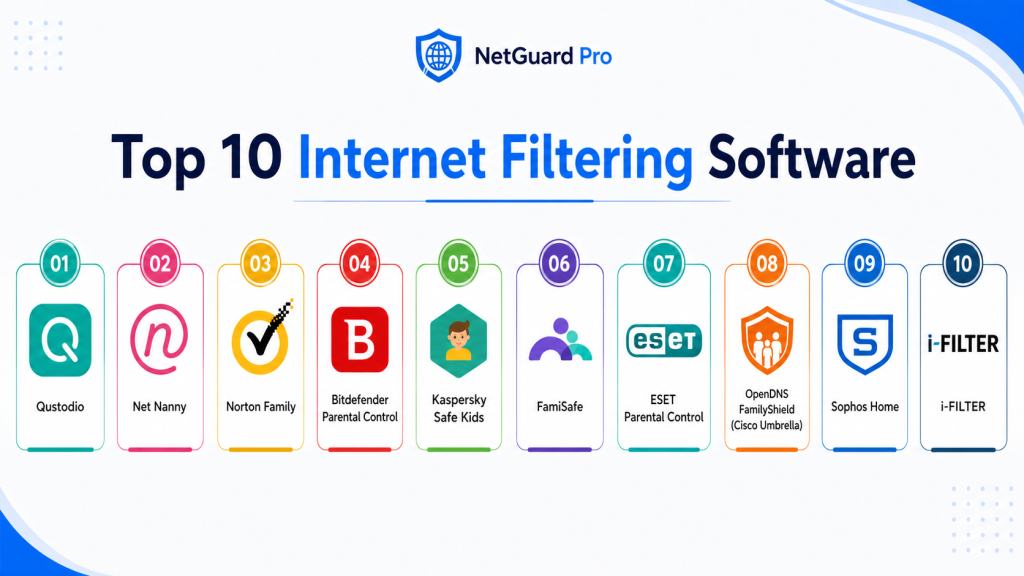
Top 10 Internet Filtering Software
#1 — Qustodio
Short description:
Qustodio is a comprehensive internet filtering and parental control solution designed for families and small organizations. It provides detailed visibility into web usage, app activity, and screen time. The platform supports multiple devices and offers real-time alerts. It is widely used for protecting children online. With strong reporting and filtering capabilities, it balances usability and control. Ideal for home users seeking an all-in-one monitoring tool.
Key Features
- Web filtering and blocking
- Screen time management
- App usage tracking
- Real-time alerts
- Activity reports
- Multi-device support
- Location tracking
Pros
- Easy to use
- Comprehensive monitoring
Cons
- Premium pricing
- Limited enterprise features
Platforms / Deployment
Web / Android / iOS / Windows / macOS
Security & Compliance
Encryption, account protection; additional certifications not publicly stated
Integrations & Ecosystem
Works across device ecosystems with centralized dashboard.
- Mobile devices
- Desktop systems
- Web dashboards
Support & Community
Strong documentation and responsive support.
#2 — Net Nanny
Short description:
Net Nanny is a leading internet filtering tool known for its real-time content analysis. It dynamically blocks harmful websites and provides strong parental control features. The platform is user-friendly and supports multiple devices. It is widely trusted for family use. Offers detailed reporting and alerts. Ideal for users prioritizing content filtering accuracy.
Key Features
- Real-time web filtering
- App blocking
- Screen time controls
- Activity monitoring
- Alerts system
- Family dashboard
- Multi-device support
Pros
- Advanced filtering technology
- User-friendly interface
Cons
- Higher pricing
- Limited enterprise features
Platforms / Deployment
Web / Android / iOS / Windows / macOS
Security & Compliance
Not publicly stated
Integrations & Ecosystem
Supports multiple platforms and devices.
- Mobile OS
- Desktop OS
- Web dashboard
Support & Community
Reliable support with helpful resources.
#3 — Norton Family
Short description:
Norton Family is a trusted internet filtering solution backed by a well-known cybersecurity provider. It focuses on web monitoring, search supervision, and screen time control. The platform integrates with Norton security tools. It offers detailed activity insights. Ideal for families already using Norton products. Strong reliability and security focus.
Key Features
- Web monitoring
- Search supervision
- Screen time management
- Activity reports
- Location tracking
- Alerts system
- App supervision
Pros
- Trusted brand
- Strong web monitoring
Cons
- Limited social media monitoring
- Subscription required
Platforms / Deployment
Web / Android / iOS / Windows
Security & Compliance
Encryption and secure account management
Integrations & Ecosystem
Part of Norton ecosystem.
- Antivirus tools
- Browser integrations
- Mobile apps
Support & Community
Strong global support network.
#4 — Bitdefender Parental Control
Short description:
Bitdefender Parental Control provides internet filtering combined with strong cybersecurity features. It blocks harmful content and tracks online activity. The platform integrates with Bitdefender security solutions. It is lightweight and easy to deploy. Ideal for users seeking security + filtering. Provides reliable performance.
Key Features
- Web filtering
- Screen time controls
- Activity monitoring
- Location tracking
- Alerts system
- App control
- Reporting tools
Pros
- Strong security integration
- Lightweight performance
Cons
- Limited customization
- Requires Bitdefender ecosystem
Platforms / Deployment
Android / iOS / Windows / macOS
Security & Compliance
Encryption; additional certifications vary
Integrations & Ecosystem
Integrated with Bitdefender suite.
- Antivirus tools
- Security dashboards
- Mobile apps
Support & Community
Good support with global presence.
#5 — Kaspersky Safe Kids
Short description:
Kaspersky Safe Kids offers a balanced set of internet filtering and monitoring features. It includes web filtering, screen time management, and location tracking. The platform is affordable and reliable. Suitable for families seeking value. Provides good usability and performance. Supports multiple platforms.
Key Features
- Web filtering
- Screen time management
- App monitoring
- Location tracking
- Activity reports
- Safe search
- Alerts system
Pros
- Affordable pricing
- Balanced features
Cons
- Limited advanced analytics
- Interface could improve
Platforms / Deployment
Android / iOS / Windows / macOS
Security & Compliance
Encryption; additional details not publicly stated
Integrations & Ecosystem
Works across devices.
- Mobile OS
- Desktop OS
- Web dashboard
Support & Community
Good support and resources.
#6 — FamiSafe
Short description:
FamiSafe is a feature-rich internet filtering and parental control tool. It provides real-time monitoring, web filtering, and location tracking. Designed for modern families, it includes alerts and usage reports. Easy to use and deploy. Supports multiple devices. Strong overall functionality.
Key Features
- Web filtering
- Screen monitoring
- App blocking
- Location tracking
- Driving reports
- Alerts system
- Activity reports
Pros
- Feature-rich
- Easy to use
Cons
- Subscription required
- Limited free features
Platforms / Deployment
Android / iOS / Web
Security & Compliance
Not publicly stated
Integrations & Ecosystem
Works across mobile platforms.
- Android
- iOS
- Web dashboard
Support & Community
Good support and tutorials.
#7 — OpenDNS FamilyShield (Cisco Umbrella)
Short description:
OpenDNS FamilyShield, part of Cisco Umbrella, provides DNS-level internet filtering. It blocks harmful domains before connections are established. Ideal for network-wide protection without installing software on each device. Widely used in homes and enterprises. Strong reliability and security. Easy setup via DNS configuration.
Key Features
- DNS-based filtering
- Malware protection
- Phishing protection
- Network-wide coverage
- Easy deployment
- Real-time blocking
- Cloud management
Pros
- No device installation needed
- Strong security
Cons
- Limited customization
- Requires network setup
Platforms / Deployment
Cloud / Network-level
Security & Compliance
Enterprise-grade security; details vary
Integrations & Ecosystem
Part of Cisco security ecosystem.
- Network infrastructure
- Security platforms
- Cloud services
Support & Community
Strong enterprise support.
#8 — Sophos Home
Short description:
Sophos Home combines internet filtering with cybersecurity features. It offers web filtering, malware protection, and remote management. Designed for home users and small teams. Provides centralized control via cloud dashboard. Easy to use and deploy. Reliable performance.
Key Features
- Web filtering
- Malware protection
- Remote management
- Activity reports
- Alerts system
- Device control
- Dashboard access
Pros
- Security + filtering
- Easy management
Cons
- Limited advanced controls
- Requires subscription
Platforms / Deployment
Windows / macOS / Web
Security & Compliance
Encryption; additional certifications not publicly stated
Integrations & Ecosystem
Works with Sophos ecosystem.
- Security tools
- Cloud dashboard
- Endpoint protection
Support & Community
Good documentation and support.
#9 — ESET Parental Control
Short description:
ESET Parental Control focuses on internet filtering and activity monitoring for Android devices. It provides web filtering, app blocking, and location tracking. Designed for families. Offers easy setup and usage. Lightweight and efficient. Ideal for Android users.
Key Features
- Web filtering
- App blocking
- Screen time control
- Location tracking
- Alerts system
- Activity reports
- Child locator
Pros
- Lightweight
- Easy to use
Cons
- Android-focused
- Limited advanced features
Platforms / Deployment
Android
Security & Compliance
Not publicly stated
Integrations & Ecosystem
Works within ESET ecosystem.
- Android devices
- Security tools
Support & Community
Good support for mobile users.
#10 — i-FILTER
Short description:
i-FILTER is an enterprise-grade internet filtering solution designed for organizations and educational institutions. It provides advanced web filtering, reporting, and policy enforcement. Supports large-scale deployments. Offers strong customization options. Ideal for enterprises needing compliance and control.
Key Features
- Advanced web filtering
- Policy enforcement
- Reporting dashboards
- Threat protection
- User activity monitoring
- Custom filtering rules
- Scalability
Pros
- Enterprise-grade features
- Strong customization
Cons
- Complex setup
- Higher cost
Platforms / Deployment
Cloud / On-premises
Security & Compliance
RBAC, audit logs; further certifications not publicly stated
Integrations & Ecosystem
Integrates with enterprise IT systems.
- Network infrastructure
- Security tools
- IT management systems
Support & Community
Enterprise-level support.
Comparison Table
| Tool Name | Best For | Platform(s) Supported | Deployment | Standout Feature | Public Rating |
|---|---|---|---|---|---|
| Qustodio | Families | Multi-platform | Cloud | Full monitoring suite | N/A |
| Net Nanny | Content filtering | Multi-platform | Cloud | Real-time filtering | N/A |
| Norton Family | Web monitoring | Multi-platform | Cloud | Trusted brand | N/A |
| Bitdefender | Security + filtering | Multi-platform | Cloud | Malware protection | N/A |
| Kaspersky | Budget users | Multi-platform | Cloud | Balanced features | N/A |
| FamiSafe | Feature-rich | Mobile/Web | Cloud | Driving reports | N/A |
| OpenDNS | Network filtering | Network | Cloud | DNS filtering | N/A |
| Sophos Home | Security users | Desktop/Web | Cloud | Remote management | N/A |
| ESET | Android users | Android | Cloud | Lightweight control | N/A |
| i-FILTER | Enterprises | Multi-platform | Hybrid | Policy control | N/A |
Evaluation & Scoring of Internet Filtering Software
| Tool Name | Core | Ease | Integrations | Security | Performance | Support | Value | Weighted Total |
|---|---|---|---|---|---|---|---|---|
| Qustodio | 9 | 8 | 7 | 8 | 9 | 8 | 7 | 8.2 |
| Net Nanny | 9 | 8 | 7 | 7 | 8 | 7 | 7 | 8.0 |
| Norton | 8 | 8 | 7 | 9 | 8 | 8 | 7 | 8.1 |
| Bitdefender | 8 | 8 | 7 | 9 | 8 | 7 | 8 | 8.2 |
| Kaspersky | 8 | 8 | 7 | 8 | 8 | 7 | 8 | 8.0 |
| FamiSafe | 8 | 8 | 7 | 7 | 8 | 7 | 7 | 7.8 |
| OpenDNS | 9 | 7 | 9 | 9 | 9 | 8 | 8 | 8.7 |
| Sophos | 8 | 8 | 8 | 9 | 8 | 7 | 8 | 8.2 |
| ESET | 7 | 9 | 6 | 7 | 8 | 7 | 8 | 7.7 |
| i-FILTER | 9 | 6 | 9 | 9 | 9 | 8 | 7 | 8.5 |
Interpretation:
- Scores are comparative, not absolute
- Higher Core = stronger filtering capabilities
- Security reflects protection against threats
- Value balances cost vs features
- Use scores to shortlist, not finalize decisions
Which Internet Filtering Software Is Right for You?
Solo / Freelancer
Basic tools like browser filters or lightweight apps are sufficient.
SMB
Choose Qustodio, Sophos, or Bitdefender for balance of security and usability.
Mid-Market
OpenDNS and Sophos offer scalable solutions with strong controls.
Enterprise
i-FILTER and Cisco-based solutions provide full-scale control and compliance.
Budget vs Premium
- Budget: Kaspersky, ESET
- Premium: OpenDNS, i-FILTER
Feature Depth vs Ease of Use
- Deep features: i-FILTER, OpenDNS
- Easy use: Qustodio, Net Nanny
Integrations & Scalability
Enterprise tools integrate better with IT ecosystems.
Security & Compliance Needs
Choose DNS filtering and enterprise tools for high-security environments.
Frequently Asked Questions (FAQs)
1. What is Internet Filtering Software?
Internet filtering software controls access to websites and online content. It blocks harmful or unwanted sites. It helps improve safety and productivity. Used by families, schools, and businesses. Essential for modern digital environments.
2. How does internet filtering work?
It uses URL databases, DNS filtering, and AI analysis. Websites are categorized and blocked if unsafe. Real-time updates improve accuracy. Some tools inspect content dynamically. Helps prevent threats.
3. Is internet filtering secure?
Most tools include encryption and security features. Enterprise tools offer advanced protection. Security varies by vendor. Always verify capabilities. Choose trusted providers.
4. Can it block malware and phishing?
Yes, many tools block malicious sites. DNS filtering is especially effective. Real-time threat intelligence improves protection. Helps reduce cyber risks. Works alongside antivirus.
5. Is it suitable for home use?
Yes, many tools are designed for families. They provide easy controls. Help protect children online. Affordable options exist. Easy to install.
6. Do these tools slow internet speed?
Most modern tools are optimized. Minimal impact expected. DNS filtering is very fast. Performance depends on setup. Choose reliable vendors.
7. Can users bypass filtering?
Some users may try. Advanced tools include anti-bypass features. Network-level filtering is harder to bypass. Regular monitoring helps. Combine with device controls.
8. How much does it cost?
Pricing varies widely. Some tools are free. Others require subscriptions. Enterprise tools are expensive. Evaluate based on needs.
9. Can it be used in schools?
Yes, widely used in education. Helps enforce policies. Protects students online. Supports compliance requirements. Easy to scale.
10. What is the best tool overall?
No single best tool exists. OpenDNS is best for network-level filtering. Qustodio is best for families. i-FILTER suits enterprises. Choose based on use case.
Conclusion
Internet Filtering Software has become a foundational layer of modern digital safety, helping individuals and organizations control access to harmful or unproductive online content. As cyber threats evolve and online usage increases, these tools provide a proactive approach to protecting users, improving productivity, and maintaining compliance. From family-focused solutions like Qustodio and Net Nanny to enterprise-grade platforms like i-FILTER and OpenDNS, the ecosystem offers a wide spectrum of capabilities tailored to different needs. Selecting the right solution depends on your environment, priorities, and scale. Home users may prioritize ease of use and affordability, while businesses and enterprises need robust security, scalability, and integration capabilities. Features like DNS filtering, real-time threat intelligence, and AI-driven analysis are increasingly becoming standard, making it essential to evaluate tools based on both current and future requirements.
This blog gives practical insights into selecting internet filtering software based on security and management capabilities.
Very informative comparison showing how internet filtering tools help organizations and families manage secure browsing environments efficiently.
This article explains internet filtering software in simple language and helps users improve online safety and content management effectively.
Very useful comparison showing how internet filtering tools block harmful websites and improve safe internet access for families and businesses.