Introduction
Time Blocking Apps help users organize schedules by assigning dedicated time slots for tasks, meetings, deep work, habits, and personal activities. These applications improve productivity by helping users structure their day intentionally instead of relying on unorganized task lists. Modern time blocking platforms now include AI scheduling assistance, calendar automation, focus tracking, task prioritization, and productivity analytics.
As remote work, hybrid schedules, and digital productivity demands continue increasing, time blocking apps have become essential for professionals, students, entrepreneurs, creators, and productivity-focused users. Many platforms integrate with calendars, task managers, communication tools, and wellness ecosystems to create centralized productivity workflows.
Real-world use cases include:
- Daily productivity scheduling
- Deep work and focus management
- Team planning and collaboration
- Personal habit scheduling
- Work-life balance optimization
Key evaluation criteria for buyers include:
- Calendar integration quality
- Ease of scheduling
- Task management support
- Automation capabilities
- Focus and productivity tools
- Cross-device synchronization
- Collaboration features
- AI-powered scheduling
- Analytics and reporting
- Subscription pricing structure
Best for: professionals, students, entrepreneurs, freelancers, creators, managers, and productivity-focused users seeking structured daily planning.
Not ideal for: users wanting lightweight reminder-only tools, advanced enterprise resource planning systems, or individuals preferring completely unstructured schedules.
Key Trends in Time Blocking Apps
- AI-powered scheduling assistants are becoming increasingly intelligent.
- Calendar automation and smart time allocation are expanding rapidly.
- Focus mode and distraction management features are improving productivity workflows.
- Wellness integrations are helping users avoid burnout and over-scheduling.
- Cross-platform synchronization is now expected across all devices.
- Collaborative scheduling for teams and households is becoming more advanced.
- Productivity analytics and deep work tracking are growing in popularity.
- Voice assistant and smart notification support are improving usability.
- Hybrid work scheduling tools are becoming more important.
- Subscription-based productivity ecosystems continue expanding.
How We Selected These Tools
We evaluated time blocking apps based on usability, scheduling flexibility, automation quality, synchronization reliability, and long-term productivity value. The goal was to identify solutions suitable for individuals, professionals, students, and collaborative teams.
Selection criteria included:
- Market popularity and adoption
- Calendar integration quality
- Productivity workflow flexibility
- Automation capabilities
- Mobile and desktop usability
- Cross-device synchronization
- Collaboration and sharing support
- Integration ecosystem maturity
- Security and privacy considerations
- Overall value for money
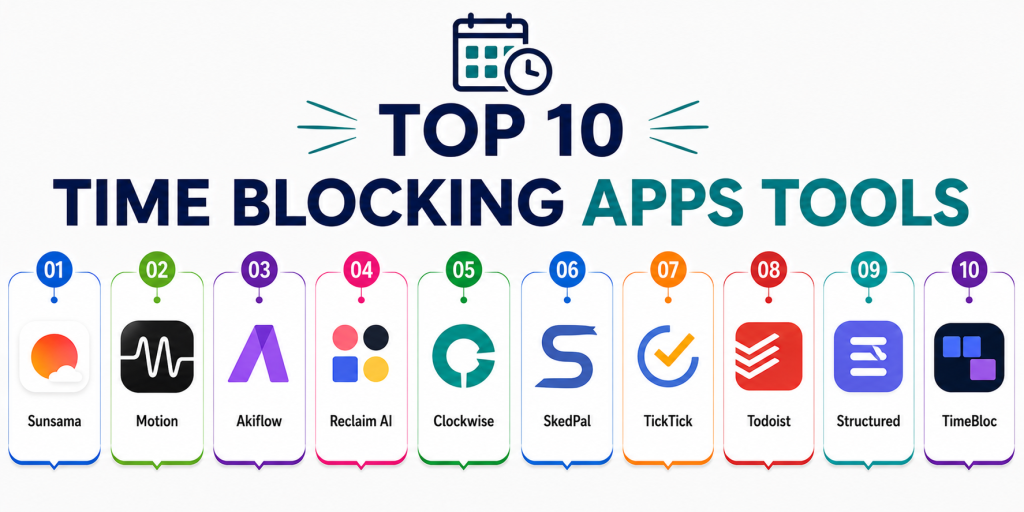
Top 10 Time Blocking Apps Tools
#1 — Sunsama
Short description:
Sunsama is a productivity-focused daily planning platform designed to help users organize tasks, meetings, and focus sessions into structured schedules. It combines task management with mindful productivity workflows.
Key Features
- Daily planning workflows
- Calendar integrations
- Time blocking support
- Task prioritization
- Productivity analytics
- Focus management
- Guided planning routines
Pros
- Excellent daily planning experience
- Strong focus management workflows
- Beautiful and clean interface
Cons
- Premium pricing may feel expensive
- Limited free functionality
- Learning curve for advanced workflows
Platforms / Deployment
- Windows
- macOS
- Web
- iOS
- Android
- Cloud
Security & Compliance
- Cloud synchronization protections
- Additional certifications not publicly stated
Integrations & Ecosystem
Sunsama integrates productivity workflows with task and calendar ecosystems.
- Google Calendar
- Outlook Calendar
- Todoist
- Trello
- Asana
- Slack
Support & Community
Strong onboarding experience with active productivity-focused communities and detailed educational resources.
#2 — Motion
Short description:
Motion combines AI scheduling, task automation, and calendar optimization into a smart productivity assistant designed for busy professionals and teams.
Key Features
- AI-powered scheduling
- Automatic task prioritization
- Calendar automation
- Meeting optimization
- Productivity planning
- Smart reminders
- Focus scheduling
Pros
- Powerful AI scheduling engine
- Excellent automation capabilities
- Strong productivity optimization
Cons
- Premium pricing structure
- Heavier learning curve
- Advanced features may overwhelm beginners
Platforms / Deployment
- Web
- iOS
- Android
- macOS
- Windows
- Cloud
Security & Compliance
- Encryption protections publicly referenced
- Additional certifications not publicly stated
Integrations & Ecosystem
Motion integrates deeply with productivity and scheduling ecosystems.
- Google Calendar
- Outlook
- Zoom
- Task management tools
- Productivity workflows
Support & Community
Growing productivity ecosystem with active onboarding and scheduling education resources.
#3 — Akiflow
Short description:
Akiflow combines tasks, notifications, and calendars into a centralized productivity dashboard optimized for time blocking and workflow organization.
Key Features
- Unified task inbox
- Calendar blocking
- Productivity shortcuts
- Notification consolidation
- Focus scheduling
- Keyboard-driven workflows
- Productivity automation
Pros
- Excellent workflow organization
- Fast productivity shortcuts
- Strong calendar integrations
Cons
- Premium pricing
- Interface may feel technical
- Limited beginner guidance
Platforms / Deployment
- Windows
- macOS
- Web
- iOS
- Cloud
Security & Compliance
- Cloud synchronization protections
- Additional certifications not publicly stated
Integrations & Ecosystem
Akiflow connects productivity workflows into centralized planning environments.
- Google Calendar
- Slack
- Notion
- Todoist
- Trello
- Asana
Support & Community
Strong productivity-focused user community with detailed workflow tutorials.
#4 — Reclaim AI
Short description:
Reclaim AI automates time blocking and smart scheduling using AI-powered calendar optimization focused on work-life balance and productivity.
Key Features
- AI scheduling automation
- Smart habit scheduling
- Calendar optimization
- Focus time protection
- Meeting coordination
- Productivity analytics
- Adaptive scheduling
Pros
- Excellent automation
- Strong work-life balance tools
- Useful focus scheduling support
Cons
- Best experience within Google ecosystem
- Advanced setup complexity
- Limited offline support
Platforms / Deployment
- Web
- Cloud
Security & Compliance
- Cloud account protections
- Additional certifications not publicly stated
Integrations & Ecosystem
Reclaim AI focuses heavily on calendar automation and productivity optimization.
- Google Calendar
- Slack
- Task management integrations
- Productivity scheduling tools
Support & Community
Growing AI productivity community with strong scheduling education resources.
#5 — Clockwise
Short description:
Clockwise is an AI scheduling assistant focused on optimizing calendars, protecting focus time, and improving meeting efficiency for teams and professionals.
Key Features
- AI calendar optimization
- Focus time scheduling
- Meeting coordination
- Team scheduling
- Productivity analytics
- Smart calendar management
- Scheduling automation
Pros
- Excellent focus protection
- Strong team scheduling
- Useful meeting optimization
Cons
- Best suited for team environments
- Premium features require subscription
- Limited personal productivity workflows
Platforms / Deployment
- Web
- Cloud
Security & Compliance
- Security protections publicly referenced
- Additional certifications not publicly stated
Integrations & Ecosystem
Clockwise integrates deeply with professional calendar ecosystems.
- Google Calendar
- Slack
- Asana
- Productivity workflows
- Team scheduling systems
Support & Community
Strong professional productivity ecosystem with enterprise onboarding resources.
#6 — SkedPal
Short description:
SkedPal combines AI scheduling and task prioritization to automatically organize work based on priorities, deadlines, and productivity preferences.
Key Features
- AI task scheduling
- Time blocking
- Smart prioritization
- Productivity planning
- Calendar automation
- Focus sessions
- Deadline management
Pros
- Strong intelligent scheduling
- Excellent prioritization support
- Flexible planning workflows
Cons
- Interface feels complex
- Learning curve for new users
- Smaller ecosystem integrations
Platforms / Deployment
- Windows
- macOS
- Linux
- Web
- Cloud
Security & Compliance
- Cloud synchronization support
- Additional certifications not publicly stated
Integrations & Ecosystem
SkedPal integrates productivity planning with calendar management workflows.
- Google Calendar
- Outlook
- Productivity planning tools
- Task synchronization
Support & Community
Reliable onboarding support with productivity-focused educational content.
#7 — TickTick
Short description:
TickTick combines task management, habit tracking, reminders, and lightweight time blocking into an easy-to-use productivity ecosystem.
Key Features
- Calendar view
- Task management
- Habit tracking
- Focus timer
- Time blocking
- Productivity reminders
- Cross-device synchronization
Pros
- Beginner-friendly interface
- Strong all-in-one productivity support
- Excellent value for money
Cons
- Less advanced AI automation
- Limited enterprise collaboration
- Analytics less detailed than premium competitors
Platforms / Deployment
- iOS
- Android
- Windows
- macOS
- Linux
- Web
- Cloud
Security & Compliance
- Cloud synchronization protections
- Additional certifications not publicly stated
Integrations & Ecosystem
TickTick integrates productivity workflows into lightweight planning systems.
- Calendar synchronization
- Habit tracking
- Focus timers
- Productivity reminders
Support & Community
Large productivity-focused community with reliable onboarding and tutorials.
#8 — Todoist
Short description:
Todoist is a widely used productivity and task management application that also supports lightweight time blocking and scheduling workflows.
Key Features
- Task organization
- Calendar integrations
- Productivity reminders
- Recurring scheduling
- Collaboration support
- Cross-device synchronization
- Workflow management
Pros
- Extremely easy to use
- Excellent synchronization
- Strong productivity ecosystem
Cons
- Limited advanced time blocking
- Fewer AI scheduling features
- Premium plan required for advanced workflows
Platforms / Deployment
- iOS
- Android
- Windows
- macOS
- Web
- Cloud
Security & Compliance
- Encryption protections publicly referenced
- Additional certifications not publicly stated
Integrations & Ecosystem
Todoist integrates deeply with productivity and workflow ecosystems.
- Google Calendar
- Slack
- Outlook
- Productivity APIs
- Workflow automation
Support & Community
Large productivity ecosystem with extensive tutorials and active communities.
#9 — Structured
Short description:
Structured focuses on visual timeline-based planning and lightweight time blocking for users seeking simple and visually organized schedules.
Key Features
- Visual timeline scheduling
- Time blocking
- Daily planning
- Productivity reminders
- Focus sessions
- Task organization
- Minimalist workflows
Pros
- Beautiful visual interface
- Extremely beginner-friendly
- Excellent daily organization
Cons
- Limited advanced integrations
- Smaller ecosystem support
- Less suited for complex team workflows
Platforms / Deployment
- iOS
- macOS
- Cloud
Security & Compliance
- Cloud synchronization protections
- Additional certifications not publicly stated
Integrations & Ecosystem
Structured focuses on lightweight visual scheduling workflows.
- Apple ecosystem integrations
- Productivity reminders
- Calendar synchronization
- Timeline organization
Support & Community
Growing productivity-focused user community with simple onboarding experiences.
#10 — TimeBloc
Short description:
TimeBloc is a mobile-first scheduling and time blocking application focused on structured daily planning and habit organization.
Key Features
- Time blocking
- Habit scheduling
- Routine management
- Productivity reminders
- Calendar organization
- Daily planning
- Goal scheduling
Pros
- Simple mobile experience
- Strong habit scheduling support
- Easy routine organization
Cons
- Limited desktop functionality
- Smaller integration ecosystem
- Less advanced automation
Platforms / Deployment
- iOS
- Android
- Cloud
Security & Compliance
- Cloud synchronization support
- Additional certifications not publicly stated
Integrations & Ecosystem
TimeBloc focuses on lightweight mobile productivity and scheduling workflows.
- Calendar synchronization
- Habit tracking
- Productivity reminders
- Mobile scheduling support
Support & Community
Reliable onboarding experience with active mobile productivity communities.
Comparison Table
| Tool Name | Best For | Platforms Supported | Deployment | Standout Feature | Public Rating |
|---|---|---|---|---|---|
| Sunsama | Mindful productivity planning | Windows, macOS, Web, iOS, Android | Cloud | Guided daily planning | N/A |
| Motion | AI productivity scheduling | Web, iOS, Android, Windows, macOS | Cloud | AI automation | N/A |
| Akiflow | Workflow organization | Windows, macOS, Web, iOS | Cloud | Unified productivity inbox | N/A |
| Reclaim AI | Smart calendar automation | Web | Cloud | AI habit scheduling | N/A |
| Clockwise | Team focus scheduling | Web | Cloud | Focus time optimization | N/A |
| SkedPal | Intelligent task prioritization | Windows, macOS, Linux, Web | Cloud | Adaptive scheduling | N/A |
| TickTick | Lightweight productivity | iOS, Android, Windows, macOS, Linux, Web | Cloud | All-in-one productivity | N/A |
| Todoist | Simple productivity workflows | iOS, Android, Windows, macOS, Web | Cloud | Easy task organization | N/A |
| Structured | Visual daily planning | iOS, macOS | Cloud | Timeline scheduling | N/A |
| TimeBloc | Mobile-first scheduling | iOS, Android | Cloud | Routine management | N/A |
Evaluation & Scoring of Time Blocking Apps
| Tool Name | Core 25% | Ease 15% | Integrations 15% | Security 10% | Performance 10% | Support 10% | Value 15% | Weighted Total |
|---|---|---|---|---|---|---|---|---|
| Sunsama | 9 | 9 | 8 | 7.5 | 8.5 | 8.5 | 8 | 8.5 |
| Motion | 9.5 | 8 | 8.5 | 7.5 | 9 | 8 | 7.5 | 8.5 |
| Akiflow | 9 | 8 | 8.5 | 7 | 8.5 | 8 | 7.5 | 8.2 |
| Reclaim AI | 9 | 8 | 8 | 7.5 | 8.5 | 8 | 8 | 8.2 |
| Clockwise | 8.5 | 8 | 8.5 | 7.5 | 8.5 | 8 | 8 | 8.2 |
| SkedPal | 8.5 | 7 | 7 | 7 | 8 | 7.5 | 8 | 7.6 |
| TickTick | 8.5 | 9 | 7.5 | 7 | 8 | 8 | 9 | 8.3 |
| Todoist | 8 | 9 | 9 | 8 | 8.5 | 8.5 | 8.5 | 8.5 |
| Structured | 7.5 | 9.5 | 6.5 | 7 | 8 | 7.5 | 8.5 | 7.9 |
| TimeBloc | 7.5 | 8.5 | 6.5 | 7 | 8 | 7.5 | 8.5 | 7.7 |
These scores are comparative and designed to help buyers evaluate strengths across scheduling, automation, integrations, usability, and long-term productivity value. Some platforms prioritize AI automation and workflow optimization, while others focus more on simplicity and visual planning. Buyers should evaluate both productivity style and ecosystem compatibility before selecting a platform.
Which Time Blocking Apps Tool Is Right for You?
Solo / Freelancer
Solo users often benefit from lightweight and visual planning tools such as Structured, TickTick, or Todoist because they provide simple scheduling workflows with minimal complexity.
SMB
Small teams and collaborative productivity users may prefer Sunsama, Motion, or Clockwise because of their stronger coordination and scheduling optimization capabilities.
Mid-Market
Advanced productivity-focused professionals often benefit from Akiflow, Reclaim AI, or SkedPal due to stronger automation and intelligent scheduling support.
Enterprise
Enterprise productivity environments may prioritize Motion or Clockwise because of their AI scheduling, collaboration workflows, and focus optimization capabilities.
Budget vs Premium
Budget-conscious users may prefer TickTick or Todoist because they provide strong productivity support without expensive subscriptions. Premium users may prefer Motion or Sunsama for advanced automation and guided planning workflows.
Feature Depth vs Ease of Use
Motion and Akiflow provide deeper productivity automation, while Structured and TimeBloc prioritize simplicity and visual scheduling.
Integrations & Scalability
Users heavily invested in productivity ecosystems may benefit more from Todoist, Motion, or Akiflow because of broader integrations and workflow scalability.
Security & Compliance Needs
Privacy-conscious users should evaluate how scheduling data, productivity analytics, and synchronization information are stored and shared across cloud ecosystems.
Frequently Asked Questions
1. What are Time Blocking Apps used for?
Time Blocking Apps help users organize schedules by assigning dedicated time slots for tasks, meetings, habits, and focus sessions.
2. Are Time Blocking Apps useful for productivity?
Yes. These applications improve focus, reduce multitasking, increase accountability, and help users manage workloads more intentionally.
3. Which Time Blocking App is best for beginners?
TickTick, Structured, and Todoist are commonly recommended for beginners because they provide simple onboarding and lightweight scheduling workflows.
4. Can Time Blocking Apps automate scheduling?
Many leading platforms now use AI-powered scheduling to automatically organize tasks, focus sessions, and meetings based on priorities and availability.
5. Are Time Blocking Apps useful for teams?
Yes. Platforms such as Clockwise, Motion, and Sunsama support collaborative scheduling and team productivity optimization workflows.
6. Do Time Blocking Apps integrate with calendars?
Most modern time blocking tools integrate with Google Calendar, Outlook, Apple Calendar, and other scheduling ecosystems.
7. Why are integrations important in Time Blocking Apps?
Integrations connect scheduling workflows with task management, communication tools, productivity systems, and collaboration platforms for a more connected experience.
8. Are Time Blocking Apps secure?
Most major vendors provide cloud synchronization protections and account security features. However, enterprise-grade compliance transparency varies across providers.
9. What mistakes do users commonly make with time blocking?
Common mistakes include over-scheduling, unrealistic planning, ignoring breaks, and failing to adapt schedules based on changing priorities.
10. How should I choose the right Time Blocking App?
Start by identifying your primary need such as AI scheduling, deep work management, team collaboration, or lightweight planning. Then evaluate integrations, usability, and automation capabilities before selecting a platform.
Conclusion
Time Blocking Apps have evolved into intelligent productivity ecosystems that combine scheduling, focus management, AI automation, task organization, and workflow optimization. Casual users may prefer lightweight tools such as Structured, TickTick, or Todoist, while advanced professionals often benefit more from automation-focused platforms like Motion, Akiflow, or Reclaim AI. Team-oriented organizations may prioritize collaborative scheduling platforms such as Clockwise or Sunsama for meeting optimization and focus protection. The ideal solution depends on productivity style, collaboration requirements, preferred integrations, and workflow complexity. Buyers should evaluate scheduling flexibility, synchronization quality, automation depth, and long-term usability before selecting a platform. Rather than searching for a single universal winner, shortlist two or three tools that align with your planning style, test them consistently over several weeks, and validate whether they genuinely improve focus, scheduling discipline, and overall productivity.