Introduction
Transcoding and Encoding Tools help teams convert audio and video files into formats that can play smoothly across websites, mobile apps, smart TVs, streaming platforms, broadcast systems, learning portals, and social channels. Encoding usually means compressing raw media into a playable digital format, while transcoding usually means converting an already encoded file into another format, resolution, bitrate, codec, or streaming package.
These tools matter because one video file rarely works perfectly everywhere. A mobile viewer, smart TV, browser, OTT app, LMS, and broadcast workflow may all require different codecs, resolutions, captions, packaging, and delivery formats. Strong transcoding and encoding tools help teams create adaptive bitrate streams, reduce file size, improve playback quality, support HDR and 4K workflows, automate media pipelines, and prepare content for HLS, DASH, VOD, live streaming, and archive delivery. FFmpeg documentation describes transcoding as decoding a stream and encoding it again, while AWS MediaConvert is positioned for file-based video processing and multi-screen delivery at scale.
Real-world use cases include:
- Converting large video files into streaming-ready formats
- Creating adaptive bitrate outputs for web, mobile, and OTT apps
- Compressing videos for faster upload and playback
- Preparing broadcast, 4K, HDR, or premium media files
- Automating video workflows for media libraries
- Generating multiple renditions for different devices and bandwidths
Buyer evaluation criteria should include:
- Codec and format support
- Cloud, desktop, API, or on-premise deployment
- Batch processing and automation
- Adaptive bitrate packaging
- 4K, HDR, and broadcast workflow support
- Speed, scalability, and processing cost
- Quality control and output consistency
- Developer API and workflow integration
- Security, access controls, and storage handling
- Support, documentation, and community strength
Best for: Video teams, streaming platforms, broadcasters, OTT providers, elearning teams, developers, media companies, agencies, creators, product teams, enterprises, and anyone who needs reliable video conversion or media workflow automation.
Not ideal for: Users who only need basic playback, teams that rarely process video, or businesses that want a fully managed video platform without touching encoding settings, storage workflows, codecs, or output profiles.
Key Trends in Transcoding & Encoding Tools
- Cloud encoding is becoming standard: Teams increasingly prefer scalable cloud processing instead of maintaining dedicated encoding hardware.
- API-first video workflows are growing: Developer teams want encoding tools that can be triggered automatically from apps, CMS systems, upload flows, and media pipelines.
- Adaptive bitrate streaming is essential: HLS and DASH workflows help viewers receive the right quality based on device, screen size, and connection speed.
- 4K, HDR, and premium video support matter more: Streaming brands and media teams need high-quality outputs for modern screens and premium content tiers.
- Cost-aware encoding is a major priority: Teams want to balance quality, bitrate, processing time, storage, and CDN costs.
- AI-assisted media workflows are expanding: Captions, thumbnails, metadata, summaries, quality checks, and content analysis are becoming part of encoding pipelines.
- Open-source tools remain critical: FFmpeg continues to be a foundation for many video workflows because it supports broad multimedia processing, encoding, transcoding, muxing, demuxing, streaming, filtering, and playback.
- Low-latency and live encoding needs are increasing: Interactive events, live commerce, sports, education, and real-time communication require faster encoding and streaming workflows.
- Hybrid cloud and on-premise workflows still matter: Broadcasters and enterprises may need local control for compliance, latency, cost, or media security.
- Automation is replacing manual exports: Teams want repeatable presets, watch folders, APIs, job orchestration, and workflow rules instead of one-off manual conversions.
How We Selected These Tools
The tools in this list were selected using practical buyer-focused evaluation logic:
- Strong recognition in video encoding, transcoding, media processing, broadcast workflows, cloud video APIs, or open-source media tooling
- Ability to convert, compress, package, or prepare video and audio files for playback across devices
- Fit across creators, developers, SMBs, broadcasters, media companies, OTT platforms, and enterprises
- Practical support for common codecs, containers, resolutions, bitrate ladders, captions, and streaming outputs
- Deployment flexibility across desktop, command-line, cloud API, hybrid, or on-premise infrastructure
- Workflow automation capabilities such as batch jobs, APIs, job queues, watch folders, and orchestration
- Performance and scalability for small projects, large media libraries, and high-volume encoding pipelines
- Security and storage handling for enterprise or commercial video workflows
- Documentation quality, community strength, vendor support, and implementation resources
- Overall value based on output quality, speed, flexibility, reliability, ecosystem fit, and total operating cost
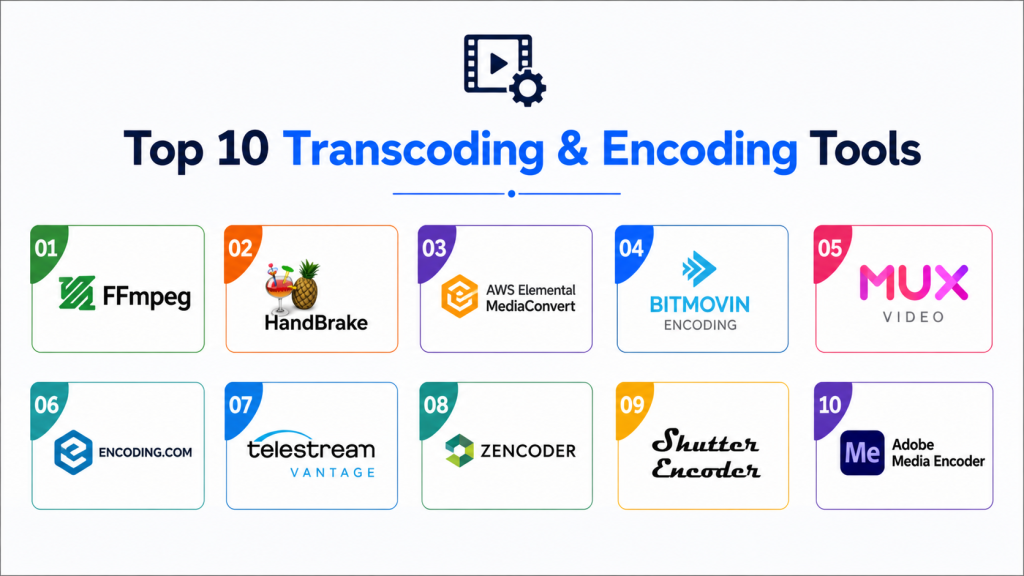
Top 10 Transcoding & Encoding Tools
#1 — FFmpe
Short description: FFmpeg is a free and open-source multimedia framework used for decoding, encoding, transcoding, muxing, demuxing, streaming, filtering, and playback. It is widely used by developers, media engineers, video platforms, and open-source projects because it supports a very broad range of codecs and formats. FFmpeg is best for technical teams that need maximum control, scripting, automation, and format flexibility.
Key Features
- Command-line encoding and transcoding
- Broad codec and container support
- Audio and video filtering
- Format conversion and stream processing
- Batch automation through scripts
- Streaming and packaging workflows
- Strong open-source ecosystem
Pros
- Extremely flexible and widely used
- Free and open-source
- Excellent for automation, scripting, and custom workflows
Cons
- Requires technical knowledge
- No beginner-friendly visual interface by default
- Complex commands can be difficult to maintain without documentation
Platforms / Deployment
Windows / macOS / Linux
Command-line / Self-hosted / Scripted workflows
Security & Compliance
Security depends on deployment, build source, update practices, input validation, and workflow configuration. Enterprises should validate trusted builds, patching, sandboxing, file handling, and internal compliance requirements.
Integrations & Ecosystem
FFmpeg fits developer-led media pipelines, backend processing, batch conversion, custom apps, video platforms, and automation workflows. Many tools and services use FFmpeg or FFmpeg-related concepts internally.
- Custom scripts
- Media processing pipelines
- Backend applications
- Cloud compute jobs
- Open-source workflows
- Video platform infrastructure
Support & Community
FFmpeg has extensive documentation, community support, mailing lists, open-source resources, and broad developer adoption. Commercial support depends on third-party vendors or internal engineering teams.
#2 — HandBrake
Short description: HandBrake is a free, open-source video transcoder built for converting video from nearly any format into modern, widely supported codecs. It is popular with creators, editors, educators, and personal users who want a desktop-friendly transcoding tool. HandBrake supports Windows, Mac, and Linux, making it practical for non-developer video conversion workflows.
Key Features
- Open-source video transcoding
- Presets for common devices and formats
- Batch queue support
- Video filters and basic adjustment options
- Modern codec support
- Cross-platform desktop app
- Simple interface compared with command-line tools
Pros
- Free and beginner-friendly
- Good for desktop video conversion
- Useful presets reduce setup complexity
Cons
- Not built for large enterprise encoding pipelines
- Limited workflow automation compared with API tools
- Less suitable for live streaming or complex broadcast workflows
Platforms / Deployment
Windows / macOS / Linux
Desktop / Local deployment
Security & Compliance
Security depends on trusted downloads, local file handling, and update practices. It is best suited for individual or small-team conversion workflows rather than enterprise compliance-managed media processing.
Integrations & Ecosystem
HandBrake fits desktop encoding, personal media conversion, education video preparation, compressed file delivery, and simple batch conversion.
- Local video files
- Desktop editing workflows
- Training video preparation
- Personal media conversion
- Small-team publishing workflows
- Offline compression tasks
Support & Community
HandBrake has documentation, community forums, open-source development, and GitHub-based community activity. Support is community-driven rather than enterprise contract-based.
#3 — AWS Elemental MediaConvert
Short description: AWS Elemental MediaConvert is a cloud-based file processing service for transcoding video content for broadcast and multi-screen delivery at scale. It supports advanced video and audio capabilities and pay-as-you-go workflows. AWS positions MediaConvert for file-based video processing, large content libraries, broadcast, OTT, 4K HDR, advanced audio, and DRM-related workflows.
Key Features
- Cloud file-based transcoding
- Broadcast and OTT workflow support
- Adaptive bitrate output generation
- 4K and HDR support
- Advanced audio processing
- DRM and packaging-related workflow support
- API-driven automation inside AWS
Pros
- Scalable cloud processing
- Strong fit for AWS-based media workflows
- Suitable for broadcast and professional video needs
Cons
- Requires AWS knowledge
- Costs need careful monitoring
- May be complex for small non-technical teams
Platforms / Deployment
Cloud
AWS-managed service / API-based workflows
Security & Compliance
Security benefits from AWS infrastructure controls, but buyers must configure IAM, storage permissions, encryption, access policies, logs, and compliance workflows correctly.
Integrations & Ecosystem
MediaConvert fits AWS-based media pipelines, OTT workflows, broadcast preparation, cloud storage workflows, and automated video processing.
- Amazon S3
- AWS Lambda
- AWS IAM
- AWS Media Services
- Cloud-based workflows
- API-based processing pipelines
Support & Community
AWS provides documentation, support plans, implementation guidance, partner resources, and cloud architecture materials. Support depth depends on AWS support tier.
#4 — Bitmovin Encoding
Short description: Bitmovin Encoding is a cloud and hybrid video encoding solution designed for streaming teams that need high-quality VOD and live encoding workflows. It is known for developer-friendly APIs, adaptive streaming, codec flexibility, and premium streaming output. Bitmovin states that its VOD Encoding supports modern codecs, HDR, UHD content tiers, and cloud or hybrid cloud implementations.
Key Features
- Cloud and hybrid encoding workflows
- VOD and live encoding support
- Adaptive bitrate streaming outputs
- Modern codec support
- HDR and UHD workflow support
- Developer API and automation
- Quality-focused encoding controls
Pros
- Strong for streaming platforms and OTT teams
- Flexible API-first architecture
- Good fit for premium video quality workflows
Cons
- More technical than desktop encoders
- Pricing and configuration require planning
- Best suited for teams with streaming engineering needs
Platforms / Deployment
Cloud / Hybrid
API-based workflows
Security & Compliance
Buyers should validate access controls, API security, storage handling, cloud environment configuration, DRM workflows, and enterprise compliance requirements directly.
Integrations & Ecosystem
Bitmovin fits OTT streaming, developer-led video platforms, premium VOD workflows, live streaming pipelines, and cloud or hybrid encoding strategies.
- Cloud storage
- Streaming platforms
- Player workflows
- Analytics workflows
- API-based media pipelines
- OTT delivery systems
Support & Community
Bitmovin provides documentation, developer resources, support, implementation guidance, and enterprise assistance depending on package.
#5 — Mux Video
Short description: Mux Video is a developer-focused video API platform for uploading, encoding, streaming, managing, and analyzing video. It is useful for SaaS products, marketplaces, education platforms, community apps, and any software team building video into its product. Mux describes its Video API as supporting efficient streaming, fast publishing, on-demand encoding, and live streaming workflows.
Key Features
- Video upload and encoding API
- On-demand and live video workflows
- Adaptive streaming outputs
- Player and playback support
- Video analytics integration
- Secure playback controls
- Developer-first documentation and APIs
Pros
- Excellent for product and developer teams
- Simplifies video infrastructure
- Strong analytics and streaming workflow alignment
Cons
- Not ideal for users wanting a desktop encoder
- Requires developer implementation
- Costs depend on storage, encoding, and streaming usage
Platforms / Deployment
Cloud
API-based workflows / Developer platform
Security & Compliance
Mux supports secure playback workflows such as signed URLs. Buyers should validate token policies, playback restrictions, access controls, storage handling, and compliance requirements.
Integrations & Ecosystem
Mux fits SaaS platforms, creator tools, elearning apps, marketplaces, internal video apps, and developer-led media products.
- Web applications
- Mobile apps
- CMS workflows
- Product platforms
- Developer APIs
- Video analytics workflows
Support & Community
Mux provides developer documentation, API references, support resources, community learning material, and business support options depending on plan.
#6 — Encoding.com
Short description: Encoding.com is a cloud-native media processing and transcoding service focused on high-volume premium VOD workflows, job orchestration, cloud processing, and media supply chain distribution. It is useful for media companies, broadcasters, streaming platforms, and enterprises with large libraries. Encoding.com describes its service as supporting popular video formats, 4K, HDR, cloud-based transcoding, and premium VOD packaging workflows.
Key Features
- Cloud transcoding service
- High-volume media processing
- VOD workflow support
- 4K and HDR transcoding support
- Job orchestration platform
- API-driven processing
- Media packaging and delivery workflow support
Pros
- Strong for large media libraries
- Useful for premium VOD processing
- Reduces need for in-house encoding infrastructure
Cons
- Best fit is professional media operations
- Pricing and workflow design require planning
- May be too advanced for simple creator workflows
Platforms / Deployment
Cloud
API-based media processing service
Security & Compliance
Buyers should validate storage integration, access controls, encryption, API security, media retention, and enterprise compliance requirements directly.
Integrations & Ecosystem
Encoding.com fits media supply chains, VOD processing, cloud storage workflows, OTT preparation, and high-volume transcoding pipelines.
- Amazon S3 workflows
- Cloud storage systems
- VOD platforms
- Media supply chain workflows
- API-driven processing
- OTT delivery systems
Support & Community
Encoding.com provides business support, documentation, technical resources, and account assistance. Support depth may depend on contract and processing volume.
#7 — Telestream Vantage
Short description: Telestream Vantage is a professional media processing and workflow automation platform for transcoding, orchestration, format conversion, broadcast workflows, and enterprise media operations. It is best suited for broadcasters, studios, post-production teams, and large media organizations. Telestream describes Vantage as supporting high-performance orchestration, format flexibility, and scalable transcoding infrastructure.
Key Features
- Enterprise media workflow automation
- High-performance transcoding
- Broad format and codec support
- Workflow orchestration
- Broadcast and post-production workflows
- Scalable processing options
- Quality-focused media operations
Pros
- Strong for broadcast and enterprise media workflows
- Powerful automation and orchestration
- Suitable for complex file-based processing environments
Cons
- Not designed for casual users
- Requires professional setup and operations expertise
- Pricing and infrastructure planning can be significant
Platforms / Deployment
On-premise / Hybrid / Enterprise deployment varies
Media processing workflow platform
Security & Compliance
Security depends on deployment architecture. Buyers should validate access controls, on-premise policies, user permissions, audit logs, media retention, and compliance workflows directly.
Integrations & Ecosystem
Vantage fits broadcast, post-production, media supply chain, enterprise transcoding, archive processing, and quality-controlled distribution workflows.
- Broadcast systems
- Media asset management
- Archive workflows
- Post-production environments
- File-based media supply chains
- Enterprise automation systems
Support & Community
Telestream provides professional support, implementation assistance, documentation, technical resources, and enterprise services depending on agreement.
#8 — Zencoder
Short description: Zencoder is a cloud-based video and audio encoding service associated with Brightcove. It is designed for API-based transcoding of live and on-demand media files. Brightcove documentation describes Zencoder as a fast and reliable transcoding service for video and audio files and live streams that can produce outputs for different delivery needs.
Key Features
- Cloud video and audio encoding
- API-first transcoding workflow
- Live and on-demand processing support
- Output generation for streaming workflows
- Default encoding settings
- Scalable cloud processing
- Developer-oriented implementation
Pros
- Useful for API-driven encoding workflows
- Good fit for developers and video platforms
- Reduces need for local encoding infrastructure
Cons
- Less beginner-friendly than desktop tools
- Best value depends on developer implementation
- Buyers should verify current packaging and roadmap fit
Platforms / Deployment
Cloud
API-based encoding service
Security & Compliance
Buyers should validate API authentication, storage access, output delivery, encryption, retention, and compliance requirements directly.
Integrations & Ecosystem
Zencoder fits developer-led encoding, cloud video workflows, live and VOD processing, and Brightcove-related video ecosystems.
- Developer APIs
- Cloud storage
- Video platforms
- Live streams
- On-demand media workflows
- Streaming output pipelines
Support & Community
Support is generally tied to Brightcove resources, documentation, developer support, and business support options depending on package.
#9 — Shutter Encoder
Short description: Shutter Encoder is a desktop encoding and conversion tool built around FFmpeg for creators, editors, and video professionals who want a visual interface for many media processing tasks. It is useful for video conversion, codec changes, audio extraction, image sequences, subtitles, and production-friendly workflows. It is especially practical for users who want FFmpeg power without writing every command manually.
Key Features
- Desktop video and audio conversion
- FFmpeg-based processing
- Codec and container conversion
- Image sequence and subtitle workflows
- Batch conversion support
- Editing-adjacent media utilities
- User-friendly interface for technical conversions
Pros
- Easier than raw command-line encoding
- Useful for editors and creators
- Good bridge between FFmpeg flexibility and GUI usability
Cons
- Not built for large-scale cloud pipelines
- Performance depends on local machine resources
- Enterprise support should be validated
Platforms / Deployment
Windows / macOS / Linux
Desktop / Local deployment
Security & Compliance
Security depends on local installation source, file handling, updates, and operating system controls. It is best for local production workflows rather than enterprise-governed cloud processing.
Integrations & Ecosystem
Shutter Encoder fits creators, editors, post-production helpers, subtitle workflows, format conversion, and local batch processing.
- Desktop editing workflows
- Local media files
- Post-production tasks
- Batch conversion
- Audio extraction
- Subtitle workflows
Support & Community
Support is mainly through documentation, community resources, creator materials, and user forums. Enterprise support is not typically the core model.
#10 — Adobe Media Encoder
Short description: Adobe Media Encoder is a professional encoding and export tool used with Adobe Premiere Pro, After Effects, and other Adobe creative workflows. It helps editors queue, encode, export, and render media in different formats and presets. It is best for creative teams already working inside Adobe video production tools.
Key Features
- Queue-based video export
- Presets for common delivery formats
- Integration with Premiere Pro and After Effects
- Batch export workflows
- Format and codec controls
- Background rendering support
- Creative production pipeline support
Pros
- Strong fit for Adobe video editors
- Easy export queue management
- Useful for creative and post-production teams
Cons
- Best suited to Adobe ecosystem users
- Not a cloud-scale encoding platform by itself
- Large automated pipelines require additional tools
Platforms / Deployment
Windows / macOS
Desktop / Adobe Creative Cloud ecosystem
Security & Compliance
Security depends on Adobe account controls, local file handling, workstation security, and organizational Creative Cloud administration. Buyers should validate licensing, team administration, storage practices, and compliance needs.
Integrations & Ecosystem
Adobe Media Encoder fits video editing, post-production, motion graphics, campaign exports, and creative delivery workflows.
- Adobe Premiere Pro
- Adobe After Effects
- Creative Cloud workflows
- Local editing pipelines
- Social video exports
- Broadcast and campaign deliverables
Support & Community
Adobe provides documentation, tutorials, community forums, enterprise support options, and creative workflow education depending on plan.
Comparison Table
| Tool Name | Best For | Platform Supported | Deployment | Standout Feature | Public Rating |
|---|---|---|---|---|---|
| FFmpeg | Developers and custom media pipelines | Windows, macOS, Linux | Self-hosted / CLI | Maximum codec and workflow flexibility | N/A |
| HandBrake | Desktop video conversion | Windows, macOS, Linux | Desktop | Simple open-source video transcoding | N/A |
| AWS Elemental MediaConvert | AWS-based broadcast and OTT workflows | Web/API | Cloud | Scalable file-based transcoding | N/A |
| Bitmovin Encoding | Premium streaming and OTT teams | API / Web workflows | Cloud / Hybrid | High-quality adaptive streaming encoding | N/A |
| Mux Video | Developer-led video products | API / Web workflows | Cloud | Encoding plus streaming and analytics APIs | N/A |
| Encoding.com | High-volume VOD processing | API / Web workflows | Cloud | Cloud-native job orchestration | N/A |
| Telestream Vantage | Broadcast and enterprise media workflows | Enterprise environments | On-premise / Hybrid | Workflow automation and format flexibility | N/A |
| Zencoder | API-based cloud encoding | API / Web workflows | Cloud | Developer-friendly live and VOD transcoding | N/A |
| Shutter Encoder | Creators and editors needing GUI conversion | Windows, macOS, Linux | Desktop | FFmpeg power with a visual interface | N/A |
| Adobe Media Encoder | Adobe video production teams | Windows, macOS | Desktop | Adobe export queue and presets | N/A |
Evaluation & Scoring of Transcoding & Encoding Tools
| Tool Name | Core 25% | Ease 15% | Integrations 15% | Security 10% | Performance 10% | Support 10% | Value 15% | Weighted Total |
|---|---|---|---|---|---|---|---|---|
| FFmpeg | 10 | 5 | 10 | 7 | 9 | 8 | 10 | 8.65 |
| HandBrake | 7 | 9 | 6 | 7 | 8 | 7 | 10 | 7.80 |
| AWS Elemental MediaConvert | 10 | 7 | 10 | 9 | 9 | 9 | 8 | 8.95 |
| Bitmovin Encoding | 10 | 7 | 9 | 8 | 9 | 8 | 8 | 8.55 |
| Mux Video | 9 | 8 | 10 | 8 | 9 | 8 | 8 | 8.65 |
| Encoding.com | 9 | 7 | 9 | 8 | 9 | 8 | 8 | 8.35 |
| Telestream Vantage | 10 | 6 | 9 | 9 | 10 | 9 | 7 | 8.65 |
| Zencoder | 8 | 7 | 9 | 8 | 8 | 8 | 8 | 8.00 |
| Shutter Encoder | 8 | 8 | 7 | 7 | 8 | 7 | 9 | 7.85 |
| Adobe Media Encoder | 8 | 9 | 9 | 8 | 8 | 8 | 8 | 8.30 |
These scores are comparative and should be used as a shortlist guide. Open-source tools score highly for flexibility and value but may require technical skill. Cloud services score higher for scalability, APIs, automation, and large media libraries. Enterprise systems score higher for broadcast workflows, governance, and automation depth. Desktop tools score higher for ease of use and creative production workflows.
Which Transcoding & Encoding Tool Is Right for You?
Solo / Freelancer
Solo creators should usually start with HandBrake, Shutter Encoder, Adobe Media Encoder, or FFmpeg depending on technical comfort. HandBrake is best for simple desktop transcoding, while Shutter Encoder offers more production utilities with a visual interface. Adobe Media Encoder is best for editors already using Premiere Pro or After Effects. FFmpeg is the strongest option if you are comfortable with command-line workflows.
SMB
SMBs should decide whether they need desktop conversion or automated cloud processing. For occasional marketing videos, HandBrake, Shutter Encoder, or Adobe Media Encoder may be enough. For product platforms, course libraries, customer video uploads, or streaming workflows, Mux Video, AWS Elemental MediaConvert, Bitmovin, or Encoding.com may be more practical. SMBs should compare total cost based on upload volume, output renditions, and storage.
Mid-Market
Mid-market teams usually need repeatable presets, batch jobs, quality control, APIs, captions, adaptive streaming outputs, and storage integrations. AWS Elemental MediaConvert, Bitmovin Encoding, Mux Video, Encoding.com, Zencoder, and FFmpeg-based pipelines are strong candidates. Teams should test encoding quality, processing speed, workflow automation, billing predictability, and operational support before committing.
Enterprise
Enterprises should prioritize scale, security, workflow automation, broadcast support, auditability, storage integration, support SLAs, and media governance. Telestream Vantage, AWS Elemental MediaConvert, Bitmovin Encoding, Encoding.com, Mux Video, and enterprise FFmpeg pipelines can all fit depending on architecture. Large organizations should involve media engineering, cloud architecture, security, legal, procurement, and operations teams before rollout.
Budget vs Premium
Budget-focused teams should consider FFmpeg, HandBrake, Shutter Encoder, and Adobe Media Encoder if they already have the creative software stack. Premium buyers should evaluate AWS Elemental MediaConvert, Bitmovin Encoding, Mux Video, Encoding.com, Telestream Vantage, and Zencoder when scale, automation, support, and workflow reliability matter more than the lowest tool cost.
Feature Depth vs Ease of Use
If ease of use matters most, HandBrake, Shutter Encoder, and Adobe Media Encoder are practical choices. If feature depth matters more, FFmpeg, AWS Elemental MediaConvert, Bitmovin Encoding, Mux Video, Encoding.com, Zencoder, and Telestream Vantage are stronger. Teams should choose based on whether the main need is quick desktop conversion, automated cloud encoding, developer APIs, or professional broadcast workflow automation.
Integrations & Scalability
Transcoding and encoding tools should connect with cloud storage, CMS platforms, video players, media asset management systems, CDN workflows, broadcast systems, developer applications, and analytics tools. As workflows scale, teams should evaluate APIs, job queues, retries, error handling, presets, metadata handling, caption workflows, DRM packaging, and monitoring.
Security & Compliance Needs
Media processing workflows may involve unreleased content, customer uploads, training videos, broadcast assets, licensed media, and internal recordings. Buyers should validate encryption, storage permissions, access controls, API authentication, logs, retention, regional processing, and compliance requirements. Self-hosted tools need secure infrastructure, while cloud tools need careful identity, storage, and permission configuration.
Frequently Asked Questions
1. What are Transcoding & Encoding Tools?
Transcoding and Encoding Tools convert audio or video files into formats suitable for playback, streaming, storage, or distribution.
Encoding compresses media into a digital format, while transcoding converts one encoded format into another.
These tools help videos work across browsers, mobile devices, smart TVs, apps, and broadcast workflows.
2. How is transcoding different from encoding?
Encoding usually starts with raw or edited media and compresses it into a usable digital format.
Transcoding takes an existing encoded file and converts it into another codec, bitrate, resolution, or container.
Both are often part of the same video delivery workflow.
3. What features should buyers prioritize?
Buyers should prioritize codec support, output formats, speed, quality controls, batch processing, automation, adaptive bitrate support, and integration options.
Cloud users should also review APIs, storage integrations, pricing, and monitoring.
Enterprise teams should evaluate security, workflow orchestration, support, and compliance controls.
4. Are free transcoding tools good enough?
Yes, free tools like FFmpeg, HandBrake, and Shutter Encoder can be excellent for many workflows.
They are especially useful for desktop conversion, scripting, creator workflows, and technical pipelines.
However, large-scale streaming platforms may need cloud encoding services or enterprise workflow automation.
5. Which tool is best for developers?
FFmpeg, Mux Video, AWS Elemental MediaConvert, Bitmovin Encoding, Encoding.com, and Zencoder are strong choices for developers.
FFmpeg is best for custom command-line control, while API-based services are better for cloud-scale applications.
The right choice depends on whether you want to manage infrastructure yourself or use a managed service.
6. Which tool is best for video editors?
Adobe Media Encoder, HandBrake, Shutter Encoder, and FFmpeg are strong options for video editors.
Adobe Media Encoder is best for Adobe workflows, while HandBrake is easier for general conversion.
Shutter Encoder is useful when editors want a visual interface for more technical processing tasks.
7. Can these tools create adaptive bitrate streaming outputs?
Yes, many professional tools can create adaptive bitrate outputs for HLS, DASH, or OTT delivery.
AWS Elemental MediaConvert, Bitmovin Encoding, Mux Video, Encoding.com, Zencoder, and FFmpeg-based workflows can support streaming outputs depending on configuration.
Teams should test output quality, bitrate ladders, captions, and player compatibility.
8. What mistakes should buyers avoid?
A common mistake is choosing a tool without understanding target devices, codecs, resolutions, and bandwidth requirements.
Another mistake is using only default presets without checking output quality and file size.
Teams should also avoid ignoring storage costs, processing costs, error handling, and security controls.
9. Are cloud encoding tools secure?
Cloud encoding tools can be secure when configured correctly, but security depends on storage, identity, access policies, encryption, API keys, and retention settings.
Buyers should validate how files are uploaded, processed, stored, deleted, and accessed.
Enterprise teams should involve cloud, security, legal, and compliance stakeholders before rollout.
10. What are alternatives to dedicated transcoding tools?
Alternatives include built-in exports from editing software, video hosting platforms, media asset management systems, live streaming platforms, and managed video APIs.
These alternatives may be enough when encoding is only one small part of a larger workflow.
Dedicated transcoding tools are better when teams need control, automation, quality tuning, scale, or specialized output formats.
Conclusion
Transcoding and Encoding Tools are essential for preparing video and audio content for modern playback, streaming, broadcast, and digital distribution.
FFmpeg is the most flexible open-source option for developers and technical teams that need deep control. HandBrake and Shutter Encoder are practical desktop tools for creators, editors, educators, and small teams that need simple conversion workflows. Adobe Media Encoder is the strongest fit for teams already working inside Adobe video production tools. AWS Elemental MediaConvert, Bitmovin Encoding, Mux Video, Encoding.com, and Zencoder are strong choices for cloud, API, OTT, and scalable video workflows. Telestream Vantage is better suited for broadcast, post-production, and enterprise media processing environments that need workflow automation and format control.
The best tool depends on your technical skill, video volume, target devices, streaming format, security needs, automation requirements, and budget.
Before choosing, test real source files, compare output quality, measure processing time, review integration options, and calculate storage plus encoding costs.