Introduction
File compression tools are software applications that reduce file size by encoding data more efficiently, making it easier to store, transfer, and manage files. These tools can compress documents, images, videos, and entire folders into formats like ZIP, RAR, or 7z.
In today’s data-heavy workflows, compression tools are essential for improving storage efficiency, speeding up file transfers, and staying within email attachment limits. They are widely used in personal computing, software development, cloud storage, and enterprise data management.
Common use cases include:
- Sending large files via email
- Archiving and backup storage
- Reducing storage costs
- Sharing files across networks
- Packaging software and data
What buyers should evaluate:
- Compression ratio and speed
- Supported file formats
- Encryption and security features
- Ease of use
- Cross-platform compatibility
- Integration with cloud or workflows
- Batch processing capabilities
- File recovery and repair tools
- Automation support
- Pricing and licensing
Best for: Developers, IT teams, enterprises, students, and everyday users who frequently handle large files.
Not ideal for: Users dealing only with small files or basic tasks where built-in OS compression is sufficient.
Key Trends in File Compression Tools
- Advanced compression algorithms improving file size reduction
- Integration with cloud storage platforms
- Built-in encryption for secure file sharing
- Cross-platform compatibility across devices
- Automation and command-line support for developers
- Lightweight tools optimized for performance
- Open-source tools gaining popularity
- Real-time compression for streaming and data transfer
- Support for large files and multi-volume archives
- Improved user interfaces and usability
How We Selected These Tools
- Industry adoption and popularity
- Compression performance and speed
- Format compatibility
- Security features like encryption
- Ease of use and interface quality
- Cross-platform availability
- Integration capabilities
- Reliability and stability
- Community and support
- Suitability for both personal and enterprise use
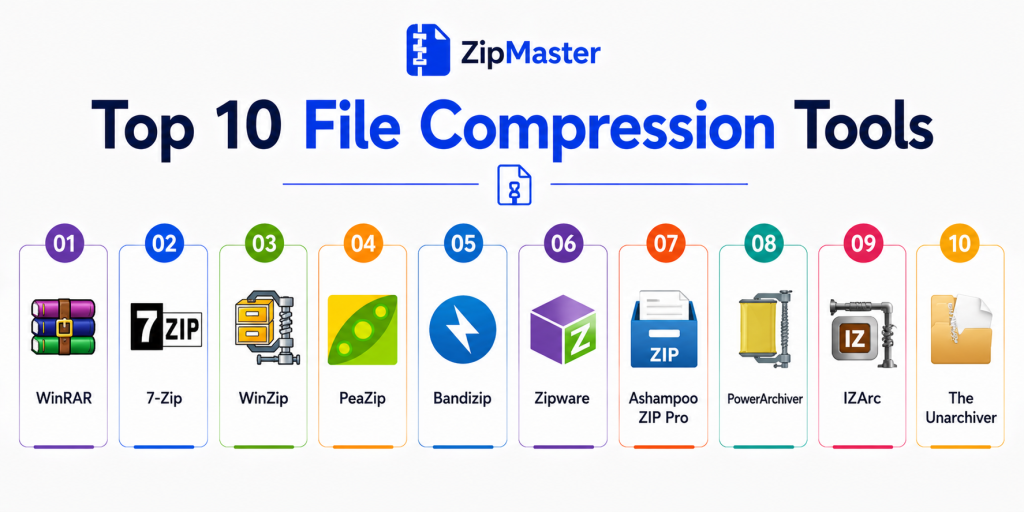
Top 10 File Compression Tools
1. WinRAR
Short description:
WinRAR is one of the most widely used file compression tools known for its reliability and support for multiple formats. It offers advanced features like archive repair and encryption. It is ideal for both personal and professional use. It is especially popular among Windows users.
Key Features
- Supports RAR, ZIP, and many formats
- AES-256 encryption
- Archive repair tools
- Multi-volume archives
- High compression performance
- Password protection
- File integrity checks
Pros
- Highly reliable
- Strong feature set
- Excellent format support
Cons
- Paid software
- Outdated interface
- Trial reminders
Platforms / Deployment
Windows
Deployment: Desktop
Security & Compliance
Supports AES-256 encryption for secure archives
Integrations & Ecosystem
WinRAR integrates with system file explorers and workflows.
- Windows Explorer
- Command-line tools
- Backup systems
- File sharing workflows
- Automation scripts
- Archive tools
Support & Community
Large global user base and long-standing support
2. 7-Zip
Short description:
7-Zip is a free and open-source compression tool known for its high compression ratio. It supports multiple formats and is widely used across industries. It is ideal for users looking for a powerful free solution. It is considered one of the best compression tools available.
Key Features
- High compression ratio
- Supports many formats
- AES-256 encryption
- Command-line support
- Lightweight application
- File manager integration
- Fast compression
Pros
- Completely free
- Excellent compression performance
- Lightweight
Cons
- Basic interface
- Limited advanced UI features
- No official macOS GUI
Platforms / Deployment
Windows / Linux / macOS
Deployment: Desktop
Security & Compliance
Supports AES-256 encryption
Integrations & Ecosystem
Works with various systems and workflows.
- File explorer integration
- CLI tools
- Automation pipelines
- DevOps workflows
- Backup systems
- Script automation
Support & Community
Strong open-source community
3. PeaZip
Short description:
PeaZip is an open-source compression tool that supports a wide range of formats. It focuses on security and flexibility. It is suitable for both casual users and professionals. It is ideal for users needing advanced encryption and cross-platform support.
Key Features
- Supports 200+ formats
- Strong encryption
- Archive repair
- File conversion
- Multi-volume archives
- Integrity checks
- Cross-platform support
Pros
- Free and open-source
- Strong security features
- Wide compatibility
Cons
- Slightly complex interface
- Slower than some tools
- Less polished UI
Platforms / Deployment
Windows / Linux / macOS
Deployment: Desktop
Security & Compliance
Advanced encryption and integrity tools available
Integrations & Ecosystem
Integrates with multiple systems.
- File systems
- Automation tools
- CLI tools
- Backup workflows
- Dev tools
- OS integration
Support & Community
Active open-source support
4. Bandizip
Short description:
Bandizip is a fast and lightweight compression tool designed for speed and simplicity. It supports many formats and offers a clean interface. It is ideal for users who want quick and efficient compression. It is widely used for everyday tasks.
Key Features
- Fast compression
- Multi-core processing
- Archive preview
- Drag-and-drop support
- Format compatibility
- Password protection
- File extraction tools
Pros
- Fast performance
- Clean interface
- Easy to use
Cons
- Paid advanced features
- Limited customization
- Smaller ecosystem
Platforms / Deployment
Windows / macOS
Deployment: Desktop
Security & Compliance
Not publicly stated
Integrations & Ecosystem
Integrates with system workflows.
- File explorer
- Compression workflows
- Backup tools
- OS utilities
- Archive systems
- Productivity tools
Support & Community
Good documentation
5. WinZip
Short description:
WinZip is a premium compression tool known for its user-friendly interface and cloud integration. It offers advanced features like file sharing and encryption. It is ideal for businesses and professionals. It is one of the oldest compression tools in the market.
Key Features
- ZIP compression
- Cloud integration
- File sharing
- Encryption
- Backup tools
- File management
- Drag-and-drop interface
Pros
- Easy to use
- Strong integrations
- Reliable
Cons
- Paid software
- Can feel heavy
- Limited free features
Platforms / Deployment
Windows / macOS
Deployment: Desktop
Security & Compliance
Supports encryption features
Integrations & Ecosystem
WinZip integrates with cloud and business tools.
- Cloud storage
- Email tools
- File sharing systems
- Backup solutions
- Productivity tools
- APIs
Support & Community
Strong enterprise support
6. Zipware
Short description:
Zipware is a free compression tool designed for simplicity and ease of use. It includes built-in virus scanning for security. It is ideal for beginners and casual users. It provides a modern interface.
Key Features
- Supports multiple formats
- Virus scanning integration
- Simple UI
- Fast extraction
- Password protection
- File preview
- Drag-and-drop
Pros
- Free
- Easy to use
- Secure
Cons
- Limited advanced features
- Windows-only
- Basic functionality
Platforms / Deployment
Windows
Deployment: Desktop
Security & Compliance
Includes virus scanning features
Integrations & Ecosystem
Integrates with basic workflows.
- Windows Explorer
- Security tools
- File systems
- Archive workflows
- OS utilities
- Basic automation
Support & Community
Moderate support
7. Ashampoo ZIP Pro
Short description:
Ashampoo ZIP Pro is a professional compression suite offering advanced features like encryption and cloud integration. It is designed for power users and businesses. It provides a modern interface and strong performance. It is ideal for enterprise environments.
Key Features
- Supports multiple formats
- Encryption
- Cloud integration
- File explorer
- Backup tools
- Archive repair
- Batch processing
Pros
- Feature-rich
- Good UI
- Strong security
Cons
- Paid software
- Complex for beginners
- Heavy application
Platforms / Deployment
Windows
Deployment: Desktop
Security & Compliance
Supports AES encryption
Integrations & Ecosystem
Integrates with enterprise tools.
- Cloud platforms
- Backup systems
- File systems
- Automation tools
- Security tools
- Enterprise workflows
Support & Community
Enterprise-level support
8. PowerArchiver
Short description:
PowerArchiver is a professional-grade compression tool with advanced security and cloud features. It is designed for enterprise use. It supports multiple formats and automation. It is ideal for advanced users.
Key Features
- Multi-format support
- Encryption
- Cloud integration
- FTP support
- Automation tools
- Batch processing
- Command-line support
Pros
- Enterprise features
- Strong security
- Reliable
Cons
- Paid software
- Complex setup
- Learning curve
Platforms / Deployment
Windows
Deployment: Desktop
Security & Compliance
Advanced encryption features available
Integrations & Ecosystem
Works with enterprise systems.
- FTP
- Cloud storage
- DevOps tools
- Automation systems
- File workflows
- APIs
Support & Community
Strong enterprise support
9. IZArc
Short description:
IZArc is a free compression tool supporting many archive formats. It is lightweight and easy to use. It is suitable for casual users. It provides essential compression features.
Key Features
- Multi-format support
- File conversion
- Encryption
- Archive repair
- Disk image support
- Drag-and-drop
- File preview
Pros
- Free
- Easy to use
- Lightweight
Cons
- Limited updates
- Basic UI
- Fewer advanced features
Platforms / Deployment
Windows
Deployment: Desktop
Security & Compliance
Basic encryption features available
Integrations & Ecosystem
Supports standard workflows.
- File systems
- OS integration
- Archive tools
- Automation scripts
- Backup tools
- Basic utilities
Support & Community
Moderate support
10. The Unarchiver
Short description:
The Unarchiver is a lightweight extraction tool designed primarily for macOS users. It supports a wide range of formats and focuses on simplicity. It is ideal for users who mainly need file extraction. It is widely used in Apple environments.
Key Features
- Supports many formats
- Fast extraction
- Automatic detection
- Lightweight
- macOS integration
- Simple interface
- Multi-language support
Pros
- Free
- Fast extraction
- Easy to use
Cons
- Limited compression features
- macOS-focused
- Basic functionality
Platforms / Deployment
macOS
Deployment: Desktop
Security & Compliance
Not publicly stated
Integrations & Ecosystem
Works with macOS systems.
- Finder integration
- File systems
- OS utilities
- Archive tools
- Workflow tools
- Automation
Support & Community
Strong macOS user base
Comparison Table
| Tool Name | Best For | Platform(s) Supported | Deployment | Standout Feature | Public Rating |
|---|---|---|---|---|---|
| WinRAR | Power users | Windows | Desktop | Archive repair | N/A |
| 7-Zip | Free users | Windows, Linux | Desktop | High compression | N/A |
| PeaZip | Security | Multi-platform | Desktop | Encryption | N/A |
| Bandizip | Speed | Windows, macOS | Desktop | Fast processing | N/A |
| WinZip | Business | Windows, macOS | Desktop | Cloud integration | N/A |
| Zipware | Beginners | Windows | Desktop | Virus scanning | N/A |
| Ashampoo ZIP Pro | Enterprise | Windows | Desktop | Encryption tools | N/A |
| PowerArchiver | Advanced users | Windows | Desktop | Automation | N/A |
| IZArc | Casual users | Windows | Desktop | Lightweight | N/A |
| The Unarchiver | macOS users | macOS | Desktop | Extraction speed | N/A |
Evaluation & Scoring of File Compression Tools
| Tool Name | Core | Ease | Integrations | Security | Performance | Support | Value | Weighted Total |
|---|---|---|---|---|---|---|---|---|
| WinRAR | 9 | 8 | 8 | 9 | 9 | 9 | 8 | 8.7 |
| 7-Zip | 9 | 8 | 7 | 9 | 9 | 8 | 10 | 8.8 |
| PeaZip | 8 | 7 | 7 | 9 | 8 | 8 | 10 | 8.2 |
| Bandizip | 8 | 9 | 7 | 7 | 9 | 8 | 8 | 8.1 |
| WinZip | 8 | 9 | 9 | 8 | 8 | 9 | 7 | 8.3 |
| Zipware | 7 | 9 | 6 | 7 | 8 | 7 | 9 | 7.8 |
| Ashampoo ZIP Pro | 9 | 7 | 8 | 9 | 8 | 8 | 7 | 8.2 |
| PowerArchiver | 9 | 7 | 9 | 9 | 8 | 8 | 7 | 8.3 |
| IZArc | 7 | 9 | 6 | 7 | 7 | 7 | 9 | 7.6 |
| Unarchiver | 6 | 10 | 6 | 6 | 9 | 8 | 9 | 7.6 |
Scores are comparative and based on features, usability, and performance. Higher scores indicate better overall balance, but the best tool depends on your specific needs.
Which File Compression Tool Is Right for You
Solo / Freelancer
7-Zip and PeaZip are excellent free options for everyday use and simple tasks.
SMB
WinZip and Bandizip offer better usability and integration for small teams.
Mid-Market
Ashampoo ZIP Pro and PowerArchiver provide advanced features and scalability.
Enterprise
WinRAR and PowerArchiver are ideal for enterprise-grade workflows and security.
Budget vs Premium
Free tools like 7-Zip provide strong performance, while paid tools offer advanced features.
Feature Depth vs Ease of Use
WinRAR offers deep functionality, while Bandizip focuses on simplicity.
Integrations & Scalability
WinZip and PowerArchiver lead in integrations.
Security & Compliance Needs
PeaZip and WinRAR offer strong encryption features.
Frequently Asked Questions
1. What is file compression software
File compression software reduces file size by encoding data efficiently. It helps save storage and improve transfer speed. It is widely used for sharing and archiving files.
2. Why should I use compression tools
They reduce file size, making it easier to store and share files. They also help meet email size limits. Compression improves efficiency.
3. Is file compression safe
Yes, most tools include encryption for secure file sharing. Safety depends on the tool used. Always use trusted software.
4. Do compressed files lose quality
Lossless compression does not reduce quality. Some formats may reduce quality depending on settings. It depends on the method used.
5. Are free tools good enough
Yes, tools like 7-Zip offer excellent performance. Paid tools provide additional features. Choose based on your needs.
6. Which format is best
7z offers better compression, while ZIP is more widely supported. The choice depends on compatibility needs. Both are commonly used.
7. Can I compress large files
Yes, most tools support large files and multi-volume archives. This helps with sharing. File size limits depend on the tool.
8. Do these tools support encryption
Yes, many tools support AES encryption. This helps protect sensitive files. Always enable encryption when needed.
9. Can I automate compression
Yes, many tools support command-line usage. This allows automation in scripts. It is useful for developers.
10. How do I choose the right tool
Consider your needs such as speed, security, and compatibility. Compare tools and test them. Choose the one that fits your workflow.
Conclusion
File compression tools are essential for managing data efficiently in modern workflows. They help reduce file sizes, improve transfer speeds, and ensure secure file sharing. From free tools like 7-Zip to advanced enterprise solutions like WinRAR and PowerArchiver, there are options for every type of user. The right tool depends on your requirements. Casual users may prefer simple and free tools, while professionals and enterprises need advanced features like encryption and automation. Compatibility and ease of use also play an important role. There is no one-size-fits-all solution. Start by identifying your needs, shortlist a few tools, and test them in real scenarios. This approach will help you choose the best tool for your workflow.
This blog makes file compression concepts easier to understand while comparing important software tools and their real world advantages clearly.