Introduction
Photo Organization Tools help individuals and organizations store, categorize, search, edit, synchronize, and manage growing collections of digital images efficiently. Traditional folder-based storage systems quickly become difficult to manage as image libraries scale across devices, cloud platforms, and collaborative workflows. Modern photo organization platforms solve this problem with AI-powered tagging, facial recognition, metadata management, duplicate detection, cloud synchronization, and digital asset management capabilities.
As smartphones, professional cameras, social media platforms, and creative workflows continue generating massive volumes of visual content, Photo Organization Tools have become essential for photographers, marketers, creative agencies, enterprises, educators, and everyday users. Many platforms now combine organization, editing, backup, collaboration, and AI-assisted search into centralized media management ecosystems.
Real-world use cases include:
- Organizing professional photography libraries
- Managing marketing and brand assets
- Creating searchable family photo archives
- Synchronizing images across devices
- Supporting collaborative creative workflows
Evaluation Criteria for Buyers:
- AI tagging and facial recognition quality
- Metadata and folder management
- Search and filtering capabilities
- Cloud synchronization and backup
- Editing and workflow tools
- Collaboration and sharing features
- Cross-platform compatibility
- Performance with large photo libraries
- Privacy and security controls
- Pricing flexibility and scalability
Best for: photographers, designers, marketers, content creators, creative agencies, enterprises, educators, researchers, and users managing large image collections.
Not ideal for: users who only store small numbers of casual photos locally without requiring organization, search, or synchronization features.
Key Trends in Photo Organization Tools
- AI-powered image recognition and automatic tagging are becoming standard capabilities.
- Facial recognition and object detection are improving search accuracy significantly.
- Cloud synchronization and hybrid storage models continue expanding rapidly.
- Creative workflow integration with editing suites is becoming more seamless.
- Privacy-focused and self-hosted photo management solutions are gaining popularity.
- RAW image support and professional photography workflows are improving across platforms.
- AI-assisted duplicate detection and cleanup tools are reducing storage clutter.
- Mobile-first organization experiences are becoming increasingly sophisticated.
- Collaboration and shared media libraries are expanding for remote creative teams.
- Visual search powered by machine learning is improving content discovery workflows.
How We Selected These Tools Methodology
The tools in this list were selected based on organization quality, AI capabilities, scalability, and workflow flexibility.
- Strong industry adoption and user trust
- AI-powered organization and search capabilities
- Cross-platform synchronization reliability
- Metadata and library management quality
- Editing and workflow integration support
- Performance with large-scale image collections
- Privacy and security considerations
- Collaboration and sharing capabilities
- Scalability for personal and enterprise workflows
- Long-term platform innovation and ecosystem maturity
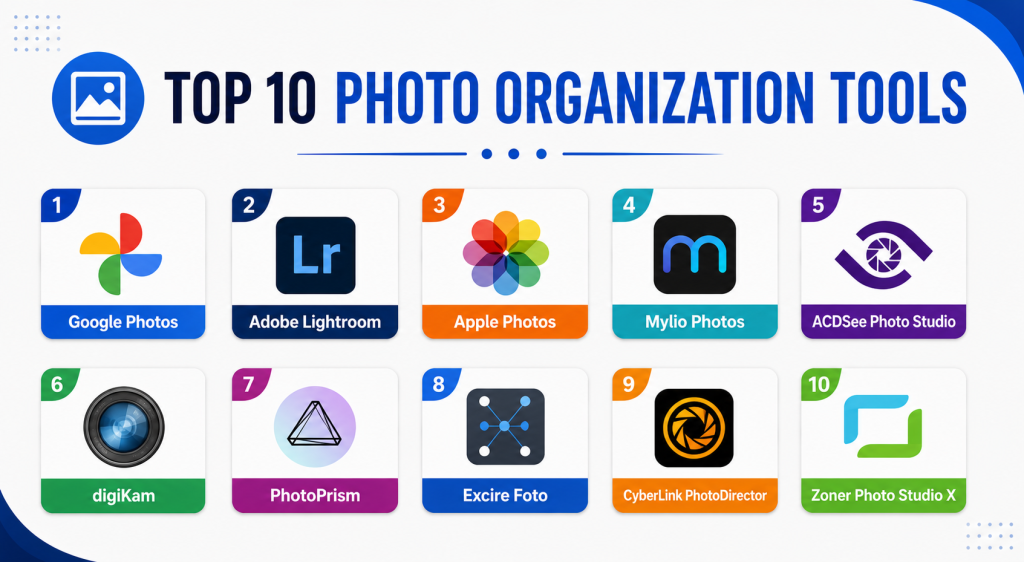
Top 10 Photo Organization Tools
#1 — Google Photos
Short description: Google Photos is one of the most widely used photo organization platforms, offering AI-powered image recognition, cloud synchronization, backup, and intelligent search capabilities. It is popular among consumers and professionals seeking simple and scalable cloud-based photo management.
Key Features
- AI-powered image recognition
- Facial grouping
- Automatic cloud backup
- Smart search
- Cross-device synchronization
- Shared albums
- Basic editing tools
Pros
- Excellent AI search capabilities
- Extremely easy to use
- Strong mobile synchronization
Cons
- Privacy concerns for some users
- Limited advanced professional workflows
- Storage costs can increase over time
Platforms / Deployment
- Web / Windows / macOS / iOS / Android
- Cloud
Security & Compliance
Encryption supported. MFA available through Google account protections.
Integrations & Ecosystem
Google Photos integrates deeply with Google productivity and cloud ecosystems.
- Google Drive
- Android ecosystem
- Google Workspace
- Mobile synchronization
- Sharing workflows
Support & Community
Massive global user base with extensive onboarding resources and platform support.
#2 — Adobe Lightroom
Short description: Adobe Lightroom is a professional-grade photo organization and editing platform designed for photographers and creative professionals. It combines advanced editing tools with powerful cataloging, metadata management, and cloud synchronization workflows.
Key Features
- RAW photo management
- AI-powered masking
- Metadata organization
- Cloud synchronization
- Professional editing workflows
- Preset management
- Smart collections
Pros
- Industry-leading editing capabilities
- Excellent professional workflows
- Strong metadata management
Cons
- Subscription-based pricing
- Learning curve for beginners
- Resource-intensive on older hardware
Platforms / Deployment
- Web / Windows / macOS / iOS / Android
- Cloud / Hybrid
Security & Compliance
Adobe account protections and MFA support available.
Integrations & Ecosystem
Lightroom integrates deeply with Adobe Creative Cloud ecosystems.
- Photoshop
- Creative Cloud
- Adobe mobile apps
- Cloud synchronization
- Professional workflows
Support & Community
Large professional photography community with extensive tutorials and educational resources.
#3 — Apple Photos
Short description: Apple Photos provides integrated photo organization and synchronization across Apple devices. It focuses on simplicity, AI-assisted search, and seamless ecosystem integration for consumers and Apple-focused professionals.
Key Features
- Facial recognition
- iCloud synchronization
- AI-powered search
- Shared libraries
- Basic editing tools
- Smart albums
- Cross-device integration
Pros
- Excellent Apple ecosystem experience
- Smooth synchronization workflows
- Strong mobile usability
Cons
- Limited non-Apple support
- Less advanced professional editing
- Storage tied to iCloud ecosystem
Platforms / Deployment
- macOS / iOS
- Cloud / Hybrid
Security & Compliance
Encryption and MFA supported through Apple account security controls.
Integrations & Ecosystem
Apple Photos integrates tightly with Apple hardware and software ecosystems.
- iCloud
- Apple devices
- Sharing workflows
- Mobile synchronization
Support & Community
Large Apple-focused user community with reliable ecosystem support.
#4 — Mylio Photos
Short description: Mylio Photos is a privacy-focused photo management platform designed for users who want device synchronization without depending entirely on cloud storage. It supports professional and personal workflows across multiple devices.
Key Features
- Device-to-device synchronization
- AI tagging
- Offline access
- Facial recognition
- Privacy-focused architecture
- Metadata management
- Multi-device libraries
Pros
- Strong privacy orientation
- Excellent offline workflows
- Flexible synchronization options
Cons
- Premium plans required for advanced features
- Smaller ecosystem than major competitors
- Learning curve for advanced setups
Platforms / Deployment
- Windows / macOS / iOS / Android
- Hybrid
Security & Compliance
Encryption supported. Additional certifications not publicly stated.
Integrations & Ecosystem
Mylio supports flexible workflows across devices and storage environments.
- NAS systems
- Cloud storage providers
- Mobile synchronization
- Local storage workflows
Support & Community
Growing photography-focused user community with active product development.
#5 — ACDSee Photo Studio
Short description: ACDSee Photo Studio combines professional photo organization, editing, and digital asset management into one platform. It is especially popular among photographers managing large RAW image libraries.
Key Features
- RAW image management
- AI keywording
- Facial recognition
- Metadata editing
- Batch processing
- Digital asset management
- Editing workflows
Pros
- Strong organization capabilities
- Good value for professionals
- Extensive metadata controls
Cons
- Interface can feel complex
- Mobile workflows less polished
- Learning curve for beginners
Platforms / Deployment
- Windows / macOS / iOS
- Local / Hybrid
Security & Compliance
Not publicly stated.
Integrations & Ecosystem
ACDSee supports professional photography and editing workflows.
- RAW workflows
- Editing integrations
- Metadata systems
- Local storage management
Support & Community
Longstanding photography-focused platform with strong professional user adoption.
#6 — digiKam
Short description: digiKam is an open-source photo management platform focused on advanced organization, metadata editing, and professional image workflows. It is widely respected among Linux users and technical photographers.
Key Features
- Open-source architecture
- Facial recognition
- Metadata editing
- RAW support
- Duplicate detection
- Batch processing
- Advanced search
Pros
- Completely open-source
- Excellent metadata management
- Strong professional workflows
Cons
- Interface less modern
- Learning curve for new users
- Limited cloud-native workflows
Platforms / Deployment
- Windows / macOS / Linux
- Local
Security & Compliance
Depends on deployment configuration. Additional certifications not publicly stated.
Integrations & Ecosystem
digiKam supports advanced local photography workflows and metadata systems.
- RAW workflows
- Local storage
- Open-source plugins
- Batch processing tools
Support & Community
Strong open-source community with active long-term development.
#7 — PhotoPrism
Short description: PhotoPrism is a self-hosted AI-powered photo management platform designed for privacy-conscious users and organizations seeking complete control over image libraries and metadata workflows.
Key Features
- AI-powered indexing
- Self-hosted deployment
- Facial recognition
- Duplicate detection
- Metadata search
- Private cloud workflows
- RAW image support
Pros
- Excellent privacy control
- Strong AI search capabilities
- Flexible self-hosting support
Cons
- Technical setup required
- Smaller ecosystem
- Less polished onboarding
Platforms / Deployment
- Web / Linux
- Self-hosted
Security & Compliance
Depends on deployment configuration. Additional certifications not publicly stated.
Integrations & Ecosystem
PhotoPrism integrates with self-hosted and private infrastructure environments.
- Docker
- NAS systems
- Local storage
- Private cloud workflows
Support & Community
Growing open-source community with active privacy-focused development.
#8 — Excire Foto
Short description: Excire Foto is an AI-powered photo organization tool focused on intelligent search, tagging, and image discovery workflows for photographers and creative professionals.
Key Features
- AI image recognition
- Facial recognition
- Smart search
- Keyword automation
- Duplicate detection
- Metadata management
- Offline organization
Pros
- Excellent AI-assisted search
- Strong offline workflows
- Good photography-focused organization
Cons
- Smaller ecosystem
- Limited collaboration features
- Less cloud-focused functionality
Platforms / Deployment
- Windows / macOS
- Local
Security & Compliance
Not publicly stated.
Integrations & Ecosystem
Excire Foto focuses on intelligent local photo organization workflows.
- Adobe Lightroom support
- Local storage
- AI indexing workflows
- Metadata systems
Support & Community
Photography-focused user community with ongoing AI feature improvements.
#9 — CyberLink PhotoDirector
Short description: CyberLink PhotoDirector combines photo organization, editing, and AI creative tools into one platform. It targets creators and photographers seeking both management and editing capabilities.
Key Features
- AI editing tools
- Layer editing
- Facial recognition
- Metadata management
- Cloud storage support
- Batch processing
- Creative effects
Pros
- Strong editing and organization combination
- AI-assisted creative workflows
- User-friendly design
Cons
- Subscription pricing for premium features
- Less enterprise-oriented
- Advanced workflows may require training
Platforms / Deployment
- Windows / macOS / iOS / Android
- Cloud / Hybrid
Security & Compliance
Not publicly stated.
Integrations & Ecosystem
PhotoDirector supports multimedia and creative production workflows.
- Cloud storage
- Editing workflows
- Mobile synchronization
- Creative effects ecosystem
Support & Community
Large creative software user base with accessible tutorials and onboarding.
#10 — Zoner Photo Studio X
Short description: Zoner Photo Studio X is a photo management and editing platform designed for photographers seeking integrated organization, editing, and publishing workflows within a single environment.
Key Features
- RAW image support
- Catalog management
- Metadata editing
- AI-powered tools
- Batch editing
- Cloud synchronization
- Publishing workflows
Pros
- Strong all-in-one workflow support
- Good editing integration
- Affordable professional feature set
Cons
- Smaller ecosystem compared to Adobe
- Learning curve for advanced workflows
- Less enterprise collaboration support
Platforms / Deployment
- Windows
- Cloud / Local
Security & Compliance
Not publicly stated.
Integrations & Ecosystem
Zoner Photo Studio X supports photography production and publishing workflows.
- Cloud storage
- Publishing workflows
- Editing integrations
- RAW management tools
Support & Community
Dedicated photography community with active product updates and educational content.
Comparison Table
| Tool Name | Best For | Platform(s) Supported | Deployment | Standout Feature | Public Rating |
|---|---|---|---|---|---|
| Google Photos | Consumer cloud organization | Web, Windows, macOS, iOS, Android | Cloud | AI-powered search | N/A |
| Adobe Lightroom | Professional photographers | Web, Windows, macOS, iOS, Android | Cloud / Hybrid | Professional editing workflows | N/A |
| Apple Photos | Apple ecosystem users | macOS, iOS | Cloud / Hybrid | Seamless Apple integration | N/A |
| Mylio Photos | Privacy-focused synchronization | Windows, macOS, iOS, Android | Hybrid | Device-to-device sync | N/A |
| ACDSee Photo Studio | RAW image management | Windows, macOS, iOS | Local / Hybrid | Metadata management | N/A |
| digiKam | Open-source workflows | Windows, macOS, Linux | Local | Open-source flexibility | N/A |
| PhotoPrism | Self-hosted privacy workflows | Web, Linux | Self-hosted | AI-powered self-hosting | N/A |
| Excire Foto | AI-powered local organization | Windows, macOS | Local | Intelligent image search | N/A |
| CyberLink PhotoDirector | Creative editing workflows | Windows, macOS, iOS, Android | Cloud / Hybrid | AI editing tools | N/A |
| Zoner Photo Studio X | Integrated editing and management | Windows | Cloud / Local | All-in-one workflows | N/A |
Evaluation & Scoring of Photo Organization Tools
| Tool Name | Core 25% | Ease 15% | Integrations 15% | Security 10% | Performance 10% | Support 10% | Value 15% | Weighted Total |
|---|---|---|---|---|---|---|---|---|
| Google Photos | 9 | 9.5 | 8 | 7 | 9 | 8.5 | 8.5 | 8.6 |
| Adobe Lightroom | 9.5 | 8 | 9 | 8 | 9 | 9 | 7 | 8.6 |
| Apple Photos | 8 | 9 | 7 | 8 | 8.5 | 8 | 8 | 8.0 |
| Mylio Photos | 8.5 | 7.5 | 7 | 8.5 | 8 | 7.5 | 8 | 7.9 |
| ACDSee Photo Studio | 8.5 | 7 | 7 | 7 | 8.5 | 7.5 | 8 | 7.8 |
| digiKam | 8.5 | 6.5 | 6.5 | 8 | 8 | 7 | 9 | 7.7 |
| PhotoPrism | 8.5 | 6.5 | 7 | 8.5 | 8 | 7 | 8.5 | 7.8 |
| Excire Foto | 8 | 7.5 | 6 | 7 | 8 | 7 | 8 | 7.4 |
| CyberLink PhotoDirector | 8 | 8 | 7 | 7 | 8 | 7.5 | 8 | 7.7 |
| Zoner Photo Studio X | 8 | 7.5 | 7 | 7 | 8 | 7.5 | 8.5 | 7.7 |
These scores are comparative evaluations designed to help buyers understand strengths across different workflow priorities. Some platforms excel in AI-assisted organization and cloud synchronization, while others focus more on privacy, professional editing, or self-hosting flexibility. Enterprise teams may prioritize governance and collaboration, while photographers often focus more on editing integration and metadata management.
Which Photo Organization Tool Is Right for You?
Solo / Freelancer
Solo users often benefit most from simple synchronization, mobile usability, and affordable pricing. Google Photos, Apple Photos, and Pocket-style workflows work well for personal organization and lightweight photo management.
SMB
Small and medium-sized businesses usually require collaborative asset management, metadata organization, and scalable storage workflows. Adobe Lightroom and ACDSee Photo Studio provide stronger professional capabilities.
Mid-Market
Mid-market organizations managing creative teams and marketing assets often require stronger workflow integration and scalable digital asset management. Lightroom and Mylio Photos are strong choices for growing creative environments.
Enterprise
Enterprise buyers should prioritize governance, collaboration, metadata control, and scalable asset management. Self-hosted platforms like PhotoPrism may also appeal to organizations requiring infrastructure control and privacy.
Budget vs Premium
Budget-conscious users may prefer digiKam, Google Photos, or PhotoPrism. Premium tools like Adobe Lightroom justify higher pricing through advanced editing, AI tools, and professional workflow integration.
Feature Depth vs Ease of Use
Lightroom and ACDSee provide deep professional functionality but may require onboarding time. Google Photos and Apple Photos prioritize simplicity and ease of use for broader audiences.
Integrations & Scalability
Creative teams relying on editing suites, cloud storage, and publishing workflows should evaluate integrations carefully. Adobe Lightroom provides one of the strongest ecosystem experiences.
Security & Compliance Needs
Privacy-focused users may prefer self-hosted solutions such as PhotoPrism. Organizations managing sensitive media assets should validate synchronization security, permissions, and backup controls carefully.
Frequently Asked Questions FAQs
1. What are Photo Organization Tools?
Photo Organization Tools help users store, categorize, search, edit, and manage digital photo collections efficiently across devices and workflows.
2. Why are AI features important in Photo Organization Tools?
AI features improve tagging, facial recognition, object detection, duplicate cleanup, and search accuracy, making large photo libraries much easier to manage.
3. Which Photo Organization Tool is best for professional photographers?
Adobe Lightroom and ACDSee Photo Studio are widely respected for professional workflows due to their advanced metadata management and editing capabilities.
4. Are self-hosted photo management platforms reliable?
Yes. Platforms like PhotoPrism can provide strong privacy and flexibility for users willing to manage their own infrastructure and storage environments.
5. Can Photo Organization Tools support RAW image workflows?
Many professional platforms support RAW image management, editing, and metadata workflows, especially Lightroom, ACDSee, digiKam, and Zoner Photo Studio X.
6. Are cloud-based photo management platforms secure?
Most major vendors provide encryption and account protection features. However, users handling sensitive media should validate privacy policies and administrative controls carefully.
7. Which tool is best for Apple users?
Apple Photos and GoodLinks-style workflows provide excellent synchronization and usability for users deeply invested in the Apple ecosystem.
8. What mistakes should buyers avoid?
Common mistakes include underestimating storage requirements, ignoring metadata workflows, overlooking synchronization reliability, and choosing overly complex systems for simple needs.
9. Can Photo Organization Tools support team collaboration?
Yes. Many platforms support shared albums, collaborative asset libraries, and team-based workflows for creative agencies and marketing teams.
10. Is migrating between photo management platforms difficult?
Migration complexity varies depending on metadata handling, file structures, and cloud synchronization systems. Most platforms support imports, but organization structures may require manual adjustments.
Conclusion
Photo Organization Tools have evolved into powerful digital asset management and creative workflow platforms that go far beyond simple image storage. Some tools focus heavily on AI-powered organization and cloud synchronization, while others prioritize professional editing, metadata control, privacy, or self-hosting flexibility. Google Photos and Apple Photos excel in simplicity and mobile usability, while Adobe Lightroom remains the industry standard for professional photography workflows. Privacy-focused users may prefer PhotoPrism or digiKam for infrastructure control, while Mylio Photos offers strong hybrid synchronization workflows. The best Photo Organization Tool ultimately depends on your workflow complexity, editing requirements, storage preferences, collaboration needs, and privacy expectations. Before selecting a platform, shortlist two or three options, test synchronization reliability and search quality, evaluate mobile and desktop usability, and confirm compatibility with your long-term creative and storage workflows.