Introduction
Vulnerability Assessment Tools are security solutions that help organizations identify, analyze, and prioritize weaknesses across networks, systems, applications, and cloud environments. These tools scan infrastructure for known vulnerabilities, misconfigurations, outdated software, and exposure points that attackers could exploit.
With the rapid expansion of cloud-native architectures, remote work environments, and complex IT ecosystems, vulnerability management has become a foundational requirement for maintaining a strong security posture. Modern tools now emphasize continuous scanning, automation, and intelligent risk prioritization to help teams act faster and more efficiently.
Common Use Cases
- Continuous monitoring of IT infrastructure for vulnerabilities
- Compliance and audit readiness across industries
- Securing web applications and APIs
- Supporting patch management and remediation workflows
- Managing risk across cloud and hybrid environments
What Buyers Should Evaluate
- Coverage scope (network, cloud, application, container)
- Accuracy and false positives
- Risk prioritization capabilities
- Ease of use and deployment
- Integration with DevOps and ITSM tools
- Reporting and compliance support
- Scalability and performance
- Automation and remediation workflows
- Cost and long-term value
Best for: Security teams, IT managers, DevOps engineers, compliance officers, and enterprises managing distributed infrastructure or sensitive data.
Not ideal for: Individuals or very small teams with limited infrastructure; lightweight security tools or managed services may be more suitable.
Key Trends in Vulnerability Assessment Tools
- AI-assisted vulnerability prioritization to reduce noise and focus on real risks
- Continuous and real-time scanning models replacing periodic scans
- Integration with DevSecOps pipelines for early detection
- Cloud-native and container security expansion
- Automation of remediation workflows
- Attack surface management capabilities
- Unified platforms combining scanning and risk management
- Agent-based and agentless hybrid approaches
- Improved compliance reporting and governance features
- API-first architectures for extensibility
How We Selected These Tools (Methodology)
- Strong market presence and adoption
- Comprehensive feature sets and capabilities
- Proven performance and reliability
- Alignment with modern security requirements
- Rich integration ecosystems
- Suitability for different organization sizes
- Support for cloud, hybrid, and on-prem environments
- Balance of commercial and open-source options
- Availability of documentation and community support
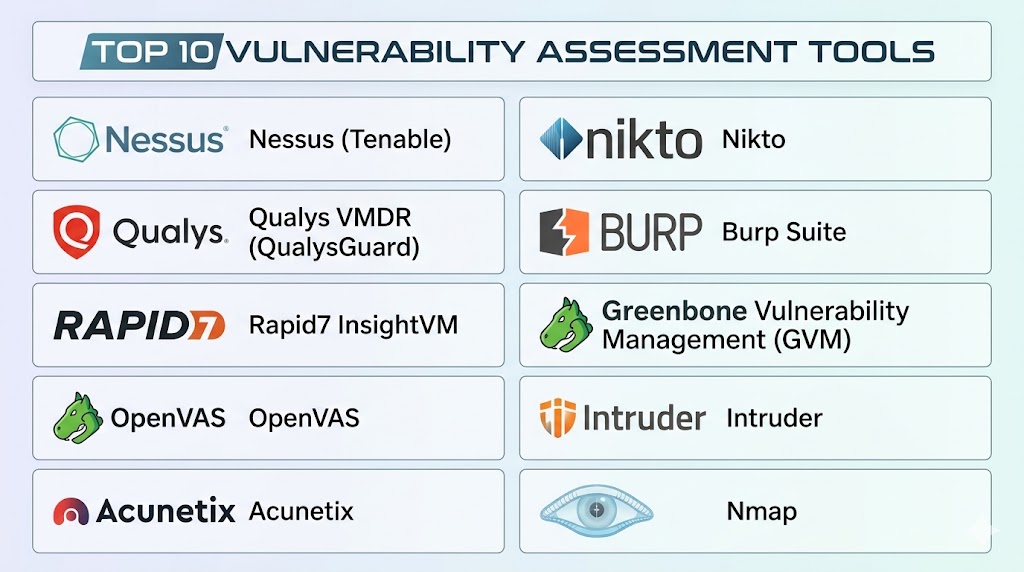
Top 10 Vulnerability Assessment Tools Tools
#1 — Nessus (by Tenable)
Short description: A widely used vulnerability scanner known for its deep scanning engine and extensive vulnerability database, suitable for professionals and enterprises.
Key Features
- Comprehensive vulnerability scanning
- Extensive plugin-based vulnerability database
- Configuration auditing
- Compliance checks
- Custom scan templates
- Asset discovery
- Risk scoring
Pros
- Highly accurate detection
- Industry-standard tool with strong adoption
Cons
- Learning curve for beginners
- Licensing can be costly at scale
Platforms / Deployment
- Windows / Linux
- Cloud / Self-hosted
Security & Compliance
- RBAC, encryption, audit logs
- Compliance support (details vary)
Integrations & Ecosystem
Nessus integrates with various enterprise tools for streamlined workflows.
- SIEM tools
- Ticketing systems
- APIs for automation
- DevOps pipelines
Support & Community
Extensive documentation, strong community, and enterprise support options.
#2 — Qualys VMDR
Short description: A cloud-based platform offering continuous vulnerability detection, asset visibility, and risk-based prioritization.
Key Features
- Continuous monitoring
- Asset discovery
- Risk-based prioritization
- Patch management integration
- Compliance reporting
- Threat intelligence integration
Pros
- Fully cloud-native and scalable
- Strong compliance capabilities
Cons
- Interface can be complex
- Pricing varies by usage
Platforms / Deployment
- Cloud
Security & Compliance
- SSO, MFA, encryption, RBAC
- Supports multiple compliance frameworks
Integrations & Ecosystem
- Cloud platforms
- SIEM tools
- ITSM tools
- APIs
Support & Community
Enterprise-grade support and comprehensive documentation.
#3 — Rapid7 InsightVM
Short description: A modern vulnerability management solution with strong analytics, visualization, and risk prioritization.
Key Features
- Real-time vulnerability detection
- Risk scoring and prioritization
- Interactive dashboards
- Remediation tracking
- Cloud and container scanning
- Integration with security tools
Pros
- Strong reporting and visualization
- Effective prioritization
Cons
- Resource-intensive
- Requires onboarding effort
Platforms / Deployment
- Cloud / Self-hosted
Security & Compliance
- RBAC, encryption, audit logs
- Compliance reporting support
Integrations & Ecosystem
- SIEM tools
- DevOps tools
- Ticketing systems
- APIs
Support & Community
Strong enterprise support and training resources.
#4 — OpenVAS
Short description: An open-source vulnerability scanner offering flexible and cost-effective security assessments.
Key Features
- Open-source scanning engine
- Regular vulnerability updates
- Network vulnerability detection
- Custom configurations
- Reporting tools
Pros
- Free and flexible
- Customizable
Cons
- Requires technical expertise
- Limited enterprise features
Platforms / Deployment
- Linux
- Self-hosted
Security & Compliance
- Not publicly stated
Integrations & Ecosystem
- Community plugins
- APIs
- Limited integrations
Support & Community
Strong open-source community, limited official support.
#5 — Tenable.io
Short description: A scalable cloud-based vulnerability management platform designed for continuous monitoring and risk assessment.
Key Features
- Cloud-native scanning
- Asset discovery
- Risk prioritization
- Compliance checks
- Reporting dashboards
- Integration with security tools
Pros
- Scalable and modern platform
- Continuous visibility
Cons
- Pricing may be high
- Requires configuration for optimization
Platforms / Deployment
- Cloud
Security & Compliance
- SSO, MFA, encryption
- Compliance frameworks supported
Integrations & Ecosystem
- SIEM tools
- DevOps tools
- APIs
- Cloud services
Support & Community
Enterprise support with strong knowledge base.
#6 — Acunetix
Short description: A specialized web application vulnerability scanner focused on identifying security issues in websites and APIs.
Key Features
- Web vulnerability scanning
- API security testing
- Automated scanning
- Detection of common vulnerabilities
- Reporting tools
Pros
- Strong web application focus
- User-friendly
Cons
- Limited network scanning
- Narrower scope
Platforms / Deployment
- Windows / Cloud
Security & Compliance
- Not publicly stated
Integrations & Ecosystem
- CI/CD tools
- Issue tracking systems
- APIs
Support & Community
Good documentation and support options.
#7 — Nikto
Short description: A lightweight open-source web server scanner used for detecting outdated components and vulnerabilities.
Key Features
- Web server scanning
- Detection of outdated software
- Plugin-based system
- Command-line interface
Pros
- Free and lightweight
- Easy to deploy
Cons
- Limited UI
- Not suitable for large environments
Platforms / Deployment
- Linux / Windows
- Self-hosted
Security & Compliance
- Not publicly stated
Integrations & Ecosystem
- CLI automation
- Minimal integrations
Support & Community
Active open-source community.
#8 — Burp Suite
Short description: A powerful web security testing platform used for manual and automated vulnerability testing.
Key Features
- Web vulnerability scanning
- Manual testing tools
- Proxy-based analysis
- API security testing
- Extension support
Pros
- Highly flexible
- Ideal for advanced users
Cons
- Steep learning curve
- Not for full infrastructure scanning
Platforms / Deployment
- Windows / macOS / Linux
Security & Compliance
- Not publicly stated
Integrations & Ecosystem
- CI/CD pipelines
- APIs
- Plugin ecosystem
Support & Community
Large developer and security community.
#9 — Greenbone Vulnerability Management (GVM)
Short description: An open-source vulnerability management framework offering comprehensive scanning capabilities.
Key Features
- Network vulnerability scanning
- Open-source framework
- Reporting and analysis
- Regular updates
Pros
- Free and flexible
- Community-driven
Cons
- Complex setup
- Limited enterprise support
Platforms / Deployment
- Linux
- Self-hosted
Security & Compliance
- Not publicly stated
Integrations & Ecosystem
- APIs
- Community plugins
Support & Community
Strong open-source community support.
#10 — Intruder
Short description: A cloud-based vulnerability scanner designed for ease of use and continuous monitoring.
Key Features
- Continuous scanning
- Risk prioritization
- Automated alerts
- Cloud integration
- Simple dashboard
Pros
- Easy to use
- Good for smaller teams
Cons
- Limited advanced features
- May not scale for large enterprises
Platforms / Deployment
- Cloud
Security & Compliance
- Not publicly stated
Integrations & Ecosystem
- Cloud platforms
- APIs
- Notifications integrations
Support & Community
Responsive support and growing ecosystem.
Comparison Table (Top 10)
| Tool Name | Best For | Platform(s) Supported | Deployment | Standout Feature | Public Rating |
|---|---|---|---|---|---|
| Nessus | Enterprise scanning | Windows, Linux | Hybrid | Large vulnerability database | N/A |
| Qualys VMDR | Cloud environments | Web | Cloud | Continuous monitoring | N/A |
| Rapid7 InsightVM | Risk analytics | Web | Hybrid | Risk prioritization | N/A |
| OpenVAS | Open-source users | Linux | Self-hosted | Free scanning | N/A |
| Tenable.io | Cloud-first teams | Web | Cloud | Asset discovery | N/A |
| Acunetix | Web applications | Windows, Web | Hybrid | Web vulnerability focus | N/A |
| Nikto | Lightweight scanning | Linux, Windows | Self-hosted | CLI-based scanning | N/A |
| Burp Suite | Developers | Cross-platform | Self-hosted | Manual testing tools | N/A |
| GVM | Open-source enterprise | Linux | Self-hosted | Open framework | N/A |
| Intruder | SMBs | Web | Cloud | Easy setup | N/A |
Evaluation & Scoring of Vulnerability Assessment Tools
| Tool Name | Core (25%) | Ease (15%) | Integrations (15%) | Security (10%) | Performance (10%) | Support (10%) | Value (15%) | Weighted Total |
|---|---|---|---|---|---|---|---|---|
| Nessus | 9 | 7 | 8 | 8 | 9 | 8 | 7 | 8.2 |
| Qualys VMDR | 9 | 7 | 9 | 9 | 9 | 8 | 7 | 8.4 |
| InsightVM | 9 | 7 | 8 | 8 | 8 | 8 | 7 | 8.1 |
| OpenVAS | 7 | 6 | 6 | 6 | 7 | 6 | 9 | 6.9 |
| Tenable.io | 9 | 8 | 9 | 9 | 9 | 8 | 7 | 8.5 |
| Acunetix | 8 | 8 | 7 | 7 | 8 | 7 | 7 | 7.7 |
| Nikto | 6 | 6 | 5 | 5 | 6 | 6 | 9 | 6.3 |
| Burp Suite | 8 | 6 | 8 | 7 | 8 | 7 | 7 | 7.4 |
| GVM | 7 | 6 | 6 | 6 | 7 | 6 | 9 | 6.9 |
| Intruder | 7 | 9 | 7 | 7 | 8 | 7 | 8 | 7.8 |
How to interpret scores:
- Scores are comparative across this list
- Higher scores indicate stronger overall capability
- Enterprise tools perform better in integrations and features
- Open-source tools offer higher value but require expertise
- Always align tool selection with your specific use case
Which Vulnerability Assessment Tools Tool Is Right for You?
Solo / Freelancer
Choose Nikto or OpenVAS for cost-effective, lightweight scanning.
SMB
Choose Intruder or Acunetix for ease of use and quick deployment.
Mid-Market
Choose Rapid7 InsightVM or Tenable.io for balanced features and scalability.
Enterprise
Choose Qualys VMDR or Nessus for advanced capabilities and compliance support.
Budget vs Premium
- Budget: OpenVAS, Nikto
- Premium: Qualys, Rapid7, Tenable
Feature Depth vs Ease of Use
- Advanced features: Burp Suite, InsightVM
- Ease of use: Intruder, Acunetix
Integrations & Scalability
Best choices: Qualys, Tenable, Rapid7
Security & Compliance Needs
Best choices: Qualys, Tenable
Frequently Asked Questions (FAQs)
1. What is a vulnerability assessment tool?
It scans systems and applications to identify security weaknesses before attackers exploit them.
2. How often should vulnerability scans be performed?
Regularly, ideally continuously or at scheduled intervals depending on risk level.
3. Are these tools suitable for small businesses?
Yes, especially cloud-based tools designed for simplicity and scalability.
4. Do vulnerability tools fix issues automatically?
Most tools identify issues; remediation may require additional tools or manual action.
5. Are open-source tools effective?
Yes, but they require more setup and technical expertise.
6. What is the difference between vulnerability scanning and penetration testing?
Scanning identifies issues, while penetration testing actively exploits them to assess impact.
7. Can these tools integrate with DevOps pipelines?
Yes, many tools support CI/CD integrations.
8. Are cloud-based tools better than on-premise tools?
It depends on infrastructure and security requirements.
9. What is a common mistake when using these tools?
Ignoring results or failing to prioritize remediation.
10. How do I choose the right tool?
Evaluate based on infrastructure, budget, and required features.
Conclusion
Vulnerability Assessment Tools play a critical role in strengthening an organization’s security posture by identifying and prioritizing risks before they can be exploited. As infrastructure grows more complex, the need for continuous visibility, automation, and accurate risk assessment becomes even more important. Enterprise platforms offer deep capabilities and scalability, while smaller teams can benefit from simpler, cost-effective solutions. The right choice ultimately depends on your operational needs, technical expertise, and budget. Start by shortlisting a few tools, testing them in your environment, and validating how well they align with your workflows and security goals.