Introduction
Data Encryption Tools are essential security solutions that protect sensitive information by converting it into unreadable formats using cryptographic techniques. Only authorized users with the correct decryption keys can access the original data. These tools play a critical role in safeguarding data at rest, data in transit, and sometimes data in use, making them a foundational layer of modern cybersecurity.
With increasing cyber threats, data breaches, and regulatory requirements, organizations must ensure that sensitive data—such as customer information, financial records, and intellectual property—is securely encrypted. Modern encryption tools go beyond basic file protection by offering key management, policy enforcement, compliance controls, and seamless integration with cloud and enterprise systems.
Common Use Cases
- Encrypting files, disks, and storage systems
- Protecting cloud data and backups
- Securing communication and data transfer
- Compliance with data protection regulations
- Preventing unauthorized access to sensitive data
What Buyers Should Evaluate
- Encryption standards and algorithms (e.g., AES)
- Key management capabilities
- Ease of use and deployment
- Integration with existing systems
- Performance impact
- Cross-platform compatibility
- Compliance and regulatory support
- Scalability for enterprise environments
Best for: Enterprises, IT teams, security professionals, and organizations handling sensitive or regulated data.
Not ideal for: Users with minimal security needs or those relying solely on built-in device-level encryption.
Key Trends in Data Encryption Tools
- Adoption of zero trust security models
- Increased focus on encryption for cloud and hybrid environments
- Integration with identity and access management systems
- Rise of automated key management solutions
- Encryption integrated into DevSecOps pipelines
- Growth of end-to-end encryption across applications
- Privacy-enhancing technologies gaining traction
- Hardware-based encryption support
- API-driven encryption services
- Increased demand for compliance-ready encryption platforms
How We Selected These Tools (Methodology)
- Strong adoption across enterprise and individual users
- Proven encryption reliability and security standards
- Feature completeness including key management and automation
- Performance and scalability
- Integration with enterprise and cloud ecosystems
- Cross-platform support
- Security posture and compliance readiness
- Fit for SMB, mid-market, and enterprise use cases
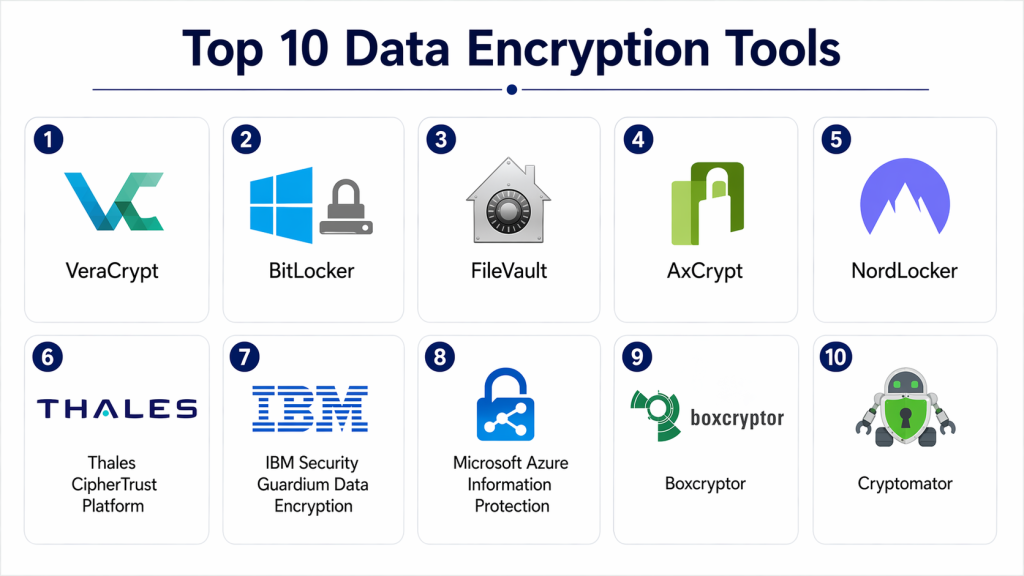
Top 10 Data Encryption Tools
#1 — VeraCrypt
Short description: Open-source disk encryption tool used for securing files, partitions, and entire drives.
Key Features
- Full disk encryption
- Hidden volumes
- Strong encryption algorithms
- Cross-platform support
- Open-source transparency
Pros
- Free and highly secure
- Strong community trust
Cons
- Complex for beginners
- No enterprise support
Platforms / Deployment
Windows / macOS / Linux
Security & Compliance
Strong encryption (other details not publicly stated)
Integrations & Ecosystem
Primarily standalone with limited integrations.
- File systems
- Local storage
Support & Community
Active open-source community support.
#2 — BitLocker
Short description: Built-in Windows encryption tool designed for full disk protection.
Key Features
- Full disk encryption
- TPM integration
- Easy setup
- Enterprise management
- Integration with Windows ecosystem
Pros
- Seamless Windows integration
- Easy to deploy
Cons
- Windows-only
- Limited customization
Platforms / Deployment
Windows
Security & Compliance
Encryption, TPM integration (other details not publicly stated)
Integrations & Ecosystem
- Windows OS
- Enterprise IT tools
- Active Directory
Support & Community
Enterprise and Microsoft support available.
#3 — FileVault
Short description: Apple’s built-in disk encryption solution for macOS devices.
Key Features
- Full disk encryption
- Seamless macOS integration
- Strong encryption standards
- Fast performance
- Easy activation
Pros
- Simple and effective
- Native macOS support
Cons
- macOS-only
- Limited enterprise features
Platforms / Deployment
macOS
Security & Compliance
Encryption (other details not publicly stated)
Integrations & Ecosystem
- macOS ecosystem
- Apple device management
Support & Community
Apple support and documentation.
#4 — AxCrypt
Short description: User-friendly file encryption tool designed for individuals and small businesses.
Key Features
- File-level encryption
- Password protection
- Cloud storage integration
- Multi-language support
- Key sharing
Pros
- Easy to use
- Good for individuals
Cons
- Limited enterprise features
- Subscription-based
Platforms / Deployment
Windows / macOS / Mobile
Security & Compliance
Not publicly stated
Integrations & Ecosystem
- Cloud storage
- File systems
- Collaboration tools
Support & Community
Good support and documentation.
#5 — NordLocker
Short description: Secure file encryption tool designed for cloud and local storage protection.
Key Features
- End-to-end encryption
- Secure cloud storage
- File sharing
- Cross-platform support
- Zero-knowledge architecture
Pros
- Easy to use
- Secure cloud integration
Cons
- Paid solution
- Limited advanced controls
Platforms / Deployment
Windows / macOS / Cloud
Security & Compliance
Not publicly stated
Integrations & Ecosystem
- Cloud storage
- File sharing systems
Support & Community
Commercial support available.
#6 — Thales CipherTrust Platform
Short description: Enterprise-grade encryption platform with advanced key management and data protection.
Key Features
- Centralized key management
- Data encryption
- Policy enforcement
- Compliance support
- Multi-cloud support
Pros
- Strong enterprise capabilities
- Advanced security features
Cons
- Complex implementation
- Expensive
Platforms / Deployment
Cloud / Hybrid
Security & Compliance
Not publicly stated
Integrations & Ecosystem
- Cloud platforms
- Enterprise systems
- APIs
Support & Community
Enterprise support and consulting.
#7 — IBM Security Guardium Data Encryption
Short description: Enterprise encryption solution designed for protecting sensitive data across databases and systems.
Key Features
- Data encryption
- Key lifecycle management
- Compliance reporting
- Policy enforcement
- Integration with IBM ecosystem
Pros
- Strong enterprise focus
- Good compliance features
Cons
- Complex deployment
- Costly
Platforms / Deployment
Cloud / Hybrid
Security & Compliance
Not publicly stated
Integrations & Ecosystem
- IBM systems
- Databases
- APIs
Support & Community
Enterprise-level support.
#8 — Microsoft Azure Information Protection
Short description: Cloud-based encryption and data classification tool integrated with Microsoft ecosystem.
Key Features
- Data classification
- Encryption policies
- Cloud integration
- Access control
- Compliance features
Pros
- Strong Microsoft integration
- Good for enterprise use
Cons
- Requires Microsoft ecosystem
- Licensing complexity
Platforms / Deployment
Cloud
Security & Compliance
Not publicly stated
Integrations & Ecosystem
- Microsoft 365
- Azure services
- Enterprise apps
Support & Community
Microsoft enterprise support.
#9 — Boxcryptor
Short description: Encryption tool designed to secure files stored in cloud storage platforms.
Key Features
- End-to-end encryption
- Cloud storage integration
- File sharing security
- Multi-device support
- Key management
Pros
- Strong cloud support
- Easy to use
Cons
- Subscription-based
- Limited offline features
Platforms / Deployment
Windows / macOS / Mobile / Cloud
Security & Compliance
Not publicly stated
Integrations & Ecosystem
- Cloud storage providers
- File systems
Support & Community
Commercial support available.
#10 — Cryptomator
Short description: Open-source encryption tool focused on securing cloud-stored files.
Key Features
- Client-side encryption
- Open-source transparency
- Cloud compatibility
- File-level encryption
- Cross-platform support
Pros
- Free and secure
- Easy cloud integration
Cons
- Limited enterprise features
- Basic UI
Platforms / Deployment
Windows / macOS / Linux / Mobile
Security & Compliance
Not publicly stated
Integrations & Ecosystem
- Cloud storage
- File systems
Support & Community
Active open-source community.
Comparison Table (Top 10)
| Tool Name | Best For | Platform(s) Supported | Deployment | Standout Feature | Public Rating |
|---|---|---|---|---|---|
| VeraCrypt | Disk encryption | Windows/macOS/Linux | Local | Open-source security | N/A |
| BitLocker | Windows users | Windows | Local | Built-in encryption | N/A |
| FileVault | macOS users | macOS | Local | Native integration | N/A |
| AxCrypt | Individuals | Windows/macOS | Cloud/Local | File-level encryption | N/A |
| NordLocker | Cloud users | Windows/macOS | Cloud | End-to-end encryption | N/A |
| Thales CipherTrust | Enterprise | Web | Cloud/Hybrid | Key management | N/A |
| IBM Guardium | Enterprise | Web | Cloud/Hybrid | Compliance features | N/A |
| Azure Information Protection | Enterprise | Web | Cloud | Data classification | N/A |
| Boxcryptor | Cloud security | Multi-platform | Cloud | Cloud encryption | N/A |
| Cryptomator | Open-source users | Multi-platform | Local | Client-side encryption | N/A |
Evaluation & Scoring of Data Encryption Tools
| Tool Name | Core (25%) | Ease (15%) | Integrations (15%) | Security (10%) | Performance (10%) | Support (10%) | Value (15%) | Weighted Total |
|---|---|---|---|---|---|---|---|---|
| VeraCrypt | 9 | 6 | 6 | 9 | 8 | 7 | 9 | 8.0 |
| BitLocker | 8 | 9 | 8 | 8 | 9 | 8 | 8 | 8.4 |
| FileVault | 8 | 9 | 7 | 8 | 9 | 8 | 8 | 8.2 |
| AxCrypt | 7 | 9 | 7 | 7 | 8 | 7 | 8 | 7.7 |
| NordLocker | 8 | 9 | 7 | 8 | 8 | 8 | 7 | 8.0 |
| Thales CipherTrust | 9 | 6 | 9 | 9 | 9 | 9 | 6 | 8.3 |
| IBM Guardium | 9 | 6 | 9 | 9 | 9 | 9 | 6 | 8.3 |
| Azure Info Protection | 8 | 7 | 9 | 8 | 8 | 8 | 7 | 8.0 |
| Boxcryptor | 8 | 8 | 8 | 8 | 8 | 7 | 7 | 7.9 |
| Cryptomator | 8 | 8 | 7 | 8 | 8 | 7 | 9 | 8.0 |
How to interpret scores:
These scores provide a comparative view across key criteria such as features, usability, and value. A higher score indicates a more balanced tool, but the best option depends on your specific use case, environment, and security requirements.
Which Data Encryption Tool Is Right for You?
Solo / Freelancer
Cryptomator and AxCrypt offer simple, cost-effective encryption.
SMB
NordLocker and Boxcryptor provide cloud-friendly solutions.
Mid-Market
BitLocker and Azure Information Protection offer strong integration and scalability.
Enterprise
Thales CipherTrust and IBM Guardium provide advanced encryption and compliance.
Budget vs Premium
- Budget: Cryptomator, VeraCrypt
- Premium: Thales, IBM
Feature Depth vs Ease of Use
- Easy: BitLocker, FileVault
- Advanced: Thales, IBM
Integrations & Scalability
Choose Azure or Thales for enterprise ecosystems.
Security & Compliance Needs
Enterprise tools offer stronger compliance and governance features.
Frequently Asked Questions (FAQs)
What is data encryption?
It is the process of converting data into a secure format that only authorized users can access.
Why is encryption important?
It protects sensitive data from unauthorized access and breaches.
Are encryption tools mandatory?
They are required for compliance in many industries.
Can small businesses use encryption tools?
Yes, many tools are designed for SMBs.
Do encryption tools affect performance?
Some may have minor impact depending on implementation.
What types of encryption exist?
File, disk, and end-to-end encryption are common types.
Are these tools secure?
Most use strong encryption standards.
Can encryption be integrated?
Yes, many tools offer APIs and integrations.
Do they support cloud environments?
Yes, many modern tools support cloud encryption.
Can encryption scale?
Yes, enterprise tools are built for scalability.
Conclusion
Data Encryption Tools are essential for protecting sensitive information in an increasingly digital and threat-prone environment. They help organizations secure data across devices, networks, and cloud systems while supporting compliance and risk management efforts. The right tool depends on your specific needs, whether you require simple file protection or advanced enterprise-grade encryption with centralized key management. Instead of selecting a single “best” option, focus on aligning the tool with your infrastructure, scalability requirements, and security priorities. Start by evaluating a few solutions, testing their performance and integration capabilities, and ensuring they fit seamlessly into your existing workflows.