Introduction
Computer Vision platforms are specialized tools and environments that enable machines to interpret, analyze, and understand visual data such as images and videos. These platforms provide capabilities for image classification, object detection, facial recognition, video analytics, and more, helping organizations build intelligent visual systems.
With the rise of AI-driven applications, computer vision is now widely used across industries like healthcare, retail, manufacturing, and security. These platforms simplify complex deep learning workflows by offering pre-trained models, data annotation tools, and scalable deployment options.
Real-world use cases include:
- Facial recognition and biometric authentication
- Autonomous vehicles and smart surveillance
- Medical image analysis and diagnostics
- Retail analytics and customer behavior tracking
- Industrial quality inspection and defect detection
Key evaluation criteria for buyers:
- Model accuracy and performance
- Pre-trained models and customization
- Real-time processing capabilities
- Integration with ML and cloud platforms
- Data labeling and annotation tools
- Scalability and GPU/TPU support
- Security, compliance, and privacy
- Ease of use and APIs
- Deployment flexibility (cloud/on-prem/hybrid)
- Cost and licensing
Best for:
Computer vision platforms are ideal for AI engineers, data scientists, developers, and enterprises building image and video-based AI solutions.
Not ideal for:
Organizations without image/video data use cases or those relying only on structured data analytics.
Key Trends in Computer Vision Platforms
- Pre-trained vision models for faster development
- Edge AI and real-time inference systems
- Integration with deep learning frameworks (TensorFlow, PyTorch)
- AutoML for computer vision tasks
- Video analytics and real-time monitoring
- Cloud-native vision platforms
- AI-powered annotation and labeling tools
- Explainable AI for vision models
- Multimodal AI (vision + text)
- Scalable GPU/TPU-based training
How We Selected These Tools (Methodology)
- Evaluated image and video processing capabilities
- Assessed pre-trained models and customization options
- Reviewed integration with ML pipelines and frameworks
- Checked real-time processing and scalability
- Considered data labeling and annotation tools
- Examined security, privacy, and compliance features
- Evaluated ease of use and APIs
- Reviewed community support and enterprise backing
- Considered open-source vs managed solutions
- Ensured applicability across SMB to enterprise environments
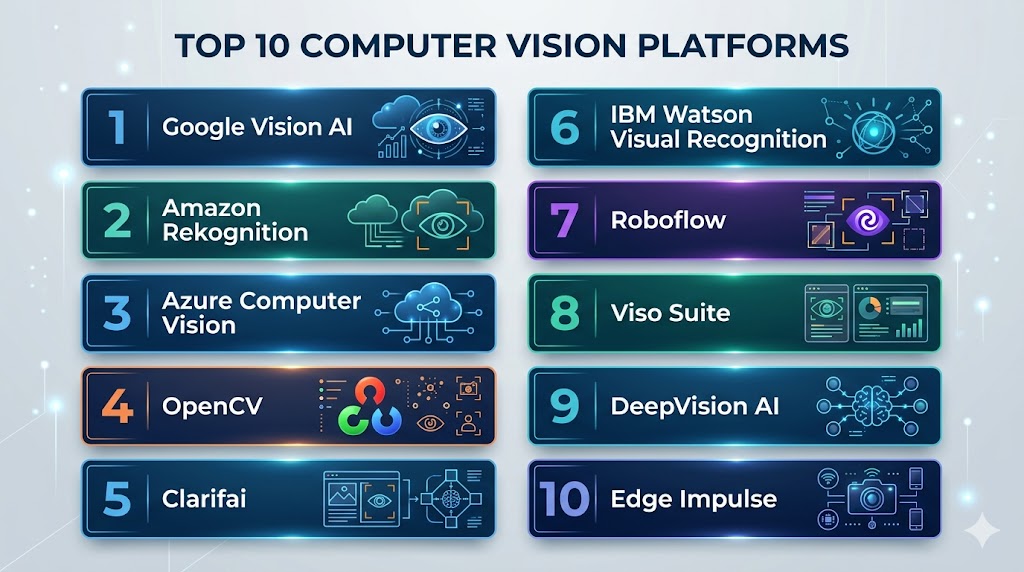
Top 10 Computer Vision Platforms
#1 — Google Vision AI
Short description: Google Vision AI provides powerful APIs for image analysis, object detection, OCR, and video intelligence, enabling scalable computer vision solutions.
Key Features
- Image and video analysis APIs
- Pre-trained models for detection and classification
- OCR and text extraction
- AutoML for custom vision models
- Real-time processing
Pros
- Highly scalable
- Strong accuracy and performance
Cons
- Cloud-only
- Vendor lock-in
Platforms / Deployment
- Cloud
Security & Compliance
- Encryption, IAM
- Enterprise compliance
Integrations & Ecosystem
- GCP services, ML pipelines
Support & Community
- Google Cloud support
#2 — Amazon Rekognition
Short description: Amazon Rekognition provides image and video analysis for facial recognition, object detection, and activity tracking.
Key Features
- Facial recognition and analysis
- Object and scene detection
- Video analytics
- Real-time streaming analysis
- Integration with AWS services
Pros
- Fully managed
- Real-time capabilities
Cons
- AWS-only
- Cost scaling
Platforms / Deployment
- Cloud
Security & Compliance
- IAM, encryption
Integrations & Ecosystem
- AWS ecosystem
Support & Community
- AWS support
#3 — Azure Computer Vision
Short description: Azure Computer Vision offers APIs for image analysis, OCR, and video intelligence within the Azure ecosystem.
Key Features
- Image classification and tagging
- OCR and document processing
- Video analysis
- Integration with Azure AI
- Pre-trained models
Pros
- Enterprise integration
- Scalable
Cons
- Azure-only
- Learning curve
Platforms / Deployment
- Cloud
Security & Compliance
- RBAC, encryption
Integrations & Ecosystem
- Azure services
Support & Community
- Microsoft support
#4 — OpenCV
Short description: OpenCV is an open-source computer vision library widely used for image and video processing applications.
Key Features
- Image and video processing
- Object detection and tracking
- Machine learning integration
- Cross-platform support
- Extensive algorithm library
Pros
- Free and open-source
- Highly flexible
Cons
- Requires coding expertise
- No built-in cloud features
Platforms / Deployment
- Linux / Windows / macOS
Security & Compliance
- Depends on deployment
Integrations & Ecosystem
- Python, C++, ML frameworks
Support & Community
- Large developer community
#5 — Clarifai
Short description: Clarifai is a full-stack AI platform offering computer vision and NLP capabilities with customizable models.
Key Features
- Pre-trained vision models
- Custom model training
- Image and video analysis
- Workflow automation
- API-based integration
Pros
- Easy to use
- Strong model customization
Cons
- Paid platform
- Limited open-source options
Platforms / Deployment
- Cloud / Hybrid
Security & Compliance
- Encryption, RBAC
Integrations & Ecosystem
- ML pipelines, APIs
Support & Community
- Enterprise support
#6 — IBM Watson Visual Recognition
Short description: IBM Watson Visual Recognition provides image classification and analysis tools for enterprise AI applications.
Key Features
- Image classification
- Custom model training
- Object detection
- Integration with Watson AI
- API-based access
Pros
- Enterprise-grade AI
- Strong integration
Cons
- Limited flexibility
- Higher cost
Platforms / Deployment
- Cloud
Security & Compliance
- Encryption, RBAC
Integrations & Ecosystem
- IBM Cloud
Support & Community
- Enterprise support
#7 — Roboflow
Short description: Roboflow provides tools for data labeling, model training, and deployment for computer vision workflows.
Key Features
- Dataset management
- Annotation tools
- Model training and deployment
- Preprocessing pipelines
- API integration
Pros
- Great for developers
- Easy dataset handling
Cons
- Limited enterprise features
- Paid tiers
Platforms / Deployment
- Cloud
Security & Compliance
- Standard security controls
Integrations & Ecosystem
- ML frameworks, APIs
Support & Community
- Active community
#8 — Viso Suite
Short description: Viso Suite is a computer vision platform focused on enterprise deployment and real-time analytics.
Key Features
- End-to-end vision pipelines
- Real-time video analytics
- Edge deployment support
- Model management
- Visualization dashboards
Pros
- Enterprise-ready
- Real-time capabilities
Cons
- Complex setup
- Cost
Platforms / Deployment
- Cloud / On-prem
Security & Compliance
- RBAC, encryption
Integrations & Ecosystem
- IoT, ML pipelines
Support & Community
- Enterprise support
#9 — DeepVision AI
Short description: DeepVision AI offers tools for developing and deploying computer vision models for enterprise use cases.
Key Features
- Model training and deployment
- Object detection and tracking
- Real-time analytics
- Integration with ML frameworks
- Visualization tools
Pros
- Strong performance
- Flexible deployment
Cons
- Smaller ecosystem
- Limited documentation
Platforms / Deployment
- Cloud / Hybrid
Security & Compliance
- Encryption, access control
Integrations & Ecosystem
- ML frameworks
Support & Community
- Limited community
#10 — Edge Impulse
Short description: Edge Impulse is a platform for building and deploying computer vision models on edge devices.
Key Features
- Edge AI deployment
- Model training and optimization
- Real-time inference
- Sensor data integration
- Low-power device support
Pros
- Ideal for IoT and edge
- Efficient deployment
Cons
- Limited cloud features
- Specialized use case
Platforms / Deployment
- Cloud / Edge
Security & Compliance
- Encryption
Integrations & Ecosystem
- IoT devices, ML frameworks
Support & Community
- Active community
Comparison Table
| Tool | Best For | Platform | Deployment | Standout Feature | Rating |
|---|---|---|---|---|---|
| Google Vision | Enterprise AI | Cloud | Cloud | Pre-trained models | N/A |
| Rekognition | AWS users | Cloud | Cloud | Real-time video | N/A |
| Azure Vision | Enterprise | Cloud | Cloud | Azure integration | N/A |
| OpenCV | Developers | Multi | Local | Flexibility | N/A |
| Clarifai | Custom models | Cloud | Hybrid | Workflow automation | N/A |
| IBM Watson | Enterprise AI | Cloud | Cloud | Integration | N/A |
| Roboflow | Dev workflows | Cloud | Cloud | Dataset tools | N/A |
| Viso Suite | Enterprise | Multi | Hybrid | Real-time analytics | N/A |
| DeepVision | Flexible AI | Multi | Hybrid | Performance | N/A |
| Edge Impulse | Edge AI | Multi | Edge | IoT deployment | N/A |
Evaluation & Scoring
| Tool | Core | Ease | Integration | Security | Performance | Support | Value | Total |
|---|---|---|---|---|---|---|---|---|
| Google Vision | 9 | 8 | 8 | 8 | 9 | 8 | 7 | 8.2 |
| Rekognition | 8 | 8 | 8 | 8 | 8 | 7 | 7 | 7.8 |
| Azure Vision | 8 | 8 | 8 | 8 | 8 | 7 | 7 | 7.8 |
| OpenCV | 8 | 6 | 8 | 7 | 8 | 8 | 9 | 7.8 |
| Clarifai | 8 | 8 | 7 | 7 | 8 | 7 | 7 | 7.7 |
| IBM Watson | 8 | 7 | 7 | 8 | 8 | 7 | 7 | 7.6 |
| Roboflow | 7 | 8 | 7 | 7 | 7 | 7 | 7 | 7.1 |
| Viso | 8 | 7 | 7 | 8 | 8 | 7 | 7 | 7.6 |
| DeepVision | 7 | 7 | 6 | 7 | 8 | 6 | 7 | 6.9 |
| Edge Impulse | 8 | 8 | 7 | 7 | 8 | 7 | 7 | 7.4 |
Which Computer Vision Platform Is Right for You?
Solo / Freelancer
OpenCV or Roboflow is ideal for flexibility and cost.
SMB
Clarifai or Edge Impulse offers ease of use and quick deployment.
Mid-Market
Azure Vision or Amazon Rekognition provides scalable cloud solutions.
Enterprise
Google Vision AI or Viso Suite delivers advanced performance and governance.
Frequently Asked Questions (FAQs)
What is a computer vision platform?
A computer vision platform is a system that enables machines to process and analyze visual data such as images and videos. It provides tools for building, training, and deploying models for tasks like object detection, classification, and recognition. These platforms simplify complex AI workflows and make visual intelligence accessible to developers and enterprises.
How do computer vision platforms work?
These platforms use deep learning models, especially convolutional neural networks, to analyze visual inputs. They process images or videos, extract patterns, and generate outputs such as labels, bounding boxes, or predictions. Many platforms also provide APIs and pre-trained models to accelerate development.
Are these platforms suitable for beginners?
Yes, many platforms like Google Vision AI, Azure Vision, and Clarifai offer pre-built APIs that require minimal coding. However, open-source tools like OpenCV may require programming knowledge and deeper understanding of computer vision concepts.
Can computer vision platforms work in real-time?
Yes, several platforms support real-time processing, especially for applications like surveillance, autonomous systems, and video analytics. Tools like Amazon Rekognition and Viso Suite are optimized for streaming and low-latency inference.
Do these platforms support custom models?
Most platforms allow users to train custom models using their own datasets. This is useful when pre-trained models do not meet specific requirements or when dealing with domain-specific use cases like medical imaging.
Are computer vision platforms secure?
Enterprise-grade platforms provide strong security features such as encryption, role-based access control, and compliance with data protection regulations. Security also depends on deployment choices, whether cloud or on-premise.
What industries use computer vision?
Industries such as healthcare, retail, automotive, manufacturing, and security heavily use computer vision. Applications range from defect detection in factories to medical diagnostics and facial recognition systems.
Can computer vision platforms integrate with ML pipelines?
Yes, most modern platforms integrate seamlessly with machine learning pipelines, MLOps tools, and cloud services. This allows end-to-end workflows from data ingestion to model deployment and monitoring.
Are these platforms scalable?
Cloud-based computer vision platforms are highly scalable and can handle large datasets and high-throughput workloads. They often leverage GPU or TPU infrastructure for training and inference.
How to choose the right computer vision platform?
Choosing the right platform depends on your use case, data type, scalability requirements, budget, and existing infrastructure. It is best to evaluate a few platforms through pilot projects before making a final decision.
Conclusion
Computer vision platforms are transforming how organizations extract value from visual data, enabling automation, intelligence, and real-time insights across industries. Open-source tools like OpenCV provide flexibility and control for developers, while platforms like Roboflow and Clarifai simplify workflows for growing teams. Mid-market organizations benefit from scalable cloud solutions such as Azure Vision and Amazon Rekognition, which offer robust APIs and integration capabilities. Enterprises with advanced requirements can leverage Google Vision AI and Viso Suite for high-performance, real-time, and large-scale deployments. Selecting the right platform depends on factors like scalability, ease of use, integration, and cost. A practical approach is to test multiple platforms with real use cases, evaluate performance, and choose the one that aligns best with your technical and business goals.