Introduction
Personal Finance Budgeting Apps are digital tools designed to help individuals track income, manage expenses, create budgets, and achieve financial goals. These apps provide a centralized view of your financial life—bringing together bank accounts, spending habits, savings goals, and analytics into one platform.
In today’s environment of rising costs and digital payments, budgeting apps have become essential for financial control. Modern apps now offer AI-driven insights, automated expense tracking, subscription monitoring, and real-time alerts, helping users make smarter financial decisions. For example, apps like Rocket Money can even detect and cancel unused subscriptions while offering real-time spending visibility .
Common use cases include:
- Tracking daily expenses and income
- Creating monthly or zero-based budgets
- Managing subscriptions and recurring payments
- Saving for goals (travel, emergency fund, etc.)
- Monitoring financial health and spending habits
Key evaluation criteria:
- Budgeting methodology (envelope, zero-based, AI-driven)
- Automation and bank syncing
- Expense tracking and analytics
- Ease of use and UI
- Multi-device and cloud syncing
- Security and data protection
- Integration with financial institutions
- Cost and value
Best for: Individuals, couples, freelancers, and families looking to control spending and improve savings.
Not ideal for: Users needing advanced investment or enterprise-level financial management tools.
Key Trends in Personal Finance Budgeting Apps
- AI-powered financial insights: Smart recommendations based on spending patterns
- Automatic bank syncing: Real-time transaction tracking
- Subscription tracking tools: Identify and cancel unused services
- Envelope and zero-based budgeting models: Proven budgeting frameworks like YNAB
- Multi-device sync: Seamless experience across mobile and web
- Gamified savings: Apps like Qapital encourage saving through behavioral triggers
- Shared budgeting: Family and partner collaboration
- Data visualization dashboards: Spending breakdowns and trends
- Security-first design: Encryption, passcodes, and secure logins
- Integration ecosystems: APIs with banks, wallets, and fintech platforms
How We Evaluated Personal Finance Budgeting Apps (Methodology)
- Assessed market adoption and credibility
- Evaluated budgeting features and flexibility
- Reviewed automation and syncing capabilities
- Analyzed security and compliance posture
- Measured performance and reliability
- Compared user experience and onboarding
- Evaluated integration ecosystem
- Considered pricing and accessibility
- Reviewed community feedback and support
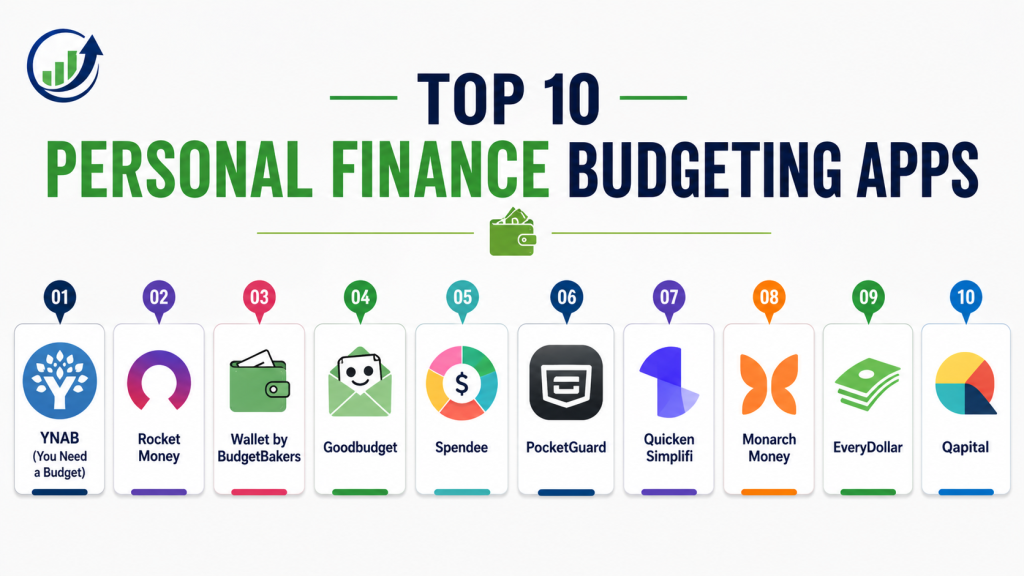
Top 10 Personal Finance Budgeting Apps
#1 — YNAB (You Need a Budget)
Short description: YNAB is a highly popular budgeting app based on the envelope budgeting method. It focuses on proactive financial planning and assigning every dollar a job. Known for its strong community and structured approach. Suitable for users serious about budgeting discipline. It helps reduce overspending and improve savings habits. Ideal for long-term financial planning.
Key Features
- Zero-based budgeting
- Real-time tracking
- Goal setting
- Reports and analytics
- Multi-device sync
- Financial education resources
Pros
- Proven budgeting methodology
- Strong community support
Cons
- Subscription-based
- Learning curve
Platforms / Deployment
Web / iOS / Android
Cloud
Security & Compliance
Encryption, secure authentication
Not publicly stated certifications
Integrations & Ecosystem
Supports bank syncing and APIs for financial tracking.
Support & Community
Very strong global community and learning resources.
#2 — Rocket Money
Short description: Rocket Money focuses on expense tracking and subscription management. It provides real-time insights into spending and helps users cancel unused subscriptions. Suitable for users wanting automation and simplicity.
Key Features
- Expense tracking
- Subscription detection
- Budgeting tools
- Alerts and notifications
- Bill tracking
Pros
- Excellent subscription management
- Easy to use
Cons
- Limited advanced budgeting
- Premium features locked
Platforms / Deployment
iOS / Android / Web
Cloud
Security & Compliance
Encryption
Not publicly stated certifications
Integrations & Ecosystem
Integrates with bank accounts and financial tools.
Support & Community
Strong support and growing adoption.
#3 — Wallet by BudgetBakers
Short description: Wallet is a powerful budgeting app with strong analytics and bank syncing capabilities. It offers detailed financial insights and collaboration features. Suitable for individuals and families.
Key Features
- Bank syncing
- Budget planning
- Expense tracking
- Reports and analytics
- Shared budgets
Pros
- Strong analytics
- Collaboration features
Cons
- Limited free version
- Pricing varies
Platforms / Deployment
iOS / Android / Web
Cloud
Security & Compliance
Encryption
Not publicly stated certifications
Integrations & Ecosystem
Supports integration with thousands of financial institutions
Support & Community
Good support and documentation.
#4 — Goodbudget
Short description: Goodbudget uses the envelope budgeting method to help users allocate funds for different categories. It supports syncing across devices and shared budgeting. Suitable for families.
Key Features
- Envelope budgeting
- Expense tracking
- Sync across devices
- Budget planning
- Reports
Pros
- Simple budgeting method
- Great for couples/families
Cons
- Manual entry required
- Limited automation
Platforms / Deployment
iOS / Android / Web
Cloud
Security & Compliance
Encryption
Not publicly stated certifications
Integrations & Ecosystem
Supports shared budgeting across devices
Support & Community
Moderate support.
#5 — Spendee
Short description: Spendee is a visually appealing budgeting app that helps users track expenses and manage multiple accounts. It supports shared wallets and financial insights.
Key Features
- Expense tracking
- Budget planning
- Bank syncing
- Shared wallets
- Visual analytics
Pros
- Intuitive design
- Multi-account support
Cons
- Premium required for full features
- Limited automation in free plan
Platforms / Deployment
iOS / Android / Web
Cloud
Security & Compliance
Encryption
Not publicly stated certifications
Integrations & Ecosystem
Supports bank accounts, crypto wallets, and e-wallets
Support & Community
Good user base.
#6 — PocketGuard
Short description: PocketGuard simplifies budgeting by showing how much disposable income is available after expenses. It helps users avoid overspending.
Key Features
- Expense tracking
- Budget insights
- Bill tracking
- Spending alerts
- Goal tracking
Pros
- Simple budgeting approach
- Good for beginners
Cons
- Limited customization
- Premium features required
Platforms / Deployment
iOS / Android
Cloud
Security & Compliance
Encryption
Not publicly stated certifications
Integrations & Ecosystem
Supports bank integrations.
Support & Community
Moderate support.
#7 — Quicken Simplifi
Short description: Quicken Simplifi is a modern budgeting app offering financial insights, reports, and planning tools. Suitable for everyday users.
Key Features
- Budget tracking
- Expense categorization
- Reports
- Goal tracking
- Forecasting
Pros
- Easy to use
- Strong reporting
Cons
- Subscription cost
- Limited advanced features
Platforms / Deployment
Web / Mobile
Cloud
Security & Compliance
Encryption
Not publicly stated certifications
Integrations & Ecosystem
Supports financial integrations.
Support & Community
Strong support.
#8 — Monarch Money
Short description: Monarch is a premium budgeting app designed for advanced users and families. It offers collaboration and financial planning tools.
Key Features
- Budget tracking
- Financial planning
- Collaboration
- Reports
- Goal tracking
Pros
- Advanced features
- Family-friendly
Cons
- Higher cost
- Complex setup
Platforms / Deployment
Web / Mobile
Cloud
Security & Compliance
Encryption
Not publicly stated certifications
Integrations & Ecosystem
Strong financial integrations.
Support & Community
Growing community.
#9 — EveryDollar
Short description: EveryDollar is a budgeting app focused on zero-based budgeting. It offers simple tools for tracking expenses and planning budgets.
Key Features
- Zero-based budgeting
- Expense tracking
- Goal setting
- Reports
- Mobile app
Pros
- Simple interface
- Easy to use
Cons
- Limited automation
- Paid version needed for syncing
Platforms / Deployment
iOS / Android / Web
Cloud
Security & Compliance
Encryption
Not publicly stated certifications
Integrations & Ecosystem
Supports financial integrations.
Support & Community
Good support.
#10 — Qapital
Short description: Qapital is a savings-focused app that uses behavioral triggers to automate savings. It combines budgeting with gamification.
Key Features
- Automated savings
- Budget tracking
- Goal setting
- Behavioral triggers
- Analytics
Pros
- Unique savings approach
- Engaging
Cons
- Limited budgeting depth
- Regional availability
Platforms / Deployment
iOS / Android
Cloud
Security & Compliance
Encryption
Not publicly stated certifications
Integrations & Ecosystem
Supports bank integrations.
Support & Community
Moderate support.
Comparison Table
| Tool Name | Best For | Platform(s) | Deployment | Standout Feature | Public Rating |
|---|---|---|---|---|---|
| YNAB | Budget discipline | Web, Mobile | Cloud | Zero-based budgeting | N/A |
| Rocket Money | Subscription tracking | Web, Mobile | Cloud | Expense automation | N/A |
| Wallet | Analytics | Web, Mobile | Cloud | Bank syncing | N/A |
| Goodbudget | Families | Web, Mobile | Cloud | Envelope budgeting | N/A |
| Spendee | Visual tracking | Web, Mobile | Cloud | Shared wallets | N/A |
| PocketGuard | Beginners | Mobile | Cloud | Spending limits | N/A |
| Simplifi | Everyday use | Web, Mobile | Cloud | Reports | N/A |
| Monarch | Advanced users | Web, Mobile | Cloud | Collaboration | N/A |
| EveryDollar | Simplicity | Web, Mobile | Cloud | Zero-based model | N/A |
| Qapital | Savings | Mobile | Cloud | Automation | N/A |
Evaluation & Scoring of Personal Finance Budgeting Apps
| Tool Name | Core | Ease | Integrations | Security | Performance | Support | Value | Weighted Total |
|---|---|---|---|---|---|---|---|---|
| YNAB | 10 | 8 | 9 | 9 | 9 | 9 | 7 | 8.9 |
| Rocket Money | 9 | 9 | 8 | 8 | 9 | 8 | 8 | 8.5 |
| Wallet | 9 | 8 | 9 | 8 | 8 | 8 | 8 | 8.4 |
| Goodbudget | 8 | 8 | 7 | 8 | 8 | 7 | 9 | 8.0 |
| Spendee | 8 | 9 | 8 | 8 | 8 | 7 | 8 | 8.1 |
| PocketGuard | 8 | 9 | 7 | 8 | 8 | 7 | 8 | 8.0 |
| Simplifi | 9 | 9 | 8 | 8 | 8 | 8 | 8 | 8.4 |
| Monarch | 9 | 7 | 9 | 9 | 9 | 8 | 7 | 8.5 |
| EveryDollar | 8 | 9 | 7 | 8 | 8 | 7 | 8 | 8.0 |
| Qapital | 8 | 8 | 7 | 8 | 8 | 7 | 8 | 7.9 |
How to interpret scores:
- Higher scores indicate better overall functionality
- Premium apps excel in integrations and analytics
- Simpler apps score high in usability and value
- Choose based on your financial habits and goals
Which Personal Finance Budgeting App Is Right for You?
Solo / Beginners
PocketGuard or EveryDollar for simplicity
Couples / Families
Goodbudget or Monarch for shared budgeting
Advanced Users
YNAB or Wallet for deep financial control
Budget vs Premium
Budget: Goodbudget, PocketGuard
Premium: YNAB, Monarch
Feature Depth vs Ease of Use
Feature-rich: YNAB, Wallet
User-friendly: Rocket Money, Simplifi
Integrations & Scalability
Best: Wallet, Monarch
Moderate: Goodbudget
Security & Compliance Needs
High: YNAB, Monarch
Moderate: Basic apps
Frequently Asked Questions (FAQs)
1. What are personal finance budgeting apps?
They are apps that help track expenses, manage budgets, and improve financial habits. They centralize financial data. They improve awareness. They help users save money. They support financial planning.
2. Are budgeting apps safe to use?
Most apps use encryption and secure authentication. Security depends on the provider. Always choose trusted apps. Review privacy policies. Data protection is important.
3. Do these apps connect to bank accounts?
Yes, many apps sync with bank accounts automatically. This enables real-time tracking. It reduces manual entry. It improves accuracy.
4. Are budgeting apps free?
Many offer free versions with basic features. Premium plans unlock advanced tools. Pricing varies. Choose based on your needs.
5. Which app is best for beginners?
Apps like PocketGuard and EveryDollar are beginner-friendly. They offer simple interfaces. They are easy to learn. They require minimal setup.
6. Can these apps help save money?
Yes, they improve spending awareness and budgeting discipline. They track expenses. They provide insights. They encourage savings habits.
7. What is zero-based budgeting?
It is a method where every dollar is assigned a purpose. Apps like YNAB use this approach. It helps reduce waste. It improves financial control.
8. Can couples use budgeting apps together?
Yes, apps like Goodbudget and Monarch support shared budgets. They allow collaboration. They improve financial transparency.
9. How long does it take to set up a budgeting app?
Setup usually takes a few minutes to a few hours. It depends on account syncing. Most apps guide users through onboarding.
10. Are budgeting apps worth it?
Yes, they provide better financial visibility. They improve discipline. They help achieve goals. They are valuable tools for managing money.
Conclusion
Personal Finance Budgeting Apps have become essential tools for managing money effectively in a digital-first world. With features like automated expense tracking, AI-driven insights, and real-time alerts, these apps empower users to take control of their finances and make smarter decisions. Tools like YNAB and Wallet provide deep financial control, while apps like Rocket Money and PocketGuard focus on simplicity and automation. The best app depends on your financial goals, whether you need strict budgeting, expense tracking, or savings automation. Instead of choosing based on features alone, shortlist two or three apps, test them for a few weeks, and evaluate usability, accuracy, and integration with your financial accounts. A well-chosen budgeting app can significantly improve financial discipline, reduce unnecessary spending, and help you achieve long-term financial stability.
This article explains budgeting apps very clearly and helps readers compare features without feeling confused or overwhelmed
This blog clearly explains personal finance budgeting apps and how they help users manage money more effectively every day.