Introduction
Patent Search Tools are platforms designed to help users find existing patents, analyze prior art, and evaluate innovation landscapes across global databases. These tools are essential for inventors, legal professionals, and R&D teams to determine whether an idea is novel, avoid infringement risks, and understand competitor activity.
With millions of patents published globally, searching manually is impractical. Patent search tools solve this by offering advanced filters, semantic search, AI-driven insights, and global coverage, enabling faster and more accurate research.
Common Use Cases
- Prior art and novelty searches
- Patentability assessments
- Competitive intelligence and benchmarking
- Technology landscape analysis
- Legal and infringement research
What Buyers Should Evaluate
- Global patent database coverage
- Search accuracy and AI capabilities
- Filtering and classification tools
- Ease of use and interface
- Integration with IP workflows
- Analytics and visualization
- Multilingual search support
- Cost and accessibility
- Real-time updates
Best for: Patent attorneys, inventors, R&D teams, legal professionals, and innovation analysts
Not ideal for: Users needing only basic information or occasional patent lookups
Key Trends in Patent Search Tools
- AI-powered semantic search replacing keyword-only queries
- Natural language search improving usability
- Integration of patents with scientific literature
- Visual analytics and technology mapping
- Multilingual translation capabilities
- Cloud-based global patent databases
- Automated alerts and monitoring
- AI-driven competitive intelligence
- Patent landscape and white-space analysis
- Faster research workflows using machine learning
AI-based tools can identify conceptual similarities across patents even when different terminology is used, significantly improving search accuracy.
How We Selected These Tools Methodology
- Evaluated global adoption and industry usage
- Assessed database coverage and accuracy
- Reviewed AI and analytics capabilities
- Considered integration with IP workflows
- Analyzed usability and performance
- Included free and enterprise tools
- Focused on real-world applicability
- Balanced innovation with reliability
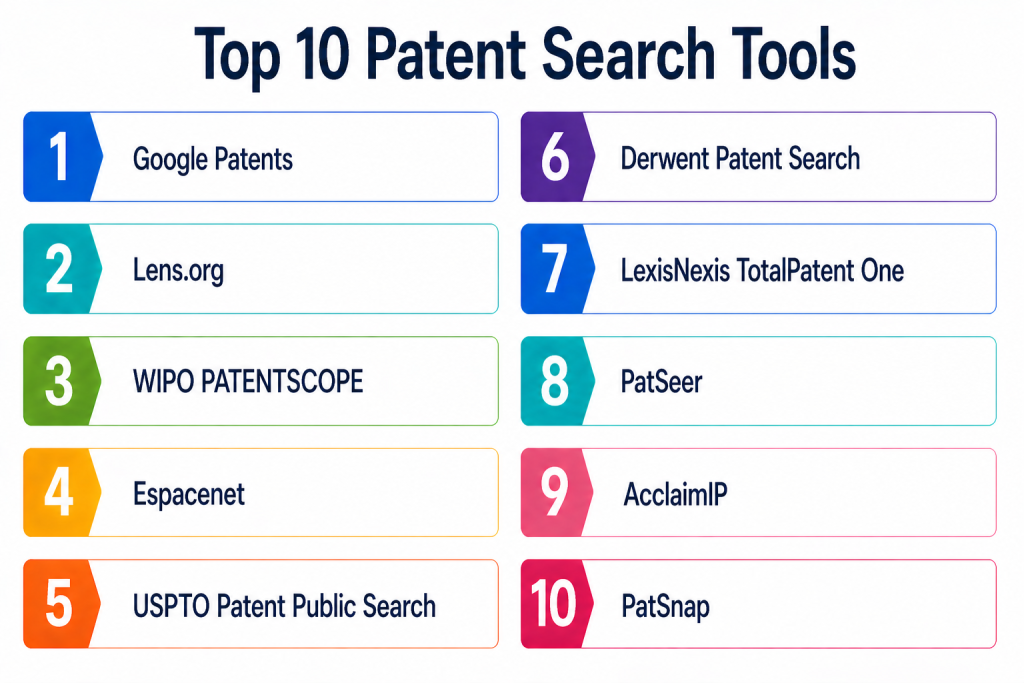
Top 10 Patent Search Tools
#1 — Google Patents
Short description: Google Patents is a widely used free tool that provides access to millions of global patents with an intuitive search interface, making it ideal for beginners and professionals alike.
Key Features
- Global patent database
- Simple search interface
- Patent translations
- Filtering by inventor, assignee, and date
- PDF export
Pros
- Free and easy to use
- Wide global coverage
Cons
- Limited advanced analytics
- Fewer customization options
Platforms / Deployment
Web — Cloud
Security & Compliance
Not publicly stated
Integrations & Ecosystem
Standalone platform with basic export capabilities.
Support & Community
Limited support, widely used community
#2 — Lens.org
Short description: Lens.org is an open-access platform that combines patent and scholarly data, enabling deep analysis and research.
Key Features
- Patent and research integration
- Advanced filtering
- Citation analysis
- Visualization tools
- Open-access database
Pros
- Free and powerful
- Strong analytics
Cons
- Learning curve
- Interface complexity
Platforms / Deployment
Web — Cloud
Security & Compliance
Not publicly stated
Integrations & Ecosystem
Supports data export and analytics workflows.
Support & Community
Active research community
#3 — WIPO PATENTSCOPE
Short description: PATENTSCOPE provides access to international patent applications and multilingual search capabilities.
Key Features
- Global patent coverage
- Multilingual search
- Chemical structure search
- International filings
- Translation tools
Pros
- Strong global coverage
- Useful for international research
Cons
- Interface complexity
- Limited visualization
Platforms / Deployment
Web — Cloud
Security & Compliance
Not publicly stated
Integrations & Ecosystem
Linked to global patent offices.
Support & Community
Standard support
#4 — Espacenet
Short description: Espacenet provides access to millions of patent documents and is widely used for European and global patent research.
Key Features
- Extensive patent database
- Advanced search filters
- Patent family tracking
- Legal status information
- Classification search
Pros
- Free and reliable
- Strong European coverage
Cons
- Interface complexity
- Limited AI features
Platforms / Deployment
Web — Cloud
Security & Compliance
Not publicly stated
Integrations & Ecosystem
Connected to European patent systems.
Support & Community
Standard support
#5 — USPTO Patent Public Search
Short description: The official US patent database providing detailed search capabilities and full-text access.
Key Features
- US patent database
- Full-text search
- Legal status tracking
- Classification tools
- Advanced filters
Pros
- Highly detailed US data
- Official source
Cons
- US-focused
- Complex interface
Platforms / Deployment
Web — Cloud
Security & Compliance
Not publicly stated
Integrations & Ecosystem
Integrated with US patent systems.
Support & Community
Government support
#6 — PatSnap
Short description: PatSnap is an AI-powered patent analytics platform offering advanced search, insights, and competitive intelligence.
Key Features
- AI semantic search
- Technology landscape analysis
- Patent analytics
- Multilingual search
- Competitive insights
Pros
- Advanced AI capabilities
- Strong analytics
Cons
- Premium pricing
- Requires training
Platforms / Deployment
Web — Cloud
Security & Compliance
Not publicly stated
Integrations & Ecosystem
Integrates with enterprise systems and analytics tools.
Support & Community
Enterprise support
#7 — Derwent Innovation
Short description: Derwent provides curated patent data with AI-enhanced search capabilities for professional use.
Key Features
- Curated patent abstracts
- AI search
- Patent family linking
- Analytics tools
- Monitoring alerts
Pros
- High-quality data
- Strong analytics
Cons
- Expensive
- Enterprise-focused
Platforms / Deployment
Web — Cloud
Security & Compliance
Not publicly stated
Integrations & Ecosystem
Integrates with IP management systems.
Support & Community
Enterprise support
#8 — PatSeer
Short description: PatSeer offers AI-powered patent search and analytics with global coverage and flexible pricing.
Key Features
- Global patent database
- AI search
- Analytics dashboards
- Data export
- API integration
Pros
- Cost-effective
- Strong features
Cons
- Interface complexity
- Learning curve
Platforms / Deployment
Web — Cloud
Security & Compliance
Not publicly stated
Integrations & Ecosystem
Supports integration with analytics tools.
Support & Community
Professional support
#9 — AcclaimIP
Short description: AcclaimIP focuses on patent analytics and competitive intelligence with strong visualization capabilities.
Key Features
- Patent analytics
- Visualization tools
- Competitive insights
- Portfolio analysis
- Reporting
Pros
- Strong analytics
- Good visualization
Cons
- Limited free features
- Smaller ecosystem
Platforms / Deployment
Web — Cloud
Security & Compliance
Not publicly stated
Integrations & Ecosystem
Integrates with IP systems.
Support & Community
Standard support
#10 — LexisNexis TotalPatent One
Short description: TotalPatent One provides comprehensive global patent search with AI-powered insights and legal analysis tools.
Key Features
- Global patent coverage
- AI search
- Legal analytics
- Patent family tracking
- Reporting tools
Pros
- Enterprise-grade capabilities
- Strong legal integration
Cons
- Expensive
- Complex
Platforms / Deployment
Web — Cloud
Security & Compliance
Not publicly stated
Integrations & Ecosystem
Integrates with legal and enterprise tools.
Support & Community
Enterprise support
Comparison Table
| Tool Name | Best For | Platform Supported | Deployment | Standout Feature | Public Rating |
|---|---|---|---|---|---|
| Google Patents | Beginners | Web | Cloud | Easy global search | N/A |
| Lens.org | Research | Web | Cloud | Patent + research integration | N/A |
| PATENTSCOPE | Global | Web | Cloud | Multilingual search | N/A |
| Espacenet | Europe | Web | Cloud | Patent families | N/A |
| USPTO | US | Web | Cloud | Official database | N/A |
| PatSnap | Enterprise | Web | Cloud | AI analytics | N/A |
| Derwent | Enterprise | Web | Cloud | Curated data | N/A |
| PatSeer | Mid-market | Web | Cloud | Cost-effective AI search | N/A |
| AcclaimIP | Analytics | Web | Cloud | Visualization | N/A |
| TotalPatent One | Enterprise | Web | Cloud | Legal insights | N/A |
Evaluation & Scoring of Patent Search Tools
| Tool Name | Core | Ease | Integrations | Security | Performance | Support | Value | Weighted Total |
|---|---|---|---|---|---|---|---|---|
| Google Patents | 8 | 10 | 6 | 7 | 8 | 7 | 10 | 8.4 |
| Lens.org | 8 | 8 | 7 | 7 | 8 | 7 | 10 | 8.2 |
| PATENTSCOPE | 9 | 7 | 7 | 7 | 8 | 7 | 9 | 8.1 |
| Espacenet | 8 | 7 | 6 | 7 | 8 | 7 | 9 | 7.9 |
| USPTO | 9 | 6 | 6 | 7 | 8 | 7 | 9 | 7.9 |
| PatSnap | 9 | 8 | 8 | 8 | 9 | 8 | 6 | 8.3 |
| Derwent | 9 | 7 | 8 | 8 | 9 | 8 | 6 | 8.2 |
| PatSeer | 8 | 7 | 8 | 7 | 8 | 7 | 8 | 7.9 |
| AcclaimIP | 8 | 7 | 7 | 7 | 8 | 7 | 7 | 7.7 |
| TotalPatent One | 9 | 7 | 9 | 8 | 9 | 8 | 6 | 8.3 |
These scores are comparative and reflect relative strengths. Organizations should align tool selection with research depth and budget.
Which Patent Search Tool Is Right for You
Solo / Freelancer
Google Patents and Lens.org are ideal for free and simple searches.
SMB
PatSeer and AcclaimIP provide balanced features and affordability.
Mid-Market
Lens.org and PATENTSCOPE offer strong analytics and global coverage.
Enterprise
PatSnap, Derwent, and TotalPatent One provide advanced AI and analytics.
Budget vs Premium
Free tools are sufficient for basic research, while enterprise tools provide deeper insights.
Feature Depth vs Ease of Use
Free tools focus on simplicity, while paid tools offer advanced analytics.
Integrations & Scalability
Enterprise tools integrate well with IP management systems.
Security & Compliance Needs
Enterprise users should prioritize advanced platforms.
Frequently Asked Questions
1. What is a patent search tool
A patent search tool is a platform that allows users to find and analyze patent documents globally.
2. Why is patent search important
It helps determine novelty and avoid infringement risks.
3. Are there free patent search tools
Yes, tools like Google Patents and Lens.org are free.
4. What is prior art search
It is the process of finding existing patents related to an invention.
5. Do these tools use AI
Many modern tools use AI for better accuracy and insights.
6. Which tool is best for beginners
Google Patents is widely considered beginner-friendly.
7. Can I search patents globally
Yes, many tools provide global coverage.
8. What are common challenges
Complex search queries and data overload.
9. Are paid tools worth it
Yes, for deep analysis and enterprise needs.
10. What are alternatives
Manual searches or consulting patent attorneys.
Conclusion
Patent search tools are essential for innovation, legal compliance, and competitive intelligence. They help organizations identify prior art, evaluate ideas, and make informed decisions. The right tool depends on your needs—free tools work well for basic research, while enterprise tools provide advanced analytics and insights. Modern platforms are evolving with AI, automation, and global data integration, making patent research faster and more accurate. Choosing the right solution requires evaluating coverage, usability, and analytics capabilities. A practical approach is to shortlist a few tools and test them based on your workflow. Ultimately, the best patent search tool is one that improves accuracy, saves time, and supports your innovation strategy.