Introduction
Color grading software is used to enhance, correct, and stylize the color of video footage to achieve a desired visual tone and consistency. It plays a crucial role in post-production, ensuring that scenes match in lighting, mood, and aesthetic—whether for films, advertisements, YouTube content, or cinematic storytelling.
Modern color grading tools go far beyond basic color correction. They now include AI-assisted grading, HDR workflows, real-time playback, and deep integration with editing and VFX pipelines. As audiences demand higher-quality visuals across platforms, color grading has become essential not only for professionals but also for independent creators.
Common use cases include:
- Film and TV post-production
- YouTube and social media content creation
- Commercial and advertising projects
- Music videos and cinematic storytelling
- HDR and high-end broadcast workflows
Key evaluation criteria buyers should consider:
- Color correction and grading tools (wheels, curves, LUTs)
- HDR and color space support
- Real-time playback performance
- Integration with editing and VFX tools
- AI-assisted color matching and grading
- Workflow flexibility (node-based vs layer-based)
- Hardware optimization (GPU acceleration)
- Collaboration and project sharing
- Ease of use and learning curve
Best for: Video editors, filmmakers, colorists, content creators, and post-production teams seeking professional-quality visuals.
Not ideal for: Basic video trimming or simple editing tasks where advanced color manipulation is not required.
Key Trends in Color Grading Software
- AI-assisted grading: Automatic color matching and scene balancing
- HDR and wide color gamut workflows: Increasing demand for high dynamic range content
- Real-time playback improvements: Faster grading without rendering delays
- Cloud-based collaboration: Shared projects across distributed teams
- Node-based workflows: Greater control and flexibility for professionals
- Integration with full pipelines: Editing, VFX, and audio in one ecosystem
- GPU acceleration: Enhanced performance for high-resolution footage
- Look development tools: Prebuilt LUTs and cinematic presets
- Mobile and lightweight grading tools: For creators on the go
- Automation of repetitive tasks: Batch grading and scene detection
How We Selected These Tools (Methodology)
- Evaluated industry adoption across film, content creation, and broadcasting
- Assessed core grading capabilities and color accuracy
- Reviewed performance with high-resolution footage
- Considered integration with editing and VFX pipelines
- Included tools for both beginners and professionals
- Analyzed ease of use and workflow flexibility
- Evaluated community support and documentation
- Prioritized tools with modern features like AI and HDR
- Balanced free, open-source, and premium tools
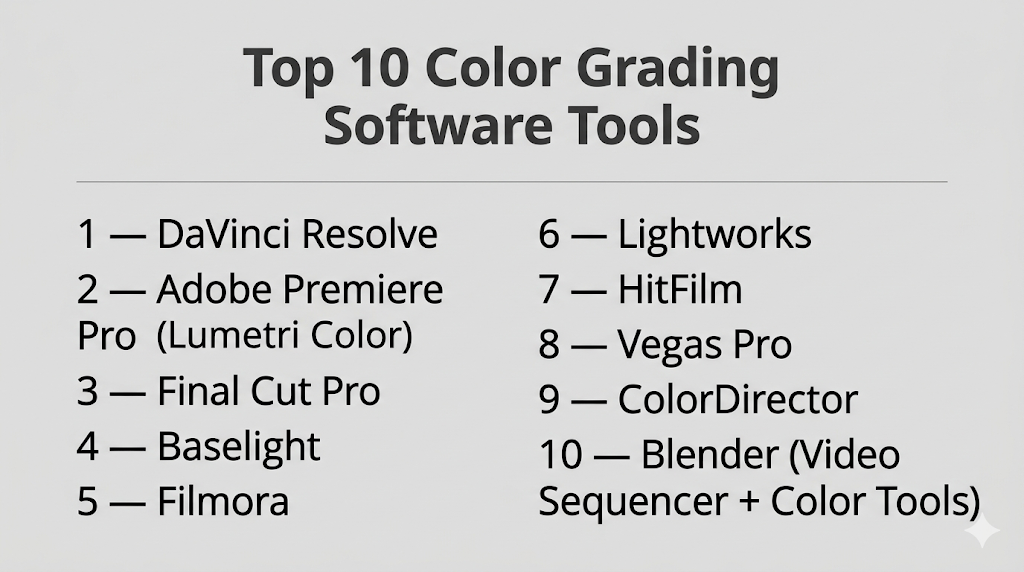
Top 10 Color Grading Software Tools
#1 — DaVinci Resolve
Short description: A professional-grade color grading and post-production suite widely used in film and TV.
Key Features
- Advanced color wheels and curves
- Node-based grading workflow
- HDR grading support
- Real-time playback
- Integrated editing, VFX, and audio
- AI-assisted tools
Pros
- Industry-standard color grading
- Free version available
Cons
- Resource-intensive
- Steep learning curve
Platforms / Deployment
Windows / macOS / Linux
Local
Security & Compliance
Not publicly stated
Integrations & Ecosystem
Comprehensive post-production ecosystem.
- Editing tools
- VFX (Fusion)
- Audio (Fairlight)
Support & Community
Large global community and extensive learning resources.
#2 — Adobe Premiere Pro (Lumetri Color)
Short description: A popular video editing software with built-in color grading tools via Lumetri.
Key Features
- Lumetri color panel
- LUT support
- Real-time preview
- Integration with editing workflow
- Color wheels and curves
Pros
- Easy integration with editing
- Beginner-friendly
Cons
- Less advanced than dedicated grading tools
- Subscription model
Platforms / Deployment
Windows / macOS
Cloud / Local
Security & Compliance
Not publicly stated
Integrations & Ecosystem
Strong Adobe ecosystem.
- After Effects
- Photoshop
- Media Encoder
Support & Community
Extensive tutorials and large user base.
#3 — Final Cut Pro
Short description: A macOS-based video editing tool with powerful built-in color grading features.
Key Features
- Color wheels and curves
- HDR support
- Real-time playback
- Magnetic timeline
- Plugin support
Pros
- Optimized for macOS
- Fast performance
Cons
- macOS-only
- Limited advanced grading compared to Resolve
Platforms / Deployment
macOS
Local
Security & Compliance
Not publicly stated
Integrations & Ecosystem
Apple ecosystem integration.
- Motion
- Compressor
Support & Community
Strong community among macOS users.
#4 — Baselight
Short description: A high-end color grading system used in professional film production.
Key Features
- Advanced color tools
- HDR workflows
- Real-time grading
- High-end control panels
- Precision color management
Pros
- Exceptional color accuracy
- Used in major productions
Cons
- Expensive
- Requires specialized hardware
Platforms / Deployment
Linux / macOS
Local
Security & Compliance
Not publicly stated
Integrations & Ecosystem
Professional studio workflows.
- Film pipelines
- Broadcast systems
Support & Community
Enterprise-level support.
#5 — Filmora
Short description: A beginner-friendly video editor with simple color grading tools.
Key Features
- Basic color correction
- LUT support
- Presets and filters
- Real-time preview
- Easy interface
Pros
- Very easy to use
- Affordable
Cons
- Limited advanced features
- Not for professional grading
Platforms / Deployment
Windows / macOS
Local
Security & Compliance
Not publicly stated
Integrations & Ecosystem
Focused on simple workflows.
- Export tools
- Templates
Support & Community
Beginner-focused community.
#6 — Lightworks
Short description: A professional video editor with integrated color grading tools.
Key Features
- Real-time effects
- Color correction tools
- Multi-format support
- Timeline editing
- GPU acceleration
Pros
- Professional capabilities
- Free version available
Cons
- Interface complexity
- Limited advanced grading
Platforms / Deployment
Windows / macOS / Linux
Local
Security & Compliance
Not publicly stated
Integrations & Ecosystem
Supports editing workflows.
- Export pipelines
- Plugins
Support & Community
Moderate community support.
#7 — HitFilm
Short description: A combined editing and VFX tool with built-in color grading features.
Key Features
- Color correction tools
- LUT support
- Real-time playback
- Integrated VFX
- Presets
Pros
- All-in-one tool
- Easy to learn
Cons
- Limited advanced grading
- Performance limitations
Platforms / Deployment
Windows / macOS
Local
Security & Compliance
Not publicly stated
Integrations & Ecosystem
Creator-focused ecosystem.
- Export tools
- VFX workflows
Support & Community
Strong beginner community.
#8 — Vegas Pro
Short description: A video editing software with robust color grading capabilities.
Key Features
- Color wheels and curves
- HDR support
- Real-time preview
- GPU acceleration
- Plugin support
Pros
- Flexible workflow
- Good performance
Cons
- Windows-focused
- UI can feel outdated
Platforms / Deployment
Windows
Local
Security & Compliance
Not publicly stated
Integrations & Ecosystem
Supports plugins and workflows.
- VFX tools
- Export systems
Support & Community
Established user base.
#9 — ColorDirector
Short description: A dedicated color grading tool focused on video enhancement and correction.
Key Features
- Color matching
- Motion tracking for color
- LUT support
- HDR tools
- Presets
Pros
- Focused grading tool
- Easy integration
Cons
- Less advanced than high-end tools
- Limited ecosystem
Platforms / Deployment
Windows
Local
Security & Compliance
Not publicly stated
Integrations & Ecosystem
Works with editing tools.
- Video editors
- Media tools
Support & Community
Moderate support resources.
#10 — Blender (Video Sequencer + Color Tools)
Short description: An open-source tool offering basic color grading within its video editing and compositing system.
Key Features
- Color correction nodes
- Integrated compositor
- Open-source flexibility
- Real-time preview
- Multi-platform support
Pros
- Free to use
- Flexible workflows
Cons
- Not dedicated for grading
- Complex interface
Platforms / Deployment
Windows / macOS / Linux
Local
Security & Compliance
Not publicly stated
Integrations & Ecosystem
Part of Blender ecosystem.
- 3D workflows
- Compositing
Support & Community
Large open-source community.
Comparison Table (Top 10)
| Tool Name | Best For | Platform(s) Supported | Deployment | Standout Feature | Public Rating |
|---|---|---|---|---|---|
| DaVinci Resolve | Professional grading | Windows/macOS/Linux | Local | Node-based grading | N/A |
| Premiere Pro | Editing + grading | Windows/macOS | Hybrid | Lumetri tools | N/A |
| Final Cut Pro | macOS users | macOS | Local | Optimized performance | N/A |
| Baselight | Film studios | Linux/macOS | Local | High-end color accuracy | N/A |
| Filmora | Beginners | Windows/macOS | Local | Ease of use | N/A |
| Lightworks | Editors | Windows/macOS/Linux | Local | Free pro tools | N/A |
| HitFilm | Creators | Windows/macOS | Local | VFX + grading | N/A |
| Vegas Pro | Flexible editing | Windows | Local | GPU acceleration | N/A |
| ColorDirector | Color correction | Windows | Local | Motion tracking color | N/A |
| Blender | Open-source users | Windows/macOS/Linux | Local | Free workflows | N/A |
Evaluation & Scoring of Color Grading Software
| Tool Name | Core (25%) | Ease (15%) | Integrations (15%) | Security (10%) | Performance (10%) | Support (10%) | Value (15%) | Weighted Total |
|---|---|---|---|---|---|---|---|---|
| DaVinci Resolve | 10 | 6 | 9 | 6 | 9 | 9 | 10 | 8.9 |
| Premiere Pro | 8 | 9 | 10 | 6 | 8 | 10 | 8 | 8.7 |
| Final Cut Pro | 8 | 9 | 8 | 6 | 9 | 8 | 8 | 8.3 |
| Baselight | 10 | 5 | 9 | 6 | 10 | 8 | 6 | 8.2 |
| Filmora | 6 | 10 | 6 | 5 | 7 | 7 | 9 | 7.6 |
| Lightworks | 7 | 7 | 7 | 5 | 7 | 7 | 8 | 7.2 |
| HitFilm | 7 | 9 | 6 | 5 | 7 | 7 | 8 | 7.5 |
| Vegas Pro | 8 | 7 | 7 | 5 | 8 | 7 | 7 | 7.4 |
| ColorDirector | 7 | 8 | 6 | 5 | 7 | 6 | 8 | 7.1 |
| Blender | 6 | 6 | 7 | 5 | 7 | 9 | 10 | 7.3 |
How to interpret the scores:
- Scores compare tools across multiple criteria
- Higher totals indicate balanced capabilities
- Professionals should prioritize core features and performance
- Beginners should prioritize ease of use and value
- Always evaluate based on your workflow needs
Which Color Grading Software Tool Is Right for You?
Solo / Freelancer
- Best options: Filmora, HitFilm, DaVinci Resolve (free version)
- Focus on affordability and ease
SMB
- Best options: Premiere Pro, DaVinci Resolve
- Balance features and usability
Mid-Market
- Best options: DaVinci Resolve, Final Cut Pro
- Require scalable workflows
Enterprise
- Best options: Baselight, DaVinci Resolve
- Need high-end precision and pipelines
Budget vs Premium
- Budget: Blender, Filmora, Resolve (free)
- Premium: Baselight
Feature Depth vs Ease of Use
- Advanced: Resolve, Baselight
- Easy: Filmora, Premiere Pro
Integrations & Scalability
- Strong: Resolve, Premiere
- Limited: Filmora
Security & Compliance Needs
- Most tools: Not publicly stated
- Enterprises should validate internally
Frequently Asked Questions (FAQs)
What is color grading software?
It is software used to enhance and adjust colors in video footage.
What is the difference between color correction and grading?
Correction fixes issues, while grading adds style and mood.
Which tool is best for beginners?
Filmora and Premiere Pro are easier to learn.
Is DaVinci Resolve free?
Yes, a free version is available with powerful features.
Do I need a powerful PC?
Yes, especially for high-resolution and HDR workflows.
What are LUTs?
Predefined color presets used to apply specific looks.
Can I use color grading for YouTube videos?
Yes, it improves visual quality significantly.
Is HDR grading necessary?
Only for high-end or broadcast content.
Can I integrate with editing tools?
Yes, most tools support integration.
Is AI used in color grading?
Yes, for automation and color matching.
Conclusion
Color grading software is essential for creating visually compelling and professional-quality video content. From beginner-friendly tools to industry-standard platforms, there are solutions for every level and workflow.