Introduction
Vector Search Tooling helps organizations store, index, retrieve, and rank data using vector embeddings instead of only relying on exact keyword matching. These tools convert text, images, audio, code, products, documents, and other content into mathematical representations so systems can find results based on similarity, meaning, and context.
As AI applications, semantic search, recommendation systems, enterprise search, and retrieval augmented generation workflows grow, vector search has become a core layer in modern AI architecture. It helps AI systems retrieve relevant information, power natural language search, improve product discovery, support personalized recommendations, and reduce the gap between user intent and search results.
Real-world use cases include:
- Retrieval augmented generation for AI assistants
- Semantic document and knowledge base search
- Product recommendation and similarity search
- Image, video, and multimodal search
- Code search and developer knowledge retrieval
Buyers evaluating Vector Search Tooling should consider:
- Vector indexing performance
- Metadata filtering support
- Hybrid keyword and vector search
- Scalability and latency
- RAG framework integrations
- Embedding model compatibility
- Security and access controls
- Cloud and self-hosted deployment options
- Observability and search quality analytics
- Pricing and operational complexity
Best for: AI engineering teams, data teams, search product teams, MLOps teams, enterprise knowledge teams, e-commerce teams, SaaS platforms, and organizations building AI-powered search, recommendation, or retrieval systems.
Not ideal for: Very small websites with simple keyword search needs, teams without enough content volume, or organizations that only need basic relational database lookup functionality.
Key Trends in Vector Search Tooling
- Hybrid search is becoming a preferred approach because it combines keyword precision with semantic similarity.
- Retrieval augmented generation is driving wider adoption of vector databases and embedding search systems.
- Metadata-aware filtering is becoming essential for enterprise-grade retrieval accuracy.
- Vector search is increasingly being combined with knowledge graphs and semantic layers.
- Multimodal vector search across text, images, audio, and video is expanding.
- Serverless vector search is reducing infrastructure management for AI teams.
- Vector observability is becoming important for measuring retrieval quality and relevance.
- Open-source vector databases are gaining adoption among developer-first AI teams.
- Enterprise buyers are prioritizing security, isolation, access control, and governance.
- Traditional search engines are adding vector capabilities to support AI-native search workloads.
How We Selected These Tools
The tools in this list were selected based on vector search capabilities, AI ecosystem adoption, scalability, developer experience, deployment flexibility, and practical enterprise fit.
Selection criteria included:
- Vector indexing and similarity search depth
- Metadata filtering and hybrid search support
- AI and RAG framework compatibility
- Scalability across production workloads
- Cloud and self-hosted deployment options
- Security and governance controls
- Developer documentation and SDK maturity
- Observability and performance features
- Community and enterprise adoption
- Suitability for AI applications, enterprise search, and recommendation systems
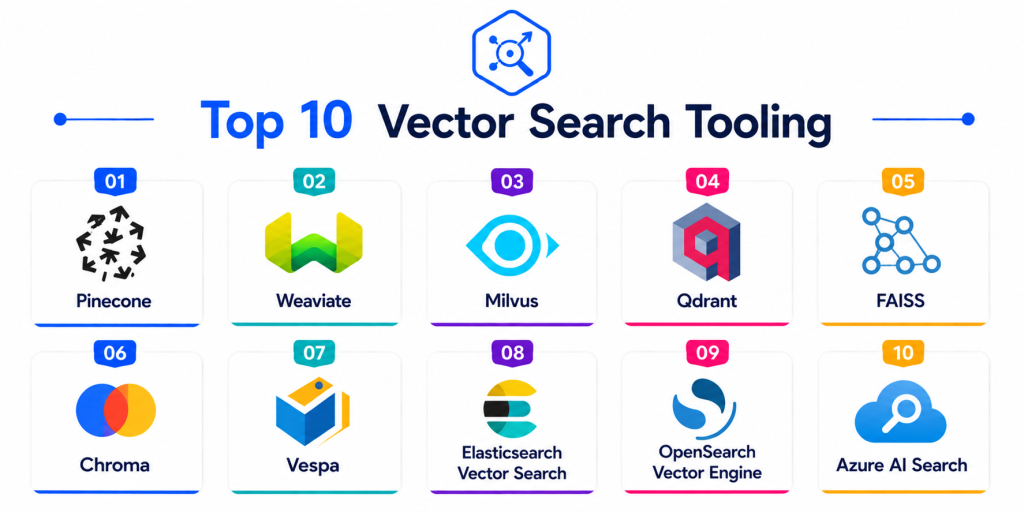
Top 10 Vector Search Tooling
1- Pinecone
Short description: Pinecone is a managed vector database built for semantic search, retrieval augmented generation, recommendation systems, and AI application retrieval. It is popular with AI teams that want scalable vector search without managing infrastructure.
Key Features
- Managed vector database
- Low-latency similarity search
- Metadata filtering
- Serverless deployment options
- RAG application support
- Scalable vector indexing
- API-first developer experience
Pros
- Easy to start and scale
- Strong AI and RAG ecosystem adoption
- Reduces operational infrastructure work
Cons
- Primarily focused on vector workloads
- Costs can increase with scale and usage
- Advanced hybrid workflows may require additional design
Platforms / Deployment
- APIs / Cloud infrastructure
- Cloud
Security & Compliance
- API authentication
- Encryption
- Access controls
- Enterprise security features vary by plan
- Audit capabilities vary by plan
Integrations & Ecosystem
Pinecone integrates well with AI development frameworks, embedding models, and retrieval workflows.
- LangChain
- LlamaIndex
- Python SDKs
- OpenAI-compatible workflows
- Cloud AI applications
- RAG pipelines
Support & Community
Pinecone provides strong developer documentation, managed support options, tutorials, and an active AI application builder ecosystem.
2- Weaviate
Short description: Weaviate is an open-source vector database and semantic search platform that supports vector search, hybrid search, schema-based data modeling, and AI-native application development.
Key Features
- Vector similarity search
- Hybrid keyword and vector retrieval
- Metadata filtering
- Modular AI integrations
- Schema-based data modeling
- Multi-tenant support options
- Cloud and self-hosted deployment
Pros
- Strong open-source flexibility
- Good hybrid search support
- Developer-friendly AI ecosystem
Cons
- Self-hosted deployments require operational tuning
- Enterprise governance depends on deployment model
- Large-scale clusters need careful architecture planning
Platforms / Deployment
- Linux / Docker / Kubernetes
- Cloud / Self-hosted / Hybrid
Security & Compliance
- Authentication support
- Authorization controls
- Encryption support
- API security
- Enterprise features vary by deployment
Integrations & Ecosystem
Weaviate works well with embedding providers, AI frameworks, and modern application stacks.
- LangChain
- LlamaIndex
- Hugging Face
- OpenAI-compatible workflows
- Kubernetes
- REST and GraphQL APIs
Support & Community
Weaviate has an active open-source community, developer documentation, commercial support options, and strong adoption among AI-native builders.
3- Milvus
Short description: Milvus is an open-source vector database designed for large-scale similarity search across AI, recommendation, image search, semantic search, and retrieval workloads. It is widely used by teams that need high-performance vector indexing at scale.
Key Features
- Large-scale vector search
- Multiple index types
- High-dimensional vector support
- Metadata filtering
- Distributed architecture
- GPU acceleration support options
- Cloud-native deployment support
Pros
- Strong scalability for large vector workloads
- Open-source and flexible
- Good fit for AI infrastructure teams
Cons
- Operational complexity can be higher
- Requires infrastructure expertise
- Search tuning may require experimentation
Platforms / Deployment
- Linux / Docker / Kubernetes
- Cloud / Self-hosted / Hybrid
Security & Compliance
- Authentication support
- Role-based access options
- Encryption support
- Deployment-based security controls
- Audit capabilities vary by configuration
Integrations & Ecosystem
Milvus integrates with AI, data, and cloud-native ecosystems.
- Python SDKs
- LangChain
- LlamaIndex
- Kubernetes
- Object storage systems
- AI application frameworks
Support & Community
Milvus has a strong open-source community, active documentation, commercial ecosystem support, and adoption across AI infrastructure projects.
4- Qdrant
Short description: Qdrant is an open-source vector search engine focused on high-performance similarity search, filtering, payload-based retrieval, and production-ready AI applications.
Key Features
- Vector similarity search
- Payload and metadata filtering
- Hybrid search support patterns
- High-performance indexing
- REST and gRPC APIs
- Cloud and self-hosted options
- Distributed deployment capabilities
Pros
- Strong filtering performance
- Developer-friendly APIs
- Good open-source and managed options
Cons
- Smaller ecosystem than some larger platforms
- Advanced hybrid ranking may require custom design
- Enterprise maturity depends on deployment needs
Platforms / Deployment
- Linux / Docker / Kubernetes
- Cloud / Self-hosted / Hybrid
Security & Compliance
- API key authentication
- Encryption support
- Access controls
- Deployment-based security configuration
- Enterprise features vary by plan
Integrations & Ecosystem
Qdrant integrates well with AI frameworks and application development environments.
- LangChain
- LlamaIndex
- Python SDKs
- Rust ecosystem
- Cloud platforms
- RAG applications
Support & Community
Qdrant has strong developer documentation, active community support, and growing adoption among AI application teams.
5- Elasticsearch
Short description: Elasticsearch is a flexible search and analytics platform that supports keyword search, vector search, hybrid retrieval, observability search, and enterprise search workloads. It is useful for teams that need both traditional search and semantic retrieval in one stack.
Key Features
- Full-text search
- Dense vector search
- Hybrid search workflows
- Relevance tuning
- Real-time indexing
- Search analytics
- Distributed scalability
Pros
- Strong hybrid search flexibility
- Mature search ecosystem
- Good for complex production search workloads
Cons
- Requires tuning expertise
- Infrastructure costs can grow at scale
- Operational complexity increases in large clusters
Platforms / Deployment
- Linux / Windows / macOS / Kubernetes
- Cloud / Self-hosted / Hybrid
Security & Compliance
- RBAC
- SSO integration
- Encryption
- Audit logging
- Index-level access controls
- Security features vary by plan and deployment
Integrations & Ecosystem
Elasticsearch integrates with observability, enterprise search, and AI retrieval ecosystems.
- Kibana
- Logstash
- Beats
- Python and Java clients
- Cloud platforms
- RAG frameworks
Support & Community
Elasticsearch has a large global developer community, strong documentation, enterprise support options, and mature ecosystem adoption.
6- Chroma
Short description: Chroma is an open-source vector database often used by developers building AI prototypes, RAG applications, semantic search tools, and local retrieval systems.
Key Features
- Vector storage and retrieval
- Embedding-based similarity search
- Metadata filtering
- Local development support
- Simple API design
- RAG application support
- Open-source architecture
Pros
- Very easy for prototypes and experiments
- Good developer experience
- Useful for local and lightweight AI apps
Cons
- Less mature for large enterprise workloads
- Limited advanced governance capabilities
- Production scaling requires planning
Platforms / Deployment
- Linux / macOS / Windows / Python environments
- Self-hosted / Hybrid
Security & Compliance
- Security depends on deployment design
- Authentication and access controls vary by setup
- Enterprise compliance features are limited compared to managed platforms
Integrations & Ecosystem
Chroma integrates strongly with AI development tools and local RAG workflows.
- LangChain
- LlamaIndex
- Python workflows
- Local AI applications
- Embedding models
- Developer notebooks
Support & Community
Chroma has an active developer community, lightweight documentation, and strong adoption among AI prototype builders.
7- FAISS
Short description: FAISS is an open-source library for efficient similarity search and clustering of dense vectors. It is widely used by AI engineers who need fast vector indexing inside custom systems.
Key Features
- High-performance similarity search
- Vector clustering
- Multiple indexing algorithms
- CPU and GPU acceleration support
- Large-scale vector retrieval
- Custom embedding search pipelines
- Open-source library model
Pros
- Very fast and flexible
- Strong research and engineering adoption
- Excellent for custom vector search systems
Cons
- Not a full managed database
- Requires engineering expertise
- Security, persistence, and operations must be built around it
Platforms / Deployment
- Linux / macOS / Python / C plus plus environments
- Self-hosted / Hybrid
Security & Compliance
- Not publicly stated
- Security depends on the surrounding application and infrastructure
Integrations & Ecosystem
FAISS is often embedded into custom AI systems and research workflows.
- Python applications
- Machine learning pipelines
- Embedding models
- Research systems
- AI search prototypes
- Custom retrieval services
Support & Community
FAISS has strong research adoption, open-source community support, and broad use in custom AI retrieval systems.
8- pgvector
Short description: pgvector is a PostgreSQL extension that adds vector similarity search to PostgreSQL. It is useful for teams that want vector search inside an existing relational database environment.
Key Features
- Vector search inside PostgreSQL
- Similarity search operators
- SQL-based retrieval
- Metadata and relational filtering
- Simple integration with existing databases
- Hybrid application patterns
- Open-source extension model
Pros
- Easy adoption for PostgreSQL teams
- Combines relational and vector queries
- Good value for smaller and mid-sized workloads
Cons
- Not as specialized as dedicated vector databases
- Large-scale vector search may require tuning
- Performance depends on PostgreSQL architecture
Platforms / Deployment
- PostgreSQL / Linux / Cloud database environments
- Cloud / Self-hosted / Hybrid
Security & Compliance
- Inherits PostgreSQL security controls
- RBAC
- Encryption support
- Audit logging depends on database setup
- Compliance depends on hosting environment
Integrations & Ecosystem
pgvector integrates naturally with PostgreSQL-based application stacks.
- PostgreSQL
- SQL applications
- Python
- Node.js
- Django
- Cloud database platforms
Support & Community
Strong PostgreSQL community support and increasing adoption among AI application developers.
9- Redis Vector Search
Short description: Redis Vector Search adds vector similarity search capabilities to Redis, making it useful for low-latency AI retrieval, recommendation systems, and real-time application search.
Key Features
- In-memory vector search
- Low-latency retrieval
- Hybrid filtering
- Real-time application support
- Secondary indexing
- Vector similarity queries
- High-throughput performance
Pros
- Excellent low-latency performance
- Good fit for real-time applications
- Works well with existing Redis environments
Cons
- Memory costs can be high
- Not ideal for all large-scale archival workloads
- Advanced vector operations require careful planning
Platforms / Deployment
- Linux / Docker / Kubernetes / Cloud infrastructure
- Cloud / Self-hosted / Hybrid
Security & Compliance
- Authentication support
- Encryption support
- Access controls
- Audit features vary by deployment
- Enterprise security varies by plan
Integrations & Ecosystem
Redis Vector Search integrates with application and AI systems that require low-latency access.
- Redis ecosystem
- Python applications
- Node.js
- Real-time apps
- AI retrieval systems
- Cloud platforms
Support & Community
Redis has a large developer community, enterprise support options, and strong adoption across real-time application infrastructure.
10- Vespa
Short description: Vespa is an open-source platform for large-scale search, recommendation, personalization, and real-time AI ranking across structured and unstructured data.
Key Features
- Vector search
- Hybrid search
- Real-time indexing
- Machine-learned ranking
- Recommendation workflows
- Large-scale serving
- Structured and unstructured data support
Pros
- Strong large-scale serving architecture
- Good for search and recommendation systems
- Open-source flexibility
Cons
- Requires engineering expertise
- Smaller mainstream ecosystem than Elasticsearch
- Operational learning curve for beginners
Platforms / Deployment
- Linux / Kubernetes / Cloud infrastructure
- Cloud / Self-hosted / Hybrid
Security & Compliance
- Authentication support
- Encryption support
- Access controls
- Deployment-based security configuration
Integrations & Ecosystem
Vespa integrates with large-scale AI search and recommendation systems.
- Kubernetes
- APIs
- Machine learning models
- Data pipelines
- Application backends
- Cloud infrastructure
Support & Community
Vespa has open-source community support, technical documentation, and commercial support options.
Comparison Table
| Tool Name | Best For | Platforms Supported | Deployment | Standout Feature | Public Rating |
|---|---|---|---|---|---|
| Pinecone | Managed vector search for AI apps | APIs / Cloud infrastructure | Cloud | Serverless vector retrieval | N/A |
| Weaviate | Open-source semantic search | Linux / Docker / Kubernetes | Cloud / Self-hosted / Hybrid | Hybrid vector and keyword search | N/A |
| Milvus | Large-scale vector workloads | Linux / Docker / Kubernetes | Cloud / Self-hosted / Hybrid | Distributed vector indexing | N/A |
| Qdrant | Filter-heavy vector search | Linux / Docker / Kubernetes | Cloud / Self-hosted / Hybrid | Payload-aware retrieval | N/A |
| Elasticsearch | Hybrid search infrastructure | Linux / Windows / macOS / Kubernetes | Cloud / Self-hosted / Hybrid | Keyword and vector search together | N/A |
| Chroma | Lightweight RAG prototypes | Python environments | Self-hosted / Hybrid | Simple local vector store | N/A |
| FAISS | Custom high-performance vector indexing | Python / C plus plus environments | Self-hosted / Hybrid | Fast similarity search library | N/A |
| pgvector | PostgreSQL-based vector search | PostgreSQL environments | Cloud / Self-hosted / Hybrid | SQL and vector search together | N/A |
| Redis Vector Search | Real-time low-latency retrieval | Linux / Docker / Kubernetes | Cloud / Self-hosted / Hybrid | In-memory vector search | N/A |
| Vespa | Search and recommendations at scale | Linux / Kubernetes | Cloud / Self-hosted / Hybrid | Real-time AI ranking | N/A |
Evaluation & Scoring of Vector Search Tooling
| Tool Name | Core 25% | Ease 15% | Integrations 15% | Security 10% | Performance 10% | Support 10% | Value 15% | Weighted Total |
|---|---|---|---|---|---|---|---|---|
| Pinecone | 9.1 | 8.8 | 8.8 | 8.7 | 9.2 | 8.6 | 8.2 | 8.78 |
| Weaviate | 8.9 | 8.2 | 8.9 | 8.5 | 8.9 | 8.5 | 8.9 | 8.70 |
| Milvus | 9.2 | 7.4 | 8.7 | 8.4 | 9.3 | 8.4 | 8.8 | 8.70 |
| Qdrant | 8.9 | 8.4 | 8.7 | 8.5 | 9.0 | 8.4 | 8.9 | 8.72 |
| Elasticsearch | 9.0 | 7.8 | 9.3 | 9.0 | 9.1 | 9.0 | 8.4 | 8.84 |
| Chroma | 7.8 | 9.1 | 8.1 | 7.5 | 8.0 | 7.8 | 9.0 | 8.18 |
| FAISS | 8.8 | 6.9 | 7.8 | 7.2 | 9.5 | 8.0 | 9.1 | 8.26 |
| pgvector | 8.2 | 8.7 | 8.5 | 8.6 | 8.2 | 8.6 | 9.2 | 8.54 |
| Redis Vector Search | 8.5 | 8.2 | 8.5 | 8.5 | 9.3 | 8.6 | 8.3 | 8.58 |
| Vespa | 9.0 | 7.1 | 8.6 | 8.3 | 9.4 | 8.3 | 8.8 | 8.58 |
These scores are comparative and intended to help organizations evaluate fit rather than identify a single universal winner. Managed vector databases score well for ease of use and fast AI application deployment, while open-source and self-hosted options provide stronger control and cost flexibility. Teams should test retrieval quality using their own embeddings, metadata, filters, latency targets, and production query patterns.
Which Vector Search Tool Is Right for You?
Solo / Freelancer
Solo developers and AI builders often need fast setup, low operational effort, and simple APIs. Chroma, pgvector, and FAISS are practical choices for prototypes, experiments, and small RAG applications.
SMB
SMBs usually need dependable vector search without heavy infrastructure management. Pinecone, Qdrant, Weaviate, and pgvector are strong options depending on whether the team prefers managed cloud, open-source flexibility, or PostgreSQL-based simplicity.
Mid-Market
Mid-sized organizations often need stronger scalability, hybrid search, metadata filtering, and production reliability. Elasticsearch, Weaviate, Qdrant, Milvus, and Redis Vector Search are strong choices depending on search complexity and latency requirements.
Enterprise
Large enterprises typically need access controls, audit visibility, hybrid search, governance, scalability, and integration with existing search or data platforms. Elasticsearch, Pinecone, Milvus, Weaviate, Redis Vector Search, and Vespa are strong enterprise-focused options.
Budget vs Premium
Open-source tools such as FAISS, Chroma, pgvector, Weaviate, Milvus, Qdrant, and Vespa can reduce licensing costs but may require stronger engineering support. Managed platforms like Pinecone reduce operations but require careful cost planning.
Feature Depth vs Ease of Use
Pinecone and Chroma are easier to start with, while Milvus, Vespa, and Elasticsearch provide deeper scalability and tuning options. pgvector is easier for teams already using PostgreSQL, while FAISS is powerful for custom engineering workflows.
Integrations & Scalability
Teams building RAG apps should prioritize LangChain, LlamaIndex, embedding provider, and metadata filtering integrations. Teams building product search or enterprise search should prioritize hybrid search, access controls, indexing speed, and relevance tuning.
Security & Compliance Needs
Security-focused organizations should prioritize encryption, authentication, RBAC, audit logs, tenant isolation, private networking, and permission-aware retrieval. Enterprise deployments should also validate how metadata and access permissions are indexed and enforced.
Frequently Asked Questions
1. What is Vector Search Tooling?
Vector Search Tooling helps systems find similar content using vector embeddings. Instead of matching only exact keywords, it retrieves items based on meaning, context, and mathematical similarity.
2. Why is vector search important for AI applications?
Vector search is important because AI applications often need to retrieve relevant documents, products, messages, images, or records based on intent. It is a core part of semantic search and retrieval augmented generation systems.
3. What is a vector database?
A vector database stores embeddings and supports similarity search at scale. It usually includes indexing, filtering, retrieval APIs, and operational features for production AI workloads.
4. What is the difference between vector search and keyword search?
Keyword search matches exact words or phrases, while vector search finds semantically similar content. Many production systems use hybrid search to combine both approaches.
5. What is hybrid search?
Hybrid search combines keyword-based retrieval with vector-based retrieval. This improves search quality because exact terms, synonyms, intent, and semantic meaning can all influence the result ranking.
6. What are common implementation mistakes?
Common mistakes include poor chunking, weak metadata design, using low-quality embeddings, skipping relevance evaluation, ignoring access controls, and relying only on vector similarity without keyword or filter logic.
7. Can vector search improve RAG systems?
Yes. Vector search helps retrieve relevant context for AI models. Better retrieval improves answer quality, reduces irrelevant context, and makes AI assistants more useful.
8. Should I use a vector database or PostgreSQL with pgvector?
Use pgvector when you already rely on PostgreSQL and your vector workload is moderate. Use a dedicated vector database when you need higher scale, specialized indexing, managed retrieval, or advanced vector search features.
9. What integrations matter most?
Important integrations include embedding models, AI frameworks, cloud storage, document processors, RAG frameworks, application APIs, observability tools, and identity systems.
10. What should buyers evaluate before choosing a vector search tool?
Buyers should evaluate retrieval quality, latency, indexing speed, metadata filtering, hybrid search support, security, deployment model, scalability, support quality, and total operating cost.
Conclusion
Vector Search Tooling is now a core building block for semantic search, AI assistants, recommendation systems, enterprise knowledge retrieval, and retrieval augmented generation applications. The right tool can improve search relevance, reduce manual discovery effort, power natural language experiences, and help AI systems retrieve better context from large content collections. Pinecone is strong for managed vector search, while Weaviate, Milvus, and Qdrant provide flexible open-source and hybrid deployment options. Elasticsearch is useful when teams need both keyword and vector search in one mature platform, while Chroma and FAISS are practical for prototypes and custom engineering. pgvector works well for PostgreSQL-based teams, Redis Vector Search is strong for low-latency retrieval, and Vespa supports large-scale search and recommendation workloads. The best choice depends on scale, latency, metadata filtering, hybrid search needs, security requirements, budget, and engineering maturity. Shortlist two or three tools, test them with real embeddings and production-like queries, measure retrieval quality carefully, and validate security and cost before scaling into production.