Introduction
Data Annotation Platforms help teams label, classify, tag, review, and prepare training data for machine learning and artificial intelligence models. These platforms are used to annotate images, videos, text, audio, documents, sensor data, medical files, geospatial data, and multimodal datasets so AI systems can learn from high-quality examples.
As AI adoption grows across industries, the quality of labeled data has become one of the biggest factors behind model performance. Poor annotation can lead to inaccurate predictions, biased outputs, weak computer vision models, unreliable NLP systems, and costly model retraining. Data Annotation Platforms help organizations manage labeling workflows, quality review, workforce collaboration, data security, model-assisted labeling, and dataset versioning.
Real-world use cases include:
- Labeling images for computer vision models
- Annotating text for NLP and sentiment analysis
- Tagging videos for autonomous systems
- Preparing documents for AI extraction models
- Reviewing datasets for quality and model training
Buyers evaluating Data Annotation Platforms should consider:
- Supported data types
- Annotation workflow flexibility
- Quality assurance and review controls
- Model-assisted labeling features
- Workforce management options
- Security and access controls
- Dataset versioning and export formats
- Collaboration and project management
- Integration with ML pipelines
- Pricing and scalability
Best for: AI teams, data science teams, computer vision teams, NLP teams, machine learning engineers, autonomous vehicle teams, healthcare AI teams, retail AI teams, robotics companies, and enterprises building supervised learning datasets.
Not ideal for: Small teams with very limited labeling needs, organizations that only need simple manual spreadsheet tagging, or teams without a clear AI training pipeline or dataset governance process.
Key Trends in Data Annotation Platforms
- Model-assisted labeling is becoming standard to reduce manual annotation time.
- Human-in-the-loop workflows are improving annotation accuracy for complex AI systems.
- Multimodal annotation across text, image, video, audio, and documents is becoming more important.
- Quality assurance workflows are becoming stricter for enterprise AI and regulated industries.
- Synthetic data and active learning are being combined with annotation pipelines.
- Data privacy and access control are becoming major buying criteria.
- Annotation platforms are increasingly integrating with MLOps and model training systems.
- Video annotation and 3D annotation are growing in autonomous systems and robotics.
- Domain-specific annotation workflows are expanding in healthcare, finance, and legal AI.
- Dataset versioning and auditability are becoming critical for responsible AI development.
How We Selected These Tools
The tools in this list were selected based on annotation depth, enterprise adoption, workflow flexibility, supported data types, quality control features, AI-assisted labeling, and practical value for machine learning teams.
Selection criteria included:
- Image, video, text, audio, and document annotation support
- Annotation interface quality and workflow flexibility
- Quality assurance and review features
- Model-assisted labeling and automation
- Workforce collaboration and task management
- Security and governance controls
- Integration with ML and MLOps workflows
- Dataset export and versioning capabilities
- Scalability for enterprise and high-volume projects
- Suitability for computer vision, NLP, document AI, and multimodal AI use cases
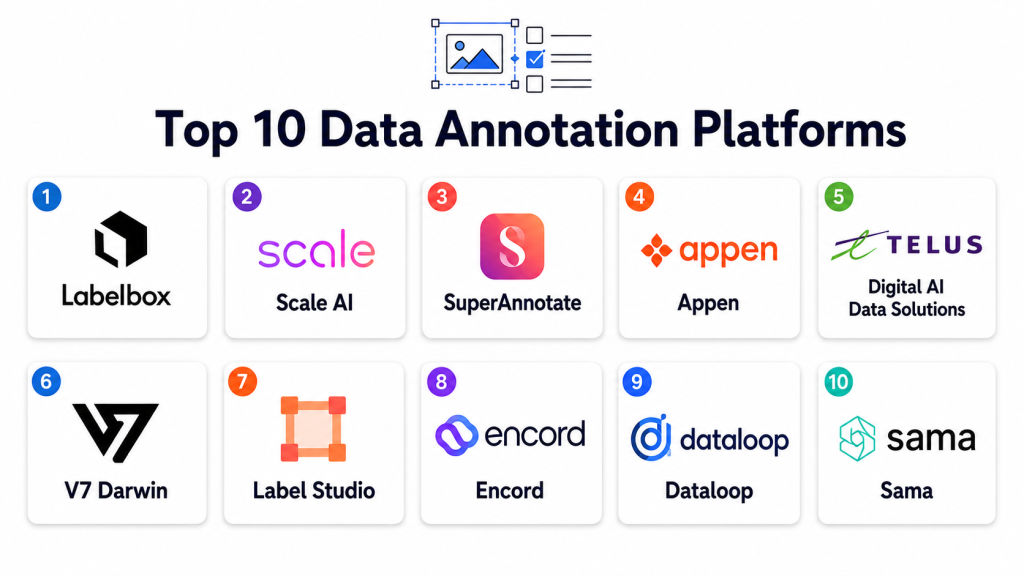
Top 10 Data Annotation Platforms
1- Labelbox
Short description: Labelbox is a data annotation and AI data platform designed for teams building computer vision, NLP, document AI, and multimodal machine learning datasets. It supports labeling workflows, quality review, model-assisted labeling, data curation, and collaboration across AI teams.
Key Features
- Image, video, text, and document annotation
- Model-assisted labeling workflows
- Data curation and dataset management
- Quality review and consensus workflows
- Collaboration and project management
- API and ML pipeline integration
- Dataset export and version control support
Pros
- Strong enterprise AI data workflow support
- Good collaboration and QA features
- Useful for computer vision and multimodal AI teams
Cons
- Pricing may be high for small teams
- Advanced workflows require setup planning
- Best value comes with structured AI data operations
Platforms / Deployment
- Web / APIs
- Cloud / Hybrid options vary
Security & Compliance
- RBAC
- SSO support
- Encryption
- Audit logging
- Enterprise security controls
- Compliance details vary by plan
Integrations & Ecosystem
Labelbox integrates with machine learning, cloud storage, and AI development workflows.
- Cloud storage platforms
- Python SDKs
- ML pipelines
- Computer vision workflows
- Data science notebooks
- MLOps environments
Support & Community
Labelbox provides enterprise support, onboarding resources, documentation, and customer success options for AI data teams.
2- Scale AI
Short description: Scale AI provides data annotation, data generation, evaluation, and AI data services for enterprise AI teams. It is widely used for complex annotation needs such as autonomous systems, computer vision, document AI, language data, and high-quality human review workflows.
Key Features
- Image and video annotation
- Text and document labeling
- Human-in-the-loop review
- Data quality workflows
- AI model evaluation support
- Workforce-managed annotation services
- Enterprise AI data operations
Pros
- Strong managed labeling services
- Good fit for complex enterprise AI datasets
- Useful quality control and workforce support
Cons
- Less suited for teams wanting only simple self-service labeling
- Premium pricing model
- Workflow setup may require vendor coordination
Platforms / Deployment
- Web / APIs
- Cloud / Managed services
Security & Compliance
- RBAC
- Encryption
- Audit controls
- Enterprise security support
- Compliance details vary by engagement
Integrations & Ecosystem
Scale AI integrates with enterprise AI, cloud, and data operations environments.
- Cloud storage
- ML pipelines
- APIs
- Computer vision systems
- NLP workflows
- Evaluation workflows
Support & Community
Scale AI provides enterprise-grade support, managed workforce operations, project guidance, and AI data expertise.
3- Appen
Short description: Appen is a data annotation and AI training data platform that combines labeling tools with a global workforce for text, speech, image, video, search, and language data projects. It is useful for organizations that need large-scale human-labeled datasets.
Key Features
- Text, image, video, and audio annotation
- Speech and language data collection
- Global workforce support
- Quality assurance workflows
- Data validation and review
- Project management features
- Custom data collection services
Pros
- Strong workforce-based annotation support
- Good for large-scale multilingual data projects
- Useful for speech, language, and search relevance datasets
Cons
- Managed services may cost more than self-service tools
- Setup and QA require clear project design
- Less ideal for teams wanting full internal control
Platforms / Deployment
- Web / Managed workforce platform
- Cloud / Managed services
Security & Compliance
- Access controls
- Data handling controls
- Workforce governance
- Compliance details vary by project and contract
Integrations & Ecosystem
Appen supports AI training data workflows across many domains.
- NLP datasets
- Speech AI workflows
- Search relevance projects
- Computer vision datasets
- Enterprise AI teams
- Custom data pipelines
Support & Community
Appen provides project support, workforce management, data quality services, and annotation operations guidance.
4- SuperAnnotate
Short description: SuperAnnotate is a data annotation platform focused on computer vision, multimodal AI, and enterprise dataset management. It supports annotation workflows, automation, quality control, data curation, and collaboration for AI model development.
Key Features
- Image and video annotation
- Text and document labeling
- AI-assisted annotation
- Quality control workflows
- Dataset management
- Team collaboration
- Automation and workflow customization
Pros
- Strong computer vision annotation experience
- Good workflow and QA controls
- Useful for enterprise AI dataset operations
Cons
- Advanced workflows may require onboarding
- Pricing may not suit very small projects
- Complex projects need careful workflow design
Platforms / Deployment
- Web / APIs
- Cloud / Hybrid options vary
Security & Compliance
- RBAC
- Encryption
- SSO support
- Audit logging
- Enterprise security options
- Compliance details vary by plan
Integrations & Ecosystem
SuperAnnotate integrates with AI development and data workflows.
- Cloud storage
- Python workflows
- ML pipelines
- Computer vision systems
- Data review workflows
- APIs
Support & Community
SuperAnnotate provides documentation, onboarding, enterprise support, and AI data operations resources.
5- CVAT
Short description: CVAT is an open-source annotation tool widely used for computer vision projects. It supports image and video annotation, object detection, segmentation, tracking, and dataset preparation for ML model training.
Key Features
- Image annotation
- Video annotation
- Bounding boxes
- Polygons and segmentation masks
- Object tracking
- Dataset export formats
- Self-hosted deployment support
Pros
- Open-source and flexible
- Strong computer vision annotation support
- Good for teams that want deployment control
Cons
- Requires technical setup and maintenance
- Enterprise workflow features may need customization
- Less polished than some commercial platforms
Platforms / Deployment
- Web / Docker / Linux
- Self-hosted / Hybrid
Security & Compliance
- Authentication support
- Role-based project access
- Deployment-based security controls
- Compliance depends on hosting environment
Integrations & Ecosystem
CVAT integrates well with computer vision and ML workflows.
- OpenCV workflows
- YOLO-style datasets
- COCO formats
- Pascal VOC formats
- Custom ML pipelines
- Self-hosted AI systems
Support & Community
CVAT has a strong open-source community, active developer adoption, documentation, and commercial ecosystem support options.
6- Dataloop
Short description: Dataloop is an AI data platform for annotation, data management, automation, and model development workflows. It supports visual data annotation, quality review, dataset versioning, and AI-assisted labeling for enterprise teams.
Key Features
- Image and video annotation
- Data management and curation
- Automation workflows
- Model-assisted labeling
- Quality assurance tools
- Dataset versioning
- Pipeline and API integrations
Pros
- Strong AI data pipeline capabilities
- Good automation and dataset management
- Useful for production AI teams
Cons
- Requires workflow planning
- Advanced capabilities may have a learning curve
- Pricing can vary by project scale
Platforms / Deployment
- Web / APIs
- Cloud / Hybrid options vary
Security & Compliance
- RBAC
- SSO support
- Encryption
- Audit logging
- Enterprise security controls
- Compliance details vary by deployment
Integrations & Ecosystem
Dataloop integrates with annotation, MLOps, and cloud workflows.
- Cloud storage
- Python SDKs
- ML models
- Automation pipelines
- Computer vision workflows
- APIs
Support & Community
Dataloop provides documentation, enterprise support, onboarding, and AI data operations guidance.
7- Encord
Short description: Encord is a data annotation and AI data platform focused on computer vision, medical AI, video annotation, data quality, and model evaluation workflows. It is useful for teams that need high-quality visual data labeling and review processes.
Key Features
- Image annotation
- Video annotation
- Medical imaging support
- Segmentation workflows
- Model-assisted labeling
- Data quality evaluation
- Workflow review tools
Pros
- Strong visual annotation capabilities
- Good medical and computer vision fit
- Useful model-assisted labeling workflows
Cons
- Best suited for visual data projects
- Advanced workflows may require onboarding
- Pricing may not fit small one-time tasks
Platforms / Deployment
- Web / APIs
- Cloud / Hybrid options vary
Security & Compliance
- RBAC
- Encryption
- Audit logging
- SSO support
- Enterprise security controls
- Healthcare-related compliance details vary by plan and deployment
Integrations & Ecosystem
Encord integrates with visual AI and ML workflows.
- Cloud storage
- Python SDKs
- Computer vision pipelines
- Medical imaging workflows
- Model evaluation systems
- APIs
Support & Community
Encord provides documentation, enterprise support, onboarding, and domain-focused support for visual AI projects.
8- V7 Darwin
Short description: V7 Darwin is a data annotation and AI training platform focused on image, video, medical imaging, and computer vision workflows. It supports automated labeling, review, dataset management, and model development collaboration.
Key Features
- Image and video annotation
- Medical imaging annotation
- Automated labeling workflows
- Dataset management
- Quality review
- Model training support
- Collaboration features
Pros
- Strong computer vision annotation interface
- Good automation and review workflows
- Useful for medical and visual AI datasets
Cons
- Best suited for visual annotation use cases
- Advanced setup may require training
- Pricing may be high for small teams
Platforms / Deployment
- Web / APIs
- Cloud
Security & Compliance
- RBAC
- Encryption
- Access controls
- Audit features vary by plan
- Compliance details vary by deployment and use case
Integrations & Ecosystem
V7 Darwin integrates with AI development and visual data workflows.
- Cloud storage
- ML pipelines
- Computer vision workflows
- Medical imaging data
- APIs
- Dataset exports
Support & Community
V7 provides customer support, onboarding resources, product documentation, and AI data workflow guidance.
9- Label Studio
Short description: Label Studio is an open-source data labeling platform that supports text, image, audio, video, time series, and multimodal annotation workflows. It is popular with teams that need flexible labeling templates and self-hosted deployment control.
Key Features
- Multi-data-type annotation
- Custom labeling templates
- Text classification and NER
- Image and video labeling
- Audio annotation
- ML-assisted labeling support
- Self-hosted deployment
Pros
- Flexible and open-source
- Supports many data types
- Good for custom annotation workflows
Cons
- Enterprise governance may require paid options or customization
- Large projects need workflow planning
- Advanced QA setup may require technical work
Platforms / Deployment
- Web / Docker / Python environments
- Cloud / Self-hosted / Hybrid
Security & Compliance
- Authentication support
- Role-based access options
- Deployment-based encryption and security controls
- Enterprise security varies by edition
Integrations & Ecosystem
Label Studio integrates with ML pipelines, storage systems, and data workflows.
- Python SDKs
- Cloud storage
- ML backends
- NLP workflows
- Computer vision workflows
- APIs
Support & Community
Label Studio has a strong open-source community, documentation, templates, and commercial support options.
10- Amazon SageMaker Ground Truth
Short description: Amazon SageMaker Ground Truth is a data labeling service for machine learning teams using AWS. It supports managed labeling workflows, human review, automated labeling, and integration with AWS machine learning services.
Key Features
- Image, text, and video labeling support
- Managed human labeling workflows
- Automated data labeling support
- Integration with SageMaker
- Quality review workflows
- Workforce options
- Scalable labeling jobs
Pros
- Strong AWS ecosystem integration
- Useful managed workforce options
- Good for teams already using SageMaker
Cons
- Best suited for AWS environments
- Less flexible outside AWS workflows
- Cost and setup require planning
Platforms / Deployment
- AWS Cloud / Web / APIs
- Cloud
Security & Compliance
- IAM integration
- Encryption
- Audit logging through AWS services
- Access controls
- Compliance support depends on AWS configuration
Integrations & Ecosystem
SageMaker Ground Truth integrates deeply with AWS AI and data workflows.
- Amazon S3
- SageMaker
- AWS IAM
- Lambda workflows
- ML pipelines
- AWS data services
Support & Community
AWS provides documentation, enterprise support plans, cloud training resources, and a large ML developer ecosystem.
Comparison Table
| Tool Name | Best For | Platforms Supported | Deployment | Standout Feature | Public Rating |
|---|---|---|---|---|---|
| Labelbox | Enterprise AI data workflows | Web / APIs | Cloud / Hybrid options vary | Data curation and model-assisted labeling | N/A |
| Scale AI | Managed enterprise labeling | Web / APIs | Cloud / Managed services | High-quality managed annotation workforce | N/A |
| Appen | Large-scale human data labeling | Web / Managed workforce platform | Cloud / Managed services | Global workforce and language data | N/A |
| SuperAnnotate | Computer vision annotation | Web / APIs | Cloud / Hybrid options vary | Visual data workflow management | N/A |
| CVAT | Open-source computer vision labeling | Web / Docker / Linux | Self-hosted / Hybrid | Flexible image and video annotation | N/A |
| Dataloop | AI data pipeline operations | Web / APIs | Cloud / Hybrid options vary | Automation and dataset management | N/A |
| Encord | Visual and medical AI datasets | Web / APIs | Cloud / Hybrid options vary | Data quality for visual AI | N/A |
| V7 Darwin | Image and video AI labeling | Web / APIs | Cloud | Automated visual annotation workflows | N/A |
| Label Studio | Flexible open-source annotation | Web / Docker / Python | Cloud / Self-hosted / Hybrid | Custom multimodal labeling templates | N/A |
| SageMaker Ground Truth | AWS ML labeling workflows | AWS Cloud / Web / APIs | Cloud | AWS-native labeling jobs | N/A |
Evaluation & Scoring of Data Annotation Platforms
| Tool Name | Core 25% | Ease 15% | Integrations 15% | Security 10% | Performance 10% | Support 10% | Value 15% | Weighted Total |
|---|---|---|---|---|---|---|---|---|
| Labelbox | 9.2 | 8.4 | 9.0 | 9.0 | 8.9 | 8.8 | 8.0 | 8.77 |
| Scale AI | 9.1 | 8.0 | 8.8 | 9.0 | 8.9 | 9.0 | 7.7 | 8.65 |
| Appen | 8.7 | 7.9 | 8.3 | 8.6 | 8.5 | 8.8 | 7.9 | 8.36 |
| SuperAnnotate | 9.0 | 8.3 | 8.7 | 8.8 | 8.8 | 8.7 | 8.1 | 8.65 |
| CVAT | 8.5 | 7.4 | 8.2 | 7.8 | 8.5 | 8.2 | 9.3 | 8.34 |
| Dataloop | 8.9 | 8.0 | 8.8 | 8.8 | 8.7 | 8.6 | 8.1 | 8.58 |
| Encord | 8.8 | 8.3 | 8.5 | 8.8 | 8.7 | 8.6 | 8.0 | 8.54 |
| V7 Darwin | 8.7 | 8.5 | 8.3 | 8.5 | 8.6 | 8.5 | 8.0 | 8.46 |
| Label Studio | 8.6 | 8.1 | 8.5 | 8.0 | 8.4 | 8.3 | 9.1 | 8.49 |
| SageMaker Ground Truth | 8.7 | 8.0 | 9.0 | 9.1 | 8.7 | 8.8 | 8.0 | 8.62 |
These scores are comparative and intended to help buyers evaluate practical fit rather than identify a universal winner. Commercial platforms usually score higher for collaboration, governance, and managed support, while open-source tools provide stronger flexibility and value for technical teams. The best choice depends on data type, annotation complexity, quality requirements, security needs, workforce model, and ML pipeline integration.
Which Data Annotation Platform Is Right for You?
Solo / Freelancer
Solo AI developers and small prototype teams often need affordable, flexible, and easy-to-run tools. CVAT and Label Studio are strong options because they support self-hosting, custom labeling workflows, and multiple annotation types without requiring heavy enterprise setup.
SMB
SMBs usually need practical annotation workflows, good collaboration, and manageable costs. Label Studio, CVAT, SuperAnnotate, and V7 Darwin can work well depending on whether the team needs open-source flexibility, visual annotation, or a more polished managed interface.
Mid-Market
Mid-sized teams often need stronger quality review, team collaboration, dataset management, and automation. Labelbox, SuperAnnotate, Dataloop, Encord, and SageMaker Ground Truth are strong choices for production AI teams managing larger annotation pipelines.
Enterprise
Large enterprises usually require security controls, auditability, workforce management, data governance, quality assurance, project tracking, and integration with ML platforms. Labelbox, Scale AI, Appen, Dataloop, Encord, and SageMaker Ground Truth are strong enterprise-focused options.
Budget vs Premium
Open-source platforms like CVAT and Label Studio are good for budget-conscious teams with technical resources. Premium platforms like Labelbox, Scale AI, SuperAnnotate, Dataloop, and Encord provide stronger workflow management, automation, quality controls, and support.
Feature Depth vs Ease of Use
CVAT and Label Studio offer flexibility but require more configuration. Labelbox, SuperAnnotate, Encord, and V7 Darwin provide more polished workflows. Scale AI and Appen are stronger when organizations need managed annotation labor rather than only software.
Integrations & Scalability
Teams using AWS should evaluate SageMaker Ground Truth. Teams with custom ML pipelines may prefer Labelbox, Dataloop, SuperAnnotate, or Label Studio. Teams managing large image and video datasets should prioritize annotation speed, review workflows, and dataset versioning.
Security & Compliance Needs
Security-focused teams should prioritize RBAC, SSO, encryption, audit logs, private deployment options, workforce controls, data retention policies, and access restrictions. Sensitive industries should also validate how annotators access data and how review workflows are audited.
Frequently Asked Questions
1. What is a Data Annotation Platform?
A Data Annotation Platform helps teams label and prepare training data for machine learning models. It supports tasks such as drawing bounding boxes, tagging text, labeling audio, reviewing documents, and validating datasets.
2. Why is data annotation important for AI?
AI models learn from labeled examples. If the labels are inaccurate, inconsistent, or incomplete, the model may produce poor predictions. High-quality annotation improves model accuracy, reliability, and fairness.
3. What types of data can be annotated?
Common data types include images, videos, text, audio, documents, time series, medical images, sensor data, and multimodal datasets. Platform support varies, so buyers should confirm required formats before choosing.
4. What is model-assisted labeling?
Model-assisted labeling uses AI predictions to speed up annotation. Human reviewers then correct or approve the labels. This approach reduces manual effort and can improve productivity for large datasets.
5. What is human-in-the-loop annotation?
Human-in-the-loop annotation combines machine assistance with human review. It is useful when accuracy, domain expertise, and quality control are important for AI model training.
6. What are common annotation mistakes?
Common mistakes include unclear labeling instructions, weak quality review, inconsistent annotator decisions, poor dataset sampling, missing edge cases, and lack of version control for annotation guidelines.
7. Should teams use internal annotators or managed labeling services?
Internal annotators provide more control and domain knowledge, while managed services scale faster and reduce operational workload. Many organizations use a hybrid model for quality and speed.
8. Can annotation platforms support computer vision projects?
Yes. Most leading platforms support computer vision tasks such as bounding boxes, polygons, segmentation masks, keypoints, object tracking, and video frame labeling.
9. What integrations are most important?
Important integrations include cloud storage, ML pipelines, MLOps platforms, APIs, data warehouses, model training systems, identity providers, and dataset export formats.
10. What should buyers evaluate before selecting a platform?
Buyers should evaluate supported data types, annotation tools, QA workflows, automation, workforce options, security controls, collaboration features, export formats, scalability, and total project cost.
Conclusion
Data Annotation Platforms are essential for building accurate, reliable, and production-ready AI models because high-quality labeled data directly affects model performance. The right platform can improve annotation speed, reduce labeling errors, simplify review workflows, support collaboration, and prepare datasets for machine learning pipelines. Labelbox, SuperAnnotate, Dataloop, Encord, and V7 Darwin are strong options for AI teams that need polished annotation workflows and dataset management. Scale AI and Appen are better suited for organizations needing managed human labeling at scale, while CVAT and Label Studio offer flexible open-source options for technical teams. SageMaker Ground Truth is a strong choice for AWS-based machine learning workflows. The best choice depends on data type, annotation complexity, workforce model, quality expectations, security needs, and integration requirements. Shortlist two or three platforms, test them with real sample data, evaluate label quality and review workflows carefully, and confirm that the selected platform can scale with your AI roadmap.