Introduction
A/B testing tools are platforms that allow teams to compare two or more variations of a webpage, feature, or experience to determine which performs better. By splitting traffic between versions (A vs B), businesses can make data-driven decisions based on real user behavior instead of assumptions.
Modern A/B testing has evolved into full experimentation platforms, enabling organizations to test everything from UI changes to product features, pricing strategies, and personalization experiences.
Common Use Cases
- Website and landing page optimization
- Product feature experimentation
- Conversion rate optimization (CRO)
- Personalization and targeting
- Marketing campaign testing
What Buyers Should Evaluate
- Ease of experiment setup (no-code vs developer-led)
- Statistical accuracy and reporting models
- Experiment types (A/B, multivariate, feature flags)
- Real-time vs delayed results
- Integration with analytics and data tools
- Scalability for large traffic volumes
- Personalization and targeting capabilities
- Deployment flexibility (client-side vs server-side)
- Governance and experiment management
Best for: Product teams, marketers, growth teams, SaaS companies, and enterprises focused on optimization and experimentation.
Not ideal for: Very small websites with low traffic where statistically significant testing is difficult.
Key Trends in A/B Testing Tools
- AI-assisted experiment creation and variant generation
- Feature flag + experimentation convergence
- Server-side and full-stack experimentation
- Bayesian and advanced statistical models replacing basic significance
- Real-time experiment monitoring and alerts
- Personalization and targeting integrated with testing
- Experimentation platforms replacing standalone tools
- Data warehouse-native experimentation
- Low-code/no-code testing interfaces
- Multi-armed bandit testing for adaptive optimization
How We Selected These Tools (Methodology)
The tools were selected based on:
- Market adoption and popularity
- Breadth of experimentation capabilities
- Ease of use for both technical and non-technical users
- Statistical rigor and reporting accuracy
- Integration ecosystem (analytics, CDP, CRM)
- Scalability and performance
- Support for feature flags and server-side testing
- Security and governance features
- Community and support availability
- Suitability across SMBs and enterprises
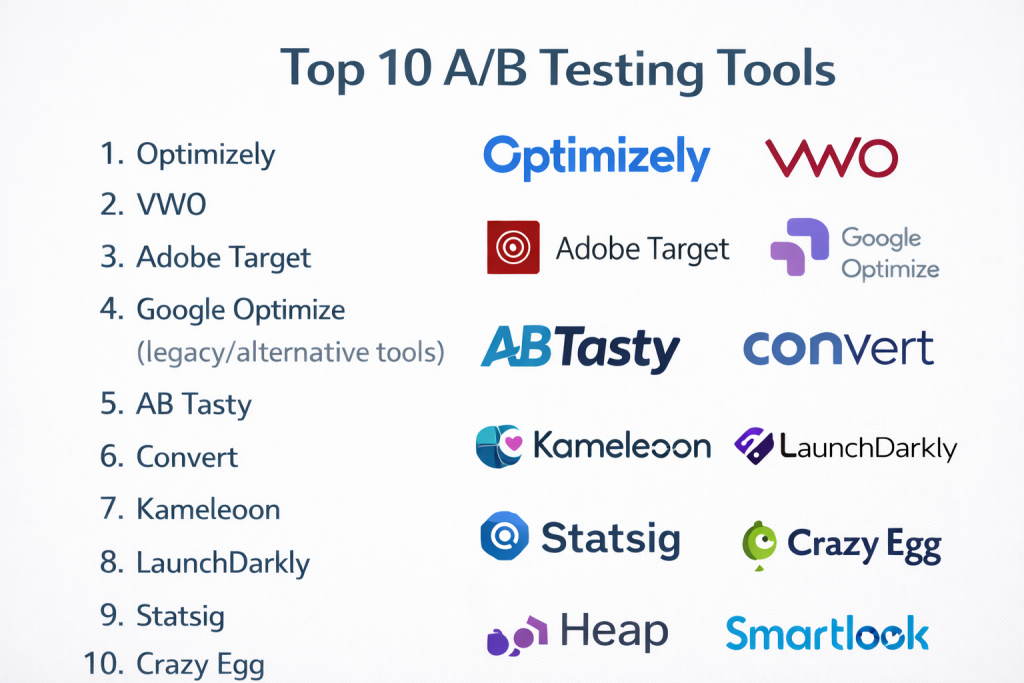
Top 10 A/B Testing Tools
#1 — Optimizely
Short description: A leading experimentation platform offering full-stack A/B testing and feature experimentation for enterprises.
Key Features
- Web and server-side experimentation
- Feature flags
- AI-powered experimentation
- Personalization engine
- Multi-armed bandit testing
- Advanced analytics
Pros
- Enterprise-grade capabilities
- Full-stack experimentation
Cons
- Expensive
- Requires technical expertise
Platforms / Deployment
Web
Cloud
Security & Compliance
Not publicly stated
Integrations & Ecosystem
Strong enterprise ecosystem with integrations across data and marketing tools.
- Analytics platforms
- Data warehouses
- APIs
- Marketing tools
Support & Community
Enterprise support with extensive documentation.
#2 — VWO
Short description: An all-in-one experimentation platform combining A/B testing, behavioral analytics, and personalization.
Key Features
- A/B, split URL, multivariate testing
- Heatmaps and session recordings
- Personalization
- SmartStats statistical engine
- Visual editor
- Funnel analysis
Pros
- All-in-one CRO platform
- Easy to use
Cons
- Pricing can scale
- Advanced features need setup
Platforms / Deployment
Web / Mobile
Cloud
Security & Compliance
Not publicly stated
Integrations & Ecosystem
Supports integration with major platforms.
- Analytics tools
- CMS
- APIs
Support & Community
Strong documentation and support.
#3 — Adobe Target
Short description: An enterprise experimentation and personalization platform within the Adobe ecosystem.
Key Features
- A/B and multivariate testing
- AI-driven personalization
- Omnichannel testing
- Audience segmentation
- Real-time decisioning
- Integration with Adobe Experience Cloud
Pros
- Powerful personalization
- Enterprise-grade
Cons
- Complex setup
- Expensive
Platforms / Deployment
Web
Cloud
Security & Compliance
Not publicly stated
Integrations & Ecosystem
Part of Adobe ecosystem.
- Marketing tools
- Analytics
- APIs
Support & Community
Enterprise support.
#4 — Google Optimize (legacy/alternative tools)
Short description: A lightweight experimentation solution historically used with Google Analytics; now replaced by alternatives in the ecosystem.
Key Features
- Basic A/B testing
- Integration with analytics
- Targeting options
- Visual editor
- Experiment reporting
Pros
- Easy to use
- Integrated ecosystem
Cons
- Limited features
- Discontinued/transitioned
Platforms / Deployment
Web
Cloud
Security & Compliance
Not publicly stated
Integrations & Ecosystem
Google ecosystem integrations.
- Analytics tools
- Tag manager
Support & Community
Large historical user base.
#5 — AB Tasty
Short description: A digital experience optimization platform focusing on experimentation and personalization.
Key Features
- A/B and multivariate testing
- Personalization engine
- Feature experimentation
- Visual editor
- Audience targeting
- AI optimization
Pros
- Strong personalization
- User-friendly interface
Cons
- Pricing varies
- Enterprise focus
Platforms / Deployment
Web
Cloud
Security & Compliance
Not publicly stated
Integrations & Ecosystem
Supports integrations with marketing and analytics tools.
- APIs
- CRM systems
Support & Community
Enterprise support.
#6 — Convert
Short description: A privacy-focused A/B testing tool designed for data-driven experimentation.
Key Features
- A/B testing
- Privacy-first tracking
- Visual editor
- Advanced targeting
- Real-time reporting
- Experiment management
Pros
- Strong privacy focus
- Reliable performance
Cons
- Smaller ecosystem
- Less enterprise depth
Platforms / Deployment
Web
Cloud
Security & Compliance
Not publicly stated
Integrations & Ecosystem
Supports integrations via APIs.
- Analytics tools
- CMS
Support & Community
Moderate support.
#7 — Kameleoon
Short description: An AI-driven experimentation and personalization platform for enterprises.
Key Features
- A/B testing
- AI personalization
- Feature flags
- Predictive targeting
- Experiment analytics
- Server-side testing
Pros
- Strong AI capabilities
- Enterprise-ready
Cons
- Complex setup
- Pricing varies
Platforms / Deployment
Web
Cloud
Security & Compliance
Not publicly stated
Integrations & Ecosystem
Enterprise integrations.
- Data platforms
- APIs
Support & Community
Enterprise support.
#8 — LaunchDarkly
Short description: A feature management and experimentation platform focused on feature flags and controlled rollouts.
Key Features
- Feature flags
- Experimentation
- Rollouts and targeting
- Real-time monitoring
- SDKs
- Developer tools
Pros
- Excellent for developers
- Strong feature management
Cons
- Not a traditional CRO tool
- Requires engineering
Platforms / Deployment
Web
Cloud
Security & Compliance
Not publicly stated
Integrations & Ecosystem
Strong developer ecosystem.
- APIs
- DevOps tools
Support & Community
Strong developer community.
#9 — Statsig
Short description: A modern experimentation platform focused on product analytics and feature testing.
Key Features
- Feature experimentation
- A/B testing
- Real-time analytics
- Data-driven insights
- Experiment monitoring
- API-first approach
Pros
- Modern architecture
- Strong for product teams
Cons
- Smaller ecosystem
- Developer-focused
Platforms / Deployment
Web
Cloud
Security & Compliance
Not publicly stated
Integrations & Ecosystem
Developer-focused integrations.
- APIs
- Data tools
Support & Community
Growing community.
#10 — Crazy Egg
Short description: A user-friendly A/B testing and UX optimization tool with visual insights.
Key Features
- A/B testing
- Heatmaps
- Session recordings
- Visual editor
- Conversion tracking
- UX insights
Pros
- Easy to use
- Strong UX insights
Cons
- Limited advanced experimentation
- Not enterprise-focused
Platforms / Deployment
Web
Cloud
Security & Compliance
Not publicly stated
Integrations & Ecosystem
Supports basic integrations.
- APIs
- CMS tools
Support & Community
Good documentation and onboarding.
Comparison Table (Top 10)
| Tool Name | Best For | Platform(s) Supported | Deployment | Standout Feature | Public Rating |
|---|---|---|---|---|---|
| Optimizely | Enterprise experimentation | Web | Cloud | Full-stack testing | N/A |
| VWO | CRO + analytics | Web, Mobile | Cloud | All-in-one platform | N/A |
| Adobe Target | Personalization | Web | Cloud | AI personalization | N/A |
| Google Optimize | Beginners | Web | Cloud | Simple testing | N/A |
| AB Tasty | UX optimization | Web | Cloud | Personalization | N/A |
| Convert | Privacy testing | Web | Cloud | Privacy-first | N/A |
| Kameleoon | AI experimentation | Web | Cloud | Predictive targeting | N/A |
| LaunchDarkly | Feature flags | Web | Cloud | Feature rollouts | N/A |
| Statsig | Product testing | Web | Cloud | Modern experimentation | N/A |
| Crazy Egg | UX testing | Web | Cloud | Heatmaps | N/A |
Evaluation & Scoring of A/B Testing Tools
| Tool Name | Core (25%) | Ease (15%) | Integrations (15%) | Security (10%) | Performance (10%) | Support (10%) | Value (15%) | Weighted Total |
|---|---|---|---|---|---|---|---|---|
| Optimizely | 10 | 6 | 9 | 8 | 9 | 9 | 6 | 8.5 |
| VWO | 9 | 8 | 8 | 7 | 8 | 8 | 8 | 8.2 |
| Adobe Target | 9 | 6 | 9 | 8 | 9 | 9 | 6 | 8.3 |
| Google Optimize | 6 | 9 | 8 | 6 | 7 | 7 | 9 | 7.5 |
| AB Tasty | 8 | 8 | 7 | 7 | 8 | 8 | 7 | 7.8 |
| Convert | 7 | 8 | 6 | 8 | 8 | 7 | 8 | 7.6 |
| Kameleoon | 9 | 6 | 8 | 7 | 8 | 8 | 6 | 7.8 |
| LaunchDarkly | 8 | 6 | 9 | 8 | 9 | 8 | 6 | 7.9 |
| Statsig | 8 | 7 | 8 | 7 | 8 | 7 | 8 | 7.8 |
| Crazy Egg | 7 | 9 | 6 | 6 | 7 | 7 | 8 | 7.4 |
How to interpret scores:
- Higher scores indicate stronger overall experimentation capability
- Enterprise tools score higher in depth but lower in ease
- UX-focused tools score higher in usability
- Developer tools excel in flexibility but require setup
- Always align tool choice with team skills and experimentation maturity
Which A/B Testing Tool Is Right for You?
Solo / Freelancer
- Best options: Crazy Egg, Google Optimize alternatives
- Focus on simplicity and quick setup
SMB
- Best options: VWO, AB Tasty
- Balance ease of use and features
Mid-Market
- Best options: VWO, Convert, Kameleoon
- Focus on scalability and insights
Enterprise
- Best options: Optimizely, Adobe Target, LaunchDarkly
- Focus on full-stack experimentation
Budget vs Premium
- Budget: Crazy Egg, Convert
- Premium: Optimizely, Adobe Target
Feature Depth vs Ease of Use
- Advanced: Optimizely, LaunchDarkly
- Easy: VWO, Crazy Egg
Integrations & Scalability
- Strong integrations: Optimizely, Adobe
- Lightweight: Convert
Security & Compliance Needs
- High compliance: Enterprise platforms
- Basic needs: SMB tools
Frequently Asked Questions (FAQs)
What is A/B testing?
It compares two versions of content to determine which performs better.
Why use A/B testing tools?
To make data-driven decisions and improve conversions.
Are A/B testing tools expensive?
They range from affordable SMB tools to expensive enterprise platforms.
Do I need developers?
Some tools are no-code, while others require engineering support.
What is multivariate testing?
Testing multiple variables at once instead of just two versions.
How long should tests run?
Until statistically significant results are achieved.
Can I test mobile apps?
Yes, many tools support mobile and server-side testing.
What are feature flags?
They allow controlled feature rollouts and experimentation.
What are common mistakes?
Running tests with low traffic or incorrect metrics.
Which tool is best overall?
It depends on your scale, budget, and technical needs.
Conclusion
A/B testing tools are essential for continuous optimization and data-driven decision-making.