Introduction
A Headless CMS is a content management system that separates the backend (where content is created and stored) from the frontend (where content is displayed). Instead of rendering web pages directly, it delivers content via APIs to any platform—websites, mobile apps, IoT devices, or even digital displays.
This architecture has become increasingly important as businesses shift toward omnichannel digital experiences. Traditional CMS platforms struggle to keep up with modern frontend frameworks and multi-device delivery, while headless CMS tools provide flexibility, scalability, and speed.
Common use cases include:
- Omnichannel content delivery (web, mobile, apps)
- E-commerce platforms and digital storefronts
- Static site generation (Next.js, Gatsby workflows)
- API-driven applications
- Content-heavy platforms (media, SaaS, documentation)
Key evaluation criteria:
- API performance (REST/GraphQL support)
- Content modeling flexibility
- Developer experience and SDKs
- Editor usability and UI
- Scalability and performance
- Integration ecosystem
- Deployment flexibility (cloud/self-hosted)
- Security and access control
- Localization and multi-language support
- Pricing and usage limits
Best for: Developers, product teams, digital agencies, and enterprises building multi-channel digital experiences.
Not ideal for: Non-technical users who want drag-and-drop website builders or tightly coupled frontend + backend systems.
Key Trends in Headless CMS Tools
- API-first architecture standardization: REST and GraphQL becoming baseline expectations
- Composable architecture: CMS as part of a broader “composable stack”
- AI-assisted content workflows: Auto-tagging, summarization, and personalization
- Visual editing layers: Bridging gap for non-technical users
- Edge delivery & performance optimization: Faster global content distribution
- Localization-first systems: Built-in multilingual and regional content support
- Developer-first tooling: CLI tools, SDKs, and Git-based workflows
- Hybrid CMS models: Combining headless flexibility with visual editors
- Content as a Service (CaaS): Treating content as reusable structured data
- Security-first design: Role-based access, audit logs, and API security
How We Selected These Tools (Methodology)
- Evaluated market adoption and developer popularity
- Assessed API flexibility and performance
- Compared content modeling capabilities
- Reviewed editor experience for non-technical users
- Analyzed integration ecosystems and extensibility
- Considered deployment models (SaaS vs self-hosted)
- Evaluated scalability for enterprise use cases
- Assessed security posture and access control features
- Included a mix of enterprise, SMB, and open-source tools
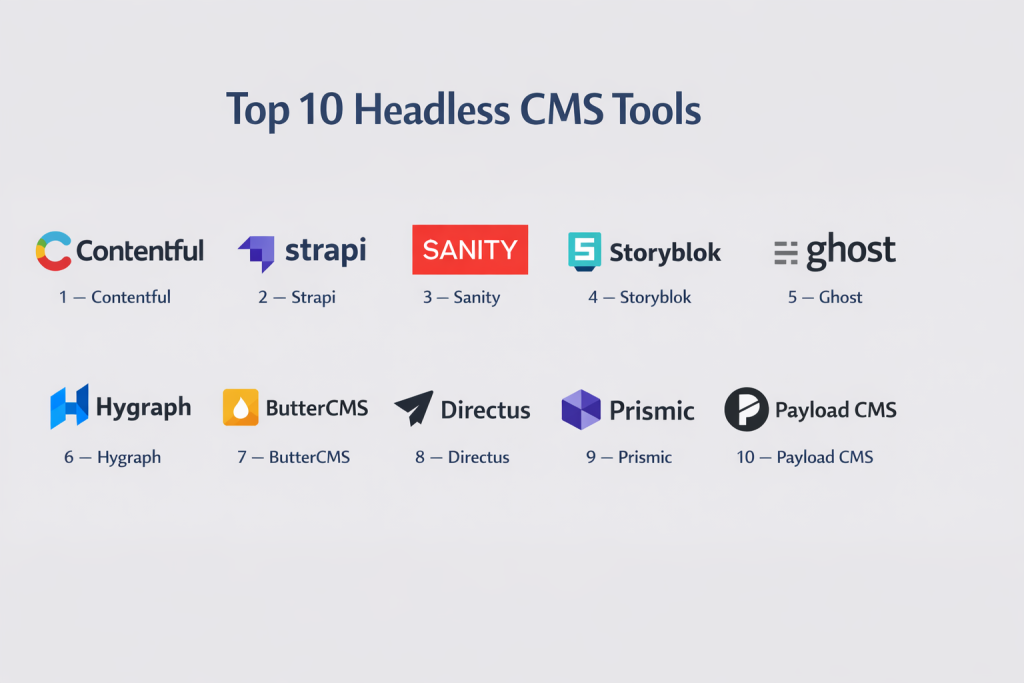
Top 10 Headless CMS Tools
#1 — Contentful
Short description: A leading enterprise-grade headless CMS known for scalability and strong API capabilities.
Key Features
- REST and GraphQL APIs
- Flexible content modeling
- Localization support
- Workflow management
- Role-based permissions
- Rich media handling
- App marketplace
Pros
- Highly scalable for enterprise use
- Strong API and integration ecosystem
Cons
- Pricing can scale quickly
- Learning curve for content modeling
Platforms / Deployment
Web
Cloud
Security & Compliance
SSO, RBAC, encryption
Other certifications not publicly stated
Integrations & Ecosystem
Contentful integrates with modern frontend frameworks and enterprise tools.
- Shopify
- Salesforce
- APIs and SDKs
Support & Community
Strong enterprise support and large developer community.
#2 — Strapi
Short description: An open-source headless CMS offering full backend control and customization.
Key Features
- Self-hosted architecture
- REST and GraphQL APIs
- Custom content types
- Plugin system
- Role-based permissions
- Admin panel UI
Pros
- Full control over backend
- Highly customizable
Cons
- Requires hosting and maintenance
- Setup complexity
Platforms / Deployment
Web
Self-hosted / Cloud
Security & Compliance
RBAC, authentication
Other details not publicly stated
Integrations & Ecosystem
- Node.js ecosystem
- APIs
- Plugins
Support & Community
Strong open-source community.
#3 — Sanity
Short description: A developer-focused headless CMS with real-time content editing and structured content capabilities.
Key Features
- Real-time collaboration
- Structured content schemas
- GROQ query language
- Customizable studio
- API-first architecture
- Image pipeline
Pros
- Real-time editing capabilities
- Highly flexible
Cons
- Requires developer setup
- Learning curve for GROQ
Platforms / Deployment
Web
Cloud
Security & Compliance
Authentication, access control
Other certifications not publicly stated
Integrations & Ecosystem
- Frontend frameworks
- APIs
- Plugins
Support & Community
Active developer community.
#4 — Storyblok
Short description: A hybrid headless CMS with a visual editor for marketers and developers.
Key Features
- Visual editor
- Component-based content
- API delivery
- Workflow management
- Localization
- Asset management
Pros
- Combines visual editing with headless architecture
- User-friendly for marketers
Cons
- Advanced features require paid plans
- Dependency on API setup
Platforms / Deployment
Web
Cloud
Security & Compliance
Not publicly stated
Integrations & Ecosystem
- E-commerce platforms
- APIs
- Frontend frameworks
Support & Community
Growing ecosystem and documentation.
#5 — Ghost
Short description: A publishing-focused CMS that can be used in headless mode via APIs.
Key Features
- Blogging and publishing tools
- REST API
- Membership and subscriptions
- SEO tools
- Content editor
Pros
- Excellent for content publishing
- Clean writing experience
Cons
- Limited beyond publishing use cases
- Not fully headless by default
Platforms / Deployment
Web
Cloud / Self-hosted
Security & Compliance
Basic security features
Other details not publicly stated
Integrations & Ecosystem
- APIs
- Publishing tools
Support & Community
Strong publishing community.
#6 — Hygraph
Short description: A GraphQL-native headless CMS designed for structured content and complex applications.
Key Features
- GraphQL-first API
- Content federation
- Localization
- Role-based access
- Webhooks
- Asset management
Pros
- Strong GraphQL capabilities
- Scalable for complex apps
Cons
- Learning curve
- Pricing complexity
Platforms / Deployment
Web
Cloud
Security & Compliance
Access control
Other details not publicly stated
Integrations & Ecosystem
- GraphQL ecosystem
- APIs
- Webhooks
Support & Community
Growing developer community.
#7 — ButterCMS
Short description: A simple API-first CMS designed for marketing teams and developers.
Key Features
- REST API
- Blog engine
- SEO support
- Content modeling
- Multi-channel delivery
Pros
- Easy to implement
- Good for marketing sites
Cons
- Limited advanced features
- Less flexible than open-source tools
Platforms / Deployment
Web
Cloud
Security & Compliance
Not publicly stated
Integrations & Ecosystem
- APIs
- Frontend frameworks
Support & Community
Moderate support.
#8 — Directus
Short description: An open-source headless CMS that works directly on SQL databases.
Key Features
- Database-first approach
- REST and GraphQL APIs
- Role-based access
- Real-time updates
- No-code admin panel
Pros
- Works with existing databases
- Flexible and open-source
Cons
- Requires technical knowledge
- Setup complexity
Platforms / Deployment
Web
Self-hosted / Cloud
Security & Compliance
RBAC, authentication
Other details not publicly stated
Integrations & Ecosystem
- SQL databases
- APIs
Support & Community
Strong open-source ecosystem.
#9 — Prismic
Short description: A developer-friendly headless CMS focused on fast content delivery and structured content.
Key Features
- Slice-based content modeling
- API delivery
- Media library
- Preview functionality
- Localization
Pros
- Fast performance
- Easy integration
Cons
- Limited customization compared to open-source tools
- Pricing tiers
Platforms / Deployment
Web
Cloud
Security & Compliance
Not publicly stated
Integrations & Ecosystem
- Frontend frameworks
- APIs
Support & Community
Good documentation and support.
#10 — Payload CMS
Short description: A modern developer-first headless CMS built with TypeScript and Node.js.
Key Features
- TypeScript support
- REST and GraphQL APIs
- Custom fields
- Authentication
- Admin UI
Pros
- Developer-friendly
- Full backend control
Cons
- Smaller ecosystem
- Requires setup
Platforms / Deployment
Web
Self-hosted
Security & Compliance
Authentication, access control
Other details not publicly stated
Integrations & Ecosystem
- Node.js ecosystem
- APIs
Support & Community
Growing community.
Comparison Table (Top 10)
| Tool Name | Best For | Platform(s) Supported | Deployment | Standout Feature | Public Rating |
|---|---|---|---|---|---|
| Contentful | Enterprises | Web | Cloud | Scalability | N/A |
| Strapi | Developers | Web | Self-hosted | Customization | N/A |
| Sanity | Real-time apps | Web | Cloud | Real-time editing | N/A |
| Storyblok | Marketers + devs | Web | Cloud | Visual editor | N/A |
| Ghost | Publishing | Web | Hybrid | Blogging | N/A |
| Hygraph | GraphQL apps | Web | Cloud | GraphQL-first | N/A |
| ButterCMS | Marketing sites | Web | Cloud | Simplicity | N/A |
| Directus | Database-first | Web | Hybrid | SQL integration | N/A |
| Prismic | Fast delivery | Web | Cloud | Slice system | N/A |
| Payload CMS | Dev teams | Web | Self-hosted | TypeScript | N/A |
Evaluation & Scoring of Headless CMS Tools
| Tool Name | Core (25%) | Ease (15%) | Integrations (15%) | Security (10%) | Performance (10%) | Support (10%) | Value (15%) | Weighted Total |
|---|---|---|---|---|---|---|---|---|
| Contentful | 9 | 7 | 9 | 8 | 9 | 8 | 7 | 8.3 |
| Strapi | 9 | 6 | 8 | 7 | 8 | 8 | 9 | 8.2 |
| Sanity | 9 | 7 | 8 | 7 | 9 | 8 | 8 | 8.3 |
| Storyblok | 8 | 8 | 8 | 7 | 8 | 8 | 7 | 7.9 |
| Ghost | 7 | 9 | 6 | 6 | 8 | 7 | 8 | 7.6 |
| Hygraph | 9 | 6 | 8 | 7 | 9 | 7 | 7 | 8.0 |
| ButterCMS | 7 | 9 | 7 | 6 | 8 | 7 | 7 | 7.5 |
| Directus | 8 | 6 | 8 | 7 | 8 | 7 | 9 | 7.9 |
| Prismic | 8 | 8 | 7 | 6 | 8 | 7 | 7 | 7.6 |
| Payload CMS | 8 | 6 | 7 | 7 | 8 | 6 | 8 | 7.4 |
How to interpret the scores:
- Scores are comparative across tools
- Higher scores indicate stronger overall capability
- Lower scores may still fit niche use cases
- Choose based on architecture needs, not just ranking
Which Headless CMS Tool Is Right for You?
Solo / Freelancer
Best options: Ghost, ButterCMS
Focus on simplicity and quick setup.
SMB
Best options: Storyblok, Prismic
Balance usability and flexibility.
Mid-Market
Best options: Sanity, Strapi
Need customization and scalability.
Enterprise
Best options: Contentful, Hygraph
Focus on performance, governance, and integrations.
Budget vs Premium
- Budget: Strapi, Directus
- Premium: Contentful, Hygraph
Feature Depth vs Ease of Use
- Feature-rich: Contentful, Sanity
- Easy-to-use: ButterCMS, Ghost
Integrations & Scalability
- Strong: Contentful, Sanity
- Limited: ButterCMS
Security & Compliance Needs
- Stronger: Contentful
- Moderate: Most others
Frequently Asked Questions (FAQs)
What is a headless CMS?
A CMS that delivers content via APIs without a built-in frontend.
How is it different from traditional CMS?
Traditional CMS includes frontend rendering; headless separates it.
Is headless CMS better?
It depends on your need for flexibility and multi-channel delivery.
Do I need developers?
Yes, most headless CMS tools require development work.
Are they scalable?
Yes, they are designed for scalable digital experiences.
Do they support SEO?
Yes, through frontend implementations.
Can I migrate from WordPress?
Yes, but requires restructuring content.
Are they secure?
Security depends on implementation and platform features.
Do they support multiple channels?
Yes, that’s a core advantage.
What are alternatives?
Traditional CMS and hybrid CMS platforms.
Conclusion
Headless CMS tools represent a major shift in how digital content is managed and delivered. By decoupling content from presentation, they enable faster development, better scalability, and true omnichannel experiences.