Introduction
RAW photo processing tools are specialized software designed to handle RAW image files directly from cameras. Unlike JPEGs, RAW files contain uncompressed sensor data, giving photographers far greater control over exposure, color, dynamic range, and detail during editing.
These tools are essential in modern photography workflows because they preserve maximum image quality and enable non-destructive editing. As photography standards evolve, RAW processors now include AI-powered noise reduction, advanced color grading, lens correction profiles, and high-performance rendering engines.
Common use cases include:
- Professional photo editing and retouching
- Landscape and wildlife photography
- Studio and portrait workflows
- High dynamic range (HDR) processing
- Batch editing large photo collections
Key evaluation criteria buyers should consider:
- RAW decoding quality and color accuracy
- Noise reduction and detail recovery
- Lens correction and optical profiles
- Editing flexibility (non-destructive workflows)
- Performance with large files
- Cataloging and asset management
- AI-powered enhancements
- Integration with editing ecosystems
- Export formats and workflow compatibility
Best for: Professional photographers, content creators, studios, and advanced hobbyists.
Not ideal for: Casual users who only edit JPEGs or need quick filters—basic photo editors may be sufficient.
Key Trends in RAW Photo Processing Tools
- AI-powered denoising: Machine learning improves detail recovery and low-light performance
- Lens-specific corrections: Software applies tailored optical adjustments automatically
- Non-destructive workflows: Edits are stored without altering original files
- Cloud-based workflows: Syncing edits across devices
- High-bit-depth color processing: Better tonal control and accuracy
- Integration-first design: Works alongside Photoshop and other tools
- Catalog vs folder-based workflows: Flexibility in managing photo libraries
- GPU acceleration: Faster rendering and previews
- AI masking and selection: Smarter editing workflows
- Hybrid editing ecosystems: Combining RAW processing with creative editing tools
How We Selected These Tools (Methodology)
- Evaluated industry adoption among photographers and studios
- Assessed RAW processing quality and color science
- Reviewed AI-powered enhancements and automation
- Considered workflow flexibility (catalog vs non-catalog)
- Included tools for both professionals and enthusiasts
- Analyzed performance with large RAW files
- Evaluated lens correction and optical accuracy
- Reviewed integration with editing ecosystems
- Balanced subscription and one-time purchase models
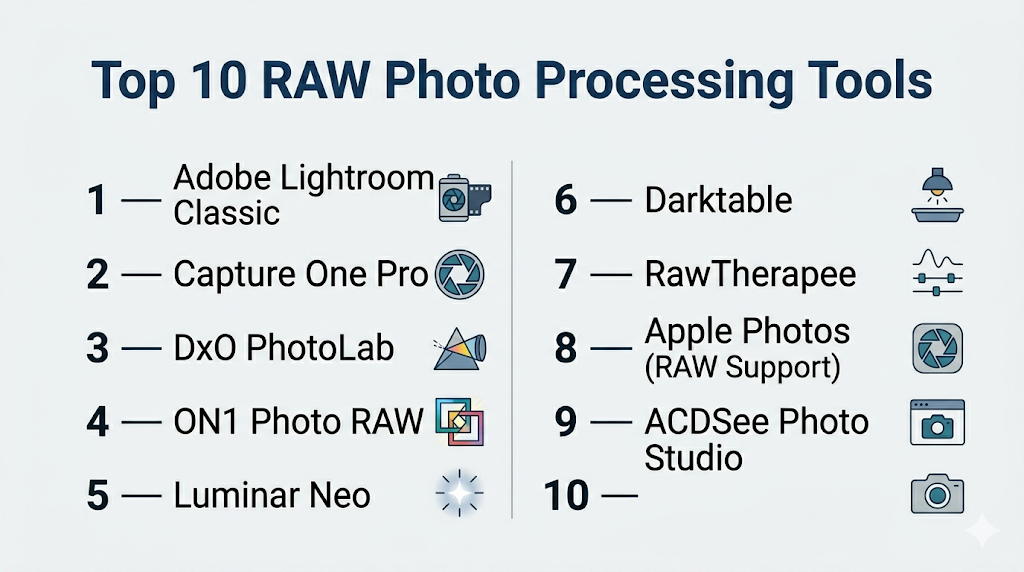
Top 10 RAW Photo Processing Tools
#1 — Adobe Lightroom Classic
Short description: Industry-leading RAW processor with powerful cataloging and editing tools for photographers.
Key Features
- Non-destructive RAW editing
- Advanced color grading tools
- AI masking and selection
- Catalog-based asset management
- Presets and batch editing
- Cloud sync options
Pros
- Industry standard workflow
- Strong ecosystem integration
Cons
- Subscription pricing
- Performance issues with large catalogs
Platforms / Deployment
Windows / macOS
Cloud / Local
Security & Compliance
Not publicly stated
Integrations & Ecosystem
Part of a large creative ecosystem.
- Photoshop integration
- Plugins
- Cloud storage
Support & Community
Massive global community and tutorials.
#2 — Capture One Pro
Short description: Professional RAW editor known for superior color grading and tethered shooting.
Key Features
- Advanced color editing tools
- Tethered shooting support
- Layer-based editing
- High-performance rendering
- Custom workspaces
- Precision masking
Pros
- Excellent color accuracy
- Professional-grade workflow
Cons
- Expensive
- Learning curve
Platforms / Deployment
Windows / macOS
Local
Security & Compliance
Not publicly stated
Integrations & Ecosystem
Professional workflows.
- Camera integration
- Plugins
Support & Community
Strong professional user base.
#3 — DxO PhotoLab
Short description: A powerful RAW processor focused on optical corrections and AI noise reduction.
Key Features
- AI-powered denoising (DeepPRIME)
- Lens-specific corrections
- Advanced color rendering
- Non-destructive editing
- Local adjustments
- No catalog required
Pros
- Exceptional noise reduction
- Accurate lens corrections
Cons
- Limited cataloging features
- Add-ons required for full functionality
Platforms / Deployment
Windows / macOS
Local
Security & Compliance
Not publicly stated
Integrations & Ecosystem
Integrates with editing tools.
- Photoshop
- Lightroom plugins
Support & Community
Growing professional community.
#4 — ON1 Photo RAW
Short description: A hybrid RAW processor combining editing, effects, and asset management.
Key Features
- RAW editing + layers
- AI-powered tools
- HDR and panorama support
- Built-in effects
- Asset management
- Non-destructive workflow
Pros
- All-in-one solution
- No subscription required
Cons
- Performance can be slow
- UI complexity
Platforms / Deployment
Windows / macOS
Local
Security & Compliance
Not publicly stated
Integrations & Ecosystem
Standalone ecosystem.
- Plugins
- Export tools
Support & Community
Moderate support.
#5 — Luminar Neo
Short description: AI-driven RAW editor designed for fast and creative photo enhancement.
Key Features
- AI sky replacement
- Portrait enhancement
- RAW editing support
- Templates and presets
- Layer-based editing
- Automation tools
Pros
- Easy to use
- Strong AI features
Cons
- Less control for professionals
- Performance issues
Platforms / Deployment
Windows / macOS
Local
Security & Compliance
Not publicly stated
Integrations & Ecosystem
Creative workflows.
- Plugins
- Export tools
Support & Community
Growing user base.
#6 — Darktable
Short description: An open-source RAW processor offering advanced editing features for free.
Key Features
- Non-destructive editing
- Advanced color correction
- GPU acceleration
- Module-based workflow
- RAW support
- Cross-platform
Pros
- Free and open-source
- Highly powerful
Cons
- Complex interface
- Steep learning curve
Platforms / Deployment
Windows / macOS / Linux
Local
Security & Compliance
Not publicly stated
Integrations & Ecosystem
Open-source ecosystem.
- Plugins
- Scripts
Support & Community
Active community.
#7 — RawTherapee
Short description: A high-quality open-source RAW processor focused on image quality and control.
Key Features
- Advanced demosaicing algorithms
- Color correction tools
- Batch processing
- Non-destructive editing
- RAW support
- High bit-depth processing
Pros
- Excellent image quality
- Free
Cons
- Outdated UI
- Slower workflow
Platforms / Deployment
Windows / macOS / Linux
Local
Security & Compliance
Not publicly stated
Integrations & Ecosystem
Open-source workflows.
- Export tools
- Plugins
Support & Community
Active community.
#8 — Apple Photos (RAW Support)
Short description: A built-in photo management tool with RAW editing capabilities for Apple users.
Key Features
- RAW editing support
- Cloud sync
- Basic adjustments
- AI enhancements
- Photo organization
Pros
- Free for Apple users
- Easy to use
Cons
- Limited advanced tools
- Apple ecosystem only
Platforms / Deployment
macOS / iOS
Cloud / Local
Security & Compliance
Not publicly stated
Integrations & Ecosystem
Apple ecosystem integration.
- iCloud
- Devices
Support & Community
Strong user base.
#9 — ACDSee Photo Studio
Short description: A combined RAW editor and asset manager with AI features.
Key Features
- RAW editing
- Digital asset management
- AI tools
- Layer-based editing
- Batch processing
Pros
- All-in-one workflow
- Good performance
Cons
- UI complexity
- Smaller ecosystem
Platforms / Deployment
Windows / macOS
Local
Security & Compliance
Not publicly stated
Integrations & Ecosystem
Standalone workflows.
- Export tools
Support & Community
Moderate support.
#10 — Exposure X
Short description: A RAW editor focused on creative effects and film-style editing.
Key Features
- RAW editing
- Film emulation
- Non-destructive workflow
- Presets
- Layer-based editing
Pros
- Unique creative effects
- No subscription
Cons
- Limited advanced tools
- Smaller ecosystem
Platforms / Deployment
Windows / macOS
Local
Security & Compliance
Not publicly stated
Integrations & Ecosystem
Creative workflows.
- Export tools
Support & Community
Niche but active community.
Comparison Table (Top 10)
| Tool Name | Best For | Platform(s) Supported | Deployment | Standout Feature | Public Rating |
|---|---|---|---|---|---|
| Lightroom Classic | Professionals | Win/macOS | Hybrid | Catalog workflow | N/A |
| Capture One | Studios | Win/macOS | Local | Color accuracy | N/A |
| DxO PhotoLab | Quality | Win/macOS | Local | AI denoise | N/A |
| ON1 Photo RAW | All-in-one | Win/macOS | Local | Layers + RAW | N/A |
| Luminar Neo | AI editing | Win/macOS | Local | AI tools | N/A |
| Darktable | Open-source | Multi-platform | Local | Free advanced tools | N/A |
| RawTherapee | Image quality | Multi-platform | Local | Demosaicing | N/A |
| Apple Photos | Casual users | Apple | Hybrid | Built-in tool | N/A |
| ACDSee | Asset management | Multi-platform | Local | DAM features | N/A |
| Exposure X | Creative edits | Multi-platform | Local | Film effects | N/A |
Evaluation & Scoring of RAW Photo Processing Tools
| Tool Name | Core (25%) | Ease (15%) | Integrations (15%) | Security (10%) | Performance (10%) | Support (10%) | Value (15%) | Weighted Total |
|---|---|---|---|---|---|---|---|---|
| Lightroom | 10 | 7 | 10 | 5 | 8 | 10 | 7 | 8.6 |
| Capture One | 10 | 6 | 8 | 5 | 9 | 8 | 7 | 8.2 |
| DxO PhotoLab | 9 | 7 | 7 | 5 | 9 | 7 | 8 | 8.1 |
| ON1 Photo RAW | 8 | 7 | 7 | 5 | 7 | 7 | 9 | 7.7 |
| Luminar Neo | 7 | 9 | 6 | 5 | 7 | 7 | 8 | 7.5 |
| Darktable | 9 | 5 | 6 | 5 | 8 | 7 | 10 | 7.8 |
| RawTherapee | 9 | 5 | 6 | 5 | 7 | 7 | 10 | 7.7 |
| Apple Photos | 6 | 10 | 6 | 5 | 7 | 8 | 9 | 7.3 |
| ACDSee | 8 | 7 | 6 | 5 | 8 | 7 | 8 | 7.6 |
| Exposure X | 7 | 8 | 6 | 5 | 7 | 7 | 8 | 7.4 |
How to interpret the scores:
- Higher scores indicate stronger overall performance
- Professionals should prioritize core features and performance
- Beginners should prioritize ease of use
- Free tools often score high in value
- Choose based on workflow and editing style
Which RAW Photo Processing Tool Is Right for You?
Solo / Freelancer
- Best options: Darktable, Luminar Neo
- Focus on affordability and simplicity
SMB
- Best options: ON1 Photo RAW, ACDSee
- Balanced workflow and features
Mid-Market
- Best options: Lightroom, Capture One
- Advanced workflows required
Enterprise
- Best options: Lightroom ecosystem
- Need scalability and integration
Budget vs Premium
- Budget: Darktable, RawTherapee
- Premium: Capture One, Lightroom
Feature Depth vs Ease of Use
- Advanced: Capture One, DxO
- Easy: Luminar Neo, Apple Photos
Integrations & Scalability
- Strong: Adobe ecosystem
- Limited: standalone tools
Security & Compliance Needs
- Most tools: Not publicly stated
- Enterprises should validate internally
Frequently Asked Questions (FAQs)
What is a RAW photo file?
A RAW file contains unprocessed image data directly from a camera sensor.
Why use RAW instead of JPEG?
RAW offers higher quality and more editing flexibility.
Which tool is best for beginners?
Luminar Neo and Apple Photos are beginner-friendly.
Is Lightroom the best RAW editor?
It is widely used, but alternatives may offer better performance or pricing.
What is non-destructive editing?
Edits do not overwrite the original image file.
Do RAW tools support all cameras?
Most support major camera brands, but compatibility varies.
Can I use multiple RAW tools together?
Yes, many workflows combine tools like DxO and Photoshop.
Are free tools good enough?
Yes, tools like Darktable are powerful for advanced users.
What is AI denoising?
It uses machine learning to reduce noise and recover details
Do I need a powerful computer?
Yes, especially for large RAW files and batch processing.
Conclusion
RAW photo processing tools are essential for photographers who want maximum control over image quality and creative output. From industry-standard platforms to powerful open-source alternatives, the ecosystem offers a wide range of options.