Introduction
Audio editing software is used to record, modify, enhance, and produce sound for various applications such as music production, podcasting, video editing, and broadcasting. These tools allow users to cut, mix, layer, and apply effects to audio tracks, transforming raw recordings into polished outputs.
Modern audio editing tools have evolved into full-fledged digital audio workstations (DAWs), offering multitrack editing, AI-powered noise reduction, real-time effects, and seamless integration with video and content creation tools. As content creation continues to grow across platforms, high-quality audio has become just as important as visuals.
Common use cases include:
- Podcast production and voice editing
- Music production and mixing
- Film and video sound design
- Audio restoration and cleanup
- Voice-over and narration editing
Key evaluation criteria buyers should consider:
- Multitrack editing capabilities
- Audio effects and plugin support (VST, AU)
- Noise reduction and restoration tools
- Real-time playback and performance
- Integration with video or creative tools
- AI-assisted editing features
- Ease of use vs advanced control
- Supported file formats
- Collaboration and export options
Best for: Podcasters, musicians, sound engineers, video editors, and content creators working with audio production.
Not ideal for: Users needing only basic audio trimming or playback—simple built-in tools may suffice.
Key Trends in Audio Editing Software
- AI-powered audio cleanup: Automatic noise reduction and speech enhancement
- Text-based audio editing: Edit audio via transcripts
- Cloud-based workflows: Remote collaboration and storage
- Real-time processing: Faster editing and preview cycles
- Spatial audio and immersive sound: Growing demand in media production
- Automation tools: Auto-ducking, batch processing, and smart mixing
- Cross-platform workflows: Desktop + mobile editing
- Plugin ecosystems: Expanding third-party integrations
- Low-latency performance improvements: Better real-time recording
- Generative audio editing: AI tools that modify audio via prompts
How We Selected These Tools (Methodology)
- Evaluated industry adoption across music, podcasting, and media
- Assessed core editing and mixing capabilities
- Reviewed performance with complex multitrack projects
- Considered AI features and automation tools
- Included tools for beginners to professionals
- Analyzed integration with creative ecosystems
- Evaluated plugin support and extensibility
- Reviewed community support and documentation
- Balanced free, open-source, and premium tools
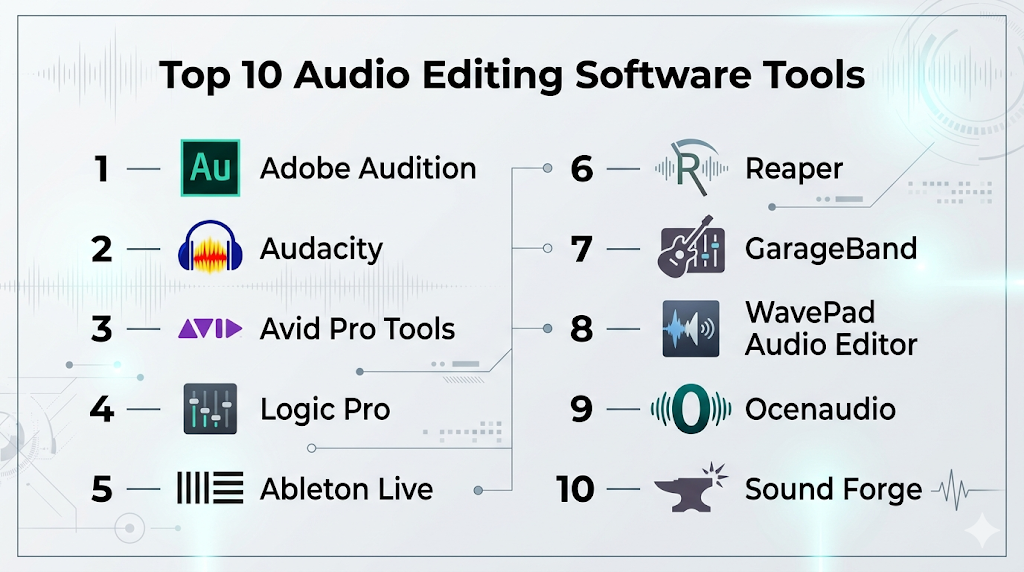
Top 10 Audio Editing Software Tools
#1 — Adobe Audition
Short description: A professional audio editing and mixing tool widely used for podcasting, video production, and sound design.
Key Features
- Multitrack, waveform, and spectral editing
- Advanced noise reduction and restoration
- AI-powered audio cleanup
- Batch processing
- Real-time effects and preview
- Integration with Creative Cloud
Pros
- Industry-standard for media workflows
- Strong integration with video tools
Cons
- Subscription-based
- Learning curve for beginners
Platforms / Deployment
Windows / macOS
Cloud / Local
Security & Compliance
Not publicly stated
Integrations & Ecosystem
Strong Adobe ecosystem integration.
- Premiere Pro
- After Effects
- Media Encoder
Support & Community
Large global community and extensive tutorials.
#2 — Audacity
Short description: A free, open-source audio editor popular for podcasting and basic editing tasks.
Key Features
- Multitrack editing and recording
- Wide range of effects and plugins
- Noise removal tools
- Cross-platform support
- Real-time preview
Pros
- Completely free
- Easy to get started
Cons
- Basic interface
- Limited advanced features
Platforms / Deployment
Windows / macOS / Linux
Local
Security & Compliance
Not publicly stated
Integrations & Ecosystem
Open-source ecosystem.
- Plugin support
- Custom workflows
Support & Community
Strong open-source community.
#3 — Avid Pro Tools
Short description: An industry-standard DAW used in professional studios for music production and post-production.
Key Features
- Advanced multitrack editing
- High-end mixing and mastering tools
- Cloud collaboration
- Surround and immersive audio
- Plugin ecosystem
Pros
- Industry-standard in studios
- High-quality output
Cons
- Expensive
- Steep learning curve
Platforms / Deployment
Windows / macOS
Cloud / Local
Security & Compliance
Not publicly stated
Integrations & Ecosystem
Extensive professional ecosystem.
- Studio hardware
- Plugin suites
- Production pipelines
Support & Community
Strong professional support and community.
#4 — Logic Pro
Short description: A powerful macOS-based audio production tool favored by musicians and producers.
Key Features
- Advanced recording and editing
- Built-in instruments and loops
- Spatial audio support
- MIDI tools
- AI-assisted features
Pros
- One-time purchase
- Rich feature set
Cons
- macOS-only
- Learning curve
Platforms / Deployment
macOS
Local
Security & Compliance
Not publicly stated
Integrations & Ecosystem
Apple ecosystem integration.
- GarageBand
- macOS tools
Support & Community
Strong music production community.
#5 — Ableton Live
Short description: A flexible DAW designed for music production and live performance.
Key Features
- Session-based workflow
- Real-time editing and looping
- MIDI and audio effects
- Time-stretching tools
- Plugin support
Pros
- Ideal for live performance
- Flexible workflow
Cons
- Expensive
- Complex for beginners
Platforms / Deployment
Windows / macOS
Local
Security & Compliance
Not publicly stated
Integrations & Ecosystem
Strong plugin ecosystem.
- MIDI controllers
- Audio plugins
Support & Community
Large global user base.
#6 — Reaper
Short description: A lightweight and highly customizable DAW offering professional features at a low cost.
Key Features
- Multitrack editing
- Customizable interface
- Scripting and automation
- Low system requirements
- Plugin support
Pros
- Affordable
- Highly flexible
Cons
- Less polished UI
- Requires setup
Platforms / Deployment
Windows / macOS / Linux
Local
Security & Compliance
Not publicly stated
Integrations & Ecosystem
Flexible ecosystem.
- Plugins
- Custom scripts
Support & Community
Active and dedicated community.
#7 — GarageBand
Short description: A beginner-friendly audio editing and music production tool for Apple users.
Key Features
- Drag-and-drop editing
- Built-in instruments
- Loop library
- Real-time recording
- Simple interface
Pros
- Free for Apple users
- Easy to use
Cons
- Limited advanced features
- Apple-only
Platforms / Deployment
macOS / iOS
Local
Security & Compliance
Not publicly stated
Integrations & Ecosystem
Apple ecosystem integration.
- Logic Pro
- iOS tools
Support & Community
Strong beginner community.
#8 — WavePad Audio Editor
Short description: A versatile audio editor suitable for beginners and intermediate users.
Key Features
- Audio editing tools (cut, copy, paste)
- Effects and filters
- Multi-format support
- VST plugin support
- Batch processing
Pros
- Easy to use
- Multi-platform support
Cons
- Limited advanced tools
- Paid features
Platforms / Deployment
Windows / macOS / iOS / Android
Local
Security & Compliance
Not publicly stated
Integrations & Ecosystem
Supports plugins and workflows.
- Audio libraries
- Effects plugins
Support & Community
Moderate support resources.
#9 — Ocenaudio
Short description: A simple and fast audio editor focused on ease of use and real-time preview.
Key Features
- Real-time effects preview
- Multi-platform support
- Spectral editing
- Plugin support
- Lightweight design
Pros
- Beginner-friendly
- Fast performance
Cons
- Limited advanced features
- Not ideal for large projects
Platforms / Deployment
Windows / macOS / Linux
Local
Security & Compliance
Not publicly stated
Integrations & Ecosystem
Basic ecosystem.
- Plugin support
Support & Community
Small but active community.
#10 — Sound Forge
Short description: A professional audio editing suite used for recording, editing, and mastering audio.
Key Features
- Audio recording and editing
- Mastering tools
- Plugin support
- High-quality processing
- Multi-format support
Pros
- Professional-grade editing
- Strong mastering tools
Cons
- Expensive
- Windows-focused
Platforms / Deployment
Windows / macOS
Local
Security & Compliance
Not publicly stated
Integrations & Ecosystem
Professional workflows.
- Plugins
- Studio tools
Support & Community
Established professional user base.
Comparison Table (Top 10)
| Tool Name | Best For | Platform(s) Supported | Deployment | Standout Feature | Public Rating |
|---|---|---|---|---|---|
| Adobe Audition | Professionals | Windows/macOS | Hybrid | AI audio cleanup | N/A |
| Audacity | Beginners | Win/macOS/Linux | Local | Free & open-source | N/A |
| Pro Tools | Studios | Win/macOS | Hybrid | Industry standard | N/A |
| Logic Pro | Musicians | macOS | Local | Built-in instruments | N/A |
| Ableton Live | Live performance | Win/macOS | Local | Session workflow | N/A |
| Reaper | Budget pros | Multi-platform | Local | Customization | N/A |
| GarageBand | Beginners | macOS/iOS | Local | Ease of use | N/A |
| WavePad | General use | Multi-platform | Local | Multi-format support | N/A |
| Ocenaudio | Simple editing | Multi-platform | Local | Real-time preview | N/A |
| Sound Forge | Mastering | Win/macOS | Local | Audio mastering | N/A |
Evaluation & Scoring of Audio Editing Software
| Tool Name | Core (25%) | Ease (15%) | Integrations (15%) | Security (10%) | Performance (10%) | Support (10%) | Value (15%) | Weighted Total |
|---|---|---|---|---|---|---|---|---|
| Adobe Audition | 10 | 7 | 10 | 6 | 9 | 10 | 7 | 8.8 |
| Audacity | 7 | 9 | 6 | 5 | 7 | 9 | 10 | 7.8 |
| Pro Tools | 10 | 5 | 10 | 6 | 10 | 9 | 6 | 8.5 |
| Logic Pro | 9 | 7 | 8 | 6 | 9 | 8 | 9 | 8.4 |
| Ableton Live | 9 | 6 | 8 | 6 | 9 | 8 | 7 | 8.1 |
| Reaper | 8 | 6 | 7 | 5 | 8 | 7 | 10 | 7.8 |
| GarageBand | 6 | 10 | 6 | 5 | 7 | 8 | 10 | 7.6 |
| WavePad | 7 | 8 | 6 | 5 | 7 | 6 | 8 | 7.0 |
| Ocenaudio | 6 | 9 | 5 | 5 | 7 | 6 | 9 | 7.0 |
| Sound Forge | 8 | 6 | 7 | 6 | 8 | 7 | 7 | 7.4 |
How to interpret the scores:
- Higher scores indicate balanced performance across features
- Professionals should prioritize core features and integrations
- Beginners should focus on ease of use and value
- Free tools score high in value but may lack advanced capabilities
- Choose based on your workflow needs, not just total score
Which Audio Editing Software Tool Is Right for You?
Solo / Freelancer
- Best options: Audacity, Reaper, GarageBand
- Focus on affordability and ease
SMB
- Best options: Adobe Audition, Logic Pro
- Balance features and usability
Mid-Market
- Best options: Ableton Live, Logic Pro
- Need scalable workflows
Enterprise
- Best options: Pro Tools, Adobe Audition
- Require professional pipelines
Budget vs Premium
- Budget: Audacity, Reaper
- Premium: Pro Tools, Audition
Feature Depth vs Ease of Use
- Advanced: Pro Tools, Ableton
- Easy: GarageBand, Audacity
Integrations & Scalability
- Strong: Audition, Pro Tools
- Limited: Ocenaudio
Security & Compliance Needs
- Most tools: Not publicly stated
- Enterprises should validate internally
Frequently Asked Questions (FAQs)
What is audio editing software?
It is software used to record, edit, and enhance sound files.
Which software is best for beginners?
Audacity and GarageBand are beginner-friendly.
Is there free audio editing software?
Yes, Audacity is a popular free option.
What is a DAW?
A Digital Audio Workstation used for recording and editing audio.
Do I need a powerful PC?
Yes, especially for multitrack and high-quality audio projects.
Can I use audio editing software for podcasts?
Yes, tools like Audition and Audacity are widely used.
What are plugins?
Add-ons that extend functionality like effects and instruments.
Is Pro Tools industry standard?
Yes, widely used in professional studios.
Can I edit audio for videos?
Yes, many tools integrate with video editing workflows.
Is AI used in audio editing?
Yes, for noise reduction, mastering, and automation.
Conclusion
Audio editing software has evolved into powerful platforms capable of handling everything from simple voice edits to complex music production. Whether you are a beginner or a professional, there are tools available that match your workflow, budget, and creative needs.
I think file format support deserves more attention. Audio professionals frequently work with content from different sources, and compatibility can save significant time during production.