Introduction
iOS App Builders are platforms that allow individuals and businesses to create iPhone and iPad applications without requiring deep coding expertise. These tools simplify app development through drag-and-drop interfaces, pre-built templates, and integrations with backend services.
With mobile usage continuing to dominate digital interactions, building iOS apps has become a priority for businesses looking to engage customers directly. Modern app builders now include AI-assisted design, automation workflows, and scalable backend systems, making app development more accessible than ever.
Common Use Cases
- Building business and eCommerce apps
- Creating MVPs for startups
- Internal enterprise applications
- Customer engagement apps
- Event or community apps
What Buyers Should Evaluate
- Ease of use and learning curve
- Customization and flexibility
- Native vs hybrid app capabilities
- Integration with APIs and backend services
- Performance and scalability
- App Store publishing support
- Security features
- Pricing and long-term value
Best for: Startups, SMBs, marketers, product teams, and enterprises looking to launch apps quickly without heavy development resources.
Not ideal for: Advanced developers needing full control over native code or highly customized, performance-critical applications.
Key Trends in iOS App Builders
- Rise of no-code and low-code platforms for faster app development
- Integration of AI-assisted design and code generation
- Growth of cross-platform app builders targeting iOS and Android simultaneously
- Increased demand for backend-as-a-service (BaaS) integration
- Focus on performance optimization for native-like experiences
- Expansion of plugin and extension ecosystems
- Enhanced security and compliance features
- Support for real-time data and automation workflows
- Adoption of modular app architectures
- Shift toward subscription-based pricing models
How We Selected These Tools (Methodology)
- Market adoption and popularity among businesses
- Feature completeness for app development
- Ease of use for non-technical users
- Performance and reliability of generated apps
- Availability of integrations and APIs
- Security and compliance readiness
- Scalability for growing applications
- Support, documentation, and community strength
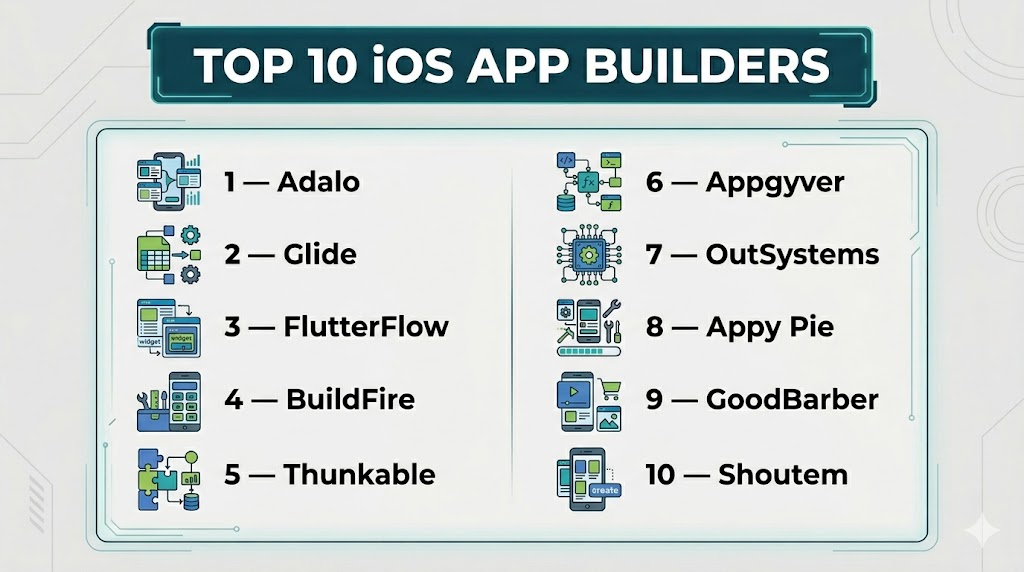
Top 10 iOS App Builders
#1 — Adalo
Short description: A popular no-code platform designed for building mobile apps quickly with a visual interface.
Key Features
- Drag-and-drop builder
- Built-in database
- Custom actions and logic
- App publishing support
- Component marketplace
Pros
- Beginner-friendly
- Fast app deployment
Cons
- Limited advanced customization
- Performance constraints for complex apps
Platforms / Deployment
Web (Cloud)
Security & Compliance
Not publicly stated
Integrations & Ecosystem
Adalo supports integrations through APIs and third-party tools.
- Zapier
- REST APIs
- External databases
Support & Community
Strong community with tutorials and documentation
#2 — Glide
Short description: A no-code platform that transforms spreadsheets into mobile apps with ease.
Key Features
- Spreadsheet-based backend
- Drag-and-drop interface
- Real-time updates
- Pre-built templates
- Data-driven apps
Pros
- Extremely easy to use
- Fast setup
Cons
- Limited customization
- Not ideal for complex apps
Platforms / Deployment
Web (Cloud)
Security & Compliance
Not publicly stated
Integrations & Ecosystem
Glide connects with popular data sources and automation tools.
- Google Sheets
- Airtable
- APIs
Support & Community
Good documentation and onboarding
#3 — FlutterFlow
Short description: A low-code builder powered by Flutter, enabling visually built apps with exportable code.
Key Features
- Visual UI builder
- Firebase integration
- Custom code support
- API integrations
- Code export
Pros
- High flexibility
- Developer-friendly
Cons
- Learning curve for beginners
- Requires understanding of app logic
Platforms / Deployment
Web (Cloud)
Security & Compliance
Not publicly stated
Integrations & Ecosystem
FlutterFlow integrates with backend services and APIs.
- Firebase
- REST APIs
- Third-party services
Support & Community
Active community and growing resources
#4 — BuildFire
Short description: A scalable app builder with strong plugin support for businesses.
Key Features
- Plugin-based architecture
- Custom functionality
- Drag-and-drop builder
- App publishing support
- Analytics tools
Pros
- Highly customizable
- Good scalability
Cons
- Higher cost
- Requires setup time
Platforms / Deployment
Cloud
Security & Compliance
Not publicly stated
Integrations & Ecosystem
BuildFire offers a wide plugin ecosystem.
- Third-party plugins
- APIs
- CRM tools
Support & Community
Strong support and onboarding
#5 — Thunkable
Short description: A no-code platform for building native mobile apps using a visual programming approach.
Key Features
- Drag-and-drop UI
- Logic blocks
- Cross-platform support
- API integration
- Live testing
Pros
- Good for beginners
- Cross-platform support
Cons
- Limited advanced UI customization
- Performance limitations
Platforms / Deployment
Web (Cloud)
Security & Compliance
Not publicly stated
Integrations & Ecosystem
Thunkable supports integrations via APIs and external services.
- APIs
- Data sources
Support & Community
Active learning community
#6 — Appgyver
Short description: A powerful low-code platform for building enterprise-grade apps.
Key Features
- Visual builder
- Logic flows
- Backend integration
- Responsive design
- Data modeling
Pros
- Enterprise-ready
- Flexible development
Cons
- Complex for beginners
- Limited templates
Platforms / Deployment
Cloud
Security & Compliance
Not publicly stated
Integrations & Ecosystem
Appgyver integrates with enterprise systems.
- APIs
- SAP ecosystem
Support & Community
Moderate documentation
#7 — OutSystems
Short description: A leading enterprise low-code platform for building scalable applications.
Key Features
- Full-stack development
- AI-assisted development
- Integration tools
- DevOps support
- Security features
Pros
- Enterprise-grade capabilities
- Scalable
Cons
- Expensive
- Requires training
Platforms / Deployment
Cloud / Hybrid
Security & Compliance
Enterprise-grade security, compliance features
Integrations & Ecosystem
OutSystems integrates with enterprise systems and services.
- APIs
- Databases
- Cloud services
Support & Community
Strong enterprise support
#8 — Appy Pie
Short description: A no-code platform designed for small businesses to create mobile apps quickly.
Key Features
- Drag-and-drop builder
- Templates
- Push notifications
- Monetization options
- App publishing
Pros
- Easy to use
- Affordable
Cons
- Limited customization
- Basic features
Platforms / Deployment
Cloud
Security & Compliance
Not publicly stated
Integrations & Ecosystem
Appy Pie supports integrations with common tools.
- Social media platforms
- APIs
Support & Community
Beginner-friendly support
#9 — GoodBarber
Short description: A platform focused on building content-driven and eCommerce mobile apps.
Key Features
- Content management
- eCommerce tools
- Design customization
- Push notifications
- Analytics
Pros
- Great for content apps
- Strong design options
Cons
- Limited flexibility for complex apps
- Pricing can increase
Platforms / Deployment
Cloud
Security & Compliance
Not publicly stated
Integrations & Ecosystem
GoodBarber supports integrations with eCommerce and content tools.
- Payment systems
- CMS platforms
Support & Community
Good support and documentation
#10 — Shoutem
Short description: A mobile app builder designed for community and content-driven apps.
Key Features
- Drag-and-drop builder
- Content management
- Monetization tools
- Push notifications
- Analytics
Pros
- Easy to use
- Good for content apps
Cons
- Limited advanced features
- Customization constraints
Platforms / Deployment
Cloud
Security & Compliance
Not publicly stated
Integrations & Ecosystem
Shoutem integrates with common services.
- APIs
- Content platforms
Support & Community
Basic support resources
Comparison Table (Top 10)
| Tool Name | Best For | Platform(s) Supported | Deployment | Standout Feature | Public Rating |
|---|---|---|---|---|---|
| Adalo | Beginners | Web | Cloud | No-code builder | N/A |
| Glide | Data apps | Web | Cloud | Spreadsheet backend | N/A |
| FlutterFlow | Developers | Web | Cloud | Code export | N/A |
| BuildFire | Businesses | Web | Cloud | Plugin ecosystem | N/A |
| Thunkable | Cross-platform apps | Web | Cloud | Visual logic | N/A |
| Appgyver | Enterprise apps | Web | Cloud | Logic flows | N/A |
| OutSystems | Enterprise | Web | Cloud/Hybrid | Full-stack dev | N/A |
| Appy Pie | Small businesses | Web | Cloud | Templates | N/A |
| GoodBarber | Content apps | Web | Cloud | Design tools | N/A |
| Shoutem | Community apps | Web | Cloud | Monetization | N/A |
Evaluation & Scoring of iOS App Builders
| Tool Name | Core (25%) | Ease (15%) | Integrations (15%) | Security (10%) | Performance (10%) | Support (10%) | Value (15%) | Weighted Total |
|---|---|---|---|---|---|---|---|---|
| Adalo | 7 | 9 | 7 | 6 | 7 | 8 | 8 | 7.6 |
| Glide | 6 | 10 | 6 | 5 | 7 | 7 | 8 | 7.3 |
| FlutterFlow | 9 | 7 | 8 | 6 | 8 | 8 | 7 | 8.0 |
| BuildFire | 8 | 7 | 8 | 6 | 8 | 8 | 6 | 7.7 |
| Thunkable | 7 | 9 | 7 | 5 | 7 | 7 | 8 | 7.5 |
| Appgyver | 8 | 6 | 8 | 6 | 8 | 7 | 7 | 7.6 |
| OutSystems | 10 | 5 | 9 | 9 | 9 | 9 | 5 | 8.5 |
| Appy Pie | 6 | 9 | 6 | 5 | 6 | 7 | 9 | 7.1 |
| GoodBarber | 7 | 8 | 7 | 6 | 7 | 7 | 7 | 7.2 |
| Shoutem | 7 | 8 | 6 | 5 | 7 | 6 | 7 | 7.0 |
How to interpret scores:
- Scores are relative comparisons across tools
- Enterprise platforms score higher in capability but lower in ease
- No-code tools prioritize simplicity and speed
- Choose based on your technical needs and scalability goals
Which iOS App Builder Is Right for You?
Solo / Freelancer
- Best choices: Glide, Adalo
- Focus on simplicity and fast deployment
SMB
- Best choices: Appy Pie, Thunkable
- Balanced cost and usability
Mid-Market
- Best choices: BuildFire, FlutterFlow
- Need customization and integrations
Enterprise
- Best choices: OutSystems, Appgyver
- Require scalability and security
Budget vs Premium
- Budget-friendly: Glide, Appy Pie
- Premium: OutSystems, BuildFire
Feature Depth vs Ease of Use
- Advanced features: FlutterFlow, OutSystems
- Ease of use: Glide, Adalo
Integrations & Scalability
- Strong integrations: OutSystems, FlutterFlow
- Moderate: Appy Pie, Shoutem
Security & Compliance Needs
- Enterprise-level: OutSystems
- Basic needs: No-code platforms
Frequently Asked Questions (FAQs)
What is an iOS app builder?
A platform that allows users to create iPhone apps without extensive coding knowledge.
Do I need coding skills?
Most no-code tools do not require coding, while low-code platforms may need basic technical understanding.
Can I publish apps to the App Store?
Yes, most tools support App Store publishing with proper configuration.
Are these apps truly native?
Some tools create native apps, while others use hybrid frameworks.
How much do these tools cost?
Pricing varies depending on features, usage, and scale.
Can I integrate APIs?
Yes, many tools support API integrations.
Are these tools scalable?
Some tools are built for enterprise scalability, while others are suited for smaller apps.
How long does it take to build an app?
From a few hours to several weeks depending on complexity.
Can I switch platforms later?
Yes, but migration can require effort depending on the tool.
What are alternatives?
Custom development using native programming languages.
Conclusion
iOS app builders make it easier than ever to create mobile applications without heavy development resources. From simple no-code platforms to enterprise-grade solutions, each tool serves different levels of complexity and scale. The right choice depends on your technical skills, business needs, and budget. Focus on usability, integrations, and long-term scalability when evaluating options. Start by testing a few tools to find the best fit for your workflow.