Introduction
Code Signing Tools are solutions used to digitally sign software, scripts, and executables to verify authenticity and ensure integrity. By applying cryptographic signatures, these tools confirm that code has not been altered and that it originates from a trusted publisher. This is essential for protecting users from malware, tampering, and supply chain attacks.
In modern software delivery, especially with continuous deployment, open-source dependencies, and distributed systems, code signing has become a foundational security practice. Organizations now integrate signing into CI/CD pipelines, ensuring every build is verified before release. With increasing threats targeting software supply chains, code signing tools help enforce trust, compliance, and secure distribution.
Real-World Use Cases
- Signing desktop applications and executables
- Verifying integrity of scripts and binaries
- Securing container images and artifacts
- Protecting software supply chains
- Meeting compliance and security requirements
What Buyers Should Evaluate
- Supported signing standards and formats
- Integration with CI/CD pipelines
- Key management and security controls
- Automation capabilities
- Platform compatibility
- Certificate authority support
- Performance and scalability
- Compliance and audit features
Best for: DevSecOps teams, software vendors, security engineers, and organizations distributing software to users or customers.
Not ideal for: Internal-only scripts or projects without distribution or security requirements.
Key Trends in Code Signing Tools
- Adoption of zero-trust software supply chain models
- Integration with CI/CD pipelines and DevOps workflows
- Use of hardware security modules (HSMs) for key protection
- Emergence of open-source signing frameworks
- Increased focus on container and artifact signing
- Automation of signing processes
- Integration with SBOM and security tools
- Cloud-based signing services gaining traction
- Compliance with software security standards
- Enhanced audit and monitoring capabilities
How We Selected These Tools (Methodology)
- Industry adoption and trustworthiness
- Support for modern signing standards
- Integration with DevOps and CI/CD tools
- Security and key management capabilities
- Reliability and performance
- Flexibility across platforms
- Active development and support
- Balance between open-source and enterprise tools
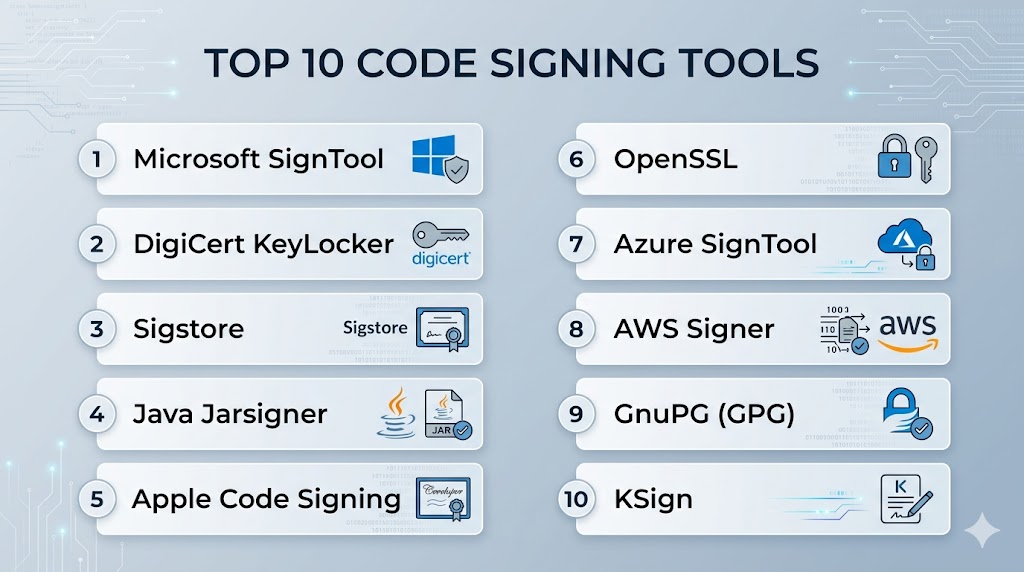
Top 10 Code Signing Tools
#1 — Microsoft SignTool
Short description: A widely used tool for signing Windows executables and verifying digital signatures.
Key Features
- Windows executable signing
- Signature verification
- Integration with Windows SDK
- Timestamping support
- Certificate-based signing
Pros
- Native Windows integration
- Reliable and widely used
Cons
- Windows-only
- Command-line focused
Platforms / Deployment
Windows
Local / CI integration
Security & Compliance
Certificate-based signing
Not publicly stated
Integrations & Ecosystem
- Windows build tools
- CI/CD pipelines
Support & Community
Strong Microsoft ecosystem support.
#2 — DigiCert KeyLocker
Short description: A cloud-based code signing solution with secure key storage.
Key Features
- Cloud-based signing
- Secure key storage
- Automated workflows
- Timestamping
- Integration with DevOps
Pros
- Strong security
- Easy to integrate
Cons
- Paid solution
- Vendor dependency
Platforms / Deployment
Web
Cloud
Security & Compliance
Encryption, secure key storage
Not publicly stated
Integrations & Ecosystem
- CI/CD tools
- DevOps platforms
Support & Community
Enterprise support available.
#3 — Sigstore
Short description: An open-source project for secure and transparent code signing.
Key Features
- Keyless signing
- Transparency logs
- Open-source ecosystem
- Integration with containers
- Automation support
Pros
- Free and open-source
- Modern security model
Cons
- Emerging ecosystem
- Requires setup
Platforms / Deployment
Windows / macOS / Linux
Cloud / Local
Security & Compliance
Transparency logs, cryptographic signing
Not publicly stated
Integrations & Ecosystem
- Kubernetes
- CI/CD tools
Support & Community
Active open-source community.
#4 — Java Jarsigner
Short description: A tool for signing Java archives and verifying signatures.
Key Features
- JAR file signing
- Signature verification
- Certificate integration
- Timestamping
- Java ecosystem support
Pros
- Native Java integration
- Simple usage
Cons
- Limited to Java
- CLI-based
Platforms / Deployment
Windows / macOS / Linux
Local / CI integration
Security & Compliance
Certificate-based signing
Not publicly stated
Integrations & Ecosystem
- Java build tools
- CI/CD pipelines
Support & Community
Strong Java community.
#5 — Apple Code Signing
Short description: A signing system used for macOS and iOS applications.
Key Features
- App signing for Apple platforms
- Certificate-based authentication
- Integration with Xcode
- App Store compliance
- Secure distribution
Pros
- Essential for Apple ecosystem
- Strong security
Cons
- Apple-only
- Requires Apple developer account
Platforms / Deployment
macOS
Local / Cloud integration
Security & Compliance
Certificate-based signing
Not publicly stated
Integrations & Ecosystem
- Xcode
- Apple platforms
Support & Community
Strong Apple developer support.
#6 — OpenSSL
Short description: A versatile toolkit for cryptographic operations, including code signing.
Key Features
- Cryptographic functions
- Certificate management
- Signing and verification
- Open-source
- Multi-platform support
Pros
- Highly flexible
- Free and open-source
Cons
- Complex usage
- Not purpose-built for code signing
Platforms / Deployment
Windows / macOS / Linux
Local
Security & Compliance
Encryption, cryptographic standards
Not publicly stated
Integrations & Ecosystem
- Security tools
- DevOps workflows
Support & Community
Large open-source community.
#7 — Azure SignTool
Short description: A tool for signing code using Azure Key Vault for secure key storage.
Key Features
- Cloud-based signing
- Integration with Azure Key Vault
- Secure key storage
- Automation support
- CI/CD integration
Pros
- Secure key management
- Azure integration
Cons
- Azure dependency
- Setup complexity
Platforms / Deployment
Windows
Cloud / Local
Security & Compliance
Encryption, key vault integration
Not publicly stated
Integrations & Ecosystem
- Azure services
- CI/CD tools
Support & Community
Enterprise support.
#8 — AWS Signer
Short description: A managed service for code signing within AWS environments.
Key Features
- Managed signing service
- Integration with AWS services
- Secure key storage
- Automation
- Policy enforcement
Pros
- Fully managed
- Strong AWS integration
Cons
- Vendor lock-in
- Limited outside AWS
Platforms / Deployment
Web
Cloud
Security & Compliance
IAM, encryption
Not publicly stated
Integrations & Ecosystem
- AWS services
- DevOps pipelines
Support & Community
Enterprise support.
#9 — GnuPG (GPG)
Short description: An open-source tool for encryption and digital signing.
Key Features
- Digital signatures
- Encryption
- Key management
- Open-source
- Cross-platform support
Pros
- Free and flexible
- Strong security
Cons
- Complex setup
- Not specialized for software signing
Platforms / Deployment
Windows / macOS / Linux
Local
Security & Compliance
Encryption, cryptographic signing
Not publicly stated
Integrations & Ecosystem
- Security tools
- DevOps workflows
Support & Community
Large community support.
#10 — KSign
Short description: A Kubernetes-focused tool for signing container images.
Key Features
- Container image signing
- Kubernetes integration
- Automation
- Keyless signing
- DevOps integration
Pros
- Modern cloud-native approach
- Easy automation
Cons
- Limited to container use cases
- Smaller ecosystem
Platforms / Deployment
Linux
Cloud / Local
Security & Compliance
Cryptographic signing
Not publicly stated
Integrations & Ecosystem
- Kubernetes
- CI/CD tools
Support & Community
Growing community.
Comparison Table (Top 10)
| Tool Name | Best For | Platform(s) Supported | Deployment | Standout Feature | Public Rating |
|---|---|---|---|---|---|
| SignTool | Windows devs | Windows | Local | Native signing | N/A |
| DigiCert | Enterprise | Web | Cloud | Secure keys | N/A |
| Sigstore | Open-source | Multi-OS | Hybrid | Keyless signing | N/A |
| Jarsigner | Java devs | Multi-OS | Local | JAR signing | N/A |
| Apple CS | Apple devs | macOS | Local | App store compliance | N/A |
| OpenSSL | Security teams | Multi-OS | Local | Crypto toolkit | N/A |
| Azure ST | Azure users | Windows | Hybrid | Key Vault | N/A |
| AWS Signer | AWS users | Web | Cloud | Managed signing | N/A |
| GPG | Security | Multi-OS | Local | Encryption | N/A |
| KSign | DevOps | Linux | Hybrid | Container signing | N/A |
Evaluation & Scoring of Code Signing Tools
| Tool Name | Core | Ease | Integrations | Security | Performance | Support | Value | Weighted Total |
|---|---|---|---|---|---|---|---|---|
| SignTool | 9 | 7 | 8 | 9 | 9 | 9 | 9 | 8.7 |
| DigiCert | 9 | 8 | 8 | 10 | 9 | 9 | 7 | 8.8 |
| Sigstore | 9 | 7 | 8 | 9 | 9 | 8 | 10 | 8.8 |
| Jarsigner | 8 | 7 | 7 | 8 | 8 | 8 | 9 | 7.9 |
| Apple CS | 9 | 8 | 8 | 9 | 9 | 9 | 7 | 8.6 |
| OpenSSL | 8 | 6 | 7 | 9 | 9 | 8 | 10 | 8.1 |
| Azure ST | 9 | 7 | 8 | 9 | 9 | 8 | 8 | 8.4 |
| AWS Signer | 9 | 8 | 9 | 9 | 9 | 9 | 8 | 8.9 |
| GPG | 8 | 6 | 7 | 9 | 9 | 8 | 10 | 8.1 |
| KSign | 8 | 7 | 8 | 9 | 9 | 7 | 9 | 8.2 |
How to interpret scores:
These scores compare tools across core capabilities, usability, and security. Higher scores indicate strong overall balance, but the best tool depends on your environment. Cloud-native tools excel in automation, while open-source tools offer flexibility and value.
Which Code Signing Tools Tool Is Right for You?
Solo / Freelancer
GPG and OpenSSL are cost-effective and flexible.
SMB
Sigstore and DigiCert offer balance between usability and security.
Mid-Market
Azure SignTool and AWS Signer provide scalability.
Enterprise
DigiCert and AWS Signer offer strong security and compliance.
Budget vs Premium
- Budget: Sigstore, GPG
- Premium: DigiCert
Feature Depth vs Ease of Use
- Feature-rich: DigiCert
- Easy-to-use: AWS Signer
Integrations & Scalability
- Best integrations: AWS Signer
- Scalable: DigiCert
Security & Compliance Needs
- Strong security: DigiCert, Sigstore
- Moderate: OpenSSL
Frequently Asked Questions (FAQs)
What is code signing?
It is the process of digitally signing code to verify authenticity.
Why is code signing important?
It prevents tampering and ensures trust.
Are code signing tools secure?
They use cryptographic methods for security.
Do they support automation?
Yes, most tools integrate with CI/CD.
Are they platform-specific?
Some are platform-specific, others are cross-platform.
Can small teams use them?
Yes, especially open-source tools.
Do they require certificates?
Yes, certificates are typically required.
What is keyless signing?
Signing without managing private keys directly.
Can they sign containers?
Some tools support container signing.
What is the best tool overall?
Depends on your environment and requirements.
Conclusion
Code Signing Tools are essential for ensuring software integrity, authenticity, and trust in modern development environments. With increasing threats targeting software supply chains, implementing a reliable code signing strategy is critical. Tools like DigiCert and AWS Signer provide enterprise-grade security, while open-source solutions like Sigstore offer flexibility and innovation. The best approach is to evaluate your platform requirements, integration needs, and security priorities, then test a few tools in your workflow. A well-chosen code signing tool can significantly enhance software security and user trust across your applications.