Introduction
Product analytics tools help teams understand how users interact with a product—what they do, where they drop off, and what drives engagement, retention, and growth. Unlike traditional web analytics, product analytics focuses on user behavior inside apps, tracking events such as clicks, feature usage, onboarding flows, and conversions.
In modern product-led organizations, these tools are essential for making data-driven product decisions, improving user experience, and optimizing growth loops. With the rise of AI and automation, product analytics platforms now offer predictive insights, automated event tracking, and real-time behavioral analysis.
Common Use Cases
- Tracking user journeys and feature adoption
- Funnel and conversion analysis
- Retention and churn analysis
- A/B testing and experimentation
- Product-led growth (PLG) optimization
What Buyers Should Evaluate
- Event tracking flexibility and accuracy
- Funnel, cohort, and retention analysis
- Ease of implementation (manual vs auto tracking)
- Real-time vs batch analytics
- Integration with data warehouses and tools
- AI insights and predictive analytics
- Scalability for large datasets
- Data governance and taxonomy management
- Pricing model (events vs users vs seats)
Best for: Product managers, growth teams, SaaS companies, startups, and enterprises building digital products.
Not ideal for: Static websites or businesses that only need basic traffic analytics rather than deep behavioral insights.
Key Trends in Product Analytics Tools
- AI-driven insights and anomaly detection for faster decision-making
- Auto-capture tracking reducing engineering dependency
- Event-based analytics replacing pageview tracking
- Product-led growth (PLG) analytics frameworks
- Integration with experimentation and feature flag tools
- Real-time behavioral dashboards
- Data warehouse-native analytics architectures
- Cross-platform analytics (web + mobile + backend)
- Privacy-first and first-party data tracking models
- Unified analytics (product + marketing + revenue)
How We Selected These Tools (Methodology)
The tools were selected based on:
- Market adoption and popularity among product teams
- Depth of behavioral analytics features
- Ease of implementation and onboarding
- Performance and scalability
- Integration with modern data stacks
- AI and automation capabilities
- Flexibility for different company sizes
- Security and governance capabilities
- Community support and documentation
- Suitability across startups and enterprises
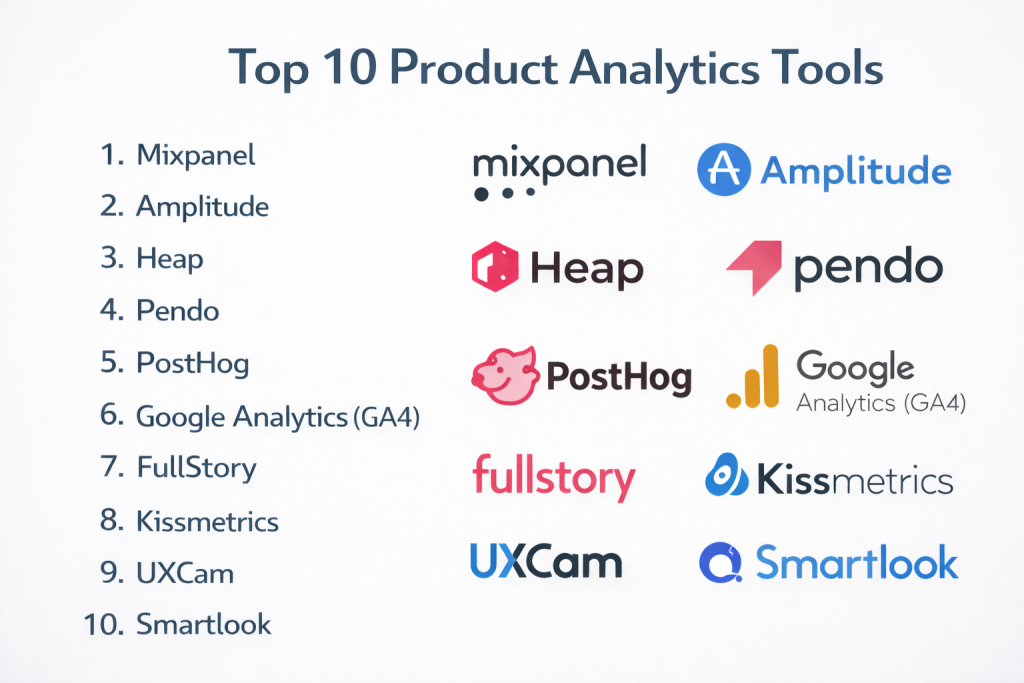
Top 10 Product Analytics Tools
#1 — Mixpanel
Short description: A leading event-based analytics platform focused on user behavior, funnels, and retention insights.
Key Features
- Event-based tracking
- Funnel and retention analysis
- Cohort segmentation
- Real-time dashboards
- Group analytics (B2B use cases)
- Custom reports
Pros
- Strong behavioral insights
- Easy to use for product teams
Cons
- Requires manual event setup
- Pricing increases with scale
Platforms / Deployment
Web / Mobile
Cloud
Security & Compliance
- SOC 2, GDPR (reported)
- SSO, encryption
Integrations & Ecosystem
Mixpanel integrates with modern data stacks and marketing tools.
- Data warehouses
- CRM tools
- APIs
- Marketing platforms
Support & Community
Strong documentation and active user community.
#2 — Amplitude
Short description: A powerful product analytics platform focused on behavioral insights, user journeys, and experimentation.
Key Features
- Behavioral analytics
- Funnel and cohort analysis
- Predictive insights
- Experimentation tools
- Data governance features
- Custom dashboards
Pros
- Deep analytics capabilities
- Strong for enterprise use
Cons
- Complex setup
- Learning curve
Platforms / Deployment
Web
Cloud
Security & Compliance
Not publicly stated
Integrations & Ecosystem
Amplitude integrates with data and marketing ecosystems.
- Data warehouses
- APIs
- Marketing tools
Support & Community
Enterprise support with strong documentation.
#3 — Heap
Short description: A product analytics platform known for automatic data capture and behavioral insights.
Key Features
- Auto event tracking
- Funnel and journey analysis
- Session replay
- Data science insights
- User segmentation
- Visualization tools
Pros
- No manual tracking required
- Captures all interactions
Cons
- Can become expensive
- Data overload without governance
Platforms / Deployment
Web
Cloud
Security & Compliance
Not publicly stated
Integrations & Ecosystem
Integrates with analytics and data tools.
- APIs
- Data platforms
- CRM systems
Support & Community
Strong enterprise support.
#4 — Pendo
Short description: A product analytics and user guidance platform combining analytics with in-app experiences.
Key Features
- Product usage analytics
- In-app guides and onboarding
- NPS and feedback tools
- Funnel analysis
- User segmentation
- Feature adoption tracking
Pros
- Combines analytics + UX tools
- Great for onboarding optimization
Cons
- Expensive
- Less flexible analytics depth
Platforms / Deployment
Web / Mobile
Cloud
Security & Compliance
Not publicly stated
Integrations & Ecosystem
Supports integrations with enterprise tools.
- CRM systems
- APIs
- Support tools
Support & Community
Enterprise-grade support.
#5 — PostHog
Short description: An open-source product analytics platform offering analytics, feature flags, and experimentation in one stack.
Key Features
- Event tracking
- Session recording
- Feature flags
- A/B testing
- Self-hosted option
- Data warehouse integration
Pros
- Open-source flexibility
- All-in-one platform
Cons
- Requires technical setup
- Smaller ecosystem
Platforms / Deployment
Web
Cloud / Self-hosted
Security & Compliance
Not publicly stated
Integrations & Ecosystem
Developer-focused integrations.
- APIs
- Data pipelines
Support & Community
Growing open-source community.
#6 — Google Analytics (GA4)
Short description: A widely used analytics platform with event-based tracking, increasingly used for product analytics basics.
Key Features
- Event tracking
- Cross-platform analytics
- Real-time reporting
- Integration with marketing tools
- Custom reports
- AI insights
Pros
- Free and widely available
- Strong ecosystem
Cons
- Limited product analytics depth
- Complex UI
Platforms / Deployment
Web / Mobile
Cloud
Security & Compliance
Not publicly stated
Integrations & Ecosystem
Deep Google ecosystem integrations.
- Ads
- Tag Manager
- APIs
Support & Community
Large global community.
#7 — FullStory
Short description: A digital experience analytics platform focused on session replay and behavioral insights.
Key Features
- Session replay
- Heatmaps
- Funnel analysis
- User journey tracking
- Error tracking
- Behavioral insights
Pros
- Strong UX insights
- Visual analytics
Cons
- Not a full analytics suite
- Pricing can be high
Platforms / Deployment
Web
Cloud
Security & Compliance
Not publicly stated
Integrations & Ecosystem
Integrates with analytics and support tools.
- CRM
- Support platforms
- APIs
Support & Community
Strong enterprise support.
#8 — Kissmetrics
Short description: A customer analytics platform focused on revenue and conversion tracking.
Key Features
- Funnel analysis
- Revenue tracking
- Cohort analysis
- Customer journey tracking
- Email analytics
- Reporting
Pros
- Strong for revenue analytics
- Easy reporting
Cons
- Limited advanced features
- Smaller ecosystem
Platforms / Deployment
Web
Cloud
Security & Compliance
Not publicly stated
Integrations & Ecosystem
Supports marketing integrations.
- Email tools
- CRM
- APIs
Support & Community
Moderate support.
#9 — UXCam
Short description: A mobile-first product analytics tool with session replay and behavioral insights.
Key Features
- Session replay
- Heatmaps
- Event tracking
- Funnel analysis
- Mobile analytics
- Crash reporting
Pros
- Strong mobile analytics
- UX-focused insights
Cons
- Limited web analytics
- Niche use case
Platforms / Deployment
Mobile
Cloud
Security & Compliance
Not publicly stated
Integrations & Ecosystem
Mobile-focused integrations.
- APIs
- SDKs
Support & Community
Growing community.
#10 — Smartlook
Short description: A product analytics and session replay tool focused on visualizing user behavior.
Key Features
- Session recording
- Heatmaps
- Funnel analysis
- Event tracking
- Cross-platform analytics
- Behavior insights
Pros
- Easy to use
- Strong visual analytics
Cons
- Limited advanced analytics
- Smaller ecosystem
Platforms / Deployment
Web / Mobile
Cloud
Security & Compliance
Not publicly stated
Integrations & Ecosystem
Supports integrations with analytics tools.
- APIs
- CMS tools
Support & Community
Moderate support.
Comparison Table (Top 10)
| Tool Name | Best For | Platform(s) Supported | Deployment | Standout Feature | Public Rating |
|---|---|---|---|---|---|
| Mixpanel | Behavioral analytics | Web, Mobile | Cloud | Funnel & cohort analysis | N/A |
| Amplitude | Enterprise analytics | Web | Cloud | Predictive insights | N/A |
| Heap | Auto tracking | Web | Cloud | Auto event capture | N/A |
| Pendo | Product + UX | Web, Mobile | Cloud | In-app guidance | N/A |
| PostHog | Open-source analytics | Web | Hybrid | All-in-one stack | N/A |
| Google Analytics | Basic product insights | Web, Mobile | Cloud | Free analytics | N/A |
| FullStory | UX analytics | Web | Cloud | Session replay | N/A |
| Kissmetrics | Revenue analytics | Web | Cloud | Conversion tracking | N/A |
| UXCam | Mobile analytics | Mobile | Cloud | Mobile session replay | N/A |
| Smartlook | Visual analytics | Web, Mobile | Cloud | Heatmaps | N/A |
Evaluation & Scoring of Product Analytics Tools
| Tool Name | Core (25%) | Ease (15%) | Integrations (15%) | Security (10%) | Performance (10%) | Support (10%) | Value (15%) | Weighted Total |
|---|---|---|---|---|---|---|---|---|
| Mixpanel | 9 | 8 | 9 | 8 | 9 | 8 | 8 | 8.6 |
| Amplitude | 10 | 6 | 9 | 8 | 9 | 9 | 7 | 8.5 |
| Heap | 8 | 9 | 8 | 7 | 8 | 8 | 7 | 8.0 |
| Pendo | 8 | 7 | 8 | 7 | 8 | 8 | 6 | 7.6 |
| PostHog | 8 | 6 | 7 | 7 | 8 | 7 | 9 | 7.7 |
| Google Analytics | 7 | 7 | 10 | 7 | 9 | 9 | 10 | 8.4 |
| FullStory | 7 | 8 | 7 | 7 | 8 | 8 | 6 | 7.5 |
| Kissmetrics | 7 | 8 | 6 | 6 | 7 | 7 | 7 | 7.1 |
| UXCam | 7 | 8 | 6 | 6 | 8 | 7 | 7 | 7.2 |
| Smartlook | 7 | 8 | 6 | 6 | 8 | 7 | 7 | 7.2 |
How to interpret scores:
- Higher scores indicate stronger overall performance
- Enterprise tools score high in depth but lower in ease
- Open-source tools score high in value
- UX tools score high in ease but lower in analytics depth
- Choose based on your product maturity and goals
Which Product Analytics Tool Is Right for You?
Solo / Freelancer
- Best options: Google Analytics, Smartlook
- Focus on simplicity and cost
SMB
- Best options: Mixpanel, Heap
- Balance between insights and ease
Mid-Market
- Best options: Amplitude, PostHog
- Focus on scalability and flexibility
Enterprise
- Best options: Amplitude, Pendo
- Focus on governance and advanced analytics
Budget vs Premium
- Budget: PostHog, Google Analytics
- Premium: Amplitude, Pendo
Feature Depth vs Ease of Use
- Advanced: Amplitude, Mixpanel
- Easy: Heap, Smartlook
Integrations & Scalability
- Strong integrations: Mixpanel, Amplitude
- Lightweight: Smartlook
Security & Compliance Needs
- High compliance: Enterprise tools
- Basic needs: Open-source tools
Frequently Asked Questions (FAQs)
What is product analytics?
It tracks how users interact with a product to improve engagement and retention.
How is it different from web analytics?
It focuses on in-product behavior rather than just traffic.
Are these tools expensive?
Pricing varies based on events, users, or features.
Do I need developers to implement it?
Some tools require engineering, others offer auto-tracking.
What is event tracking?
Tracking specific user actions like clicks or feature usage.
Can product analytics improve retention?
Yes, it helps identify churn and optimize user journeys.
Are these tools real-time?
Many offer real-time dashboards and insights.
Can they integrate with data warehouses?
Yes, most modern tools support integrations.
What are common mistakes?
Poor event tracking and lack of data governance.
Which tool is best overall?
It depends on your product stage and analytics needs.
Conclusion
Product analytics tools are essential for building data-driven products and improving user experiences.