Introduction
Wikis are collaborative knowledge management platforms that allow teams to create, organize, and share information in a centralized and structured way. Unlike traditional document storage systems, wikis focus on real-time collaboration, version control, and easy access to institutional knowledge.
They have become essential as organizations move toward distributed work environments and require a single source of truth for processes, documentation, and internal knowledge. Wikis help reduce information silos and improve team productivity by making knowledge accessible and reusable.
Common Use Cases
- Internal knowledge bases for teams
- Product and engineering documentation
- Employee onboarding and SOPs
- Customer-facing help centers
- Project collaboration and documentation
What Buyers Should Evaluate
- Ease of use and editor experience
- Search and content discoverability
- Permissions and access control
- Integration ecosystem
- AI and automation capabilities
- Version control and audit logs
- Scalability and performance
- Deployment options (cloud vs self-hosted)
- Security and compliance standards
Best for: Startups, SMBs, and enterprises that need centralized documentation, especially in SaaS, technology, consulting, and remote-first organizations.
Not ideal for: Individuals needing simple note-taking apps or teams that only require basic file storage without structured collaboration.
Key Trends in Wikis
- AI-powered documentation assistants for generating and summarizing content
- Advanced search capabilities with semantic and contextual understanding
- Deeper integration with workplace tools like messaging and project platforms
- Granular access controls aligned with modern security practices
- Hybrid deployment flexibility combining cloud and self-hosted options
- Real-time collaborative editing with version intelligence
- API-first ecosystems enabling automation and custom workflows
- Built-in analytics to track content usage and gaps
- No-code customization for workflows and templates
- Compliance-focused architecture for regulated industries
How We Selected These Tools (Methodology)
The tools listed were evaluated based on:
- Market adoption and overall popularity
- Breadth and depth of features
- Reliability and performance consistency
- Security features and compliance readiness
- Integration capabilities and ecosystem strength
- Ease of use and onboarding experience
- Flexibility across different team sizes
- Availability of APIs and customization options
- Strength of community and documentation
- Fit for modern collaborative workflows
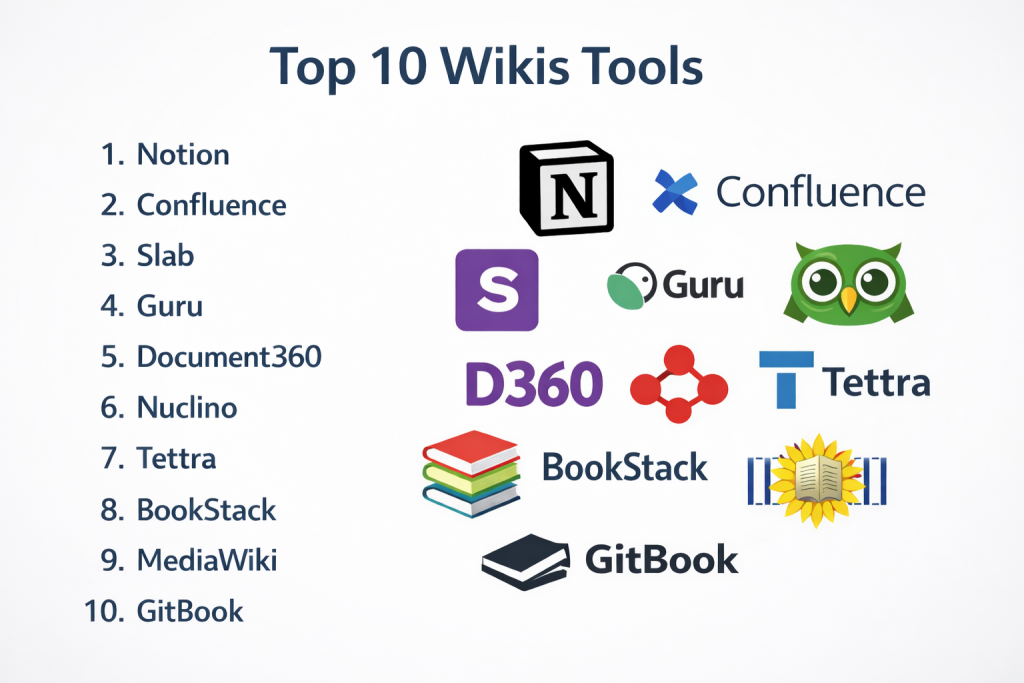
Top 10 Wikis Tools
#1 — Notion
Short description: A flexible all-in-one workspace combining wiki, notes, and database functionality. Suitable for startups and cross-functional teams.
Key Features
- Block-based editor with rich media support
- Built-in AI writing and summarization
- Databases and relational content
- Templates for workflows and documentation
- Real-time collaboration
- Custom page hierarchy
Pros
- Highly customizable and flexible
- Clean interface with strong collaboration features
Cons
- Can become disorganized without structure
- Performance may slow with large workspaces
Platforms / Deployment
Web / Windows / macOS / iOS / Android
Cloud
Security & Compliance
- SSO/SAML, MFA, encryption
- Additional certifications: Not publicly stated
Integrations & Ecosystem
Supports a wide range of integrations and automation workflows.
- Slack
- Google Drive
- GitHub
- API access
- Automation tools
Support & Community
Strong global community with extensive templates and guides. Support varies by plan.
#2 — Confluence
Short description: A robust enterprise wiki platform designed for team collaboration and structured documentation.
Key Features
- Structured page hierarchy
- Advanced permissions and roles
- Templates and macros
- Real-time editing
- Integration with development tools
- Scalable architecture
Pros
- Ideal for large teams and enterprises
- Deep integration with development workflows
Cons
- Interface can feel complex
- Requires setup and governance
Platforms / Deployment
Web
Cloud / Self-hosted
Security & Compliance
- SSO/SAML, MFA, RBAC
- Additional certifications: Not publicly stated
Integrations & Ecosystem
Part of a large ecosystem with extensive integrations.
- Project management tools
- Communication platforms
- Marketplace extensions
- APIs
Support & Community
Extensive documentation and strong enterprise support ecosystem.
#3 — Slab
Short description: A simple and clean knowledge base tool designed for clarity and team alignment.
Key Features
- Unified search across tools
- Topic-based organization
- Clean writing interface
- Version history
- Analytics
- Collaboration tools
Pros
- Easy to use and maintain
- Strong search functionality
Cons
- Limited customization
- Fewer advanced capabilities
Platforms / Deployment
Web
Cloud
Security & Compliance
Not publicly stated
Integrations & Ecosystem
Focuses on integrating knowledge sources.
- Slack
- Google Workspace
- Git platforms
Support & Community
Good onboarding experience; smaller community compared to larger tools.
#4 — Guru
Short description: A knowledge management tool that delivers information directly within team workflows.
Key Features
- Browser-based knowledge access
- AI-powered suggestions
- Content verification workflows
- Knowledge cards
- Real-time updates
- Analytics
Pros
- Excellent for in-context knowledge delivery
- Strong integration capabilities
Cons
- Not ideal for long-form documentation
- Content structure can feel fragmented
Platforms / Deployment
Web / Browser extensions
Cloud
Security & Compliance
- SSO, encryption
- Additional certifications: Not publicly stated
Integrations & Ecosystem
Designed to integrate within daily workflows.
- Slack
- Microsoft Teams
- Browser extensions
- APIs
Support & Community
Well-documented with structured onboarding; enterprise support available.
#5 — Document360
Short description: A dedicated platform for creating internal and external knowledge bases.
Key Features
- Structured knowledge base portals
- Markdown editor
- Version control
- Analytics and reporting
- Category management
- Backup and restore
Pros
- Strong for customer-facing documentation
- Clean and structured interface
Cons
- Less flexible than all-in-one tools
- Pricing may increase with scale
Platforms / Deployment
Web
Cloud
Security & Compliance
Not publicly stated
Integrations & Ecosystem
Supports integrations with support and CRM systems.
- Customer support tools
- Communication platforms
- API access
Support & Community
Strong onboarding support and detailed documentation.
#6 — Nuclino
Short description: A lightweight and fast wiki tool designed for simplicity and speed.
Key Features
- Real-time collaboration
- Graph view visualization
- Markdown support
- Keyboard-first interface
- Lightweight structure
Pros
- Very fast and intuitive
- Minimal learning curve
Cons
- Limited advanced features
- Not suited for large enterprises
Platforms / Deployment
Web / Windows / macOS
Cloud
Security & Compliance
Not publicly stated
Integrations & Ecosystem
Basic integrations with productivity tools.
- Slack
- API access
Support & Community
Growing community with helpful documentation.
#7 — Tettra
Short description: A simple internal wiki designed for teams using collaboration tools.
Key Features
- Q&A-based knowledge sharing
- Templates
- Knowledge verification
- Access control
- Search functionality
Pros
- Easy to implement
- Strong integration with team tools
Cons
- Limited scalability
- Fewer advanced features
Platforms / Deployment
Web
Cloud
Security & Compliance
Not publicly stated
Integrations & Ecosystem
Focused on internal team productivity.
- Slack
- Google Workspace
Support & Community
Reliable support; smaller ecosystem.
#8 — BookStack
Short description: An open-source wiki platform with a structured, book-style organization.
Key Features
- Book and chapter structure
- WYSIWYG editor
- Role-based access control
- Customization options
- Self-hosting
Pros
- Open-source and flexible
- Ideal for controlled environments
Cons
- Requires technical setup
- Limited enterprise-grade features
Platforms / Deployment
Web
Self-hosted
Security & Compliance
- RBAC
- Additional compliance: Not publicly stated
Integrations & Ecosystem
Limited integrations but customizable.
- API (basic)
Support & Community
Active open-source community support.
#9 — MediaWiki
Short description: A mature and scalable wiki platform designed for large-scale collaboration.
Key Features
- Advanced version control
- Extensive plugin ecosystem
- Scalable architecture
- Custom templates
- Multilingual support
Pros
- Highly scalable
- Reliable and well-established
Cons
- Complex setup
- Outdated interface
Platforms / Deployment
Web
Self-hosted
Security & Compliance
Not publicly stated
Integrations & Ecosystem
Highly extensible through plugins and APIs.
- Extensions
- APIs
Support & Community
Large and active global community.
#10 — GitBook
Short description: A modern documentation platform tailored for technical teams and developers.
Key Features
- Git-based workflows
- API documentation support
- Clean interface
- Version control
- Collaboration tools
Pros
- Ideal for developer documentation
- Professional output
Cons
- Less suitable for non-technical users
- Pricing may scale with usage
Platforms / Deployment
Web
Cloud
Security & Compliance
Not publicly stated
Integrations & Ecosystem
Strong developer-focused ecosystem.
- Git platforms
- APIs
- Developer tools
Support & Community
Good documentation; steadily growing community.
Comparison Table (Top 10)
| Tool Name | Best For | Platform(s) Supported | Deployment | Standout Feature | Public Rating |
|---|---|---|---|---|---|
| Notion | Startups | Web, Desktop, Mobile | Cloud | All-in-one workspace | N/A |
| Confluence | Enterprises | Web | Cloud/Self-hosted | Enterprise collaboration | N/A |
| Slab | SMB teams | Web | Cloud | Unified search | N/A |
| Guru | Knowledge sharing | Web, Extensions | Cloud | In-workflow knowledge | N/A |
| Document360 | Documentation | Web | Cloud | Structured knowledge base | N/A |
| Nuclino | Small teams | Web, Desktop | Cloud | Speed and simplicity | N/A |
| Tettra | Internal teams | Web | Cloud | Q&A knowledge model | N/A |
| BookStack | Self-hosting | Web | Self-hosted | Open-source structure | N/A |
| MediaWiki | Large-scale use | Web | Self-hosted | High scalability | N/A |
| GitBook | Developers | Web | Cloud | Git-based documentation | N/A |
Evaluation & Scoring of Wikis
| Tool Name | Core (25%) | Ease (15%) | Integrations (15%) | Security (10%) | Performance (10%) | Support (10%) | Value (15%) | Weighted Total |
|---|---|---|---|---|---|---|---|---|
| Notion | 9 | 9 | 8 | 7 | 8 | 8 | 9 | 8.4 |
| Confluence | 9 | 7 | 9 | 9 | 9 | 9 | 7 | 8.5 |
| Slab | 7 | 9 | 7 | 6 | 8 | 7 | 8 | 7.6 |
| Guru | 7 | 8 | 8 | 7 | 8 | 8 | 7 | 7.7 |
| Document360 | 8 | 8 | 7 | 7 | 8 | 8 | 7 | 7.8 |
| Nuclino | 6 | 9 | 6 | 6 | 9 | 7 | 8 | 7.3 |
| Tettra | 6 | 8 | 7 | 6 | 7 | 7 | 8 | 7.1 |
| BookStack | 7 | 6 | 5 | 7 | 7 | 6 | 9 | 6.8 |
| MediaWiki | 8 | 5 | 7 | 7 | 9 | 8 | 9 | 7.5 |
| GitBook | 8 | 7 | 8 | 7 | 8 | 7 | 7 | 7.6 |
How to interpret scores:
- Scores are comparative, not absolute
- Higher scores indicate better balance across criteria
- Enterprise tools score higher in security and integrations
- Simpler tools score higher in usability
- Choose based on your priorities, not just totals
Which Wikis Tool Is Right for You?
Solo / Freelancer
- Best options: Notion, Nuclino
- Focus on simplicity, flexibility, and low cost
SMB
- Best options: Slab, Tettra, Notion
- Prioritize ease of use and collaboration
Mid-Market
- Best options: Guru, Document360, GitBook
- Balance between structure and scalability
Enterprise
- Best options: Confluence, MediaWiki
- Focus on control, integrations, and security
Budget vs Premium
- Budget-friendly: BookStack, MediaWiki
- Premium solutions: Confluence, Guru
Feature Depth vs Ease of Use
- Feature-rich: Confluence, MediaWiki
- Easy to use: Notion, Nuclino
Integrations & Scalability
- Strong integrations: Confluence, Guru
- Lightweight tools: Nuclino, Tettra
Security & Compliance Needs
- Advanced needs: Confluence
- Basic needs: Notion, Slab
Frequently Asked Questions (FAQs)
What is a wiki tool?
A wiki tool is a platform that enables collaborative creation and management of structured knowledge.
Are wiki tools only for technical teams?
No, they are used across departments including HR, marketing, and operations.
How are wiki tools priced?
Pricing varies from free open-source tools to subscription-based enterprise platforms.
Can wiki tools replace document storage systems?
They can replace many use cases by offering structured and collaborative documentation.
Are wiki tools secure?
Most include encryption and access controls, but security levels vary by provider.
How long does implementation take?
Basic setups can take hours, while larger deployments may take longer.
Can data be migrated between tools?
Yes, though complexity depends on formats and structure.
Do wiki tools support integrations?
Most modern tools integrate with common business applications.
What are common mistakes when using wikis?
Lack of structure, outdated content, and poor ownership are common issues.
Are open-source wiki tools reliable?
Yes, but they require technical expertise for setup and maintenance.
Conclusion
Wikis have become a critical part of modern workflows, enabling teams to capture, organize, and share knowledge efficiently. The right choice depends on your team size, technical needs, and preferred workflows.