Introduction
Status Page Tools are platforms that help organizations communicate system health, outages, and maintenance updates to users in real time. A status page acts as a single source of truth during incidents, showing whether services are operational, degraded, or down.
In today’s always-on digital world, transparency is critical. When outages occur, users expect clear communication. Status pages help reduce confusion, build trust, and lower support tickets by providing real-time updates and proactive notifications.
Real-World Use Cases
- Communicating outages and downtime
- Sharing scheduled maintenance updates
- Displaying uptime metrics and service health
- Notifying users via email/SMS/RSS
- Reducing support load during incidents
What Buyers Should Evaluate
- Automation from monitoring tools
- Customization and branding
- Incident communication workflows
- Subscriber notifications
- Integration with DevOps/observability tools
- Public vs private status pages
- Analytics and uptime reporting
- Ease of setup and scalability
Best for: SaaS companies, DevOps teams, SREs, and organizations managing customer-facing services.
Not ideal for: Internal-only systems with no need for external communication.
Key Trends in Status Page Tools
- Automation of incident updates from monitoring systems
- Integration with incident management platforms
- Real-time notifications via multiple channels
- Custom branding and white-labeling
- API-driven and DevOps-friendly platforms
- Increased adoption of open-source status pages
- Focus on transparency and user trust
- Integration with uptime monitoring tools
- Multi-service component-level visibility
- AI-assisted incident communication
How We Selected These Tools (Methodology)
- High adoption across SaaS and DevOps teams
- Strong incident communication features
- Integration with monitoring and alerting tools
- Scalability for global services
- Ease of deployment and usability
- Customization capabilities
- Active community or vendor support
- Mix of enterprise, SMB, and open-source tools
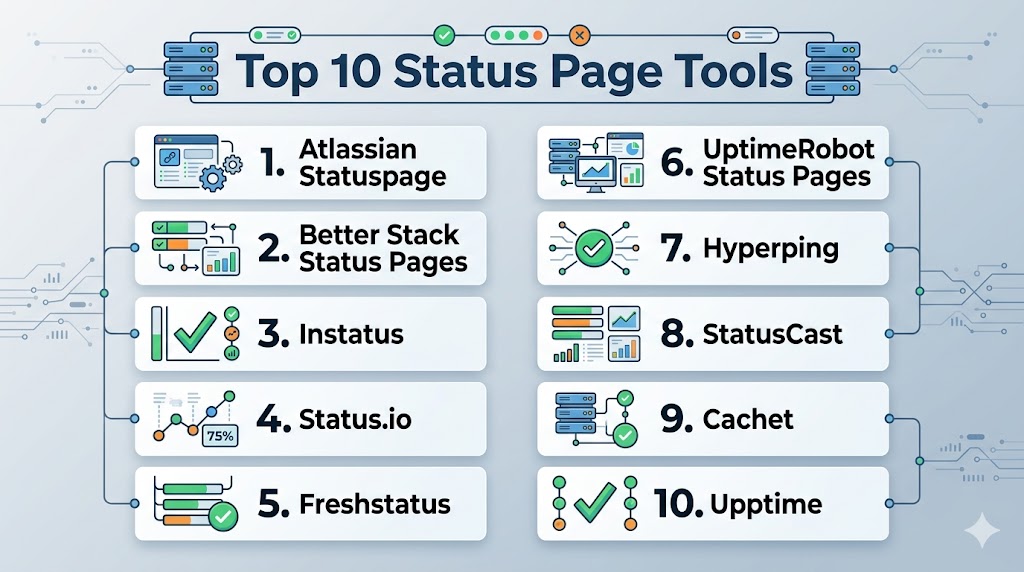
Top 10 Status Page Tools
#1 — Atlassian Statuspage
Short description: A widely adopted status page platform used by major SaaS companies for incident communication.
Key Features
- Incident management
- Real-time updates
- Subscriber notifications
- Custom branding
- Integration with monitoring tools
Pros
- Industry standard
- Strong integrations
Cons
- Expensive
- Limited customization flexibility
Platforms / Deployment
Web
Cloud
Security & Compliance
RBAC, audit logs
Not publicly stated
Integrations & Ecosystem
- Monitoring tools
- DevOps platforms
- Atlassian ecosystem
Support & Community
Strong enterprise support.
#2 — Better Stack Status Pages
Short description: An all-in-one monitoring and status page solution with automation features.
Key Features
- Automated incident updates
- Uptime monitoring
- Custom domains
- Alerts
- Analytics
Pros
- Easy setup
- Integrated monitoring
Cons
- Limited advanced customization
- Paid plans
Platforms / Deployment
Web
Cloud
Security & Compliance
Not publicly stated
Integrations & Ecosystem
- Monitoring tools
- DevOps tools
Support & Community
Growing support.
#3 — Instatus
Short description: A simple and modern status page tool focused on speed and usability.
Key Features
- Fast setup
- Unlimited subscribers
- Custom domains
- Incident updates
- Analytics
Pros
- Easy to use
- Affordable
Cons
- Limited enterprise features
- Fewer integrations
Platforms / Deployment
Web
Cloud
Security & Compliance
Not publicly stated
Integrations & Ecosystem
- Web apps
- Monitoring tools
Support & Community
Growing community.
#4 — Status.io
Short description: A flexible status page platform with strong customization options.
Key Features
- Multi-page support
- Custom branding
- Incident tracking
- Notifications
- Analytics
Pros
- Highly customizable
- Reliable
Cons
- Complex UI
- Pricing
Platforms / Deployment
Web
Cloud
Security & Compliance
Not publicly stated
Integrations & Ecosystem
- DevOps tools
- Monitoring tools
Support & Community
Vendor support.
#5 — Freshstatus
Short description: A status page tool by Freshworks for communicating service updates.
Key Features
- Incident updates
- Scheduled maintenance
- Notifications
- Custom branding
- Analytics
Pros
- Easy to use
- Affordable
Cons
- Limited advanced features
- Smaller ecosystem
Platforms / Deployment
Web
Cloud
Security & Compliance
Not publicly stated
Integrations & Ecosystem
- Freshworks ecosystem
- Monitoring tools
Support & Community
Vendor support.
#6 — UptimeRobot Status Pages
Short description: A monitoring tool with built-in status page capabilities.
Key Features
- Uptime monitoring
- Status pages
- Alerts
- Reports
- Simple setup
Pros
- Affordable
- Easy to use
Cons
- Limited customization
- Basic features
Platforms / Deployment
Web
Cloud
Security & Compliance
Not publicly stated
Integrations & Ecosystem
- Monitoring tools
- DevOps platforms
Support & Community
Large user base.
#7 — Hyperping
Short description: A monitoring platform with integrated status page functionality.
Key Features
- Uptime monitoring
- Status pages
- Alerts
- Performance insights
- Custom domains
Pros
- Modern UI
- Easy setup
Cons
- Limited enterprise features
- Smaller ecosystem
Platforms / Deployment
Web
Cloud
Security & Compliance
Not publicly stated
Integrations & Ecosystem
- DevOps tools
- Monitoring platforms
Support & Community
Growing support.
#8 — StatusCast
Short description: An enterprise-focused status page tool for large organizations.
Key Features
- Incident communication
- Multi-channel notifications
- Custom branding
- Reporting
- SLA tracking
Pros
- Enterprise-ready
- Strong reporting
Cons
- Expensive
- Complex setup
Platforms / Deployment
Web
Cloud
Security & Compliance
Not publicly stated
Integrations & Ecosystem
- Enterprise systems
- DevOps tools
Support & Community
Enterprise support.
#9 — Cachet
Short description: An open-source status page platform for self-hosted deployments.
Key Features
- Open-source
- Incident tracking
- Customization
- API support
- Self-hosted
Pros
- Free
- Flexible
Cons
- Requires maintenance
- Limited modern features
Platforms / Deployment
Linux
Self-hosted
Security & Compliance
Not publicly stated
Integrations & Ecosystem
- DevOps tools
- APIs
Support & Community
Active open-source community.
#10 — Upptime
Short description: A GitHub-based status page tool using GitOps principles.
Key Features
- GitHub integration
- Automated monitoring
- Free hosting
- Status pages
- Alerts
Pros
- Free
- GitOps approach
Cons
- Limited scalability
- Not actively maintained
Platforms / Deployment
Web
Cloud
Security & Compliance
Not publicly stated
Integrations & Ecosystem
- GitHub
- DevOps tools
Support & Community
Limited activity.
Comparison Table (Top 10)
| Tool Name | Best For | Platform(s) Supported | Deployment | Standout Feature | Public Rating |
|---|---|---|---|---|---|
| Statuspage | Enterprise | Web | Cloud | Industry standard | N/A |
| Better Stack | SMB | Web | Cloud | Automation | N/A |
| Instatus | Startups | Web | Cloud | Simplicity | N/A |
| Status.io | Customization | Web | Cloud | Flexibility | N/A |
| Freshstatus | SMB | Web | Cloud | Ease of use | N/A |
| UptimeRobot | Budget | Web | Cloud | Monitoring + status | N/A |
| Hyperping | Dev teams | Web | Cloud | Modern UI | N/A |
| StatusCast | Enterprise | Web | Cloud | Reporting | N/A |
| Cachet | Open-source | Linux | Self-hosted | Free | N/A |
| Upptime | GitOps | Web | Cloud | Free automation | N/A |
Evaluation & Scoring of Status Page Tools
| Tool Name | Core | Ease | Integrations | Security | Performance | Support | Value | Weighted Total |
|---|---|---|---|---|---|---|---|---|
| Statuspage | 10 | 8 | 10 | 9 | 9 | 9 | 7 | 9.0 |
| Better Stack | 9 | 9 | 8 | 8 | 8 | 8 | 9 | 8.6 |
| Instatus | 8 | 10 | 7 | 7 | 8 | 7 | 9 | 8.3 |
| Status.io | 9 | 8 | 8 | 8 | 8 | 8 | 7 | 8.2 |
| Freshstatus | 8 | 9 | 7 | 7 | 8 | 7 | 9 | 8.1 |
| UptimeRobot | 8 | 9 | 7 | 7 | 8 | 7 | 10 | 8.2 |
| Hyperping | 8 | 9 | 7 | 7 | 8 | 7 | 9 | 8.1 |
| StatusCast | 9 | 7 | 8 | 9 | 9 | 8 | 6 | 8.3 |
| Cachet | 8 | 7 | 7 | 7 | 8 | 7 | 10 | 8.0 |
| Upptime | 7 | 8 | 7 | 7 | 8 | 6 | 10 | 7.8 |
How to interpret scores:
These scores compare tools across usability, integrations, and value. Enterprise tools excel in automation and scalability, while open-source tools provide flexibility and cost efficiency.
Which Status Page Tool Is Right for You?
Solo / Freelancer
UptimeRobot or Instatus for simplicity and affordability.
SMB
Better Stack and Freshstatus for ease of use and integration.
Mid-Market
Status.io and Hyperping for customization and scalability.
Enterprise
Statuspage and StatusCast for advanced workflows and reporting.
Budget vs Premium
- Budget: UptimeRobot, Cachet
- Premium: Statuspage, StatusCast
Feature Depth vs Ease of Use
- Feature-rich: Statuspage
- Easy-to-use: Instatus
Integrations & Scalability
- Best integrations: Statuspage
- Scalable: StatusCast
Security & Compliance Needs
- Strong security: Statuspage
- Moderate: Instatus
Frequently Asked Questions (FAQs)
What is a status page tool?
It displays system health and outage updates to users.
Why are status pages important?
They improve transparency and reduce support tickets.
Do they integrate with monitoring tools?
Yes, most tools integrate with uptime monitoring systems.
Are they cloud-based?
Most modern tools are cloud-based.
Can small teams use them?
Yes, many tools are designed for startups and SMBs.
Do they support notifications?
Yes, via email, SMS, and RSS.
Are they customizable?
Most tools support branding and customization.
Do they support automation?
Yes, automation is a key feature.
What is the best tool overall?
Depends on your scale and requirements.
Do they support private status pages?
Yes, many tools offer private/internal pages.
Conclusion
Status Page Tools are essential for maintaining transparency, trust, and effective communication during system incidents. By providing real-time updates and proactive notifications, these tools help organizations reduce confusion and improve user experience during outages. Whether you choose enterprise solutions like Statuspage or flexible options like Instatus and Cachet, the right tool depends on your infrastructure, team size, and communication needs. Start by selecting 2–3 tools, test their integrations with your monitoring stack, and evaluate how effectively they communicate incidents to your users.