Introduction
Software Asset Management (SAM) tools help organizations track, control, optimize, and govern software across the business. In simple terms, these platforms tell you what software you own, what is installed, what is actually being used, and where you may be wasting money or creating compliance risk. They are especially useful when companies manage a mix of desktop apps, server software, SaaS subscriptions, cloud services, and vendor contracts.
SAM matters because software spending is rarely simple anymore. Most organizations are juggling renewals, underused licenses, shadow IT, SaaS sprawl, vendor audits, and procurement inefficiencies. A good SAM platform helps reduce waste, improve visibility, and support better decision-making across IT, finance, procurement, and compliance teams.
Common use cases include software inventory tracking, license optimization, audit preparation, SaaS renewal management, and reclaiming unused subscriptions. When evaluating tools in this category, buyers should focus on discovery quality, license intelligence, reporting, SaaS visibility, automation, integrations, security controls, vendor-specific optimization depth, and overall value.
Best for: enterprise IT teams, procurement teams, software compliance managers, IT asset management teams, MSPs, and organizations with medium to large software estates.
Not ideal for: very small businesses with only a few software subscriptions, teams that only need basic hardware inventory, or companies with no formal software governance process.
Key Trends in Software Asset Management (SAM) Tools
- SaaS management is becoming a core SAM requirement rather than a separate process
- More SAM platforms are combining software, SaaS, cloud, and asset data into one view
- License optimization is moving beyond compliance into cost-saving strategy
- AI-assisted recommendations are being added for waste detection and renewals
- Audit readiness remains a major driver for enterprise SAM adoption
- Integration with ITSM, procurement, and identity systems is becoming standard
- Real-time software usage visibility is more important for subscription-heavy environments
- Organizations are demanding better support for hybrid and multi-vendor licensing
- Automation is increasingly used for reclamation, renewals, and policy enforcement
- Security and governance expectations are rising as software estates become more complex
How We Selected These Tools (Methodology)
- We prioritized tools with strong market recognition in SAM, ITAM, or SaaS management
- We selected platforms that offer meaningful software discovery, license tracking, and optimization capabilities
- We included a mix of enterprise-grade, mid-market, and specialized tools
- We favored platforms that support both compliance and cost optimization use cases
- We considered how well each tool fits modern software environments with SaaS and hybrid infrastructure
- We evaluated ecosystem strength, integrations, and extensibility
- We looked at customer fit across SMB, mid-market, and enterprise scenarios
- We gave preference to tools with practical operational value, not just inventory dashboards
- We excluded tools that are strong in generic asset tracking but weak in software governance depth
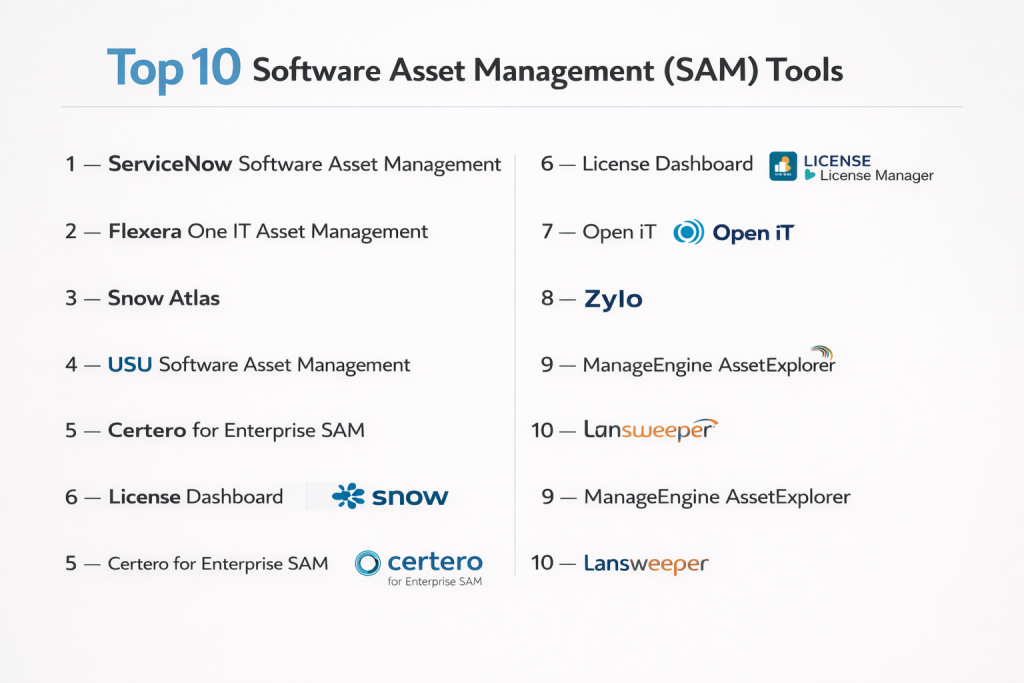
Top 10 Software Asset Management (SAM) Tools
#1 — Flexera One
Short description: Flexera One is one of the best-known enterprise SAM platforms for software license optimization, compliance management, and hybrid IT visibility. It is best suited for large organizations dealing with complex software estates and major vendor licensing.
Key Features
- Software license optimization
- SaaS and cloud visibility
- Vendor audit readiness support
- Discovery and normalization capabilities
- Usage intelligence and reclamation workflows
- Contract and entitlement tracking
- Broad ITAM and cost management support
Pros
- Strong enterprise SAM depth
- Excellent for complex licensing environments
- Good fit for large-scale optimization programs
Cons
- Can be expensive
- Implementation may require process maturity
- Better suited to enterprise teams than small businesses
Platforms / Deployment
Web
Security & Compliance
Varies / Not publicly stated
Integrations & Ecosystem
Flexera One fits well into large IT environments where software data needs to connect with broader operational and financial systems. It is especially strong when organizations want software governance tied to cost control and hybrid asset visibility.
- IT asset management workflows
- SaaS management workflows
- Cloud cost optimization support
- Enterprise data integrations
- APIs and connector ecosystem
Support & Community
Flexera has strong enterprise presence, formal support options, and a mature implementation ecosystem. It is best for teams that can invest in long-term SAM discipline.
#2 — ServiceNow Software Asset Management
Short description: ServiceNow SAM is an enterprise-focused software asset management platform designed to work closely with ITSM, ITAM, and workflow automation processes. It is ideal for organizations already invested in the ServiceNow ecosystem.
Key Features
- Software entitlement management
- License compliance workflows
- Reclamation of unused software
- Audit support and reporting
- Normalization and software cataloging
- Workflow automation
- Strong alignment with ITSM and CMDB processes
Pros
- Excellent workflow integration
- Strong fit for enterprise governance
- Works well in mature IT operations environments
Cons
- Higher implementation complexity
- Can be costly for smaller teams
- Best value often depends on broader ServiceNow usage
Platforms / Deployment
Web
Security & Compliance
Varies / Not publicly stated
Integrations & Ecosystem
ServiceNow’s biggest strength is ecosystem alignment. Teams using ServiceNow for service management, approvals, asset management, and CMDB workflows can create a much more connected SAM operating model.
- ITSM integration
- ITAM integration
- CMDB support
- Workflow automation
- Enterprise service operations linkage
Support & Community
Strong enterprise support, documentation, and partner network. It is better suited to structured deployments than lightweight self-serve setups.
#3 — Snow Atlas
Short description: Snow Atlas is a modern SAM and ITAM platform focused on software visibility, compliance, renewals, and optimization across traditional, cloud, and SaaS environments. It works well for enterprises seeking strong data consolidation.
Key Features
- Software inventory and discovery
- License compliance management
- SaaS visibility
- Renewal tracking
- Audit support
- Centralized asset intelligence
- API-based extensibility
Pros
- Balanced SAM capability across multiple environments
- Good fit for compliance and renewal workflows
- Strong software intelligence focus
Cons
- More enterprise-oriented than SMB-friendly
- Value depends on clean data and strong processes
- Some advanced capabilities may require expert setup
Platforms / Deployment
Web
Security & Compliance
Varies / Not publicly stated
Integrations & Ecosystem
Snow Atlas is useful for organizations that want software data unified across SaaS, cloud, and traditional software environments. Its appeal grows when renewals, audits, and software visibility are all part of the same governance workflow.
- API connectors
- SaaS and cloud data support
- Software inventory workflows
- Renewal visibility
- Enterprise integration capabilities
Support & Community
Well-established in enterprise SAM circles with strong support options and a solid reputation among structured ITAM teams.
#4 — USU Software Asset Management
Short description: USU Software Asset Management is built for enterprises that need license transparency, cost control, SaaS visibility, and audit readiness. It is a strong option for organizations that want practical optimization outcomes.
Key Features
- Software license management
- Audit preparation support
- SaaS subscription optimization
- Cost and risk visibility
- Reporting and analytics
- Software usage transparency
- Broader ITAM alignment
Pros
- Strong focus on real business outcomes
- Covers both compliance and optimization
- Good fit for mixed software environments
Cons
- Lower general market visibility than some larger vendors
- Enterprise focus may be too much for small teams
- Buyer should validate vendor-specific licensing depth
Platforms / Deployment
Varies / N/A
Security & Compliance
Not publicly stated
Integrations & Ecosystem
USU works best in environments where software management is linked to cost control, risk reduction, and operational reporting. It is more attractive to organizations that want enterprise-level governance than simple inventory.
- ITAM workflows
- Reporting and analytics integrations
- SaaS management support
- Enterprise process integration
Support & Community
Support is more enterprise-oriented than community-led. It is a better fit for formal internal SAM teams than casual users.
#5 — Certero
Short description: Certero is an enterprise SAM platform designed for software licensing control, optimization, and vendor-specific management. It is particularly useful for organizations dealing with complex software contracts and audit exposure.
Key Features
- Software discovery and inventory
- License management
- Vendor-specific optimization
- Audit readiness workflows
- Unified platform approach
- Access and usage visibility
- Managed service support options
Pros
- Strong enterprise licensing focus
- Useful for complex vendor environments
- Managed service options can reduce operational burden
Cons
- Less approachable for smaller teams
- Implementation may require specialist support
- Public product detail can feel less simplified than mainstream tools
Platforms / Deployment
Varies / N/A
Security & Compliance
Not publicly stated
Integrations & Ecosystem
Certero is best suited to organizations that want software licensing management handled with more structure and precision, especially when vendor complexity is high.
- Unified platform modules
- Managed services support
- Enterprise licensing workflows
- Software governance integrations
Support & Community
Support appears strongest in enterprise and service-led engagements rather than broad community adoption.
#6 — Zylo
Short description: Zylo is a SaaS management platform that overlaps strongly with modern SAM needs, especially for organizations dealing with subscription waste, SaaS renewals, and software spend visibility. It is best for SaaS-heavy businesses.
Key Features
- SaaS spend management
- Subscription visibility
- Renewal planning
- Unused license detection
- Benchmarking insights
- Cost optimization workflows
- Software and AI spend governance support
Pros
- Strong for SaaS-heavy organizations
- Useful for reducing software waste
- Modern interface and strong spend visibility
Cons
- Not always a full replacement for traditional SAM needs
- Less suited to deep datacenter licensing use cases
- Best value depends on SaaS maturity
Platforms / Deployment
Web
Security & Compliance
Varies / Not publicly stated
Integrations & Ecosystem
Zylo is best where SaaS governance is the main priority. It is especially useful for procurement, finance, and IT teams trying to control subscription growth and improve renewal decisions.
- SaaS management workflows
- Renewal management
- Spend visibility
- Benchmarking support
- Software governance integrations
Support & Community
Strong for organizations focused on SaaS optimization, with a practical and business-facing positioning rather than deeply technical SAM complexity.
#7 — ManageEngine AssetExplorer
Short description: ManageEngine AssetExplorer is a practical ITAM tool with software asset management features such as software discovery, inventory tracking, and license monitoring. It is a solid fit for SMB and mid-market teams.
Key Features
- Software and hardware inventory
- License tracking
- Asset discovery
- Compliance monitoring
- Reporting and dashboards
- Integration with service desk workflows
- Lifecycle visibility
Pros
- Good value for growing teams
- Easier to adopt than enterprise-heavy SAM suites
- Covers both asset and software tracking needs
Cons
- Less advanced for complex enterprise licensing
- UI is more functional than premium
- Optimization depth is lower than top enterprise tools
Platforms / Deployment
Web / Windows / Linux
Security & Compliance
Varies / Not publicly stated
Integrations & Ecosystem
AssetExplorer works well for teams that want practical software visibility without investing in a highly complex SAM transformation program.
- Help desk integration
- Asset management support
- Discovery workflows
- Reporting support
- ManageEngine ecosystem compatibility
Support & Community
Well-supported for SMB and mid-market buyers, with relatively accessible deployment and documentation.
#8 — Lansweeper
Short description: Lansweeper is best known for asset discovery and software inventory, making it a strong foundation tool for organizations starting their SAM journey. It is especially useful when software visibility is the first problem to solve.
Key Features
- Automated network discovery
- Software inventory tracking
- Asset visibility across environments
- Reporting capabilities
- Data enrichment
- Broad infrastructure coverage
- Inventory-led governance support
Pros
- Strong discovery foundation
- Fast time to value
- Useful companion to broader SAM strategy
Cons
- Not as deep as dedicated enterprise SAM suites
- May need to be paired with another tool for advanced optimization
- Better for visibility than full software governance maturity
Platforms / Deployment
Web / Windows / Linux
Security & Compliance
Varies / Not publicly stated
Integrations & Ecosystem
Lansweeper is valuable because many software governance issues start with incomplete inventory. It is especially helpful for teams that need clean software visibility before they invest in deeper license optimization.
- Discovery integrations
- Reporting workflows
- Asset visibility support
- Data export and workflow integrations
Support & Community
Popular with practical IT teams and valued for straightforward deployment and broad environment coverage.
#9 — Open iT
Short description: Open iT is a specialized SAM platform focused on software usage metering, especially for engineering and concurrent-license environments. It is ideal for organizations managing expensive technical software.
Key Features
- Real-time usage metering
- Concurrent license tracking
- Engineering software usage analysis
- Software utilization reporting
- Cost optimization support
- User and department-level insights
- High-value license management
Pros
- Excellent for engineering and technical environments
- Strong usage intelligence depth
- Helps reclaim waste based on actual utilization
Cons
- More specialized than general-purpose SAM suites
- May not cover all broader asset workflows alone
- Less suited to lightweight SaaS management use cases
Platforms / Deployment
Varies / N/A
Security & Compliance
Not publicly stated
Integrations & Ecosystem
Open iT is best used where measuring expensive software usage precisely is the top business requirement. It is especially strong in technical, research, design, and simulation-heavy organizations.
- Usage analytics workflows
- Concurrent license management
- Software utilization reporting
- Cost and optimization support
Support & Community
Strong specialist value for teams with complex metering needs, though it serves a narrower audience than broad SAM suites.
#10 — License Dashboard
Short description: License Dashboard is a dedicated SAM platform focused on software licensing, compliance, optimization, and lifecycle visibility. It is a credible option for organizations that want a specialist SAM tool rather than a broader operations suite.
Key Features
- Software license reconciliation
- Install and usage tracking
- Compliance management
- Cost reduction workflows
- Software lifecycle visibility
- Licensing intelligence
- SAM service support
Pros
- Clear SAM specialization
- Good focus on optimization and compliance
- Useful for organizations wanting tool-plus-service support
Cons
- Lower brand visibility than larger enterprise vendors
- Ecosystem breadth is narrower than platform suites
- Buyers should validate fit for complex vendor estates
Platforms / Deployment
Varies / N/A
Security & Compliance
Not publicly stated
Integrations & Ecosystem
License Dashboard is appealing for organizations that want a focused software asset management product supported by specialist expertise.
- SAM workflows
- Reconciliation support
- Lifecycle management
- Licensing intelligence support
Support & Community
Support is one of its stronger points, especially for teams that value specialist SAM guidance rather than only software access.
Comparison Table
| Tool Name | Best For | Platform(s) Supported | Deployment | Standout Feature | Public Rating |
|---|---|---|---|---|---|
| Flexera One | Large enterprises | Web | Cloud / Hybrid | Deep license optimization | N/A |
| ServiceNow SAM | ServiceNow-based enterprises | Web | Cloud | Workflow-driven SAM | N/A |
| Snow Atlas | Enterprise software visibility | Web | Cloud | Unified software intelligence | N/A |
| USU SAM | Cost and compliance control | Web | Varies / N/A | Audit and optimization balance | N/A |
| Certero | Complex licensing environments | Web | Varies / N/A | Vendor-specific SAM focus | N/A |
| Zylo | SaaS-heavy organizations | Web | Cloud | SaaS spend optimization | N/A |
| ManageEngine AssetExplorer | SMB and mid-market | Web / Windows / Linux | Cloud / Self-hosted / Hybrid | Affordable software tracking | N/A |
| Lansweeper | Discovery-first teams | Web / Windows / Linux | Cloud / Self-hosted | Automated software inventory | N/A |
| Open iT | Engineering software environments | Varies / N/A | Varies / N/A | Advanced usage metering | N/A |
| License Dashboard | Dedicated SAM operations | Web | Varies / N/A | License reconciliation | N/A |
Evaluation & Scoring of Software Asset Management (SAM) Tools
| Tool Name | Core (25%) | Ease (15%) | Integrations (15%) | Security (10%) | Performance (10%) | Support (10%) | Value (15%) | Weighted Total (0–10) |
|---|---|---|---|---|---|---|---|---|
| Flexera One | 9.5 | 6.5 | 9.0 | 8.0 | 9.0 | 8.5 | 6.5 | 8.2 |
| ServiceNow SAM | 9.0 | 6.5 | 9.5 | 8.0 | 9.0 | 8.5 | 6.5 | 8.1 |
| Snow Atlas | 8.5 | 7.0 | 8.5 | 7.5 | 8.5 | 8.0 | 7.0 | 7.9 |
| USU SAM | 8.5 | 7.0 | 8.0 | 7.0 | 8.0 | 8.0 | 7.5 | 7.8 |
| Certero | 8.5 | 6.5 | 7.5 | 7.0 | 8.0 | 7.5 | 7.0 | 7.5 |
| Zylo | 8.0 | 8.5 | 8.0 | 7.0 | 8.0 | 7.5 | 8.0 | 8.0 |
| ManageEngine AssetExplorer | 7.5 | 8.0 | 7.0 | 7.0 | 7.5 | 7.5 | 8.5 | 7.6 |
| Lansweeper | 7.0 | 8.5 | 7.5 | 7.0 | 8.0 | 7.5 | 8.0 | 7.6 |
| Open iT | 8.5 | 6.5 | 7.0 | 7.0 | 8.5 | 7.5 | 7.5 | 7.6 |
| License Dashboard | 8.0 | 7.5 | 7.0 | 7.0 | 7.5 | 8.0 | 8.0 | 7.6 |
These scores are comparative, not absolute. A higher score means the tool performed better against this specific SAM evaluation model, not that it is automatically the best fit for every buyer. Enterprise platforms score higher on depth and governance, while mid-market or SaaS-first platforms often perform better in ease of use and faster time to value. Use the table to shortlist tools, then validate them against your licensing complexity, software mix, internal processes, and budget.
Which Software Asset Management (SAM) Tool Is Right for You?
Solo / Freelancer
Most solo users do not need a full SAM platform. A lightweight asset inventory or simple subscription tracking approach is usually enough. Full-scale SAM tools are often too heavy for this use case.
SMB
SMBs should look at ManageEngine AssetExplorer or Lansweeper if they want practical software visibility without enterprise-level rollout complexity. These tools are often enough for inventory, license checks, and operational control.
Mid-Market
Mid-market teams should consider Snow Atlas, USU SAM, or License Dashboard if they need stronger compliance and optimization workflows than entry-level tools can provide. These options fit organizations that are becoming more process-driven.
Enterprise
Enterprises should shortlist Flexera One, ServiceNow SAM, and Snow Atlas first. Certero also deserves attention where licensing complexity, audit risk, or vendor-specific optimization is a major concern.
Budget vs Premium
If budget matters most, start with tools that deliver strong discovery and basic software governance before moving into full enterprise optimization. Premium tools make more sense when audit exposure, software overspend, or licensing complexity is already significant.
Feature Depth vs Ease of Use
Flexera One and ServiceNow SAM are stronger in feature depth, governance, and enterprise process alignment. Zylo, ManageEngine AssetExplorer, and Lansweeper are typically easier to operationalize for more focused needs.
Integrations & Scalability
If you need software data connected to service management, procurement, finance, and operational workflows, ServiceNow SAM and Flexera One are strong choices. If SaaS renewals and spend visibility are the bigger concern, Zylo may be the better fit.
Security & Compliance Needs
Organizations with strict governance needs should prioritize tools that support strong reporting, structured workflows, entitlement visibility, and audit readiness. In SAM, trusted data and repeatable controls matter more than surface-level dashboards.
Frequently Asked Questions (FAQs)
1. What is software asset management?
Software asset management is the process of tracking, controlling, and optimizing software across its lifecycle. It usually includes discovery, license management, usage visibility, renewals, compliance, and cost control.
2. What is the difference between SAM and ITAM?
SAM focuses specifically on software, subscriptions, and licensing. ITAM is broader and includes hardware, software, cloud assets, and related operational governance.
3. Why do companies invest in SAM tools?
Companies use SAM tools to reduce software waste, prepare for audits, improve renewal decisions, and gain visibility into what software is actually being used across the business.
4. Are SAM tools only for large enterprises?
No, but the most advanced SAM platforms are often built for enterprise complexity. Smaller organizations usually start with lighter tools and expand as software governance becomes more important.
5. Can SAM tools manage SaaS subscriptions?
Many modern SAM tools now include SaaS visibility, and some platforms are especially strong in SaaS renewal and spend management. This has become increasingly important for subscription-heavy businesses.
6. How long does SAM implementation take?
That depends on the size of the software estate, data quality, and integration needs. Discovery can be quick, but building a mature and reliable SAM process usually takes longer.
7. What are the most common mistakes when adopting SAM tools?
Common mistakes include poor data cleanup, incomplete entitlement records, weak ownership, and treating SAM as only an audit exercise instead of an ongoing optimization process.
8. Do SAM tools replace spreadsheets completely?
In mature environments, mostly yes. But some teams still use spreadsheets for exceptions, contract reviews, or temporary data cleanup while the platform becomes more reliable.
9. Is a SaaS management tool the same as a SAM tool?
Not always. SaaS management tools are stronger for subscription visibility and renewals, while traditional SAM platforms are usually better for deep license compliance and complex vendor environments.
10. How should I choose the right SAM tool?
Start by understanding your biggest problem first. If your challenge is audit risk and enterprise licensing, choose a deeper SAM suite. If your main issue is SaaS waste and renewals, a SaaS-focused platform may be the better option.
Conclusion
Software Asset Management tools are no longer limited to tracking installs and preparing for occasional vendor audits. They now play a much bigger role in controlling software costs, improving visibility, managing SaaS sprawl, and building stronger governance across the organization. Enterprise-grade platforms offer deep licensing intelligence and workflow control, while lighter and SaaS-focused tools help teams move faster and solve more targeted problems. The right choice depends on your software complexity, team maturity, procurement process, and cost-control priorities. Instead of choosing only by brand name, shortlist two or three tools that match your real use case, test their visibility and reporting quality, and validate how well they support your operational workflows.