Introduction
Privileged Access Management (PAM) tools are security solutions designed to control, monitor, and secure access to critical systems and sensitive data by privileged users—such as administrators, DevOps engineers, and service accounts. These accounts have elevated permissions, making them prime targets for cyberattacks.
In modern IT environments, especially with cloud adoption and remote work, privileged credentials are often distributed across multiple systems. If compromised, they can lead to severe breaches, data loss, or system control. PAM tools reduce this risk by enforcing least-privilege access, session monitoring, credential vaulting, and real-time auditing.
Real-world use cases include:
- Securing admin access to servers and databases
- Managing privileged credentials in cloud environments
- Monitoring and recording privileged sessions
- Enforcing least-privilege access policies
- Meeting compliance and audit requirements
What buyers should evaluate:
- Credential vaulting and password rotation
- Session monitoring and recording capabilities
- Role-based and least-privilege access control
- Integration with IAM and security tools
- Ease of deployment and scalability
- Automation and policy enforcement
- Reporting and audit capabilities
- Support for hybrid and cloud environments
- Cost versus value
Best for: Enterprises, security teams, DevOps teams, financial institutions, and organizations handling sensitive infrastructure.
Not ideal for: Small teams without privileged access complexity or minimal infrastructure.
Key Trends in Privileged Access Management (PAM)
- Adoption of Zero Trust security models
- Just-in-time (JIT) access provisioning
- AI-driven anomaly detection for privileged users
- Integration with cloud and DevOps environments
- Passwordless privileged access
- Automated credential rotation
- Session recording and monitoring advancements
- API-based privileged access control
- Increased compliance and audit requirements
- Convergence with identity and access management platforms
How We Selected These Tools (Methodology)
- Evaluated market adoption and vendor credibility
- Assessed privileged access control capabilities
- Reviewed security features and compliance readiness
- Considered integration with IAM and cloud platforms
- Compared ease of deployment and usability
- Included tools suitable for enterprise and mid-market use cases
- Analyzed automation and scalability features
- Evaluated session monitoring and auditing capabilities
- Focused on real-world effectiveness and reliability
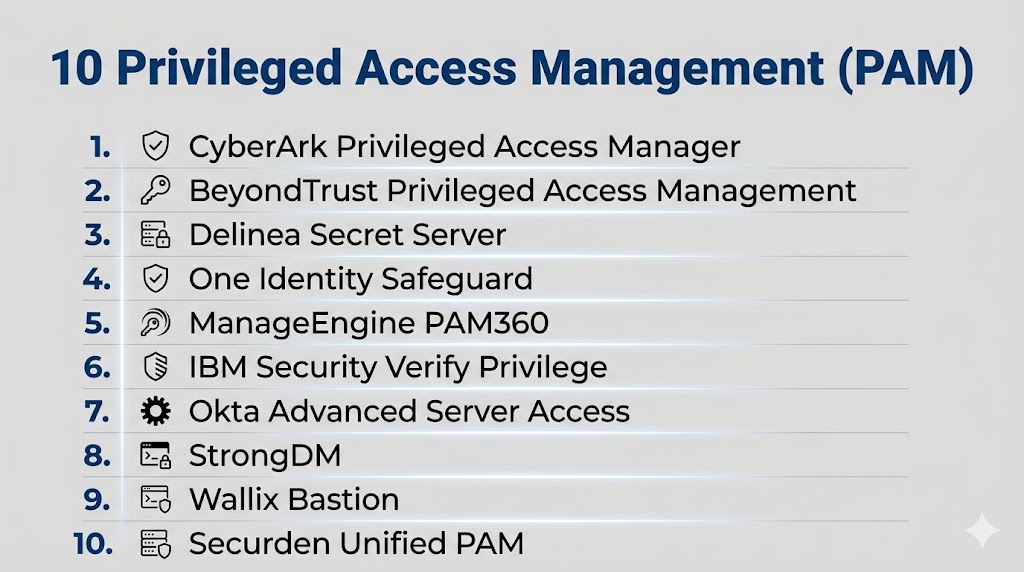
Top 10 Privileged Access Management (PAM) Tools
#1 — CyberArk Privileged Access Manager
Short description: A leading PAM platform offering comprehensive credential security, session monitoring, and access control.
Key Features
- Credential vaulting
- Session recording and monitoring
- Automated password rotation
- Least-privilege enforcement
- Threat detection
- Audit and compliance reporting
Pros
- Industry-leading security
- Strong enterprise capabilities
Cons
- Complex implementation
- Premium pricing
Platforms / Deployment
Cloud / On-premises
Hybrid
Security & Compliance
RBAC, audit logs, encryption (details not publicly stated)
Integrations & Ecosystem
Integrates with enterprise security ecosystems.
- APIs
- SIEM tools
- Cloud platforms
Support & Community
Enterprise-level support and documentation.
#2 — BeyondTrust PAM
Short description: A comprehensive PAM solution focusing on privileged access control and vulnerability management.
Key Features
- Privileged account management
- Session monitoring
- Password vaulting
- Endpoint privilege management
- Threat analytics
Pros
- Strong security features
- Flexible deployment
Cons
- Complex configuration
- High cost
Platforms / Deployment
Cloud / On-premises
Hybrid
Security & Compliance
Not publicly stated
Integrations & Ecosystem
Supports integration with security tools.
- APIs
- SIEM systems
Support & Community
Strong enterprise support.
#3 — Delinea (formerly Thycotic)
Short description: A modern PAM solution offering credential management and least-privilege access.
Key Features
- Secret management
- Privileged session management
- Access control
- Password rotation
- Cloud support
Pros
- User-friendly interface
- Strong automation
Cons
- Pricing complexity
- Limited advanced features compared to top-tier tools
Platforms / Deployment
Cloud / On-premises
Hybrid
Security & Compliance
Not publicly stated
Integrations & Ecosystem
Integrates with enterprise systems.
- APIs
- Security tools
Support & Community
Good support and documentation.
#4 — ManageEngine PAM360
Short description: A cost-effective PAM solution offering credential management and access control features.
Key Features
- Password vaulting
- Access control
- Session recording
- Audit reporting
- Automation
Pros
- Affordable
- Easy to deploy
Cons
- Limited scalability
- Fewer advanced features
Platforms / Deployment
Windows / Linux
On-premises / Cloud
Security & Compliance
Not publicly stated
Integrations & Ecosystem
Works within ManageEngine ecosystem.
- APIs
- Network tools
Support & Community
Strong documentation and community.
#5 — IBM Security Verify Privilege
Short description: An enterprise PAM solution offering identity-based privileged access control.
Key Features
- Privileged access control
- Session monitoring
- Identity governance
- Risk analysis
- Compliance tools
Pros
- Strong enterprise features
- Scalable
Cons
- Complex setup
- Premium pricing
Platforms / Deployment
Cloud / On-premises
Hybrid
Security & Compliance
Not publicly stated
Integrations & Ecosystem
Integrates with IBM ecosystem.
- APIs
- Security tools
Support & Community
Enterprise-level support.
#6 — One Identity Safeguard
Short description: A PAM solution focused on secure privileged sessions and access management.
Key Features
- Privileged session management
- Password vaulting
- Access control
- Threat detection
- Reporting
Pros
- Strong session monitoring
- Good usability
Cons
- Smaller ecosystem
- Limited automation
Platforms / Deployment
Appliance / Cloud
Hybrid
Security & Compliance
Not publicly stated
Integrations & Ecosystem
Supports enterprise integrations.
- APIs
- Security platforms
Support & Community
Good support and resources.
#7 — Centrify (now Delinea Privilege Manager)
Short description: A PAM solution focused on identity-based privileged access control.
Key Features
- Identity-based access
- Privilege elevation control
- Session monitoring
- Policy enforcement
- Cloud support
Pros
- Strong identity integration
- Flexible deployment
Cons
- Complex configuration
- Requires expertise
Platforms / Deployment
Cloud / On-premises
Hybrid
Security & Compliance
Not publicly stated
Integrations & Ecosystem
Integrates with identity systems.
- APIs
- Security tools
Support & Community
Enterprise support available.
#8 — Wallix Bastion
Short description: A European PAM solution focused on access control and session monitoring.
Key Features
- Privileged session management
- Access control
- Password vault
- Audit logs
- Compliance tools
Pros
- Strong compliance focus
- Good monitoring capabilities
Cons
- Limited global adoption
- Smaller ecosystem
Platforms / Deployment
Appliance / Cloud
Hybrid
Security & Compliance
Not publicly stated
Integrations & Ecosystem
Supports enterprise integrations.
- APIs
- Security tools
Support & Community
Good support and documentation.
#9 — ARCON PAM
Short description: A PAM solution focused on securing privileged identities and access.
Key Features
- Credential vaulting
- Session monitoring
- Access control
- Risk management
- Reporting
Pros
- Strong security features
- Good compliance support
Cons
- Limited ecosystem
- Complex setup
Platforms / Deployment
Cloud / On-premises
Hybrid
Security & Compliance
Not publicly stated
Integrations & Ecosystem
Supports enterprise integrations.
- APIs
- Security tools
Support & Community
Enterprise support.
#10 — HashiCorp Vault
Short description: A secrets management tool widely used for managing credentials and privileged access in DevOps environments.
Key Features
- Secret management
- Dynamic credentials
- Encryption as a service
- Access control
- API-based integration
Pros
- Developer-friendly
- Highly flexible
Cons
- Requires technical expertise
- Not a traditional PAM tool
Platforms / Deployment
Web / Linux / Cloud
Cloud / Self-hosted
Security & Compliance
Not publicly stated
Integrations & Ecosystem
Strong DevOps ecosystem integration.
- APIs
- Cloud platforms
Support & Community
Strong open-source and enterprise support.
Comparison Table (Top 10)
| Tool Name | Best For | Platform(s) Supported | Deployment | Standout Feature | Public Rating |
|---|---|---|---|---|---|
| CyberArk | Enterprise | Hybrid | Hybrid | Vaulting | N/A |
| BeyondTrust | Enterprise | Hybrid | Hybrid | Endpoint control | N/A |
| Delinea | Mid-market | Hybrid | Hybrid | Ease of use | N/A |
| ManageEngine PAM360 | SMB | Multi-platform | Hybrid | Affordability | N/A |
| IBM Verify | Enterprise | Hybrid | Hybrid | Identity integration | N/A |
| One Identity | Enterprise | Hybrid | Hybrid | Session monitoring | N/A |
| Centrify | Enterprise | Hybrid | Hybrid | Identity-based control | N/A |
| Wallix | Enterprise | Hybrid | Hybrid | Compliance | N/A |
| ARCON | Enterprise | Hybrid | Hybrid | Risk management | N/A |
| HashiCorp Vault | DevOps | Multi-platform | Hybrid | Secrets management | N/A |
Evaluation & Scoring of PAM Tools
| Tool Name | Core (25%) | Ease (15%) | Integrations (15%) | Security (10%) | Performance (10%) | Support (10%) | Value (15%) | Weighted Total (0–10) |
|---|---|---|---|---|---|---|---|---|
| CyberArk | 9 | 6 | 9 | 10 | 9 | 9 | 6 | 8.5 |
| BeyondTrust | 9 | 7 | 8 | 9 | 8 | 8 | 6 | 8.1 |
| Delinea | 8 | 8 | 8 | 8 | 8 | 8 | 7 | 8.0 |
| ManageEngine | 7 | 9 | 7 | 7 | 7 | 8 | 9 | 7.9 |
| IBM Verify | 9 | 6 | 8 | 9 | 8 | 8 | 6 | 8.0 |
| One Identity | 8 | 7 | 7 | 8 | 8 | 8 | 7 | 7.7 |
| Centrify | 8 | 6 | 8 | 9 | 8 | 8 | 6 | 7.9 |
| Wallix | 8 | 7 | 7 | 8 | 8 | 7 | 7 | 7.6 |
| ARCON | 8 | 7 | 7 | 8 | 8 | 7 | 7 | 7.6 |
| HashiCorp Vault | 9 | 6 | 9 | 9 | 9 | 8 | 7 | 8.4 |
How to interpret these scores:
These scores are comparative and reflect typical enterprise use cases. Enterprise tools excel in security and integration, while SMB tools focus on ease of use and cost efficiency. Choose based on your infrastructure and risk profile.
Which PAM Tool Is Right for You?
Solo / Freelancer
PAM tools are generally not required unless managing sensitive infrastructure.
SMB
ManageEngine PAM360 offers affordability and ease of deployment.
Mid-Market
Delinea provides a balance of usability and security.
Enterprise
CyberArk, BeyondTrust, and IBM Verify are ideal for large-scale environments.
Budget vs Premium
Budget tools provide basic access control, while premium tools offer advanced security and automation.
Feature Depth vs Ease of Use
Advanced tools require expertise, while simpler tools prioritize usability.
Integrations & Scalability
Choose tools that integrate with your IAM and cloud infrastructure.
Security & Compliance Needs
Highly regulated industries should prioritize enterprise-grade PAM solutions.
Frequently Asked Questions (FAQs)
1. What is PAM?
PAM controls and secures access to privileged accounts.
2. Why is PAM important?
It protects critical systems from unauthorized access.
3. What are privileged accounts?
Accounts with elevated permissions like admins.
4. Does PAM integrate with IAM?
Yes, they often work together.
5. What is credential vaulting?
Secure storage of privileged credentials.
6. What is session monitoring?
Tracking user activity during privileged sessions.
7. Is PAM required for compliance?
Many regulations require it.
8. Can PAM automate access control?
Yes, many tools include automation features.
9. Is PAM only for enterprises?
Mostly, but some tools support SMBs.
10. How do I choose a PAM tool?
Evaluate based on security, scale, and integrations.
Conclusion
Privileged Access Management tools are a critical layer in modern cybersecurity strategies, protecting the most sensitive accounts and systems within an organization. As cyber threats become more sophisticated, securing privileged access is no longer optional but essential. PAM solutions provide visibility, control, and automation, helping organizations reduce risk and meet compliance requirements. The best approach is to identify your privileged access needs, shortlist a few tools, and test them in your environment to ensure they align with your infrastructure, security policies, and long-term goals.