Introduction
Zero Trust Network Access (ZTNA) tools provide secure, identity-based access to applications without exposing the underlying network. Instead of trusting users or devices based on location (like traditional VPNs), ZTNA follows the principle of “never trust, always verify.” Every access request is continuously authenticated, authorized, and validated based on identity, device posture, and context.
As organizations adopt cloud-first strategies and remote work becomes standard, traditional perimeter-based security models are no longer sufficient. ZTNA solutions help organizations secure access to internal apps, SaaS platforms, and cloud workloads while minimizing attack surfaces and preventing lateral movement within networks.
Common Use Cases
- Secure remote access for employees and contractors
- Replacing legacy VPN solutions
- Protecting internal applications and services
- Enforcing identity-based access controls
- Supporting Zero Trust security architectures
What Buyers Should Evaluate
- Identity and access control capabilities (SSO, MFA)
- Application-level segmentation and access policies
- Ease of deployment and user experience
- Integration with identity providers and security tools
- Performance and latency for remote users
- Scalability across distributed environments
- Device posture and compliance checks
- Logging, monitoring, and reporting features
- Cost vs value
Best for: Enterprises, remote and hybrid workforces, security teams, and organizations modernizing access controls.
Not ideal for: Small environments with minimal remote access needs or those relying solely on internal networks.
Key Trends in ZTNA Tools
- Shift from VPN to Zero Trust architectures
- Integration with SASE platforms
- AI-driven access decisions and risk scoring
- Continuous authentication and adaptive access policies
- Device posture and endpoint security integration
- Cloud-native and scalable deployment models
- API-first architecture for integrations
- Expansion into identity-centric security models
- Real-time monitoring and analytics
- Automation of access policies and remediation
How We Selected These Tools (Methodology)
- Strong market adoption and enterprise usage
- Proven ZTNA capabilities and security effectiveness
- Integration with identity and security ecosystems
- Availability of cloud-native deployment models
- Support for modern Zero Trust architectures
- Suitability for different organization sizes
- Strong documentation and support ecosystems
- Balance between enterprise and flexible solutions
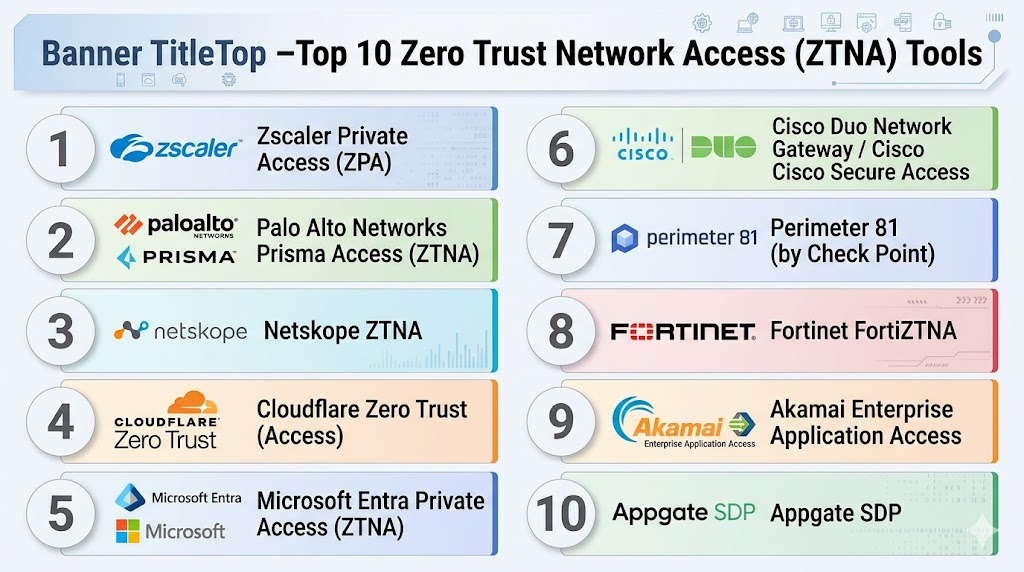
Top 10 Zero Trust Network Access (ZTNA) Tools
#1 — Zscaler Private Access (ZPA)
Short description: A leading cloud-native ZTNA platform that provides secure access to internal applications without exposing networks.
Key Features
- Identity-based access control
- Application segmentation
- Continuous authentication
- Cloud-native architecture
- Integration with identity providers
- Real-time monitoring
Pros
- Highly scalable
- Strong Zero Trust implementation
Cons
- Premium pricing
- Requires configuration expertise
Platforms / Deployment
- Cloud
Security & Compliance
- RBAC, encryption
- Compliance support varies
Integrations & Ecosystem
- Identity providers
- APIs
- Security tools
Support & Community
Enterprise-grade support.
#2 — Prisma Access (Palo Alto Networks)
Short description: A cloud-delivered ZTNA solution integrated into Palo Alto’s SASE platform.
Key Features
- Secure application access
- Identity-based policies
- Threat protection
- Integration with Prisma ecosystem
- Real-time monitoring
Pros
- Strong enterprise capabilities
- Integrated security platform
Cons
- Complex deployment
- Premium pricing
Platforms / Deployment
- Cloud
Security & Compliance
- RBAC, encryption
- Compliance support varies
Integrations & Ecosystem
- Palo Alto ecosystem
- APIs
Support & Community
Enterprise support.
#3 — Netskope ZTNA
Short description: A cloud-native ZTNA solution offering secure access and data protection.
Key Features
- Identity-based access
- Application segmentation
- Data protection
- Continuous monitoring
- Cloud integration
Pros
- Strong cloud integration
- Unified platform
Cons
- Requires ecosystem adoption
- Complex setup
Platforms / Deployment
- Cloud
Security & Compliance
- Not publicly stated
Integrations & Ecosystem
- APIs
- Security tools
Support & Community
Enterprise support.
#4 — Cloudflare Zero Trust (Access)
Short description: A global edge-based ZTNA platform delivering fast and secure access to applications.
Key Features
- Identity-based access control
- Global edge network
- Zero Trust policies
- Integration with identity providers
- Real-time monitoring
Pros
- High performance
- Easy scalability
Cons
- Limited advanced enterprise features
- Requires ecosystem usage
Platforms / Deployment
- Cloud
Security & Compliance
- Not publicly stated
Integrations & Ecosystem
- Identity providers
- APIs
Support & Community
Strong developer ecosystem.
#5 — Microsoft Entra Private Access
Short description: A ZTNA solution integrated into Microsoft identity and security ecosystem.
Key Features
- Identity-based access
- Integration with Microsoft Entra
- Conditional access policies
- Continuous authentication
- Cloud-native design
Pros
- Seamless Microsoft integration
- Easy deployment
Cons
- Best for Microsoft environments
- Limited outside ecosystem
Platforms / Deployment
- Cloud
Security & Compliance
- SSO, MFA, RBAC
- Compliance support varies
Integrations & Ecosystem
- Microsoft ecosystem
- APIs
Support & Community
Strong enterprise support.
#6 — Cisco Secure Access / Duo Network Gateway
Short description: A ZTNA solution providing secure access with strong identity verification.
Key Features
- Multi-factor authentication
- Secure application access
- Identity verification
- Policy enforcement
- Cloud integration
Pros
- Strong authentication
- Easy to deploy
Cons
- Limited advanced features
- Requires Cisco ecosystem
Platforms / Deployment
- Cloud
Security & Compliance
- Not publicly stated
Integrations & Ecosystem
- Cisco tools
- APIs
Support & Community
Good support.
#7 — Perimeter 81 (Check Point)
Short description: A cloud-based ZTNA solution designed for SMBs and mid-sized organizations.
Key Features
- Secure network access
- Identity-based policies
- Cloud management
- Integration with security tools
- Easy deployment
Pros
- User-friendly
- Affordable
Cons
- Limited enterprise features
- Smaller ecosystem
Platforms / Deployment
- Cloud
Security & Compliance
- Not publicly stated
Integrations & Ecosystem
- APIs
- Security tools
Support & Community
Good SMB support.
#8 — Fortinet FortiZTNA
Short description: A ZTNA solution integrated into Fortinet’s security fabric.
Key Features
- Identity-based access
- Application segmentation
- Threat protection
- Integration with Fortinet tools
- Policy enforcement
Pros
- Strong security features
- Integrated ecosystem
Cons
- Complex setup
- Requires expertise
Platforms / Deployment
- Cloud / Hybrid
Security & Compliance
- Not publicly stated
Integrations & Ecosystem
- Fortinet ecosystem
- APIs
Support & Community
Enterprise support.
#9 — Akamai Enterprise Application Access
Short description: A ZTNA platform providing secure access via Akamai’s global network.
Key Features
- Secure application access
- Identity-based policies
- Global edge delivery
- Real-time monitoring
- Cloud integration
Pros
- High performance
- Strong global presence
Cons
- Premium pricing
- Complex configuration
Platforms / Deployment
- Cloud
Security & Compliance
- Not publicly stated
Integrations & Ecosystem
- APIs
- Identity providers
Support & Community
Enterprise support.
#10 — Appgate SDP
Short description: A software-defined perimeter solution offering advanced Zero Trust access.
Key Features
- Software-defined perimeter
- Identity-based access
- Dynamic policy enforcement
- Continuous monitoring
- Integration with security tools
Pros
- Strong Zero Trust architecture
- Flexible deployment
Cons
- Requires expertise
- Complex setup
Platforms / Deployment
- Cloud / Hybrid
Security & Compliance
- Not publicly stated
Integrations & Ecosystem
- APIs
- Security tools
Support & Community
Enterprise support.
Comparison Table (Top 10)
| Tool Name | Best For | Platform(s) Supported | Deployment | Standout Feature | Public Rating |
|---|---|---|---|---|---|
| Zscaler ZPA | Enterprise | Web | Cloud | Cloud-native ZTNA | N/A |
| Prisma Access | Enterprise | Web | Cloud | SASE integration | N/A |
| Netskope | Enterprise | Web | Cloud | Unified security | N/A |
| Cloudflare | SMB/Mid | Web | Cloud | Global edge network | N/A |
| Microsoft Entra | Microsoft users | Web | Cloud | Identity integration | N/A |
| Cisco Duo | SMB | Web | Cloud | Strong MFA | N/A |
| Perimeter 81 | SMB | Web | Cloud | Easy deployment | N/A |
| Fortinet | Enterprise | Web | Hybrid | Security fabric | N/A |
| Akamai | Enterprise | Web | Cloud | Global performance | N/A |
| Appgate | Enterprise | Web | Hybrid | SDP architecture | N/A |
Evaluation & Scoring of ZTNA Tools
| Tool Name | Core (25%) | Ease (15%) | Integrations (15%) | Security (10%) | Performance (10%) | Support (10%) | Value (15%) | Weighted Total |
|---|---|---|---|---|---|---|---|---|
| Zscaler | 9 | 7 | 9 | 9 | 9 | 8 | 7 | 8.5 |
| Prisma Access | 9 | 7 | 9 | 9 | 9 | 8 | 7 | 8.5 |
| Netskope | 9 | 7 | 9 | 9 | 9 | 8 | 7 | 8.5 |
| Cloudflare | 8 | 9 | 8 | 8 | 9 | 8 | 8 | 8.3 |
| Microsoft Entra | 8 | 8 | 9 | 9 | 8 | 8 | 8 | 8.3 |
| Cisco Duo | 7 | 9 | 7 | 7 | 7 | 7 | 8 | 7.6 |
| Perimeter 81 | 7 | 9 | 7 | 7 | 7 | 7 | 8 | 7.6 |
| Fortinet | 8 | 7 | 8 | 8 | 8 | 8 | 7 | 7.9 |
| Akamai | 9 | 7 | 8 | 9 | 9 | 8 | 7 | 8.4 |
| Appgate | 9 | 7 | 8 | 9 | 8 | 8 | 7 | 8.3 |
How to interpret scores:
- Scores are comparative across tools
- Higher scores indicate stronger overall capabilities
- Enterprise tools excel in integrations and scalability
- SMB tools score higher in ease of use
- Choose based on your access requirements
Which ZTNA Tool Is Right for You?
Solo / Freelancer
Use Cloudflare Zero Trust or Perimeter 81 for simplicity.
SMB
Use Perimeter 81 or Cisco Duo.
Mid-Market
Use Cloudflare or Microsoft Entra.
Enterprise
Use Zscaler, Prisma Access, or Netskope.
Budget vs Premium
- Budget: Perimeter 81, Cloudflare
- Premium: Zscaler, Prisma
Feature Depth vs Ease of Use
- Deep features: Zscaler
- Ease of use: Cloudflare
Integrations & Scalability
Best: Netskope, Microsoft Entra
Security & Compliance Needs
Best: Zscaler, Prisma
Frequently Asked Questions (FAQs)
1. What is ZTNA?
It is a security model that verifies every access request.
2. How is ZTNA different from VPN?
ZTNA provides application-level access, not network access.
3. Is ZTNA cloud-based?
Most solutions are cloud-native.
4. Can ZTNA replace VPN?
Yes, many organizations are replacing VPNs.
5. Does ZTNA support remote work?
Yes, it is ideal for remote access.
6. Are ZTNA tools secure?
Yes, they use Zero Trust principles.
7. Do they integrate with IAM?
Yes, integration is a core feature.
8. Are they expensive?
Pricing varies by features and scale.
9. Who should use ZTNA?
Organizations with remote or cloud access needs.
10. What is the biggest benefit?
Secure, identity-based access control.
Conclusion
Zero Trust Network Access tools are transforming how organizations secure access to applications and resources by eliminating implicit trust and enforcing continuous verification. As businesses move away from traditional VPNs toward cloud-first and remote work environments, ZTNA has become a critical component of modern security architectures. These tools not only enhance security but also improve user experience by providing seamless and secure access to applications. While enterprise solutions offer deep integrations and advanced capabilities, smaller organizations can benefit from simpler, cost-effective ZTNA platforms. The best approach is to evaluate your access requirements, shortlist a few tools, and test their effectiveness in real-world scenarios to ensure they align with your security strategy.