Introduction
Online Proctoring Tools are software platforms that monitor candidates during online exams using webcam, screen recording, audio tracking, and AI-based behavior analysis to ensure exam integrity and prevent cheating.
In digital learning and remote hiring environments, maintaining fairness in assessments has become critical. These tools replicate traditional exam supervision by combining live monitoring, automated AI detection, and secure browser controls, enabling institutions and companies to conduct exams at scale without physical centers.
Real-world use cases
- Conducting university and school exams remotely
- Hiring assessments and coding tests
- Certification and compliance testing
- Entrance exams and competitive assessments
- Employee skill evaluation and training
What buyers should evaluate
- Identity verification and authentication methods
- AI cheating detection and behavior analysis
- Browser lockdown and secure exam environment
- Scalability for large candidate volumes
- Integration with LMS and assessment platforms
- Real-time monitoring vs recorded review
- Data privacy and compliance controls
- Reporting and audit logs
Best for: Educational institutions, EdTech companies, recruiters, certification bodies, and enterprises conducting remote assessments.
Not ideal for: Small offline-only institutions or exams that do not require strict monitoring.
Key Trends in Online Proctoring Tools
- AI-driven behavior detection and anomaly tracking
- Multi-factor identity verification including biometric checks
- Real-time and automated hybrid proctoring models
- Integration with LMS and hiring platforms
- Privacy-first proctoring with data masking
- Scalable cloud-based exam environments
- Advanced analytics and audit reporting
- Mobile and cross-device exam monitoring
- Automation of violation detection and flagging
- Increased adoption in corporate hiring and certifications
How We Selected These Tools
- Evaluated global adoption in education and hiring
- Assessed monitoring, AI detection, and security features
- Considered ease of setup and user experience
- Reviewed scalability for large exam volumes
- Analyzed integration with LMS and ATS systems
- Evaluated compliance and data privacy capabilities
- Considered pricing flexibility and value
- Assessed vendor support and reliability
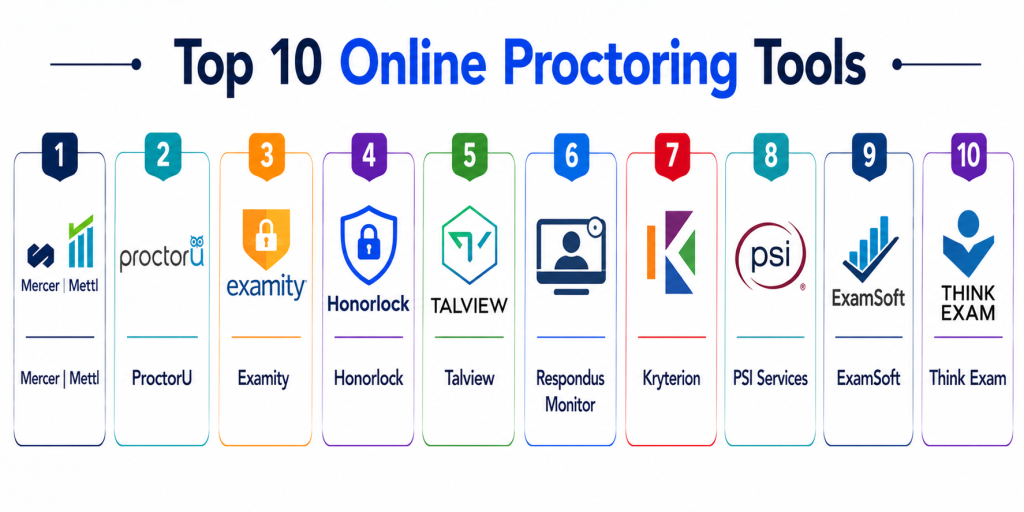
Top 10 Online Proctoring Tools
#1 — Mercer Mettl
Short description: Mercer Mettl is a widely used online proctoring platform offering AI and live proctoring solutions for education and hiring assessments.
Key Features
- AI-based proctoring
- Live proctoring
- Browser lockdown
- Identity verification
- Advanced analytics
Pros
- Highly scalable
- Strong AI detection
- Enterprise-ready
Cons
- Pricing complexity
- Setup effort
- Learning curve
Platforms / Deployment
- Web
- Cloud
Security & Compliance
- Multi-factor authentication, monitoring
- Not publicly stated
Integrations & Ecosystem
Integrates with LMS and hiring platforms.
- LMS tools
- APIs
- HR systems
Support & Community
Enterprise-grade support
#2 — ProctorU
Short description: ProctorU provides live and automated proctoring services with real-time monitoring and identity verification.
Key Features
- Live proctoring
- Identity verification
- Screen monitoring
- Chat support
- Recording
Pros
- Real-time supervision
- Reliable
- Strong support
Cons
- Expensive
- Scheduling required
- Depends on proctor availability
Platforms / Deployment
- Web
- Cloud
Security & Compliance
- Identity verification controls
- Not publicly stated
Integrations & Ecosystem
Supports integration with education systems.
- LMS
- APIs
Support & Community
Strong support
#3 — Examity
Short description: Examity offers AI and human proctoring solutions tailored for universities and certification programs.
Key Features
- AI monitoring
- Live proctoring
- Identity verification
- Reporting
- Analytics
Pros
- Flexible proctoring options
- Scalable
- Good analytics
Cons
- Cost
- Setup complexity
- Learning curve
Platforms / Deployment
- Web
- Cloud
Security & Compliance
- Not publicly stated
Integrations & Ecosystem
Integrates with LMS platforms.
- APIs
- LMS
Support & Community
Enterprise support
#4 — Honorlock
Short description: Honorlock combines AI proctoring with live support and browser extension-based monitoring.
Key Features
- AI proctoring
- Browser monitoring
- Identity verification
- Live chat
- Recording
Pros
- Easy setup
- Strong AI detection
- Scalable
Cons
- Browser dependency
- Limited offline support
- Privacy concerns
Platforms / Deployment
- Web
- Cloud
Security & Compliance
- Monitoring and verification
- Not publicly stated
Integrations & Ecosystem
Integrates with LMS platforms.
- LMS
- APIs
Support & Community
Good support
#5 — Talview
Short description: Talview provides AI-powered proctoring and video interviewing solutions for education and hiring.
Key Features
- AI proctoring
- Video interviews
- Identity verification
- Analytics
- Reporting
Pros
- Multi-use platform
- Strong AI features
- Scalable
Cons
- Complex interface
- Pricing
- Learning curve
Platforms / Deployment
- Web
- Cloud
Security & Compliance
- Not publicly stated
Integrations & Ecosystem
Supports integrations with HR and LMS tools.
- APIs
- ATS
Support & Community
Good enterprise support
#6 — Respondus Monitor
Short description: Respondus Monitor is a browser-based proctoring tool integrated with LockDown Browser for secure exams.
Key Features
- Lockdown browser
- Webcam monitoring
- Automated detection
- Reporting
- LMS integration
Pros
- Easy LMS integration
- Secure browser
- Simple setup
Cons
- Limited advanced features
- Browser dependency
- Less flexibility
Platforms / Deployment
- Web
- Cloud
Security & Compliance
- Secure browser controls
- Not publicly stated
Integrations & Ecosystem
Integrates with LMS platforms.
- LMS
- APIs
Support & Community
Good support
#7 — Kryterion
Short description: Kryterion offers online proctoring and test delivery solutions for certifications and enterprises.
Key Features
- Secure test delivery
- Proctoring
- Identity verification
- Reporting
- Analytics
Pros
- Strong certification focus
- Reliable
- Scalable
Cons
- Complex
- Expensive
- Limited flexibility
Platforms / Deployment
- Web
- Cloud
Security & Compliance
- Not publicly stated
Integrations & Ecosystem
Supports integration with testing systems.
- APIs
- LMS
Support & Community
Enterprise support
#8 — PSI Services
Short description: PSI provides proctoring and assessment solutions for certification and licensing exams.
Key Features
- Online proctoring
- Test delivery
- Identity verification
- Reporting
- Analytics
Pros
- Enterprise-grade
- Reliable
- Scalable
Cons
- Expensive
- Complex setup
- Limited customization
Platforms / Deployment
- Web
- Cloud
Security & Compliance
- Not publicly stated
Integrations & Ecosystem
Integrates with certification systems.
- APIs
- LMS
Support & Community
Enterprise support
#9 — ExamSoft
Short description: ExamSoft provides secure exam delivery and proctoring for education and certification programs.
Key Features
- Secure exam environment
- Monitoring
- Analytics
- Reporting
- Offline exam support
Pros
- Reliable
- Secure
- Education-focused
Cons
- Limited flexibility
- Pricing
- Learning curve
Platforms / Deployment
- Web Desktop
- Cloud
Security & Compliance
- Not publicly stated
Integrations & Ecosystem
Supports LMS integrations.
- APIs
- LMS
Support & Community
Strong support
#10 — Think Exam
Short description: Think Exam is an AI-based online proctoring platform offering real-time monitoring and cheating detection.
Key Features
- AI proctoring
- Live monitoring
- Identity verification
- Reporting
- Analytics
Pros
- Strong AI detection
- Scalable
- Flexible
Cons
- Smaller ecosystem
- Pricing
- Setup effort
Platforms / Deployment
- Web
- Cloud
Security & Compliance
- Multi-layer monitoring
- Not publicly stated
Integrations & Ecosystem
Supports LMS integration.
- APIs
- LMS
Support & Community
Growing support ecosystem
Comparison Table
| Tool Name | Best For | Platform Supported | Deployment | Standout Feature | Public Rating |
|---|---|---|---|---|---|
| Mercer Mettl | Enterprises | Web | Cloud | AI + live proctoring | N/A |
| ProctorU | Live exams | Web | Cloud | Real-time monitoring | N/A |
| Examity | Universities | Web | Cloud | Hybrid proctoring | N/A |
| Honorlock | LMS users | Web | Cloud | AI + browser extension | N/A |
| Talview | Hiring + exams | Web | Cloud | Video + proctoring | N/A |
| Respondus | LMS integration | Web | Cloud | Lockdown browser | N/A |
| Kryterion | Certifications | Web | Cloud | Secure test delivery | N/A |
| PSI Services | Licensing exams | Web | Cloud | Enterprise-grade | N/A |
| ExamSoft | Education | Web Desktop | Cloud | Secure exams | N/A |
| Think Exam | AI proctoring | Web | Cloud | Real-time AI detection | N/A |
Evaluation & Scoring of Online Proctoring Tools
| Tool Name | Core | Ease | Integrations | Security | Performance | Support | Value | Weighted Total |
|---|---|---|---|---|---|---|---|---|
| Mercer Mettl | 9 | 7 | 9 | 9 | 9 | 9 | 7 | 8.6 |
| ProctorU | 9 | 7 | 8 | 9 | 9 | 9 | 6 | 8.4 |
| Examity | 9 | 7 | 8 | 8 | 9 | 8 | 7 | 8.2 |
| Honorlock | 8 | 8 | 7 | 8 | 8 | 8 | 7 | 7.9 |
| Talview | 8 | 7 | 8 | 8 | 8 | 7 | 7 | 7.8 |
| Respondus | 8 | 8 | 7 | 8 | 8 | 7 | 8 | 7.9 |
| Kryterion | 9 | 6 | 7 | 9 | 9 | 8 | 6 | 8.0 |
| PSI Services | 9 | 6 | 7 | 9 | 9 | 8 | 6 | 8.0 |
| ExamSoft | 8 | 7 | 7 | 8 | 8 | 7 | 7 | 7.7 |
| Think Exam | 8 | 7 | 7 | 8 | 8 | 7 | 8 | 7.8 |
Scores are comparative and reflect strengths across monitoring, security, and scalability. Choose based on exam type and scale.
Which Online Proctoring Tool Is Right for You
Solo / Small Institutions
Respondus Monitor or Think Exam are simple and affordable.
SMB / Coaching Institutes
Talview and Honorlock offer balanced features.
Mid-Market
Examity and Mercer Mettl provide scalability.
Enterprise / Universities
ProctorU, PSI Services, and Kryterion are ideal.
Budget vs Premium
Think Exam is budget-friendly, ProctorU is premium.
Feature Depth vs Ease of Use
Mercer Mettl for depth, Respondus for simplicity.
Integrations & Scalability
Talview and Mercer Mettl are strong options.
Security & Compliance Needs
Enterprise tools provide strongest controls.
Frequently Asked Questions
1. What are online proctoring tools
Online proctoring tools monitor candidates during exams using video, audio, and screen tracking. They ensure fairness and prevent cheating.
2. How do online proctoring tools work
They capture webcam, screen, and audio data while verifying identity before the exam. AI or human proctors analyze behavior for suspicious activity.
3. What features are most important
Key features include identity verification, browser lockdown, AI detection, and monitoring. These ensure exam integrity and security.
4. Are these tools secure
Most tools use encryption, authentication, and monitoring to ensure secure exams. However, compliance varies by provider.
5. Can these tools scale for large exams
Yes, modern tools are cloud-based and support thousands of candidates simultaneously.
6. Do they support mobile exams
Some tools support mobile devices, but desktop-based exams are more common for security reasons.
7. How long does implementation take
Setup can take a few hours to days depending on integrations and configuration.
8. What are common mistakes
Poor identity verification and lack of monitoring settings can lead to cheating. Proper configuration is essential.
9. Are there privacy concerns
Yes, some users raise concerns about monitoring and data collection. Organizations must follow compliance rules.
10. What are alternatives
Alternatives include in-person exams or open-book assessments. However, they may not provide the same level of control.
Conclusion
Online proctoring tools have become essential for maintaining fairness and integrity in remote assessments across education and corporate environments. These platforms combine advanced technologies such as AI monitoring, identity verification, and secure browser controls to replicate traditional exam conditions in a digital format. From flexible solutions like Think Exam and Respondus to enterprise-grade platforms like Mercer Mettl and ProctorU, each tool offers unique strengths depending on scale and use case. The right choice depends on factors such as exam volume, security requirements, and integration needs rather than a one-size-fits-all solution. Organizations should carefully evaluate privacy, scalability, and monitoring capabilities before selecting a platform. A practical next step is to shortlist two or three tools, conduct pilot exams, and validate performance, security, and user experience before full deployment.
Very useful content for schools and certification providers looking to improve remote testing and compliance management processes.
Helpful guide for schools, universities, and training providers looking to improve exam integrity in digital learning environments.