Introduction
API Testing Tools are software solutions used to validate how application programming interfaces behave under different conditions. In simple terms, they ensure that APIs correctly send and receive data, handle errors, and perform reliably when integrated into applications.
As modern software relies heavily on microservices, cloud platforms, and integrations, APIs have become the backbone of digital systems. This makes API testing a critical step in ensuring application stability, performance, and security. Without proper testing, even a small API failure can disrupt entire systems and user experiences.
Common use cases include:
- Validating REST, SOAP, and GraphQL APIs
- Automating regression testing in development pipelines
- Load and performance testing APIs
- Detecting security vulnerabilities in endpoints
- Ensuring smooth integration between services
What buyers should evaluate:
- Protocol support and flexibility
- Automation capabilities
- Ease of use and onboarding
- CI/CD integration support
- Performance testing features
- Security testing capabilities
- Scalability and collaboration features
- Reporting and analytics
- Pricing and value
Best for: Developers, QA engineers, DevOps teams, and organizations building API-driven applications across industries like SaaS, fintech, eCommerce, and healthcare.
Not ideal for: Teams working on simple applications without APIs or those relying solely on UI-level testing.
Key Trends in API Testing Tools
- AI-assisted test creation: Tools are beginning to generate test cases automatically using API schemas and usage patterns.
- Shift-left testing practices: Testing is happening earlier in development cycles to catch issues faster.
- Contract testing adoption: Ensures compatibility between different services and teams.
- Cloud-based platforms: Increasing preference for scalable, browser-based testing tools.
- Security-first testing: Built-in vulnerability scanning and authentication validation.
- Low-code and no-code interfaces: Allow non-developers to participate in testing workflows.
- Support for modern APIs: Expanded support for GraphQL and event-driven APIs.
- Continuous monitoring: APIs are tested not just before release but also in production environments.
- CI/CD integration depth: Seamless automation across deployment pipelines.
How We Selected These Tools (Methodology)
- Evaluated widespread market adoption and developer usage
- Assessed feature completeness across testing scenarios
- Considered performance and reliability capabilities
- Reviewed security features and controls
- Analyzed integration ecosystem and extensibility
- Included tools suitable for different team sizes and skill levels
- Balanced open-source and enterprise solutions
- Evaluated ease of use and onboarding experience
- Considered community support and documentation quality
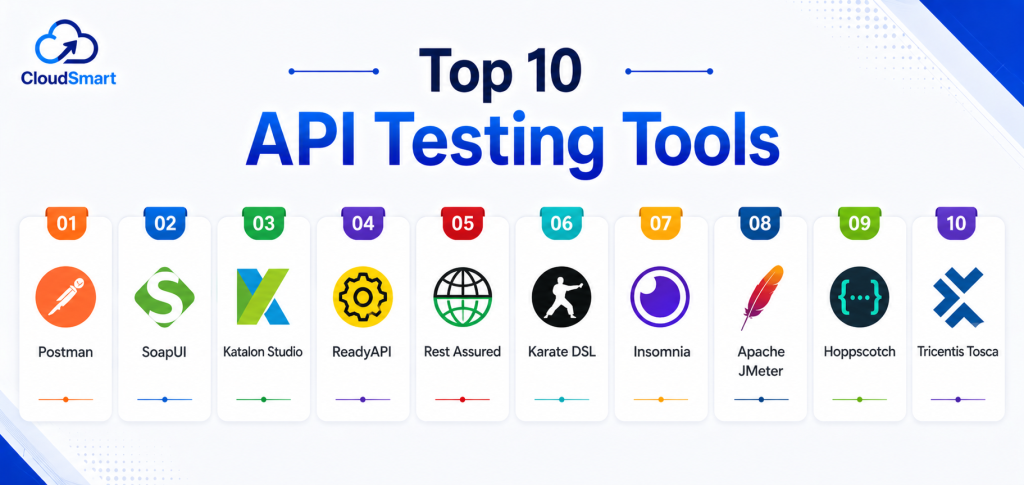
Top 10 API Testing Tools
#1 — Postman
Short description: A widely used API platform that enables developers and teams to design, test, and manage APIs collaboratively. It is suitable for both beginners and advanced users.
Key Features
- REST, SOAP, and GraphQL support
- Automated test scripting
- API collections and environment variables
- Mock servers for testing
- Monitoring and reporting tools
- Team collaboration features
- CI/CD pipeline integration
Pros
- Easy to use with an intuitive interface
- Strong collaboration and sharing capabilities
Cons
- Advanced automation requires scripting knowledge
- Limited built-in performance testing
Platforms / Deployment
Web / Windows / macOS / Linux
Cloud / Hybrid
Security & Compliance
SSO, RBAC, encryption supported
Certifications: Not publicly stated
Integrations & Ecosystem
Postman integrates with common developer and DevOps tools, making it easy to embed into workflows.
- Jenkins
- GitHub
- GitLab
- Slack
- Azure DevOps
Support & Community
Extensive documentation, large global community, and active support ecosystem.
#2 — SoapUI
Short description: A mature API testing tool focused on functional and load testing for REST and SOAP APIs, widely used in enterprise environments.
Key Features
- Functional testing capabilities
- Load and performance testing
- Security testing features
- Data-driven testing support
- API mocking capabilities
- Automation support
Pros
- Strong support for complex API testing scenarios
- Reliable for SOAP-based APIs
Cons
- Steeper learning curve for beginners
- Interface can feel outdated
Platforms / Deployment
Windows / macOS / Linux
Self-hosted
Security & Compliance
Not publicly stated
Integrations & Ecosystem
Supports integration with automation pipelines and scripting environments.
- Jenkins
- Maven
- Groovy
Support & Community
Well-established user base with solid documentation.
#3 — Katalon Studio
Short description: A unified testing platform that supports API, web, and mobile testing, designed for teams seeking simplicity and automation.
Key Features
- API automation testing
- Scriptless and low-code options
- CI/CD integration
- Built-in reporting dashboards
- Test case management
Pros
- Beginner-friendly with minimal setup
- Supports multiple testing types in one platform
Cons
- Limited customization for advanced use cases
- Performance testing capabilities are basic
Platforms / Deployment
Windows / macOS
Cloud / Self-hosted
Security & Compliance
Not publicly stated
Integrations & Ecosystem
- Jenkins
- Jira
- Git
- Slack
Support & Community
Growing community with structured documentation and support resources.
#4 — ReadyAPI
Short description: An enterprise-level API testing platform offering advanced automation, performance testing, and security validation.
Key Features
- Functional testing automation
- Load and performance testing
- Security scanning capabilities
- Data-driven testing
- Integration with CI/CD tools
Pros
- Comprehensive feature set for enterprise needs
- Scalable and robust
Cons
- Higher cost compared to alternatives
- Requires training to use effectively
Platforms / Deployment
Windows / macOS / Linux
Self-hosted
Security & Compliance
Not publicly stated
Integrations & Ecosystem
- Jenkins
- Jira
- Docker
Support & Community
Professional support services and enterprise-grade assistance.
#5 — Rest Assured
Short description: A developer-focused Java library for testing REST APIs, ideal for teams comfortable with coding.
Key Features
- Java-based API testing
- Behavior-driven development style syntax
- JSON and XML validation
- Integration with test frameworks
- Flexible scripting capabilities
Pros
- Highly customizable for developers
- Strong integration with Java ecosystems
Cons
- Requires programming knowledge
- No graphical interface
Platforms / Deployment
Java-based / Cross-platform
Self-hosted
Security & Compliance
Not publicly stated
Integrations & Ecosystem
- JUnit
- TestNG
- Maven
Support & Community
Active open-source community with strong developer adoption.
#6 — Karate DSL
Short description: An open-source API testing framework combining automation, mocking, and performance testing with a simple syntax.
Key Features
- Behavior-driven testing approach
- API and performance testing
- Built-in assertions
- No heavy coding required
- Automation support
Pros
- Easy to learn syntax
- Combines multiple testing capabilities
Cons
- Limited enterprise UI features
- Smaller community compared to larger tools
Platforms / Deployment
Cross-platform
Self-hosted
Security & Compliance
Not publicly stated
Integrations & Ecosystem
- Jenkins
- Maven
- Gradle
Support & Community
Growing open-source support and documentation.
#7 — Insomnia
Short description: A lightweight API client designed for testing and debugging APIs with a clean and fast interface.
Key Features
- REST and GraphQL support
- API debugging tools
- Environment management
- Plugin support
- Test scripting
Pros
- Fast and responsive interface
- Easy to use for developers
Cons
- Limited collaboration features
- Not ideal for enterprise-level testing
Platforms / Deployment
Windows / macOS / Linux
Cloud / Local
Security & Compliance
Not publicly stated
Integrations & Ecosystem
- Git
- CI/CD tools
Support & Community
Moderate community with ongoing improvements.
#8 — Apache JMeter
Short description: An open-source performance testing tool widely used for load testing APIs and applications.
Key Features
- Load and stress testing
- Performance analysis
- Protocol support
- Test scripting
- Reporting dashboards
Pros
- Free and highly customizable
- Strong performance testing capabilities
Cons
- Complex setup and configuration
- Less intuitive user interface
Platforms / Deployment
Cross-platform
Self-hosted
Security & Compliance
Not publicly stated
Integrations & Ecosystem
- Jenkins
- CI/CD tools
Support & Community
Large global community with extensive resources.
#9 — Hoppscotch
Short description: A lightweight, web-based API testing tool designed for speed and simplicity.
Key Features
- REST API testing
- Real-time responses
- Web-based interface
- Lightweight design
Pros
- Fast and easy to use
- Open-source flexibility
Cons
- Limited advanced features
- Not designed for enterprise workflows
Platforms / Deployment
Web
Cloud
Security & Compliance
Not publicly stated
Integrations & Ecosystem
Basic integrations available.
Support & Community
Small but active developer community.
#10 — Tricentis Tosca
Short description: A comprehensive enterprise testing platform offering API testing along with UI and automation capabilities.
Key Features
- Model-based testing
- API automation
- Risk-based testing
- CI/CD integration
- Advanced reporting
Pros
- Scalable for large enterprises
- Supports complex testing scenarios
Cons
- Expensive licensing
- Requires training and setup
Platforms / Deployment
Windows
Cloud / Hybrid
Security & Compliance
Not publicly stated
Integrations & Ecosystem
- SAP
- Jenkins
- Jira
Support & Community
Strong enterprise support with structured onboarding.
Comparison Table
| Tool Name | Best For | Platform(s) Supported | Deployment | Standout Feature | Public Rating |
|---|---|---|---|---|---|
| Postman | All users | Web/Desktop | Cloud/Hybrid | Collaboration | N/A |
| SoapUI | Functional testing | Desktop | Self-hosted | SOAP support | N/A |
| Katalon Studio | Beginners | Desktop | Hybrid | Unified testing | N/A |
| ReadyAPI | Enterprises | Desktop | Self-hosted | Advanced automation | N/A |
| Rest Assured | Developers | Java | Self-hosted | Code-based testing | N/A |
| Karate DSL | Automation | Cross-platform | Self-hosted | BDD approach | N/A |
| Insomnia | Developers | Desktop | Cloud | Lightweight UI | N/A |
| Apache JMeter | Performance testing | Cross-platform | Self-hosted | Load testing | N/A |
| Hoppscotch | Quick testing | Web | Cloud | Speed | N/A |
| Tricentis Tosca | Enterprises | Desktop | Hybrid | Model-based testing | N/A |
Evaluation & Scoring of API Testing Tools
| Tool Name | Core (25%) | Ease (15%) | Integrations (15%) | Security (10%) | Performance (10%) | Support (10%) | Value (15%) | Weighted Total |
|---|---|---|---|---|---|---|---|---|
| Postman | 9 | 9 | 9 | 8 | 8 | 9 | 8 | 8.6 |
| SoapUI | 8 | 6 | 7 | 7 | 8 | 7 | 7 | 7.4 |
| Katalon | 8 | 8 | 7 | 7 | 7 | 8 | 8 | 7.8 |
| ReadyAPI | 9 | 6 | 8 | 8 | 9 | 8 | 6 | 7.9 |
| Rest Assured | 8 | 6 | 7 | 7 | 8 | 7 | 9 | 7.6 |
| Karate | 8 | 7 | 7 | 7 | 8 | 7 | 8 | 7.7 |
| Insomnia | 7 | 9 | 6 | 6 | 7 | 7 | 8 | 7.4 |
| Apache JMeter | 8 | 5 | 7 | 7 | 9 | 8 | 9 | 7.8 |
| Hoppscotch | 6 | 9 | 5 | 6 | 7 | 6 | 9 | 7.0 |
| Tricentis Tosca | 9 | 6 | 9 | 8 | 9 | 9 | 6 | 8.1 |
How to interpret the scores:
These scores are comparative and based on typical use cases across different teams. A higher score indicates stronger overall capabilities, but the best choice depends on your specific requirements. Enterprise tools often score higher in scalability and integrations, while open-source tools provide strong value for cost. Ease of use and learning curve should be considered alongside feature depth. Always validate tools through pilot testing before making a final decision.
Which API Testing Tools Tool Is Right for You?
Solo / Freelancer
Postman, Insomnia, and Hoppscotch are ideal due to simplicity and quick setup. They allow fast testing without complex configuration.
SMB
Katalon Studio and Karate DSL provide a good balance of automation, usability, and cost efficiency for growing teams.
Mid-Market
Postman and ReadyAPI offer scalability and integration capabilities suitable for structured workflows and team collaboration.
Enterprise
Tricentis Tosca and ReadyAPI are best suited for large organizations needing advanced automation, compliance, and governance.
Budget vs Premium
Budget-friendly options include JMeter, Karate DSL, and Rest Assured. Premium tools like Tosca and ReadyAPI offer deeper capabilities.
Feature Depth vs Ease of Use
Tools like Postman and Insomnia prioritize ease of use, while SoapUI and Tosca focus on advanced capabilities.
Integrations & Scalability
Postman and Tosca provide strong integration ecosystems and scalability for complex environments.
Security & Compliance Needs
Enterprise tools provide stronger governance features, while open-source tools may require additional configuration.
Frequently Asked Questions (FAQs) numbring
1. What are API testing tools used for?
API testing tools are used to validate how APIs behave under different conditions. They ensure correct responses, performance, and error handling. These tools help maintain system stability by testing communication between services.
2. Are API testing tools only for developers?
No, many modern tools offer low-code or no-code interfaces. QA engineers and even non-technical users can create test cases. However, advanced scenarios may still require coding knowledge.
3. Do API testing tools support automation?
Yes, most tools support automation and integrate with CI/CD pipelines. This allows continuous testing during development and deployment. Automation improves efficiency and reduces manual effort.
4. Are open-source API testing tools reliable?
Open-source tools can be highly reliable and widely used. However, they often require more setup and technical expertise. Support may depend on community contributions.
5. How much do API testing tools cost?
Costs vary from free open-source tools to enterprise-grade subscriptions. Pricing depends on features, scalability, and support. Some tools offer freemium plans for small teams.
6. Can API testing tools handle performance testing?
Yes, tools like Apache JMeter and ReadyAPI support performance and load testing. They simulate traffic and measure response times. This helps identify bottlenecks and scalability issues.
7. What protocols do API testing tools support?
Most tools support REST and SOAP APIs. Many also support GraphQL and other modern protocols. Choosing a tool depends on your API architecture.
8. How secure are API testing tools?
Security features vary across tools. Enterprise tools often include authentication, encryption, and access controls. Open-source tools may require additional configuration for security.
9. Can API testing tools integrate with CI/CD pipelines?
Yes, integration with CI/CD is a key feature. Tools can automatically run tests during builds and deployments. This ensures continuous quality validation.
10. What are common mistakes when using API testing tools?
Common mistakes include not automating tests, ignoring edge cases, and skipping performance validation. Teams also often overlook integration testing. Proper planning and coverage are essential.
Conclusion
API Testing Tools play a vital role in ensuring the reliability, performance, and security of modern applications built on APIs. As systems become more distributed and integration-heavy, testing APIs thoroughly is no longer optional but essential. Tools like Postman and Insomnia provide simplicity and speed, making them ideal for developers and small teams, while platforms like ReadyAPI and Tricentis Tosca offer advanced capabilities required for enterprise environments. Open-source options such as JMeter and Karate DSL bring flexibility and cost efficiency but may require deeper technical expertise. Choosing the right tool depends on factors like team size, technical skill level, integration needs, and budget constraints. No single tool is universally best, and each has strengths depending on the use case. The most practical approach is to shortlist a few tools that align with your needs, test them in real scenarios, and evaluate how well they integrate into your workflows. This ensures a reliable and scalable API testing strategy that supports long-term growth and system stability.