Introduction
Secure DNS clients are tools that encrypt Domain Name System queries to protect user privacy and prevent interception or manipulation of browsing data. Normally, DNS requests are sent in plain text, exposing user activity to ISPs or attackers. Secure DNS clients solve this by using encrypted protocols such as DNS over HTTPS and DNS over TLS.
As privacy concerns and cyber threats grow, secure DNS has become a critical layer in modern security stacks. These tools not only encrypt DNS traffic but also provide features like ad blocking, malware filtering, parental controls, and policy-based routing.
Common use cases include protecting browsing privacy, blocking malicious domains, improving network security, bypassing censorship, and enabling safe internet access for organizations and families.
What buyers should evaluate:
- Support for DoH, DoT, and DNSCrypt
- Privacy policies and logging practices
- Filtering and blocking capabilities
- Performance and latency
- Cross-platform compatibility
- Ease of setup and configuration
- Customization and policy control
- Integration with browsers or OS
- Scalability for teams
- Analytics and reporting features
Best for: Privacy-conscious users, enterprises, schools, DevOps teams, and cybersecurity professionals.
Not ideal for: Users who do not need privacy enhancements or are already behind secured enterprise networks.
Key Trends in Secure DNS Clients
- Rapid adoption of DNS over HTTPS and DNS over TLS
- Growth of privacy-first DNS services
- Integration with VPN and zero trust architectures
- Expansion of parental control and filtering features
- Increased enterprise adoption for threat protection
- Use of AI for malicious domain detection
- Rise of customizable DNS routing policies
- Lightweight DNS clients for mobile and edge devices
- Integration with browsers and operating systems
- Shift toward decentralized and privacy-preserving DNS
How We Selected These Tools
- Market adoption and real-world usage
- Support for encrypted DNS protocols
- Security and privacy capabilities
- Performance and reliability
- Feature completeness and flexibility
- Ease of deployment and usability
- Cross-platform availability
- Integration with modern IT environments
- Community and enterprise support
- Innovation in DNS security
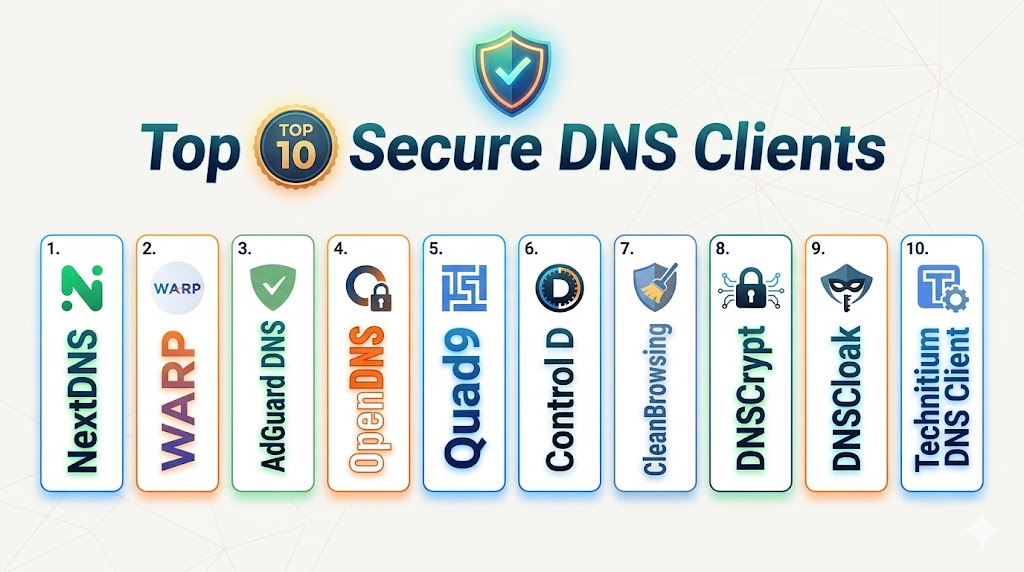
Top 10 Secure DNS Clients
1. NextDNS
Short description:
NextDNS is a highly customizable secure DNS client offering strong privacy controls and advanced filtering. It provides analytics and device-level configuration. It is widely used across personal and enterprise environments. It is ideal for users needing deep control.
Key Features
- DNS over HTTPS and TLS
- Malware and tracker blocking
- Analytics dashboard
- Parental controls
- Device profiles
- Geo-based filtering
- Custom rules
Pros
- Highly customizable
- Strong privacy controls
- Cross-platform
Cons
- Setup complexity
- Advanced features require subscription
Platforms / Deployment
Windows / macOS / Linux / iOS / Android
Deployment: Cloud
Security & Compliance
Supports encrypted DNS and privacy controls
Integrations & Ecosystem
Integrates with devices, browsers, and enterprise workflows.
- APIs
- Browsers
- Mobile apps
- Dev tools
- Network systems
- Cloud platforms
Support & Community
Strong user community
2. AdGuard DNS
Short description:
AdGuard DNS is a security-focused DNS client that blocks ads, trackers, and malicious domains automatically. It is easy to use and lightweight. It is ideal for everyday users and families.
Key Features
- Ad blocking
- Tracker blocking
- DNS over HTTPS and TLS
- Family protection
- Custom filtering
- Cross-platform support
- Low overhead
Pros
- Easy deployment
- Effective blocking
- Lightweight
Cons
- Limited analytics
- Basic enterprise features
Platforms / Deployment
Windows / macOS / Linux / Mobile
Deployment: Cloud
Security & Compliance
Supports encrypted DNS protocols
Integrations & Ecosystem
- Browsers
- Mobile apps
- APIs
- Network tools
- Dev systems
- Cloud platforms
Support & Community
Active community
3. Cloudflare WARP
Short description:
Cloudflare WARP is a secure DNS client that encrypts internet traffic using DNS over HTTPS. It focuses on speed and privacy. It is widely used globally. It is ideal for users needing fast secure browsing.
Key Features
- DNS over HTTPS
- Fast global network
- Privacy protection
- Mobile and desktop apps
- Zero configuration
- Traffic encryption
- Lightweight
Pros
- Very fast
- Easy to use
- Strong privacy
Cons
- Limited customization
- No advanced filtering
Platforms / Deployment
Windows / macOS / Linux / iOS / Android
Deployment: SaaS
Security & Compliance
Encrypts DNS queries for privacy
Integrations & Ecosystem
- Cloud platforms
- APIs
- Mobile apps
- Browsers
- Dev tools
- Network systems
Support & Community
Large global user base
4. Quad9
Short description:
Quad9 is a privacy-focused DNS client that blocks malicious domains and phishing attempts. It is operated by a nonprofit. It is ideal for users prioritizing security and privacy.
Key Features
- Malware blocking
- DNS over HTTPS and TLS
- No logging policy
- Global network
- Threat intelligence
- Free usage
- Privacy-first design
Pros
- Strong privacy
- Free
- Reliable
Cons
- Limited customization
- Basic feature set
Platforms / Deployment
Cross-platform
Deployment: Cloud
Security & Compliance
Blocks malicious domains automatically
Integrations & Ecosystem
- Network systems
- APIs
- Security tools
- Cloud platforms
- Dev tools
- Devices
Support & Community
Strong global support
5. Control D
Short description:
Control D is a modern DNS client offering advanced filtering and routing policies. It allows granular control over internet traffic. It is ideal for advanced users and enterprises.
Key Features
- Rule-based filtering
- App-specific policies
- DNS over HTTPS and TLS
- Custom profiles
- Performance tuning
- Geo routing
- Analytics
Pros
- Highly configurable
- Modern UI
- Flexible
Cons
- Learning curve
- Paid features
Platforms / Deployment
Cross-platform
Deployment: Cloud
Security & Compliance
Supports encrypted DNS
Integrations & Ecosystem
- APIs
- Dev tools
- Network systems
- Cloud platforms
- Devices
- Security tools
Support & Community
Growing ecosystem
6. CleanBrowsing
Short description:
CleanBrowsing is a DNS client focused on content filtering and safe browsing. It is widely used in schools and families. It is easy to deploy. It is ideal for controlled environments.
Key Features
- Content filtering
- Malware protection
- DNS over HTTPS and TLS
- Profiles
- Easy setup
- Cross-platform
- Family mode
Pros
- Easy to use
- Strong filtering
- Reliable
Cons
- Limited advanced features
- Not ideal for power users
Platforms / Deployment
Cross-platform
Deployment: Cloud
Security & Compliance
Supports encrypted DNS
Integrations & Ecosystem
- Devices
- Browsers
- APIs
- Network tools
- Cloud systems
- Security platforms
Support & Community
Active community
7. OpenDNS
Short description:
OpenDNS is an enterprise-grade DNS client offering security and policy enforcement. It is widely used in organizations. It provides strong threat intelligence. It is ideal for enterprises.
Key Features
- Threat intelligence
- Policy enforcement
- DNS over TLS
- Identity controls
- High availability
- Security analytics
- Enterprise features
Pros
- Enterprise-ready
- Reliable
- Strong security
Cons
- Complex setup
- Limited customization for individuals
Platforms / Deployment
Cross-platform
Deployment: Cloud
Security & Compliance
Strong enterprise security features
Integrations & Ecosystem
- Enterprise systems
- APIs
- Security platforms
- DevOps tools
- Cloud systems
- Network infrastructure
Support & Community
Enterprise support
8. DNSCloak
Short description:
DNSCloak is an open-source secure DNS client designed for privacy and encrypted DNS usage. It supports multiple providers. It is ideal for mobile users.
Key Features
- DNS encryption
- Multiple providers
- Custom filtering
- Open-source
- Privacy controls
- Lightweight
- Mobile-focused
Pros
- Privacy-focused
- Free
- Flexible
Cons
- Limited platform support
- Setup complexity
Platforms / Deployment
iOS
Deployment: App
Security & Compliance
Encrypts DNS traffic
Integrations & Ecosystem
- Mobile apps
- APIs
- DNS providers
- Security tools
- Devices
- Network tools
Support & Community
Open-source community
9. DNSveil
Short description:
DNSveil is a secure DNS client supporting multiple encrypted DNS protocols. It provides advanced filtering and rule-based configuration. It is ideal for advanced users.
Key Features
- DNS over HTTPS
- DNS over TLS
- DNSCrypt
- Custom rules
- DNS scanner
- Filtering features
- Multi-protocol support
Pros
- Flexible
- Advanced features
- Multi-protocol
Cons
- Complex setup
- Limited UI
Platforms / Deployment
Windows
Deployment: Desktop
Security & Compliance
Supports multiple encrypted protocols
Integrations & Ecosystem
- APIs
- Dev tools
- Network systems
- Security tools
- Cloud platforms
- Devices
Support & Community
Growing community
10. Technitium DNS Client
Short description:
Technitium DNS Client is an open-source DNS solution focused on privacy and security. It supports modern encrypted protocols. It is ideal for self-hosted environments.
Key Features
- DNS over HTTPS
- DNS over TLS
- DNS over QUIC
- Web console
- Privacy protection
- Open-source
- Easy deployment
Pros
- Strong privacy
- Open-source
- Flexible
Cons
- Requires setup
- Limited UI features
Platforms / Deployment
Windows / Linux
Deployment: Self-hosted
Security & Compliance
Supports encrypted DNS protocols
Integrations & Ecosystem
- APIs
- Dev tools
- Network systems
- Cloud platforms
- Security tools
- Infrastructure
Support & Community
Active community
Comparison Table
| Tool Name | Best For | Platform(s) Supported | Deployment | Standout Feature | Public Rating |
|---|---|---|---|---|---|
| NextDNS | Customization | Multi-platform | Cloud | Analytics + filtering | N/A |
| AdGuard DNS | Ad blocking | Multi-platform | Cloud | Tracker blocking | N/A |
| Cloudflare WARP | Speed | Multi-platform | SaaS | Fast DNS | N/A |
| Quad9 | Security | Multi-platform | Cloud | Malware blocking | N/A |
| Control D | Advanced users | Multi-platform | Cloud | Policy control | N/A |
| CleanBrowsing | Families | Multi-platform | Cloud | Content filtering | N/A |
| OpenDNS | Enterprise | Multi-platform | Cloud | Threat intelligence | N/A |
| DNSCloak | Mobile privacy | iOS | App | Open-source | N/A |
| DNSveil | Advanced control | Windows | Desktop | Multi-protocol | N/A |
| Technitium DNS | Self-hosting | Multi-platform | Self-hosted | DNS over QUIC | N/A |
Evaluation & Scoring of Secure DNS Clients
| Tool Name | Core | Ease | Integrations | Security | Performance | Support | Value | Weighted Total |
|---|---|---|---|---|---|---|---|---|
| NextDNS | 9 | 8 | 9 | 10 | 9 | 9 | 9 | 9.2 |
| AdGuard DNS | 8 | 9 | 8 | 9 | 8 | 8 | 9 | 8.6 |
| Cloudflare WARP | 8 | 10 | 8 | 9 | 10 | 9 | 9 | 9.0 |
| Quad9 | 8 | 9 | 7 | 10 | 8 | 9 | 10 | 8.9 |
| Control D | 9 | 7 | 9 | 9 | 9 | 8 | 8 | 8.7 |
| CleanBrowsing | 7 | 9 | 7 | 8 | 7 | 8 | 9 | 8.0 |
| OpenDNS | 9 | 7 | 10 | 10 | 9 | 9 | 7 | 8.9 |
| DNSCloak | 7 | 8 | 7 | 9 | 7 | 7 | 9 | 7.9 |
| DNSveil | 8 | 6 | 8 | 9 | 8 | 7 | 8 | 8.0 |
| Technitium | 8 | 6 | 8 | 10 | 8 | 8 | 9 | 8.4 |
Scores are comparative and highlight strengths across privacy, usability, and performance. The best tool depends on your use case.
Which Secure DNS Client Is Right for You
Solo / Freelancer
Use Cloudflare WARP or AdGuard DNS for simplicity and speed.
SMB
NextDNS and Control D provide customization and control.
Mid-Market
Combine NextDNS with Quad9 for security and analytics.
Enterprise
OpenDNS and Control D provide policy enforcement and scalability.
Budget vs Premium
Free tools like Quad9 are strong, while premium tools offer advanced features.
Feature Depth vs Ease of Use
Cloudflare is easy, NextDNS is more advanced.
Integrations & Scalability
OpenDNS and NextDNS scale best.
Security & Compliance Needs
Choose tools with encrypted DNS and malware blocking.
Frequently Asked Questions
1. What is a secure DNS client
A secure DNS client encrypts DNS queries. It protects privacy. It prevents tracking.
2. Why is DNS security important
DNS queries reveal browsing activity. Encryption prevents interception. It improves privacy.
3. What is DNS over HTTPS
It encrypts DNS requests using HTTPS. It protects data. It prevents snooping.
4. Are secure DNS tools free
Many are free. Some offer premium features. It depends on provider.
5. Do they improve speed
Some DNS providers improve speed. Performance varies. Depends on network.
6. Can they block ads
Yes, many tools block ads and trackers. This improves browsing experience.
7. Are they better than VPN
They serve different purposes. DNS protects queries. VPN encrypts all traffic.
8. Do they work on mobile
Yes, many support mobile devices. Apps are available.
9. Are they safe
Yes, when using trusted providers. Always review privacy policies.
10. How do I choose one
Evaluate privacy, speed, and features. Test tools. Choose based on needs.
Conclusion
Secure DNS clients are an essential layer in modern cybersecurity, offering protection against data interception, tracking, and malicious domains. By encrypting DNS queries using protocols like DNS over HTTPS and DNS over TLS, these tools significantly improve privacy and security for both individuals and organizations. The ecosystem includes simple tools like Cloudflare WARP for ease of use, as well as advanced platforms like NextDNS and Control D that provide granular control and analytics. Enterprise solutions such as OpenDNS offer policy enforcement and scalability, while open-source tools like DNSveil and Technitium provide flexibility for custom deployments. There is no single best secure DNS client for every use case. The right choice depends on your priorities, whether it is privacy, speed, customization, or enterprise security. Start by identifying your needs, shortlist a few tools, and test them in real-world conditions to ensure the best fit.
The comparison is helpful, but rollout strategy is equally important. Gradually enforcing secure DNS across teams avoids sudden disruptions in internal services.