Introduction
Molecular Modeling Software refers to computational tools used to visualize, simulate, and analyze molecular structures and interactions. These platforms help scientists understand chemical behavior, predict molecular properties, and design new compounds without relying solely on physical lab experiments.
With rapid advancements in AI, computational chemistry, and high-performance computing, molecular modeling has become a critical part of modern research. It enables faster experimentation, reduces costs, and improves accuracy across industries such as pharmaceuticals, biotechnology, and material science.
Common use cases include:
- Drug discovery and protein-ligand interaction studies
- Chemical compound design and simulation
- Structural biology and molecular visualization
- Material science and nanotechnology research
- Academic research and education
What buyers should evaluate:
- Simulation accuracy and algorithms
- Ease of use and visualization capabilities
- Integration with research tools and pipelines
- AI and automation features
- Scalability and performance
- Platform compatibility
- Licensing flexibility
- Community and support
Best for: Pharmaceutical companies, biotech startups, research labs, and academic institutions that require deep molecular analysis and simulation capabilities.
Not ideal for: Users who only need basic chemical drawing or simple visualization tools, where lightweight solutions may be more suitable.
Key Trends in Molecular Modeling Software
- AI-driven molecular prediction and drug discovery workflows
- Increasing adoption of cloud-based simulation environments
- GPU acceleration for faster molecular dynamics simulations
- Integration with bioinformatics and data science platforms
- Automation of docking and screening processes
- Growth of collaborative research platforms
- Expansion of open-source ecosystems
- API-driven extensibility and modular architectures
- Improved visualization with real-time rendering
- Stronger focus on data security in research environments
How We Selected These Tools (Methodology)
- Considered market adoption and industry recognition
- Evaluated feature depth and scientific capabilities
- Assessed performance and simulation accuracy
- Reviewed platform flexibility and deployment options
- Analyzed integration capabilities with research ecosystems
- Checked usability across different skill levels
- Examined support systems and documentation quality
- Included a mix of enterprise and open-source tools
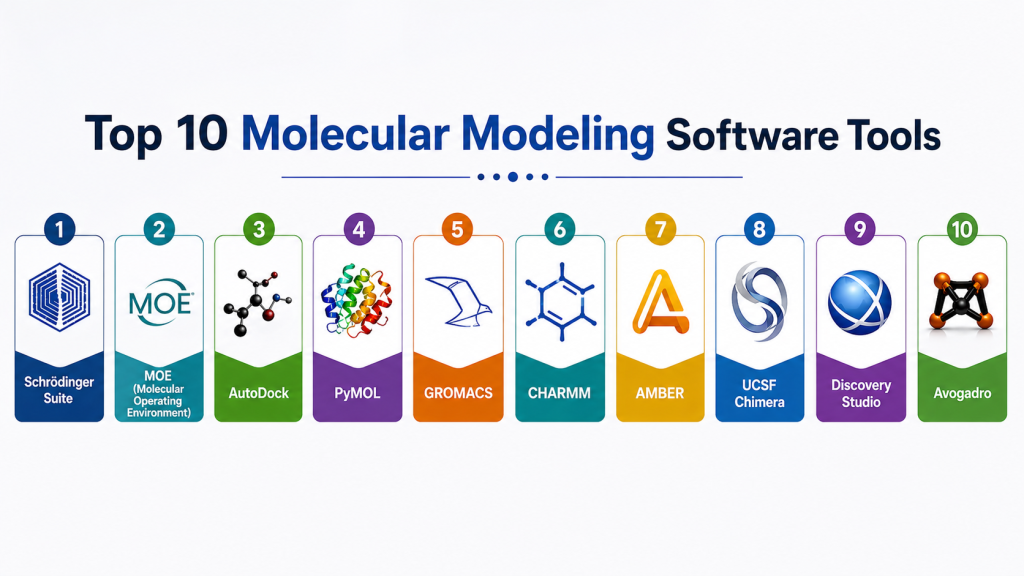
Top 10 Molecular Modeling Software Tools
#1 — Schrödinger Suite
Short description: A comprehensive molecular modeling platform widely used in pharmaceutical research. It provides advanced simulation, docking, and AI-driven drug discovery tools for enterprise environments.
Key Features
- Advanced molecular docking and simulation
- AI-assisted drug discovery workflows
- Protein structure prediction
- High-performance computing support
- Integrated research pipelines
Pros
- High accuracy and reliability
- Enterprise-grade capabilities
Cons
- Expensive licensing
- Requires specialized expertise
Platforms / Deployment
Windows / Linux / Cloud
Security & Compliance
Not publicly stated
Integrations & Ecosystem
Supports integration with research data systems and computational pipelines
- APIs for workflow automation
- Compatibility with HPC environments
- Data processing tools
Support & Community
Enterprise-level support with training and documentation
#2 — MOE (Molecular Operating Environment)
Short description: A versatile modeling platform suitable for both academic and industrial applications. It offers a balanced mix of usability and advanced computational chemistry features.
Key Features
- Molecular modeling and visualization
- Docking and QSAR analysis
- Protein modeling tools
- Simulation workflows
- Data analytics features
Pros
- User-friendly interface
- Broad functionality
Cons
- Licensing cost
- Limited cloud-native capabilities
Platforms / Deployment
Windows / Linux / macOS
Security & Compliance
Not publicly stated
Integrations & Ecosystem
Supports scripting and data integration workflows
- API-based extensions
- File format compatibility
Support & Community
Strong presence in academic and research communities
#3 — AutoDock
Short description: An open-source molecular docking tool widely used for protein-ligand interaction studies. It is popular among researchers for its flexibility and cost-effectiveness.
Key Features
- Flexible docking simulations
- Ligand-protein interaction modeling
- Customizable parameters
- Open-source architecture
- Lightweight design
Pros
- Free and accessible
- Highly customizable
Cons
- Limited graphical interface
- Requires technical knowledge
Platforms / Deployment
Windows / Linux / macOS
Security & Compliance
Not publicly stated
Integrations & Ecosystem
Works well with visualization and scripting tools
- Plugin support
- Integration with external analysis tools
Support & Community
Large open-source community with extensive documentation
#4 — PyMOL
Short description: A powerful molecular visualization tool known for producing high-quality 3D molecular graphics. It is widely used in research, education, and publication preparation.
Key Features
- High-quality 3D rendering
- Molecular visualization and animation
- Structural analysis tools
- Python scripting support
- Custom visualization workflows
Pros
- Excellent visualization capabilities
- Flexible and customizable
Cons
- Limited simulation functionality
- Requires scripting for advanced use
Platforms / Deployment
Windows / macOS / Linux
Security & Compliance
Not publicly stated
Integrations & Ecosystem
Integrates with multiple modeling tools and workflows
- Plugin ecosystem
- Python-based extensions
Support & Community
Active global user community
#5 — GROMACS
Short description: A high-performance molecular dynamics software designed for simulating proteins, lipids, and nucleic acids with exceptional speed and efficiency.
Key Features
- Molecular dynamics simulations
- GPU acceleration
- High-performance computing support
- Efficient algorithms for large systems
- Open-source framework
Pros
- Fast and scalable
- Highly efficient for large simulations
Cons
- Command-line interface
- Requires technical expertise
Platforms / Deployment
Linux / Windows
Security & Compliance
Not publicly stated
Integrations & Ecosystem
Compatible with various scientific tools and frameworks
- HPC cluster integration
- Script-based workflows
Support & Community
Large and active scientific community
#6 — CHARMM
Short description: A well-established molecular simulation program used for biomolecular research. It provides advanced tools for studying complex molecular systems.
Key Features
- Molecular dynamics simulation
- Energy minimization techniques
- Biomolecular modeling
- Flexible scripting capabilities
- Advanced computational methods
Pros
- Highly customizable
- Proven reliability
Cons
- Steep learning curve
- Less intuitive interface
Platforms / Deployment
Linux / Windows
Security & Compliance
Not publicly stated
Integrations & Ecosystem
Works with multiple simulation frameworks
- Script-based integrations
Support & Community
Strong academic and research backing
#7 — AMBER
Short description: A widely used molecular dynamics package focused on biomolecular simulations. It is especially popular for protein and nucleic acid research.
Key Features
- Molecular dynamics simulation
- Force field modeling
- GPU acceleration
- Biomolecular analysis tools
- Data processing utilities
Pros
- High simulation accuracy
- Strong research support
Cons
- Licensing requirements
- Requires training to use effectively
Platforms / Deployment
Linux / Windows
Security & Compliance
Not publicly stated
Integrations & Ecosystem
Integrates with visualization and analysis tools
- Data export and workflow support
Support & Community
Active and experienced user base
#8 — UCSF Chimera
Short description: A user-friendly visualization and analysis tool for molecular structures. It is widely used in academic research and teaching environments.
Key Features
- 3D molecular visualization
- Structure analysis tools
- Volume data visualization
- Plugin extensions
- Interactive interface
Pros
- Easy to use
- Free for academic use
Cons
- Limited advanced simulation features
- Performance constraints for large datasets
Platforms / Deployment
Windows / macOS / Linux
Security & Compliance
Not publicly stated
Integrations & Ecosystem
Supports plugins and multiple data formats
- Visualization integrations
Support & Community
Strong academic community support
#9 — Discovery Studio
Short description: A comprehensive modeling platform offering end-to-end solutions for molecular simulation and drug discovery workflows.
Key Features
- Molecular docking and simulation
- Workflow automation
- Data visualization tools
- AI-assisted modeling
- Integrated research environment
Pros
- Comprehensive feature set
- Enterprise-ready solution
Cons
- High cost
- Resource-intensive
Platforms / Deployment
Windows / Cloud
Security & Compliance
Not publicly stated
Integrations & Ecosystem
Integrates with enterprise research systems
- Data pipeline compatibility
Support & Community
Professional enterprise support
#10 — Avogadro
Short description: An open-source molecular editor and visualization tool designed for students and early-stage researchers. It offers a simple and intuitive interface.
Key Features
- Molecular editing tools
- Visualization capabilities
- Plugin architecture
- Cross-platform compatibility
- Lightweight design
Pros
- Easy to learn
- Free and open-source
Cons
- Limited advanced features
- Not suitable for complex simulations
Platforms / Deployment
Windows / macOS / Linux
Security & Compliance
Not publicly stated
Integrations & Ecosystem
Supports plugin-based extensions
- Basic integration capabilities
Support & Community
Active open-source contributors
Comparison Table
| Tool Name | Best For | Platform(s) Supported | Deployment | Standout Feature | Public Rating |
|---|---|---|---|---|---|
| Schrödinger Suite | Enterprise pharma | Windows/Linux | Cloud/Hybrid | AI-driven modeling | N/A |
| MOE | Balanced use | Cross-platform | Self-hosted | QSAR analysis | N/A |
| AutoDock | Researchers | Cross-platform | Self-hosted | Open-source docking | N/A |
| PyMOL | Visualization | Cross-platform | Self-hosted | 3D rendering | N/A |
| GROMACS | HPC simulations | Linux/Windows | Self-hosted | GPU acceleration | N/A |
| CHARMM | Biomolecular research | Linux/Windows | Self-hosted | Custom simulations | N/A |
| AMBER | Protein research | Linux/Windows | Self-hosted | Accurate MD | N/A |
| UCSF Chimera | Academic use | Cross-platform | Self-hosted | Easy visualization | N/A |
| Discovery Studio | Enterprise | Windows/Cloud | Cloud | End-to-end workflows | N/A |
| Avogadro | Beginners | Cross-platform | Self-hosted | Simple editor | N/A |
Evaluation & Scoring of Molecular Modeling Software
| Tool Name | Core (25%) | Ease (15%) | Integrations (15%) | Security (10%) | Performance (10%) | Support (10%) | Value (15%) | Weighted Total |
|---|---|---|---|---|---|---|---|---|
| Schrödinger Suite | 9 | 7 | 8 | 7 | 9 | 9 | 6 | 8.0 |
| MOE | 8 | 8 | 7 | 7 | 8 | 8 | 7 | 7.8 |
| AutoDock | 7 | 5 | 6 | 6 | 7 | 7 | 9 | 7.0 |
| PyMOL | 6 | 7 | 6 | 6 | 7 | 8 | 8 | 7.0 |
| GROMACS | 9 | 5 | 7 | 6 | 9 | 8 | 9 | 8.0 |
| CHARMM | 8 | 5 | 6 | 6 | 8 | 7 | 7 | 7.2 |
| AMBER | 8 | 6 | 7 | 6 | 8 | 7 | 7 | 7.4 |
| UCSF Chimera | 6 | 8 | 6 | 6 | 7 | 8 | 8 | 7.2 |
| Discovery Studio | 9 | 7 | 8 | 7 | 8 | 9 | 6 | 8.1 |
| Avogadro | 5 | 9 | 5 | 5 | 6 | 7 | 9 | 6.8 |
How to interpret scores:
These scores are relative comparisons based on typical usage scenarios. Higher scores indicate balanced capabilities across enterprise and research needs. Lower scores may still represent excellent niche tools, especially in open-source or educational contexts.
Which Molecular Modeling Software Tool Is Right for You?
Solo / Freelancer
- Avogadro, PyMOL
- Suitable for learning, visualization, and small projects
SMB
- MOE, UCSF Chimera
- Balanced usability and features
Mid-Market
- GROMACS, AMBER
- Strong performance and scalability
Enterprise
- Schrödinger Suite, Discovery Studio
- Advanced capabilities and integrations
Budget vs Premium
- Budget: AutoDock, Avogadro
- Premium: Schrödinger Suite, Discovery Studio
Feature Depth vs Ease of Use
- Deep features: CHARMM, GROMACS
- Ease of use: Chimera, Avogadro
Integrations & Scalability
- Enterprise tools provide better ecosystem integration
- Open-source tools require manual setup
Security & Compliance Needs
- Enterprise environments should prioritize platforms with structured security controls
Frequently Asked Questions (FAQs)
1. What is molecular modeling software used for?
It is used to simulate and analyze molecular structures, helping researchers understand chemical interactions and design new compounds efficiently.
2. Is molecular modeling software expensive?
Costs vary widely. Open-source tools are free, while enterprise platforms require licensing and can be expensive.
3. Can beginners use molecular modeling tools?
Yes, beginner-friendly tools like Avogadro and Chimera are available, though advanced tools require training.
4. Do these tools support cloud deployment?
Some enterprise platforms offer cloud deployment, while many open-source tools are primarily self-hosted.
5. What industries rely on molecular modeling?
Pharmaceuticals, biotechnology, academia, and material science industries use these tools extensively.
6. How accurate are molecular simulations?
Accuracy depends on algorithms, data inputs, and user expertise. Advanced tools offer higher precision.
7. Are AI features available in these tools?
Yes, especially in enterprise platforms that focus on drug discovery and predictive modeling.
8. What are common challenges in using these tools?
Common challenges include steep learning curves, computational requirements, and integration complexity.
9. Can molecular modeling tools integrate with other systems?
Yes, many tools integrate with data pipelines, visualization tools, and research platforms.
10. How should I choose the right tool?
Consider your use case, budget, technical expertise, and scalability needs before selecting a tool.
Conclusion
Molecular modeling software plays a crucial role in accelerating scientific discovery and innovation across industries. These tools enable researchers to simulate complex molecular interactions, reduce experimental costs, and improve accuracy in drug development and material science. The right choice depends heavily on your specific requirements. Open-source tools offer flexibility and affordability, while enterprise platforms provide advanced features, scalability, and integrated workflows. Each option serves a different purpose, from education and small research projects to large-scale pharmaceutical research. Before making a decision, it is important to evaluate usability, performance, and integration capabilities. Security and compliance considerations also become critical in regulated environments. Instead of selecting a single tool immediately, shortlist two or three options and test them in real-world scenarios. Running pilot projects helps validate workflows, performance, and compatibility with existing systems. Ultimately, the best molecular modeling software is the one that aligns with your research goals, technical capabilities, and long-term scalability needs.
Very informative post. Molecular modeling is becoming a key part of biotech and pharmaceutical development 🚀