Introduction
Git clients are tools that provide a graphical or enhanced interface for interacting with Git repositories, making version control easier and more accessible compared to command-line usage. While Git itself is powerful, many developers and teams rely on Git clients to simplify workflows like commits, branching, merging, and conflict resolution.
In the modern development landscape, Git clients are becoming increasingly important due to distributed teams, complex branching strategies, and the rise of DevOps practices. These tools improve productivity, reduce errors, and enhance collaboration—especially for developers who prefer visual workflows or need faster onboarding.
Real-World Use Cases
- Managing commits, branches, and merges visually
- Resolving merge conflicts with UI-based tools
- Collaborating on code across distributed teams
- Simplifying onboarding for non-Git-expert developers
- Enhancing productivity with integrated workflows
What Buyers Should Evaluate
- Ease of use and UI/UX design
- Support for advanced Git workflows
- Performance with large repositories
- Cross-platform compatibility
- Integration with SCM platforms (GitHub, GitLab, etc.)
- Conflict resolution capabilities
- Customization and extensibility
- Pricing and licensing model
Best for: Developers, DevOps engineers, and teams looking for a more intuitive and visual Git experience across projects of any size.
Not ideal for: Advanced Git users who prefer CLI workflows or minimal environments where GUI tools are unnecessary.
Key Trends in Git Clients for 2026 and Beyond
- AI-powered commit suggestions and conflict resolution
- Improved visualizations for complex branching strategies
- Deep integration with DevOps and CI/CD pipelines
- Enhanced collaboration features within Git clients
- Cloud-connected Git clients with real-time sync
- Security-first design with credential management
- Lightweight and fast UI frameworks
- Plugin ecosystems expanding capabilities
- Better support for large monorepos
- Cross-platform consistency improvements
How We Selected These Tools (Methodology)
- Strong adoption among developers and teams
- Feature-rich Git operations support
- Reliability and performance across environments
- User experience and onboarding simplicity
- Integration with major SCM platforms
- Availability across operating systems
- Community support and updates
- Balance between free and premium offerings
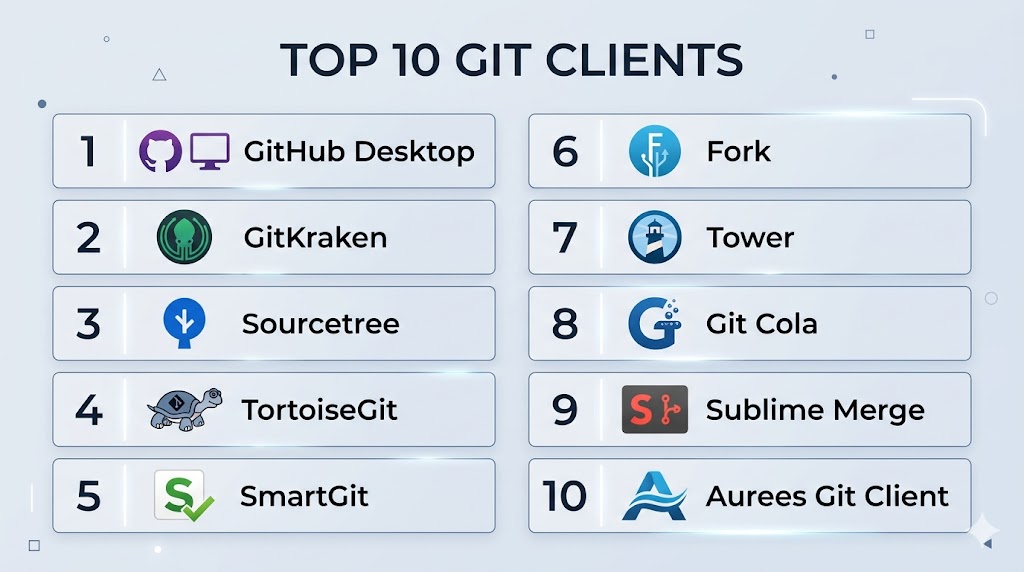
Top 10 Git Clients
#1 — GitHub Desktop
Short description: A simple and intuitive Git client designed for GitHub users and beginners.
Key Features
- Visual commit and branch management
- Seamless GitHub integration
- Drag-and-drop repository cloning
- Conflict resolution UI
- Simple history view
Pros
- Very beginner-friendly
- Free and easy to use
Cons
- Limited advanced features
- Best suited for GitHub only
Platforms / Deployment
Windows / macOS
Local desktop application
Security & Compliance
MFA support via GitHub accounts
Not publicly stated (full compliance details)
Integrations & Ecosystem
Primarily integrates with GitHub ecosystem.
- GitHub repositories
- GitHub Actions
- GitHub issues
Support & Community
Strong community and official documentation.
#2 — GitKraken
Short description: A powerful Git client with a modern UI and advanced visualization features.
Key Features
- Visual commit graph
- Built-in merge conflict editor
- GitHub, GitLab, Bitbucket integration
- Terminal integration
- Workspaces and collaboration features
Pros
- Excellent UI/UX
- Supports multiple Git platforms
Cons
- Paid plans for advanced features
- Can be resource-heavy
Platforms / Deployment
Windows / macOS / Linux
Desktop / Cloud-connected
Security & Compliance
SSO, MFA
Not publicly stated
Integrations & Ecosystem
- GitHub
- GitLab
- Bitbucket
- Jira
Support & Community
Active community and premium support tiers.
#3 — Sourcetree
Short description: A free Git client by Atlassian with strong Bitbucket integration.
Key Features
- Visual Git workflows
- Branching and merging tools
- Built-in Git-flow support
- Repository search
- Commit history visualization
Pros
- Free to use
- Good for Atlassian users
Cons
- Limited Linux support
- UI can feel outdated
Platforms / Deployment
Windows / macOS
Desktop application
Security & Compliance
Not publicly stated
Integrations & Ecosystem
- Bitbucket
- Jira
- Atlassian ecosystem
Support & Community
Backed by Atlassian documentation.
#4 — TortoiseGit
Short description: A Windows-based Git client integrated into the file explorer.
Key Features
- Windows shell integration
- Overlay icons for file status
- Commit and log dialogs
- Conflict resolution tools
- Lightweight performance
Pros
- Deep Windows integration
- Lightweight and stable
Cons
- Windows-only
- Outdated UI
Platforms / Deployment
Windows
Desktop application
Security & Compliance
Not publicly stated
Integrations & Ecosystem
- Git repositories
- Basic integration support
Support & Community
Long-standing community support.
#5 — SmartGit
Short description: A professional Git client offering advanced features for teams and enterprises.
Key Features
- Git, GitHub, GitLab support
- Advanced diff and merge tools
- Repository management
- Built-in SSH client
- Cross-platform support
Pros
- Enterprise-ready
- Strong feature set
Cons
- Paid license for commercial use
- Learning curve
Platforms / Deployment
Windows / macOS / Linux
Desktop
Security & Compliance
SSH support, encryption
Not publicly stated
Integrations & Ecosystem
- GitHub
- GitLab
- Bitbucket
Support & Community
Commercial support available.
#6 — Fork
Short description: A fast and lightweight Git client with powerful features for developers.
Key Features
- Interactive rebase
- Merge conflict resolution
- Commit staging
- Repository manager
- Fast performance
Pros
- Very fast
- Clean UI
Cons
- Limited integrations
- Smaller community
Platforms / Deployment
Windows / macOS
Desktop
Security & Compliance
Not publicly stated
Integrations & Ecosystem
- Git repositories
- Basic integrations
Support & Community
Growing community support.
#7 — Tower
Short description: A premium Git client focused on professional developers and teams.
Key Features
- Advanced Git workflows
- Drag-and-drop operations
- Interactive rebase
- Undo functionality
- Conflict management
Pros
- Highly polished UI
- Powerful features
Cons
- Paid-only
- Not beginner-focused
Platforms / Deployment
Windows / macOS
Desktop
Security & Compliance
Not publicly stated
Integrations & Ecosystem
- GitHub
- GitLab
- Bitbucket
Support & Community
Premium support with documentation.
#8 — Git Cola
Short description: An open-source Git client with a simple interface for lightweight usage.
Key Features
- Basic Git operations
- Staging and committing
- Lightweight UI
- Open-source flexibility
- Keyboard-driven interface
Pros
- Free and open-source
- Lightweight
Cons
- Limited advanced features
- Minimal UI
Platforms / Deployment
Windows / macOS / Linux
Desktop
Security & Compliance
Not publicly stated
Integrations & Ecosystem
Limited integrations.
Support & Community
Open-source community support.
#9 — Sublime Merge
Short description: A fast Git client from Sublime with high-performance UI and Git integration.
Key Features
- High-speed performance
- Advanced search
- Command palette
- Git flow support
- Customizable UI
Pros
- Very fast
- Developer-friendly
Cons
- Paid license for full features
- Limited built-in integrations
Platforms / Deployment
Windows / macOS / Linux
Desktop
Security & Compliance
Not publicly stated
Integrations & Ecosystem
- Git repositories
- Sublime ecosystem
Support & Community
Active developer community.
#10 — Aurees Git Client
Short description: A modern Git client designed for simplicity and usability.
Key Features
- Visual Git workflows
- Branch management
- Commit history
- Lightweight interface
- Easy onboarding
Pros
- Simple interface
- Easy to use
Cons
- Limited features
- Smaller adoption
Platforms / Deployment
Varies / N/A
Security & Compliance
Not publicly stated
Integrations & Ecosystem
Limited integrations.
Support & Community
Not publicly stated.
Comparison Table (Top 10)
| Tool Name | Best For | Platform(s) Supported | Deployment | Standout Feature | Public Rating |
|---|---|---|---|---|---|
| GitHub Desktop | Beginners | Windows/macOS | Desktop | Simplicity | N/A |
| GitKraken | Teams | Multi-OS | Desktop | Visual graph | N/A |
| Sourcetree | Atlassian users | Windows/macOS | Desktop | Bitbucket integration | N/A |
| TortoiseGit | Windows users | Windows | Desktop | Shell integration | N/A |
| SmartGit | Enterprises | Multi-OS | Desktop | Advanced features | N/A |
| Fork | Developers | Windows/macOS | Desktop | Speed | N/A |
| Tower | Professionals | Windows/macOS | Desktop | Advanced workflows | N/A |
| Git Cola | Open-source users | Multi-OS | Desktop | Lightweight | N/A |
| Sublime Merge | Power users | Multi-OS | Desktop | Performance | N/A |
| Aurees | Beginners | N/A | Desktop | Simplicity | N/A |
Evaluation & Scoring of Git Clients
| Tool Name | Core | Ease | Integrations | Security | Performance | Support | Value | Weighted Total |
|---|---|---|---|---|---|---|---|---|
| GitHub Desktop | 8 | 10 | 8 | 8 | 8 | 9 | 10 | 8.9 |
| GitKraken | 9 | 9 | 9 | 8 | 9 | 9 | 7 | 8.7 |
| Sourcetree | 8 | 8 | 8 | 7 | 8 | 8 | 9 | 8.1 |
| TortoiseGit | 7 | 7 | 6 | 7 | 8 | 7 | 9 | 7.5 |
| SmartGit | 9 | 7 | 8 | 8 | 9 | 8 | 7 | 8.2 |
| Fork | 8 | 8 | 6 | 7 | 9 | 7 | 9 | 8.0 |
| Tower | 9 | 8 | 8 | 8 | 9 | 8 | 6 | 8.1 |
| Git Cola | 6 | 7 | 5 | 6 | 7 | 6 | 10 | 6.8 |
| Sublime Merge | 8 | 8 | 6 | 7 | 10 | 7 | 8 | 8.1 |
| Aurees | 6 | 8 | 5 | 6 | 7 | 6 | 9 | 6.9 |
How to interpret scores:
These scores compare tools relative to each other across key dimensions. Higher totals indicate a better overall balance, but not necessarily the best fit for every use case. For example, lightweight tools score high on value but lower on integrations. Enterprise-grade tools may score higher in performance but lower in ease of use. Always align scores with your team’s needs and workflow complexity.
Which Git Clients Tool Is Right for You?
Solo / Freelancer
GitHub Desktop or Fork are excellent due to simplicity and performance.
SMB
GitKraken or Sourcetree offer strong features with reasonable cost.
Mid-Market
SmartGit and Tower provide advanced workflows and scalability.
Enterprise
GitKraken (enterprise plan) and SmartGit are suitable for large teams.
Budget vs Premium
- Budget: Git Cola, TortoiseGit
- Premium: Tower, GitKraken
Feature Depth vs Ease of Use
- Feature-rich: GitKraken, SmartGit
- Easy-to-use: GitHub Desktop
Integrations & Scalability
- Best integrations: GitKraken
- Scalable: SmartGit
Security & Compliance Needs
- Enterprise-grade: SmartGit, GitKraken
- Basic needs: GitHub Desktop
Frequently Asked Questions (FAQs)
What is a Git client?
A Git client is a tool that provides a graphical interface to interact with Git repositories, simplifying version control operations.
Do I need a Git client if I know Git CLI?
No, but it can improve productivity and visualization.
Are Git clients free?
Some are free (GitHub Desktop, Git Cola), while others offer paid plans.
Which Git client is best for beginners?
GitHub Desktop is widely considered the easiest to use.
Can Git clients handle large repositories?
Yes, tools like GitKraken and Sublime Merge perform well with large repos.
Do Git clients support all Git features?
Most support core features, but advanced CLI commands may still be needed.
Are Git clients secure?
Security depends on the tool and integrations; most rely on Git platform security.
Can I switch between Git clients?
Yes, since they all use Git repositories.
Do Git clients integrate with GitHub/GitLab?
Yes, most modern clients support major platforms.
What is the difference between Git and Git client?
Git is the version control system; a Git client is a UI tool to interact with it.
Conclusion
Git clients play a crucial role in making version control more accessible, efficient, and collaborative. Whether you are a beginner looking for simplicity or an experienced developer needing advanced workflows, there is a Git client tailored to your needs. Tools like GitHub Desktop excel in ease of use, while GitKraken and SmartGit offer deeper functionality for professional environments. The best approach is to shortlist a few tools based on your workflow, test them in real scenarios, and evaluate how well they integrate with your development ecosystem. Choosing the right Git client can significantly enhance productivity, reduce errors, and streamline collaboration across your team.